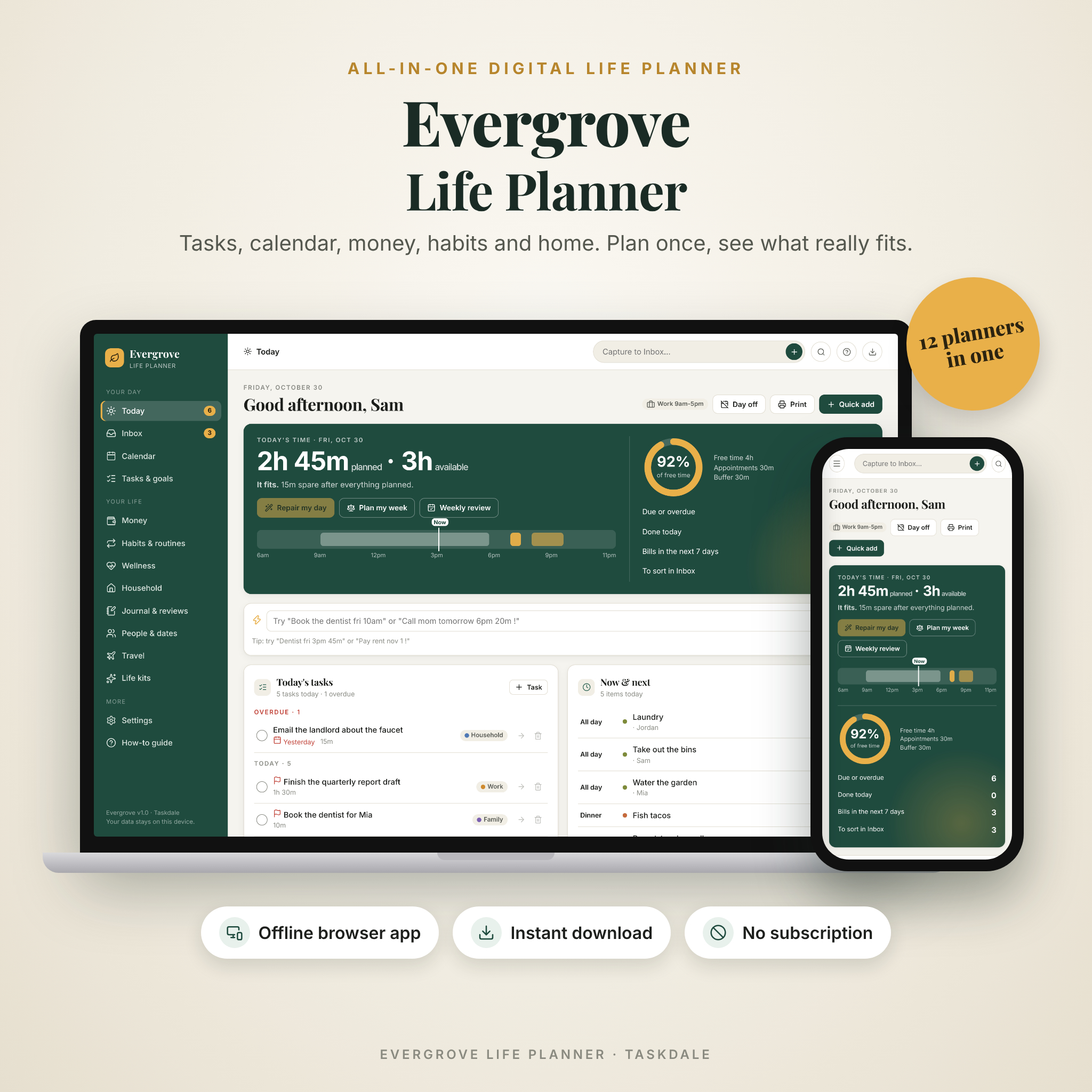
Evergrove is an all-in-one digital life planner that runs in your web browser, works offline, and keeps every plan on your own computer. Tasks, calendar, money, habits, wellness, meals, chores, journal, birthdays and trips all live in one file, and they all talk to each other. No account. No subscription. Nothing to sign up for.
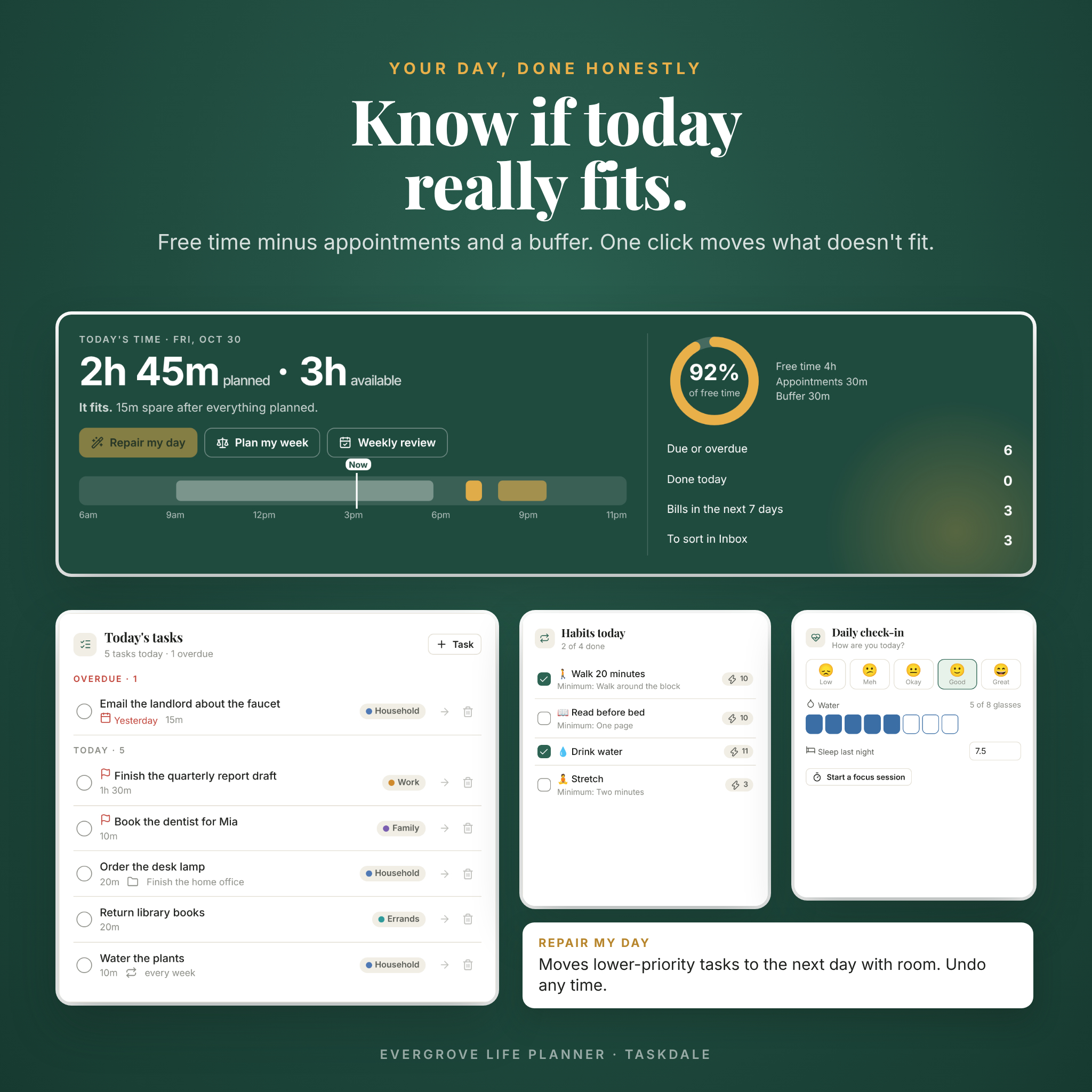
Here’s the part most planners skip. Evergrove works out how much free time you actually have each day, after appointments and a buffer, and compares it with what you’ve planned. If the day is overloaded, one click on Repair my day moves the less urgent tasks to a day that has room. Undo is one click away.
What the Evergrove life planner does
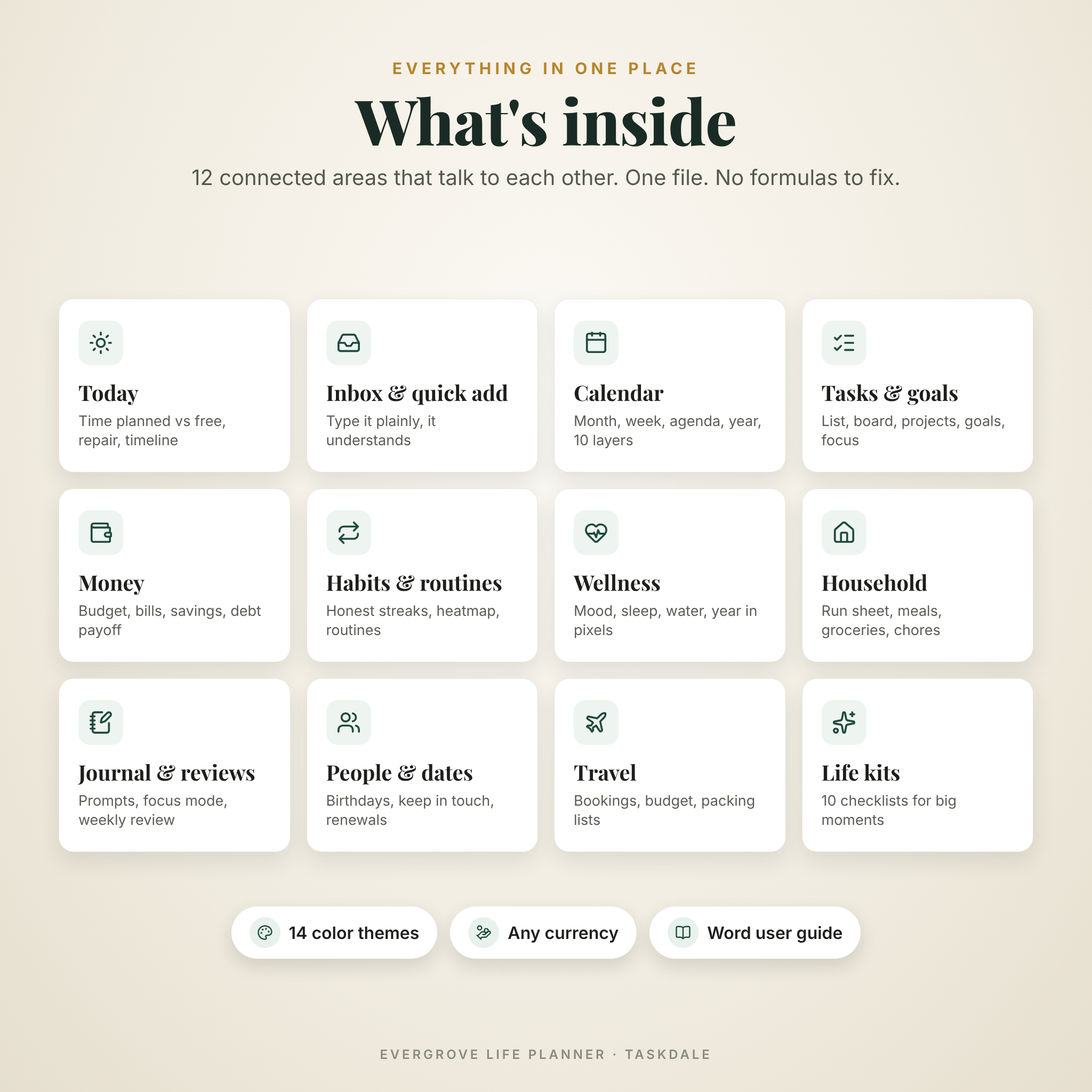
Think of it as twelve planners that share one brain. Add a bill once and it shows on your calendar, in your budget and in “Coming up”. Plan a recipe for Thursday and it turns into grocery suggestions.
Today, your home screen
- Time planned against time available, with a ring that turns red when you’ve overbooked.
- Repair my day and Balance my week, which shift low-priority tasks to days with room.
- A live day timeline showing work hours, appointments and timed tasks.
- Today’s tasks, Now & next, bills and birthdays coming up, habits and a 20-second check-in for mood, water and sleep.
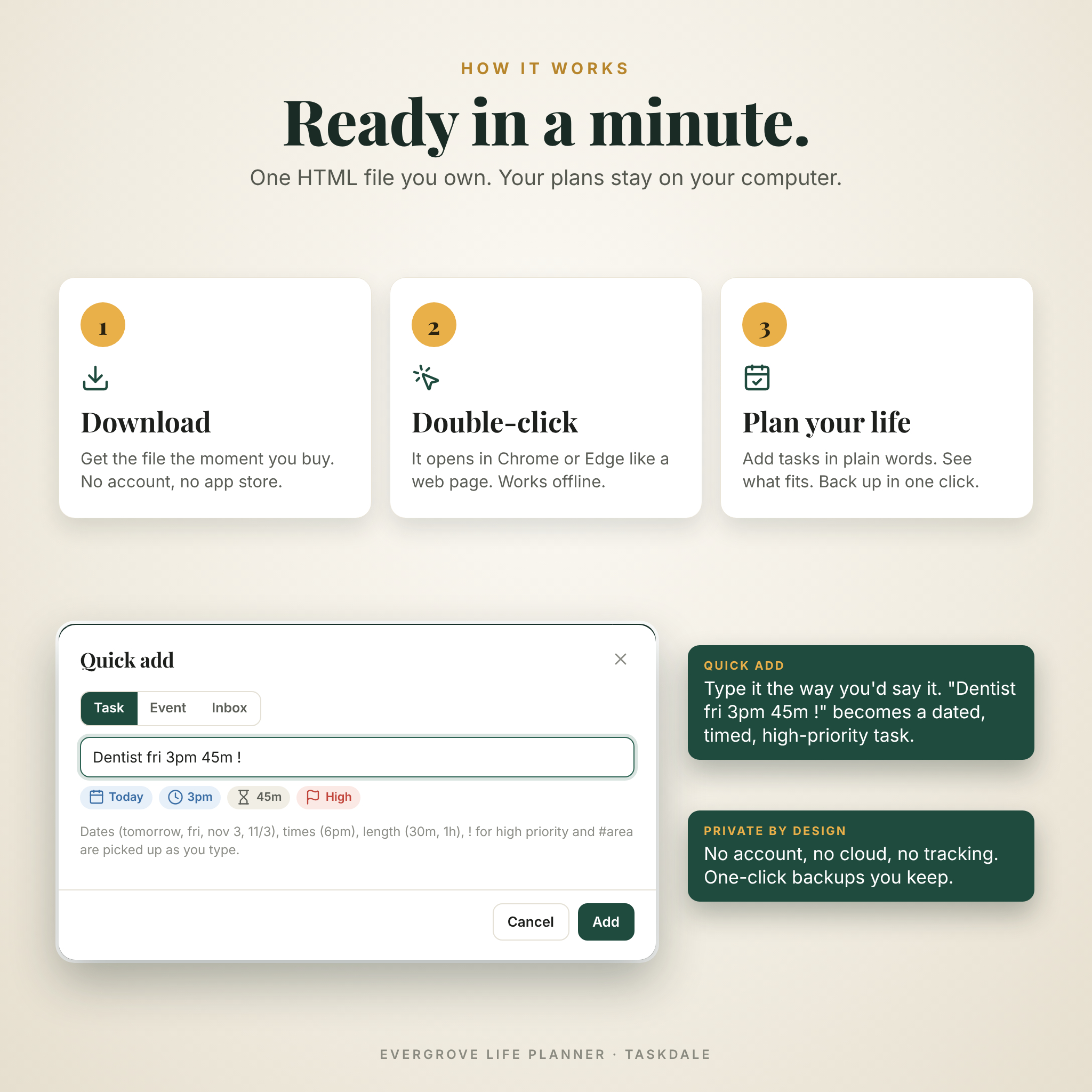
Quick add that reads plain English
Press N and type “Dentist fri 3pm 45m !”. Evergrove picks up the day, the time, how long it takes and the high priority while you type. A capture box on every page drops stray thoughts into an Inbox, and each one converts into a task, event, bill, note, goal, grocery item, person or journal entry with one click.
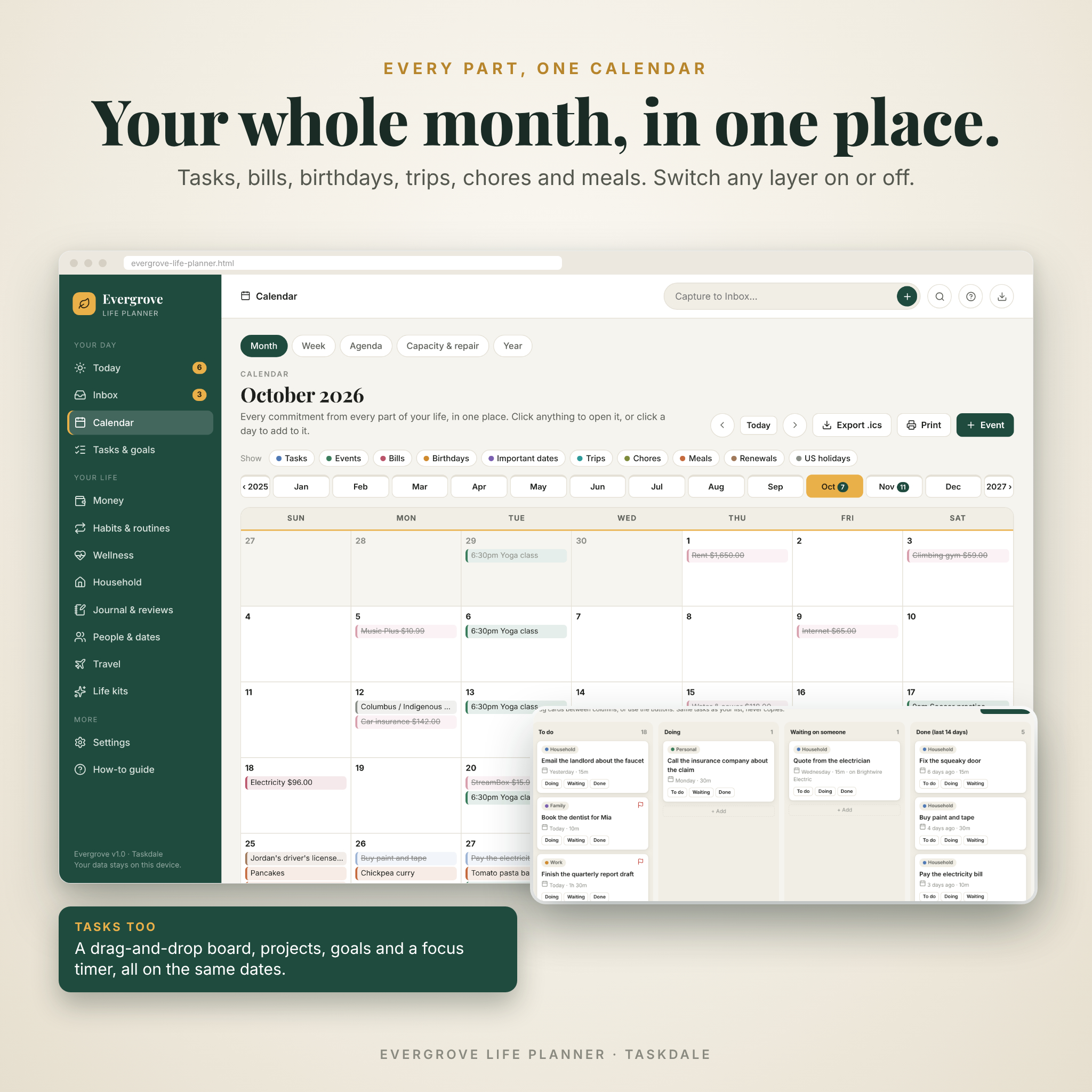
Calendar and capacity planning
- Month, week, agenda and year views, plus a capacity page showing how each day adds up.
- Ten layers you can switch on and off: tasks, events, bills, birthdays, important dates, trips, chores, meals, renewals and US holidays.
- Repeating events (daily, weekdays, weekly, every two weeks, monthly, quarterly, twice a year, yearly) and day-off marking.
- Export the next 12 months to Google Calendar, Apple Calendar or Outlook with an .ics file.
Tasks, projects, goals and focus
- Task list with filters, time estimates, steps, priorities, areas and repeating tasks.
- A drag-and-drop board: To do, Doing, Waiting on someone, Done.
- Projects with progress bars, and goals tracked by a number, money saved or linked tasks, with a “Can this fit?” check.
- A built-in focus timer that logs every session.
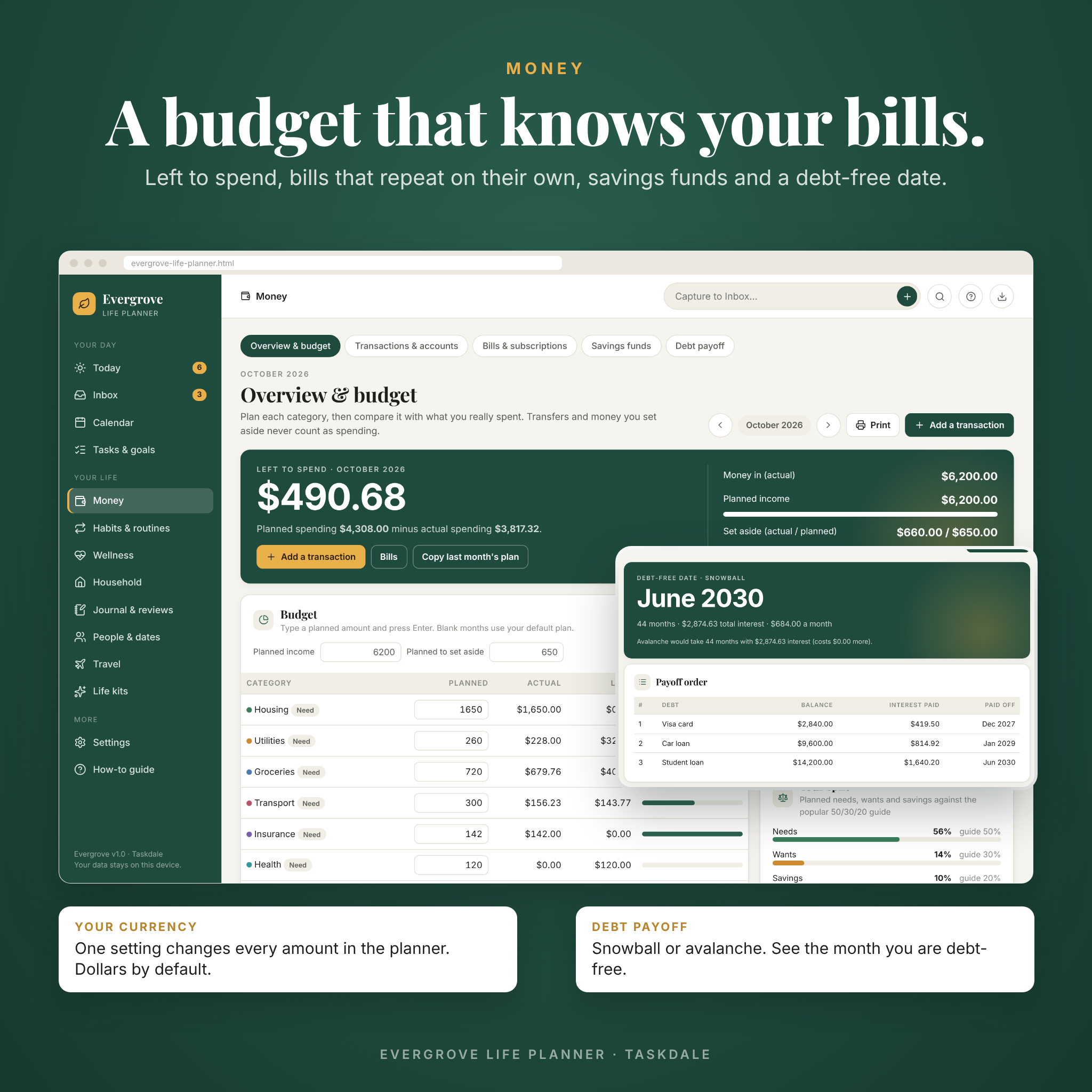
Money: budget planner, bill tracker and debt payoff
- Monthly budget by category with planned vs actual, left to spend, and a 50/30/20 check.
- Transactions and accounts with running balances and CSV export for Excel or Google Sheets.
- Bills and subscriptions that repeat on their own. Record the payment or match one you already entered, so nothing is counted twice.
- Savings funds with “how much a month gets you there”.
- Debt payoff calculator comparing snowball and avalanche, with your debt-free date and total interest.
- One currency setting for every amount. Dollars by default, any symbol you like.
Habits, routines and wellness
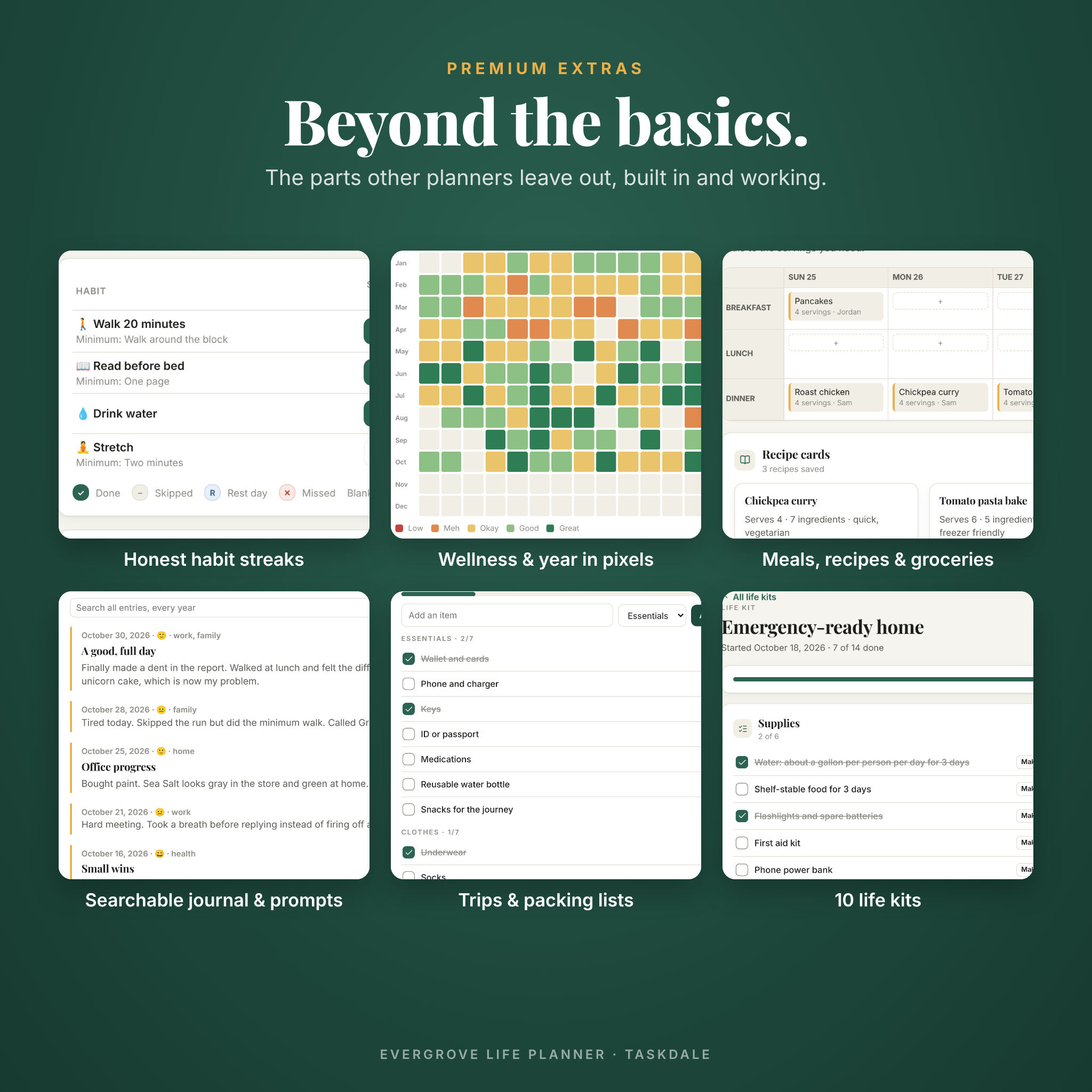
- Habit tracker with honest streaks. Skips and rest days never break them, and nothing is filled in for you.
- Daily routines that reset each morning, a six-month heatmap and best streaks.
- Mood, energy, sleep and water tracking, a year-in-pixels chart and a “what helps your mood” insight.
Household, journal, people and travel
- A printable week run sheet for the whole home, meal planner, recipe cards that scale to any number of servings, grocery list sorted by aisle, errands and a chore chart.
- A journal you can search across every year, with prompts, tags, “On this day” and a distraction-free focus mode.
- A four-step weekly review and pinned notes.
- Birthdays with ages, keep-in-touch reminders, important dates and renewal tracking for passports, licenses and insurance.
- Trip planner with bookings, budget, itinerary and packing lists from nine templates.
- Ten life kits: moving house, new baby, new job, wedding, hosting the holidays, back to school, emergency-ready home, spring deep clean, buying a car and bringing home a pet.
Who it’s for
Busy parents running a household. Students and young professionals juggling work, money and life. Anyone who has tried a dozen planner apps, or a spreadsheet that broke the minute they added a row, and wants their plans kept private.
Real ways people use it
- Sunday evening: run the weekly review, push leftover tasks forward and balance the week ahead.
- Payday: plan the month’s budget in ten minutes by copying last month’s plan.
- Moving house: start the moving kit and turn each step into a dated task.
What’s included
- Evergrove-Life-Planner.html – the planner (one file, about 0.5 MB).
- Evergrove-User-Guide.docx – a 31-page illustrated user guide in Word format.
- Evergrove-Quick-Start.pdf – a two-page start sheet with shortcuts and license terms.
- Third-Party-Notices.txt – font and icon licenses.
All of it comes in one ZIP, with the guide and quick start also as separate downloads.
How it works
- Download the ZIP straight after checkout and extract it.
- Double-click Evergrove-Life-Planner.html. It opens in Chrome or Edge like a web page.
- Answer four quick questions (name, currency, week start, theme). Explore the sample planner or start fresh.
- Bookmark the page, and download a backup once a week. Chrome and Edge can also auto-save every change to a backup file you choose.
File format and requirements
- Format: a single offline HTML web app. Works without internet.
- Tested in Google Chrome and Microsoft Edge on a computer. The layout also adapts to tablet and phone screens.
- Your data is saved in your browser on your device. Each browser keeps its own copy, so use backup and restore to move between devices.
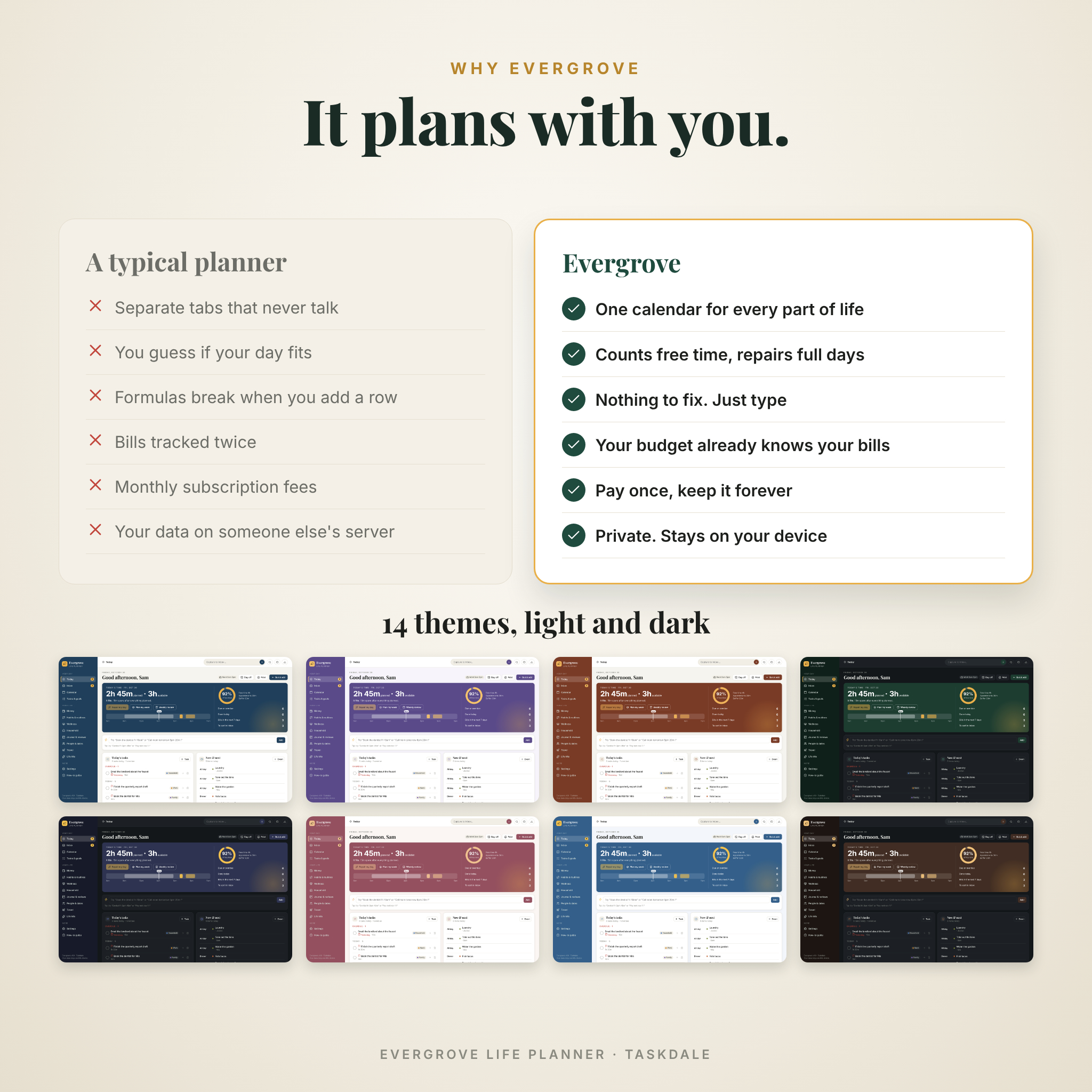
Make it yours
Pick from 14 color themes (ten light, four dark), set your currency, week start and time format, and add your own life areas and household members. Every page prints cleanly or saves as a PDF.
Digital download
This is a digital product. Nothing will be shipped. Your files are available to download as soon as payment is confirmed. Licensed for personal use by you and your household: please don’t resell, share or redistribute it. Money tools are planning estimates, not financial advice.
FAQ
Do I need internet or an account?
No. It works fully offline and never asks you to sign in.
Is this a monthly subscription?
No. You pay once and keep the file for good.
Is my data private?
Yes. Everything stays in your browser on your own computer. There’s no tracking and nothing is uploaded.
Does it work on iPad or phone?
The layout adapts to smaller screens, but each browser stores its own data. A computer works best as your main home for the planner, with backup and restore to move data.
Does it sync with Google Calendar?
You can export to Google, Apple or Outlook calendar with an .ics file. It’s a copy, not a live two-way sync.
Can I use pounds, euros or rand instead of dollars?
Yes. One currency setting changes the symbol, position, decimals and number style everywhere.
What if I clear my browser?
That can remove your plans, so Evergrove reminds you to back up. Restore your latest backup and carry on.
Reviews
There are no reviews yet.