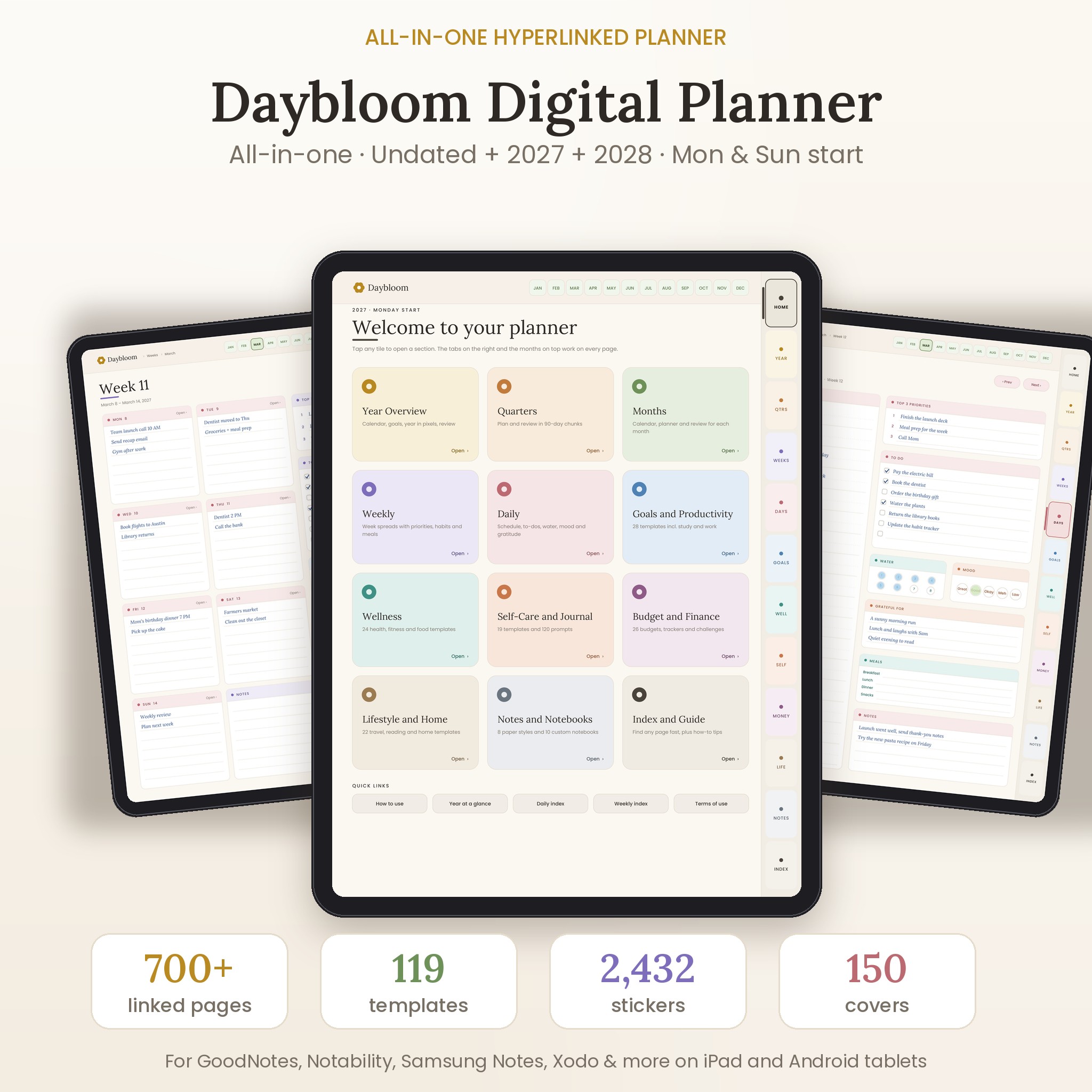
The Daybloom all-in-one digital planner puts your calendar, your to-do lists, your budget and your journal in one hyperlinked PDF. Open it in GoodNotes, Notability, Samsung Notes, Xodo or any PDF notes app. Tap a tab and you’re there.
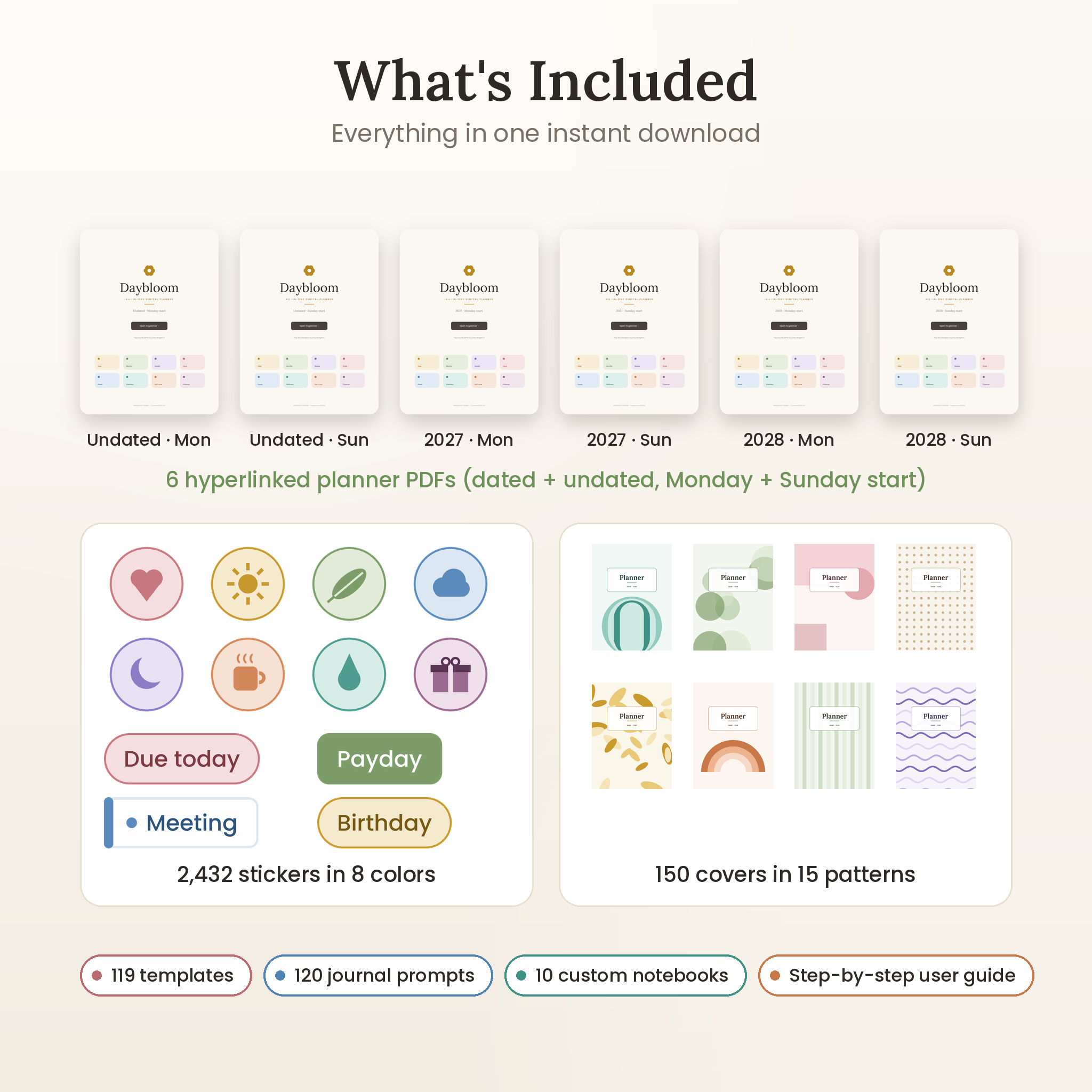
You get six versions in one download: undated, 2027 and 2028, each with a Monday start and a Sunday start. Pick the one that fits how you plan. Start in January, or start next Tuesday.
What This Digital Planner Does
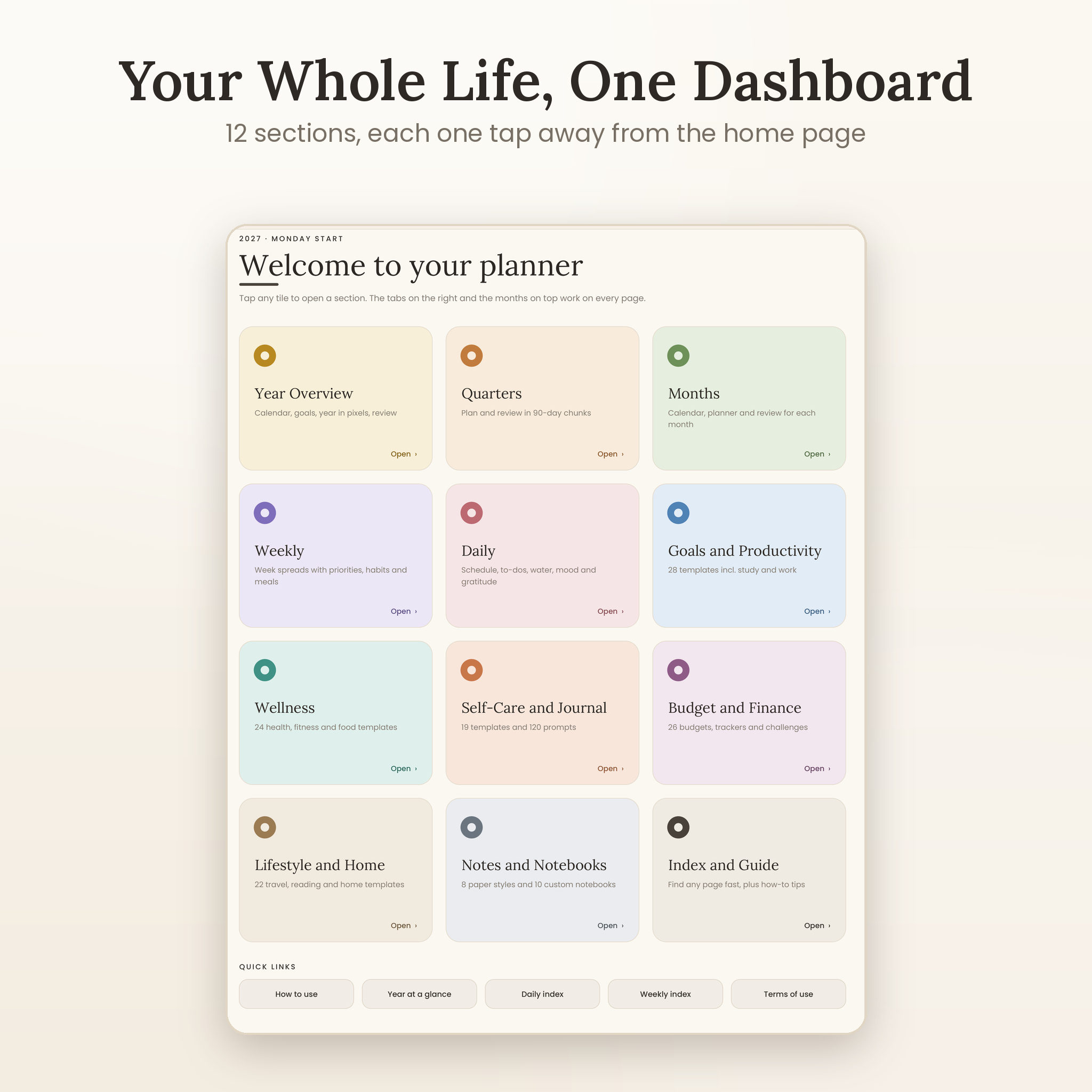
Daybloom gives every part of your life its own home. Plan your year, break it into quarters, map out each month, then get specific with weekly spreads and hourly daily pages. Behind the tabs on the right sit five template libraries for goals, wellness, self-care, money and home life.
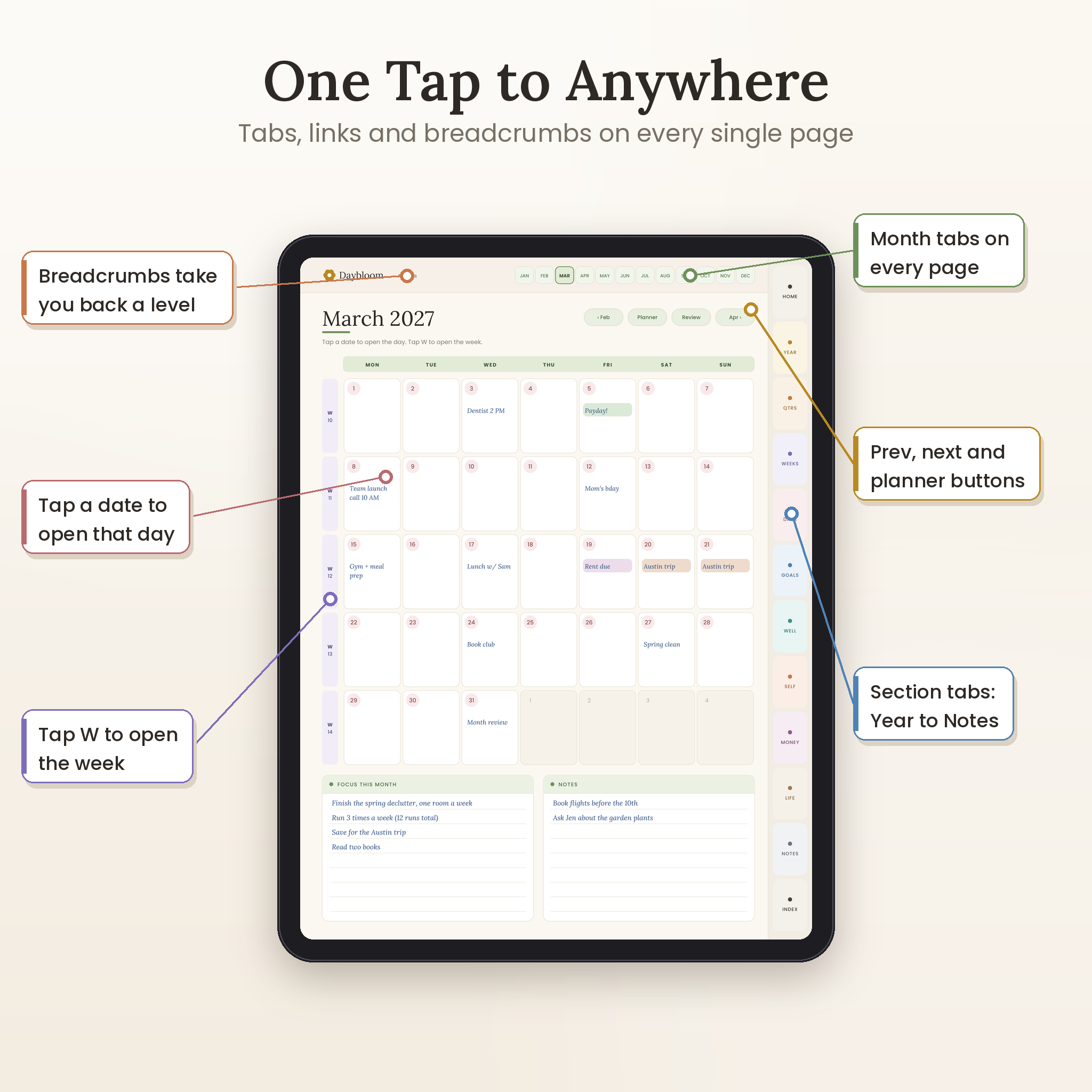
Every page has twelve month tabs across the top and twelve section tabs down the side. A breadcrumb next to the logo, like “March › Week 11”, takes you back up a level with one tap. You won’t get lost, even on page 600.
Who It’s For
- Busy parents keeping meals, school runs and bills straight
- Students tracking classes, assignments, exams and grades
- Anyone paying off debt, building savings or sticking to a budget
- Journalers who want prompts, gratitude logs and a calm place to think
Why You’ll Like Using It
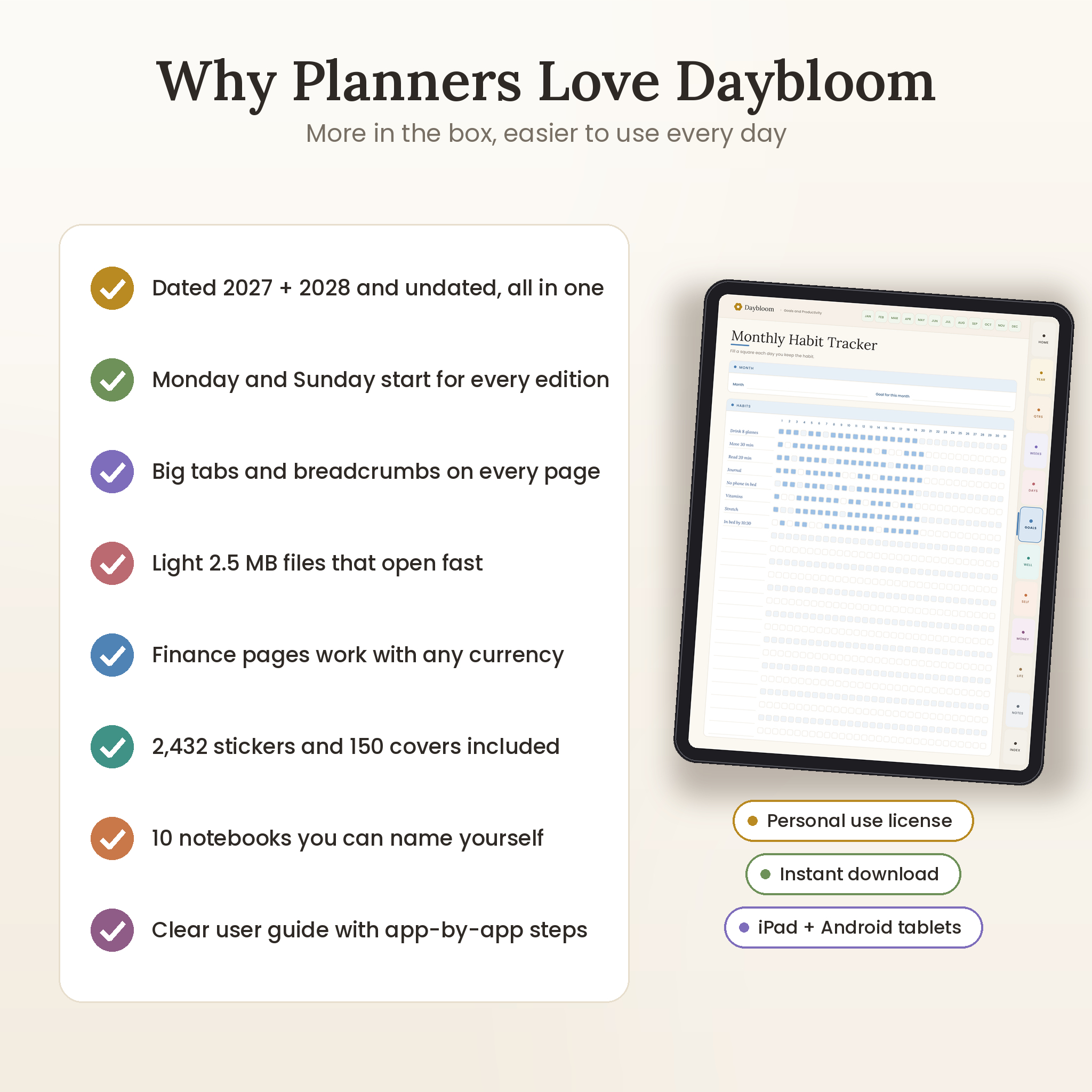
- One file, whole year. Calendar, trackers and notes all link to each other.
- Dated or undated. Real dates for 2027 and 2028, or an undated edition you can start any month and keep using for years.
- Big, easy tabs. Tap targets are sized for fingers, not just a stylus.
- Light and quick. Each planner is about 2.5 MB, so it opens fast and won’t slow your app.
- Calm design. Soft honey, sage, lavender, rose and sky colors on a warm ivory page. White writing boxes keep your handwriting easy to read.
- Works with any currency. Finance pages have one Currency box at the top. Write $, £, € or whatever you use. Amount columns stay neutral.
Features of the Hyperlinked Planner
Year, quarter and month planning
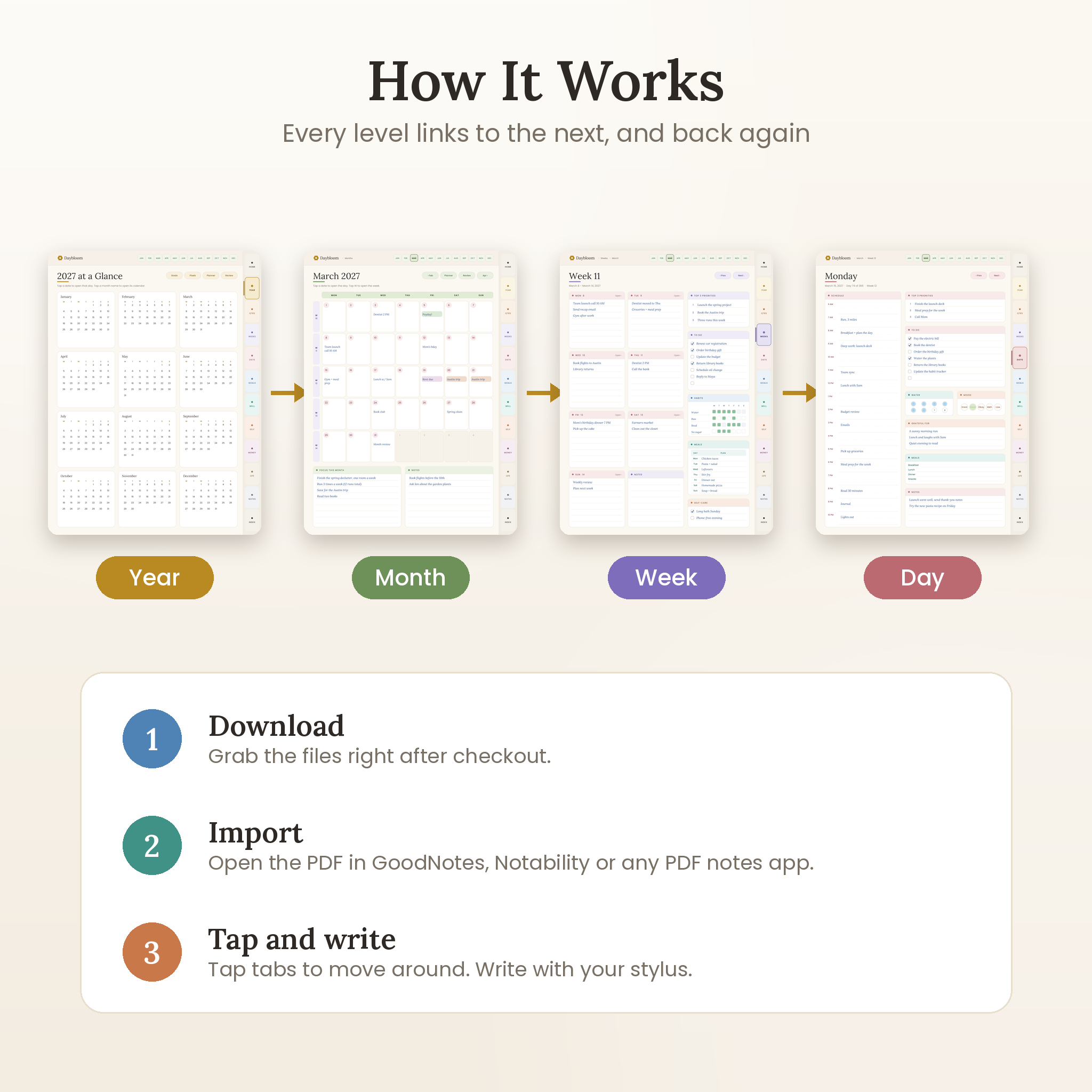
Year at a Glance (every date links to its day in the dated editions), Year Goals across eight life areas, Year in Pixels mood tracker, Year Planner, Year in Review and reference calendars for 2026 to 2028. Four quarter pages help you plan in 90-day chunks. Each month gets a calendar, a planner page with an 8-habit tracker and budget snapshot, and a review page.
Weekly and daily pages
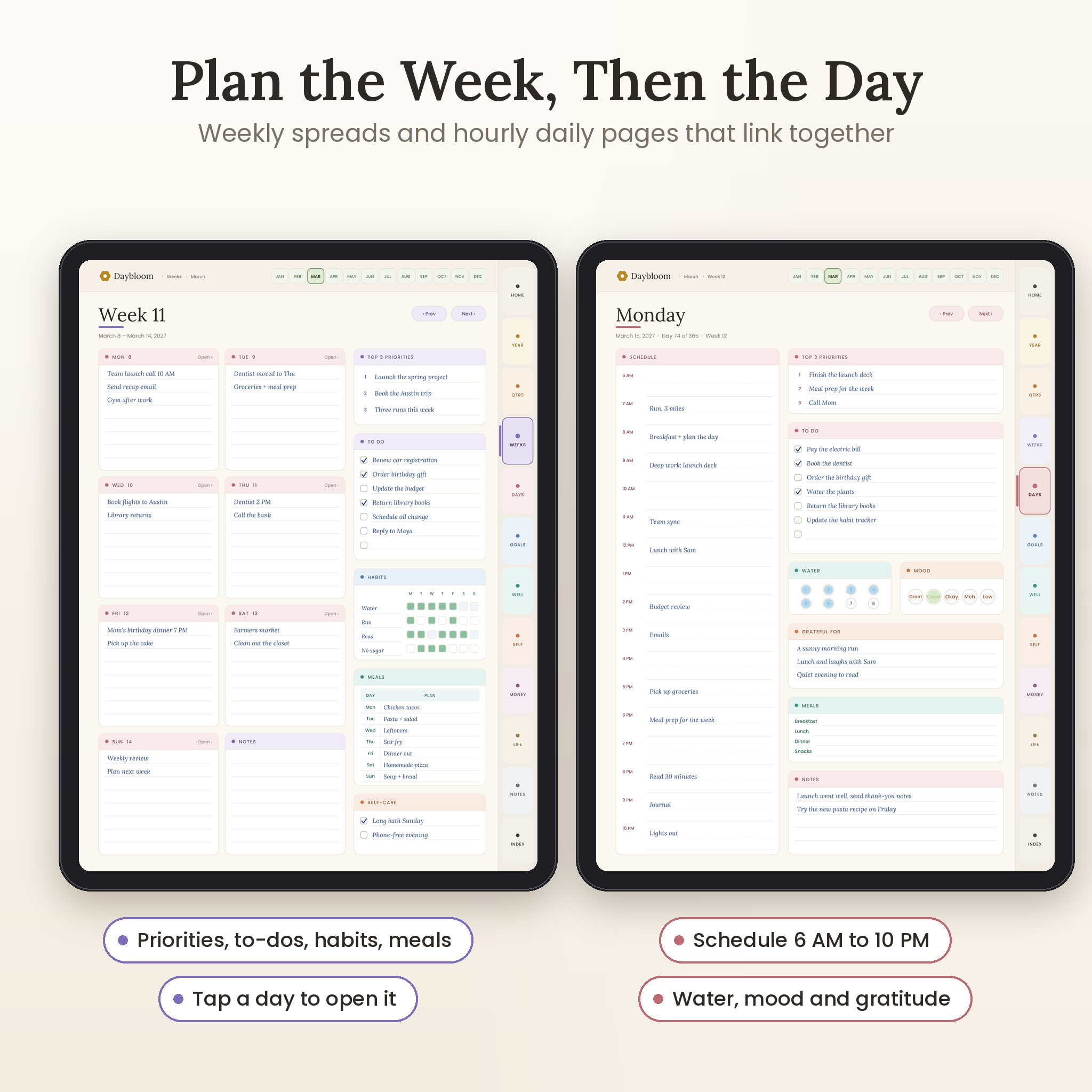
Weekly spreads show seven day boxes plus notes, top three priorities, a to-do list, a 4-habit tracker, a meal plan and self-care. Daily pages run from 6 AM to 10 PM with half-hour guide lines, then add priorities, to-dos, water, mood, gratitude, meals and notes. A Daily Index puts every day of the year one tap away.
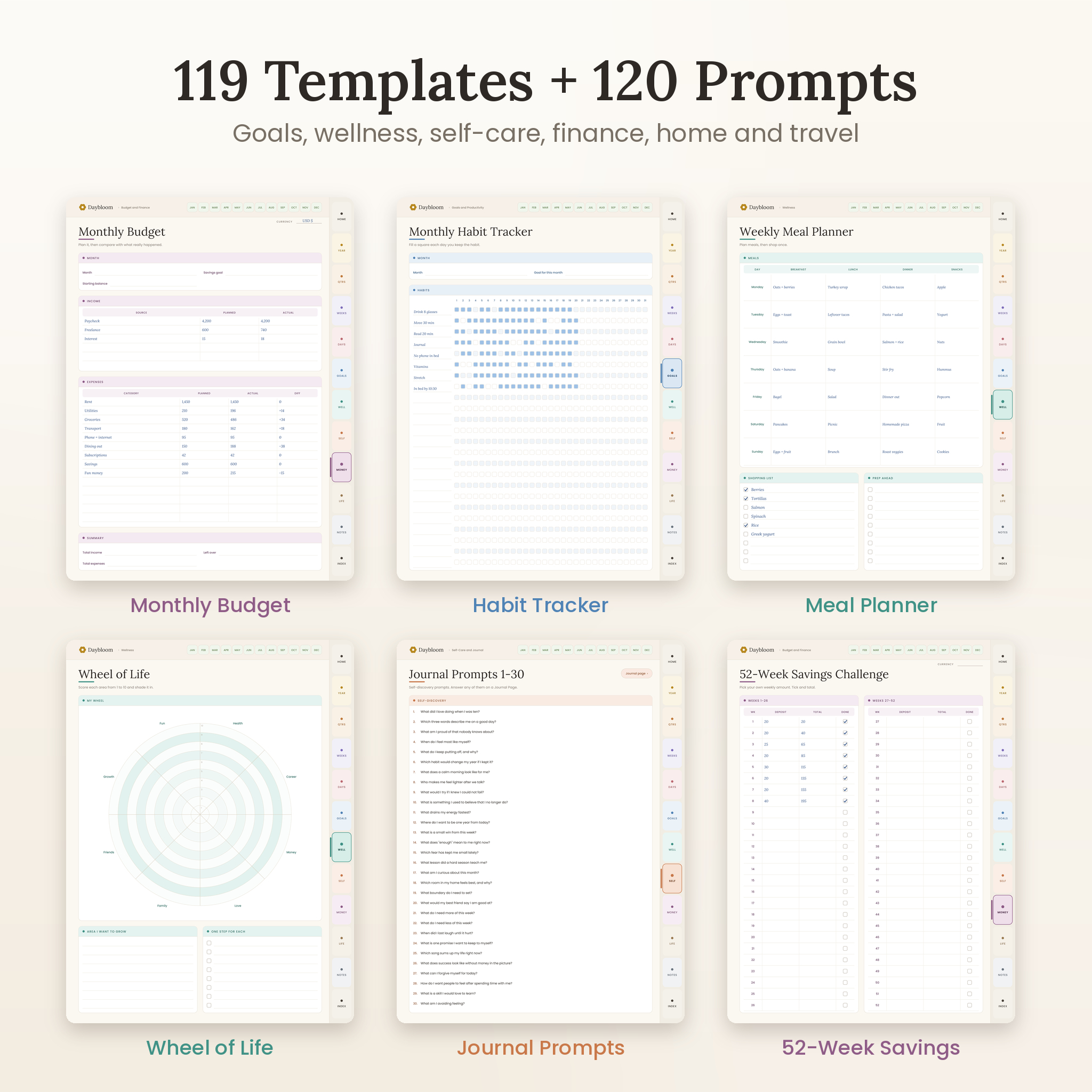
119 templates in five libraries
- Goals and Productivity (28): SMART goals, 90-day sprint, vision board, project planner, kanban, priority matrix, time blocking, habit tracker, weekly review, class schedule, assignment and grade trackers, content calendar, client and order trackers
- Wellness (24): wheel of life, mood, energy, sleep, water, steps and cycle trackers, workout plans and logs, meal planner, grocery list, recipe cards, medication and supplement trackers, skin care
- Self-Care and Journal (19 plus 120 prompts): 5-minute journal, gratitude log and jar, 30-day self-care challenge, affirmations, stress log, reframing beliefs, letter to future self, dream journal, morning pages, calm-down plan
- Budget and Finance (26): monthly, paycheck, weekly and zero-based budgets, bills, subscriptions, debt payoff, sinking funds, emergency fund, 52-week and 100-envelope savings challenges, no-spend challenge, net worth, credit cards, investments, tax prep checklist
- Lifestyle and Home (22): bucket list, reading list and book reviews, travel planner, itinerary, packing list, birthdays, contacts, cleaning schedule, home maintenance, gift planner, pet and plant care, car maintenance
Notes and custom notebooks
Eight paper styles (lined, dot grid, graph, blank, Cornell, checklist, two-column and lecture notes) plus ten notebooks with a name page, contents list and eight linked pages each.
Bonus stickers and covers
2,432 pre-cropped PNG stickers in eight colors: labels like “Payday” and “Due today”, icons, day and month labels, washi tape, sticky notes, highlights, date numbers and mood faces. Plus 150 covers in 15 patterns and 10 color sets.
What’s Included
- Undated planner, Monday start and Sunday start (715 pages each)
- 2027 dated planner, Monday start and Sunday start (701 pages each)
- 2028 dated planner, Monday start and Sunday start (702 and 703 pages)
- 2,432 PNG stickers (2 ZIP files)
- 150 cover images, 1536 x 2048 px (2 ZIP files)
- User guide (Word document) with setup steps, tips, troubleshooting and FAQ
How It Works
- Download the files right after checkout.
- Unzip the planner you want and import the PDF into your notes app.
- Tap tabs and dates to move around. Write with your stylus or finger.
Links work in read mode, or when you tap with your finger. The user guide shows the steps for GoodNotes, Notability, Samsung Notes and Xodo.
File Formats and Software Requirements
- Planners: hyperlinked PDF, portrait, 3:4 tablet ratio
- Stickers: PNG with clear backgrounds
- Covers: JPG, 1536 x 2048 px
- Guide: DOCX (opens in Word, Pages or Google Docs)
- You need a PDF notes app such as GoodNotes, Notability, Noteshelf, Samsung Notes, Xodo, PDF Expert or Penly
- Made for iPad, Android tablets and Windows tablets. It works on phones, but pages will feel small.
Make It Your Own
Duplicate any template when you need more pages. Name your ten notebooks. Drop a cover on page one and add stickers with your app’s image tool.
Digital Download
Nothing ships to you. Your files are ready as soon as payment clears. Personal use only, so please don’t share or resell them.
Real Ways to Use It
- Work rotating shifts? Use the undated edition and start a new month the day your schedule comes out.
- In college? Keep classes, exam dates and study hours together, then journal on Sunday night.
- Paying off a car loan? Log each payment on the debt page and color in a circle every time.
- Running a small shop? Track orders, content ideas and client notes from the Goals and Productivity library.
Digital Planner FAQ
Does this digital planner work with GoodNotes and Notability?
Yes. It’s a standard hyperlinked PDF, which both apps import. Noteshelf, Samsung Notes, Xodo, PDF Expert and Penly work too.
Can I use it on an Android tablet?
Yes. Open it in Samsung Notes, Xodo, Noteshelf or another Android app that opens PDF links.
What’s the difference between the dated and undated planner?
The dated editions have real 2027 or 2028 dates, and every date links to its daily page. The undated edition has blank dates, so you can start any month and reuse it.
Do I need Monday or Sunday start?
Whichever matches your calendar. Both come in the download, so you can switch if you change your mind early on.
Can I print it?
It’s built for tablets. You can print a page for yourself, but the tabs and links are meant for screens.
Can I type instead of writing?
Yes. Use your app’s text tool to type anywhere on a page.
Reviews
There are no reviews yet.