
One planner for your whole life. Finally.
Most of us keep life in pieces. A calendar app here, a notes app there, a budget we stopped updating in March. Linen Life OS puts all of it in one spreadsheet, and the pieces actually talk to each other.
Log a coffee once and it shows up in your budget, on your dashboard and in your year review. Tick a habit on today’s check-in and the heat-map, streak counter and charts move by themselves. You do the living. The workbook does the maths.
Who it’s for
- Busy professionals who want one home for planning instead of five apps
- Students juggling classes, deadlines, money and a social life
- Anyone who bought a Notion template and got stuck in the setup
- People who love a beautiful planner but also want numbers they can trust
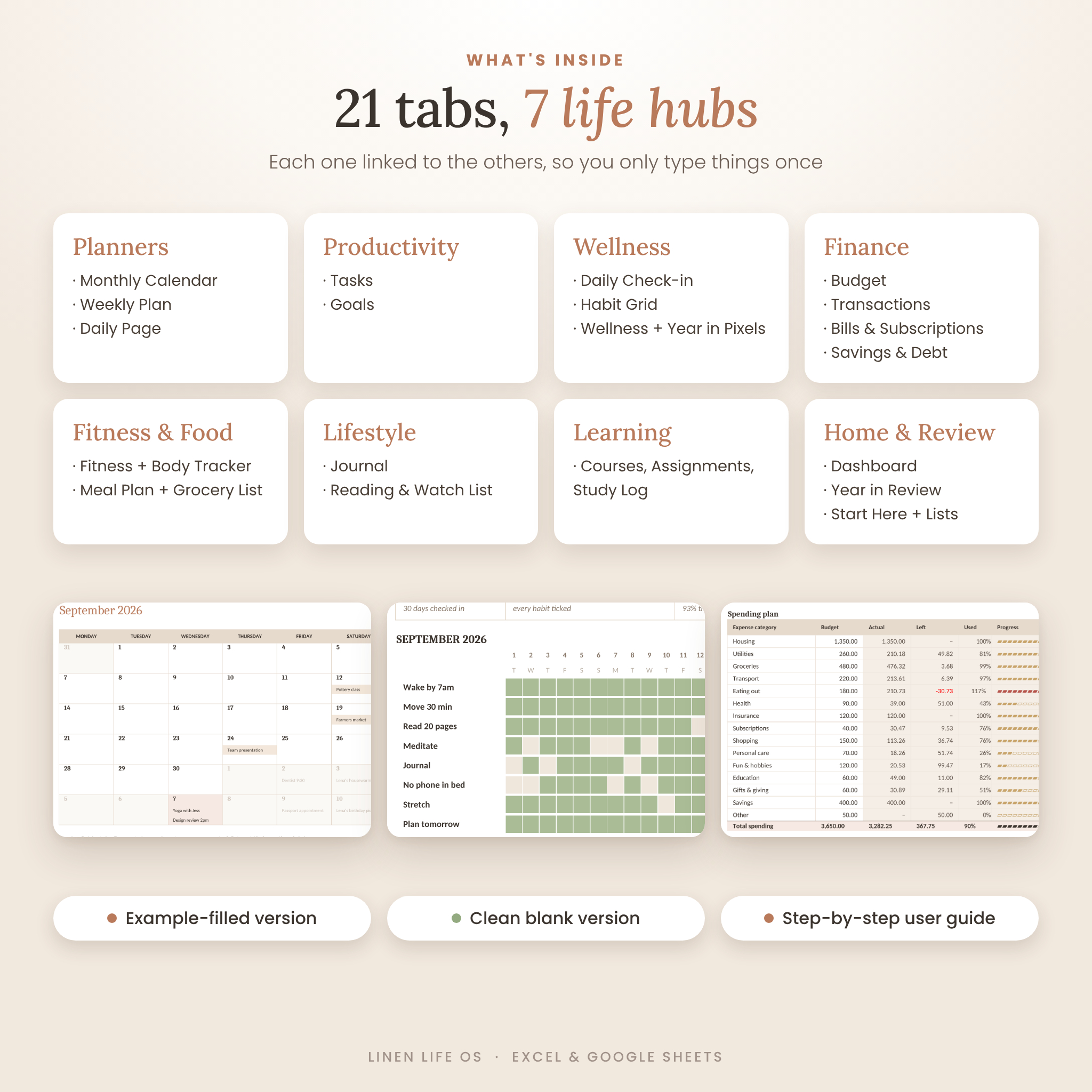
What’s inside: 21 tabs in 7 life hubs
Home
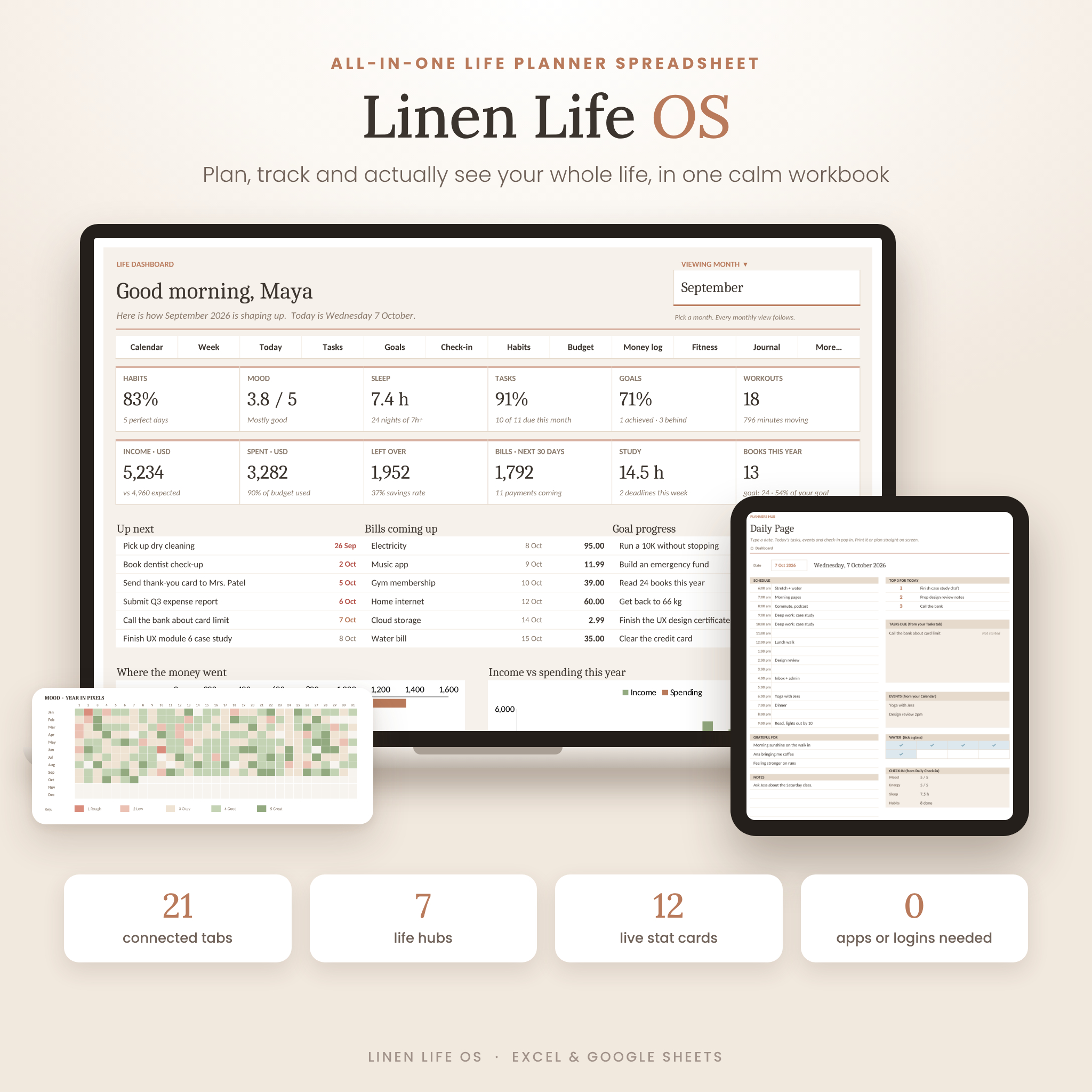
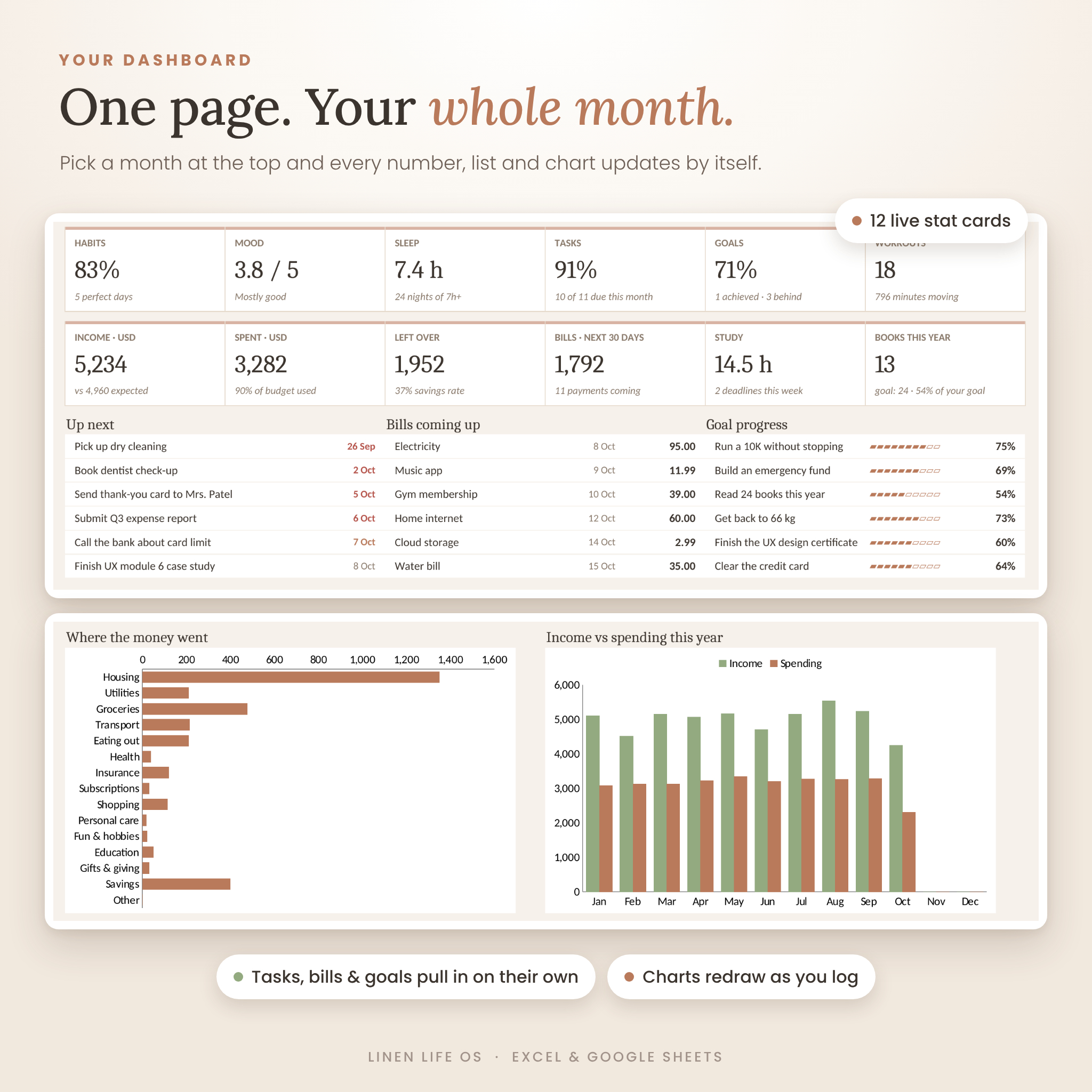
- Dashboard: 12 live stat cards (habits, mood, sleep, tasks, goals, workouts, income, spending, savings, bills, study hours, books), 4 charts, plus your next tasks, upcoming bills and goal progress. Pick a month and everything follows.
- Start Here: 2-minute setup and a clickable map of every tab.
Planners
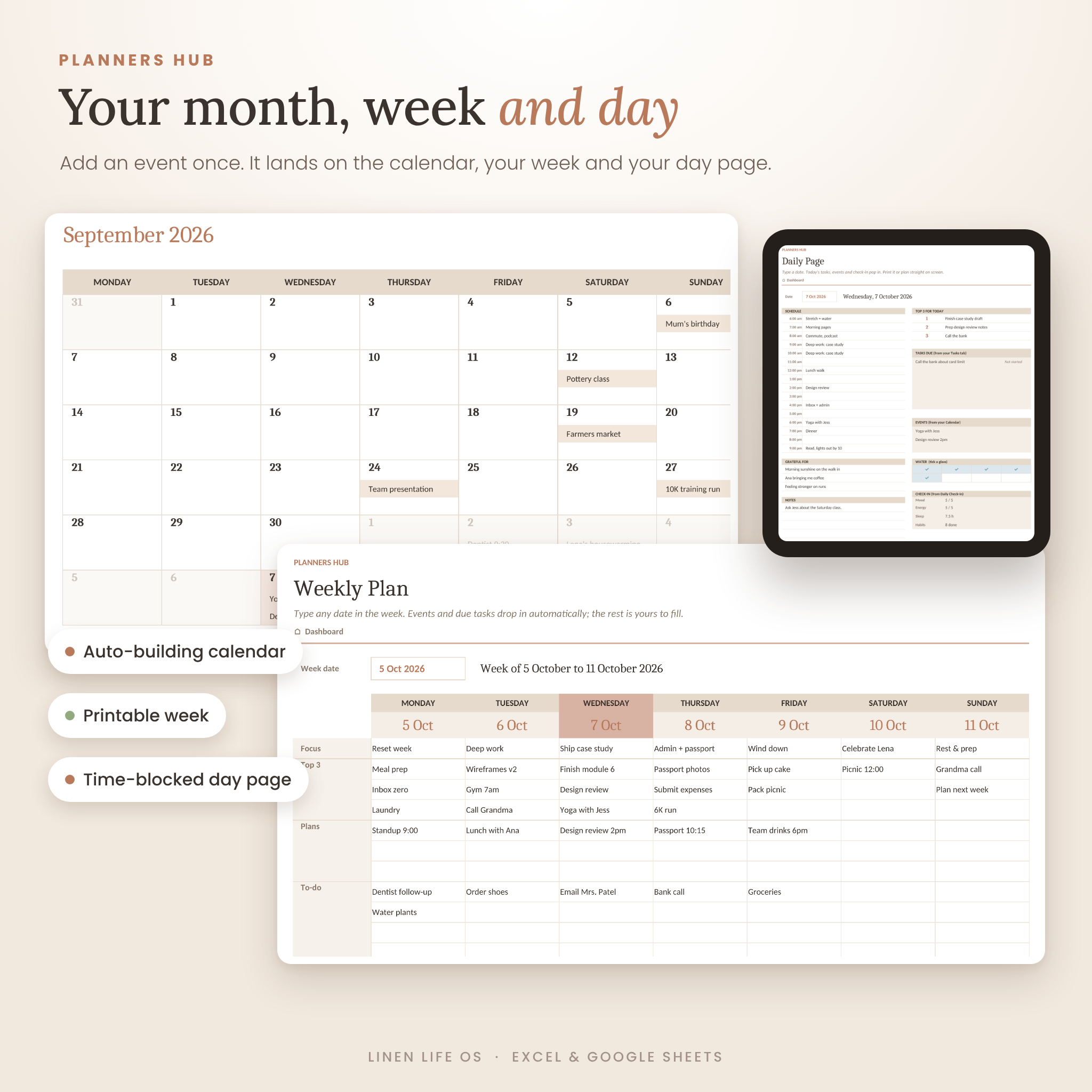
- Monthly Calendar that builds itself and shows your events on the right days
- Weekly Plan with focus, top 3, plans and to-dos. Your events and due tasks drop in automatically
- Daily Page with an hourly schedule from 6am to 9pm, today’s tasks and events, a water tracker and your check-in
Productivity
- Tasks: life areas, priorities, due dates and automatic Overdue, Due today and Due soon flags
- Goals: number-based goals with progress bars, days left and an On track or Behind status
Wellness
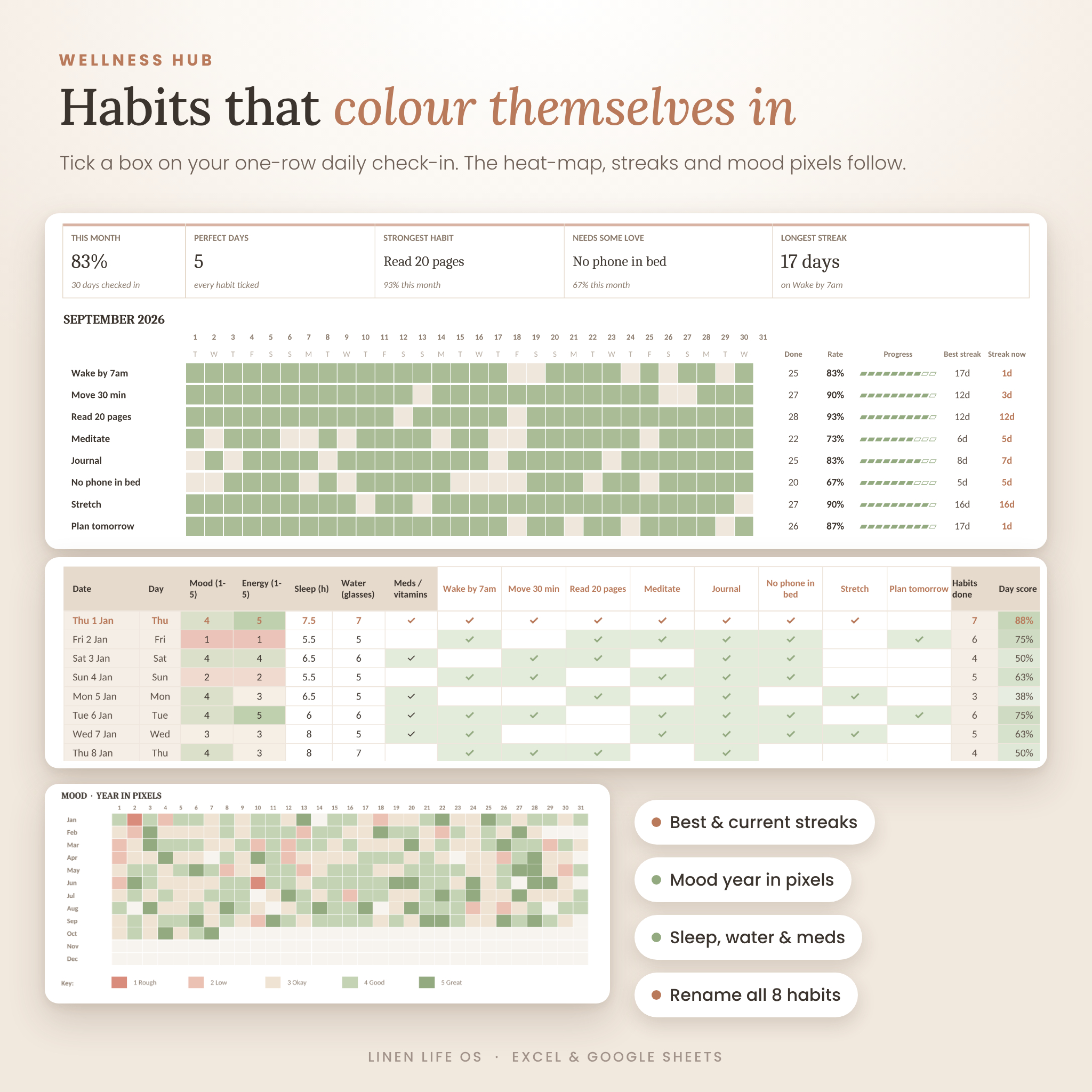
- Daily Check-in: one row a day for mood, energy, sleep, water, meds and 8 habits you can rename
- Habit Grid: a colour heat-map with completion rates, best streaks and current streaks
- Wellness: monthly averages, a sleep chart and a Mood Year in Pixels
Finance
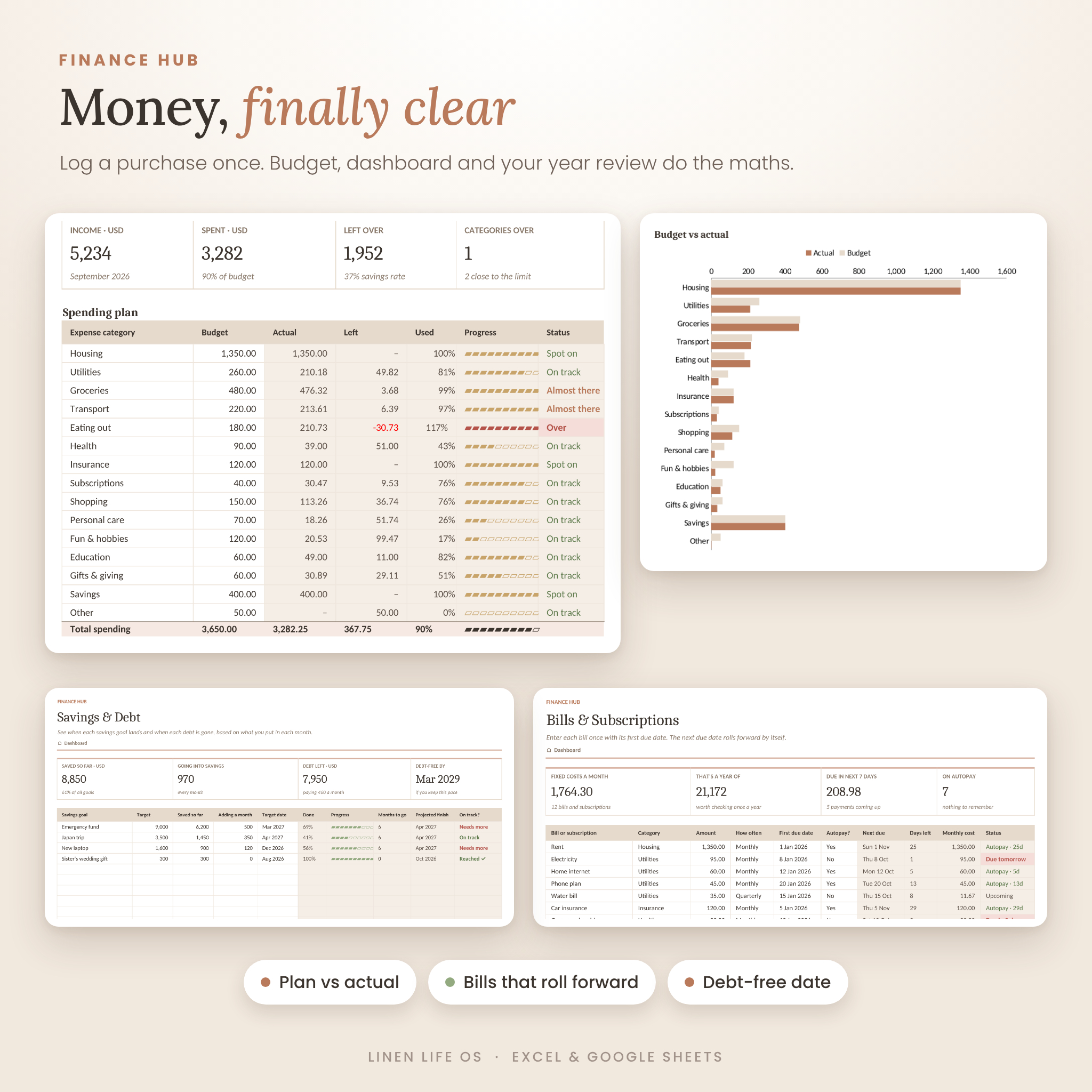
- Budget: plan vs actual for income and 15 editable spending categories, with a chart
- Transactions: room for 600 entries that feed every money number in the file
- Bills & Subscriptions: next due dates that roll forward by themselves, monthly and yearly totals
- Savings & Debt: projected finish dates for savings goals and a debt-free date calculator
Fitness & Food
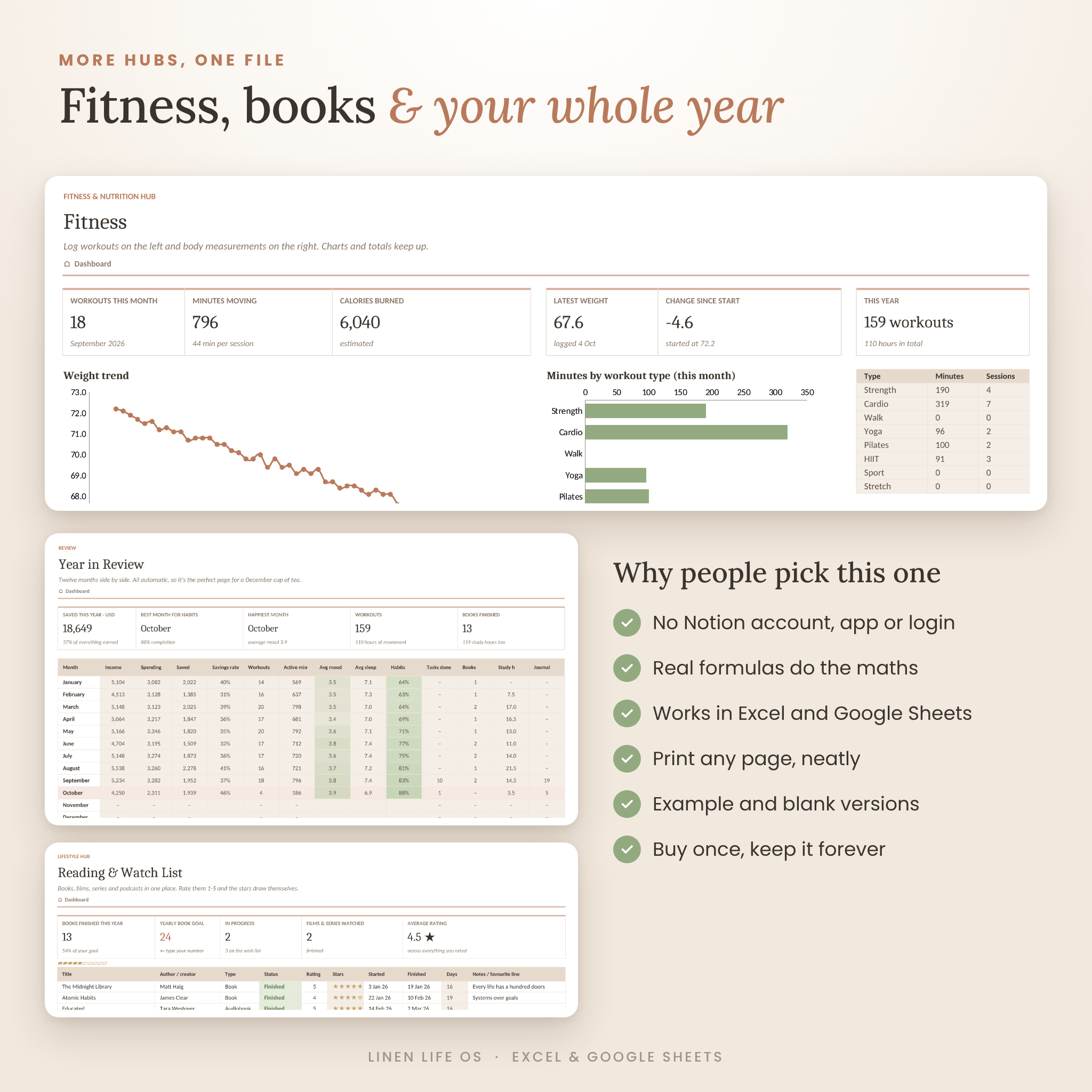
- Fitness: workout log, body tracker, weight trend chart and minutes by workout type
- Meal Plan: weekly meal grid, meal ideas bank and a grocery list that crosses items off as you tick them
Lifestyle & Learning
- Journal: three gratitudes, a daily win and a reflection, linked to that day’s mood, plus a fresh prompt every day
- Reading & Watch List: books, films, series and podcasts with star ratings and a yearly reading goal
- Learning: courses, assignments and exams with due-date flags, plus a study-hours log
Review
- Year in Review: all 12 months side by side with two charts, your best habit month and your happiest month
- Lists: every dropdown in one place, so you can make it your own
Why choose Linen Life OS?
- No Notion account, app or login. Open the file and start.
- Real formulas, not decoration. Around 5,700 of them keep every tab in sync.
- Type once, see it everywhere. One entry updates the dashboard, charts and year review.
- Undated. Type any year and the whole planner follows.
- Printable. Every tab has a print layout ready to go.
- Two versions. Explore the example-filled file, then start fresh with the blank one.
- Beginner-friendly. White boxes are for you. Tinted boxes fill themselves in. That’s the whole rule.
How it works
- Download the files right after checkout.
- Open the BLANK file in Excel, or upload it to Google Drive and save it as a Google Sheet.
- On the Start Here tab, type your name, the year, your currency and your week start day.
- Log as you go. One check-in row a day, plus tasks, spending and workouts when they happen.
- Open your Dashboard and watch your month take shape.
What you’ll receive
- Linen-Life-OS-Life-Planner.xlsx (example-filled version)
- Linen-Life-OS-Life-Planner-BLANK.xlsx (ready for your own life)
- Linen-Life-OS-User-Guide.docx (illustrated guide with setup, tips, troubleshooting and FAQ)
File format and requirements
- Format: .xlsx spreadsheet, plus a .docx user guide
- Works with Microsoft Excel 2016 or newer (Windows and Mac), Microsoft 365, Excel for the web and Google Sheets
- No macros, add-ins or internet connection needed
- Best on a laptop or desktop. The Excel and Google Sheets mobile apps work well for quick daily check-ins
Make it yours
Rename the 8 habits, edit budget categories, change every dropdown on the Lists tab, choose your currency and switch between Monday and Sunday week starts. Colours can be changed like any normal spreadsheet.
Digital download
This is a digital product. Nothing physical will be shipped. Your download links appear straight after payment and are also sent by email. For personal use only. Please don’t share or resell the files.
Questions or stuck on something? Get in touch and we’ll help you sort it out.
Reviews
There are no reviews yet.