

A planner that stays out of your way
The Quiet Year Planner starts in July 2026 and runs to the end of June 2027, so you can begin halfway through the year and not waste a single page. The pages are clean and soft on the eyes. The month tabs never move. From any page you can reach any month, week or day in one or two taps.
It is built for people who plan on a tablet and want one place for their days, their goals, their money and their notes, without the clutter.
Who it is for
- Anyone who plans on an iPad, Android tablet or Windows tablet with a stylus
- Students on a July to June academic year
- Busy parents, freelancers and professionals who like a minimal look
- Beginners. Open today’s page and start writing. No system to learn.
What is inside every planner (734 pages)
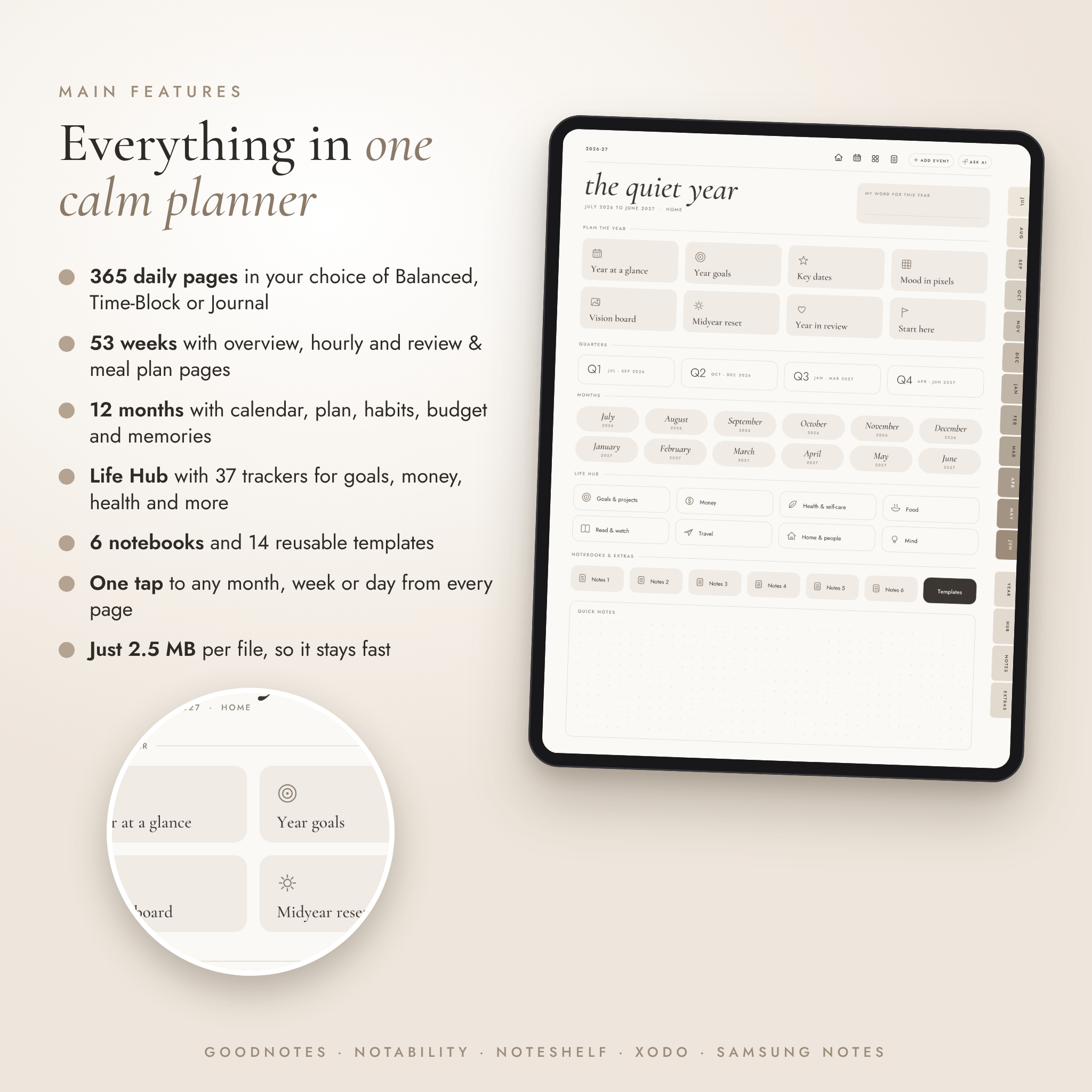
- Home dashboard with links to every section, a word of the year box and quick notes
- Year pages: midyear reset, year at a glance, year goals by life area, key dates, year in pixels mood tracker, vision board and year in review
- 4 quarters: a plan page with three goals, milestones and progress bars, plus a review page
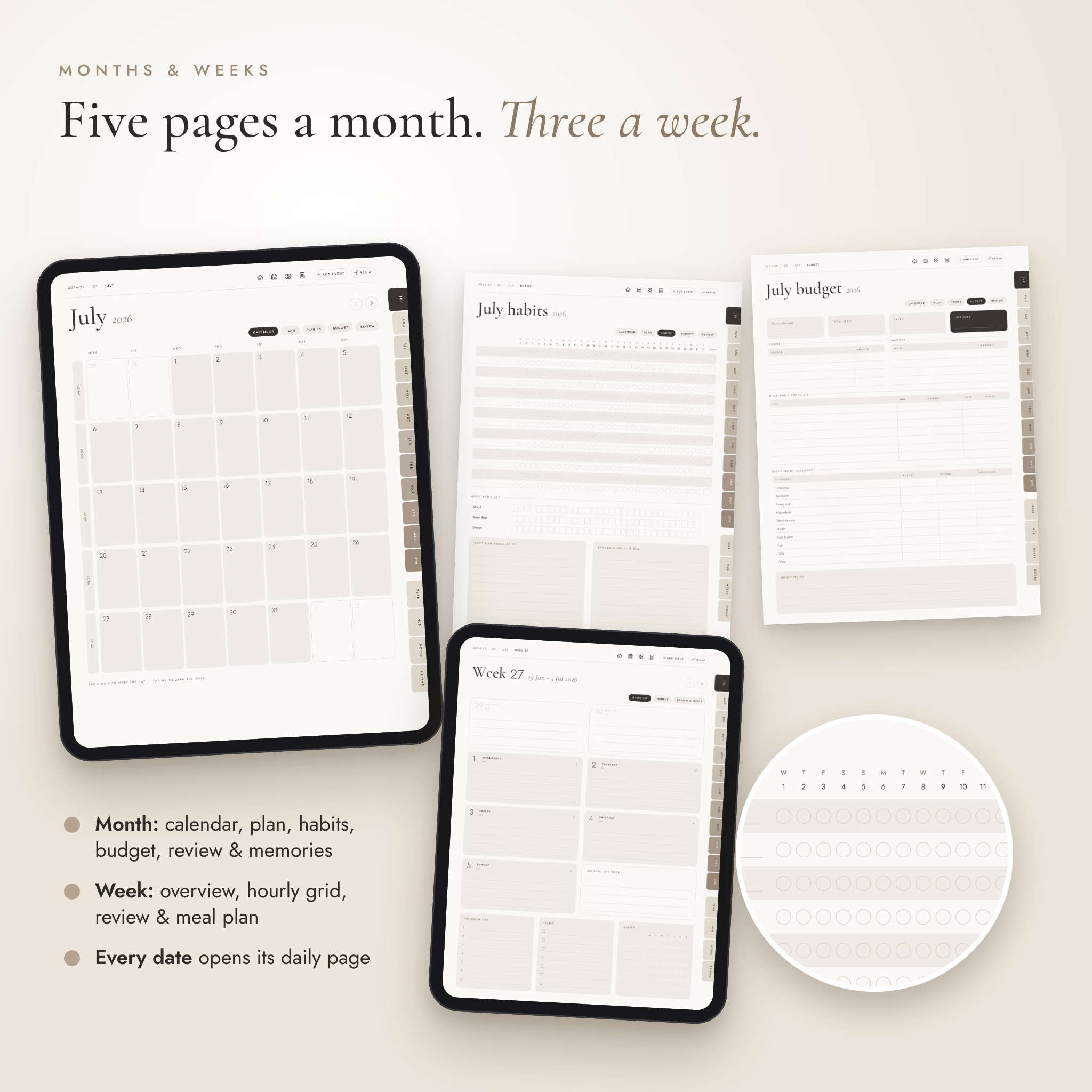
- 12 months: calendar, monthly plan, habit tracker (14 habits plus mood, sleep and energy), budget, and a review page with photo frames for memories
- 53 weeks: overview, hourly grid from 6am to 10pm, and review with a meal plan and grocery list
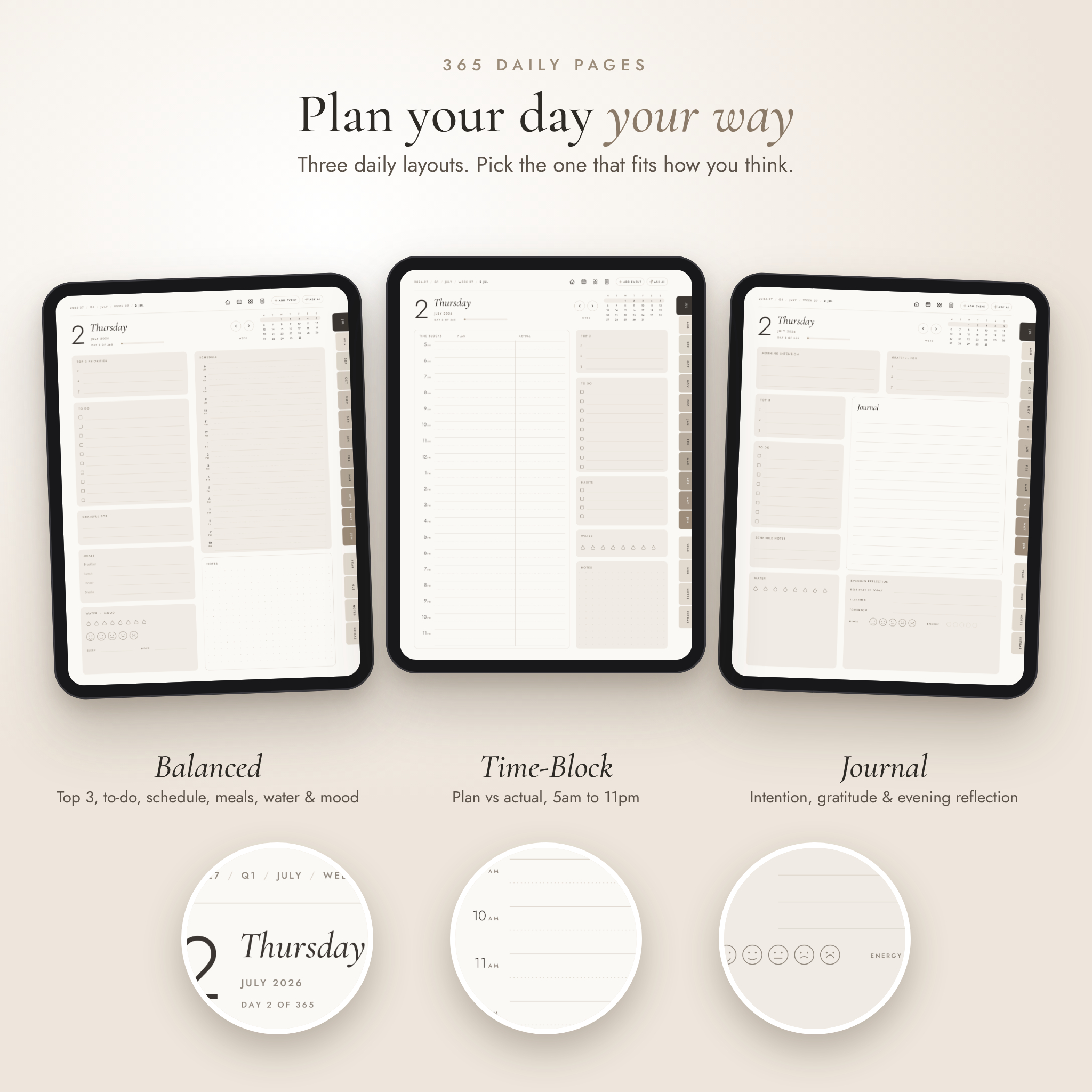
- 365 daily pages in the style you choose
- Life Hub, 37 pages: 6 goal planners, 4 project planners, annual budget, savings tracker, debt payoff, bill tracker, subscriptions, expense logs, workout log, self-care menu, sleep and water, meal ideas, 4 recipe cards, reading log, books to read, watch list, 2 trip planners, packing list, cleaning schedule, contacts, gift planner, brain dumps and a bucket list
- 6 notebooks (lined, dotted, grid, Cornell, lined, blank), each with a linked index and 12 pages
- 14 templates to duplicate, including undated daily, weekly and monthly pages for after June 2027
Three daily styles
- Balanced: top 3, to-do list, gratitude, meals, water, mood, an hourly schedule and a dotted notes area
- Time-Block: plan and actual columns from 5am to 11pm with a side panel for top 3, to-do, habits and water
- Journal: morning intention, gratitude, a large journal space and an evening reflection with mood and energy
Navigation that works
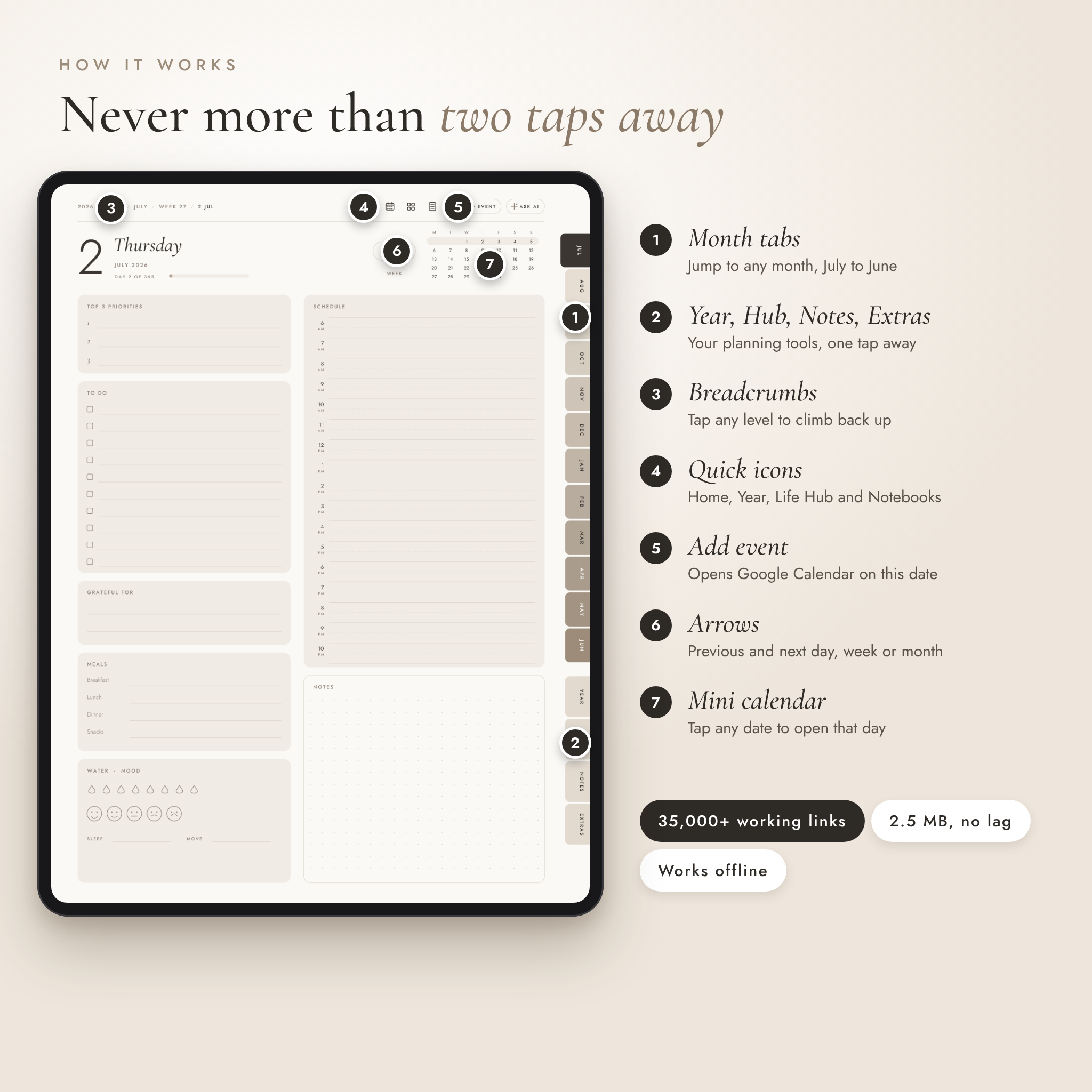
- Month tabs on every page, plus Year, Life Hub, Notes and Extras tabs
- Breadcrumbs at the top of every page. Tap any level to go back up.
- Previous and next arrows on days, weeks, months, quarters and notebook pages
- Every date in every calendar opens that day. Week numbers open the week.
- Add event button that opens Google Calendar with the date already filled in on daily pages
- Ask AI button that opens an AI chat in your browser
- More than 35,000 links in each file, all checked before release
Also included
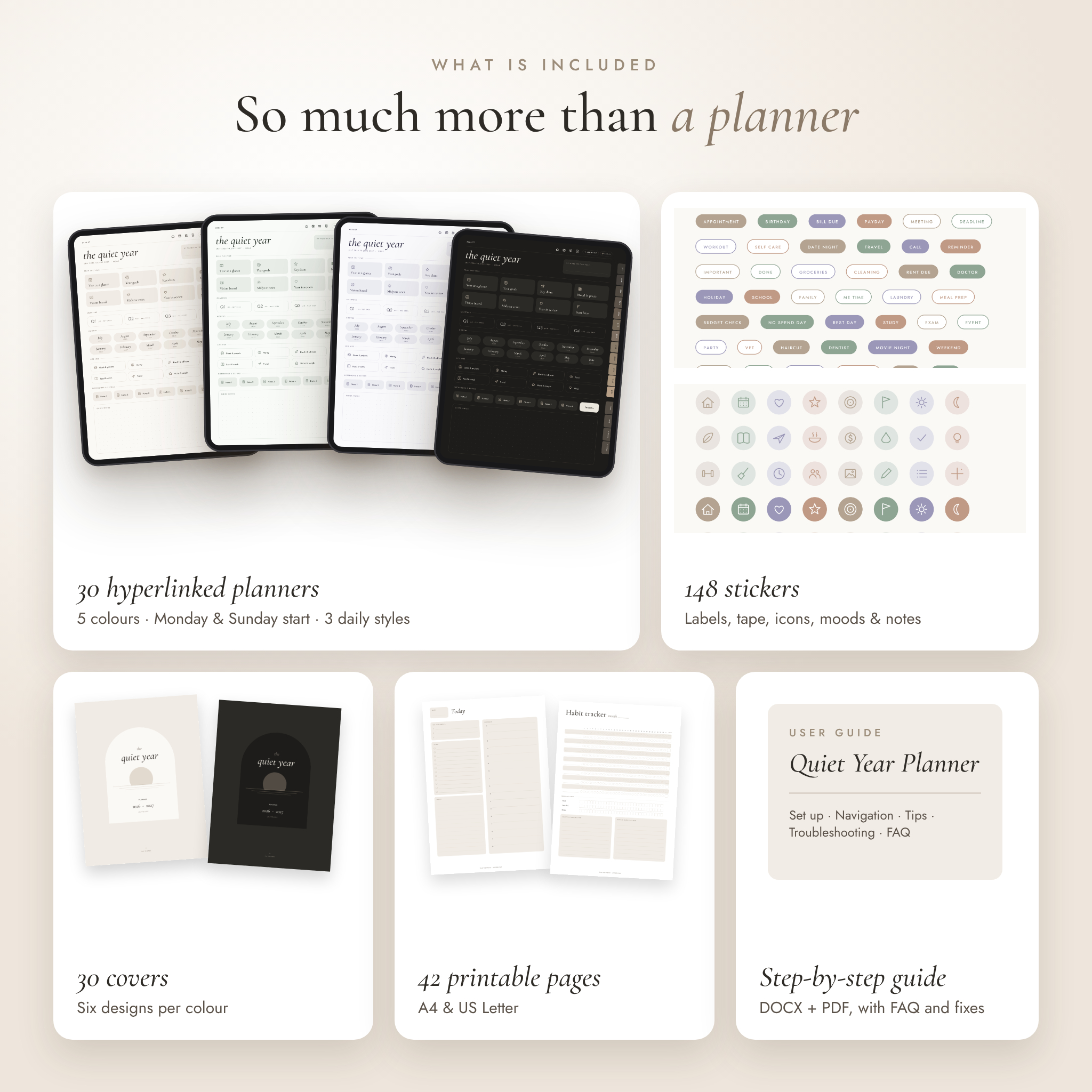
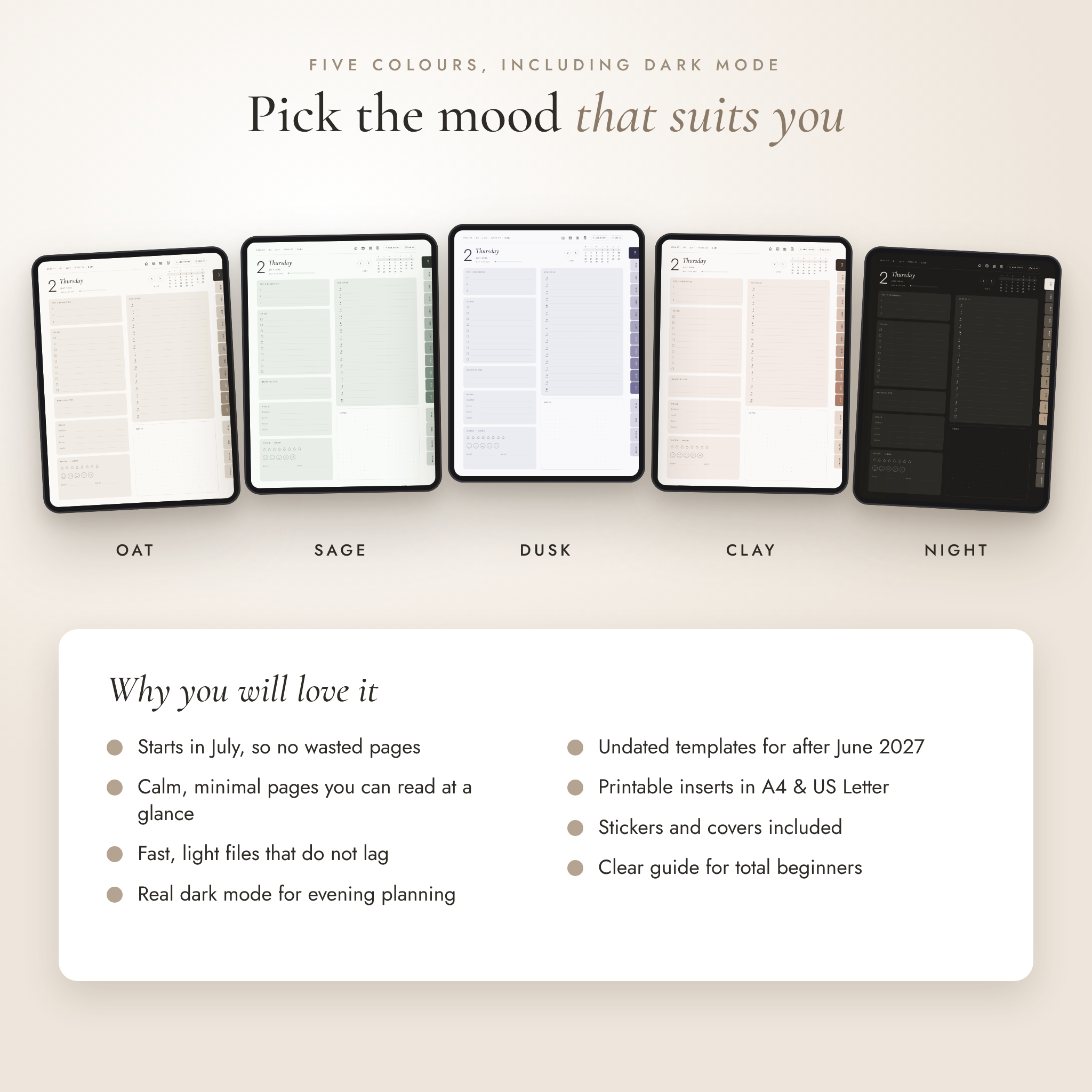
- 5 colours: Oat, Sage, Dusk, Clay and Night (dark mode)
- Monday and Sunday start for every colour
- 148 stickers as transparent PNGs plus a sticker book PDF: labels, headers, sticky notes, washi tape, icons, moods, progress bars and page flags
- 30 alternate covers, six designs in each colour
- Printable inserts: 42 pages in A4 and 42 in US Letter with white backgrounds
- User guide in Word (DOCX) and PDF with setup steps, tips, troubleshooting and FAQ
Why it is lighter
Each planner is only about 2.5 MB. Many big planners run to 50 MB or more and can lag when you flip pages. This one opens fast and flips between pages smoothly.
How it works
- Buy and download the ZIP files from your order page.
- Unzip the planner you want. Each planner ZIP holds one colour and start day with all three daily styles.
- Import the PDF into GoodNotes, Notability or another PDF app.
- Tap the cover to open Home and start planning.
File formats and what you need
- 30 hyperlinked PDF planners (5 colours x 2 start days x 3 daily styles), portrait, sized for tablets
- PNG stickers, JPG covers, PDF printables, DOCX and PDF guide
- Works with GoodNotes, Notability, Noteshelf, Xodo, Flexcil, Samsung Notes and other apps that support PDF links
- Needs a tablet with a stylus for handwriting. Any PDF reader can view it.
- Not made for reMarkable or Kindle Scribe
Make it yours
Name your notebooks, swap the cover, add stickers and duplicate any template as often as you like. The guide shows you how in each app.
Digital download
This is an instant digital download. Nothing will be posted. You get 11 ZIP files: 10 planner ZIPs (one per colour and start day) and 1 extras ZIP with the stickers, covers, printables and guide. For personal use only. Please do not share or resell the files.
Reviews
There are no reviews yet.