Plan any month, any year. Write it, tap it, reuse it.
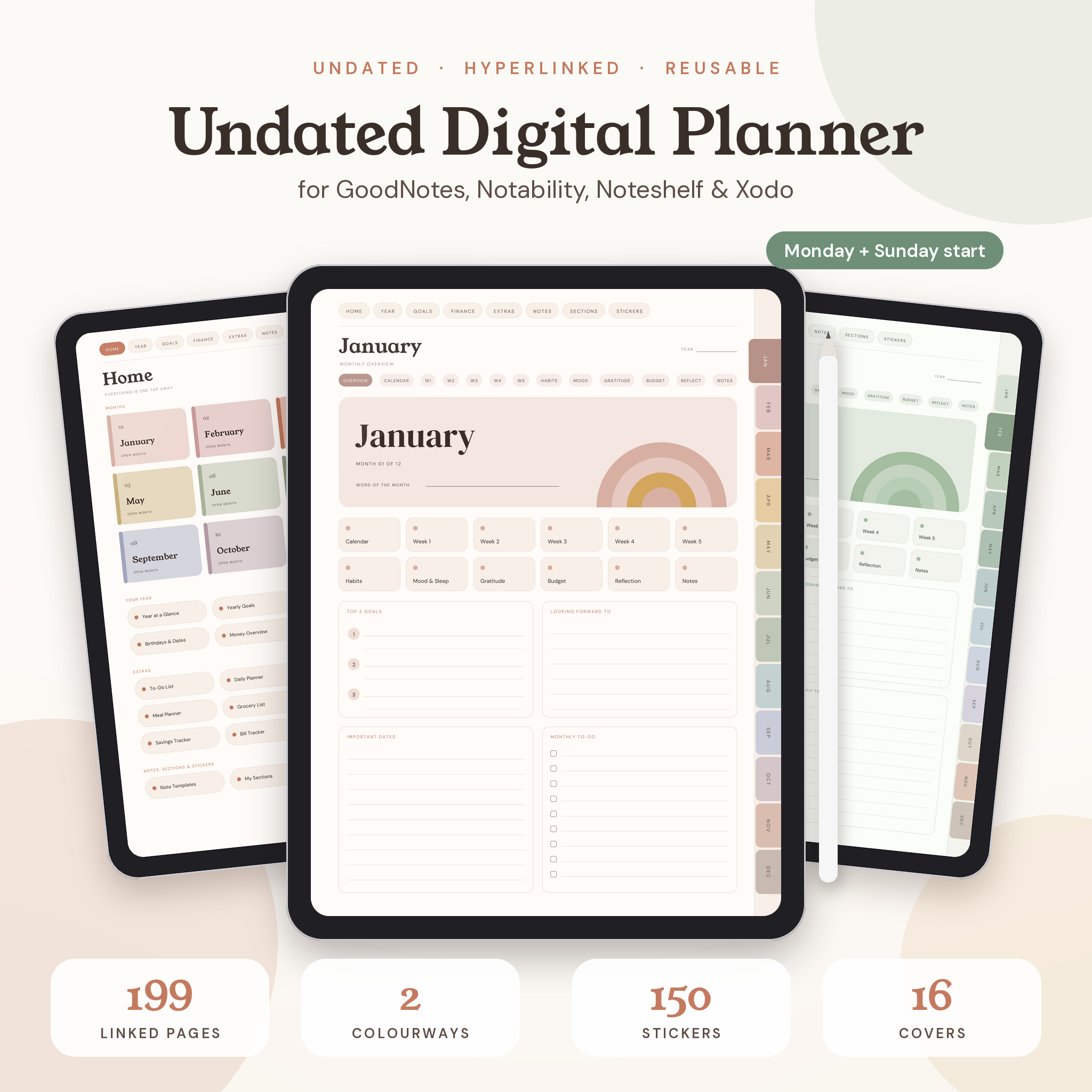
Terra is an undated digital planner for your iPad or Android tablet. Nothing is dated, so you can start today, skip a busy summer, and pick it right back up without a single wasted page. It’s soft, warm and calm to look at. And it actually works: 199 pages, over 6,200 links, and every page is one or two taps away.
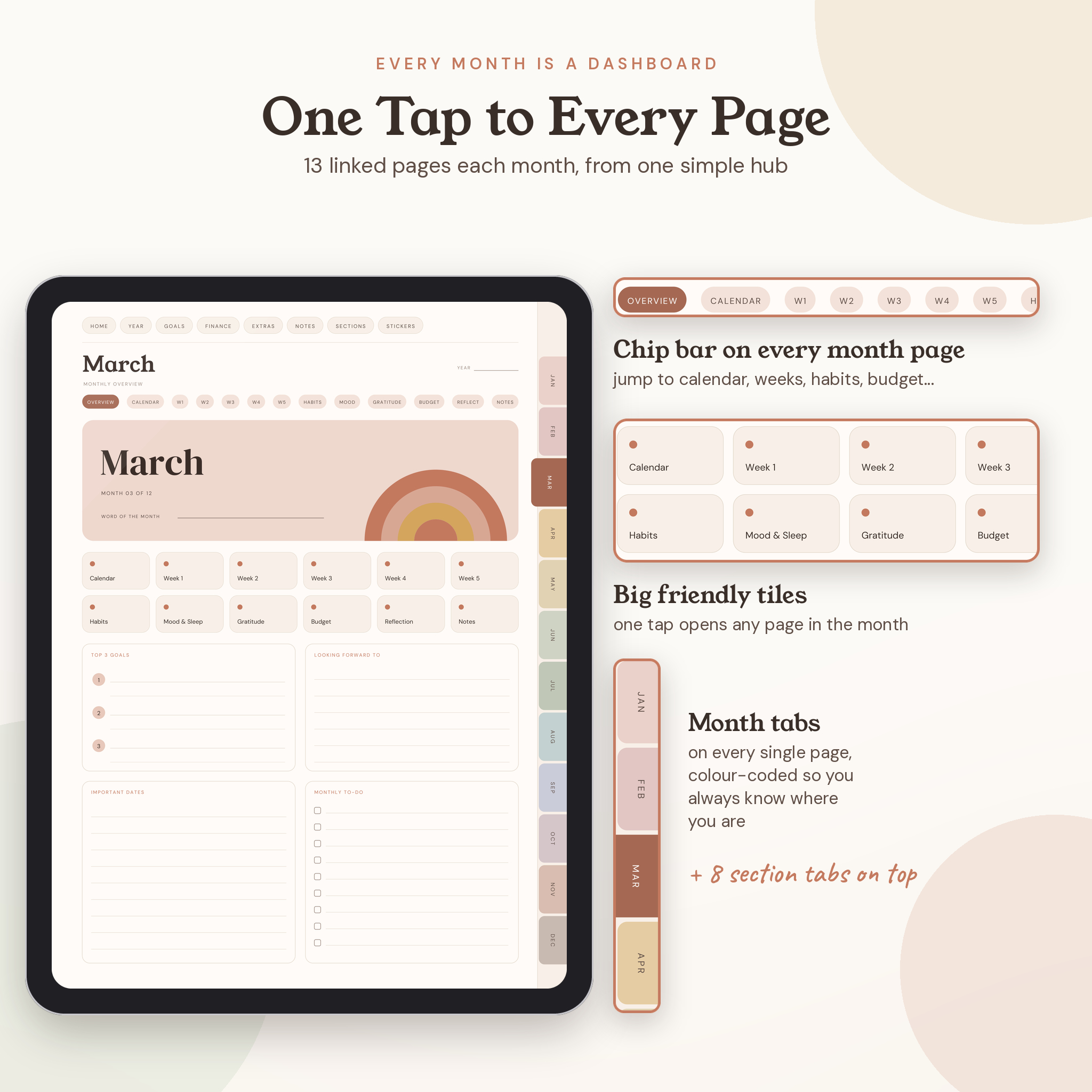
Every month opens to its own little dashboard. From there you jump to your calendar, five weekly spreads, habits, mood and sleep, gratitude, budget, reflection and notes. Month tabs run down the side of every page. Section tabs sit along the top. You never get lost.
Who it’s for
- Anyone who loves writing by hand on a tablet
- People who gave up on a dated planner in February and hated the empty pages
- Students, freelancers, parents and small business owners who want plans, habits and money in one place
- Total beginners. If you can tap a link, you can use this
What’s inside each planner
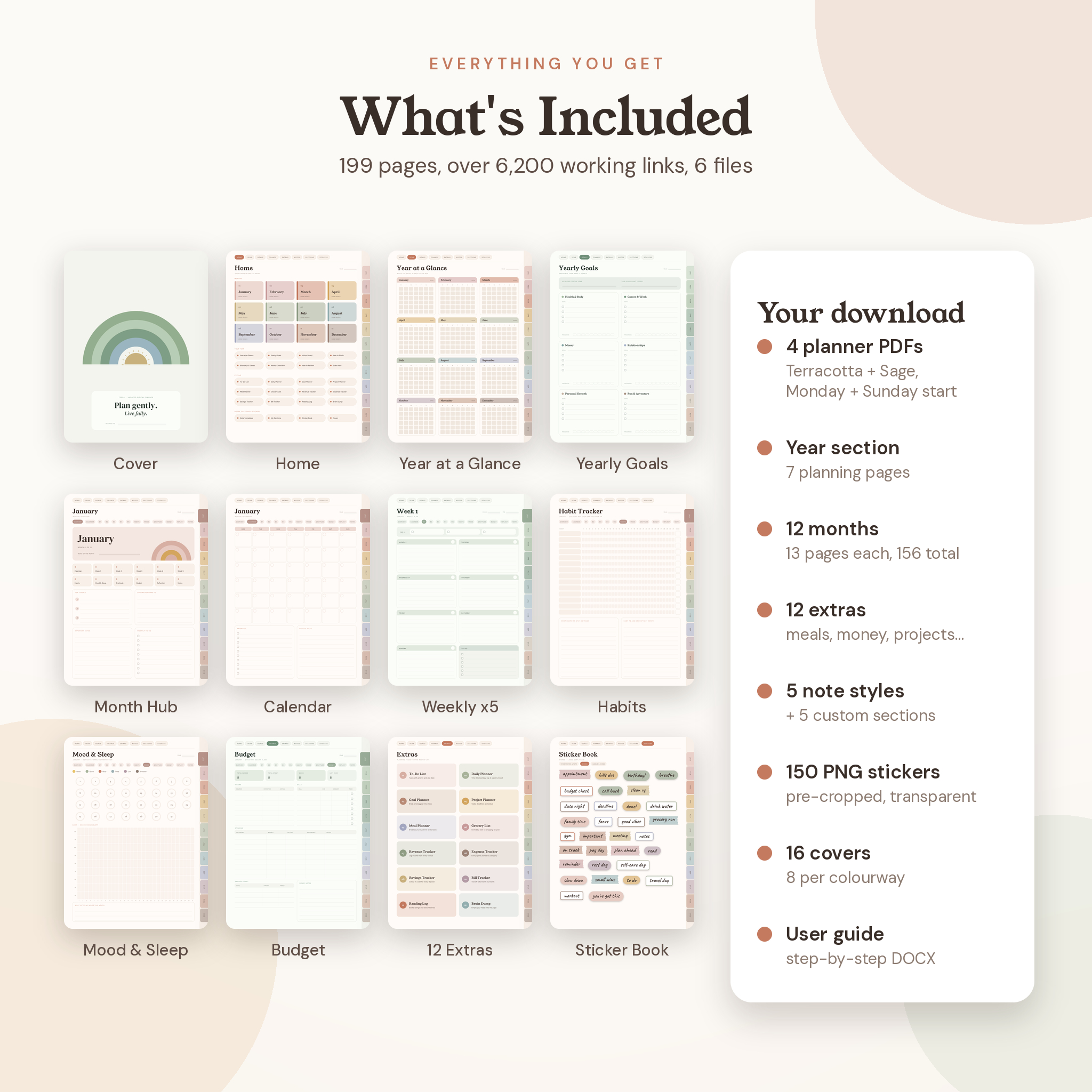
Getting around: cover, a Start Here tour, and a Home page that links to everything.
Your year (7 pages): Year at a Glance, Yearly Goals across six life areas, Vision Board, Year in Pixels, Birthdays & Key Dates, Money Overview and Year in Review.
Every month (13 pages x 12 months):
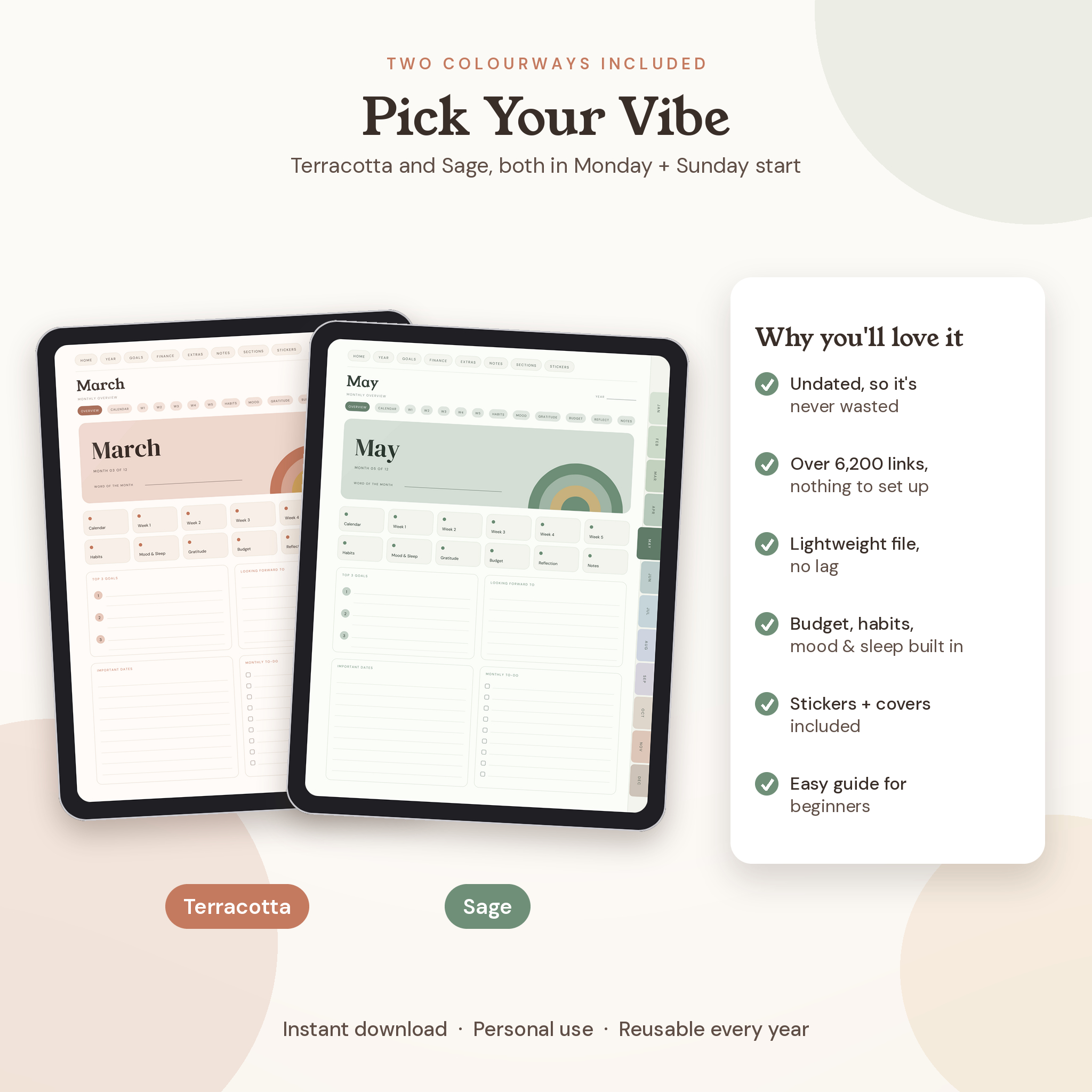
- Monthly overview hub with top 3 goals, word of the month, important dates and a to-do list
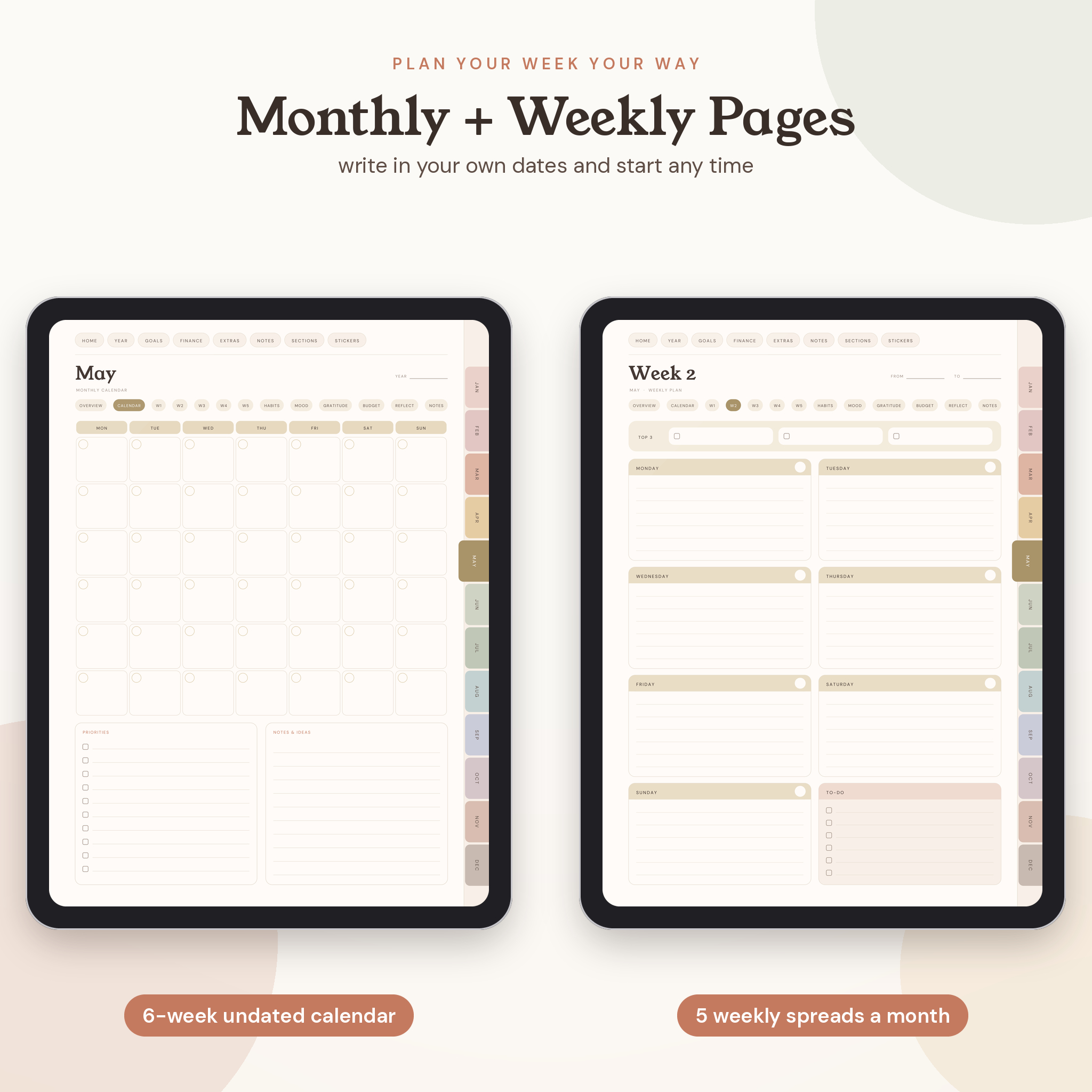
- 6-row undated calendar with priorities and notes
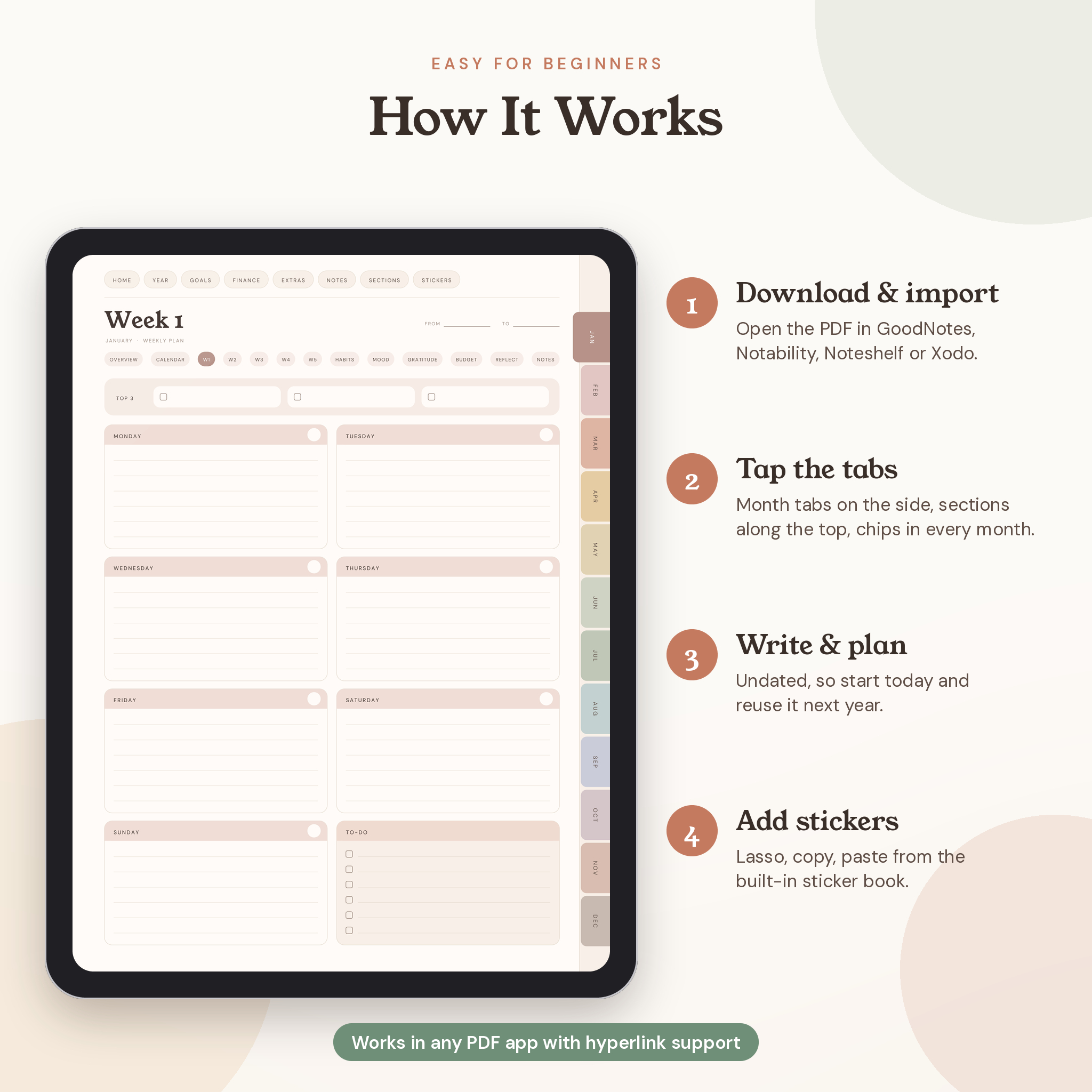
- 5 weekly spreads with Top 3, seven day boxes and a to-do box
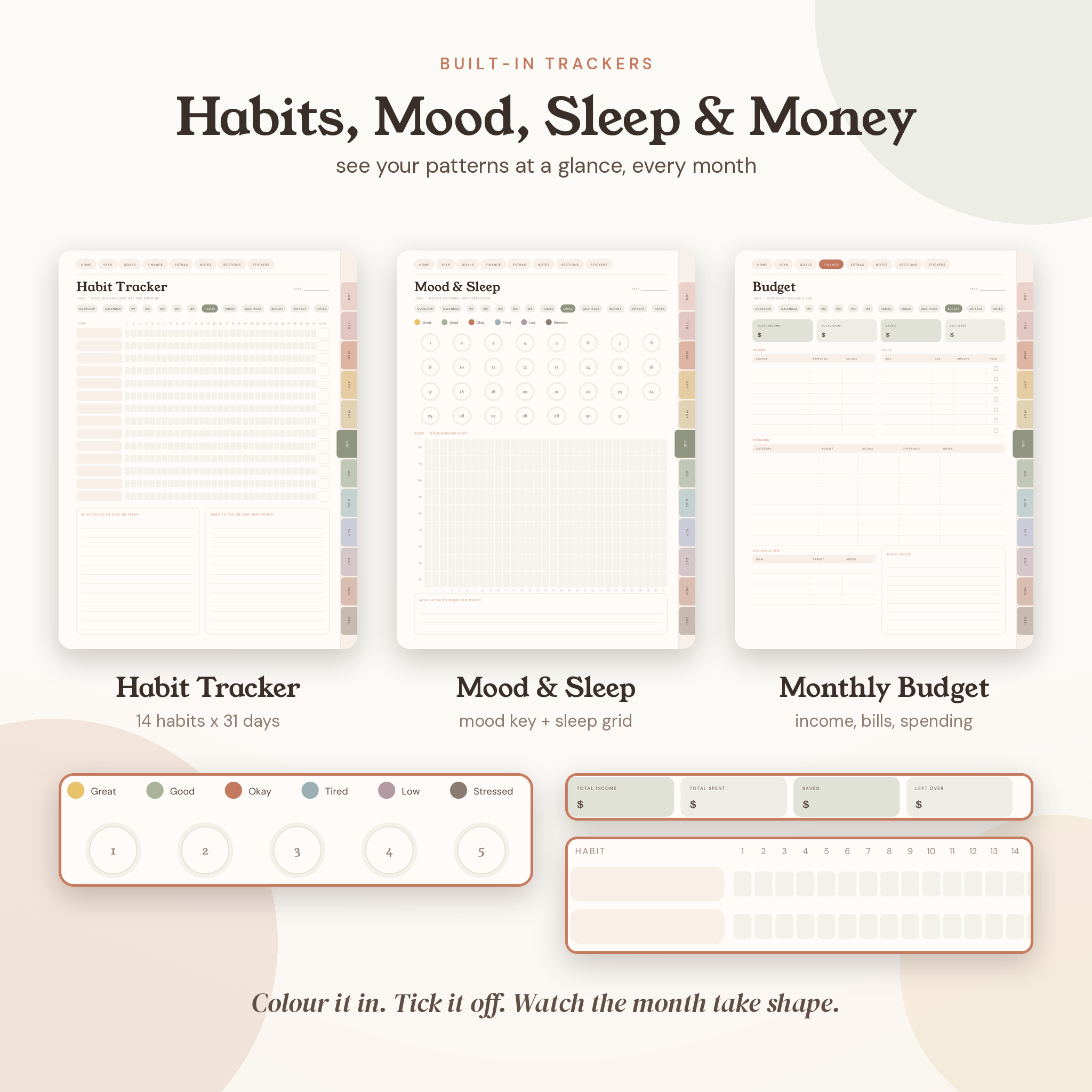
- Habit tracker for 14 habits across 31 days
- Mood & sleep tracker with a colour key and sleep grid
- Gratitude log, one line a day
- Monthly budget: income, bills with paid checkboxes, spending by category, savings
- Reflection page with a 1 to 10 month rating and six prompts
- Monthly notes
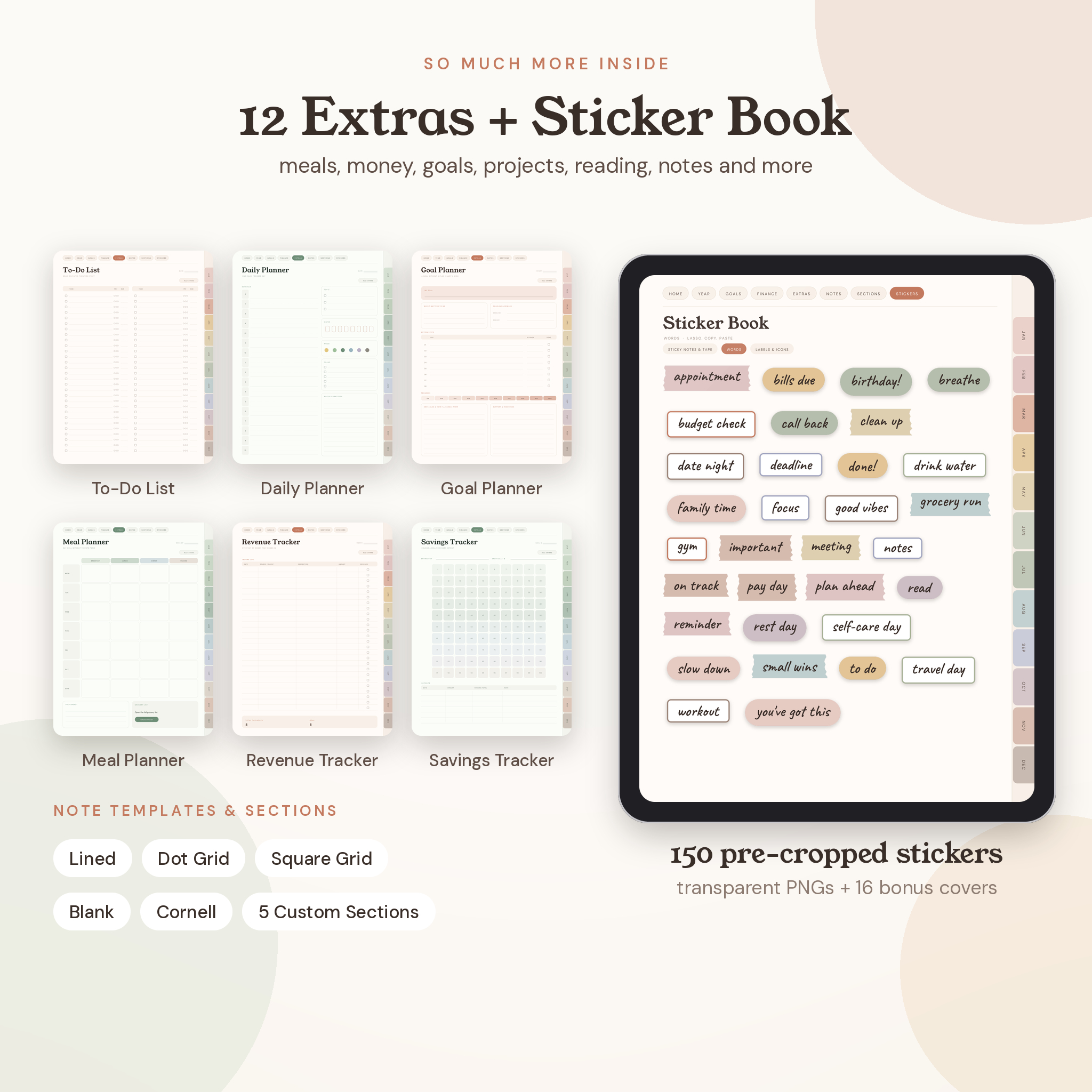
12 extras: To-Do List, Daily Planner (6am to 10pm), Goal Planner, Project Planner, Meal Planner, Grocery List, Revenue Tracker, Expense Tracker, Savings Tracker, Bill Tracker, Reading Log and Brain Dump.
Notes: lined, dot grid, square grid, blank and Cornell, plus 5 custom sections you name yourself.
Sticker Book: three pages of sticky notes, washi tape, word stickers, labels and icons, ready to lasso and paste.
Why this one?
- Two colourways in the box: warm Terracotta and calm Sage
- Monday and Sunday start versions of both
- A chip bar inside every month, so moving between pages is quick
- Mood, sleep, habits and money tracked side by side, every month
- 150 pre-cropped PNG stickers and 16 cover images included
- A lightweight vector file (about 4.4 MB) that stays sharp when you zoom
- A 12-page illustrated user guide for beginners
What you’ll download
- Terra Planner, Terracotta, Monday start (PDF)
- Terra Planner, Terracotta, Sunday start (PDF)
- Terra Planner, Sage, Monday start (PDF)
- Terra Planner, Sage, Sunday start (PDF)
- Stickers & Covers (ZIP): 150 transparent PNG stickers and 16 PNG covers
- User Guide (DOCX)
How it works
- Download your files right after checkout.
- Import a PDF into GoodNotes, Notability, Noteshelf, Xodo, Samsung Notes or another PDF app that supports hyperlinks.
- Tap the tabs to move around. Write with your stylus. That’s it.
What you need
- A tablet with a stylus (iPad, Samsung Galaxy Tab or similar)
- A PDF annotation app with hyperlink support
- Page size is 3:4 portrait, made for tablet screens. Pages also print cleanly if you’d like a paper copy
Make it yours
Duplicate any page you need more of, delete what you don’t use, paste in photos, rename your five custom sections, and swap the cover for one of the 16 included designs.
Good to know
- This is a digital download. Nothing will be shipped.
- Colours can look slightly different from screen to screen.
- For personal use only. Please don’t share or resell the files.
Reviews
There are no reviews yet.