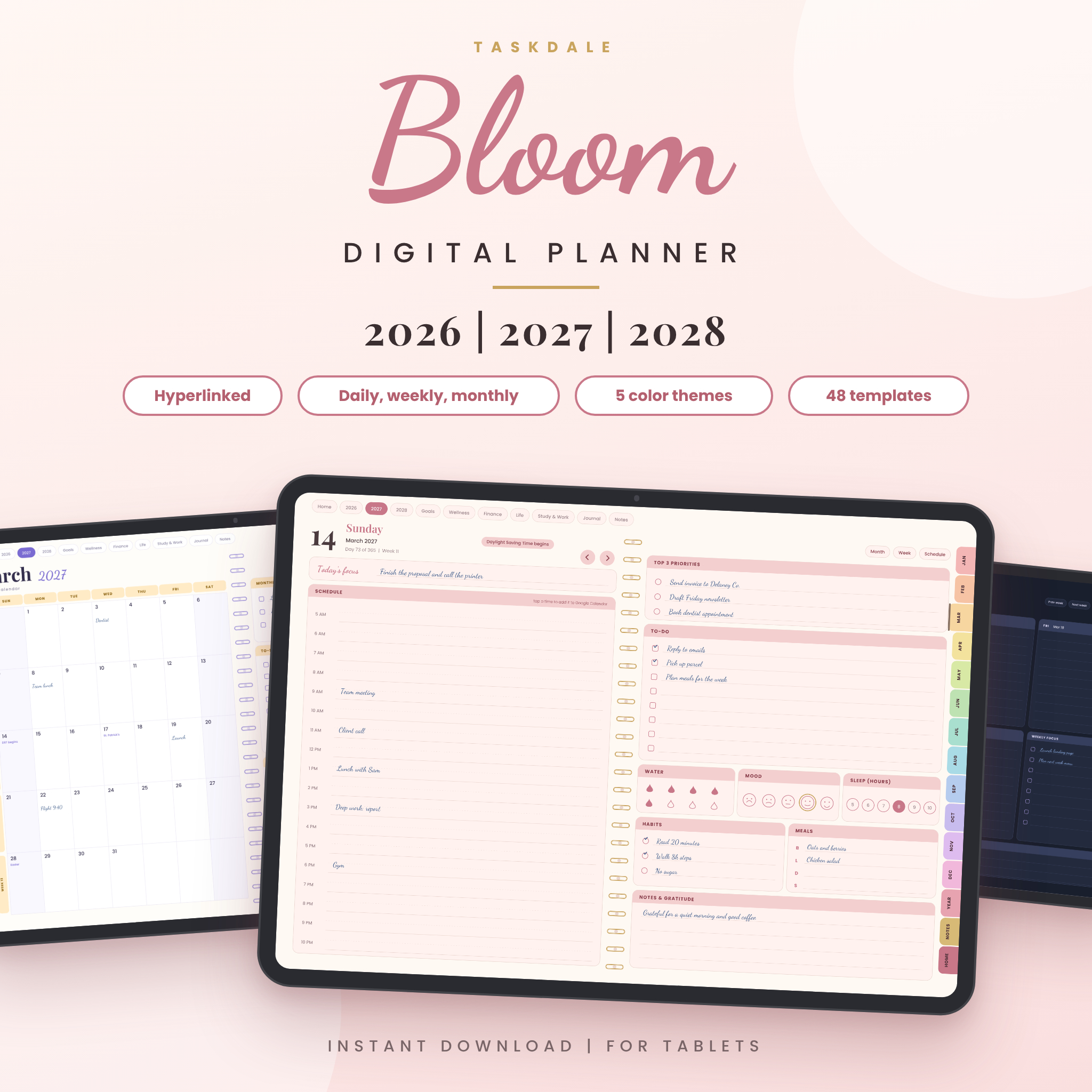
Looking for a digital planner that covers 2026, 2027 and 2028 in one file? Bloom does exactly that. Every day, week and month has its own page, and every tab, date and button takes you where you expect with one tap.
You write on it with a stylus, the same way you would on paper. No printing, no binding, no notebook left on the train.
What is the Bloom digital planner?
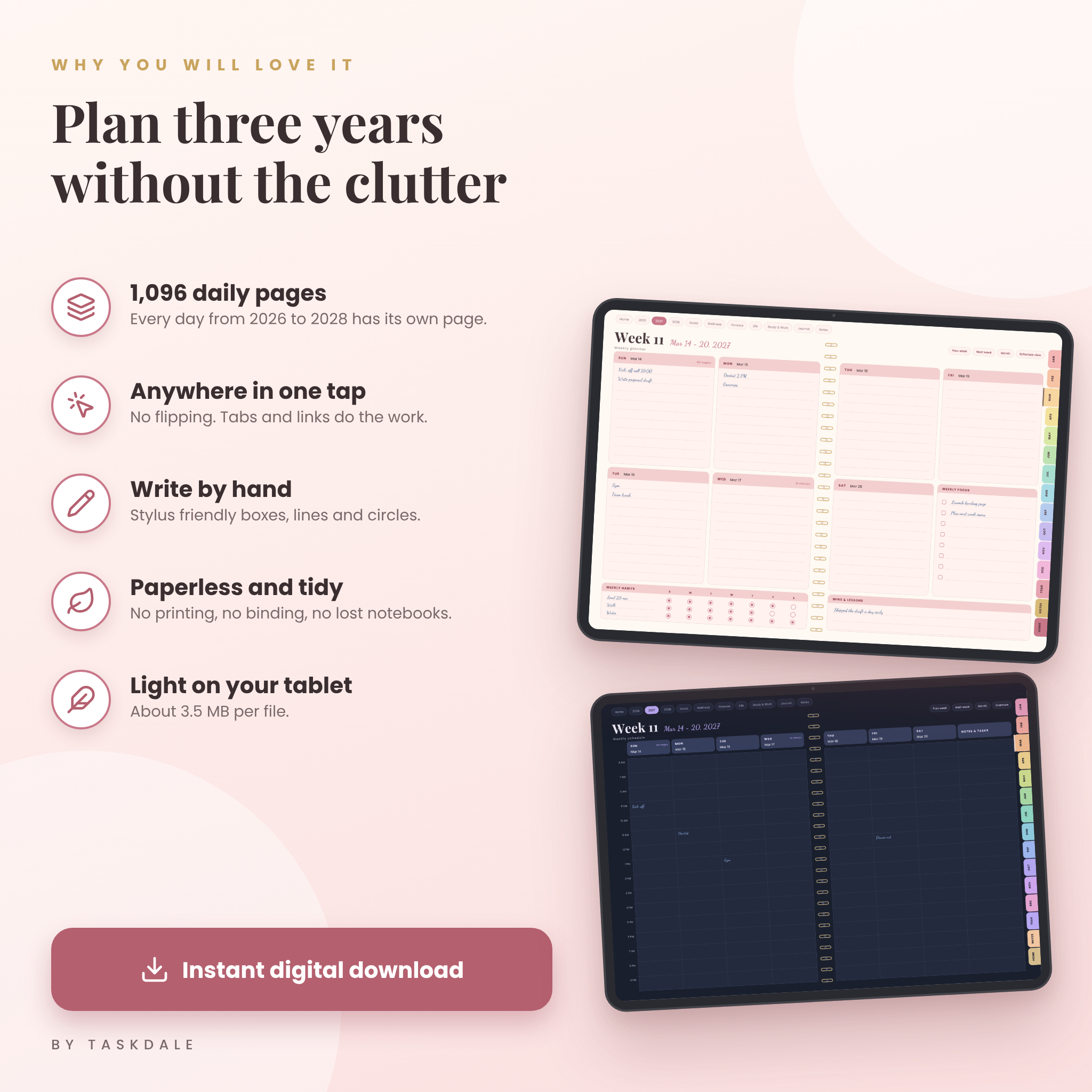
Bloom is a hyperlinked PDF planner made for tablets. It runs from January 1, 2026 to December 31, 2028. That is 1,096 daily pages, a weekly planner and an hourly weekly schedule for every week, 36 monthly calendars and a year plan for each year, all joined by links.
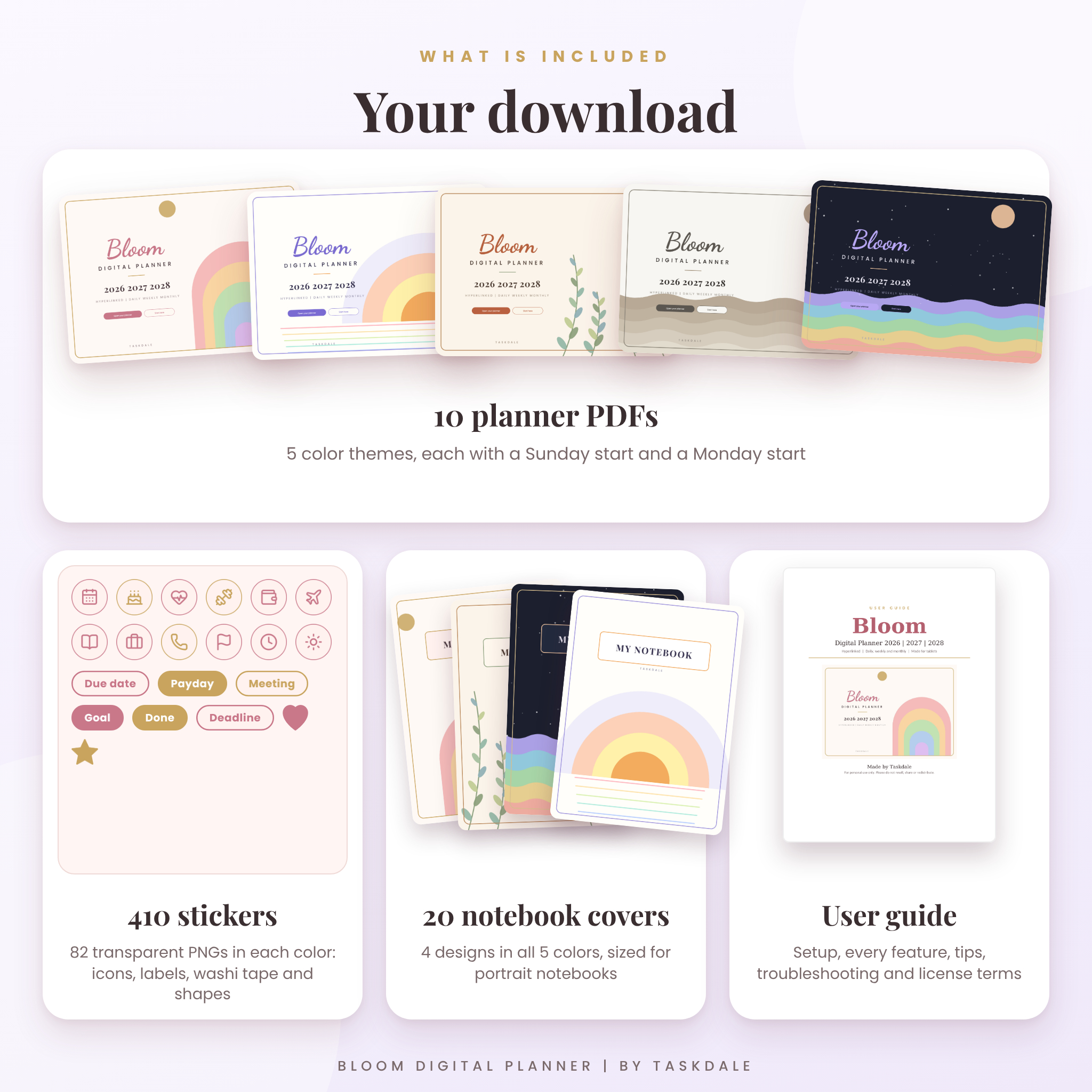
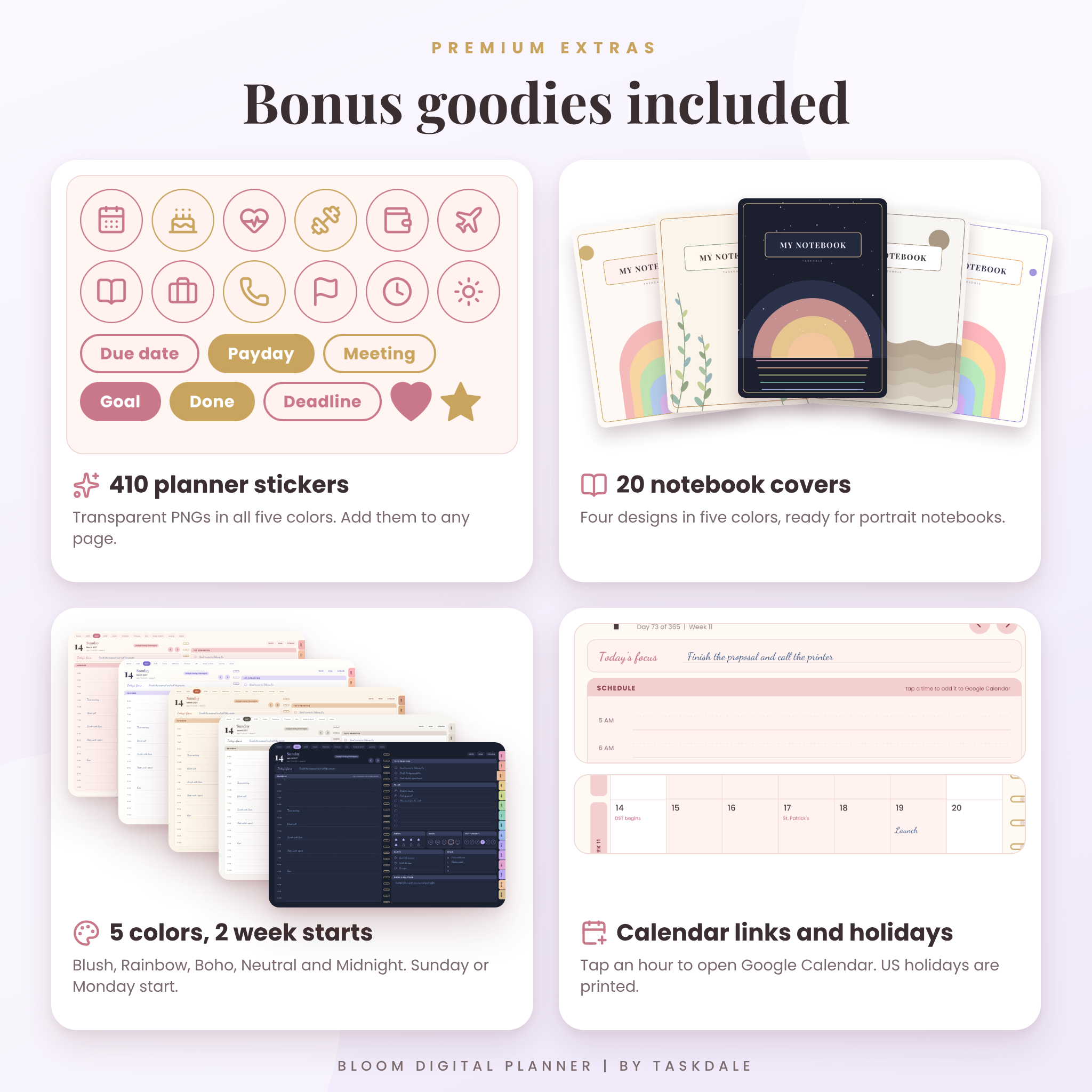
Pick one of five color themes (Blush, Rainbow, Boho, Neutral or Midnight). Then pick a Sunday start or a Monday start. That gives you ten planner files. Use the one you like best.
Who it is for
- Students juggling classes, deadlines and a social life.
- Busy parents who need meals, appointments and chores in one place.
- Small business owners who track clients, content and money.
- Journalers and habit builders who want room to think.
What you can do with it
Jump anywhere in one tap
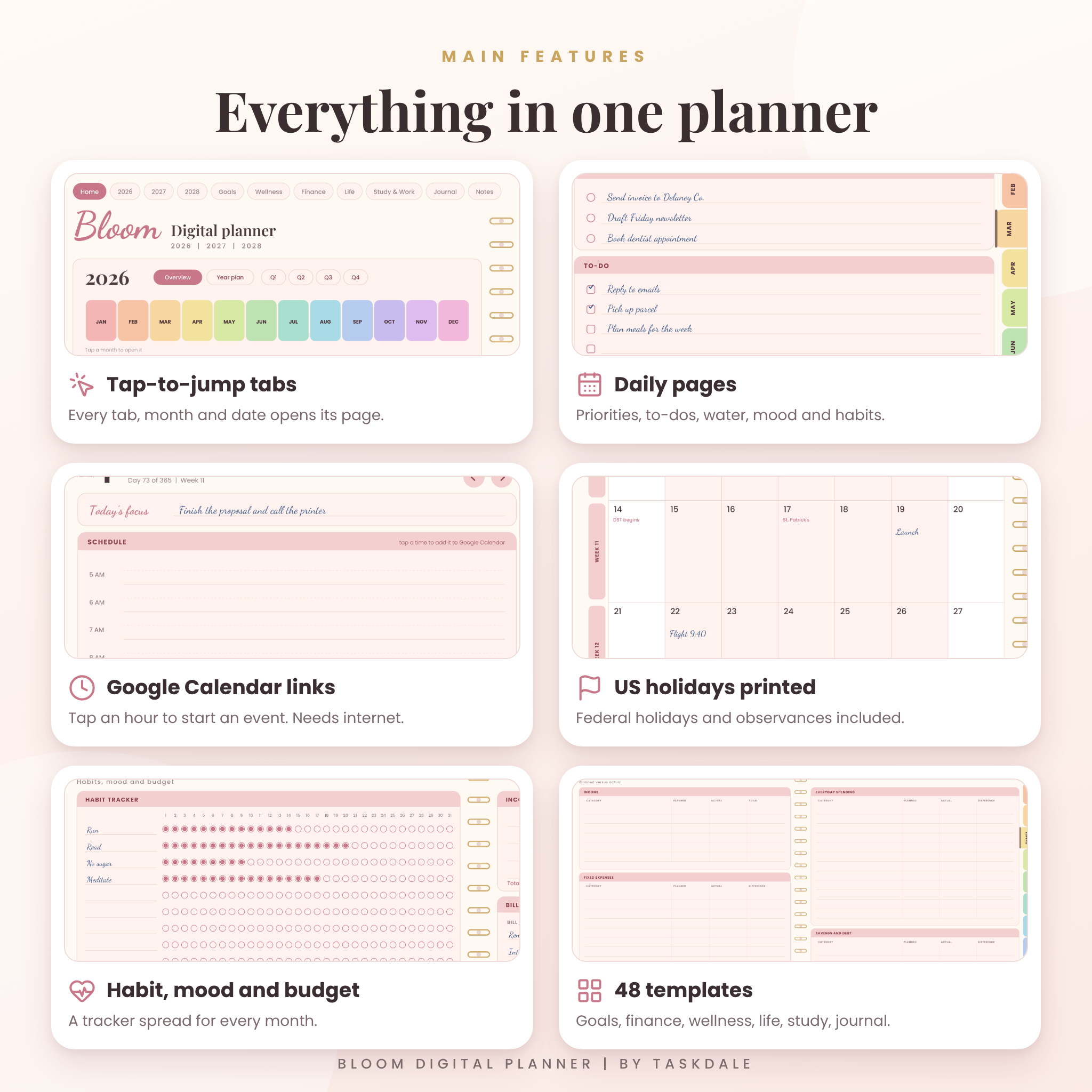
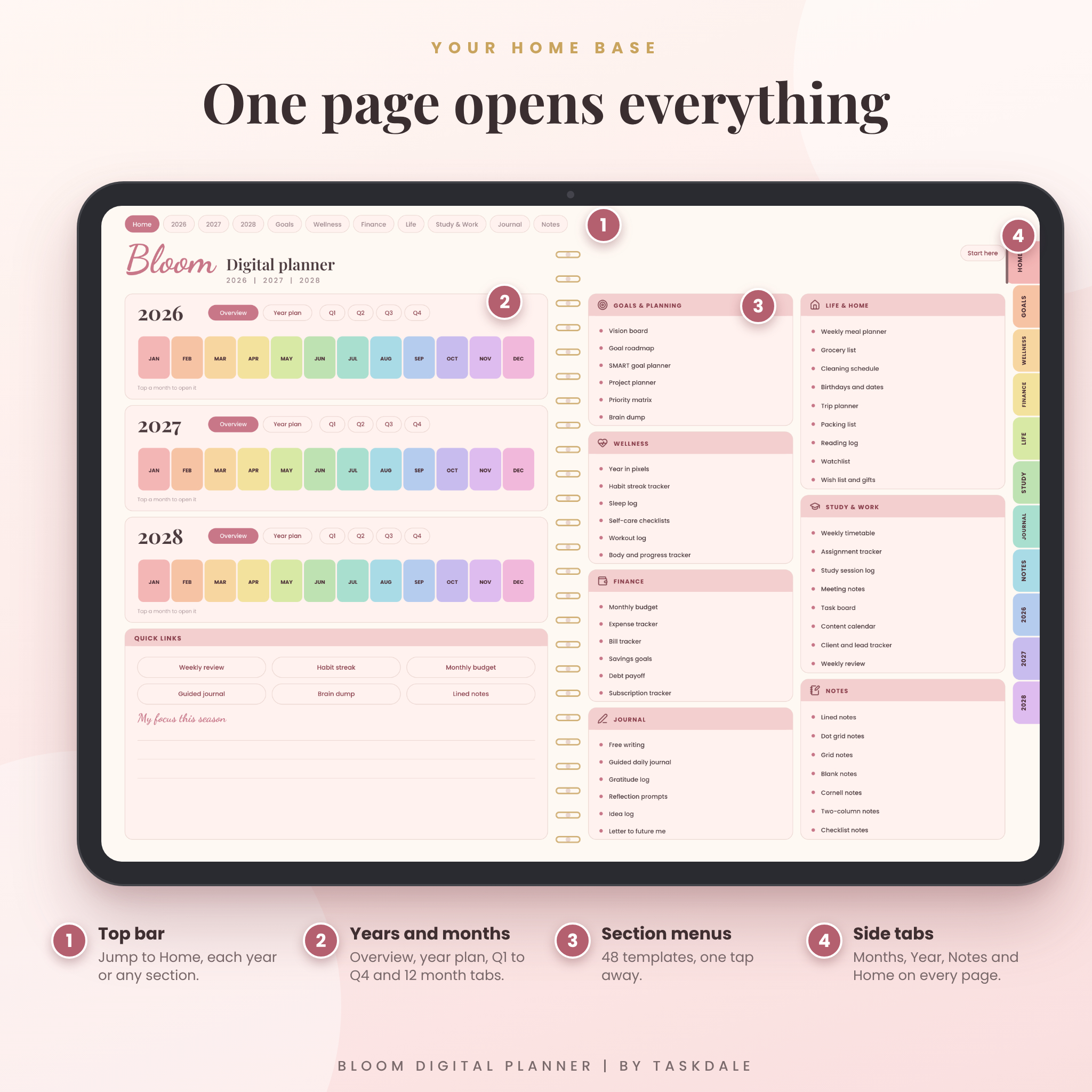
The top bar opens Home, each year and seven sections. Twelve colored month tabs sit on the side of every page. Tap a date on a month page and its day opens. Tap a week number and its week opens. No flipping through hundreds of pages.
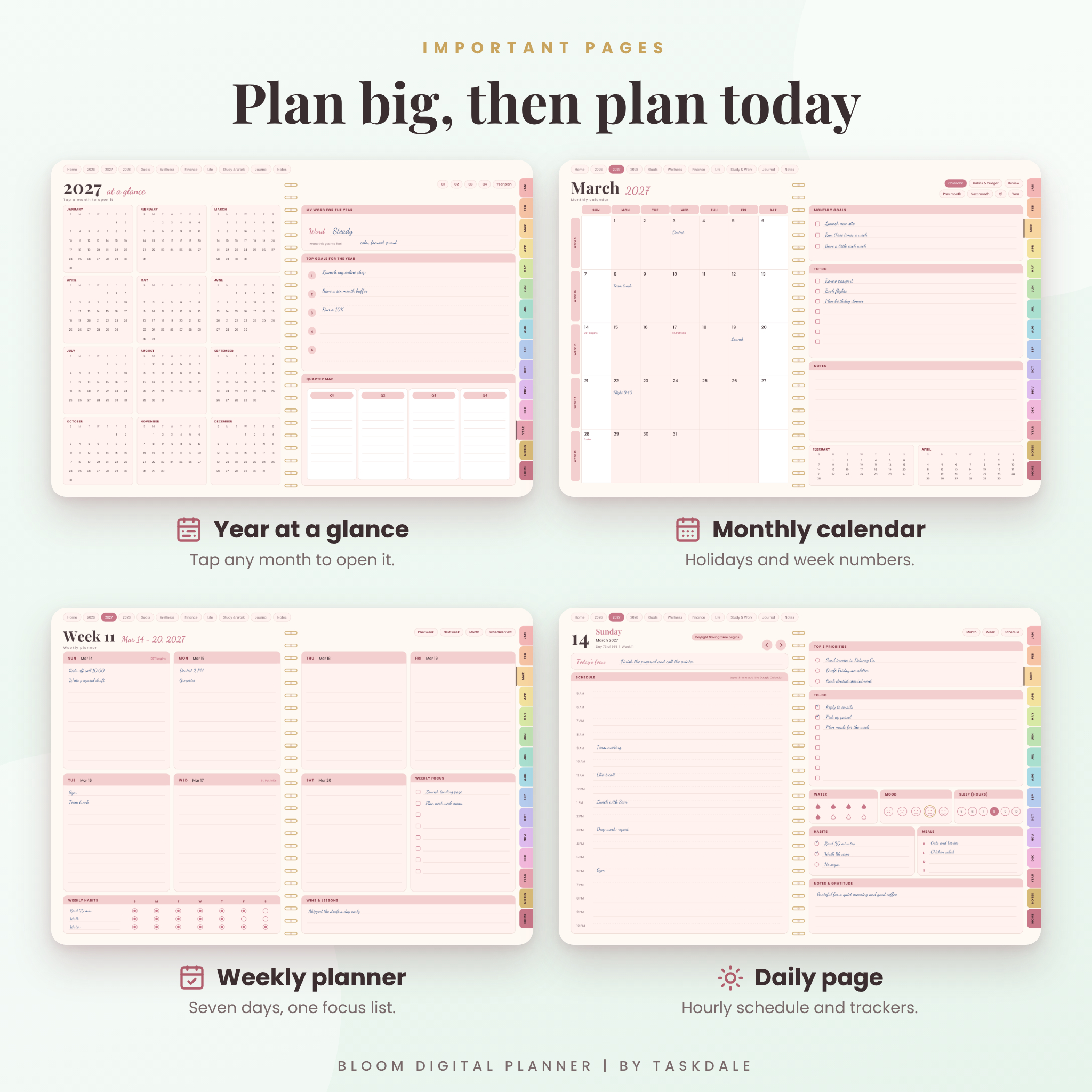
Plan big, then plan today
Start with the year plan and quarter pages. Move down to a monthly calendar with US holidays printed in the squares. Then use the weekly planner, the hourly weekly schedule and a daily page with priorities, a to-do list, water, mood, sleep, habits, meals and gratitude.
Track the things that matter
Every month has a habit tracker, a mood tracker, a sleep and water log, a bill list and a budget box. Every month also has a review page with wins, lessons and goals for the next one.
Add events to Google Calendar
Each hour on a day page is a link. Tap it and a new Google Calendar event opens for that day and time. This part needs an internet connection and a Google account. The rest of the planner works offline.
48 templates in seven sections
Behind the dates you will find a template library. Copy any page as often as you like.
- Goals and planning: vision board, goal roadmap, SMART goals, project planner, priority matrix, brain dump.
- Wellness: year in pixels, habit streaks, sleep log, self-care checklists, workout log, body tracker.
- Finance: monthly budget, expense tracker, bill tracker, savings goals, debt payoff, subscription tracker.
- Life and home: meal planner, grocery list, cleaning schedule, birthdays, trip planner, packing list, reading log, watchlist, wish list.
- Study and work: timetable, assignments, study log, meeting notes, task board, content calendar, client tracker, weekly review.
- Journal: free writing, guided daily journal, gratitude log, reflection prompts, idea log, letter to future me.
- Notes: lined, dot grid, grid, blank, Cornell, two-column and checklist pages.
What is included in your download
- 10 planner PDFs: 5 colors, each with a Sunday start and a Monday start. Each file is about 3.5 MB.
- Sticker pack: 410 transparent PNG stickers, 82 in each color. Icons, labels, washi tape and shapes.
- 20 notebook covers: 4 designs in 5 colors, sized for portrait notebooks.
- A user guide in Word format with setup steps, tips, troubleshooting and license terms.
How the digital planner works
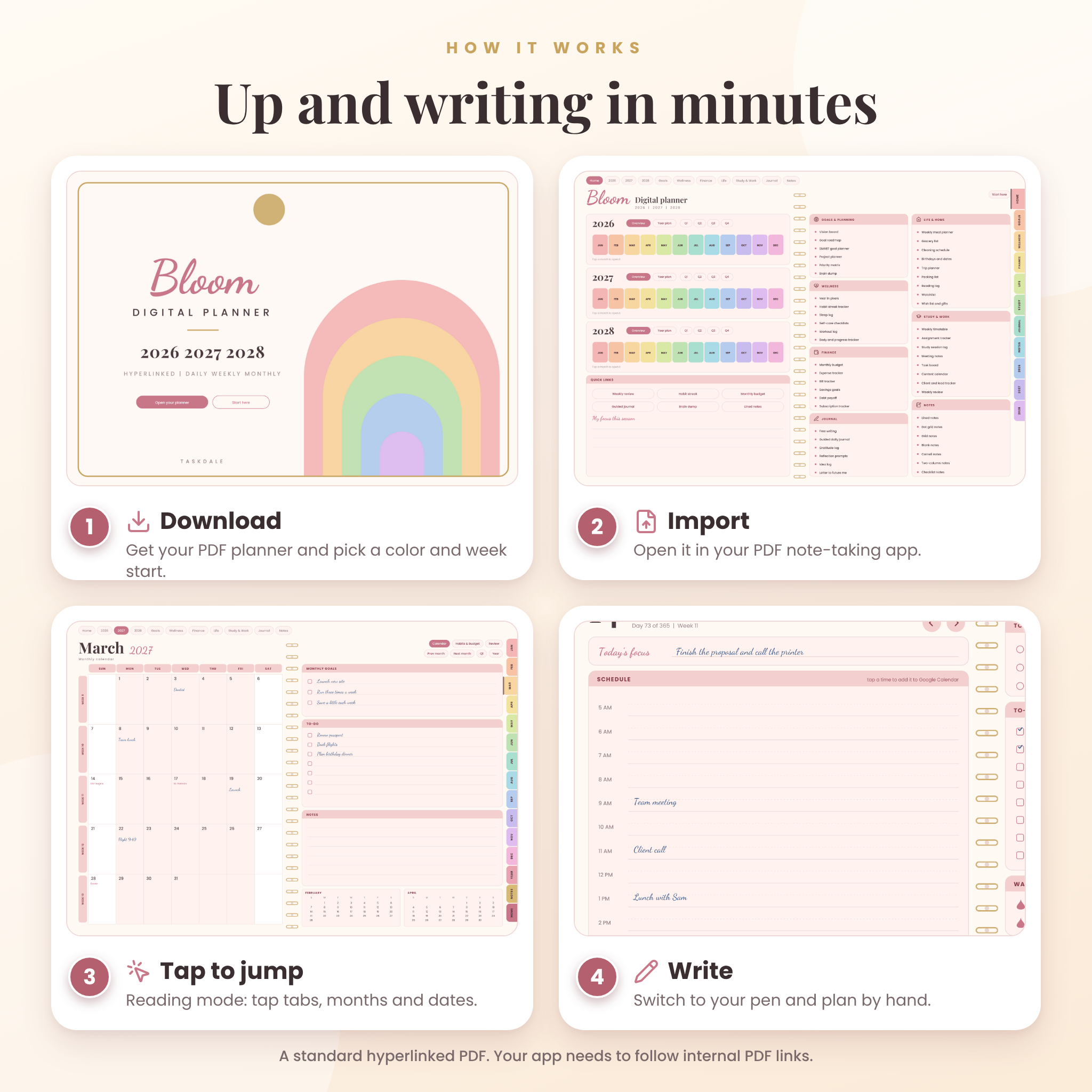
- Download your files and pick one planner.
- Import the PDF into your PDF note-taking app.
- Switch to reading mode and tap tabs and dates to jump around.
- Switch to your pen and write.
File format and requirements
The planner is a standard PDF with internal links, a landscape page (1194 by 834 points) and an outline for quick jumping. It was made with apps like GoodNotes and Notability in mind. The app you use needs to open PDFs, let you write on them and follow links inside them. Not every app does, so try the first few pages in yours before you commit to a year of planning.
Fonts are embedded. Finance pages have no currency symbol, so use whatever currency you like. Dates and holidays follow the US calendar and the text is in American English.
Customize it your way
Duplicate any page in your app, add text boxes, drop in stickers, or give a notebook one of the covers. Keep an untouched copy of the original file so you can start fresh whenever you like.
Digital download, nothing ships
This is a digital product. You get the files straight after checkout and nothing is mailed to you. If a file will not open, message us and we will help.
The license is for personal use. You can keep copies on your own devices and print pages for yourself. Please do not resell, share or upload the files, or use the artwork in anything you sell.
Frequently asked questions
Does it work on an iPad?
It is a standard PDF, made with iPad apps like GoodNotes and Notability in mind. Check that your app follows links inside PDFs.
Does it work on Android tablets?
Android apps handle PDF links in different ways. If you already have a PDF annotation app, test the first pages before you start.
Do I need internet?
No. Only the optional Google Calendar links on the day pages need a connection.
Can I change the week start inside one file?
No. That is why every color comes in a Sunday and a Monday version.
Can I print it?
Yes, for yourself. A single page prints well in landscape on Letter or A4 paper.
Which dates are covered?
January 1, 2026 to December 31, 2028.
Can I use it on more than one device?
Yes. Keep copies on your own devices. Please do not share them with others.
Ready to plan three years in one place? Add Bloom to your cart and start writing today.
Reviews
There are no reviews yet.