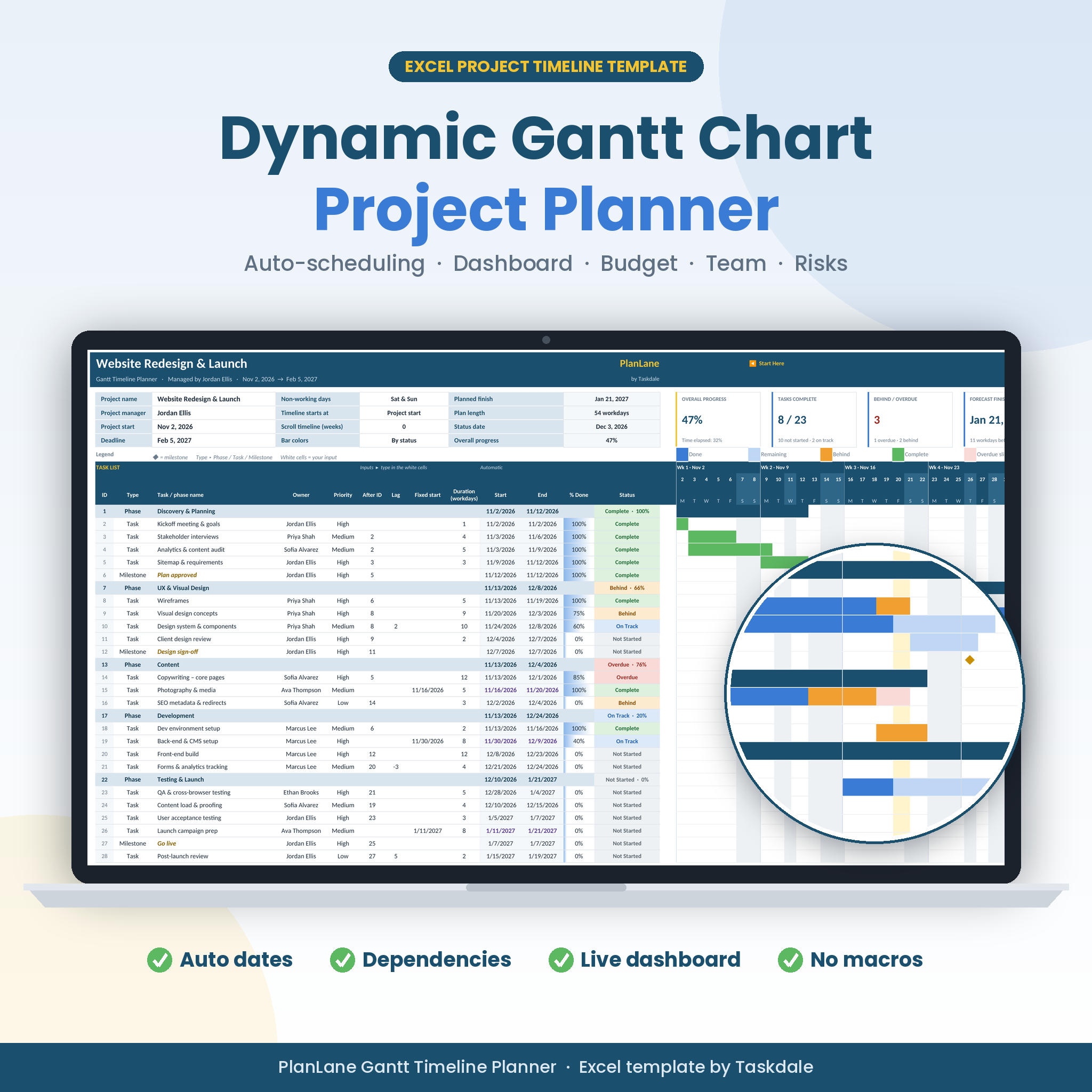
The PlanLane Excel Gantt chart template turns a simple task list into a complete project timeline planner. Type your tasks, how many workdays each one takes and which task it follows — PlanLane calculates every start and end date, skips weekends and holidays, draws a color-coded Gantt chart and keeps a live dashboard up to date. No project management software, subscriptions or macros needed.
What this Excel Gantt chart template does
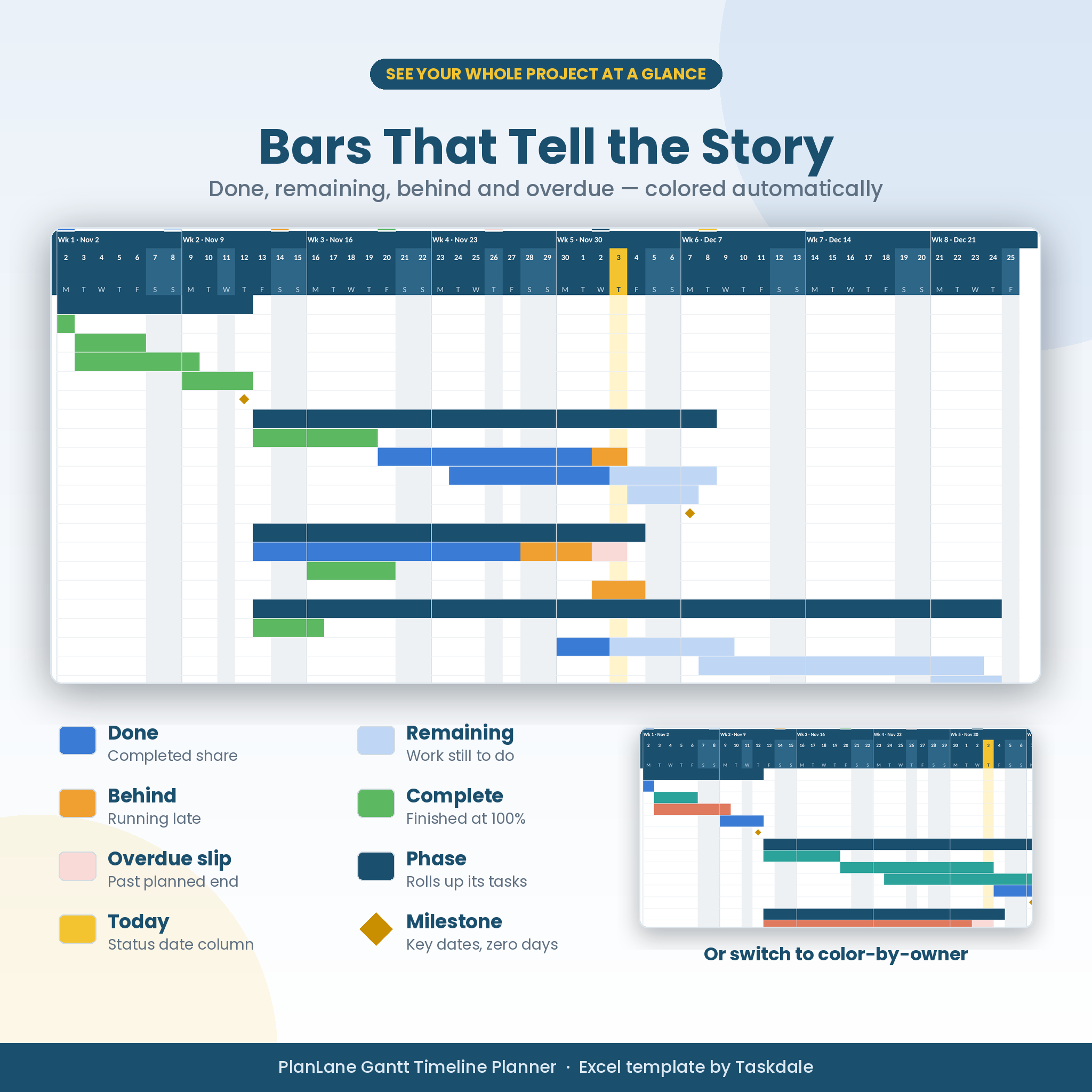
PlanLane is a dynamic project timeline that schedules itself. Link a task to the one before it and its dates move automatically whenever anything earlier changes. As you update the % done each week, every bar shows the completed part in blue, the remaining part in light blue, and anything running late in orange. Overdue days are shaded in light red, so you can see slipping work at a glance. Phases roll up their tasks, milestones appear as gold diamonds, and a yellow column marks today.
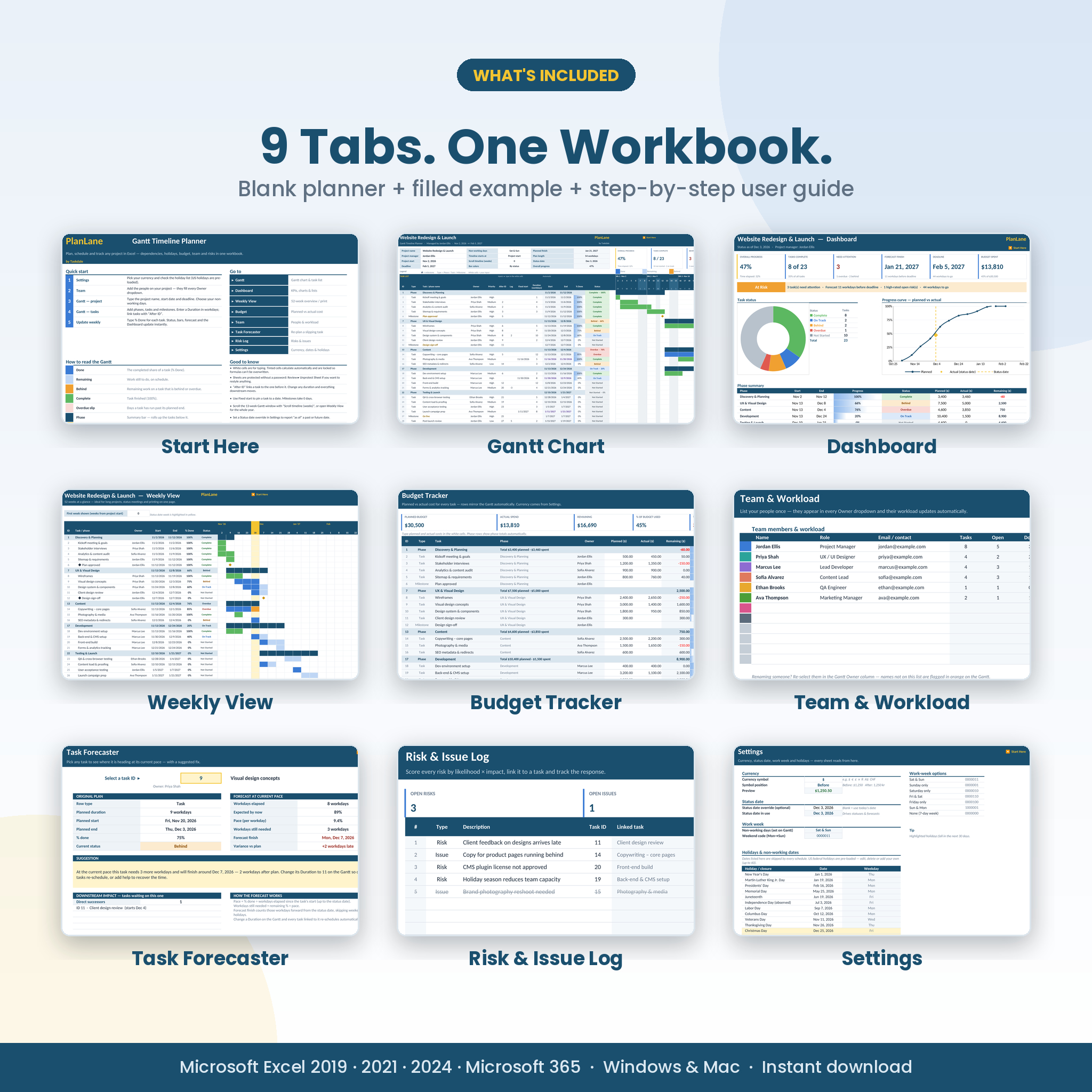
Behind the chart, PlanLane works like a small project management tool. It gives you a project dashboard, a task forecaster that tells you how far a late task will slip, a budget tracker, team workload and a risk log — all in one Excel workbook.
Who it’s for
- Project managers and team leads who need a clear, professional plan to share
- Small businesses, agencies and freelancers running client projects
- Marketing, event, IT, product, construction and research teams
- Students and anyone planning a personal project with real deadlines
Key features
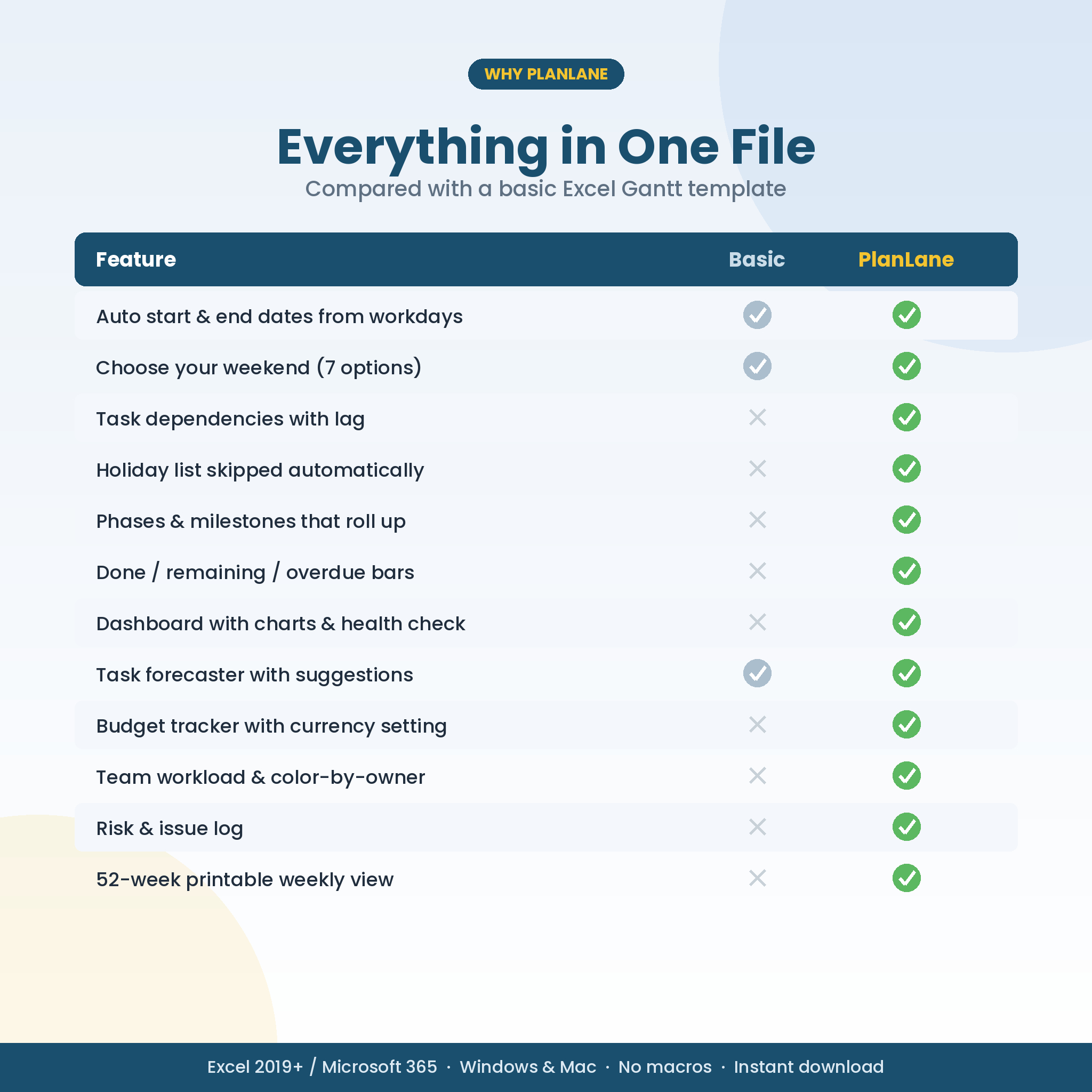
Automatic project scheduling
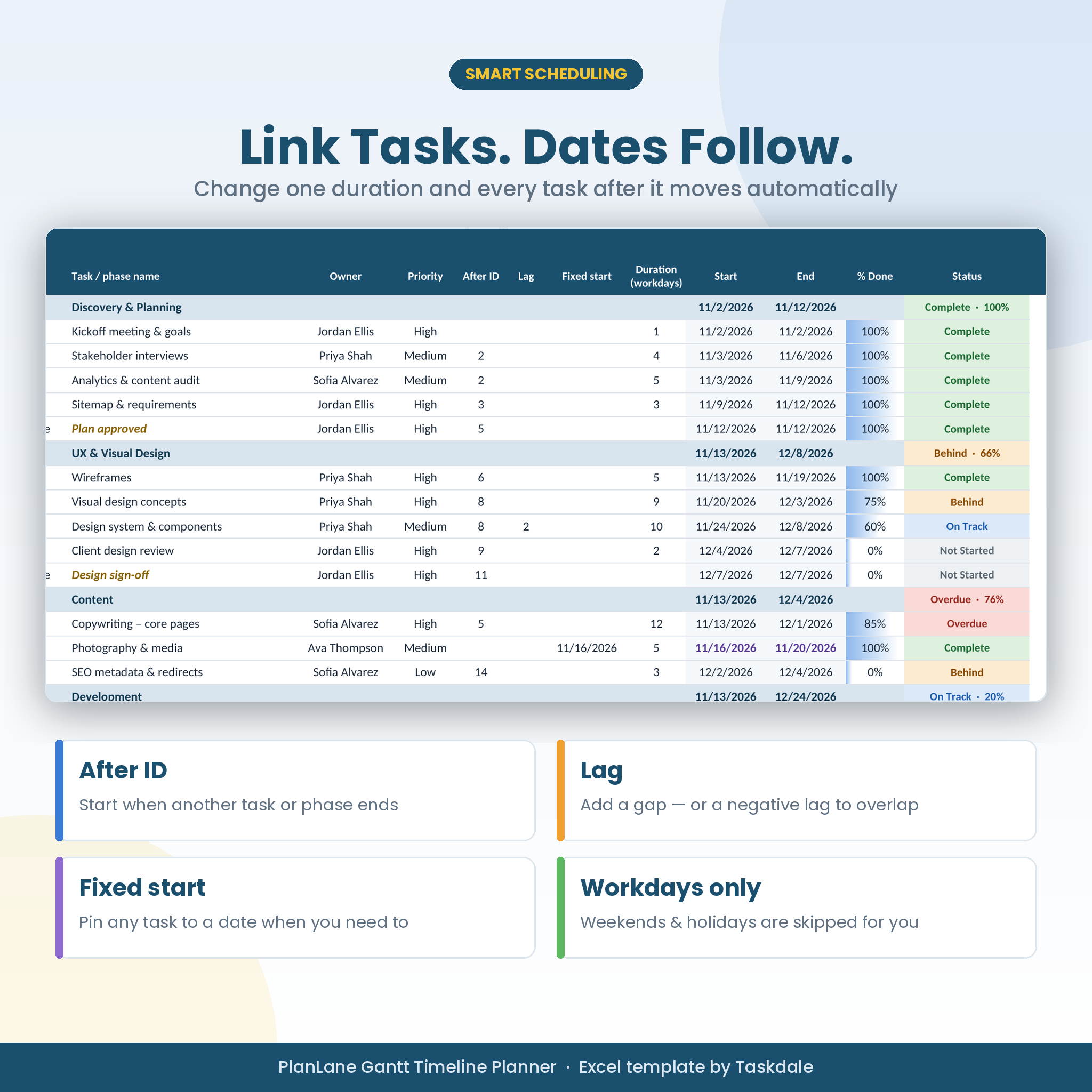
- Enter a duration in workdays and the end date is calculated for you
- Task dependencies with “After ID”: start when another task or a whole phase finishes
- Lag days, including negative lag for overlapping tasks
- A fixed start date to pin any task to a date
- Seven work-week options: Sat & Sun, Sunday only, Saturday only, Fri & Sat, Friday only, Sun & Mon, or a 7-day week
- A holiday list skipped by every schedule. US federal holidays for 2026–2028 are pre-loaded and fully editable.
Dynamic Gantt chart
- A 13-week daily timeline you can scroll by week, or open at today’s date
- Bars split into done, remaining, behind and complete. Overdue slip shading, phase summary bars and milestones.
- Switch bar colors to color by owner to see who is doing what
- Automatic statuses: Complete, On Track, Behind, Overdue, Not Started
- KPI tiles above the chart: progress, tasks done, behind or overdue, forecast finish, schedule health and budget spent
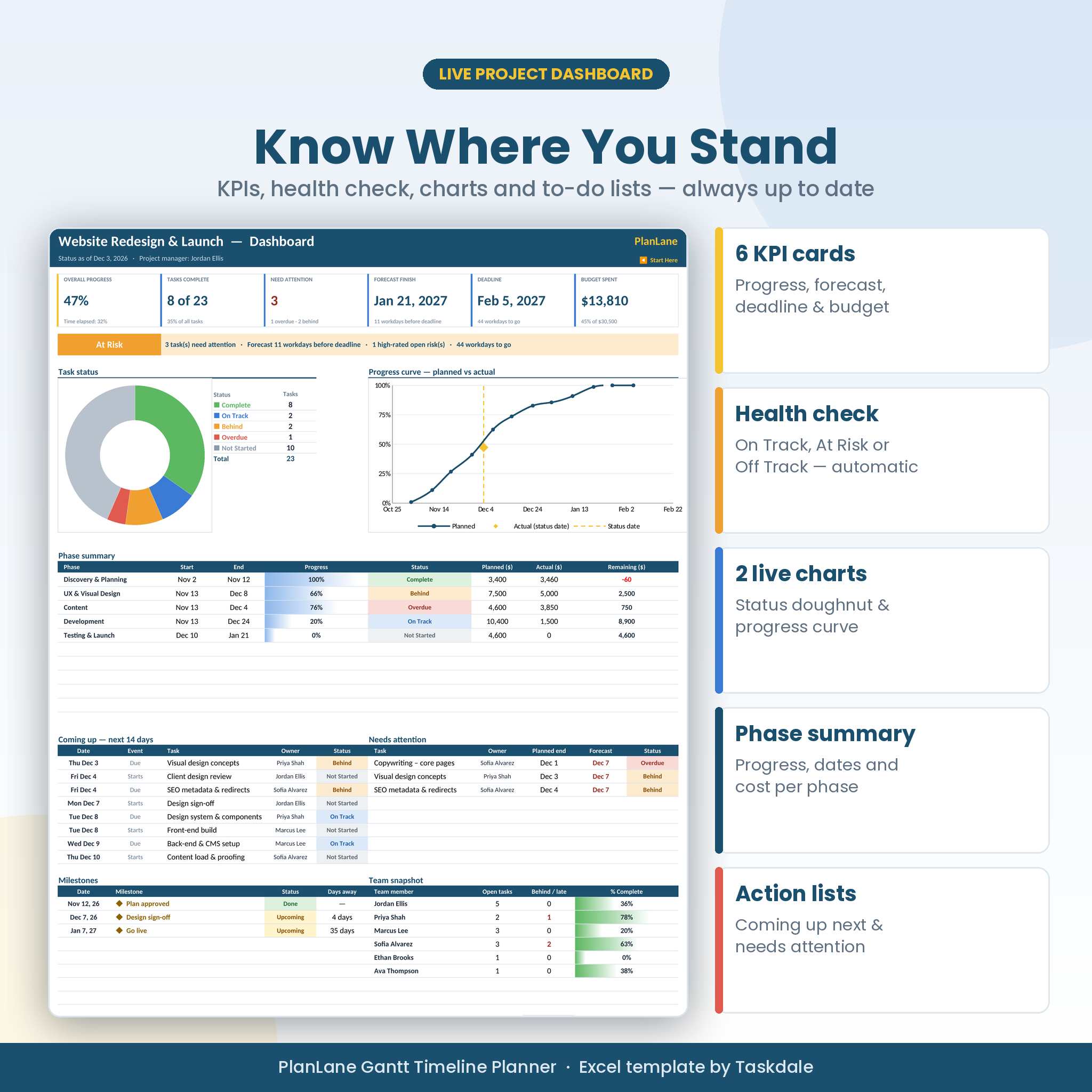
Project dashboard
- Six KPI cards plus a schedule health banner (On Track, At Risk or Off Track)
- A task status doughnut chart and a planned-vs-actual progress curve
- A phase summary with dates, progress and cost
- “Coming up in the next 14 days” and “Needs attention” lists, plus milestones and a team snapshot
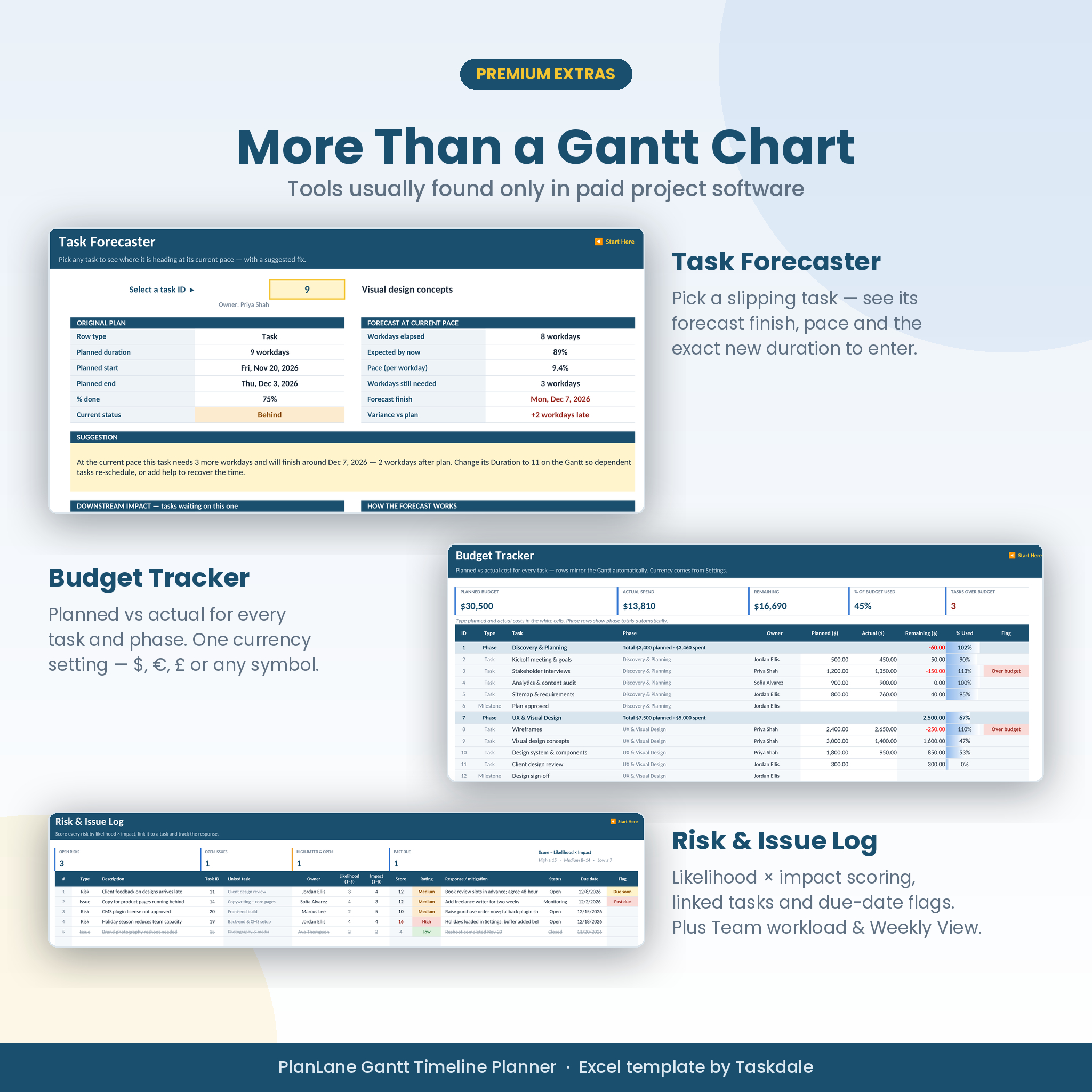
Extra tools included
- Task Forecaster: pick any task to see its pace, forecast finish, workdays still needed and the exact new duration to enter. It also lists the tasks that depend on it.
- Budget Tracker: planned vs actual cost for every task and phase, with over-budget flags
- Team & Workload: open, completed and late tasks per person, plus each person’s % complete
- Risk & Issue Log: likelihood × impact scoring, linked tasks and due-date flags
- Weekly View: 52 weeks on one screen, ready to print
What’s included
- PlanLane-Gantt-Timeline-Planner.xlsx: your blank planner with 9 tabs (Start Here, Gantt, Dashboard, Weekly View, Budget, Team, Task Forecaster, Risk Log and Settings)
- PlanLane-Gantt-Timeline-Planner-Example.xlsx: a fully worked sample project to learn from
- PlanLane-User-Guide.docx: a 20-page illustrated guide with a quick start, every feature explained, troubleshooting and FAQ
How it works
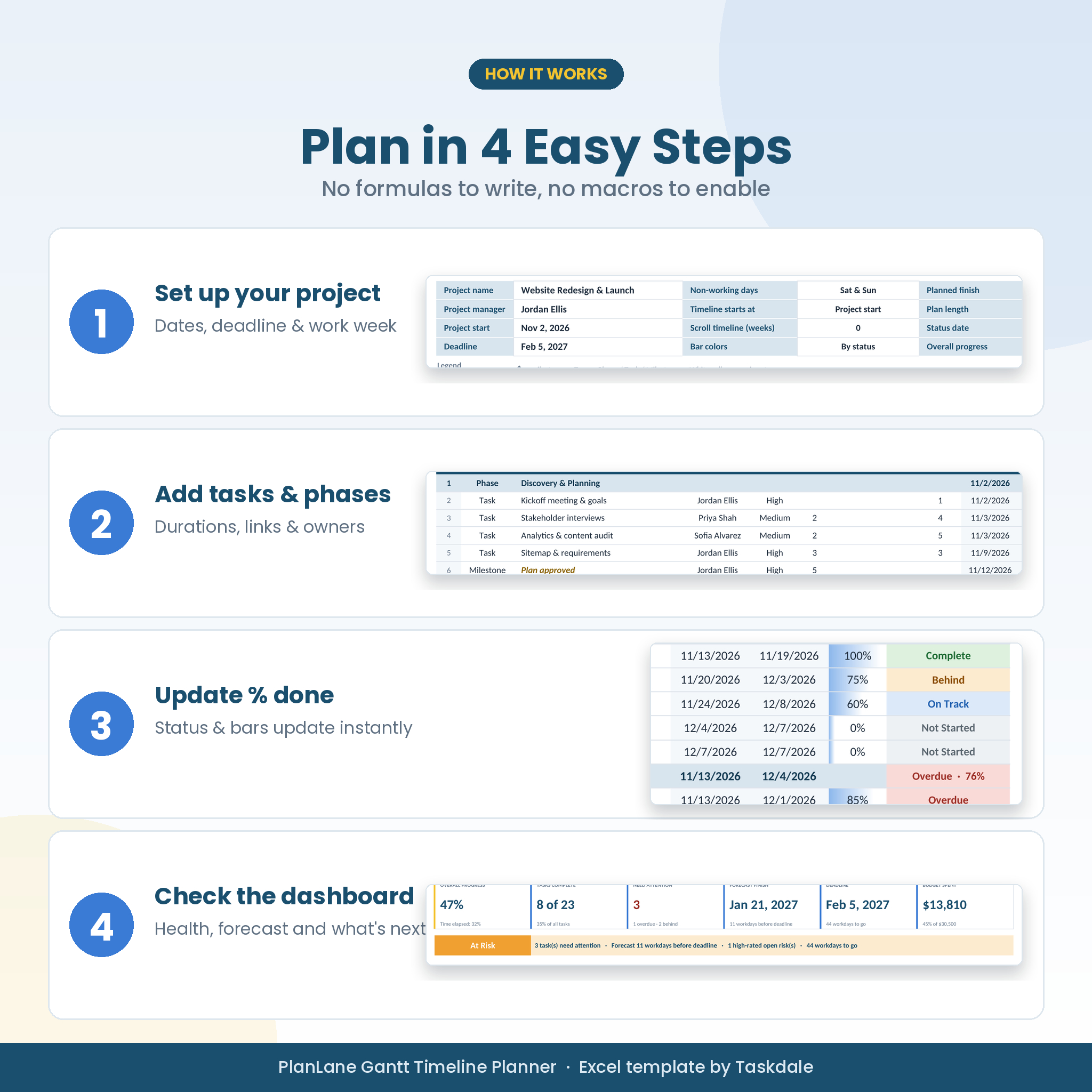
- Settings: choose your currency and check the holiday list.
- Team: add the people on your project.
- Gantt: enter the project start date and deadline, then add phases, tasks and milestones with their durations and links.
- Each week: type the % done for each task. Statuses, bars, forecasts and the dashboard update instantly.
File format and software requirements
- Microsoft Excel (.xlsx) for Excel 2019, 2021, 2024 and Microsoft 365 on Windows and Mac
- Uses standard Excel formulas only: no macros, no add-ins, no internet connection required
- Not designed for Google Sheets or Apple Numbers, which handle the chart formatting differently
- Capacity: 150 task rows, 12 team members, 60 holidays and 40 risks per workbook
- Prints on US Letter or A4, landscape, one page wide
Customization
White cells are for typing. Calculated cells are locked so formulas can’t be broken by accident, but sheets are protected without a password, so you can unprotect them and change colors, fonts and column widths. One currency setting controls every money value ($, €, £, ¥ or any symbol), and the status date can be overridden to report your project “as of” any day.
Digital download
This is an instant digital download. No physical product will be shipped. After purchase, download the files from your order confirmation or account page and open them in Excel. Keep the blank workbook as your master and use File › Save As for each new project.
Use cases
- Website redesigns, app launches and software sprints
- Marketing campaigns and product launches
- Event and wedding planning timelines
- Construction, renovation and fit-out schedules
- Client project plans for agencies and consultants
- Research projects, theses and grant timelines
- Office moves, onboarding programs and internal initiatives
Frequently asked questions
Does this Gantt chart template work on Mac?
Yes. It works in Excel 2019 or later and Microsoft 365 on both Windows and Mac.
Does it work in Google Sheets?
No. PlanLane is built for Microsoft Excel. Google Sheets doesn’t support some of the conditional formatting and sheet protection it uses.
Do task dates update automatically?
Yes. Change a duration or a start date, and every task linked after it moves, skipping weekends and holidays.
Can I set my own weekends and holidays?
Yes. Choose from seven work-week options and edit the holiday list in Settings.
How many tasks can I add?
Up to 150 rows of phases, tasks and milestones per workbook. Use a copy of the blank file for each project.
Can I change the currency?
Yes. Type your symbol once in Settings, and every budget figure, heading and dashboard card updates.
Does it contain macros?
No. It uses standard formulas only, so there is nothing to enable and it works offline.
Can I print my Gantt chart?
Yes. The Gantt, Weekly View and Dashboard are set up to print landscape or portrait at one page wide, on Letter or A4 paper.
License
For personal and internal business use by the purchaser, for unlimited projects. You may share the plans you create, such as a PDF of your Gantt chart. You may not resell, share or distribute the template files. © Taskdale.
Reviews
There are no reviews yet.