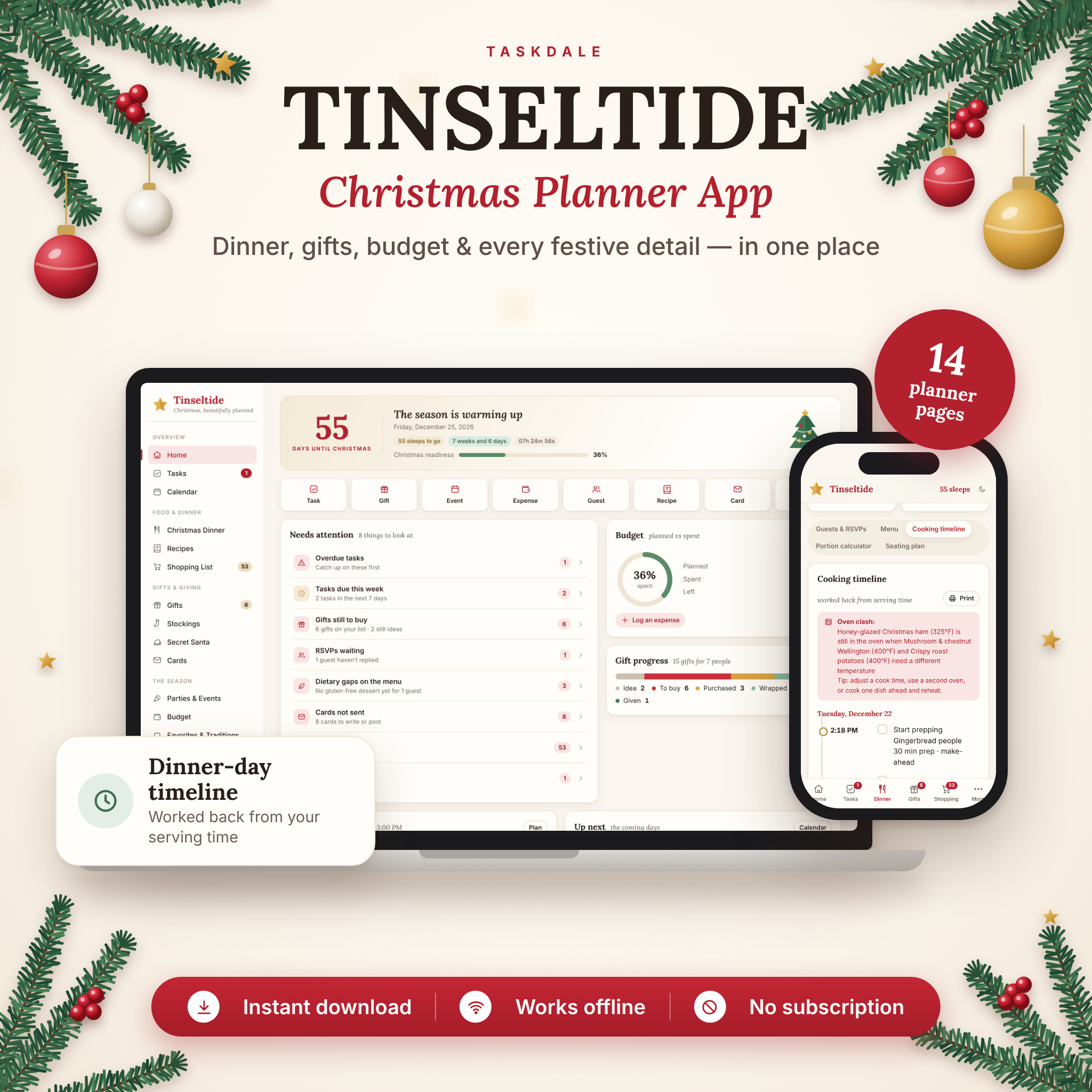

The Tinseltide Christmas Planner App is a complete Christmas dinner planner and holiday organizer that opens right in your web browser. Plan your menu, guests and RSVPs, get a cooking timeline that works back from your serving time, size your turkey with a built-in calculator, track every gift and stocking stuffer, draw Secret Santa names and keep your Christmas budget on track — with a shopping list that writes itself.
One purchase. No subscription. No account. Your plans stay private on your own device.
Why this Christmas planner app is different
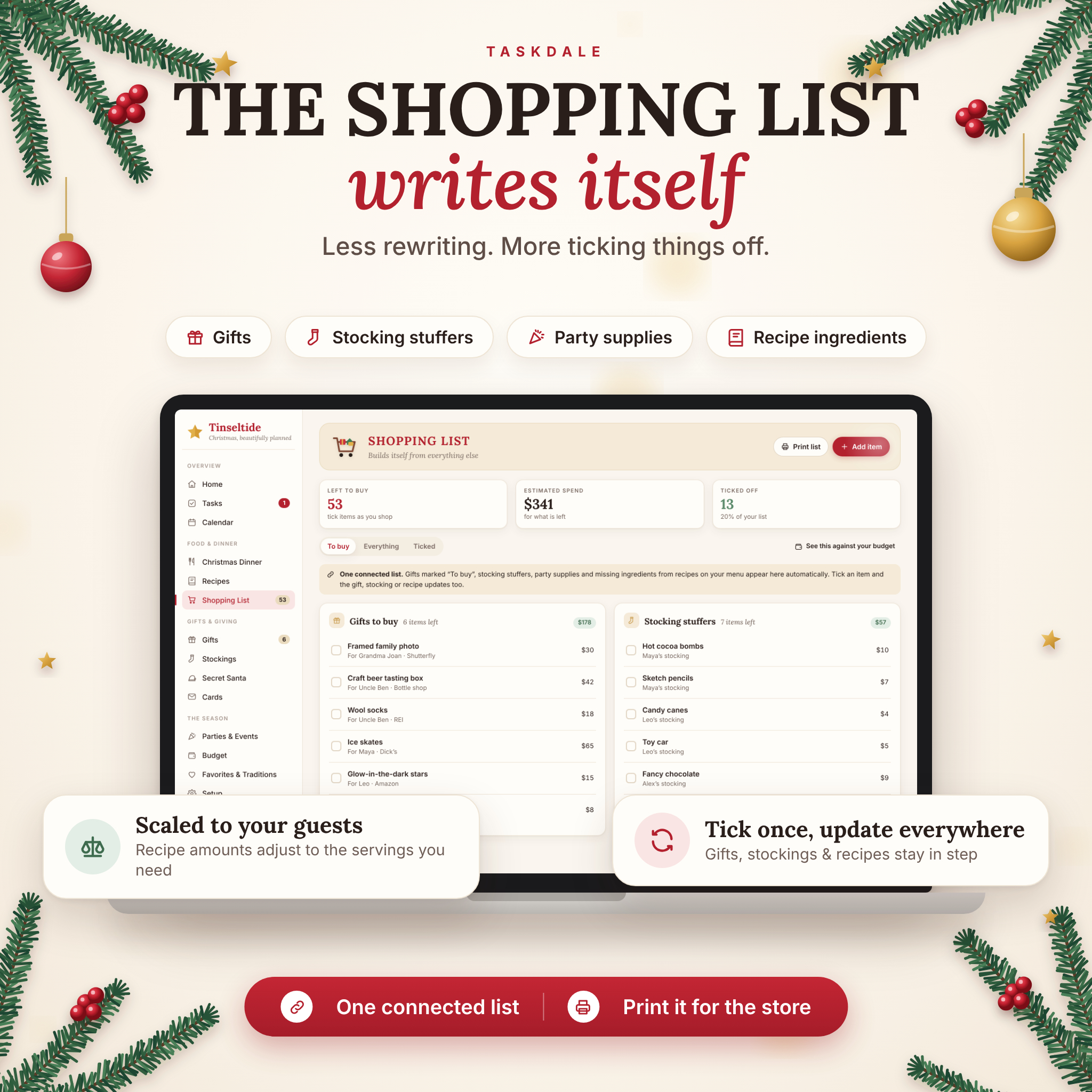
Most Christmas planners are a stack of separate lists. Tinseltide connects them. Mark a gift “To buy” and it appears on your shopping list. Add a recipe to your dinner menu and its missing ingredients are added too — scaled to the number of servings you are cooking. Tick an item off at the store and the gift, stocking or recipe updates everywhere, while your budget counts the spending for you.
Features
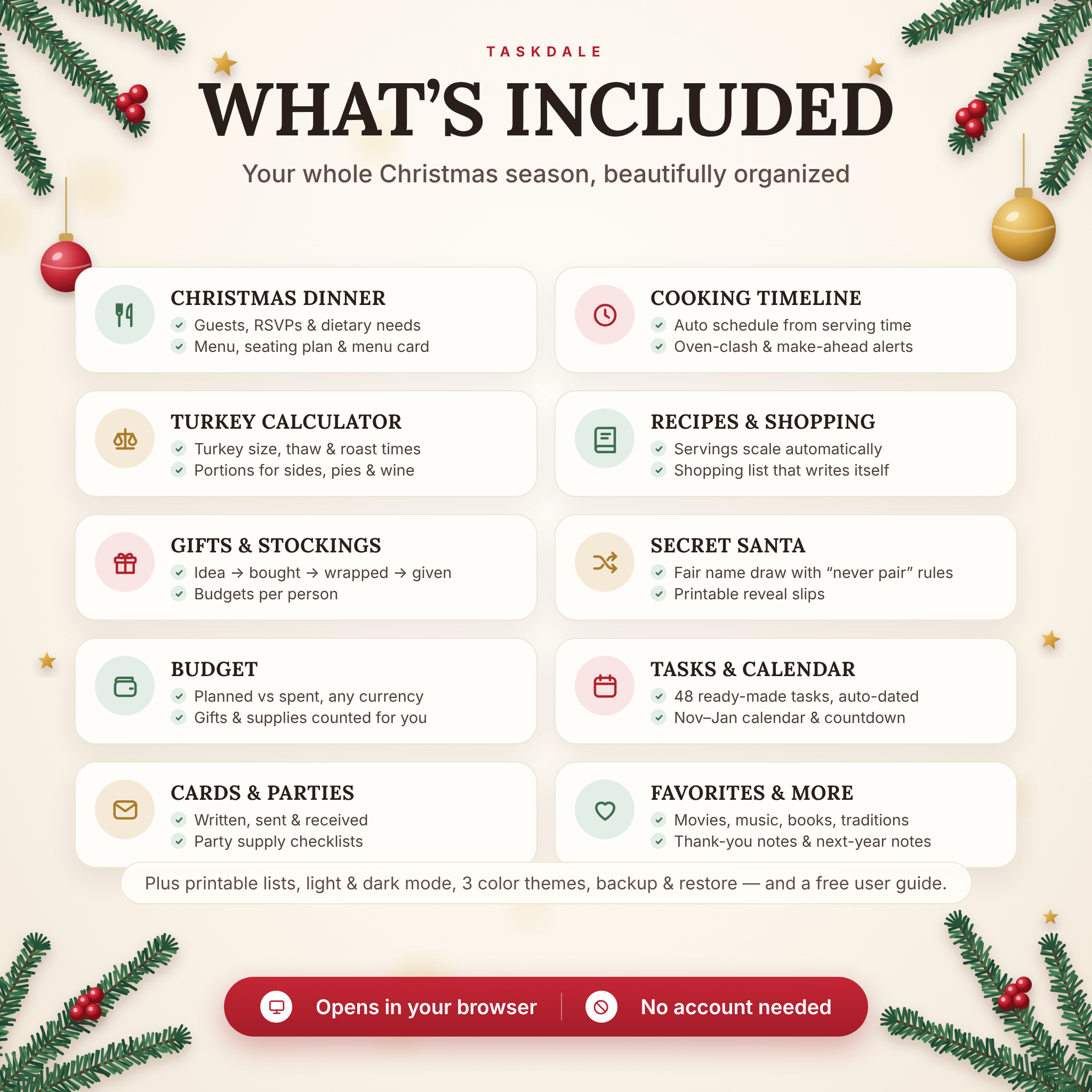
Christmas dinner planner
- Guests & RSVPs – adults and kids per household, RSVP status, dietary needs (vegetarian, vegan, gluten-free, dairy-free, nut-free) and who is bringing what.
- Menu with a dietary check – see at a glance whether every guest has a main and dessert they can eat.
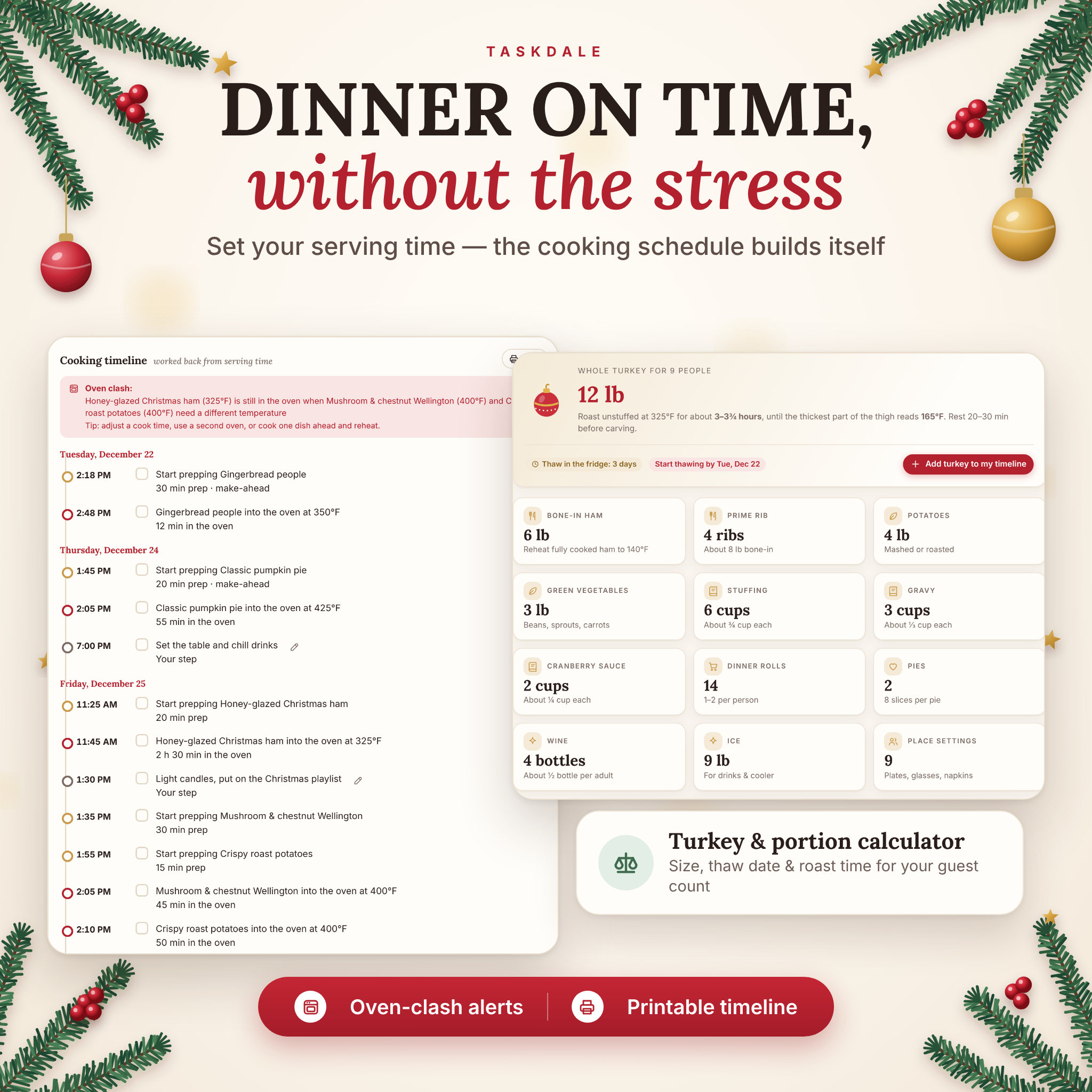
- Cooking timeline – enter your serving time and get a step-by-step schedule: when to start prepping, when each dish goes into the oven and when to rest it. Includes make-ahead days, oven-clash alerts and your own custom steps. Tick steps off on the day or print it for the kitchen.
- Turkey & portion calculator – turkey size, fridge-thaw days and start date, roasting time, plus amounts for ham, prime rib, potatoes, vegetables, stuffing, gravy, cranberry sauce, rolls, pies, wine and ice. US or metric.
- Seating plan – round tables with 2–16 seats and name suggestions from your guest list.
- Printable menu card for the table.
Recipes and an automatic shopping list
- Save recipes with servings, prep and cook times, oven temperature, ingredients, method and dietary labels.
- Scale any recipe up or down; tick off ingredients you already have.
- The shopping list collects gifts to buy, stocking stuffers, party supplies and menu ingredients, merges duplicates and shows an estimated spend. Print it for the store.
Gift tracker, stockings and Secret Santa
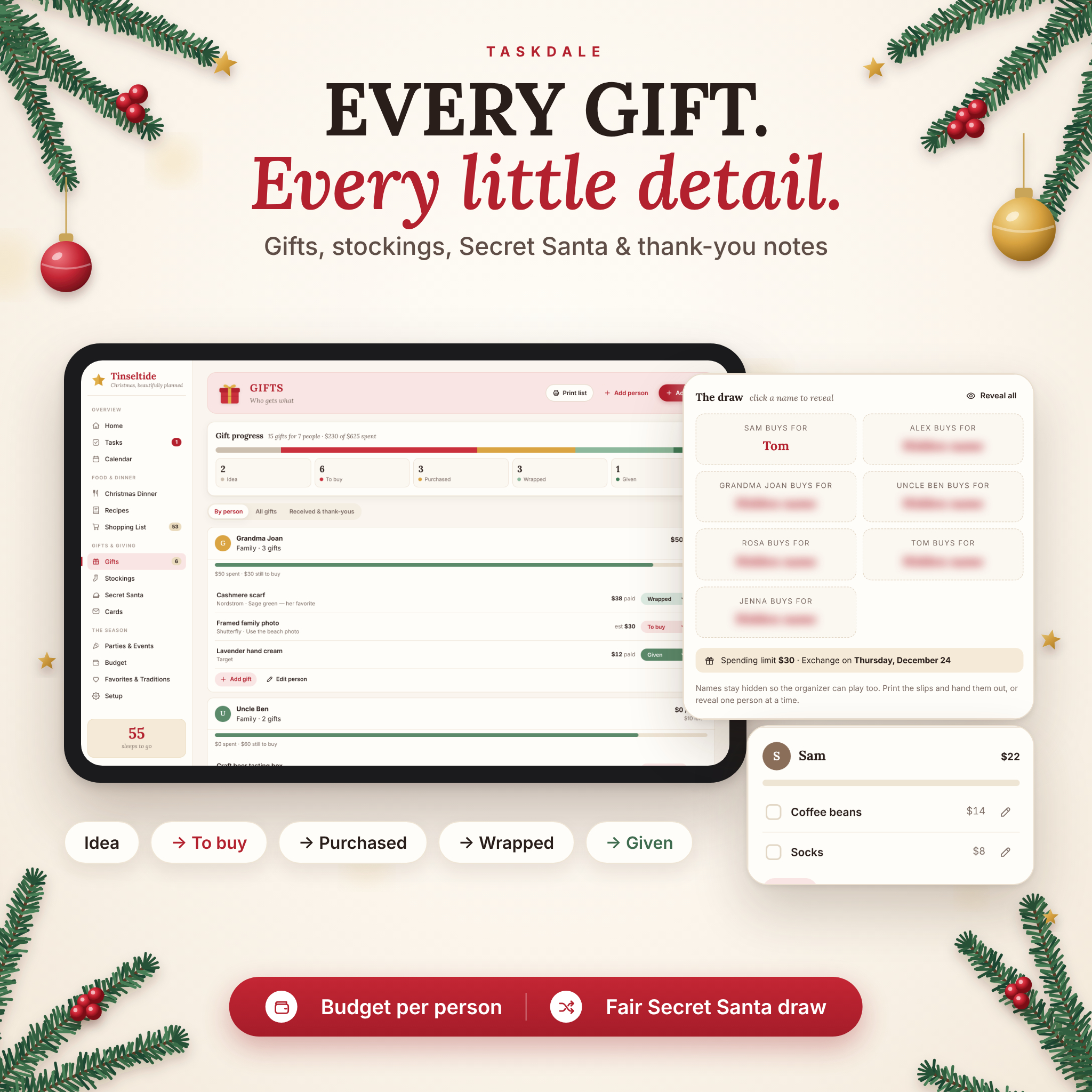
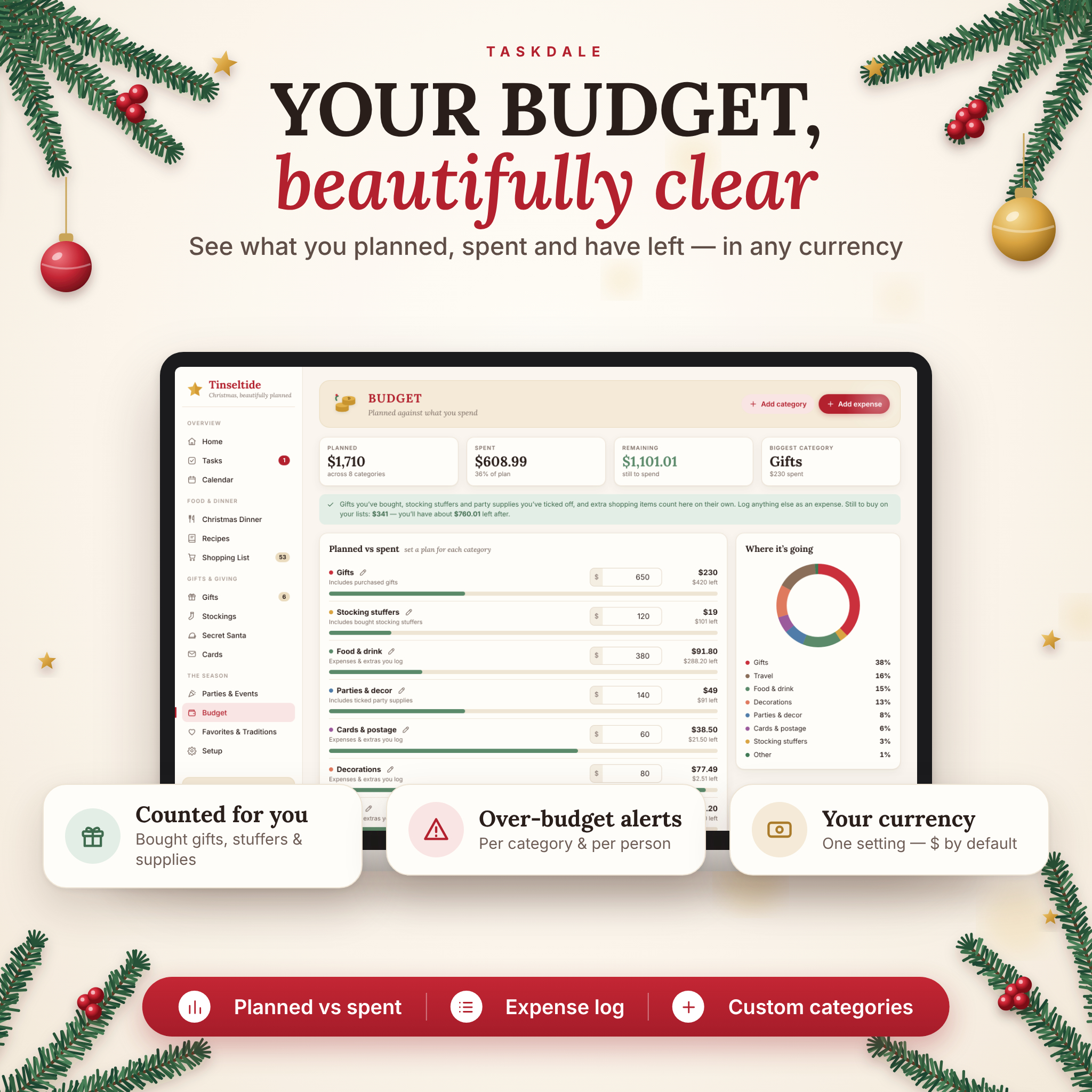
- Budgets per person with over-budget warnings.
- Track every gift from Idea → To buy → Purchased → Wrapped → Given, with store, link, estimated and paid price.
- Stocking stuffer lists for each person in your household.
- Secret Santa generator with “never pair” rules, hidden results so the organizer can play too, and printable slips.
- Gifts received and thank-you note tracker.
Budget, tasks and the rest of the season
- Christmas budget – planned vs spent by category, a spending chart, expense log, custom categories and a forecast of what is still to buy.
- 48 ready-made tasks, automatically dated for your Christmas year, with progress by category.
- Calendar for November to January showing events, parties, tasks and dinner day.
- Christmas card list – addresses plus written, sent and received.
- Parties & events – cookie swaps, office parties and New Year’s Eve with supply checklists.
- Favorites & traditions – movies, music, books, traditions and notes for next year.
- Dashboard with a live countdown in days and sleeps, a readiness score and a “needs attention” list.
What’s included
- Tinseltide Christmas Planner (HTML app file)
- Illustrated user guide (DOCX)
- Quick start and license note
- Built-in sample Christmas to explore, plus a clean start option
How it works
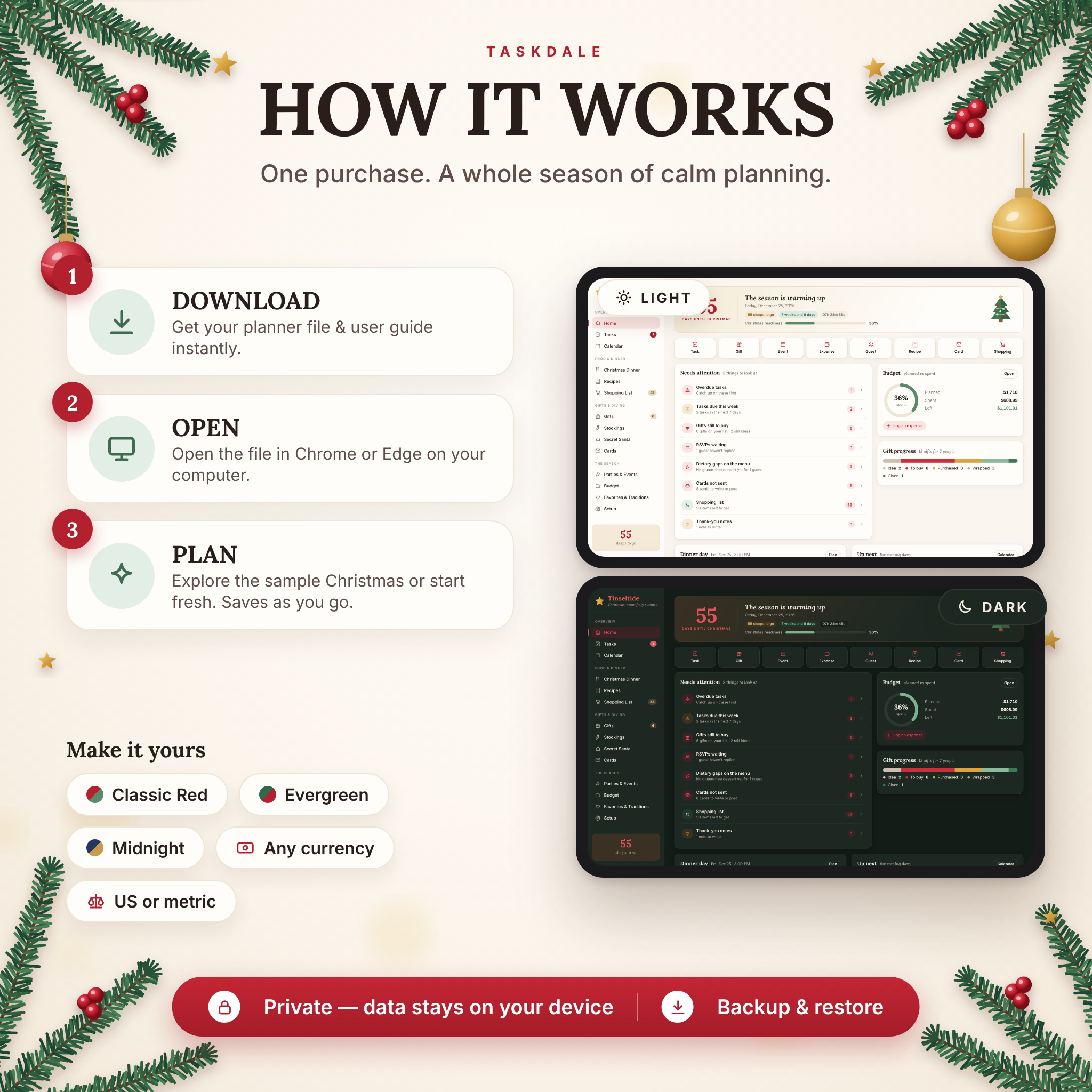
- Download and unzip your files.
- Open the planner file in Google Chrome or Microsoft Edge on your computer.
- Explore the sample data or start fresh, choose your year and currency, and start planning. Everything saves automatically.
File format and requirements
- Format: single HTML file (web app) in a ZIP download, plus a Word (DOCX) user guide.
- Tested in: Google Chrome and Microsoft Edge on Windows and Mac computers.
- Works offline – no internet connection, sign-up or subscription needed.
- Screen sizes: the layout adapts to tablet- and phone-sized screens. Opening a downloaded file on a phone depends on your phone’s file app, so we recommend planning on a computer.
- Data: stored privately in your browser on your device. Export and import backups any time.
Customize it
Add your household, choose your Christmas year, pick any of 20+ currencies (US dollar by default) or type your own symbol, switch between US and metric units and 12- or 24-hour time, and choose light or dark mode with three color themes: Classic Red, Evergreen and Midnight & Gold. Print tidy pages for your shopping list, gift list, card list, cooking timeline, menu card, checklist, recipes and Secret Santa slips in US Letter or A4.
Perfect for
- Hosting Christmas dinner or Thanksgiving-style family feasts and wanting everything on the table at the same time.
- Busy parents juggling gifts, stockings, school events and a holiday budget.
- Organizing a family or office Secret Santa fairly in seconds.
- First-time hosts who need help with turkey size, thawing and portions.
- Anyone who wants a calm, organized Christmas season in one place.
Frequently asked questions
Is this a physical product?
No. It is an instant digital download. Nothing will be shipped.
Do I need an account, subscription or internet connection?
No. Open the file in your browser and start planning, even offline.
Which browsers does it work in?
It is tested in Google Chrome and Microsoft Edge on Windows and Mac computers.
Can I use a currency other than US dollars?
Yes. One setting changes every amount in the planner, with 20+ currencies or a custom symbol.
Can I use it again next year?
Yes. Change the year in Setup and the ready-made task dates move with it.
Where is my data saved? Is it private?
Your plans are saved only in your browser on your device. Export a backup to keep a copy or move to another computer.
Can I print my lists?
Yes – shopping list, gift list, card list, cooking timeline, menu card, checklist, recipes and Secret Santa slips.
License
For personal use by you and your household only. Please do not resell, share or redistribute the files. © Taskdale.
Reviews
There are no reviews yet.