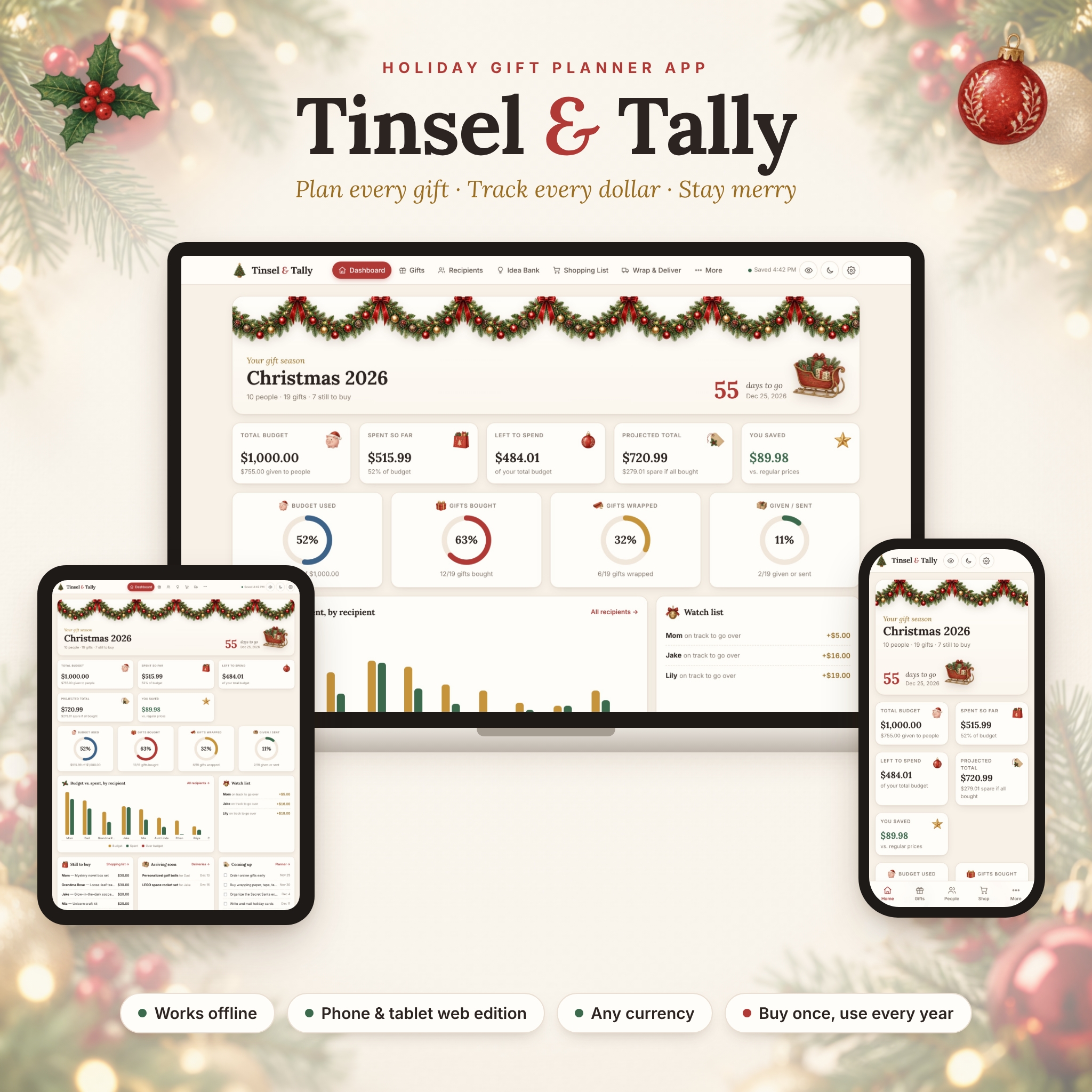

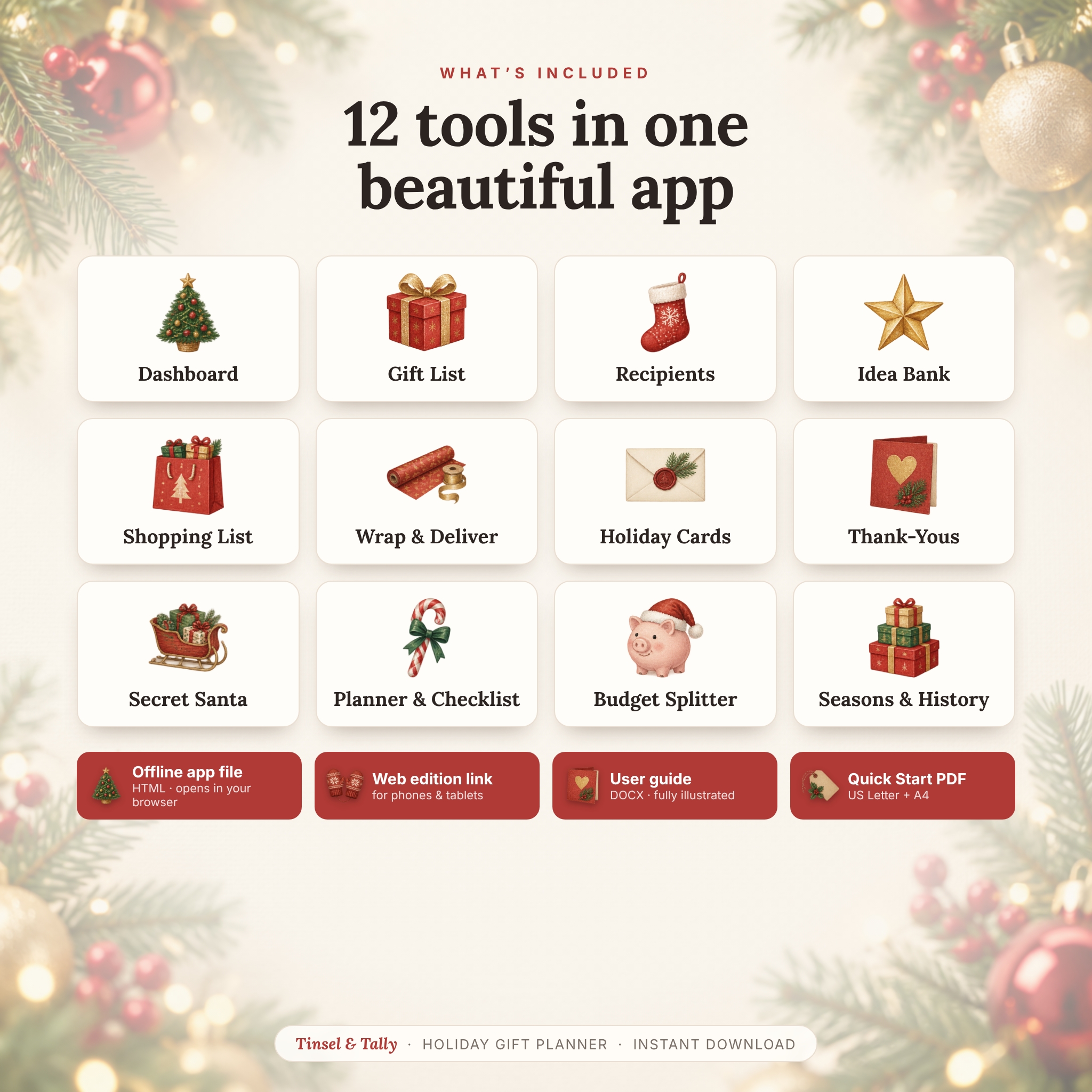

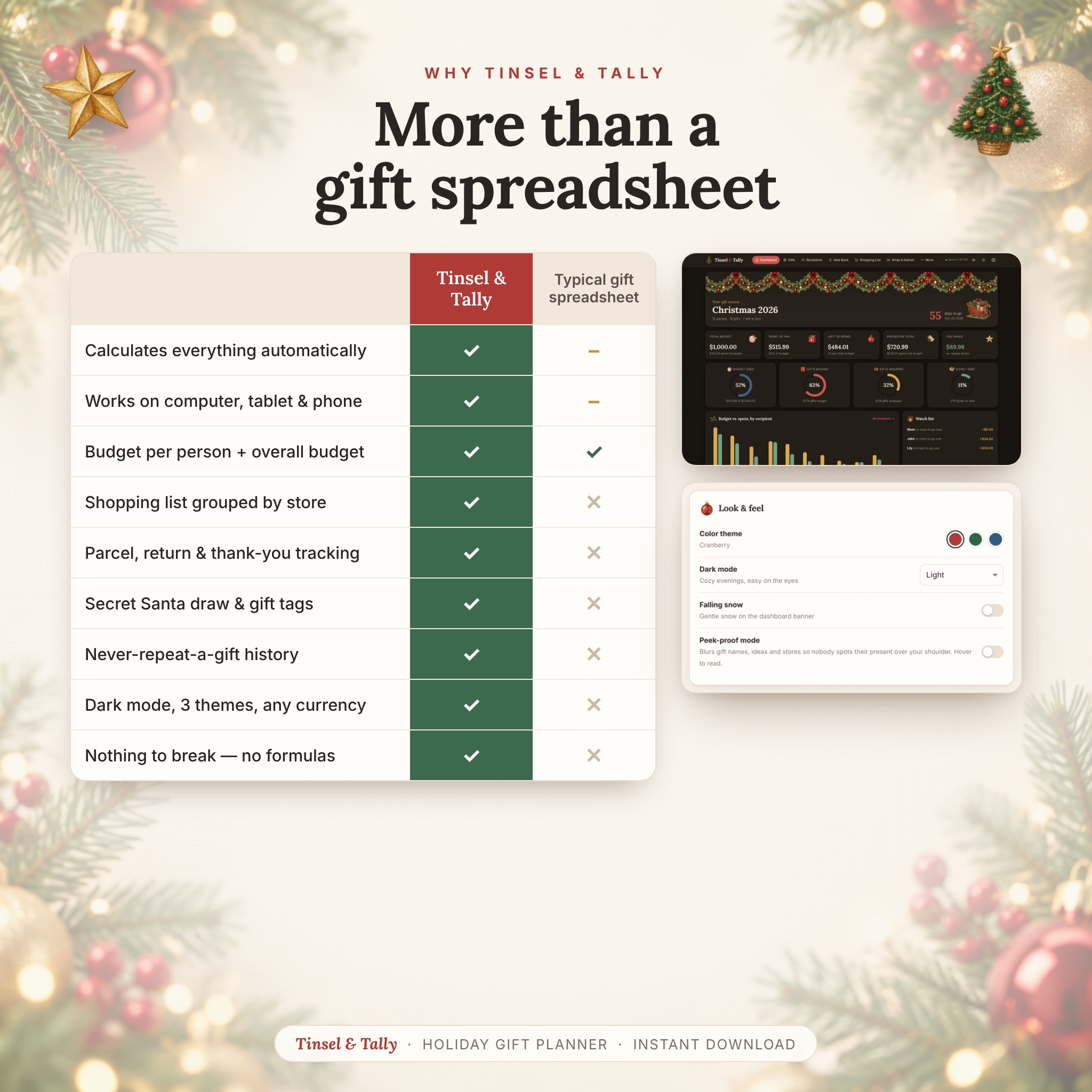
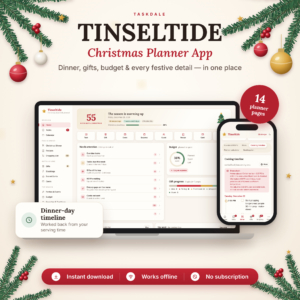
Tinsel & Tally is a Christmas gift tracker app that plans every present, every person and every dollar of your holiday season in one place. It isn’t a spreadsheet — there are no formulas to break and no cells to lock. Open it in your browser, add the people on your list, and the app works out your spending, budgets and progress for you.
A Christmas Gift Tracker and Holiday Budget Planner in One
Set a total gift budget and a budget cap for each person, then add gifts with a planned price, the actual cost and an optional regular price. The dashboard instantly shows what you’ve spent, what’s left, your projected total if everything gets bought and how much you saved on sales. A live countdown, four progress rings and a budget vs. spent chart for every recipient show the whole season at a glance.
Who It’s For
- Parents juggling stocking stuffers, “under the tree” gifts and online orders
- Anyone shopping for family, friends, kids, coworkers, teachers and neighbors on a budget
- Gift-givers who mail presents and holiday cards across the country
- Office and family gift-exchange organizers who need a fair Secret Santa draw
- Anyone who has accidentally bought the same gift twice
Features
Dashboard
- Total budget, spent so far, left to spend, projected total and “you saved” cards
- Countdown to your holiday date
- Progress rings for budget used and gifts bought, wrapped and given
- Budget vs. spent chart for every recipient, plus a watch list of anyone over budget or on track to go over
- Still to buy, arriving soon and coming-up panels, spending by category and top stores
Gift List
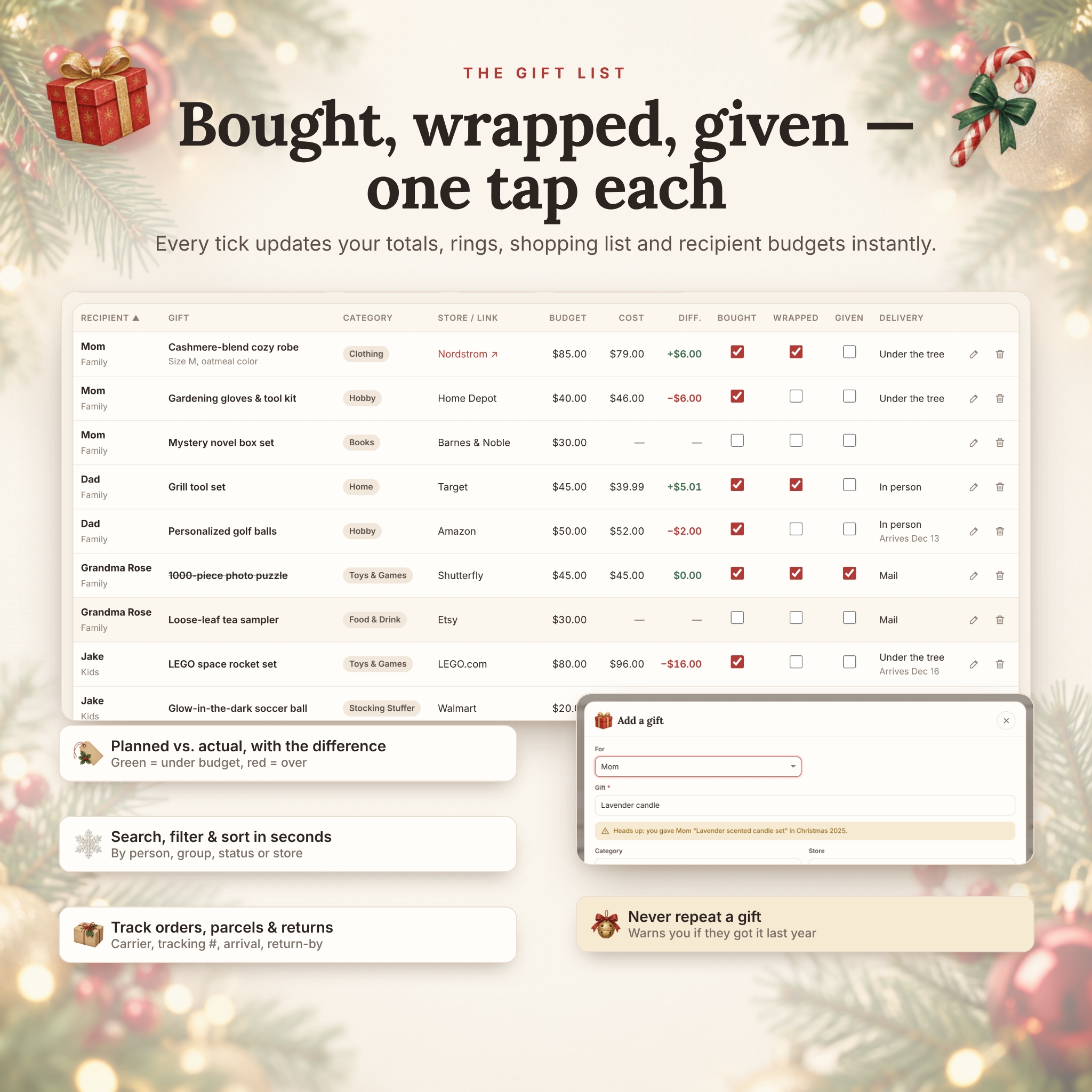
- Recipient, gift, category, store and link, planned budget, actual cost and the difference
- One-tap Bought, Wrapped and Given checkboxes that update everything instantly
- Search, filter by person, group or status, and sort any column
- Carrier, tracking number, expected arrival, return-by date and receipt tracking for online orders
- Duplicate-gift warning that checks this season and past seasons
Recipients
- A card for each person with their budget cap and a color-coded progress bar
- Profiles with sizes, likes, things to avoid, wish list, address and full gift history
- Quick add: paste a list of names at once
Idea Bank, Shopping List and Wrap & Deliver
- Save ideas with a link, price and star rating, then move the winner to your gift list in one click
- A shopping list that groups everything not yet bought by store, ready to print for an errand run
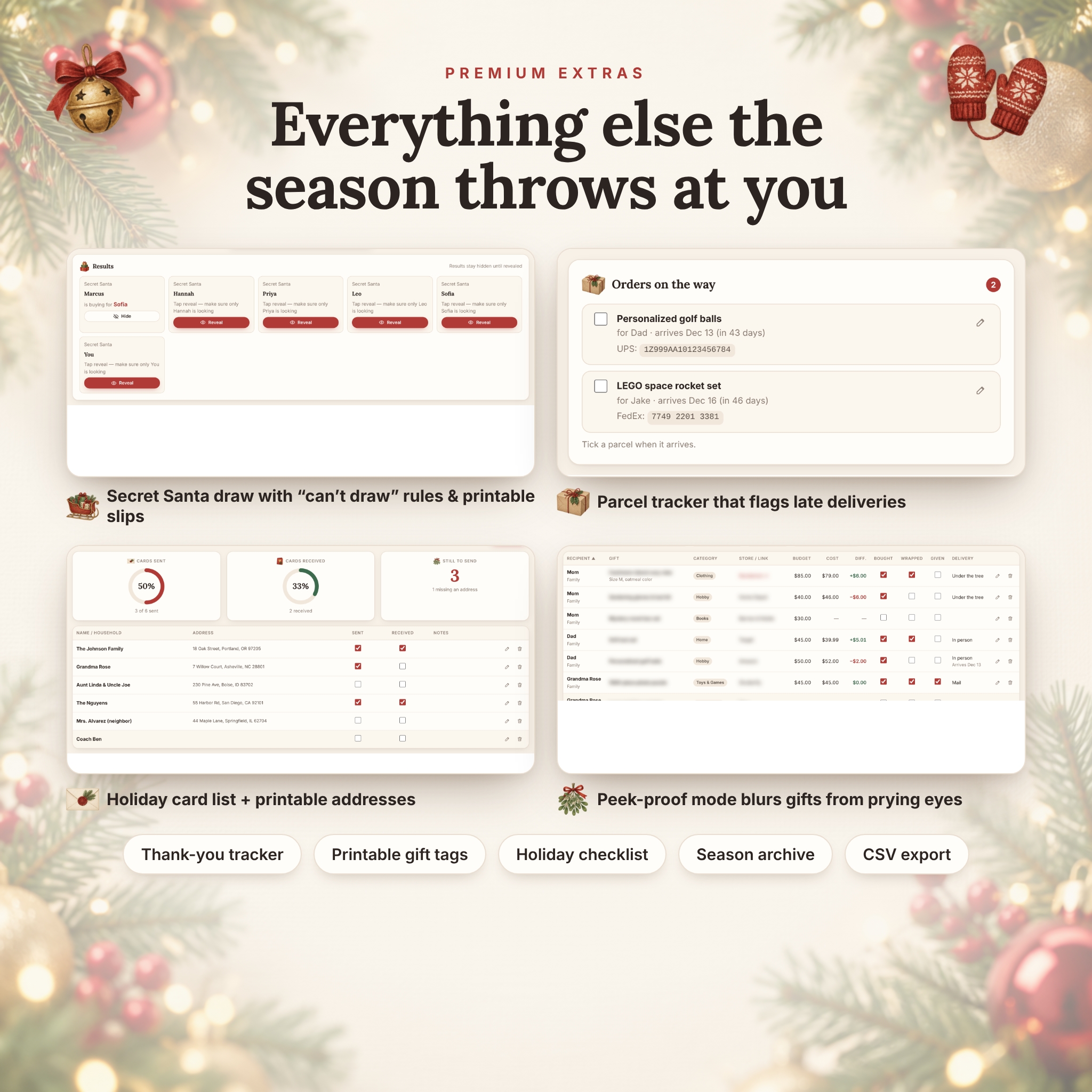
- Wrapping station, parcel tracker that flags late deliveries, “ready to give or send” list and return windows
- Printable illustrated To / From gift tags
Even More Holiday Organization
- Secret Santa generator with “can’t draw” rules, private reveal and printable slips
- Holiday card list with sent / received tracking and a printable address sheet
- Thank-you tracker for gifts you receive
- Holiday checklist with due dates, plus a budget splitter that shares your total fairly by group
- Seasons & history: archive the season, start fresh and keep every past gift
- Peek-proof mode that blurs gift names when someone looks over your shoulder
- Light and dark mode, three color themes (Cranberry, Evergreen, Frosted Blue) and optional falling snow
What’s Included
- Tinsel & Tally offline app (one HTML file): opens in your web browser and works without internet or an account
- Web edition link for using the planner on your phone or tablet
- Illustrated user guide (DOCX) covering every feature, printing, troubleshooting and FAQs
- Quick Start PDF in US Letter and A4
How It Works
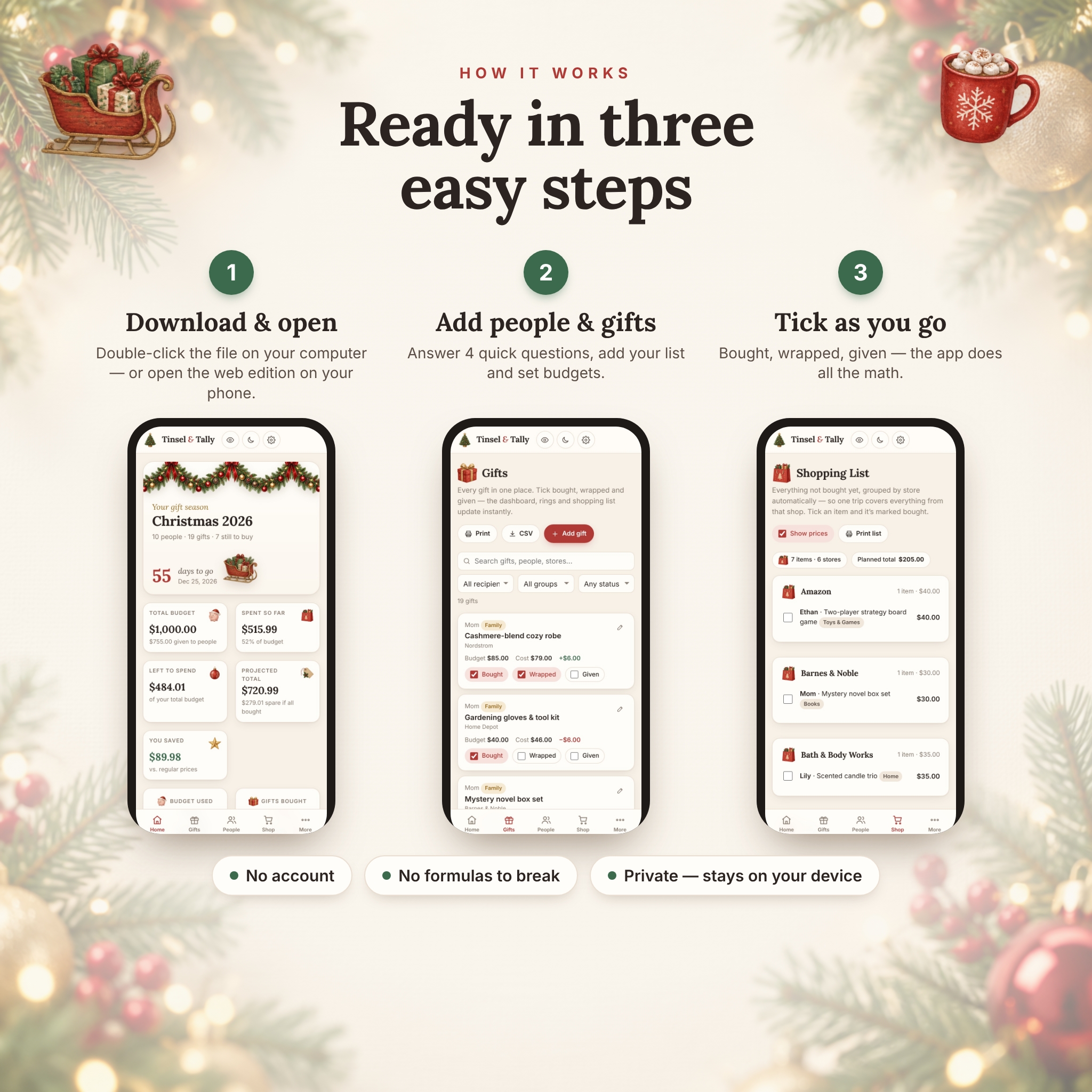
- Download your files right after purchase.
- Double-click the app file on your computer, or open the web edition link on your phone or tablet.
- Answer four quick questions (season name, date, currency and budget), or explore the sample list first.
- Add people and gifts, then tick Bought, Wrapped and Given as you go. The dashboard does the math.
File Formats and Software Requirements
The planner is a single HTML file that runs in an up-to-date web browser on Windows or Mac (Google Chrome or Microsoft Edge recommended). No Excel, Google Sheets or other software is required. On phones and tablets, use the included web edition link in your mobile browser. The user guide is a Word document (DOCX), and the Quick Start guide is a PDF.
Customization
Rename the season for Hanukkah, birthdays or any gift-giving occasion and set your own countdown date. One currency setting controls every amount in the app. Choose $, €, £ or another common currency, or type your own symbol. You can also set where the symbol goes, the number format, and whether to show cents. Add or remove recipient groups and gift categories, pick a color theme, and switch between light and dark mode.
Private and Safe
Your list saves automatically and stays in your browser on your own device. Nothing is uploaded, and there is no account or subscription. To keep a safe copy or move your list to another computer or phone, use one-click backup and restore. CSV export lets you open your gifts, recipients, ideas, cards and thank-yous in a spreadsheet.
Real-Life Ways to Use It
- Keep holiday spending under control with a budget per person and a live “left to spend” total
- Print a shopping list grouped by store before a Saturday errand run
- Track parcels from several online stores and spot late deliveries before the big day
- Run the office Secret Santa without anyone drawing their own name or their partner’s
- Check what you gave Grandma last year before you buy this year’s gift
- Make sure every thank-you note gets written after the holidays
Frequently Asked Questions
Is this a spreadsheet?
No. It’s a self-contained gift planner app that runs in your browser, with all the calculations built in.
Does it work on my phone or iPad?
Yes. Open the included web edition link in your phone or tablet browser. The downloaded file is for computers.
Do I need internet or an account?
The offline file needs neither. The web edition needs an internet connection to open.
Does my list sync between devices?
Each device keeps its own private copy. To move your list between devices, use Download backup and Restore from backup.
Can I use my own currency?
Yes. Pick one or type any symbol. Every amount follows that one setting.
Can I reuse it next year?
Yes. It’s a one-time purchase. Archive the season and start fresh, and your recipients, ideas and gift history carry over.
Can I print it?
Yes. You can print gift lists, shopping lists, gift tags, Secret Santa slips and card addresses on US Letter or A4 paper.
Digital Download
This is an instant digital download, and no physical item will be shipped. Your files are available right after purchase. The product is for personal use only: please don’t resell, share or redistribute the files or the web edition link. © Taskdale.
Reviews
There are no reviews yet.