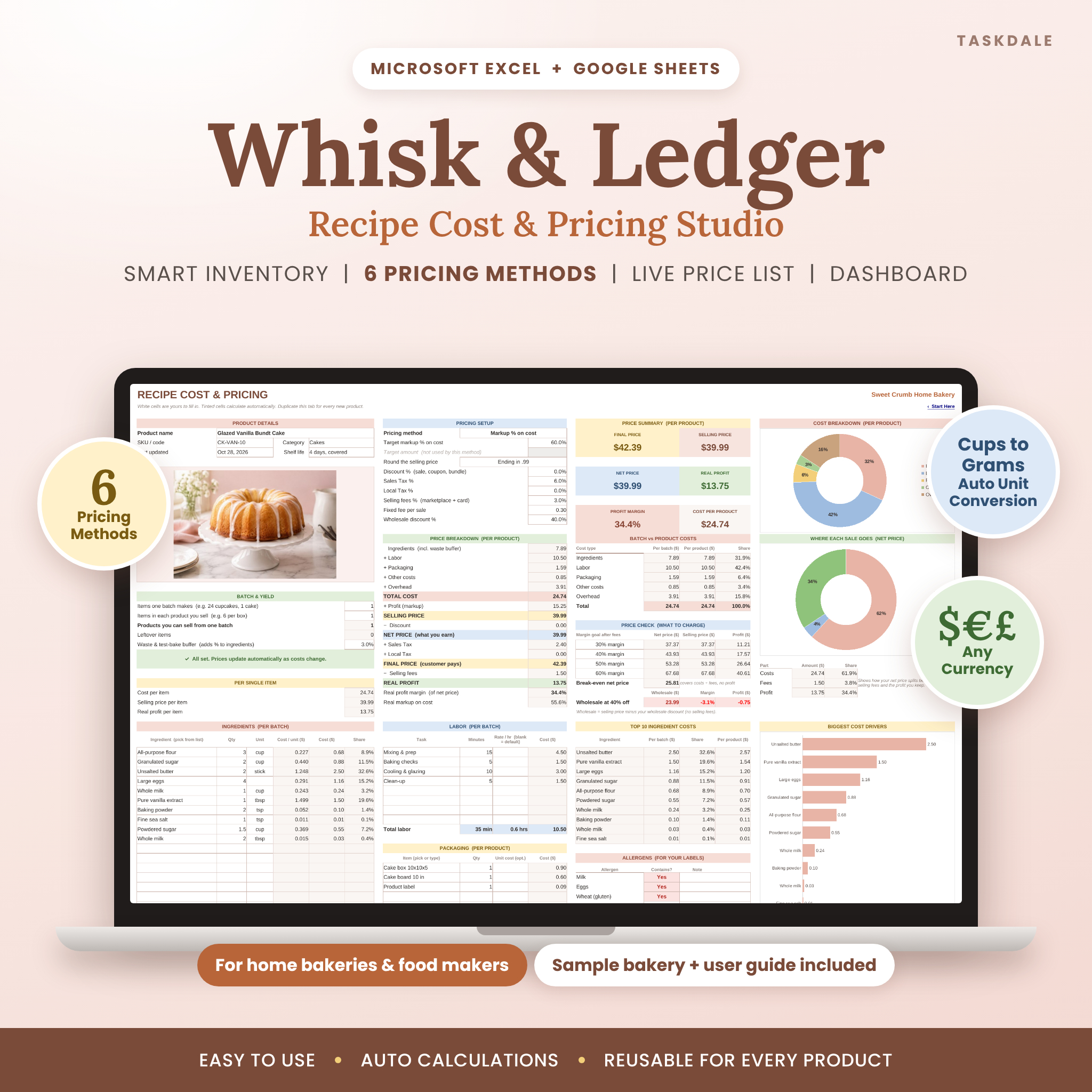


The Whisk & Ledger recipe cost calculator spreadsheet shows you exactly what every cake, cupcake, cookie and loaf costs to make, then helps you set a price that leaves real profit after discounts, taxes and selling fees. Built for home bakeries, cottage food businesses and small food makers, it works in Microsoft Excel and Google Sheets and does every calculation for you.
Enter your ingredient prices once, build each recipe from dropdowns, and watch your cost per product, selling price, profit and margin update instantly. No formulas to write, no guesswork, and no more undercharging for the bakes you work hardest on.
Why bakers love this recipe cost calculator spreadsheet
Most pricing templates stop at ingredients. Whisk & Ledger adds everything that really goes into a sale: your time, packaging, other costs and a fair share of rent, utilities and insurance. It also converts units for you, so you can buy flour by the pound and measure it in cups and still see the exact cost of every line.
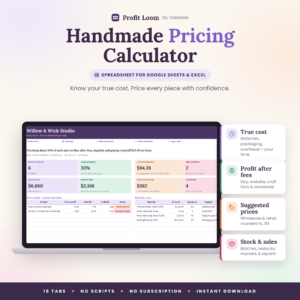
- True cost per product: ingredients with a waste buffer, labor, packaging, other costs and overhead.
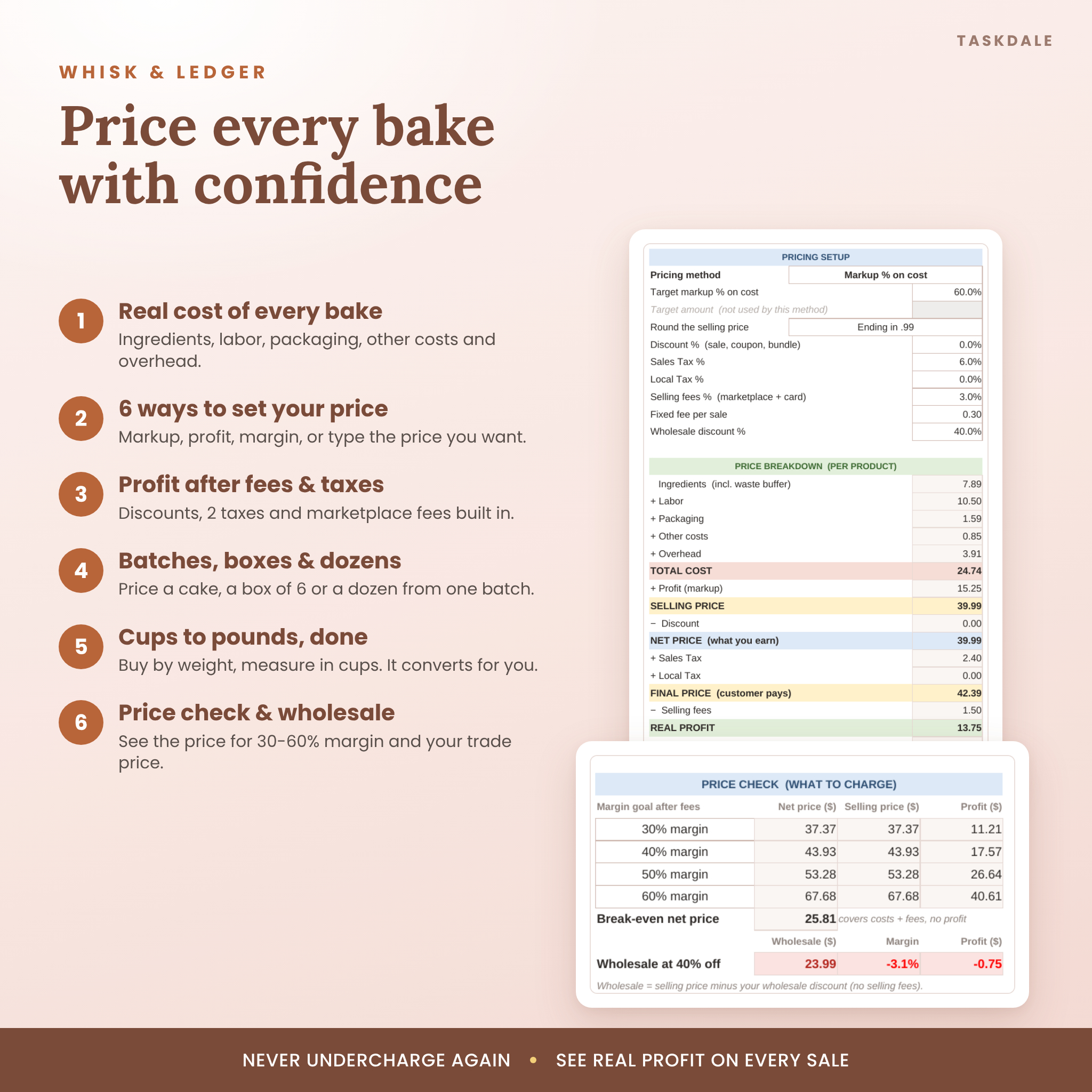
- 6 pricing methods: markup %, profit amount, profit margin %, or type your own selling, net or final price.
- Real profit after fees: discounts, two named taxes, marketplace percentage fees and a fixed fee per sale.
- Batches, boxes and dozens: one batch of 24 can become four boxes of 6, with packaging counted per box.
- Automatic unit conversion: g, kg, oz, lb, butter sticks, ml, tsp, tbsp, cups, pints, quarts, gallons, pieces and dozens.
What’s included
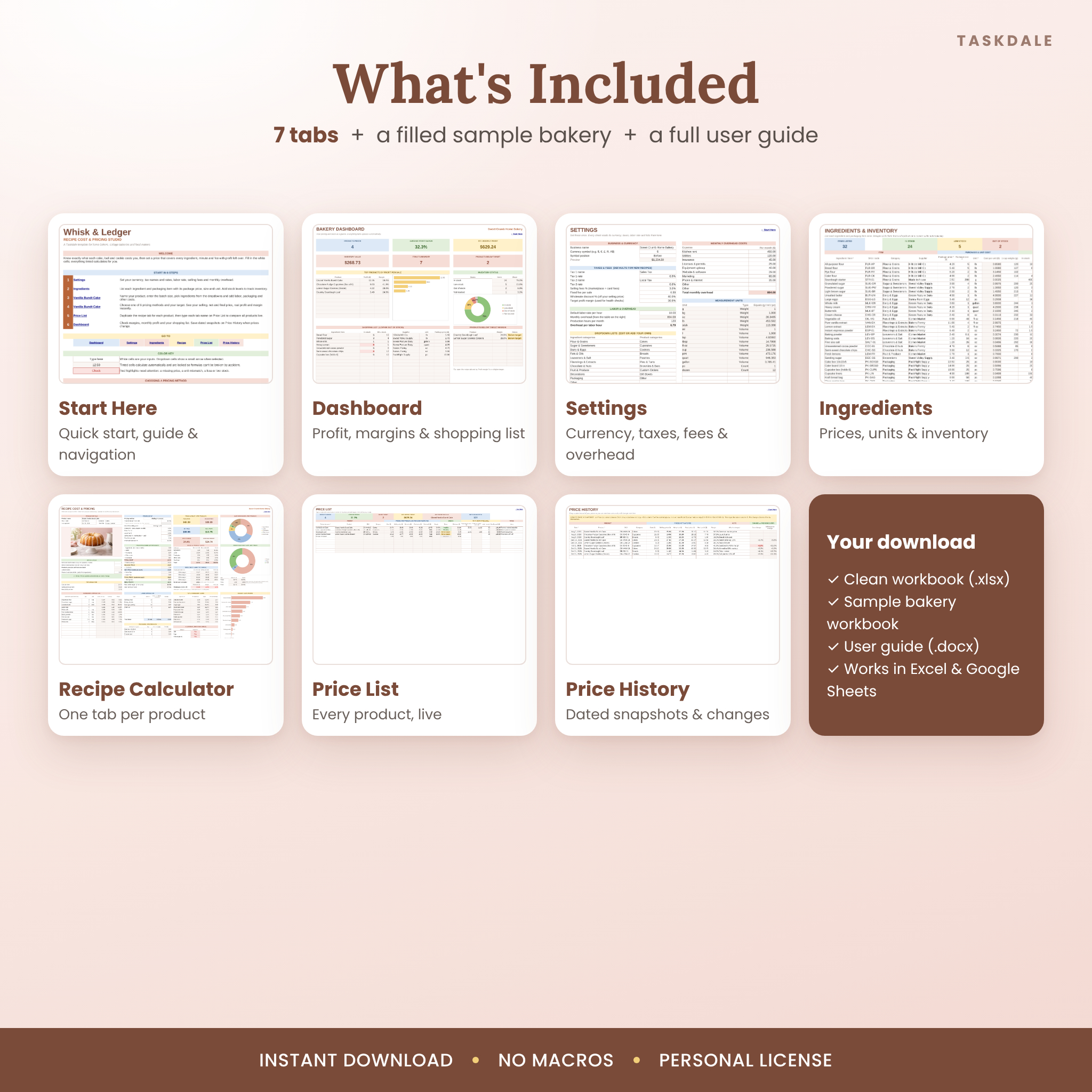
- Whisk & Ledger workbook (.xlsx): a clean, ready-to-use file with 7 tabs.
- Sample bakery workbook (.xlsx): a fully filled example with 4 priced products, 32 ingredients, stock levels and price history.
- User guide (.docx): a designed, step-by-step guide with screenshots, tips, troubleshooting and FAQ.
The 7 tabs
- Start Here: quick start steps, navigation buttons, a color key and a guide to choosing a pricing method.
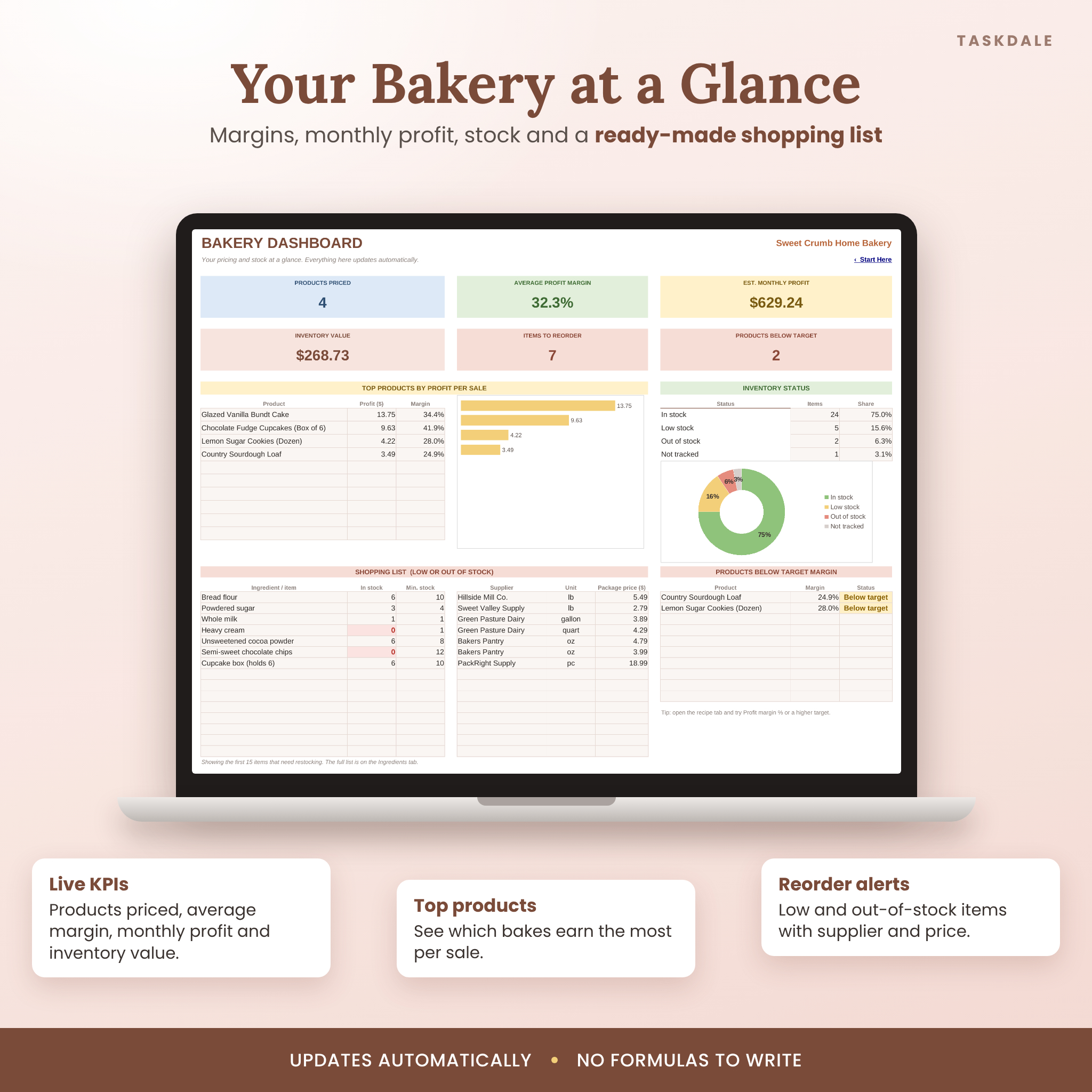
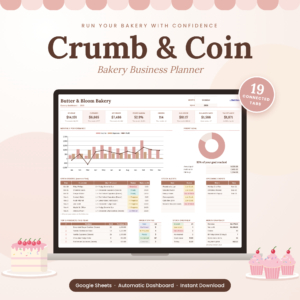
- Dashboard: products priced, average margin, estimated monthly profit, inventory value, top products, inventory status, a shopping list and products below your target margin.
- Settings: one currency setting for every money value, tax names and rates, selling fees, wholesale discount, labor rate, monthly overhead, measurement units and dropdown lists.
- Ingredients & Inventory: up to 200 ingredients and packaging items with unit costs, optional cup weights, color-coded stock status, stock value and price-rise alerts.
- Recipe Calculator: one tab per product with up to 30 ingredient lines, labor, packaging, other costs, overhead, pricing setup, price breakdown, summary cards and three charts.
- Price List: a live list of up to 100 products with cost, prices, profit, margin, status, wholesale price, your current price and monthly profit.
- Price History: dated price snapshots with automatic cost and price change percentages.
How it works
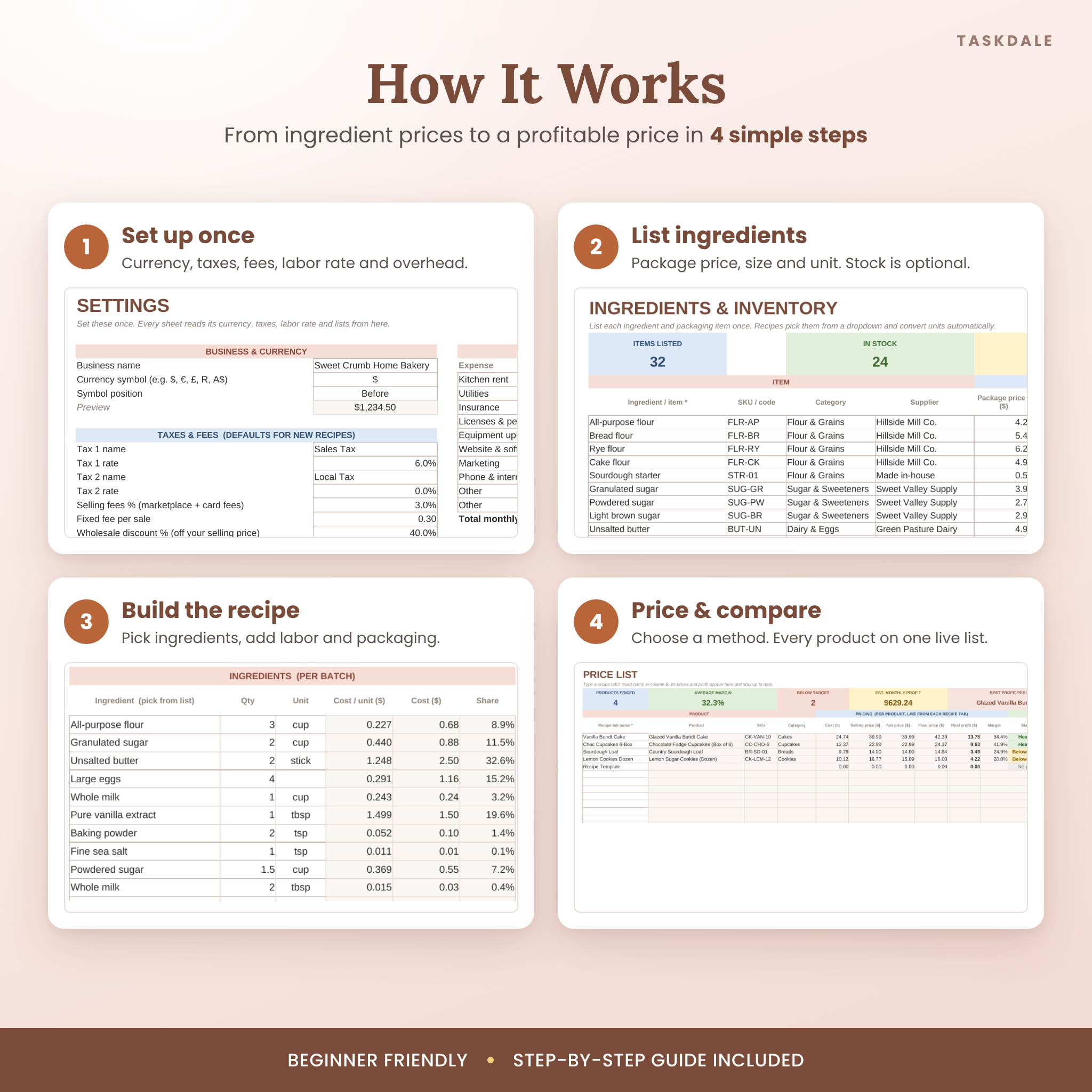
- Set up once. Choose your currency symbol, taxes, selling fees, hourly labor rate and monthly overhead on Settings.
- List your ingredients. Add each ingredient and packaging item with its package price, size and unit.
- Build a recipe. Enter the batch size, pick ingredients from the dropdowns, then add labor minutes, packaging and other costs.
- Choose your price. Pick a pricing method and a target. Rounding options include prices ending in .99.
- Compare and track. Duplicate the recipe tab for each product, type the tab name on Price List, and review the Dashboard.
Smart features that protect your profit
Price check, break-even and wholesale
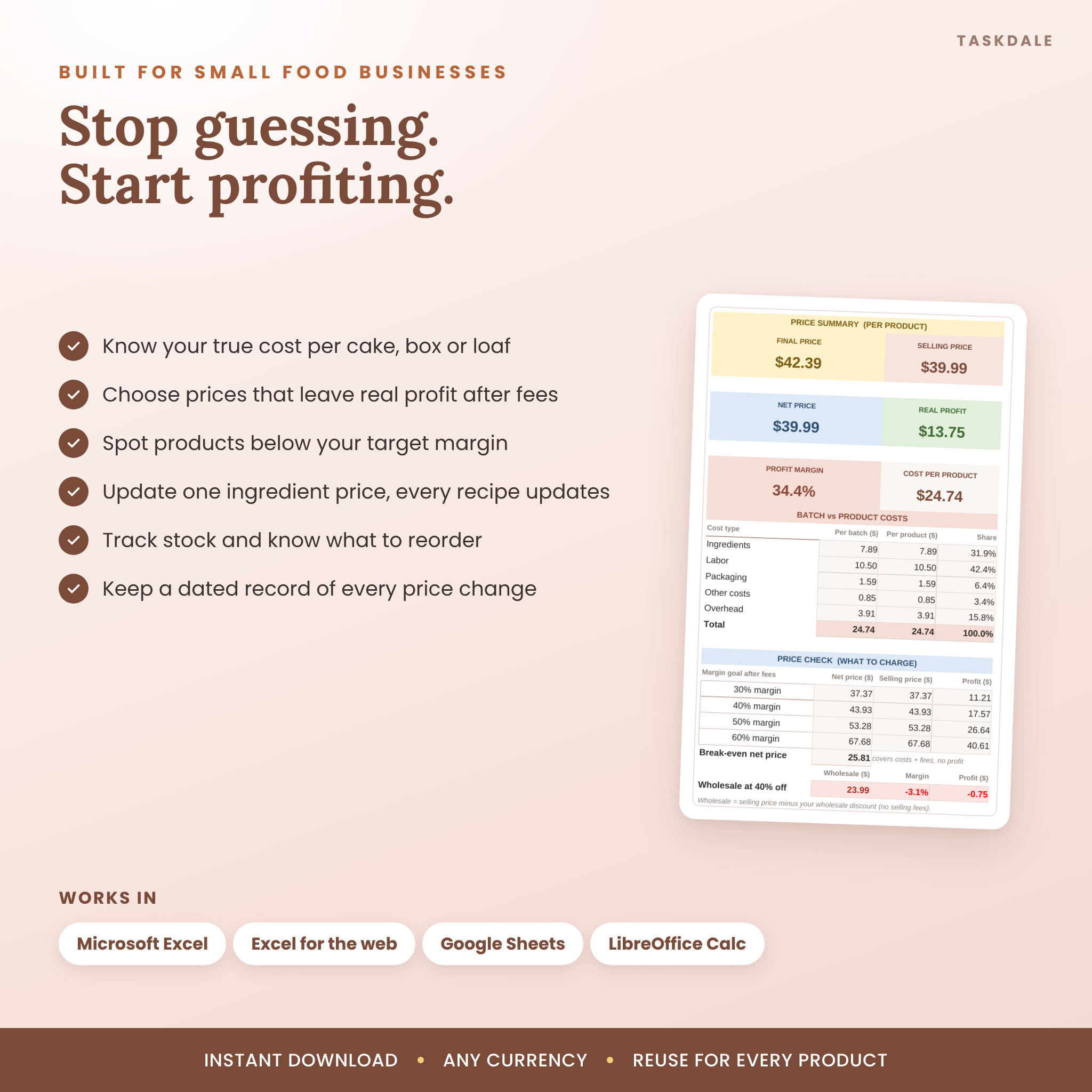
Every recipe shows the price you need for four margin goals after fees, your break-even price, and your wholesale price and profit. If wholesale would lose money, it turns red before you agree to it.
Ingredient inventory and shopping list
Track how much you have and your minimum stock. Items are marked In stock, Low stock, Out of stock or Not tracked, and the Dashboard builds a shopping list with supplier and package price. Enter a previous price to see increases; rises of 10% or more are flagged.
Allergen label builder
Mark the 9 major allergens as Yes or May contain and the workbook writes your label line, for example “Contains: Milk, Eggs, Wheat (gluten).”
Clear warnings
A status bar tells you what to do next. Missing prices, unit mismatches, losses and margins below your target are highlighted so mistakes are easy to spot.
Who it’s for
- Home bakers and cottage food sellers pricing for markets, pre-orders or online shops.
- Cake decorators, cupcake and cookie makers who sell single items, boxes or dozens.
- Bread bakers and small food producers who also sell wholesale to cafes and shops.
File formats and software
- Two .xlsx workbooks and one .docx user guide, delivered as an instant download.
- Tested in Microsoft Excel for the web, Google Sheets and LibreOffice Calc. Opens in Microsoft Excel on Windows and Mac.
- No macros or add-ons. Formula cells are locked in Excel (no password) so they can’t be broken by accident.
- A computer is recommended for setup. You can view and update the files in the Excel or Google Sheets mobile apps.
Customize it to your business
Set any currency symbol before or after the amount, rename both taxes, add your own units and categories, change the margin goals, and override taxes or fees for a single product. Each recipe tab prints neatly on one landscape page.
Real ways to use it
- Price a new seasonal cake before you post it.
- Check whether a 10% promo still leaves enough profit.
- See what butter or cocoa price rises do to every recipe at once.
- Decide a fair wholesale price for a local cafe.
Download information
Your files are available to download right after checkout. To use Google Sheets, upload the .xlsx file to Google Drive and choose File > Save as Google Sheets. Full instructions are in the user guide.
Frequently asked questions
Does it work in Google Sheets?
Yes. Upload the .xlsx to Google Drive and open it in Google Sheets. Formulas, dropdowns and charts carry over.
Can I use my own currency?
Yes. Set one currency symbol on Settings and every money label and summary card follows it.
How many products can I price?
As many as you like. Duplicate the recipe tab for each product. The Price List holds 100 products.
I buy by the pound but measure in cups. Will it work?
Yes. Add the cup weight for that ingredient once (flour is about 120 g) and every recipe converts automatically.
Can I sell by the box or dozen?
Yes. Enter how many items a batch makes and how many go in each product you sell.
Does it include taxes and marketplace fees?
Yes. It handles two taxes plus a percentage fee and a fixed fee per sale, and shows your real profit after all of them.
Do I need special skills?
No. Type in the white cells and pick from dropdowns. The included sample bakery shows every feature filled in.
Can I share or resell it?
No. Your purchase includes a personal license for use in your own business. Sharing, reselling or redistributing the files is not permitted.
This template helps you organize costs and prices. It is not financial, tax or legal advice. © Taskdale.
Reviews
There are no reviews yet.