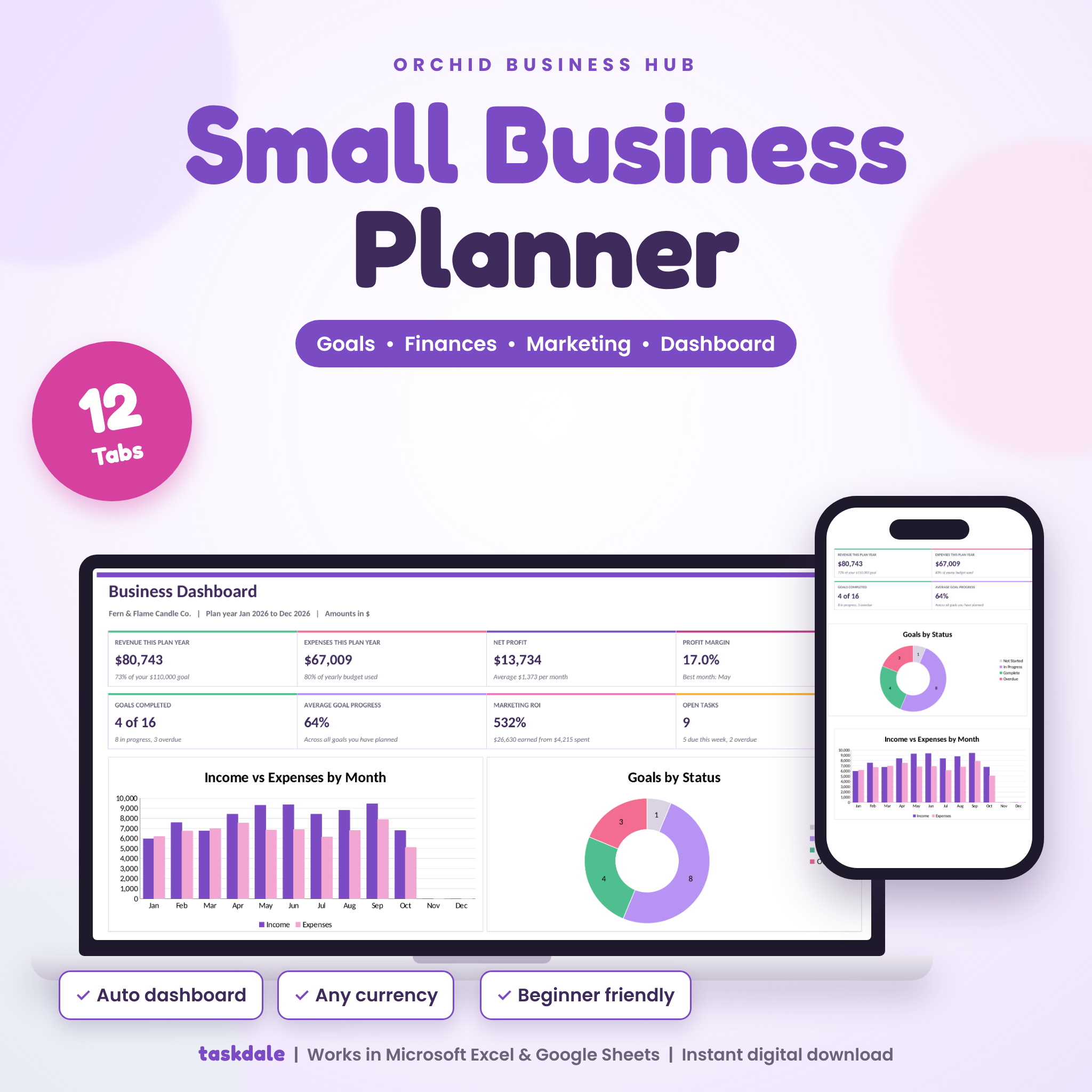

Orchid Business Hub is a small business planner spreadsheet for Excel and Google Sheets that keeps your goals, money, marketing and plans in one workbook. You log a sale. The profit, the budget check and the dashboard all update on their own. No formulas to write, no add-ons, no monthly fee.
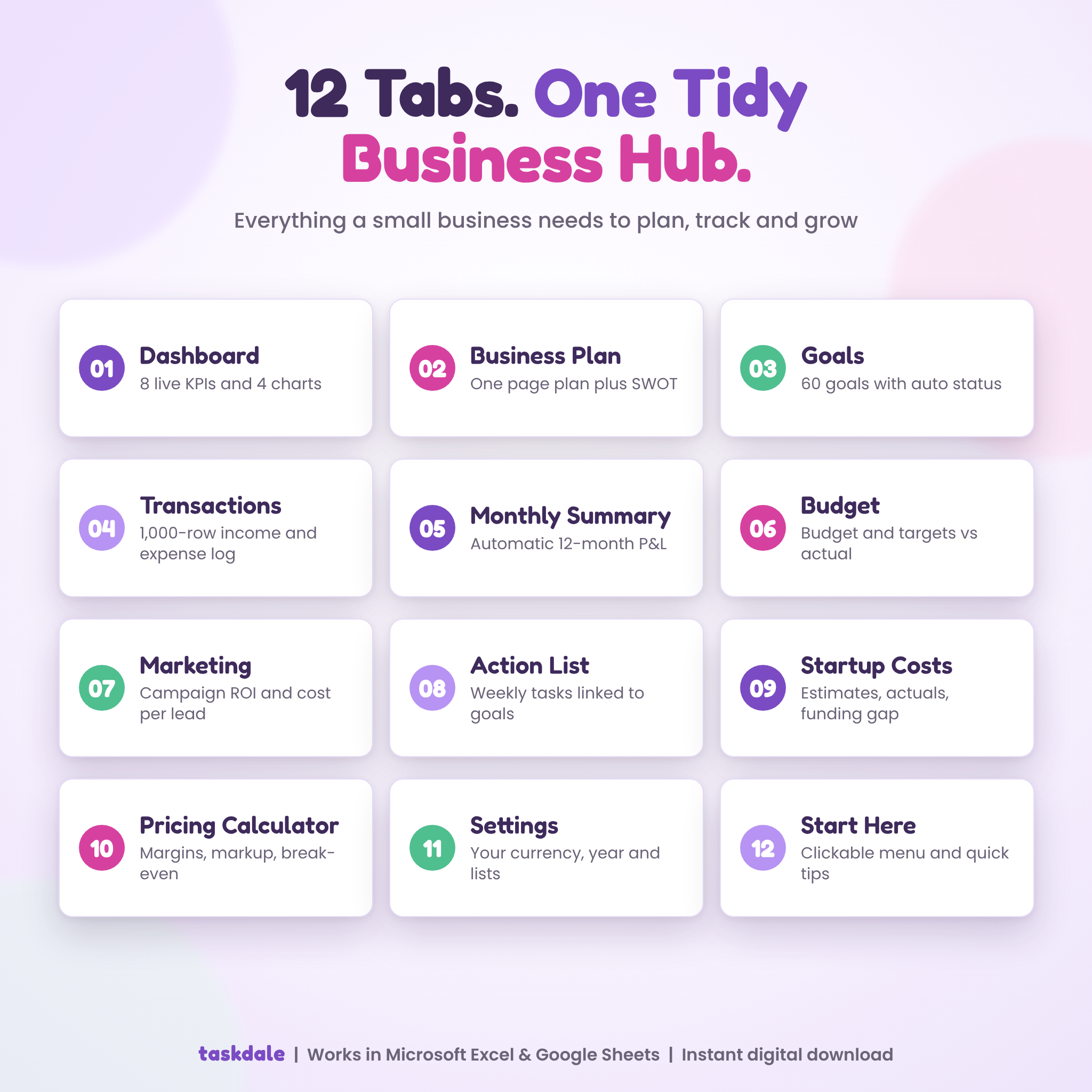
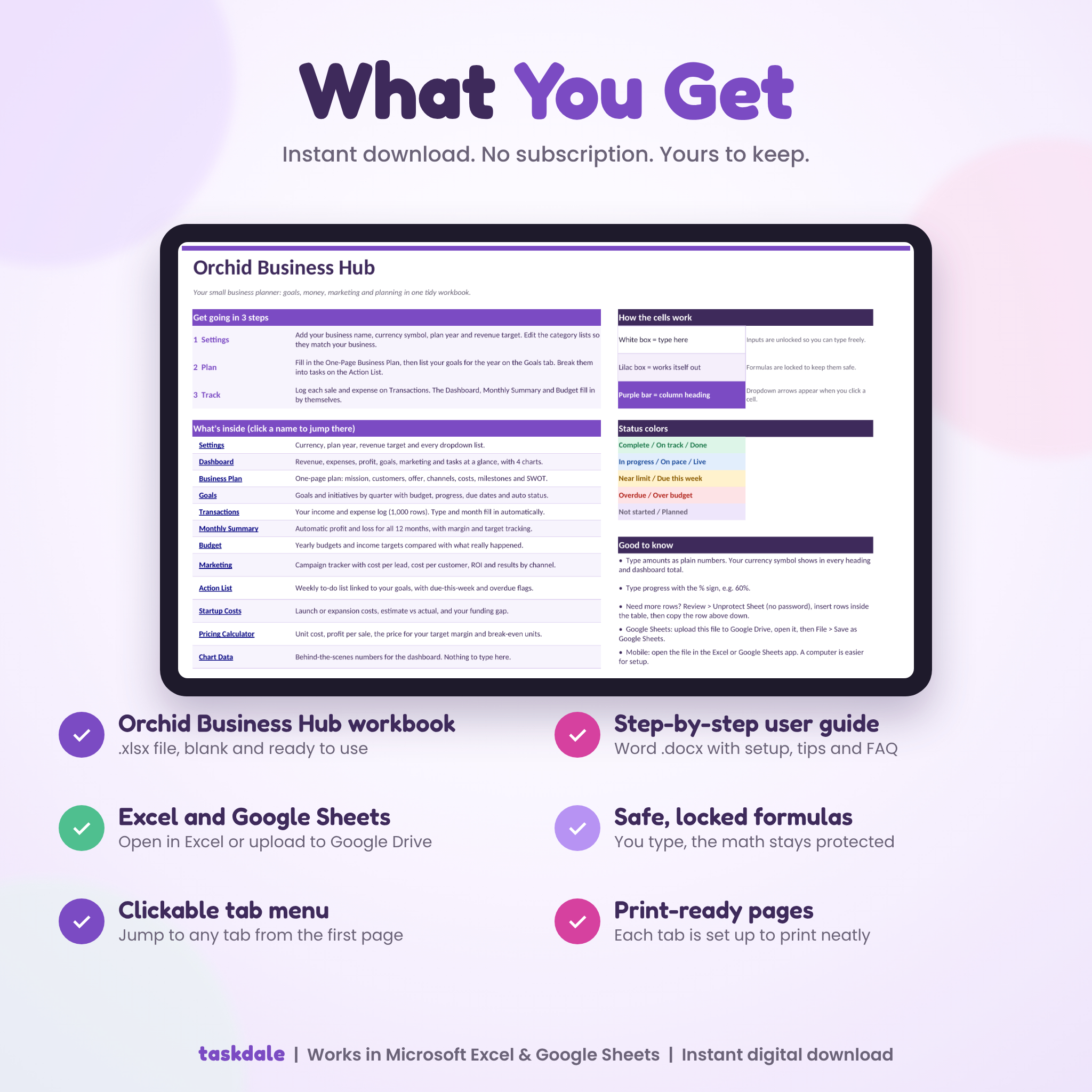
It has 12 tabs. Each one does a real job. And it arrives blank, so it fits your business from day one.
What This Small Business Planner Does
Most planners give you a goal list and stop there. This one ties everything together. Your income and expenses feed a monthly profit and loss. That feeds your budget and your dashboard. Goals, tasks and marketing campaigns sit right beside the numbers, so you can see which plans are paying off and which ones need a push.
Open the Dashboard on the first of the month and you’ll know where you stand in about a minute.
Who It’s For
- Small business owners who want one place for plans and numbers
- Freelancers, makers and side hustlers tracking income and costs
- Startup founders planning launch costs, pricing and year-one goals
- Online shops, market sellers, salons, studios, coaches and service businesses
No spreadsheet skills needed. If you can type a number and pick from a dropdown, you’re set.
Features of the Business Planner Template
Dashboard
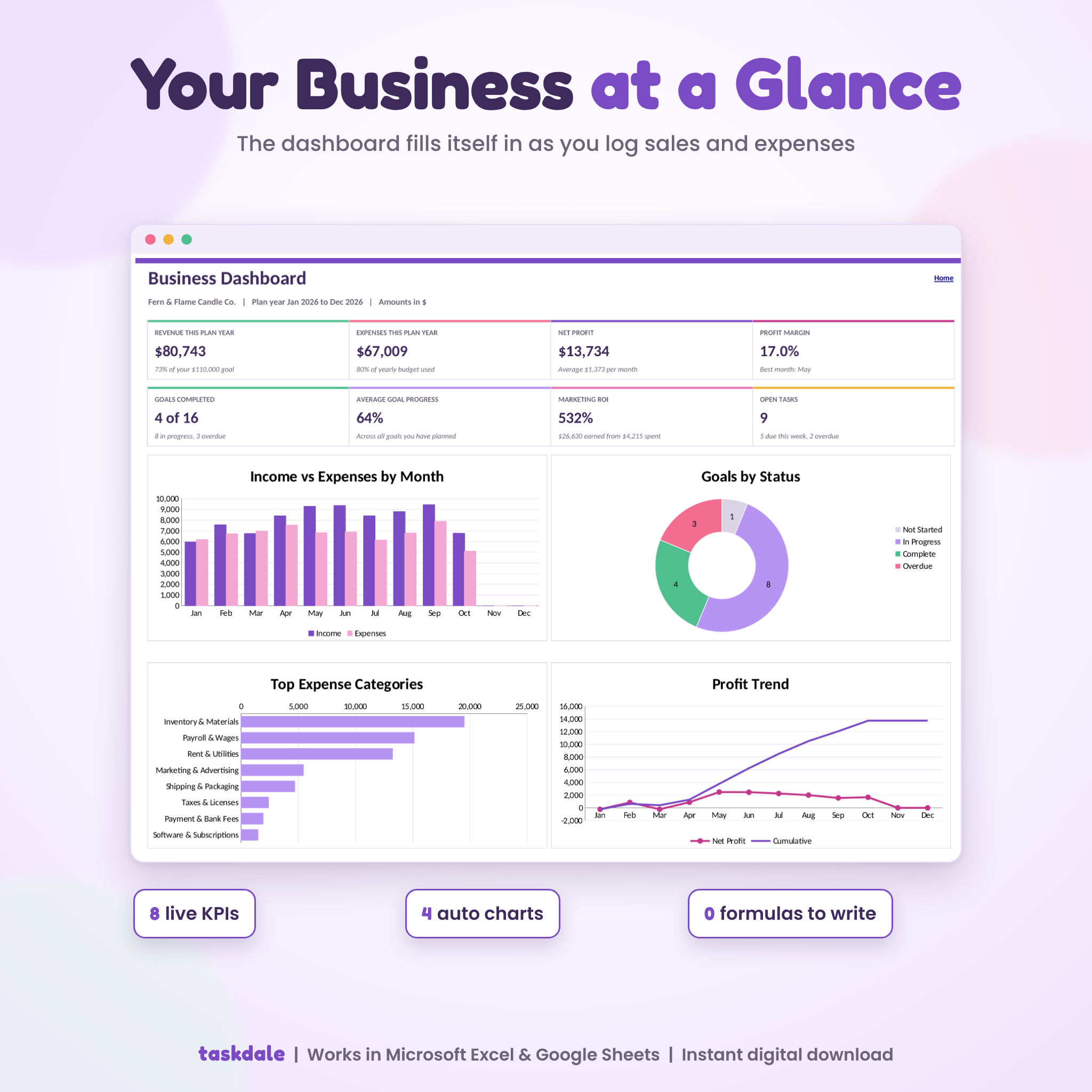
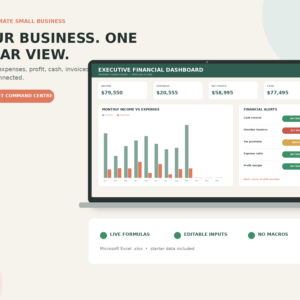
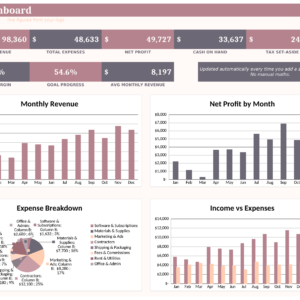
- 8 live numbers: revenue, expenses, net profit, profit margin, goals completed, average goal progress, marketing ROI and open tasks
- 4 charts: income vs expenses by month, goals by status, top 8 expense categories and a profit trend
- Your next 6 goal deadlines and progress by goal category
Plan and goals
- One-Page Business Plan: snapshot, 14 planning boxes, 6 milestones and a SWOT grid
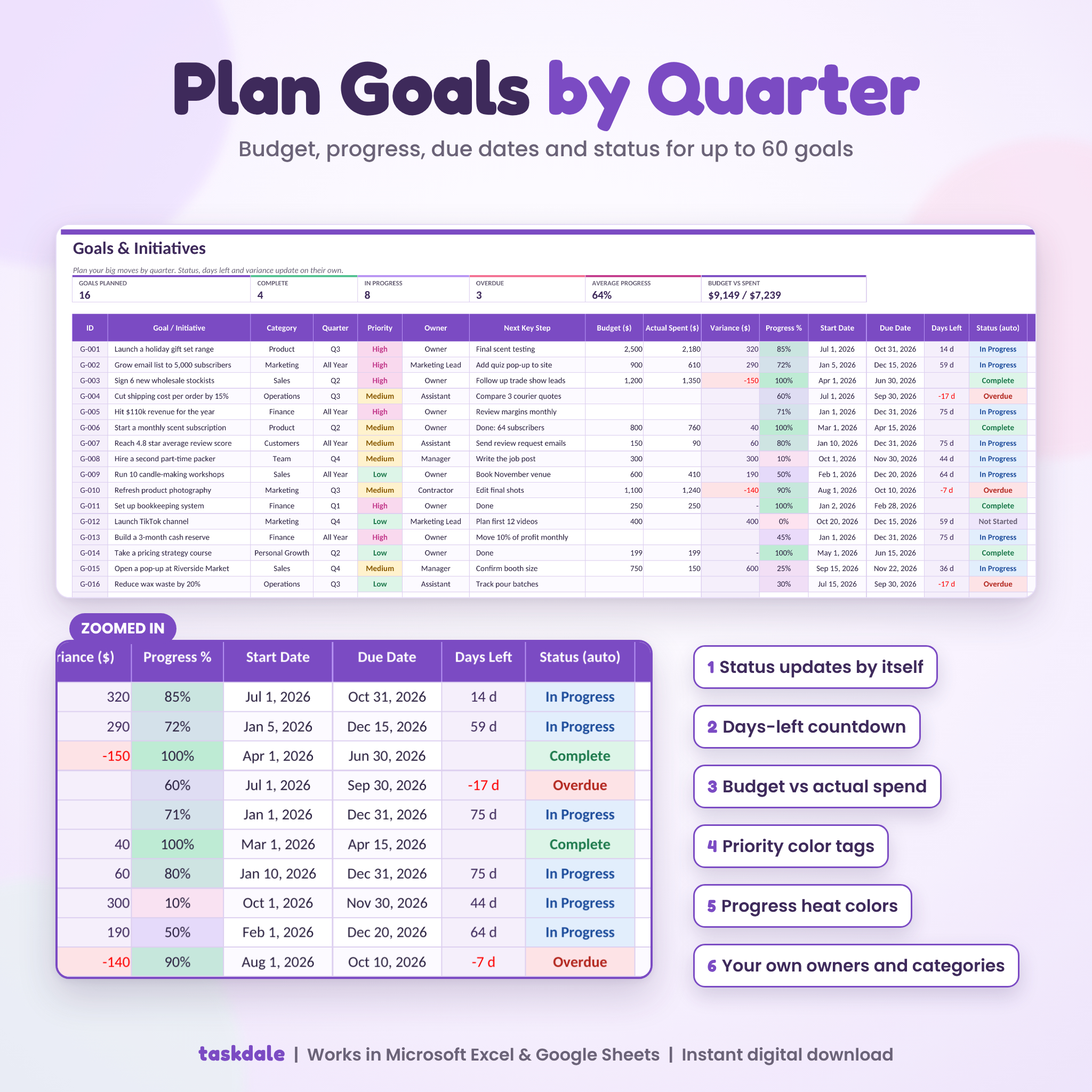
- Goals: 60 rows with category, quarter, priority, owner, next step, budget vs spent, progress, dates and days left. Status sets itself: Not Started, In Progress, Complete or Overdue
- Action List: 100 tasks you can link to a goal, with Due this week and Overdue flags
Money
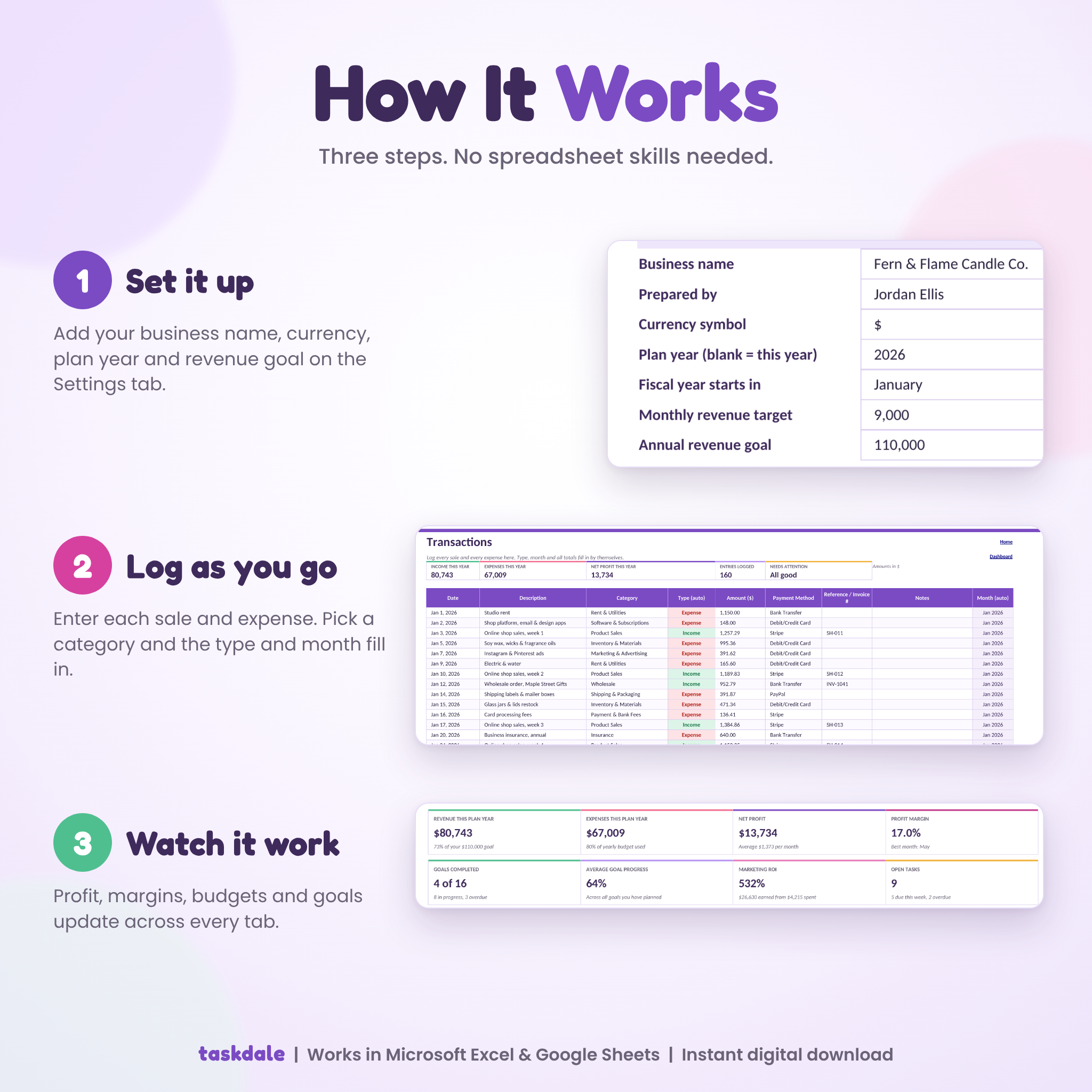
- Transactions: a 1,000-row income and expense log. Pick a category and the type and month fill in
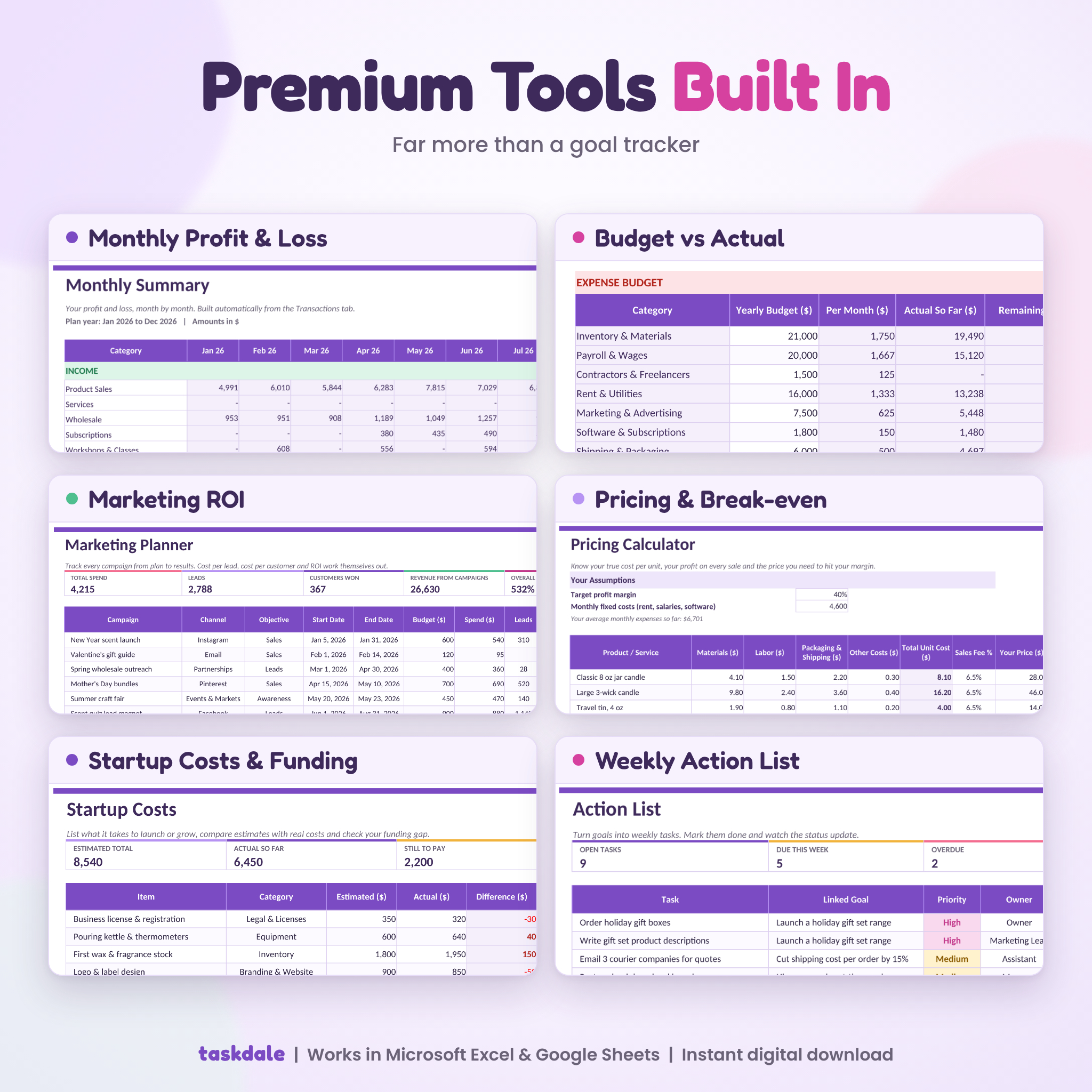
- Monthly Summary: an automatic profit and loss for all 12 months, with margin, cumulative profit and revenue target tracking
- Budget: yearly targets and budgets vs actual, with On track, Near limit and Over budget flags
- Startup Costs: estimate vs actual, what’s still to pay, and your funding surplus or gap
- Pricing Calculator: true cost per unit, profit per sale, margin, markup, the price that hits your target margin, and break-even units
Marketing
- Track 40 campaigns with cost per lead, cost per customer and ROI
- Results by channel, so you can see where each dollar works hardest
Main Benefits
- Know your numbers. Monthly profit without doing a single sum.
- Stay on track. Deadlines and tasks show you what needs you this week.
- Spend smarter. Budgets warn you before a category runs over.
- Price with confidence. See the price you need after costs and fees.
What’s Included
- Orchid-Business-Hub.xlsx: the 12-tab workbook, blank and ready to use
- Orchid-Business-Hub-User-Guide.docx: a 16-page guide with setup steps, a tour of every tab, tips, troubleshooting and FAQ
How It Works
- Download the files right after checkout.
- Open the workbook in Excel, or upload it to Google Drive and open it with Google Sheets.
- On Settings, add your business name, currency, plan year and revenue goal.
- Add your goals and start logging sales and expenses. Everything else fills in.
File Formats and Software
- Format: .xlsx workbook plus a .docx user guide
- Works in Microsoft Excel (desktop and Microsoft 365) and Google Sheets
- Opens in the Excel and Google Sheets mobile apps. Setup is easier on a computer
- No macros, no add-ons and no internet needed in Excel
Customize It
Set any currency symbol once and every money heading and total follows it. Choose your fiscal year start month. Rename or add income, expense, goal, team, channel and payment categories. Change colors and fonts as you like. Formula cells are locked in Excel without a password, so they’re safe but never out of reach.
Digital Download
This is a digital product. Nothing is shipped. You’ll see your download links straight after payment, and they’re in your order email too.
Real Ways People Use It
- A candle maker logs weekly shop sales and sees which months are slow before restocking
- A freelance designer tracks client income against a monthly target
- A new bakery lists launch costs and checks whether savings and a small loan cover them
- A coach compares Instagram and email campaigns to see which brings real clients
- A boutique owner plans quarterly goals and hands tasks to two part-time staff
FAQ
Does this business planner work in Google Sheets?
Yes. Upload the .xlsx to Google Drive, open it, then choose File, Save as Google Sheets. The guide walks you through it.
Can I use my own currency?
Yes. Type any symbol or code on the Settings tab. It labels every amount. It doesn’t convert currencies.
Is this a bookkeeping or tax tool?
It’s a planning and tracking tool. It keeps tidy income and expense records, but it isn’t accounting software and doesn’t give tax advice.
My business year doesn’t start in January. Will it work?
Yes. Pick your start month and every summary follows your fiscal year.
Can I use it on my phone or iPad?
Yes, in the Excel or Google Sheets app. Logging a sale on your phone is easy. Setup is quicker on a computer.
Can I add more rows?
Yes. Unprotect the sheet (no password), insert rows inside the table and copy the row above. The guide shows each step.
Is there sample data?
Your copy comes blank. The product photos and guide use a made-up candle shop so you can see it filled in.
License: personal use for one business. Please don’t resell, share or redistribute the files. This planner is not financial, tax or legal advice.
Reviews
There are no reviews yet.