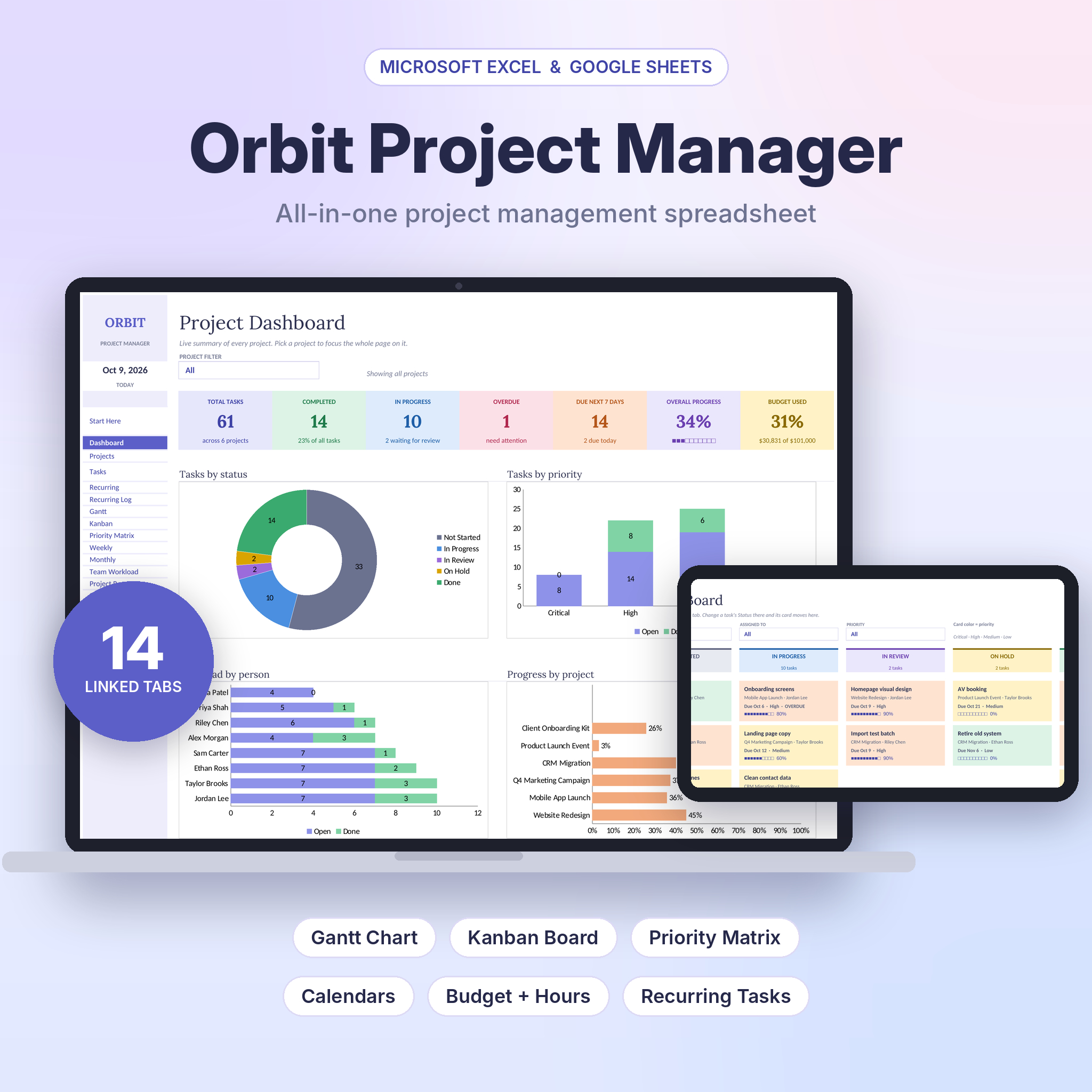
Orbit is a project management spreadsheet for Microsoft Excel and Google Sheets that runs every project from one task list. Type a task once. The Gantt chart, Kanban board, priority matrix, weekly planner, monthly calendar, team workload and dashboard all update by themselves. No macros, no add-ons, no subscription.
Most trackers make you copy the same task into three places. Orbit doesn’t. That’s the whole idea.
What this project management template does
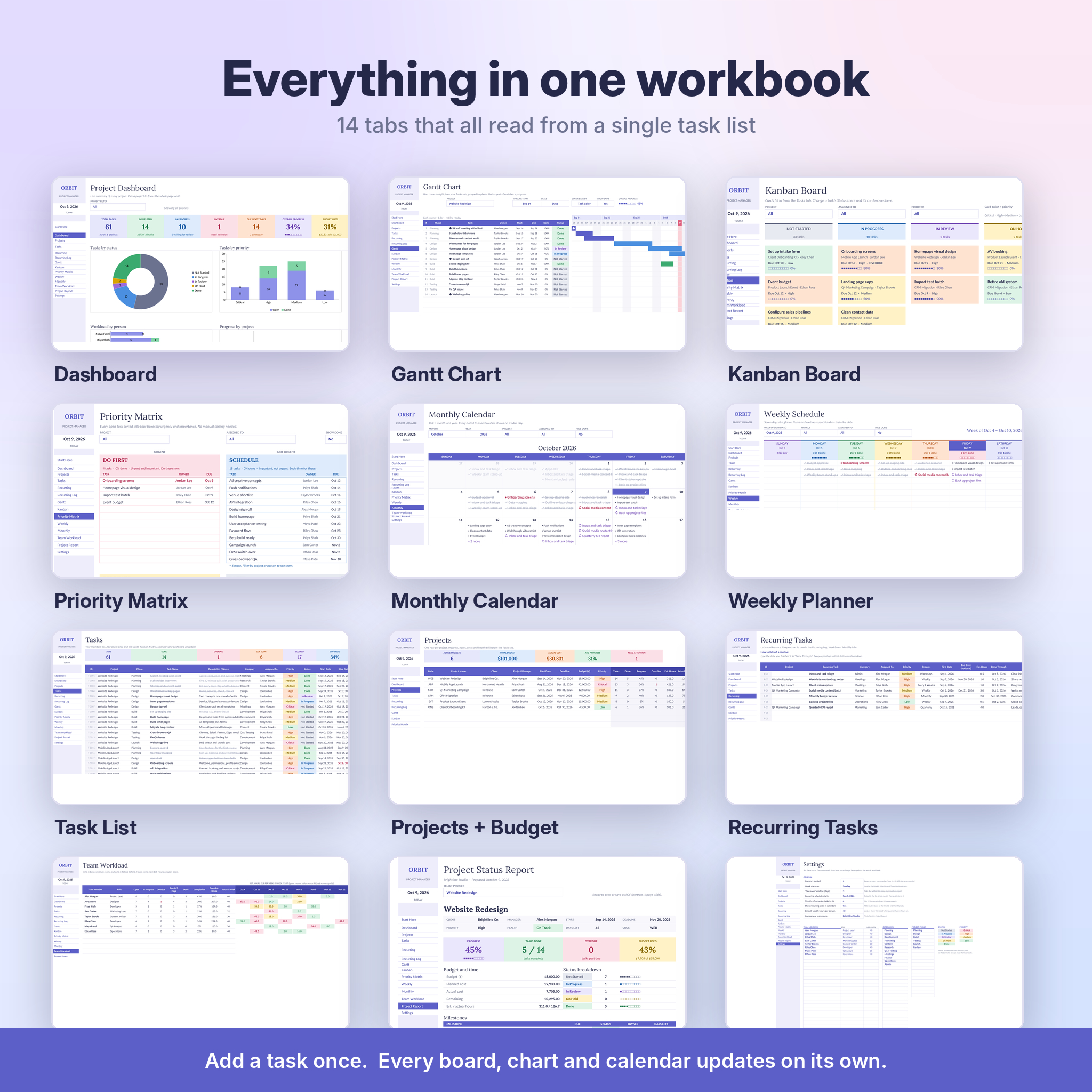
You get 14 linked tabs in a single .xlsx file. The Tasks tab holds up to 2,000 tasks. Every other tab reads from it, sorts it and draws it for you. Change a status from In Progress to Done and the card slides across the Kanban board, the Gantt bar fills in, the dashboard ticks up and the project report updates. You did one thing.
Who it’s for
- Freelancers running work for several clients at the same time
- Small business owners who want every project in one place
- Team leads and project managers with 3 to 15 people
- Agencies that send status updates to clients every week
- Event planners, students and anyone running a launch or group project
If you can pick from a dropdown and type a date, you can use it. The formulas stay out of your way.
Features
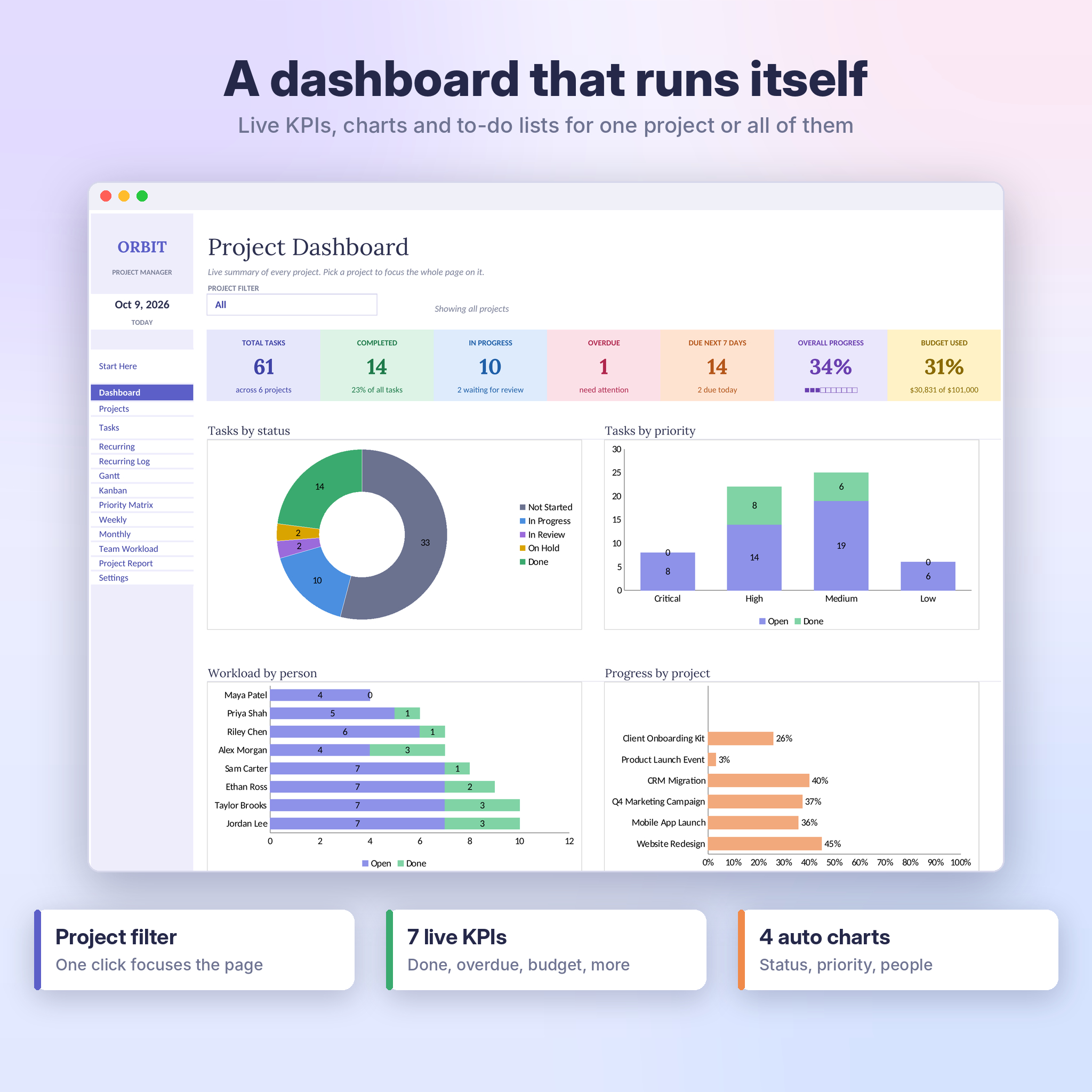
Project dashboard
- Seven live KPI cards: total tasks, completed, in progress, overdue, due in the next 7 days, overall progress and budget used
- Four charts: tasks by status, tasks by priority, workload by person and progress by project
- Overdue list and next 7 days list, plus a projects-at-a-glance table
- One project filter that refocuses the whole page
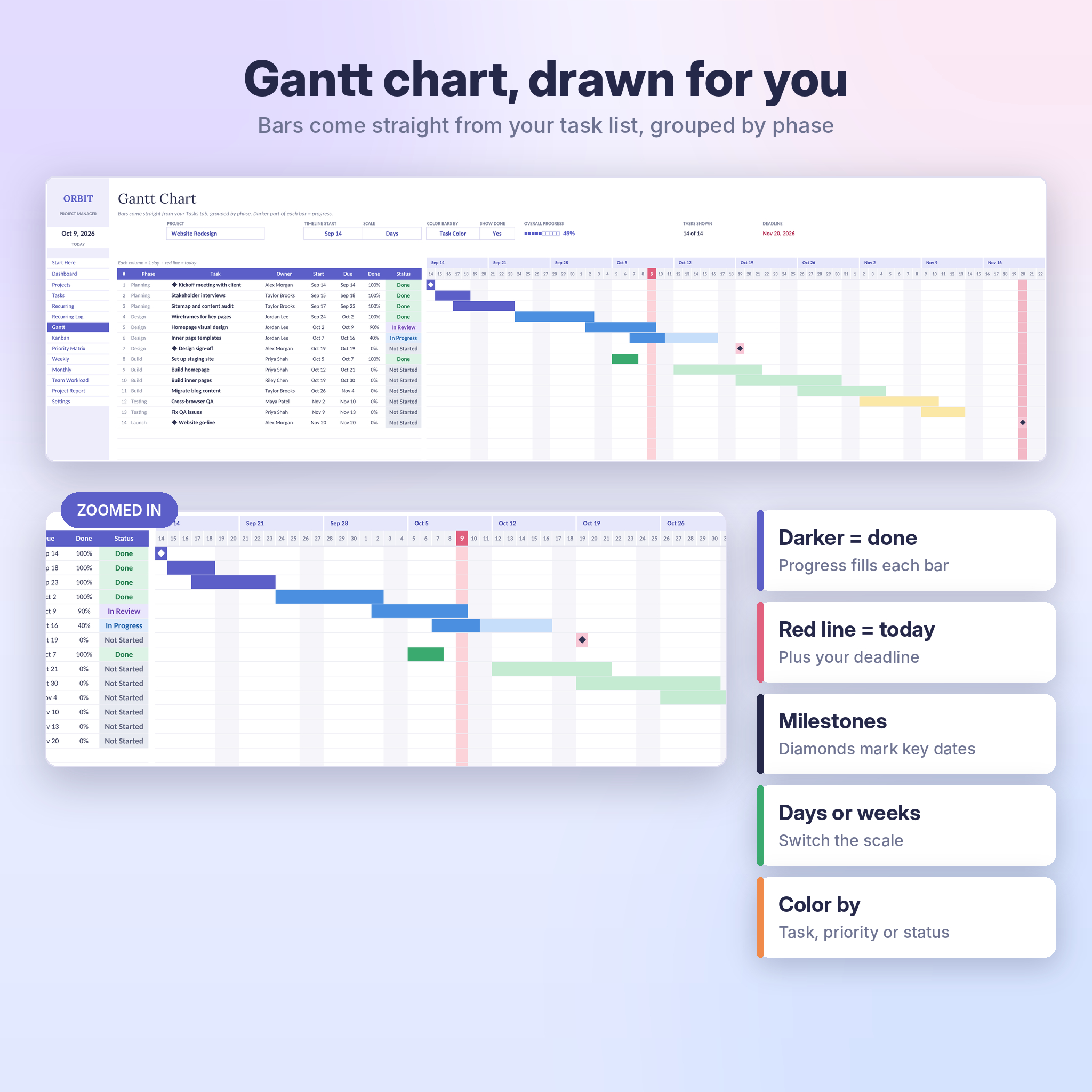
Gantt chart
- Bars pulled straight from your tasks and grouped by phase
- The darker part of each bar shows progress
- Red line for today, pink line for the project deadline, diamonds for milestones
- Switch between days and weeks. Color bars by task color, priority or status
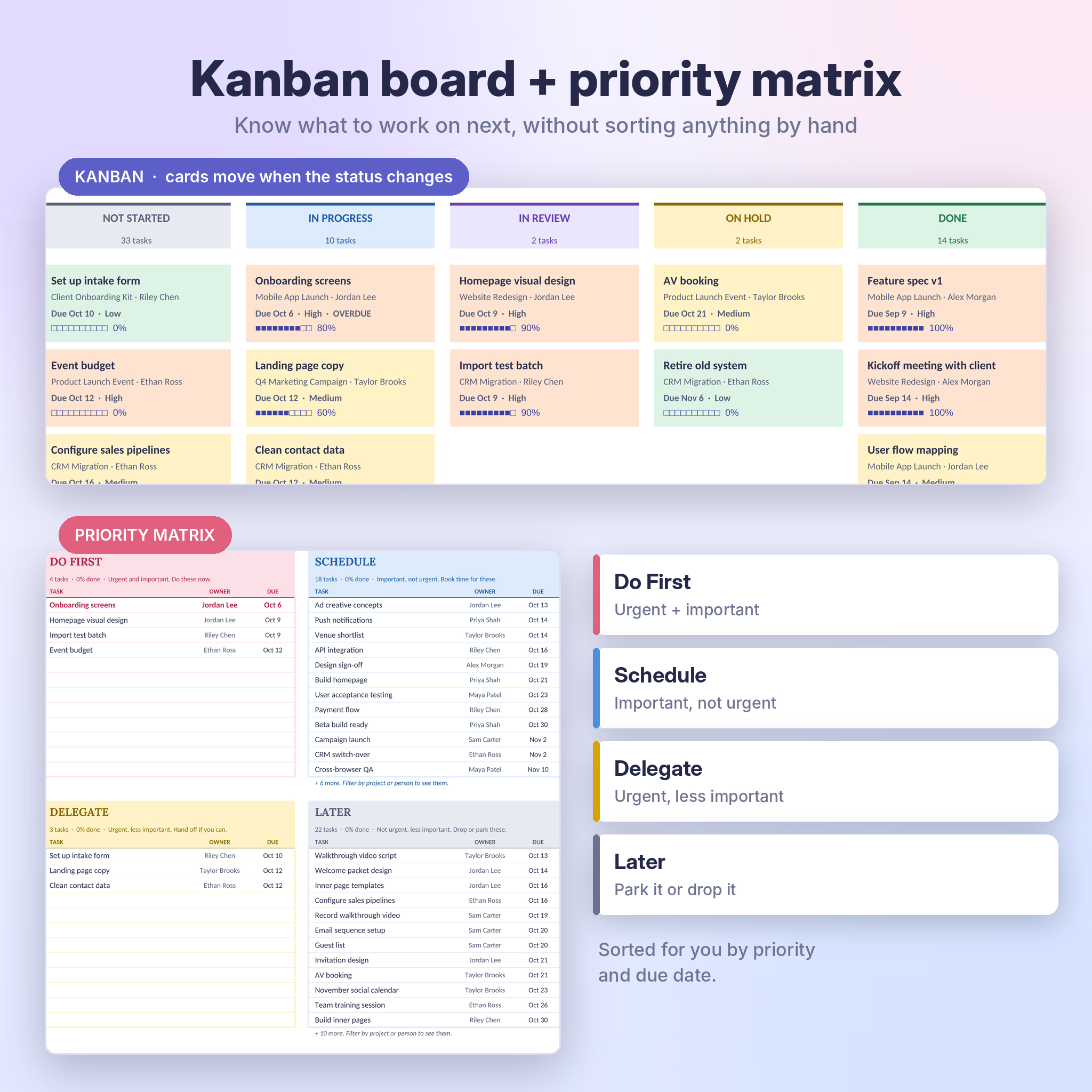
Kanban board and priority matrix
- Five status columns with cards showing owner, due date, priority and a progress bar
- Cards colored by priority, with an OVERDUE flag where it matters
- An Eisenhower-style matrix that sorts open tasks into Do First, Schedule, Delegate and Later for you
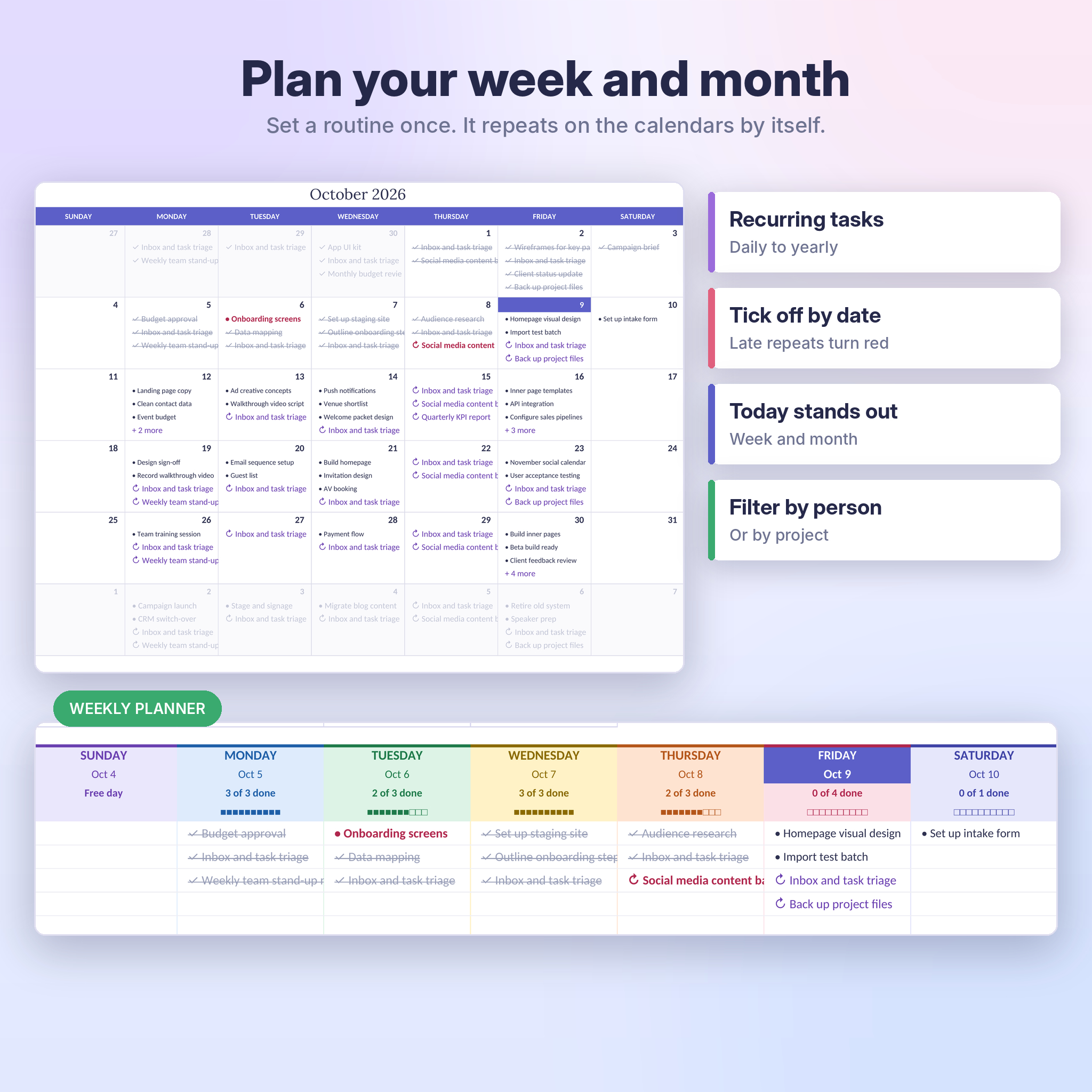
Weekly planner and monthly calendar
- Seven-day view with daily progress and space for your top 3 priorities
- Full month calendar with up to 4 items a day and a “+ more” note
- Filter both by project or person, and hide finished work if you like
Recurring tasks
- Up to 60 routines: daily, weekdays, weekly, every 2 weeks, monthly, quarterly or yearly
- Repeats land on the calendars without any copying
- Tick them off with one “Done Through” date. Late repeats turn red
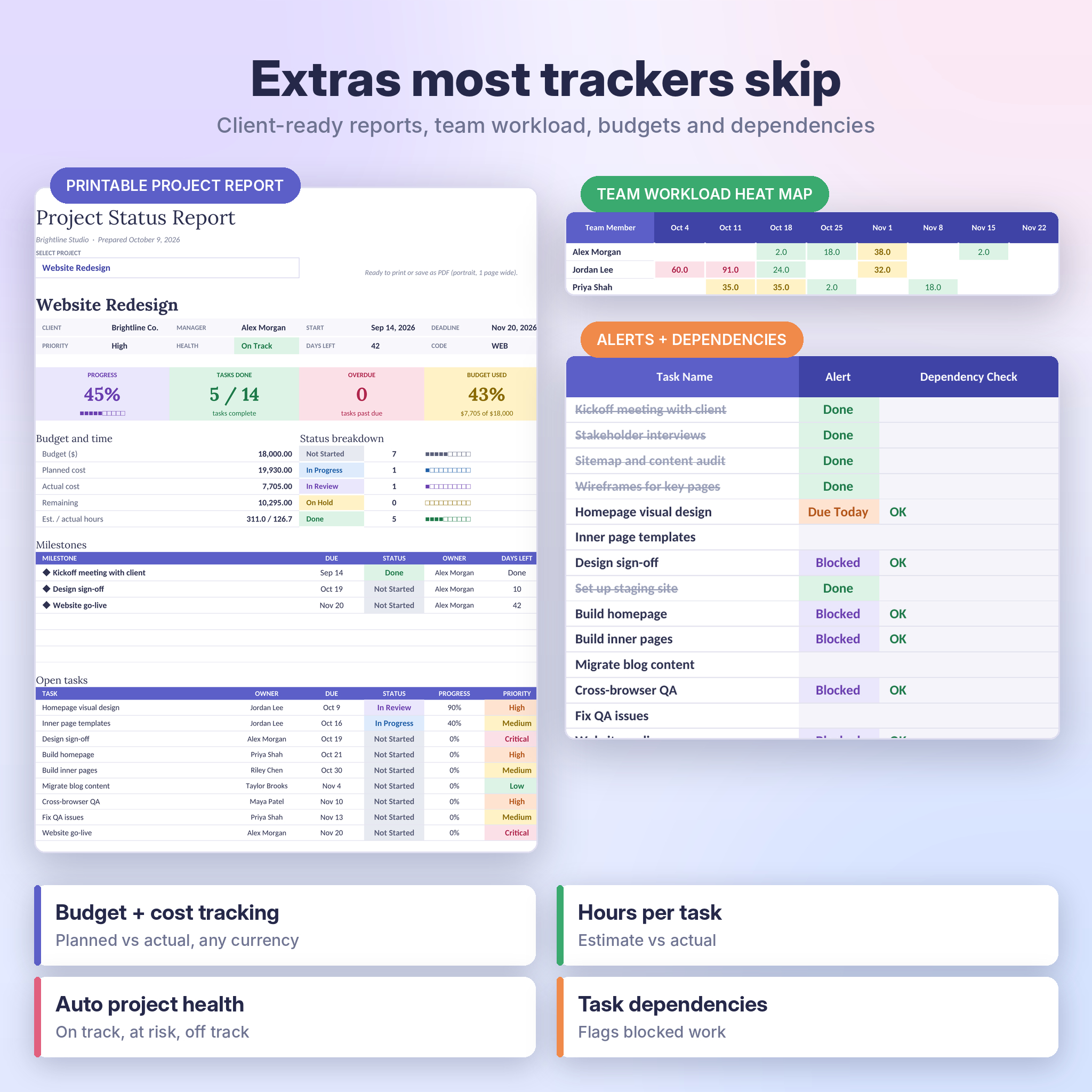
Extras you won’t find in most project trackers
- Budget and cost tracking per project, with planned cost, actual cost and budget left
- Hours tracking, estimated against actual
- Automatic project health: On Track, At Risk, Off Track, Over Budget or Complete
- Task dependencies that flag blocked work and tasks scheduled too early
- Team workload heat map showing hours due per person for the next 8 weeks
- Printable project status report, one page wide, ready to send as a PDF
- Your currency: one setting changes every money value ($ by default)
What’s included
- Orbit-Project-Manager.xlsx, the full workbook, empty and ready for your projects
- Orbit-Project-Manager-User-Guide.docx, a 17-page guide with screenshots, setup steps, tips, troubleshooting and FAQ
How it works
- Settings. Pick your currency and week start. Add your team, categories and phases.
- Projects. Add each project with a client, manager, dates and budget.
- Tasks. Add tasks with owner, priority, status and dates. Update progress as you go.
- Look around. Every board, chart and calendar is already filled in.
Setup takes about 10 minutes. A Start Here tab and a sidebar menu on every tab make it easy to find your way.
File format and software requirements
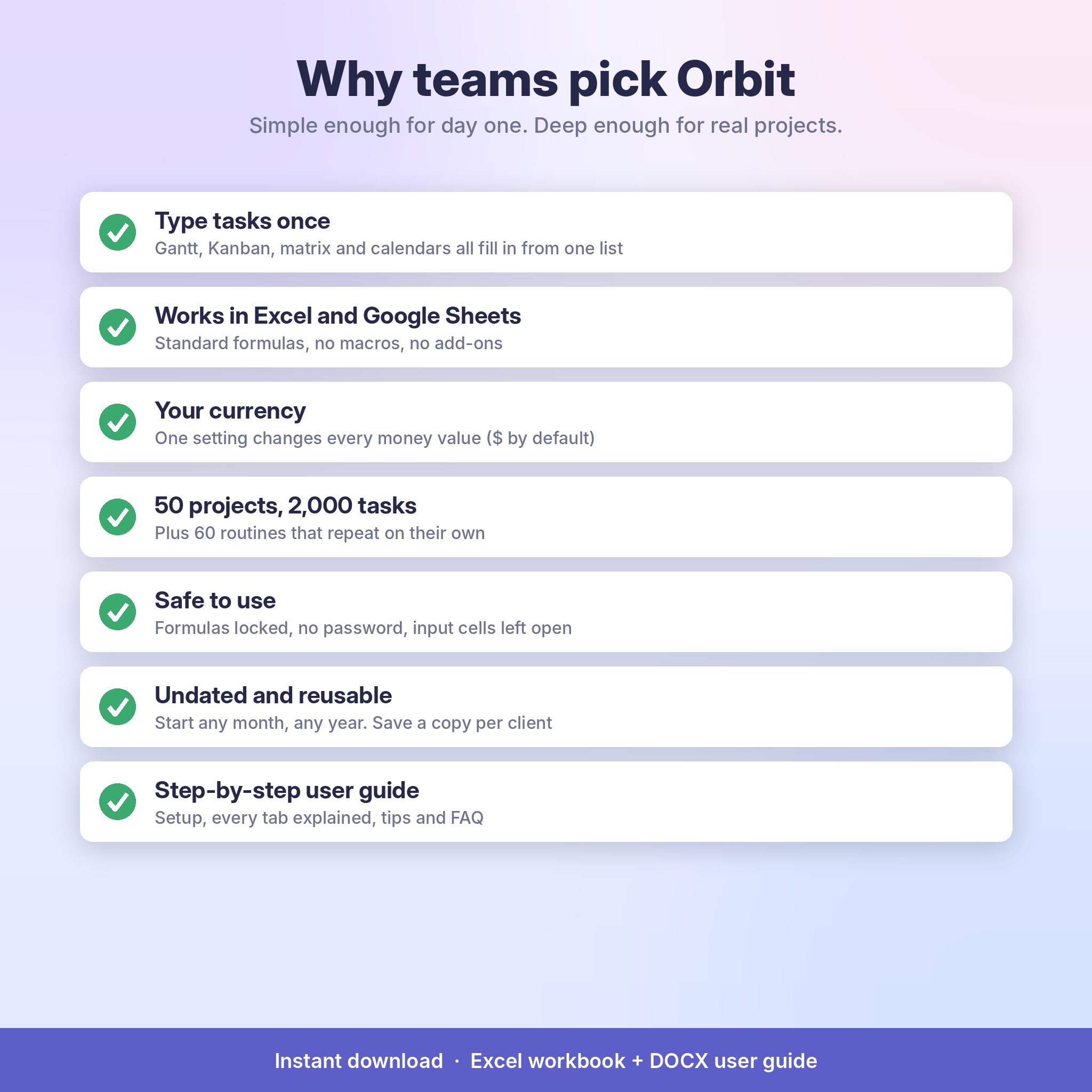
- One .xlsx file for Microsoft Excel. It uses standard formulas only, so no newer Excel 365 functions are needed
- Google Sheets: upload it to Google Drive and open it with Google Sheets (free Google account)
- No macros, scripts or add-ons
- Works on Windows and Mac. Setup is easiest on a laptop or desktop
Customizing your project tracker
Team names, categories and phases are simple lists on the Settings tab. Gantt bar colors are a dropdown. Formula cells are locked to stop accidents, but there’s no password, so you can unprotect any sheet and restyle it however you like.
Digital download
This is a digital product. Nothing ships. You can download the workbook and user guide right after checkout. The template is undated, so you can start any month of any year and keep using it.
Real ways people use it
- A web designer tracks four client sites and sends each client the one-page report every Friday
- A marketing lead plans a Q4 campaign on the Gantt chart and runs daily stand-ups from the Kanban board
- An operations manager checks Team Workload before saying yes to a new project
- A small agency logs hours and costs per task and sees right away which project is over budget
- An event planner sets weekly vendor check-ins as recurring tasks and never forgets one
FAQ
Does this project management spreadsheet work in Google Sheets?
Yes. Upload the .xlsx to Google Drive, open it with Google Sheets, then use File, Save as Google Sheets. Dashboards, dropdowns and charts all work.
Do I need Excel 365?
No. Orbit avoids newer 365-only functions, so it doesn’t depend on a subscription version of Excel.
How many projects and tasks can I track?
50 projects, 2,000 tasks and 60 recurring routines per file. Save a copy for each year or client if you need more.
Can I change the currency?
Yes. Type any symbol on the Settings tab and every money value follows.
Is it dated?
No. It works for any month and any year, and you can reuse it as often as you want.
Can my team share it?
Yes. Save it as a Google Sheet and share the link with your team.
Will the formulas break if I type in the wrong place?
Formula cells are locked, and the input cells only accept the right kind of value. You can’t wipe a formula by accident.
License
For personal use and use inside your own business, including your own client projects. Please don’t resell, share or redistribute the files. © Taskdale.
Reviews
There are no reviews yet.