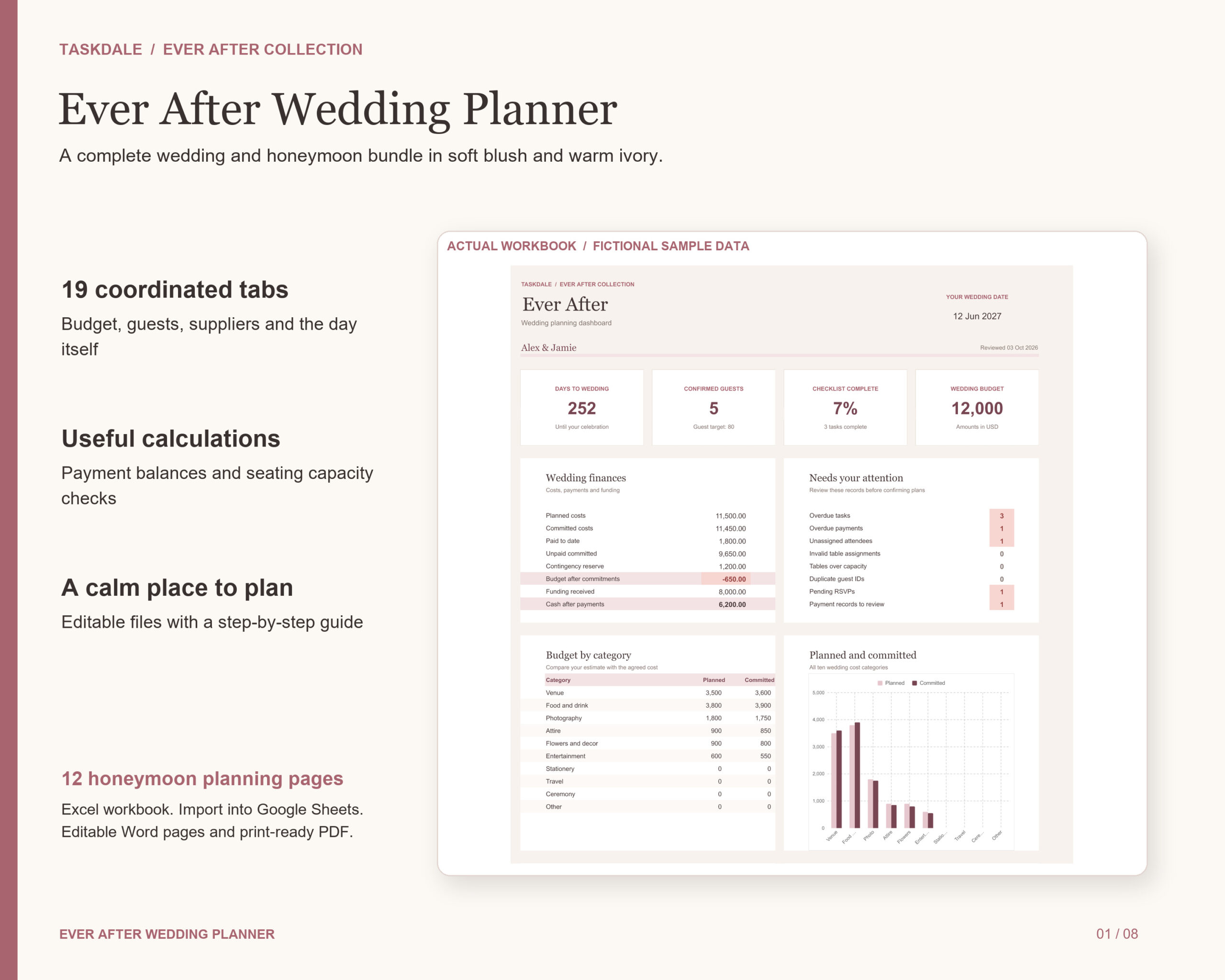

Bring every important wedding detail into one coordinated planning bundle. Ever After combines a practical spreadsheet with generous honeymoon pages in soft blush and warm ivory. Designed for couples organising their own celebration and sharing the work with a partner or coordinator.
What you can plan
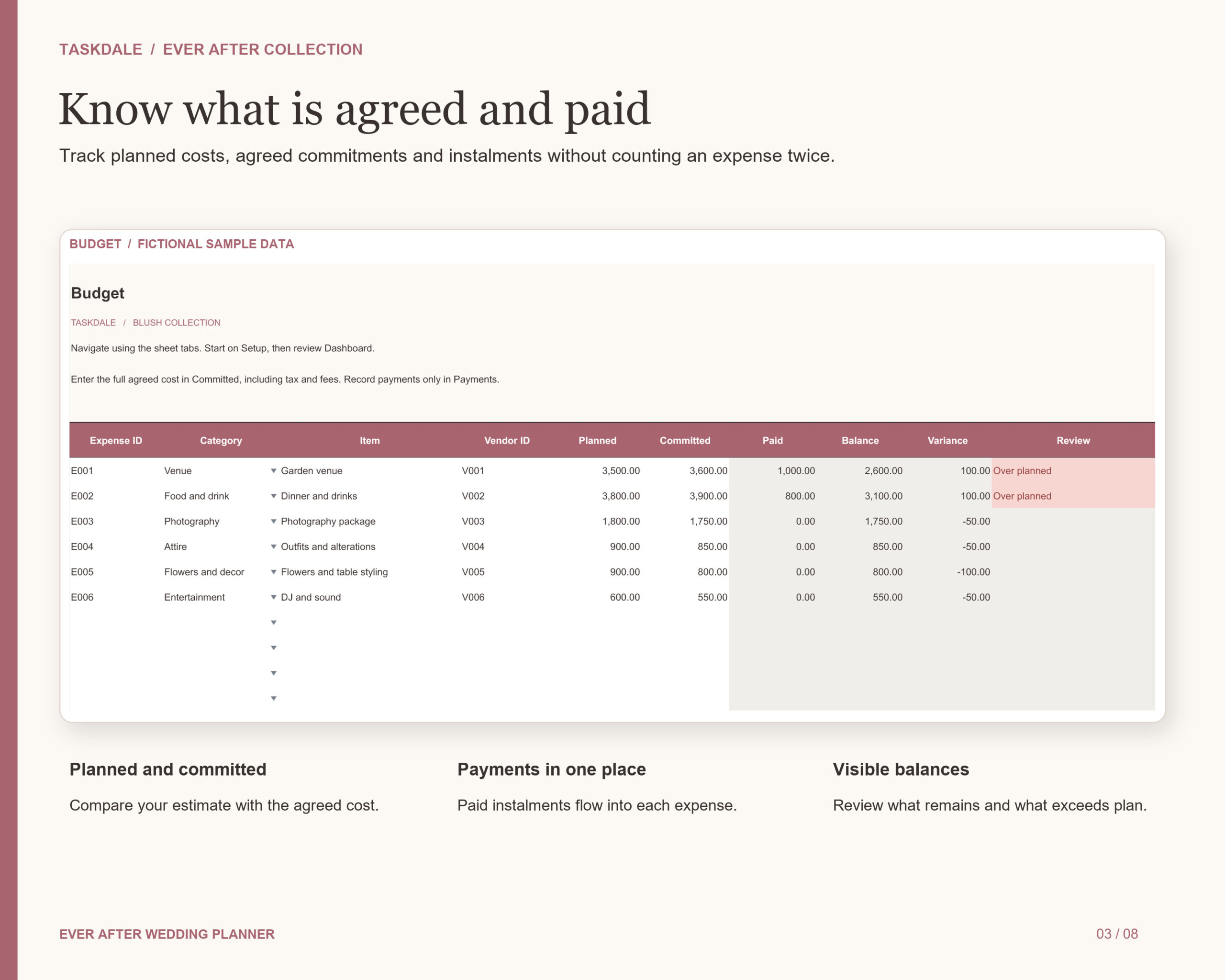
- Budget and payments: compare planned and committed costs, record instalments, see paid totals and remaining balances, and allow for a contingency reserve. Track promised and received contributions separately.
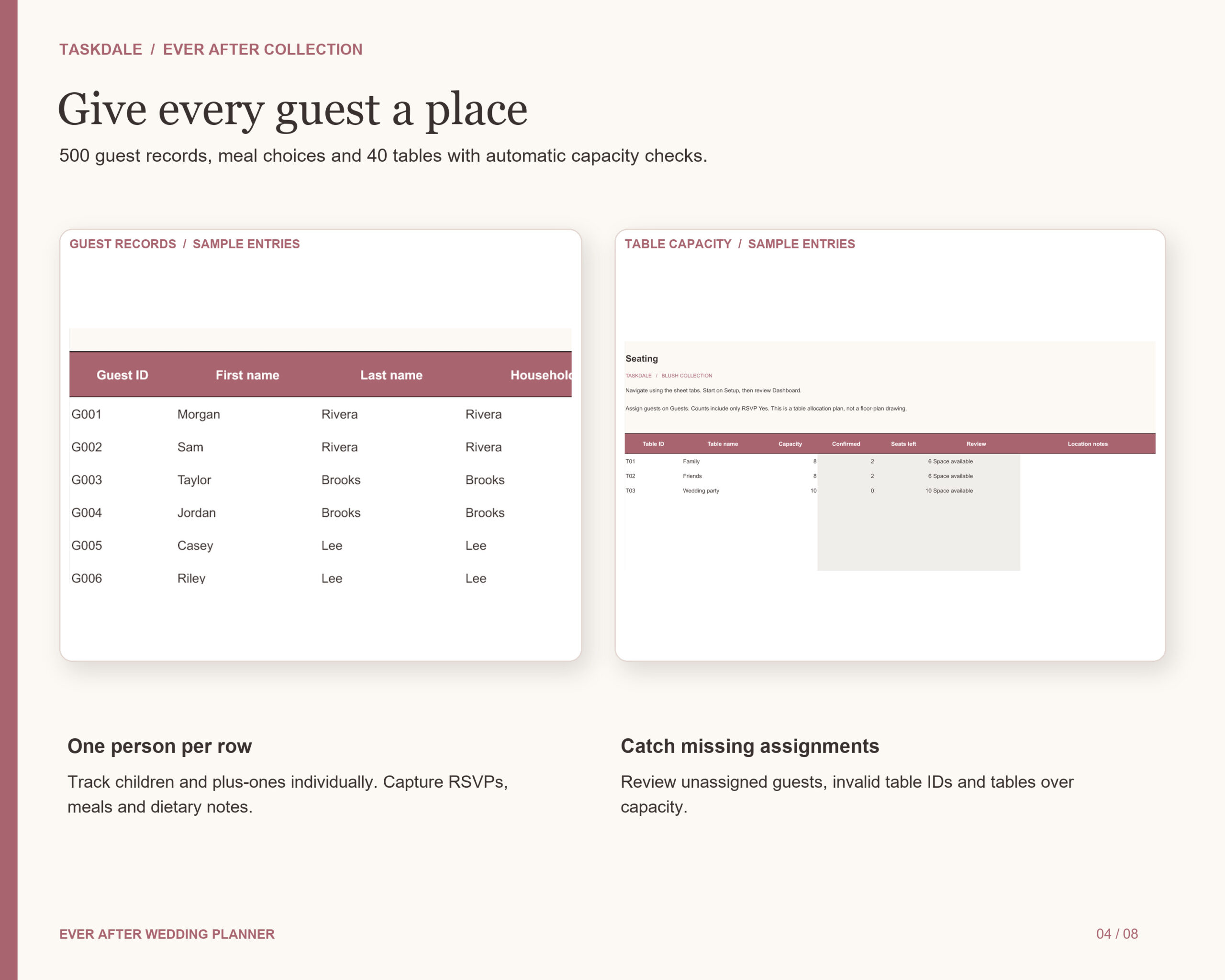
- Guests and seating: organise up to 500 individual guests with contact details, invitations, RSVPs, meals and dietary notes. Allocate attendees to up to 40 tables and review unassigned guests, invalid table IDs and capacity problems.
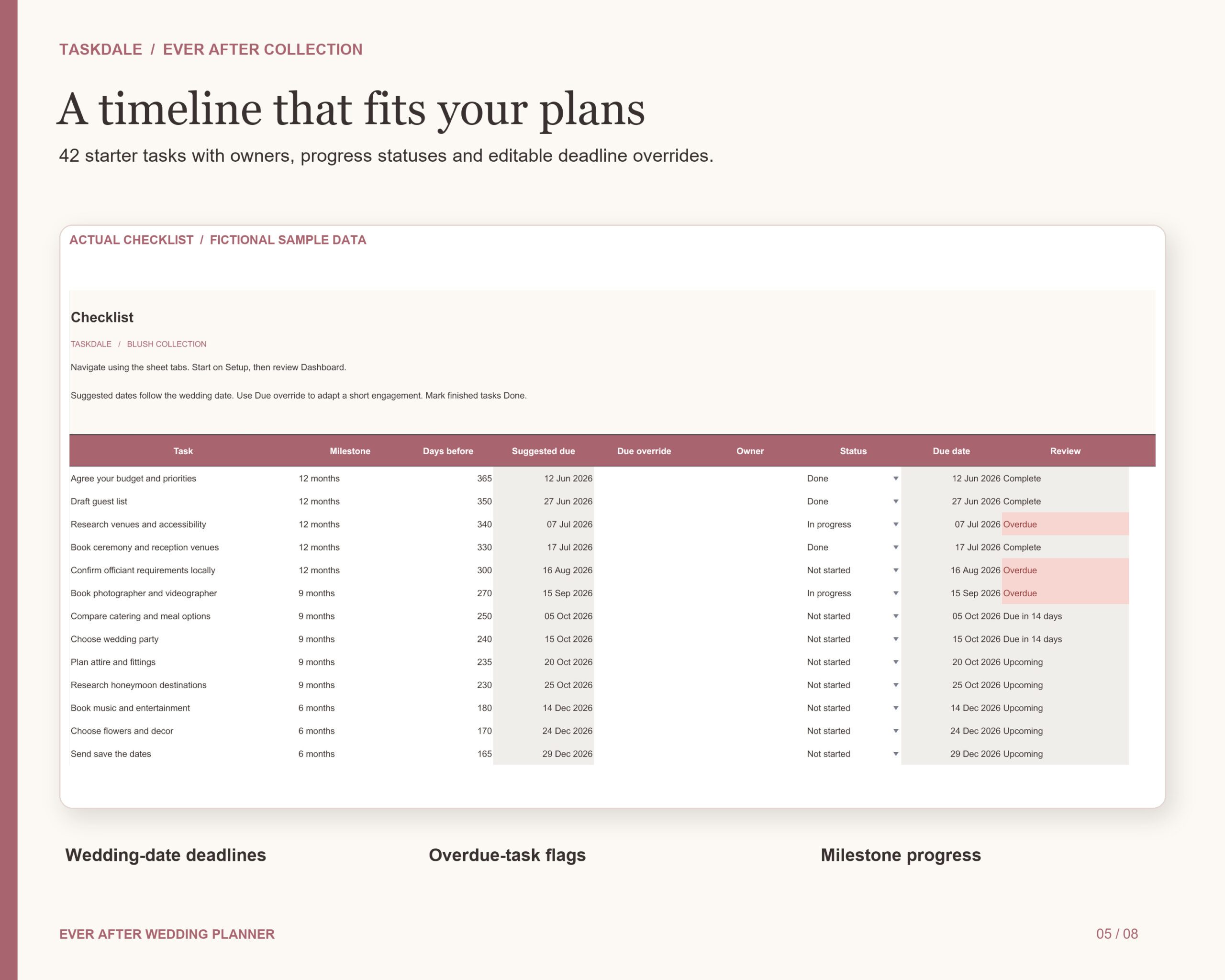
- Checklist and progress: begin with 42 starter tasks, assign owners, use deadlines tied to your wedding date, and override dates to fit a shorter engagement. Review milestone completion and overdue tasks.
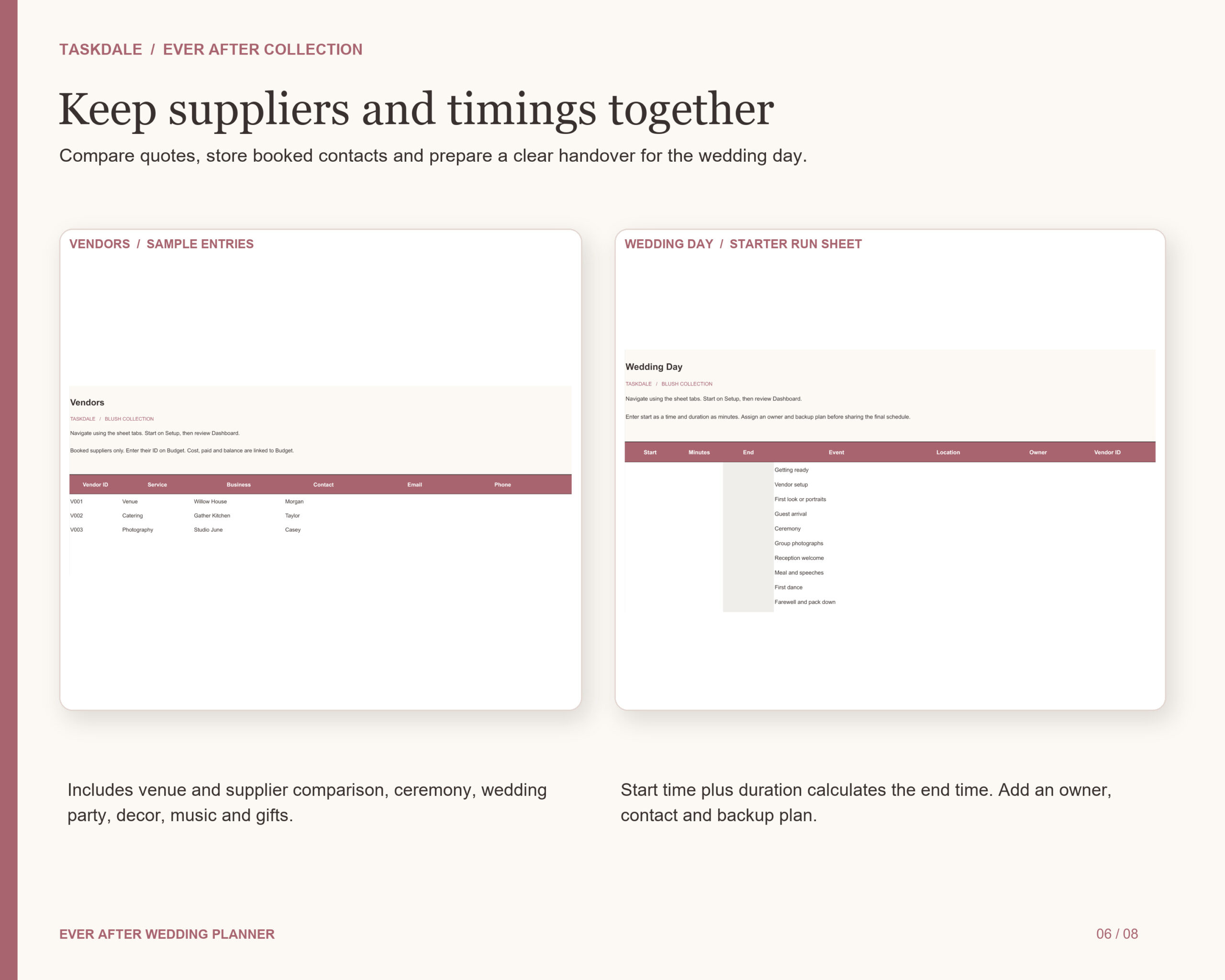
- Supplier research: compare venues and supplier quotes, capture fees, availability, pros, cons and questions. Keep booked vendor contacts and contract links alongside their budget totals.
- Wedding-day details: prepare a run sheet with start times, durations and calculated end times, plus owners, contacts and backup plans. Coordinate the wedding party, ceremony, decor, music and gifts.
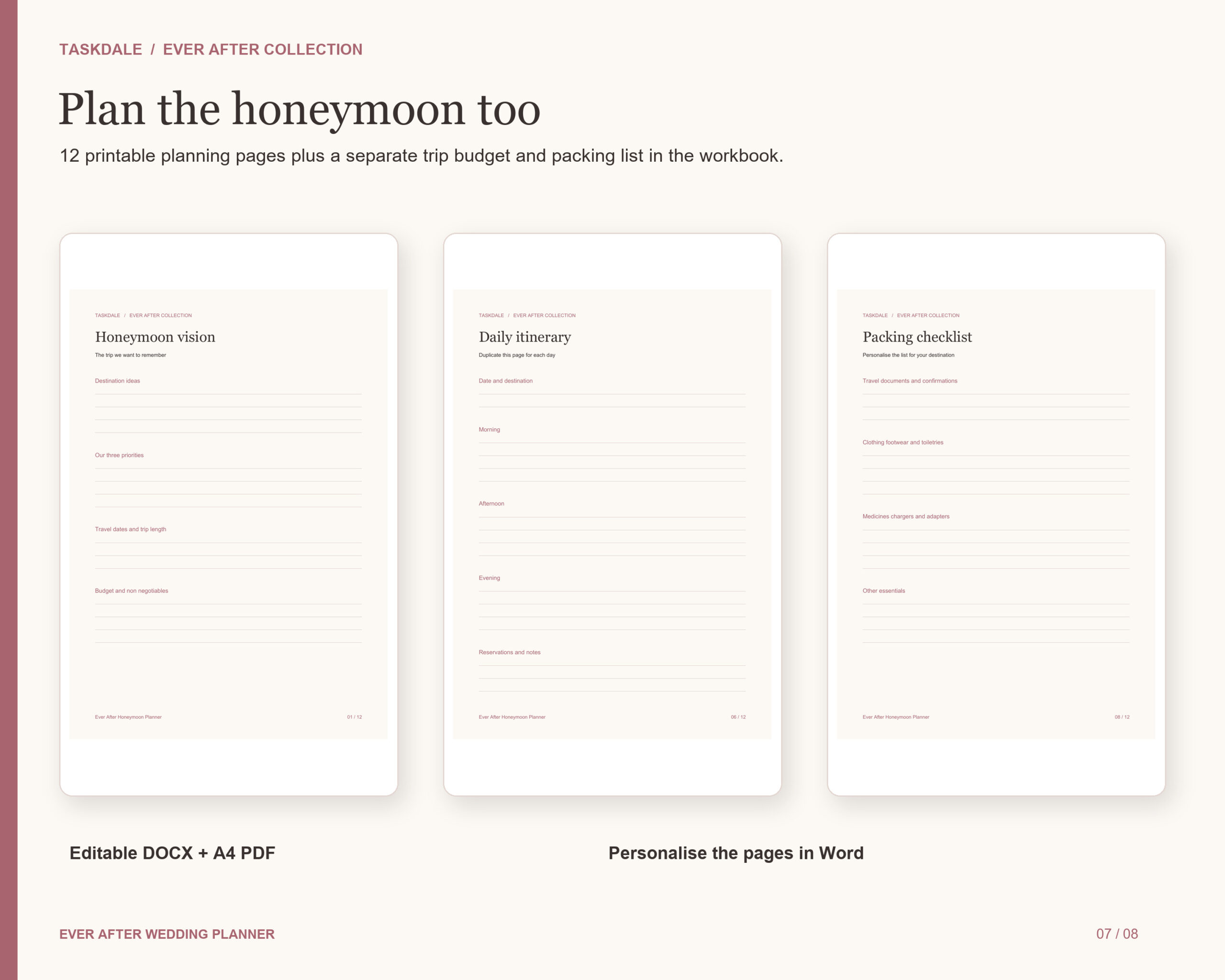
- Honeymoon: use a separate trip budget and packing list, plus 12 companion pages covering your vision, destinations, budget, bookings, travel and daily itineraries, experiences, packing, preparation, final tasks, notes and memories.
Your instant-download files
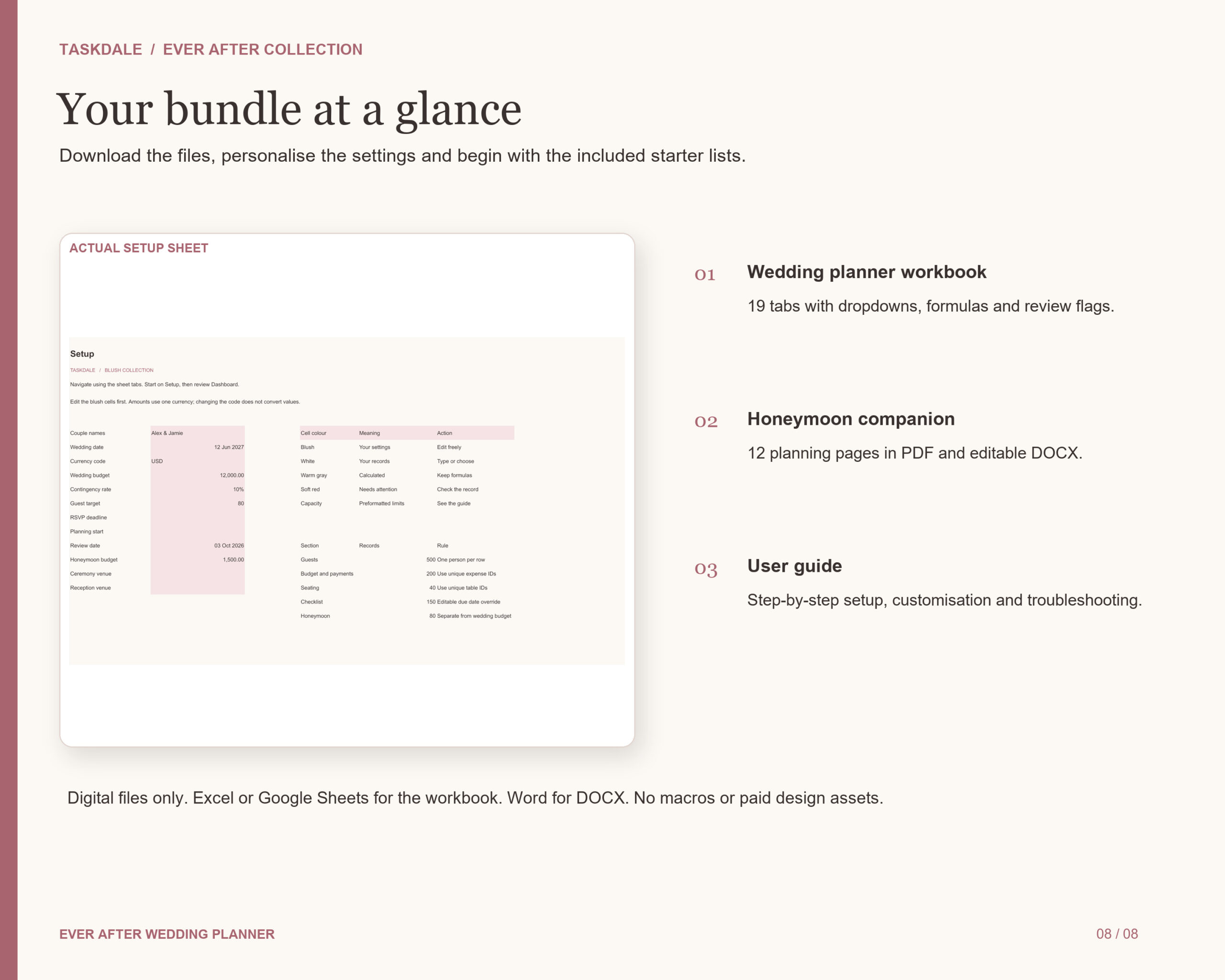
- Ever After Wedding Planner XLSX workbook with 19 coordinated tabs.
- A DOCX user guide with setup instructions, customisation, worked examples, capacity limits and troubleshooting.
- A 12-page A4 honeymoon planner PDF.
- The honeymoon planner in editable DOCX format.
The workbook includes dropdown menus, frozen headers, editable inputs, formulas and conditional review flags. No macros or scripts. Prepared capacity is 500 guests, 200 expenses, 200 payment entries, 40 tables and 150 tasks, with additional rows for the other sections.
Getting started
Download and unzip your files. Open the workbook in Microsoft Excel, or upload it to Google Drive, open with Google Sheets and save as a native Google Sheets file. Enter your names, wedding date and budgets on Setup, then review the starter checklist. Use the honeymoon PDF for printing. Open the DOCX files in Microsoft Word or a compatible editor.
Before you purchase
This is a digital download; no physical item is shipped. Microsoft Excel or a Google account is required for spreadsheet editing. Word or a compatible application is required for DOCX editing. Google Sheets template links are not included in this file-based edition.
Amounts use one currency at a time; changing the currency code does not convert amounts. Seating manages table allocations and capacity, rather than drawing a venue floor plan. It does not send invitations, issue reminders, pay vendors or make bookings automatically. Preview figures are fictional examples; customer records start empty, with useful starter lists included.
For personal wedding planning. Share your completed copy with your partner and wedding team. Resale or redistribution of blank templates is not permitted.
Reviews
There are no reviews yet.