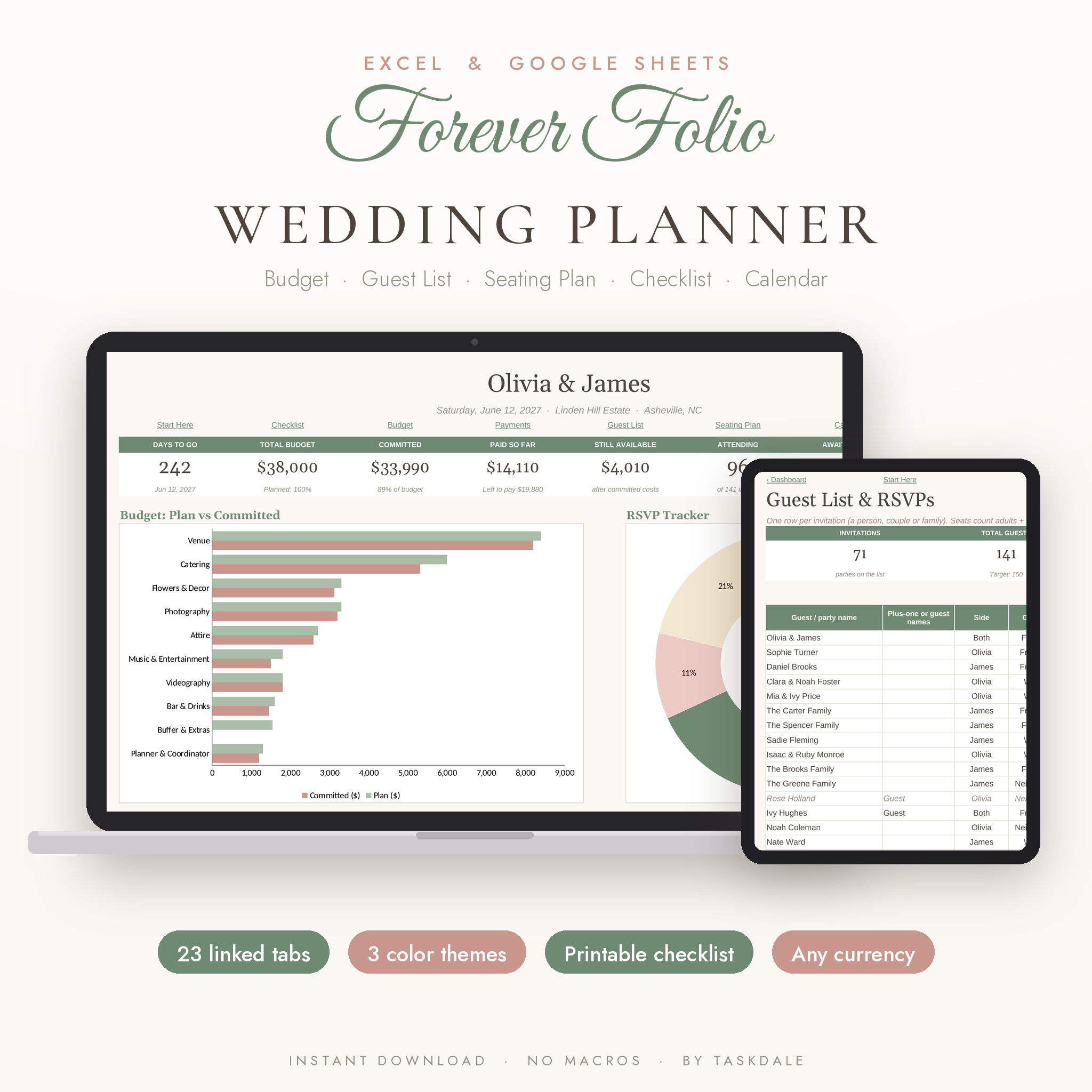
Forever Folio is a wedding planner spreadsheet for couples who want every number, name and date in one place. It runs in Microsoft Excel and Google Sheets. You add your names, wedding date, budget and guest count on the first tab, and the other 22 tabs take it from there.
Your checklist gets real due dates. Your budget shows what’s committed, what’s paid and what’s left. Your guest list counts RSVPs and meals. Pick a table for each party and the seating chart fills itself in. No formulas to write, no macros, nothing to install.
What this wedding planner spreadsheet does
Most wedding templates are a stack of separate lists. This one is connected. A cost you log on the Payments tab shows up on the Budget, the Calendar and the Dashboard. A guest marked Attending updates the meal counts, the bar calculator and the seating cards. You type each thing once.
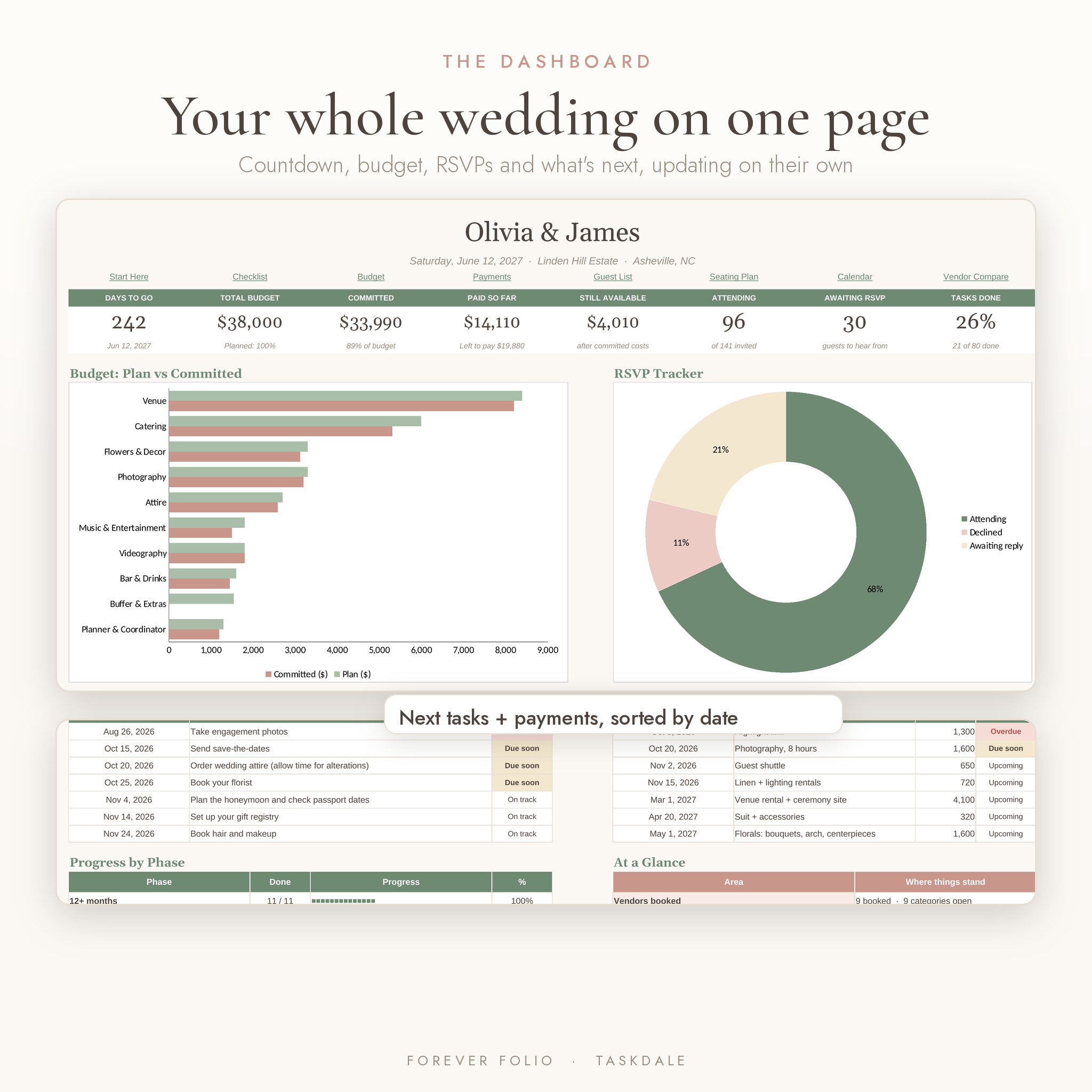
The Dashboard
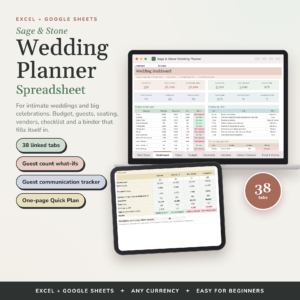
Open it once a week. You’ll see days to go, total budget, committed and paid amounts, money still available, guests attending, RSVPs still out and the share of tasks done. Below that sit a plan vs committed chart for your 10 biggest categories, an RSVP donut, your next seven tasks and payments by date, progress for each planning phase and a quick status line for vendors, seating, thank-you notes, packing and the honeymoon.
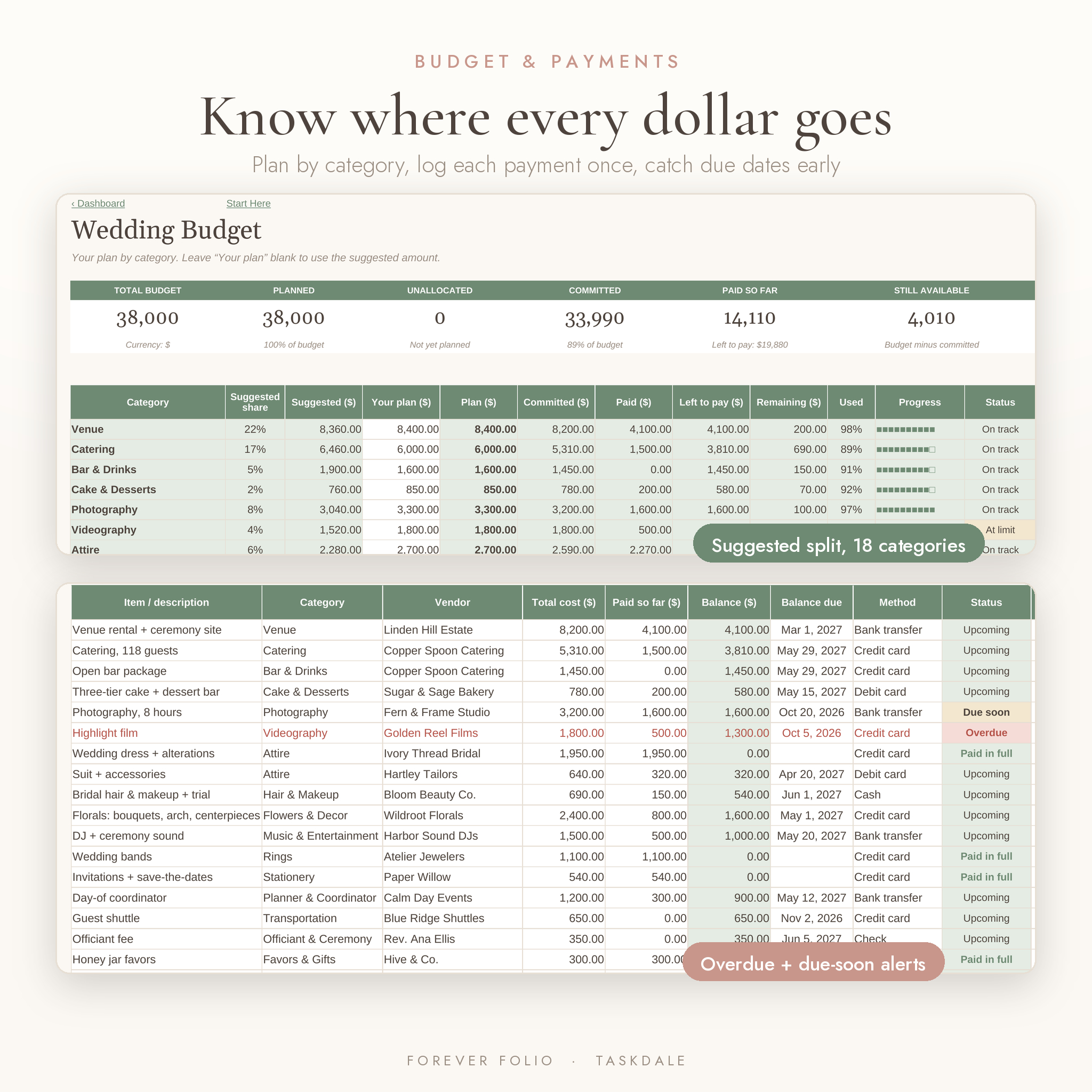
Wedding budget tracker and payments
- 18 budget categories with a suggested US split, or your own plan per category
- Committed, paid, left to pay and remaining, all filled in from your payment log
- 200 payment rows with automatic status: Paid in full, Upcoming, Due soon, Overdue
- A warning if a cost uses a category that isn’t on your list
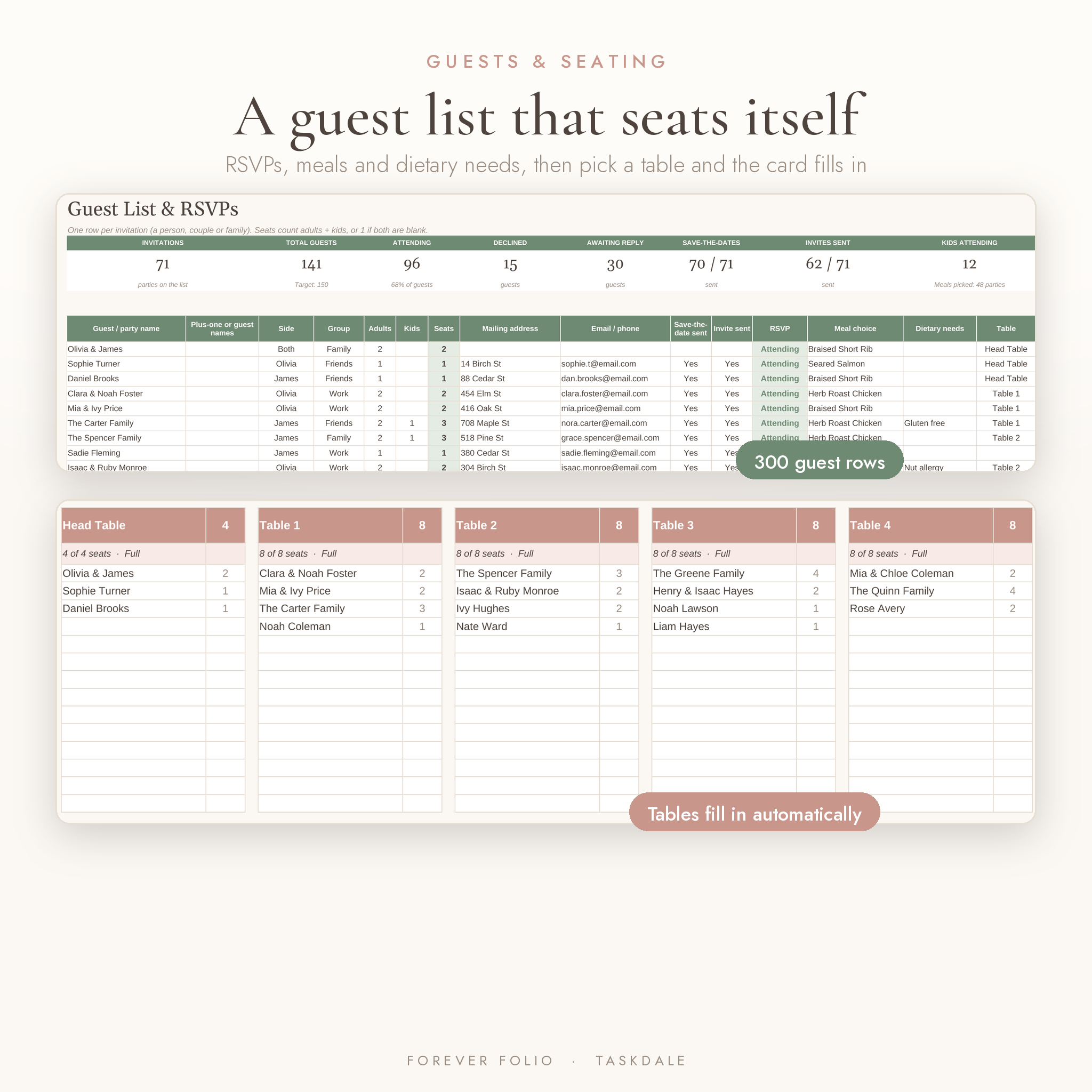
Guest list, RSVPs and seating chart
- 300 guest rows. One row per invitation, so a family of four is one line with four seats
- Track save-the-dates, invitations, RSVPs, meal choices, dietary needs and addresses
- 30 tables with seat counts. Choose a table on the guest list and the table card lists who sits there
- Over-capacity tables turn red and declined guests drop off automatically
Checklist and calendar
- 80 planning tasks from 12+ months out to after the wedding
- Due dates count back from your wedding day, so they move if your date moves
- Due soon and overdue alerts, with a custom date option for any task
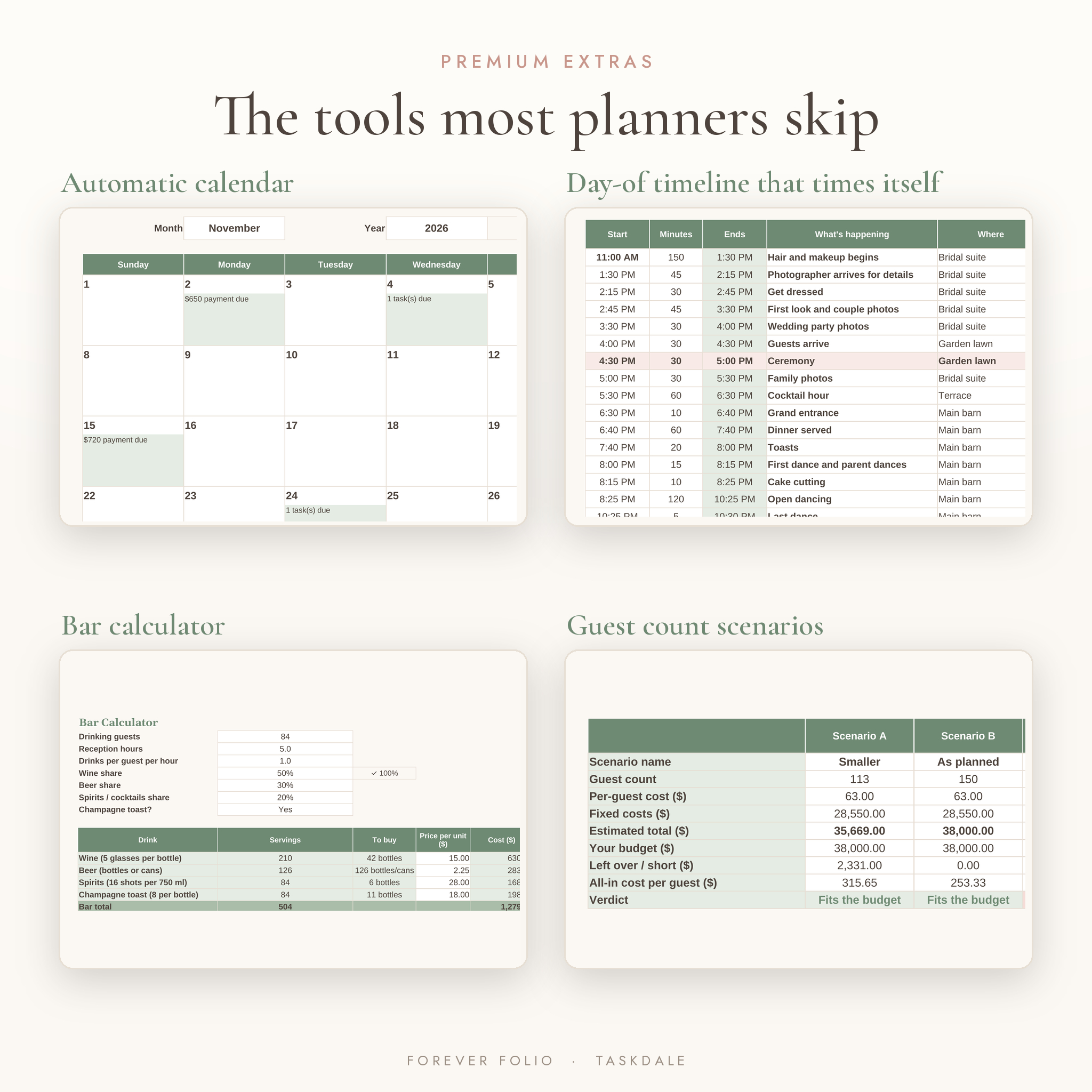
- A monthly calendar that shows tasks, payments, events and your wedding day
Extras you won’t find in most wedding planner templates
- Guest count scenarios: compare three guest counts side by side and see the cost and cost per guest for each
- Bar calculator: turns guests, hours and your wine, beer and spirits mix into bottles to buy
- Day-of timeline: each step starts when the last one ends, so changing one time updates the whole run sheet
- Venue comparison: five venues side by side with estimated total, cost per guest and a score
- Vendor compare: log quotes, rate them, mark the one you book and see lowest quote vs plan by category
- Food & drinks: meal counts from RSVPs, three caterer quotes with service charge and tax, cake servings
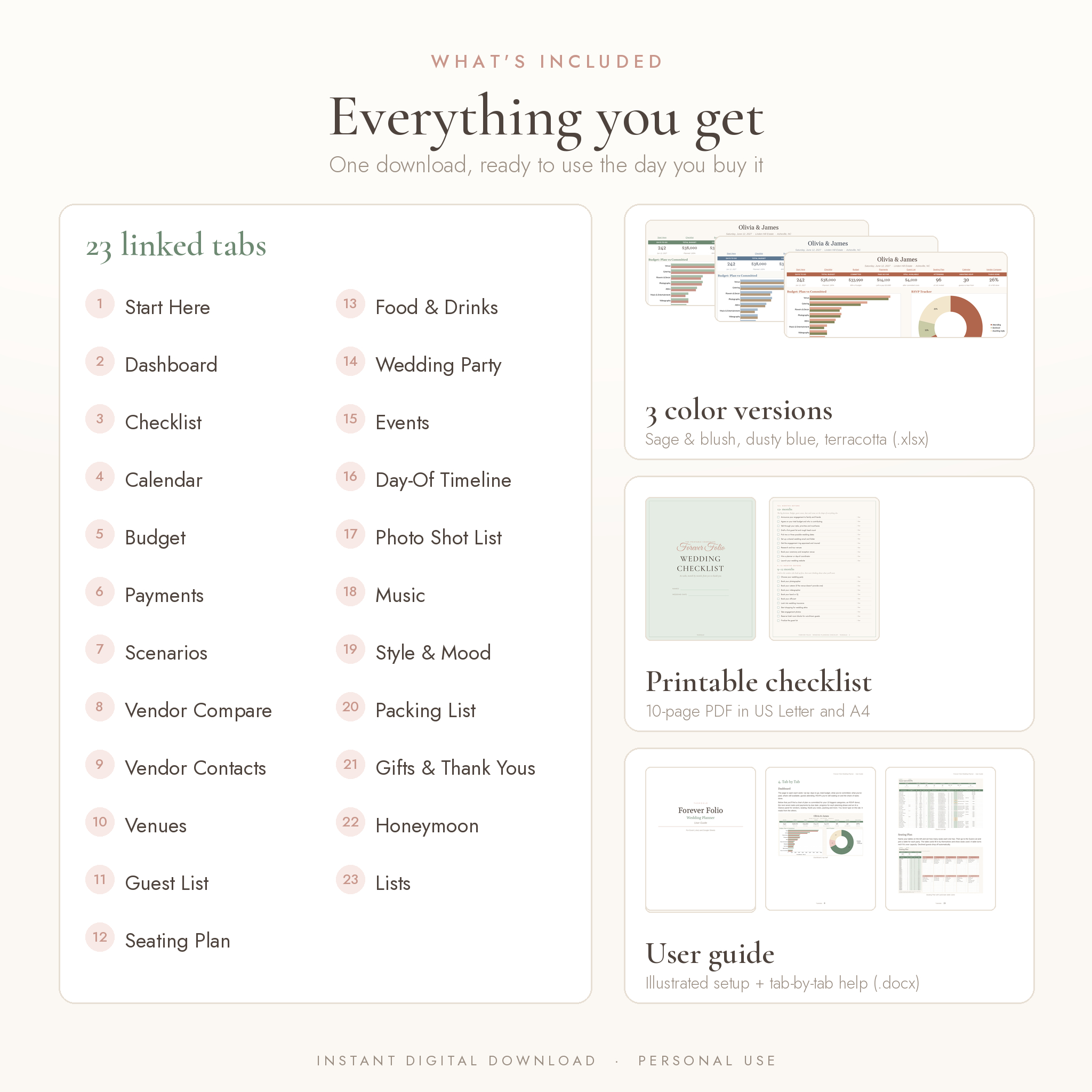
What’s included
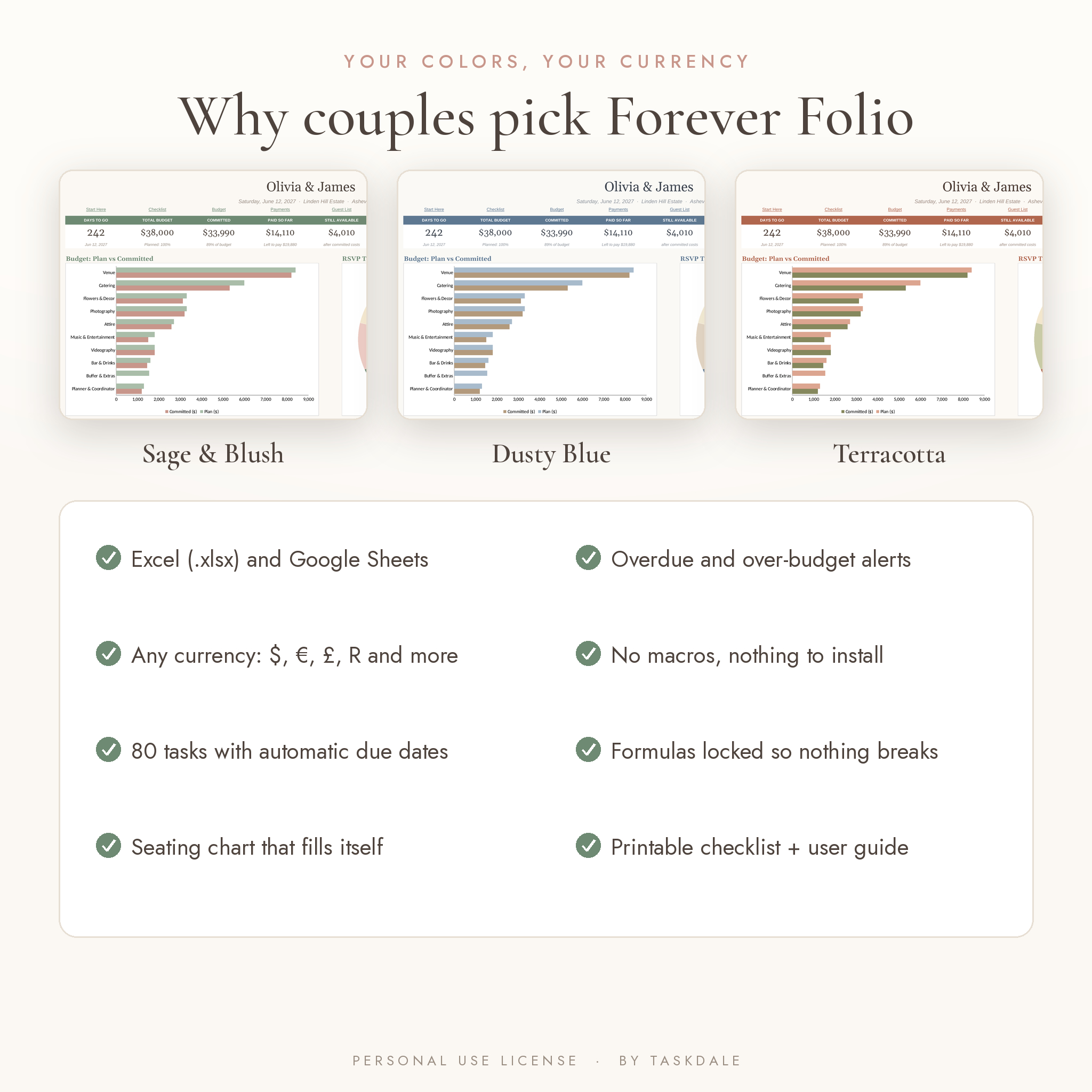
- Forever Folio Wedding Planner in Sage & Blush (.xlsx)
- Forever Folio Wedding Planner in Dusty Blue (.xlsx)
- Forever Folio Wedding Planner in Terracotta (.xlsx)
- Printable Wedding Planning Checklist, 10 pages, US Letter and A4 (PDF)
- Illustrated user guide with setup steps, tab-by-tab help, troubleshooting and FAQ (.docx)
The 23 tabs: Start Here, Dashboard, Checklist, Calendar, Budget, Payments, Scenarios, Vendor Compare, Vendor Contacts, Venues, Guest List, Seating Plan, Food & Drinks, Wedding Party, Events, Day-Of Timeline, Photo Shot List, Music, Style & Mood, Packing List, Gifts & Thank Yous, Honeymoon and Lists.
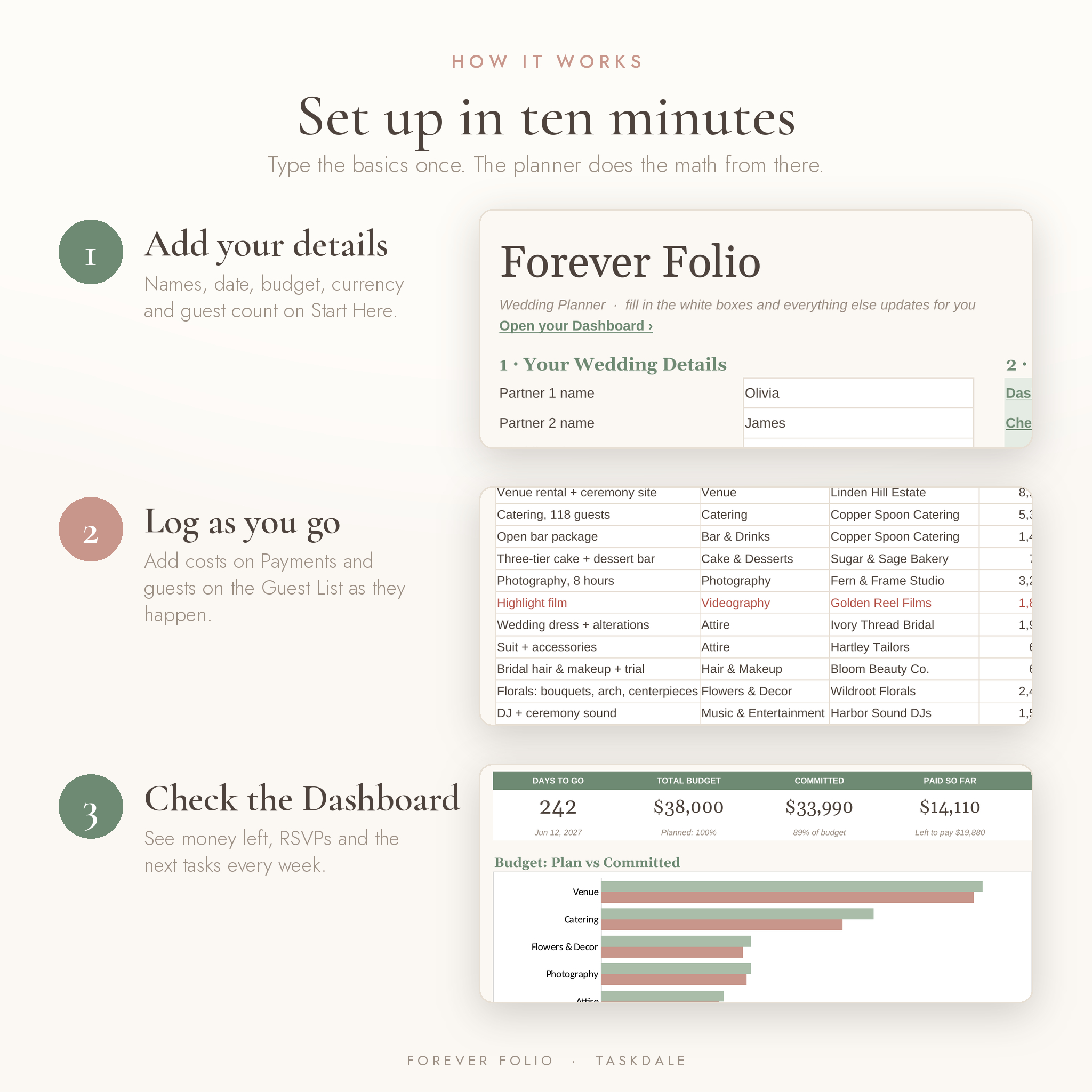
How it works
- Download the files and open the color version you like in Excel, or upload it to Google Drive and open it with Google Sheets.
- Fill in the Start Here tab: names, date, budget, currency symbol and guest count.
- Add costs on Payments and guests on the Guest List as they come in.
- Check the Dashboard each week to see what’s due and how much is left.
White cells are for typing. Tinted cells hold the formulas and are locked, with no password, so nothing gets deleted by accident.
File formats and software requirements
- Microsoft Excel .xlsx file. Use Excel 2010 or newer on Windows or Mac
- Google Sheets: upload to Google Drive with a free Google account and choose File › Save as Google Sheets
- Also opens in LibreOffice Calc
- Not made for Apple Numbers
- Printable checklist PDF in US Letter and A4
Make it yours
Type any currency symbol, like $, €, £ or R, and every money heading and dashboard total picks it up. Rename budget categories and change dropdown options on the Lists tab. Rename tables, change seat counts, paste inspiration photos into the Style & Mood board and pick from three color themes.
Digital download
This is a digital product. Nothing is shipped. Your files are ready to download as soon as payment goes through. The files come blank so you can start fresh. The images in this listing use sample names and numbers to show how a filled-in planner looks.
Who it’s for
- Couples planning their own wedding, whether it’s 40 guests or 250
- Parents or friends helping plan and keep track of costs
- Anyone who wants a wedding budget spreadsheet and guest list tracker that work together
- A thoughtful engagement gift for a newly engaged friend
Wedding planner spreadsheet FAQ
Does it work on a Mac?
Yes. Use Excel for Mac or Google Sheets. Apple Numbers isn’t supported.
Can my partner and I both edit it?
Yes. Save it as a Google Sheet or put it in OneDrive and share it with each other.
Can I use my own currency?
Yes. Type your symbol on the Start Here tab and the money headings and totals switch over.
How many guests can I add?
300 invitation rows, and each row can be a couple or family. Seating covers 30 tables.
Can I change the budget categories?
Yes. Edit them on the Lists tab, along with the suggested share for each one.
Will it work on my phone?
You can view it and make quick updates in the Google Sheets or Excel app. Setting it up is easier on a computer.
Is it a physical planner?
No. It’s an instant digital download. The checklist PDF is ready to print at home.
License
Personal use only. One purchase covers one couple or household. Please don’t resell, share or redistribute the files, edited or not.
Reviews
There are no reviews yet.