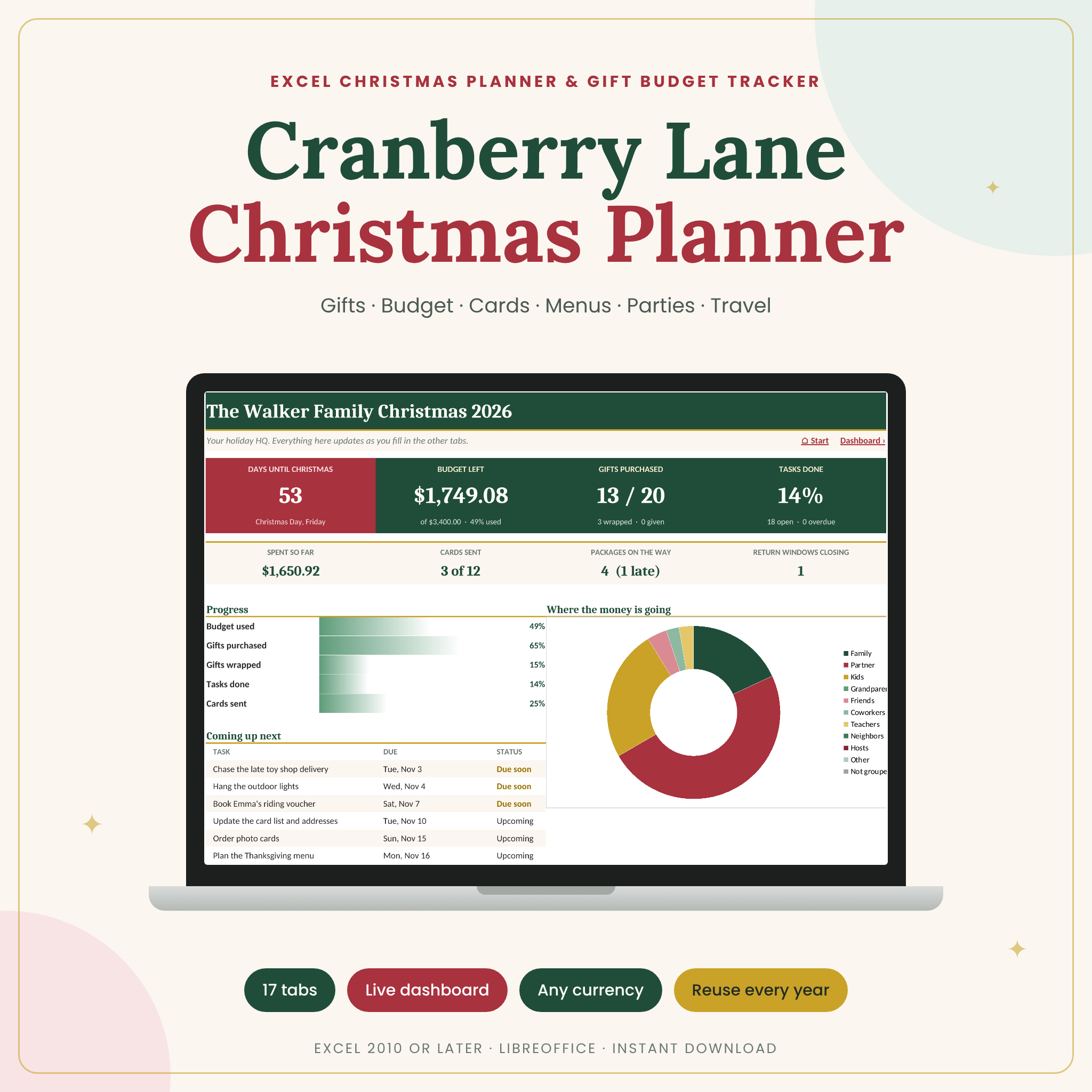

This Christmas planner spreadsheet is for anyone who has ever lost a tracking number, forgotten who was still on the list or found the December credit card bill a little scary. Cranberry Lane puts gifts, money, cards, parties, food and travel into one Excel workbook with 17 connected tabs. Fill in what happens as it happens. The dashboard tells you where you stand in about ten seconds.
What this Christmas planner spreadsheet does
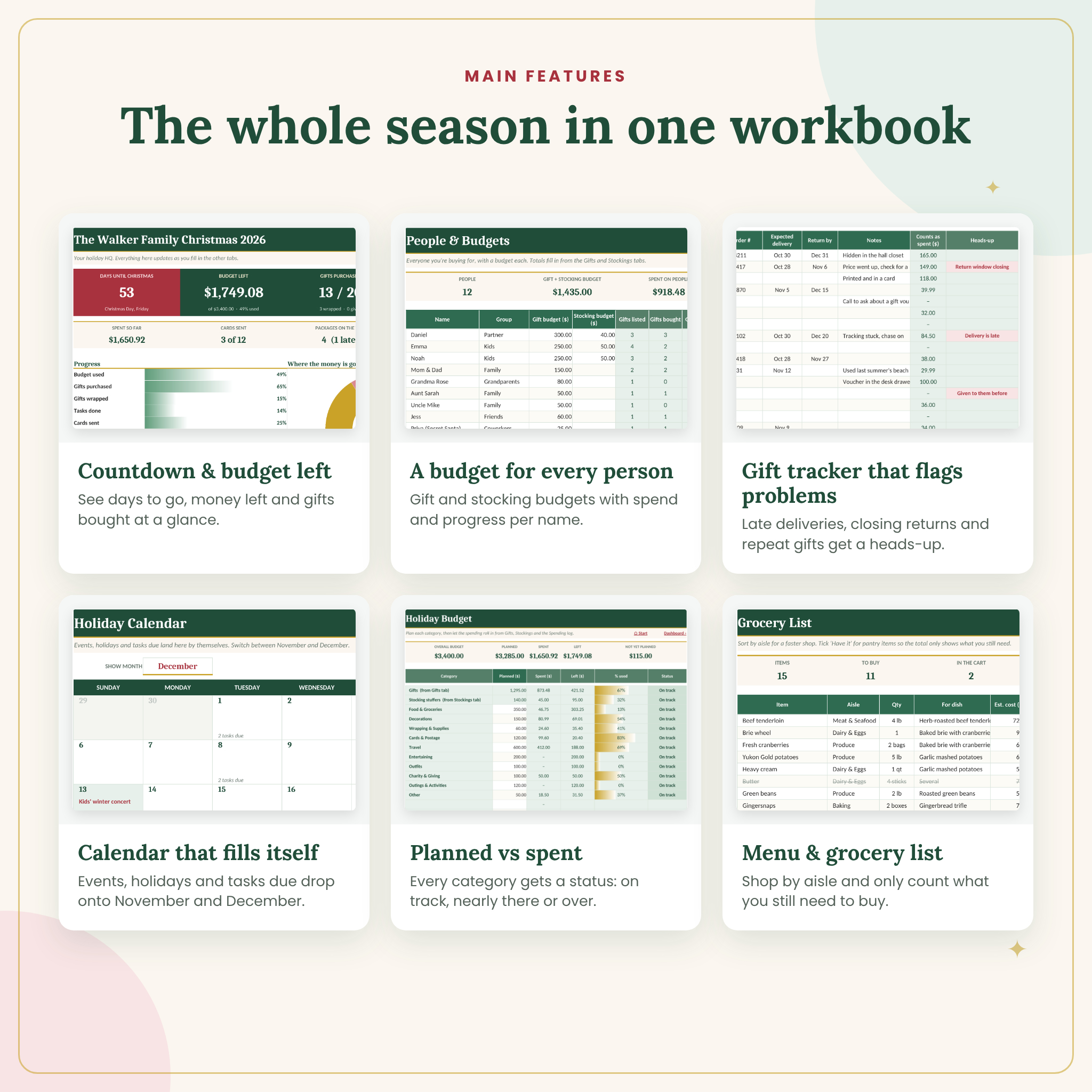
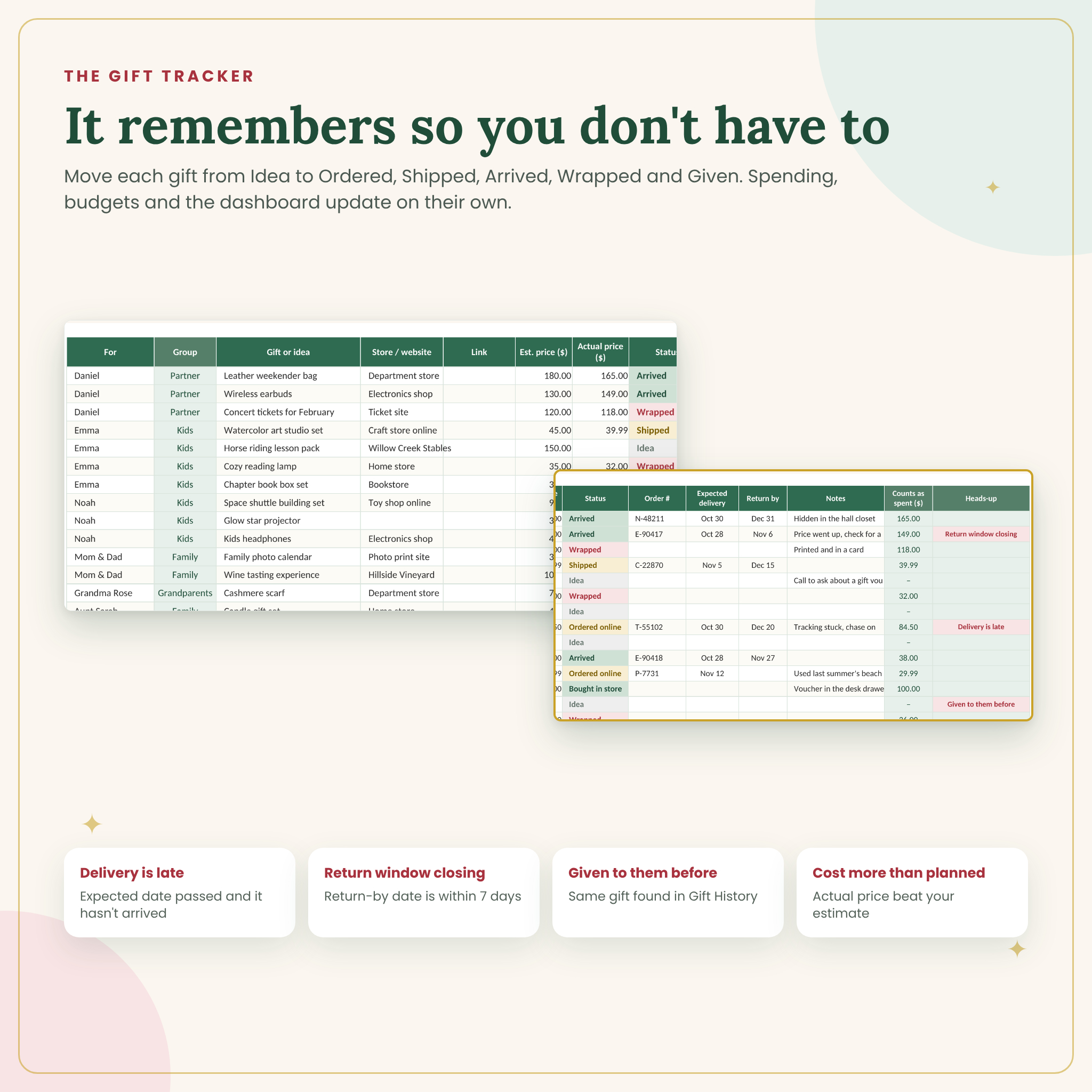
Most holiday planners stop at a gift list. This one follows the whole season. Give each person a budget, then move each gift from Idea to Ordered, Shipped, Arrived, Wrapped and Given. Spending adds itself up per person, per group and per category. Log the rest of your holiday costs (food, decorations, postage, travel) and the Budget tab compares every category with what you planned.
Then the extras kick in. A countdown to Christmas. A calendar that fills in your events and tasks due. A guest list that counts confirmed headcounts. A grocery list that only totals what you still need to buy. And a Gift History tab that warns you before Grandma gets the same scarf two years running.
Who it’s for
- Parents juggling kids’ wish lists, stockings, teacher gifts and family visits
- Anyone who wants a real holiday budget instead of a January surprise
- Hosts planning an open house, a cookie swap or Christmas Eve dinner for ten
- Couples who split the shopping and want one list they both trust
Features
Dashboard
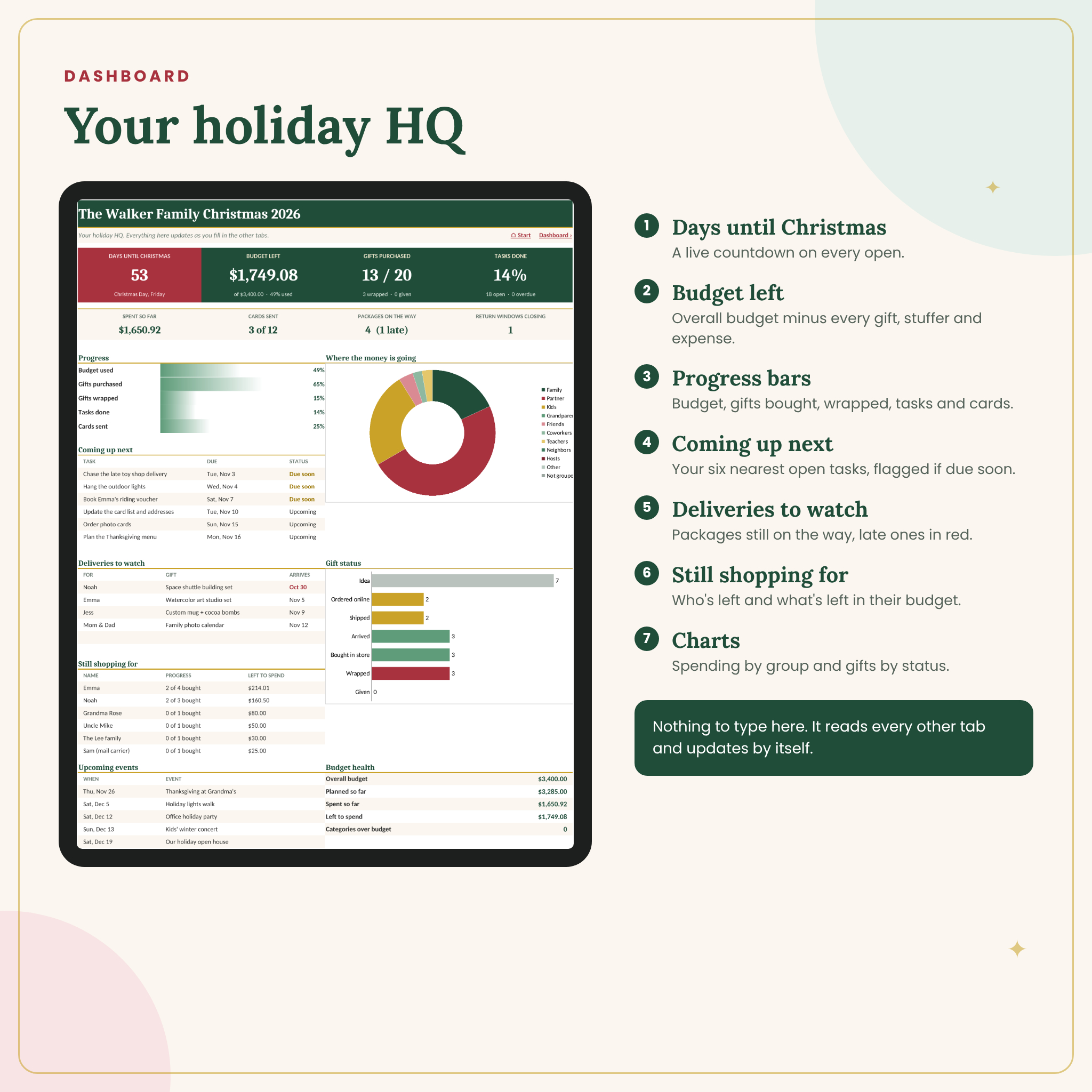
- Days until Christmas, budget left, gifts purchased and tasks done, right at the top
- Progress bars for budget used, gifts bought, gifts wrapped, tasks and cards sent
- Coming up next: your six nearest open tasks, flagged Due soon or Overdue
- Deliveries to watch, with late packages in red
- Still shopping for: who’s left and what’s left in their budget
- Charts for spending by group and gifts by status
Gift Tracker and People
- Room for 60 people and 250 gifts, each with store, link, estimated and actual price, order number, delivery date and return-by date
- Gift and stocking budgets for each person, with spent, left to spend and a progress note like “2 of 4 bought” or “All wrapped”
- A Heads-up column that flags late deliveries, return windows closing within 7 days, gifts that cost more than planned and gifts you’ve given that person before
Budget and Spending
- Planned vs spent for gifts, stocking stuffers and 10 editable categories, with On track, Nearly there and Over budget labels
- A spending log for 300 non-gift purchases, with totals for the last seven days and for credit card spending
- Renamed a category? Older entries land in a “no matching category” row instead of quietly disappearing
Season planning tabs
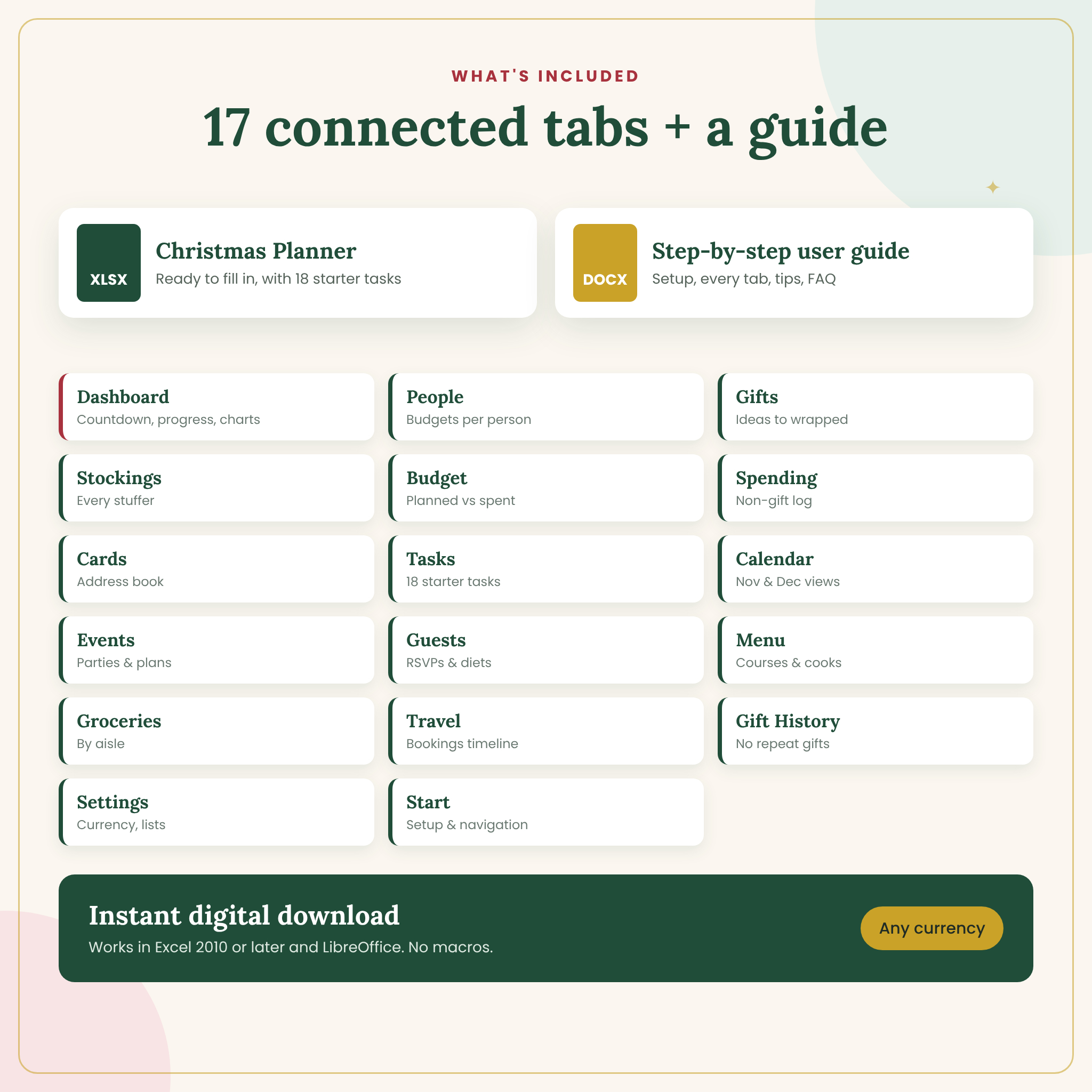
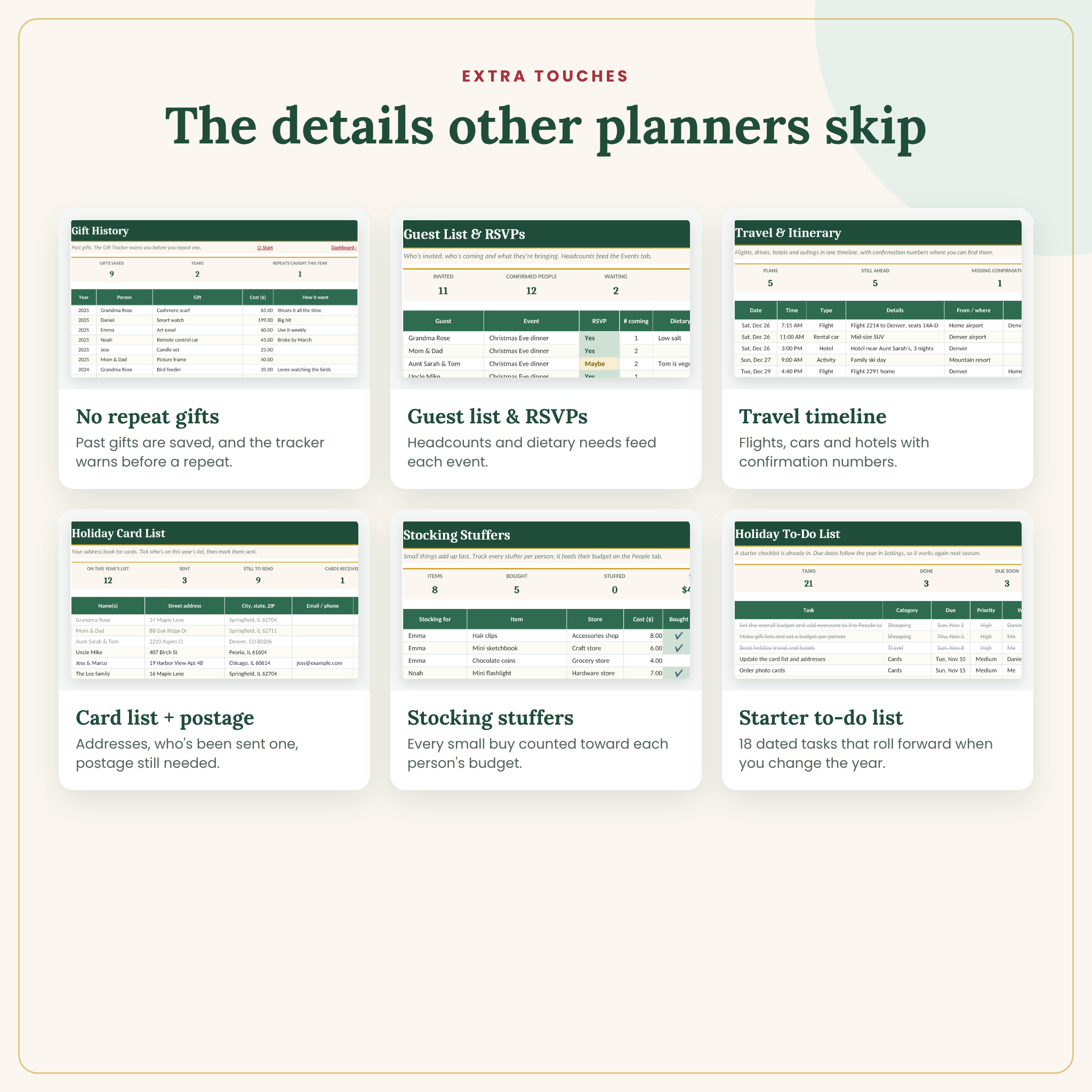
- Stockings: every stuffer per person, with Bought and In stocking ticks
- Cards: an address book for 200 contacts, with sent and received ticks and postage still needed
- Tasks: 18 dated starter tasks, from booking travel to filling stockings, that roll forward when you change the year
- Calendar: November and December views showing events, tasks due, Thanksgiving, Black Friday, Christmas Eve, Christmas Day and New Year’s Eve
- Events and Guests: parties with times and places, RSVPs, headcounts, dietary needs and who’s bringing what
- Menu and Groceries: dishes by course with cooks and make-ahead dates, and a shopping list by aisle
- Travel: flights, drives, rental cars and hotels with confirmation numbers and a days-to-go count
What’s included
- Cranberry Lane Christmas Planner (.xlsx), ready to fill in
- A step-by-step user guide (.docx) covering setup, every tab, customizing, troubleshooting and FAQs
How it works
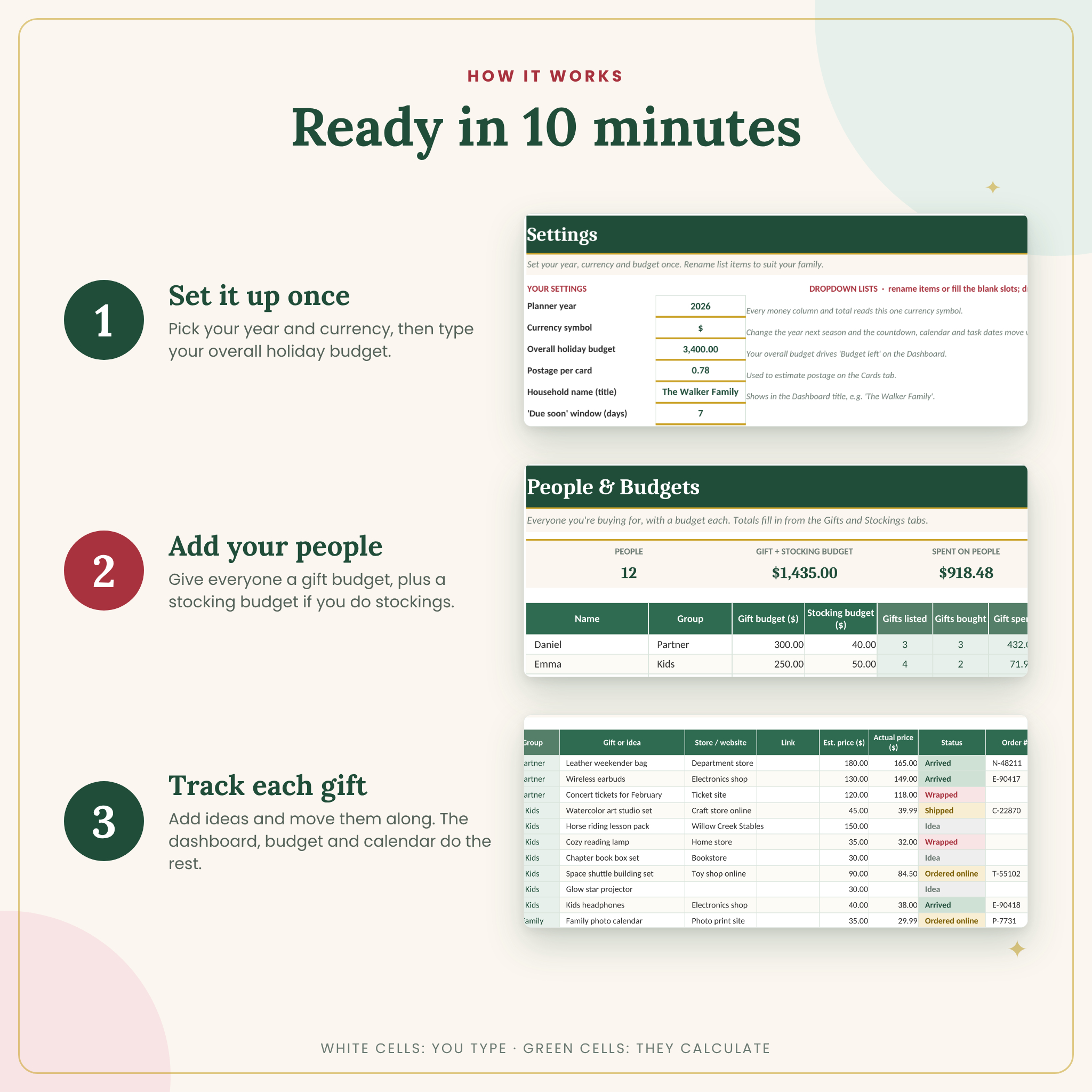
- Settings: pick the year and your currency symbol, then type your overall holiday budget.
- People: list everyone you buy for with a gift budget and an optional stocking budget.
- Gifts: add ideas and move each one along as you shop. Everything else updates on its own.
White cells are for typing. Sage-green cells calculate and are locked (no password) so a stray keystroke can’t break a total. Dropdowns keep entries tidy, and every tab has a link back to the Start page and the Dashboard.
File format and software
- Excel .xlsx for Microsoft Excel 2010 or later on Windows or Mac, including Microsoft 365
- Also tested in LibreOffice Calc
- No macros, add-ins or sign-ups
- Every tab is set up to print on US Letter
Make it yours
One setting controls the currency on every money column, so it works in dollars, pounds, euros, rand or any symbol you type. Rename groups, budget categories, aisles, courses and other dropdown lists on the Settings tab and they update everywhere. Next year, change the year, move this year’s gifts into Gift History and start fresh.
Instant digital download
This is a digital product. Nothing ships. You’ll get a ZIP file with the workbook and the guide right after checkout. Licensed for personal use only, so please don’t resell or share the files.
Real ways people use it
- A mom of two sets $250 per kid, and the dashboard shows Noah still has $60 left before she adds that extra toy to the cart.
- A couple hosting Christmas Eve tracks 9 guests, a vegetarian and a nut allergy, and who’s bringing the green beans.
- A family flying out on the 26th keeps flight, rental car and hotel confirmations in one place instead of three inboxes.
FAQ
Does it work in Google Sheets?
It’s built and tested for Excel and LibreOffice. We haven’t tested it in Google Sheets or Apple Numbers, so we can’t promise every chart and color rule will behave the same.
Can I use it every year?
Yes. Change the year in Settings and the countdown, calendar and starter task dates move with it. Gift History builds up over the years.
How many gifts and people can I track?
60 people, 250 gifts, 100 stocking stuffers, 300 spending entries, 200 card contacts, 100 tasks, 40 events and 150 guests.
Can I use my own currency?
Yes. Pick a symbol or type your own on the Settings tab and every money label follows it.
Will I break the formulas?
Unlikely. Formula cells are locked, dropdowns guide your entries and the Heads-up column flags names or categories that no longer match.
Can I change the colors or layout?
Yes. Unprotect any sheet (there’s no password) and change what you like.
Is this a physical product?
No. It’s an instant download, so you can start planning tonight.
Reviews
There are no reviews yet.