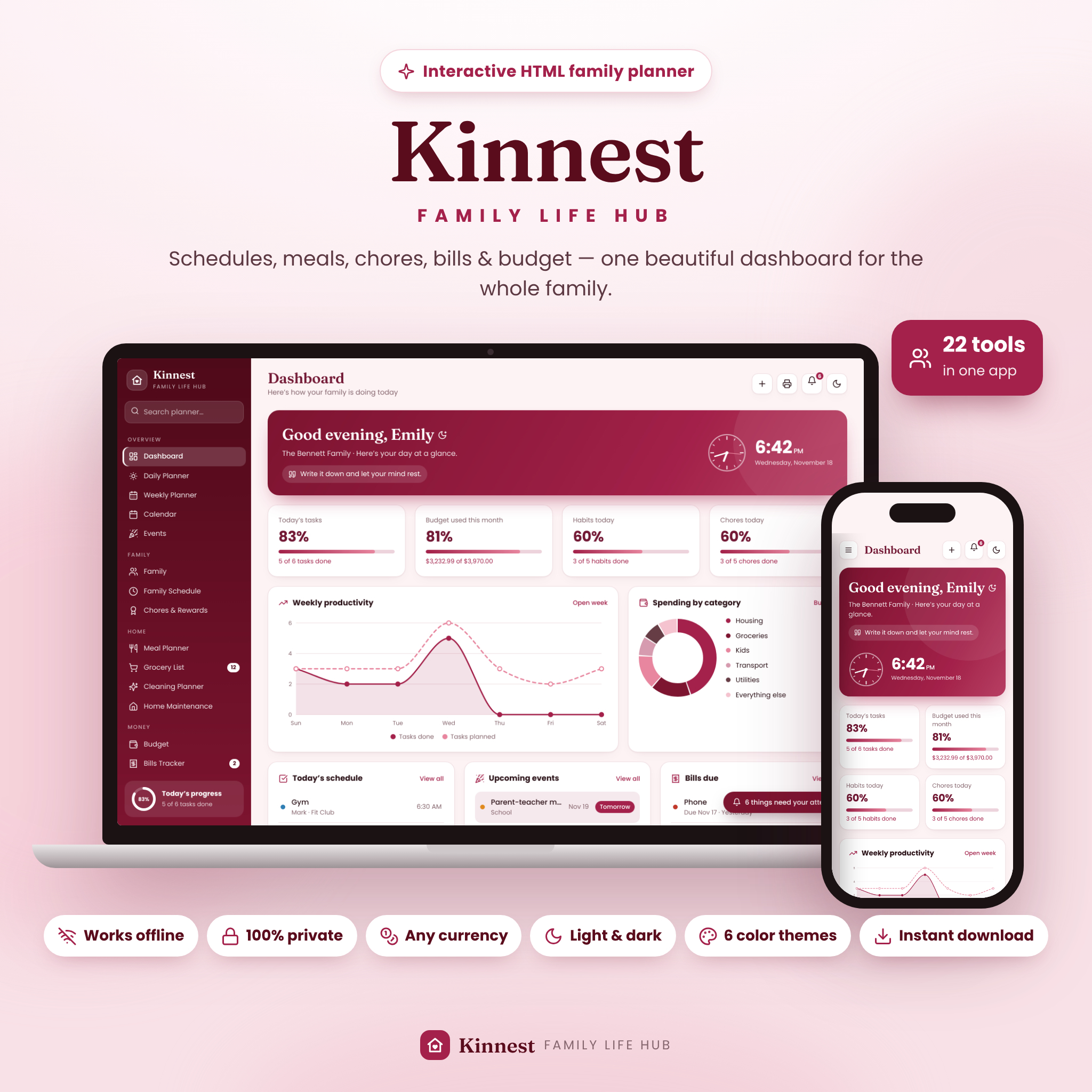
Kinnest Family Life Hub is an interactive family planner dashboard that brings your whole household into one calm, beautiful place. Schedules, meals, groceries, chores, cleaning, bills, budget, savings goals, habits and important family information all live together in a single offline app that opens in your web browser. Everything calculates and updates automatically, so you spend less time juggling lists and more time with the people on them.
There is no app to install, no account to create and no monthly subscription. Your information stays private on your own computer.
What this family planner dashboard does
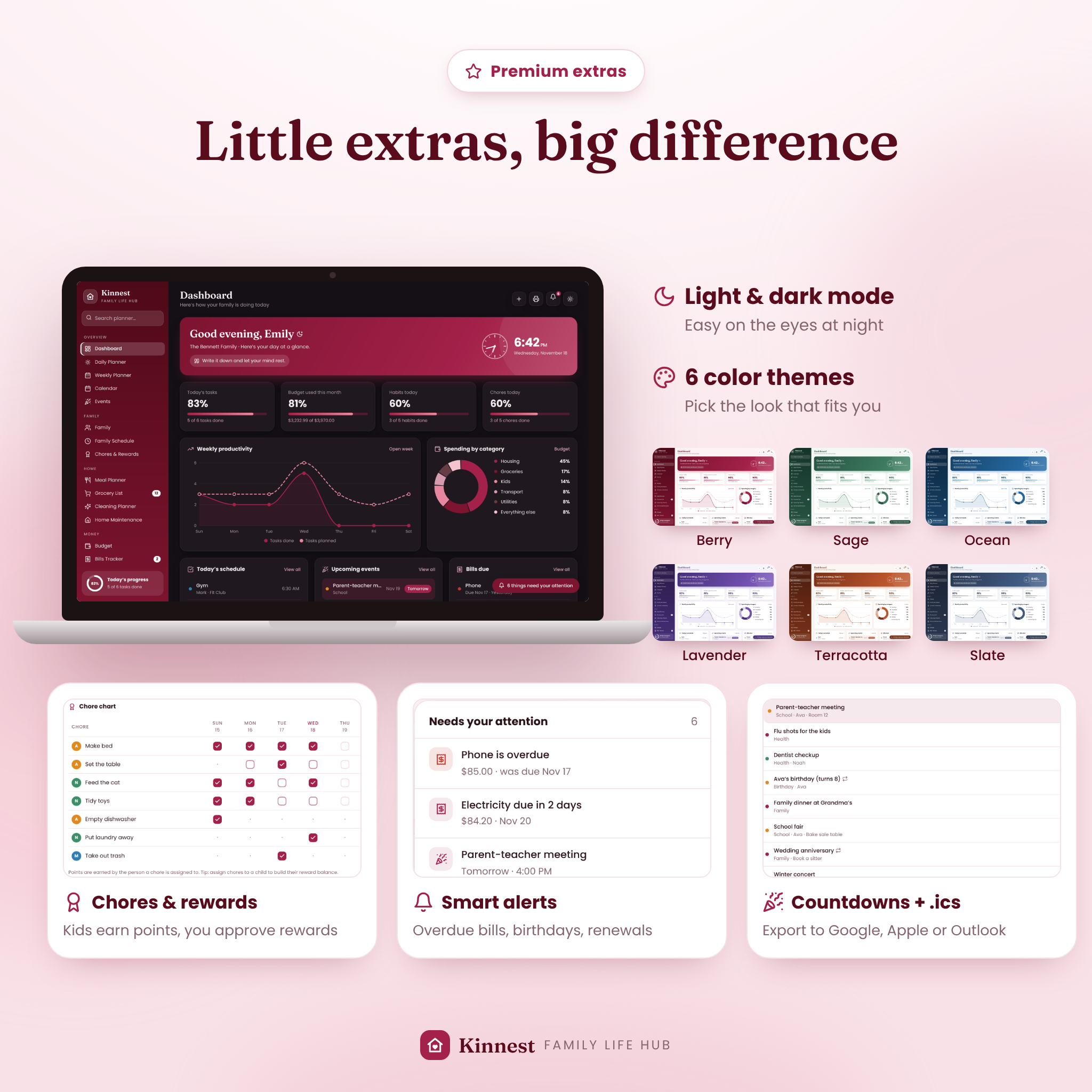
Kinnest replaces the sticky notes, spreadsheets, notebooks and half-used apps that busy families rely on. Open it in the morning and the dashboard greets you by name with a live clock, today’s schedule, upcoming events, bills due, today’s meals and progress rings for tasks, budget, habits and chores. A bell icon gathers everything that needs your attention: overdue bills, birthdays, events in the next two days, over-budget categories, home jobs that are due and documents about to expire.
Who it’s for
- Busy moms, dads and caregivers who want one home for the whole family’s plans
- Families with kids who need a chore chart, activity schedule and school details in one place
- Anyone managing a household budget who wants bills and spending limits that calculate themselves
- Privacy-minded families who prefer their information to stay on their own device
Main benefits
- One place for everything: 22 connected pages instead of a dozen apps
- Automatic calculations: budgets, bill totals, savings targets, streaks and progress update as you type
- Less mental load: smart alerts and countdowns remind you before things slip
- Kids get involved: a points-based chore chart with rewards they can redeem
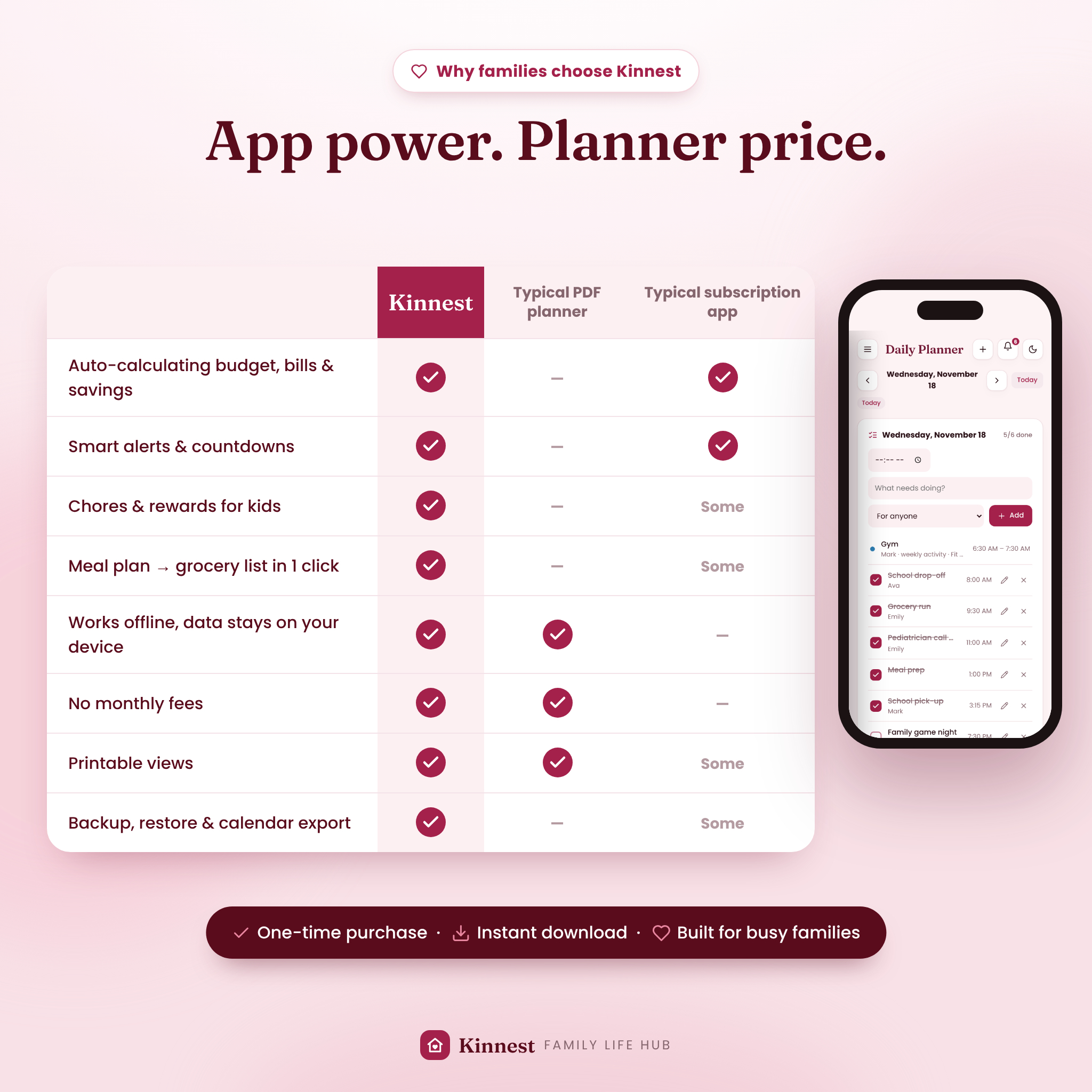
- Pay once, use forever: no subscription, no login, works offline
Features
Planning and calendar
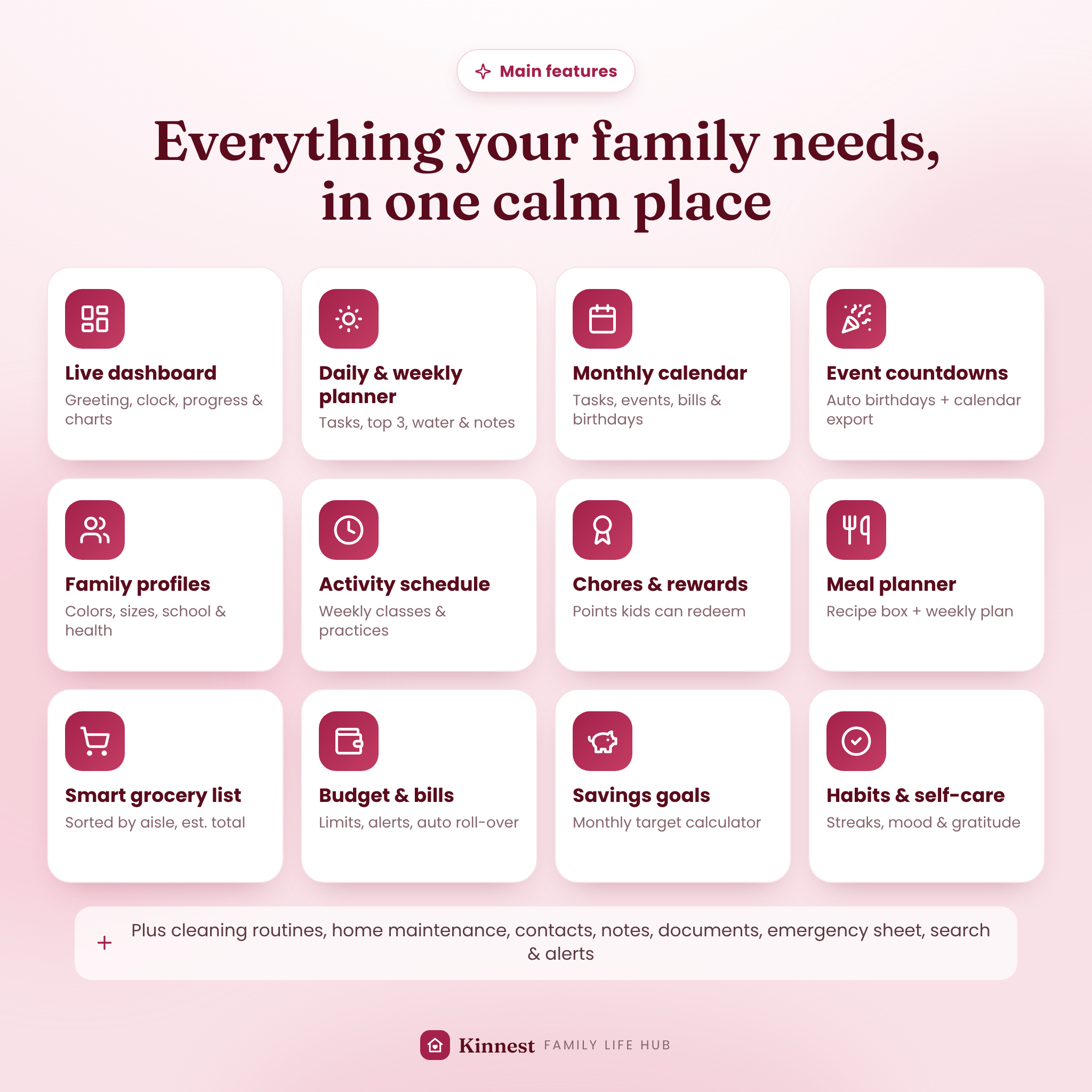
- Live dashboard with greeting, analog and digital clock, daily affirmation, KPI cards and charts
- Daily planner with timed tasks, priorities, Top 3, water tracker and day notes
- Weekly planner board with a weekly focus and progress-by-day chart
- Monthly calendar showing tasks, events, unpaid bills and birthdays, color-coded by person
- Upcoming events with countdown chips, category filters, yearly repeats and calendar export (.ics) for Google, Apple and Outlook Calendar
Family
- Family profiles with colors, ages, birthdays, school, teacher, doctor, allergies, medications and clothing and shoe sizes
- Weekly family schedule for lessons, practices and clubs, filterable by person and exportable to your calendar
- Chores and rewards chart with points, a leaderboard and one-click reward redemption
Home
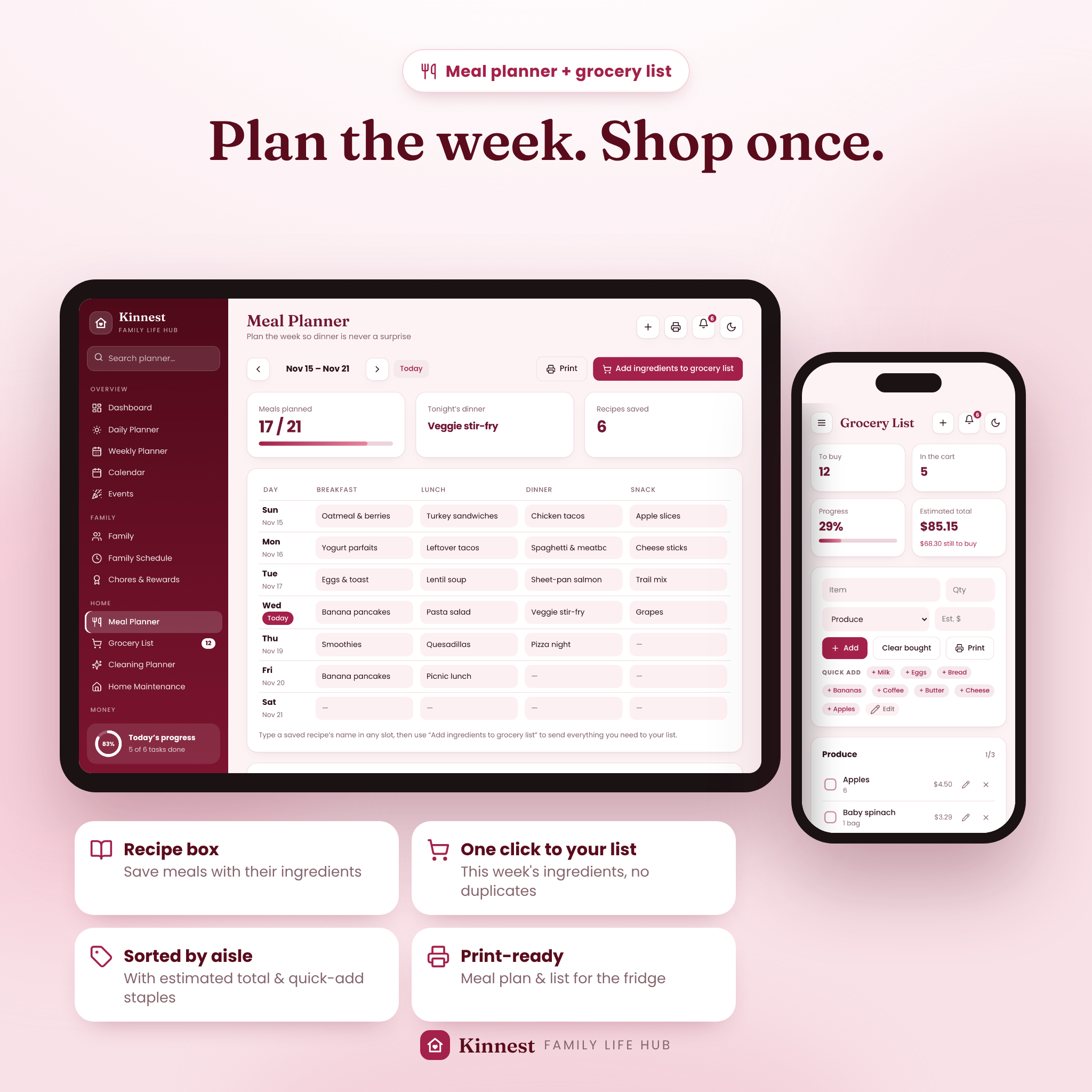
- Weekly meal planner (breakfast, lunch, dinner and snack) with a recipe box
- One-click “add ingredients to grocery list” that skips duplicates and sorts items by aisle
- Grocery list with quantities, estimated prices, running total, quick-add staples and print view
- Cleaning planner with daily, weekly and monthly routines that reset automatically
- Home maintenance tracker with repeat intervals, next due dates and overdue alerts
Money
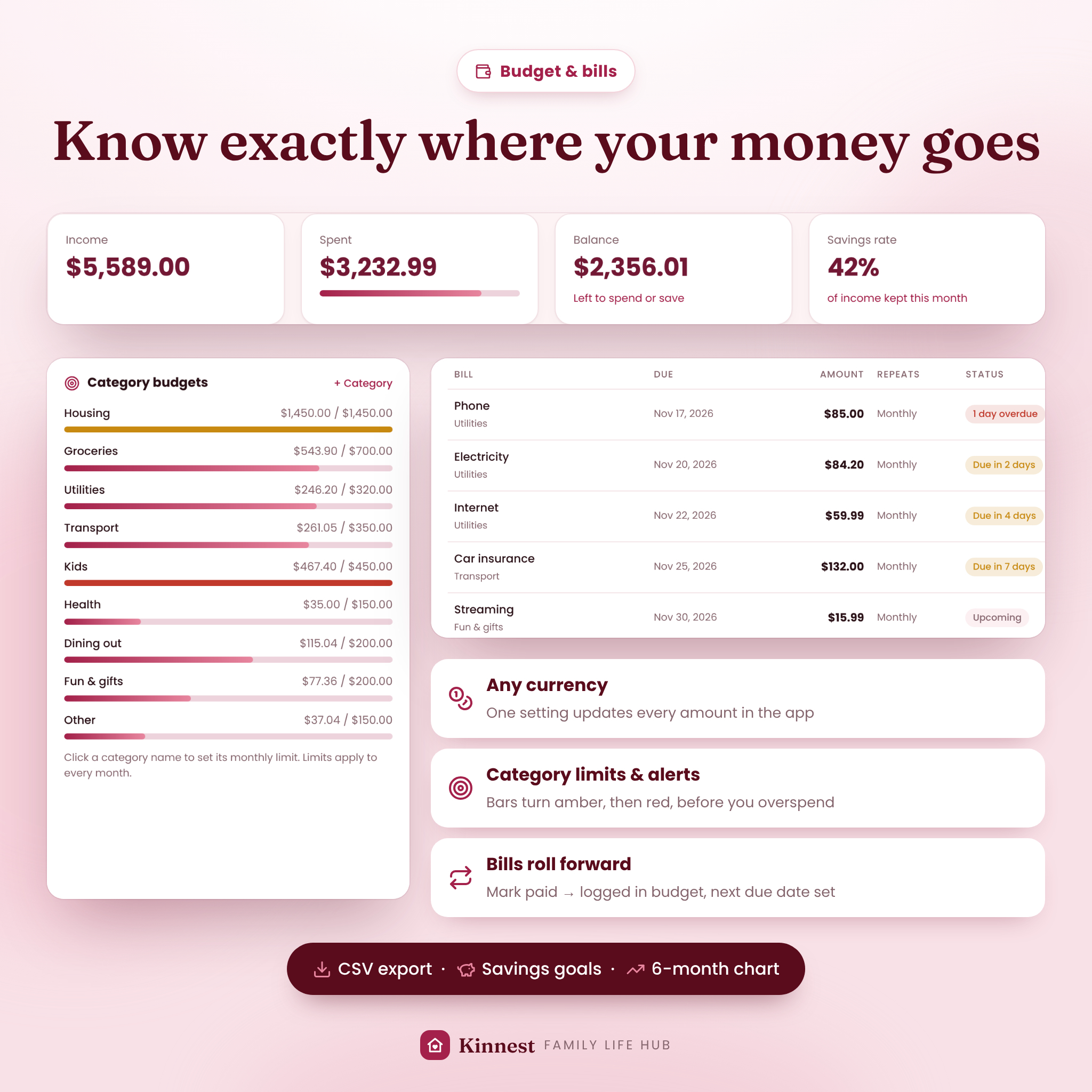
- Budget and finance tracker with income, expenses, category limits, color warnings, balance and savings rate
- 6-month income vs spending chart, spending-by-category chart and CSV export
- Bills tracker: mark a bill paid and it is logged in your budget and rolls to its next due date (with undo)
- Savings goals with progress rings, deposits and withdrawals, and the monthly amount needed to hit your date
- One currency setting for every amount: 19 currencies or your own symbol
Wellbeing and organization
- Habit tracker with weekly grid, streaks and completion chart
- Self-care page with mood check-in, 14-day mood chart, self-care checklist, gratitude journal and sleep log
- Goals with step-by-step checklists and automatic progress
- Contacts with one-tap call and email, notes with colors and pins, and an important documents tracker with expiry alerts
- Printable emergency info sheet for sitters with medical details and emergency contacts
Design and convenience
- Light and dark mode plus 6 color themes: Berry, Sage, Ocean, Lavender, Terracotta and Slate
- Global search, quick-add button, undo after deleting, and keyboard shortcuts
- Print-friendly pages for US Letter and A4
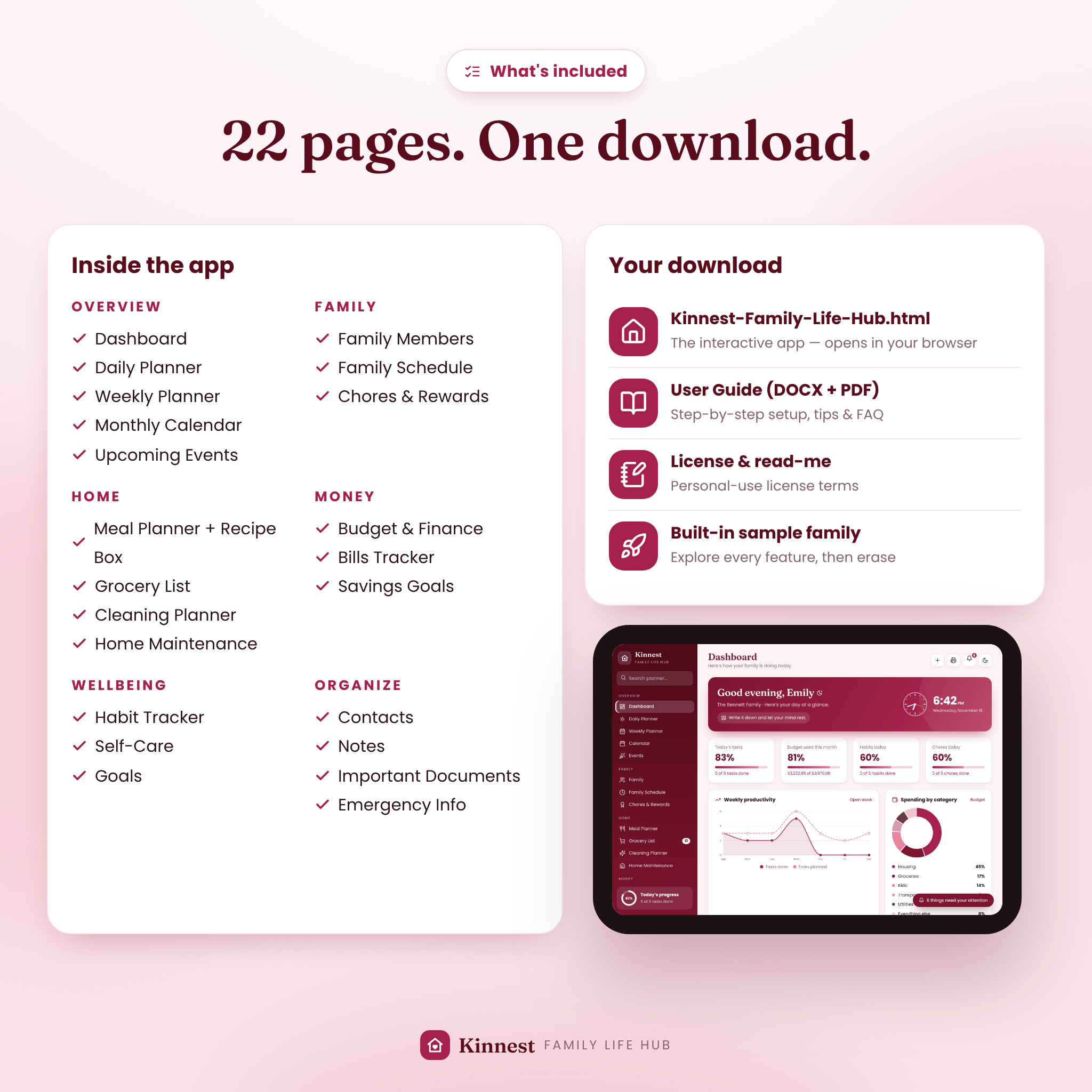
- Built-in sample family so you can explore every feature first
- One-click backup and restore to protect your data or move to another computer
What’s included
- Kinnest-Family-Life-Hub.html: the interactive family organizer app
- User Guide in DOCX and PDF: setup, every page explained, customization, backups, tips, troubleshooting and FAQ
- README and License: quick start steps and personal-use license terms
How it works
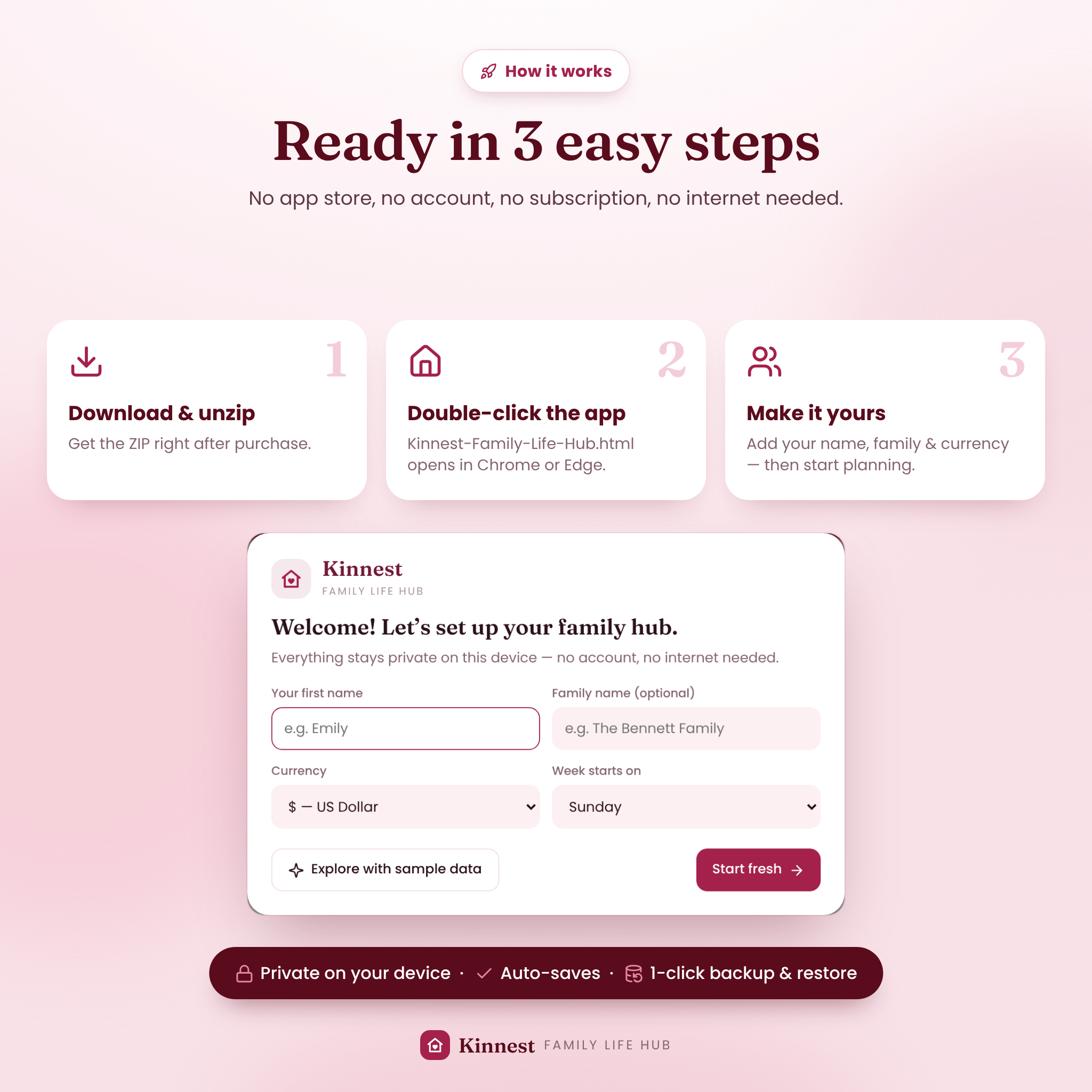
- Download the ZIP file after purchase and unzip it.
- Double-click Kinnest-Family-Life-Hub.html. It opens in your browser.
- Enter your name, family name, currency and week start, or explore the sample family first.
- Add your family, bills and meals, and start planning. Everything saves automatically.
File format and requirements
- Format: a single offline HTML file (delivered in a ZIP with the user guide)
- Recommended: a laptop or desktop computer (Windows, Mac or Chromebook) with Google Chrome or Microsoft Edge
- No internet connection, account, app store or subscription needed
- Data is stored in your browser on your device; download a backup regularly
Customization
Make Kinnest yours in Settings: your name and family name, currency (or a custom symbol), Sunday or Monday week start, 12- or 24-hour time, daily water goal, color theme and dark mode. You can also rename budget categories and set their limits, edit quick-add grocery staples, customize your self-care checklist, and create your own chores, rewards, recipes, cleaning routines and maintenance tasks.
Digital download
This is an instant digital download. No physical item will be shipped. Your files are available right after payment. Licensed for personal use in one household; please do not resell, share or redistribute the files.
Real-life ways families use Kinnest
- Sunday reset: plan the week’s dinners, send ingredients to the grocery list, check which bills are due and set a weekly focus.
- Busy school mornings: glance at today’s schedule, who has soccer or swim class, and what’s for lunch.
- Kids’ chores: children tick off chores, watch their points grow and redeem a movie-night pick.
- Payday budgeting: log income, review category limits and move money into savings goals.
- Date night: print the emergency sheet with allergies, bedtimes and contacts for the babysitter.
Frequently asked questions
Is this a printable or a digital planner?
It’s an interactive digital family planner that runs in your browser. Many pages, like the meal plan, grocery list and emergency sheet, can also be printed.
Do I need internet, an account or a subscription?
No. It works offline, with no sign-up and no monthly fees.
Is my family’s information private?
Yes. Everything is saved in your browser on your own device and is never uploaded.
Can I use my own currency?
Yes. Choose from 19 currencies or type your own symbol; every amount updates instantly.
Does it work on a phone or tablet?
Kinnest is designed for laptop and desktop browsers, and its layout adapts to smaller windows. Opening local HTML files on phones and tablets depends on your device, so a computer is recommended as your main device.
Can my partner and I share it?
Data doesn’t sync automatically between devices. Use one shared computer, or pass the backup file between you and restore it.
What if I clear my browser history?
Clearing site data can remove your planner data, so download a backup from Settings regularly. Restoring takes one click.
Reviews
There are no reviews yet.