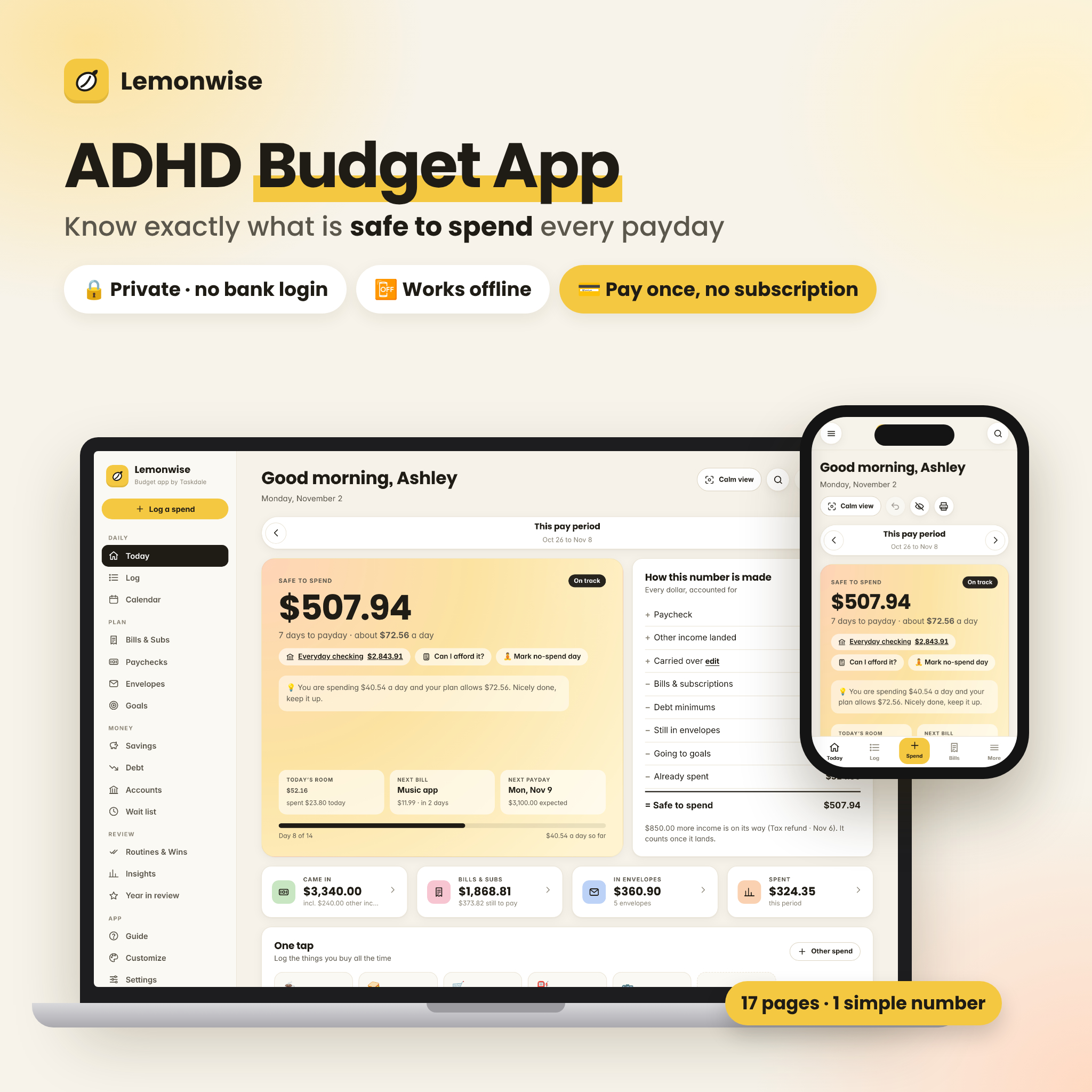
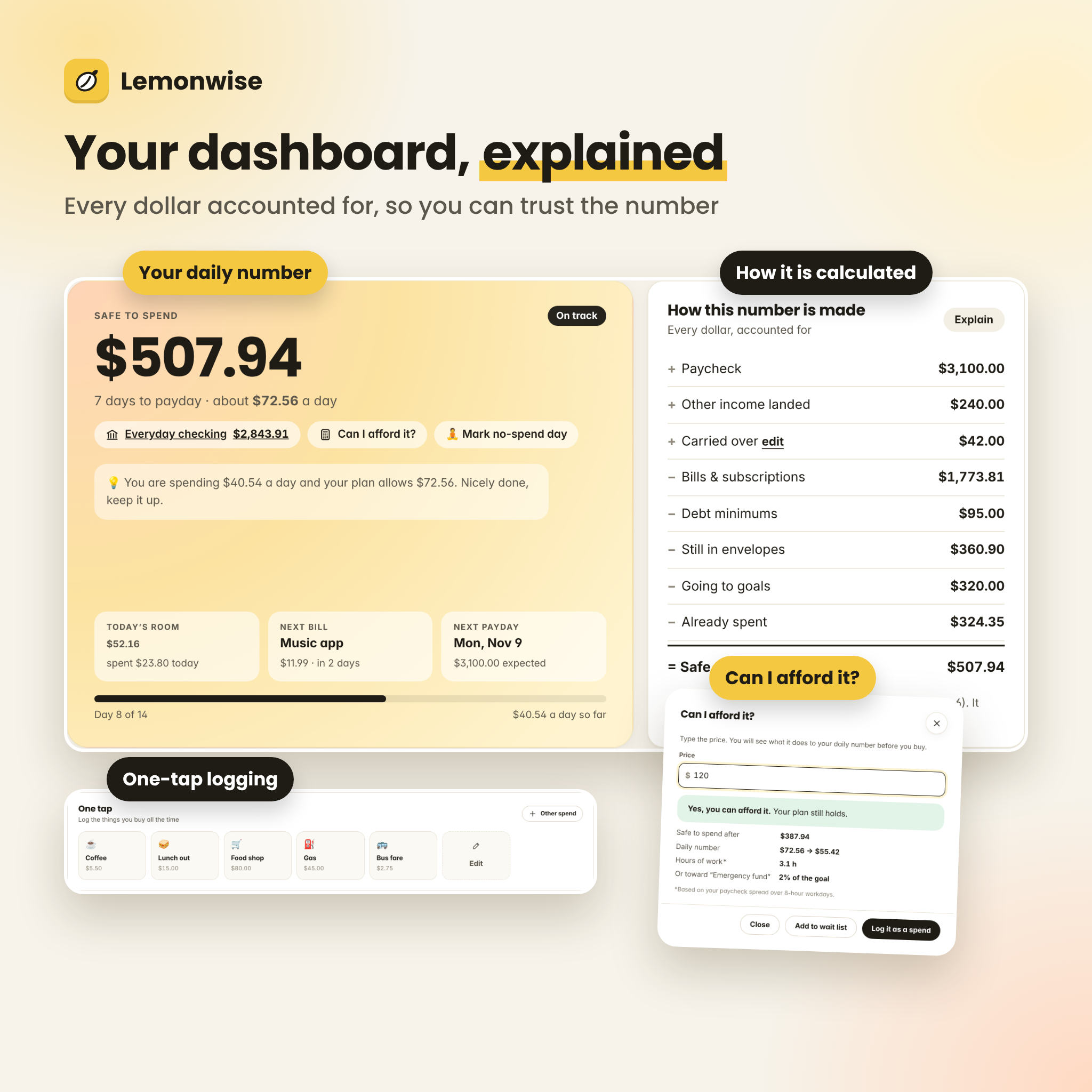
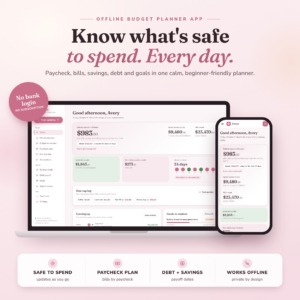
Lemonwise is an ADHD budget planner app that tells you the one number that matters: how much is safe to spend until payday. Not what you earned, and not what is sitting in your account, but what is truly free after your bills, debt minimums, everyday envelopes and savings goals are taken care of. It is a complete paycheck budget tracker in a single file that opens in your browser, works offline and never asks for a bank login or a monthly subscription.
A calm ADHD budget planner app built for real life
Budget spreadsheets are full of formulas, tabs and blank cells that are easy to abandon. Lemonwise does the math for you and shows it in plain English. Open it, glance at your Safe to spend number and your daily amount, log a spend with one tap, and get on with your day. On low-energy days, Calm view hides everything except your number and a Log button.
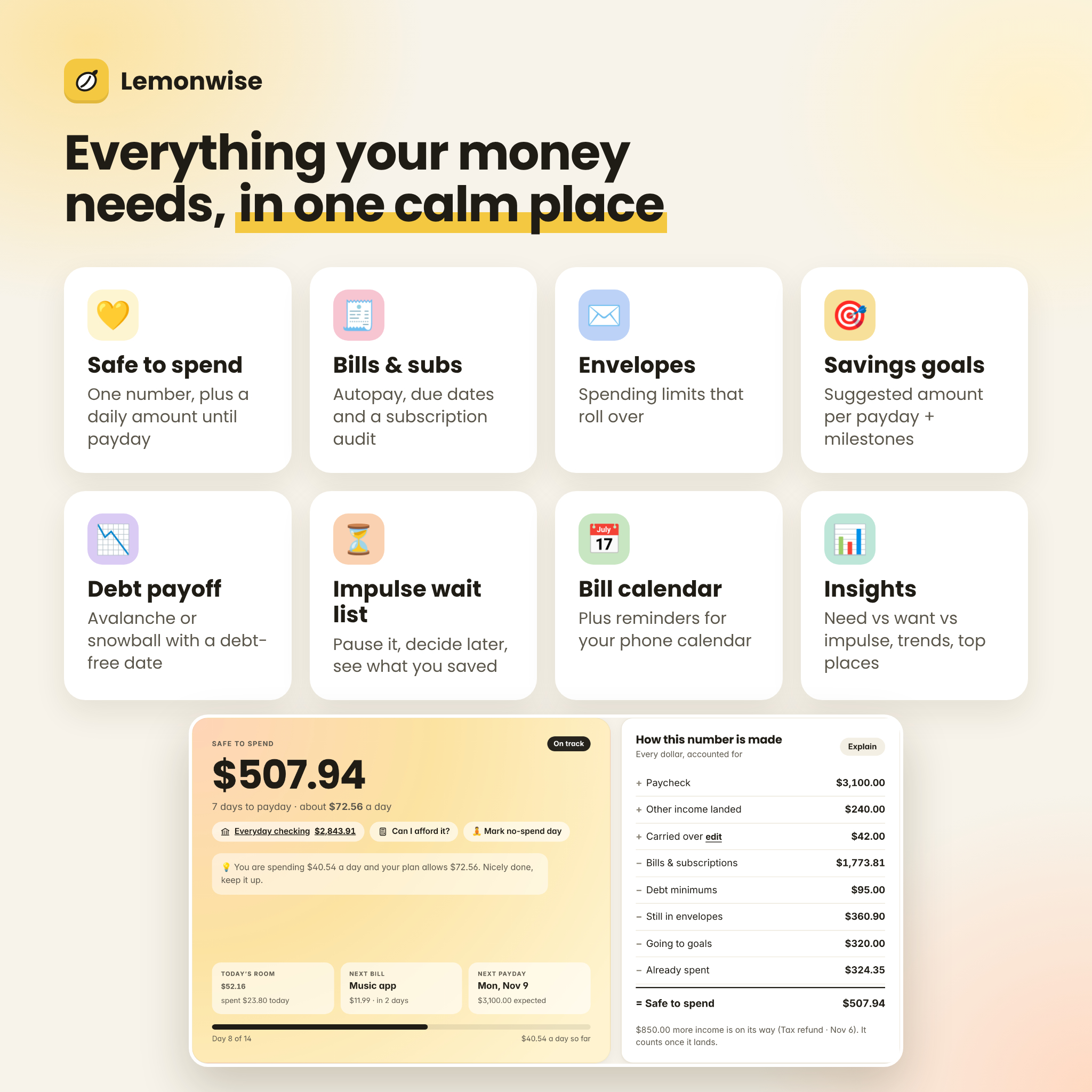
Every line of the number is explained under “How this number is made”, so you can trust it: paycheck, other income that has landed, carry-over, bills and subscriptions, debt minimums, money still in envelopes, goal set-asides and what you have already spent.
Who it is for
- ADHD brains and busy people who want low effort, quick wins and no overwhelm
- Anyone paid weekly, every two weeks, twice a month, every four weeks or monthly
- People paying down credit cards or loans who want a real debt-free date
- Privacy-minded budgeters who do not want to connect a bank to an app
- Couples and households sharing one budget on one computer
Features
Daily
- Today dashboard: Safe to spend, daily number, status (On track, Slow down, Over plan), next bill, next payday, a coaching tip and charts of where your money went
- One-tap shortcuts for the things you buy all the time (up to 8)
- Can I afford it? Type a price and see your new daily number before you buy
- Need / Want / Impulse tags so you can spot impulse spending patterns
- Log with search and filters, plus bank CSV import (duplicates skipped) and CSV export
- Calendar of paydays, bills and heavier spending days, with downloadable reminders for Google, Apple or Outlook calendar
Plan
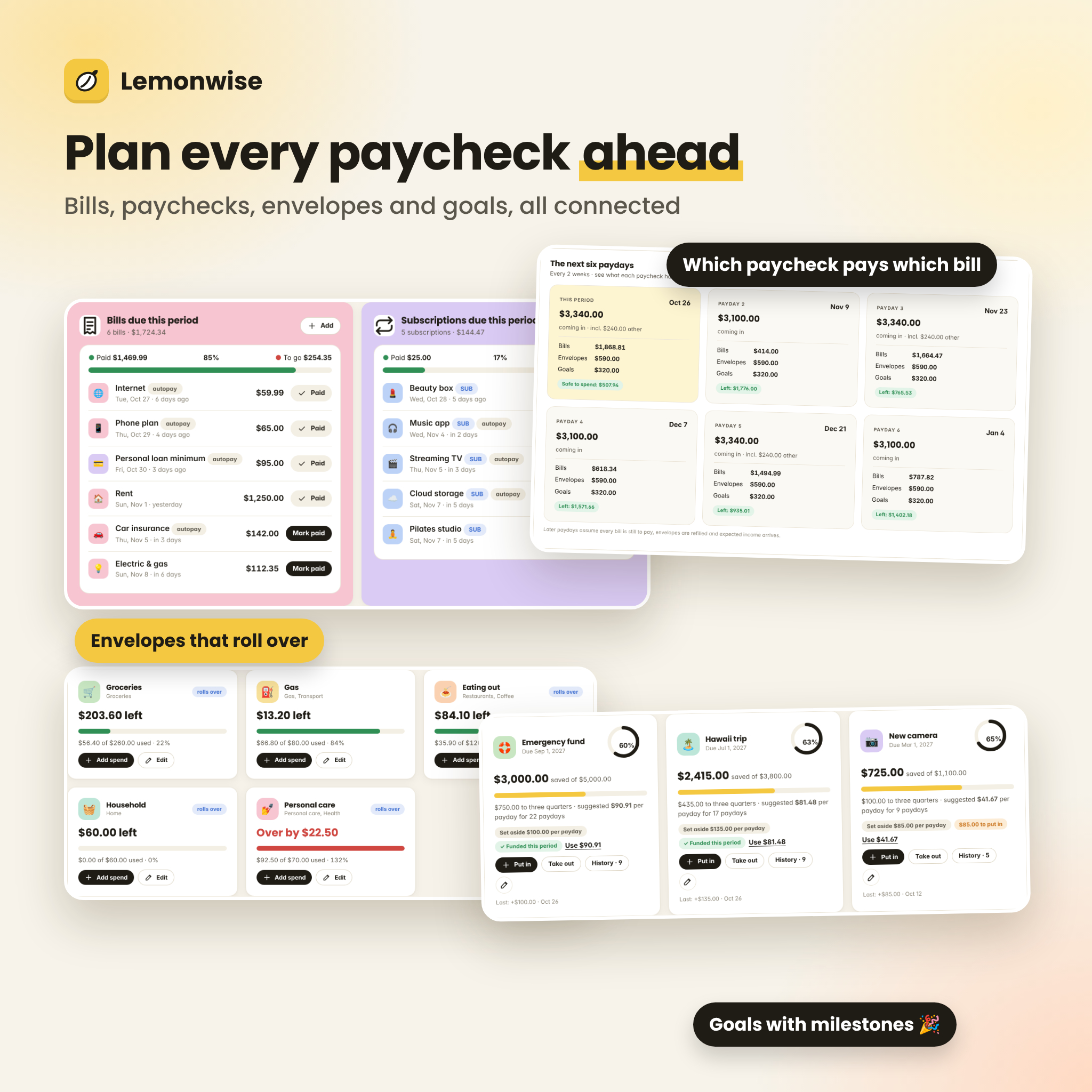
- Bills & subscriptions with autopay, due dates, paid tracking and a subscription audit (keep, review or cancel, with yearly savings)
- Paychecks: main pay, side income, “confirm what landed” for variable pay, the next six paydays, which paycheck pays which bill, and 3-paycheck month alerts
- Envelopes for everyday spending, with rollover and moving money between envelopes
- Savings goals with a suggested amount per payday and milestone celebrations
Money
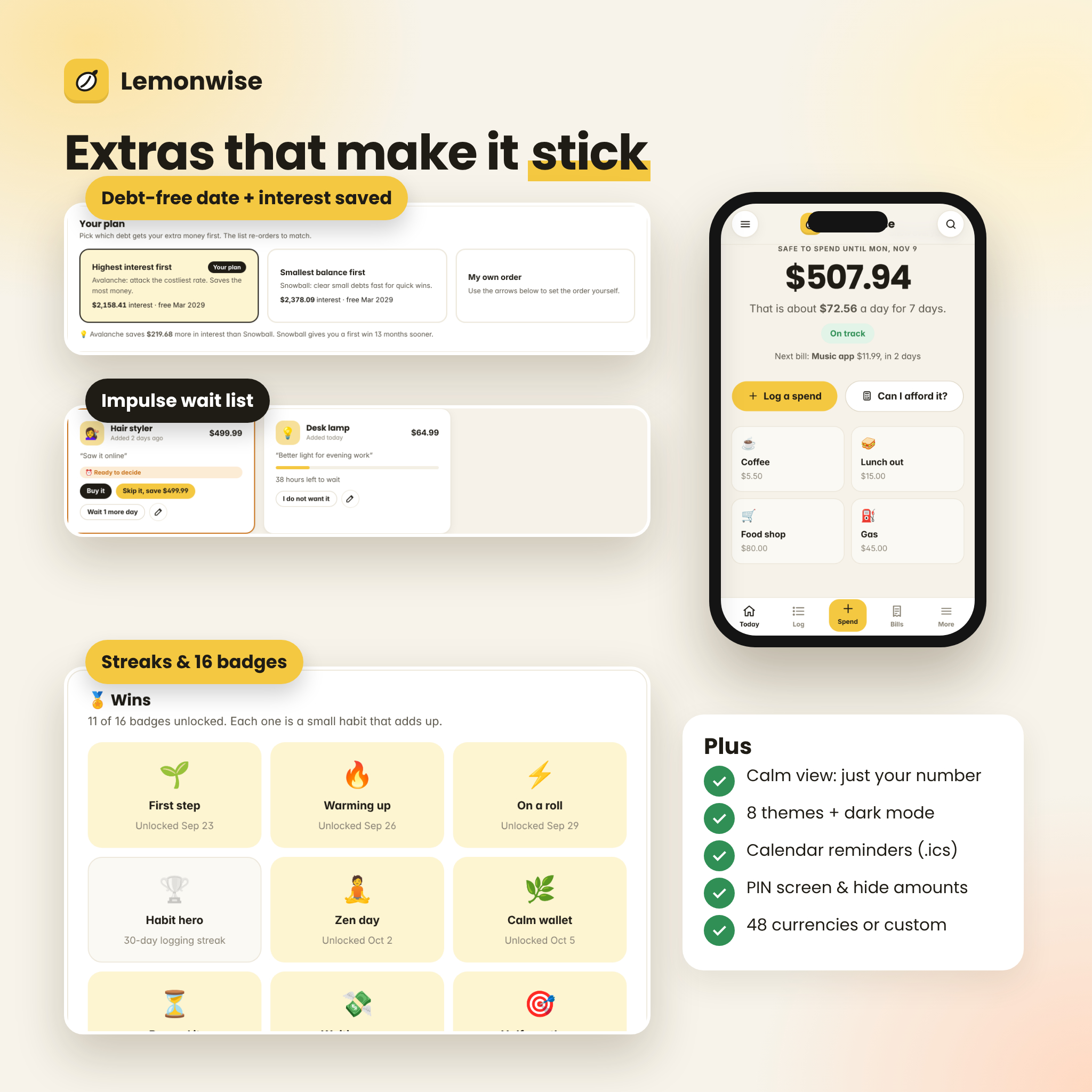
- Debt payoff planner: avalanche, snowball or your own order, an extra-payment simulator, interest saved and a debt-free date chart
- Savings: total saved, savings streak and an emergency cushion that shows how many months you are covered
- Accounts: checking, savings, cash and credit cards, transfers and a monthly net worth trend
- Impulse wait list: park a purchase for 24 hours to 30 days, then buy or skip it and watch your “saved by waiting” total grow
Review
- Routines & Wins: payday, weekly and monthly checklists, logging streaks, no-spend days and 16 badges
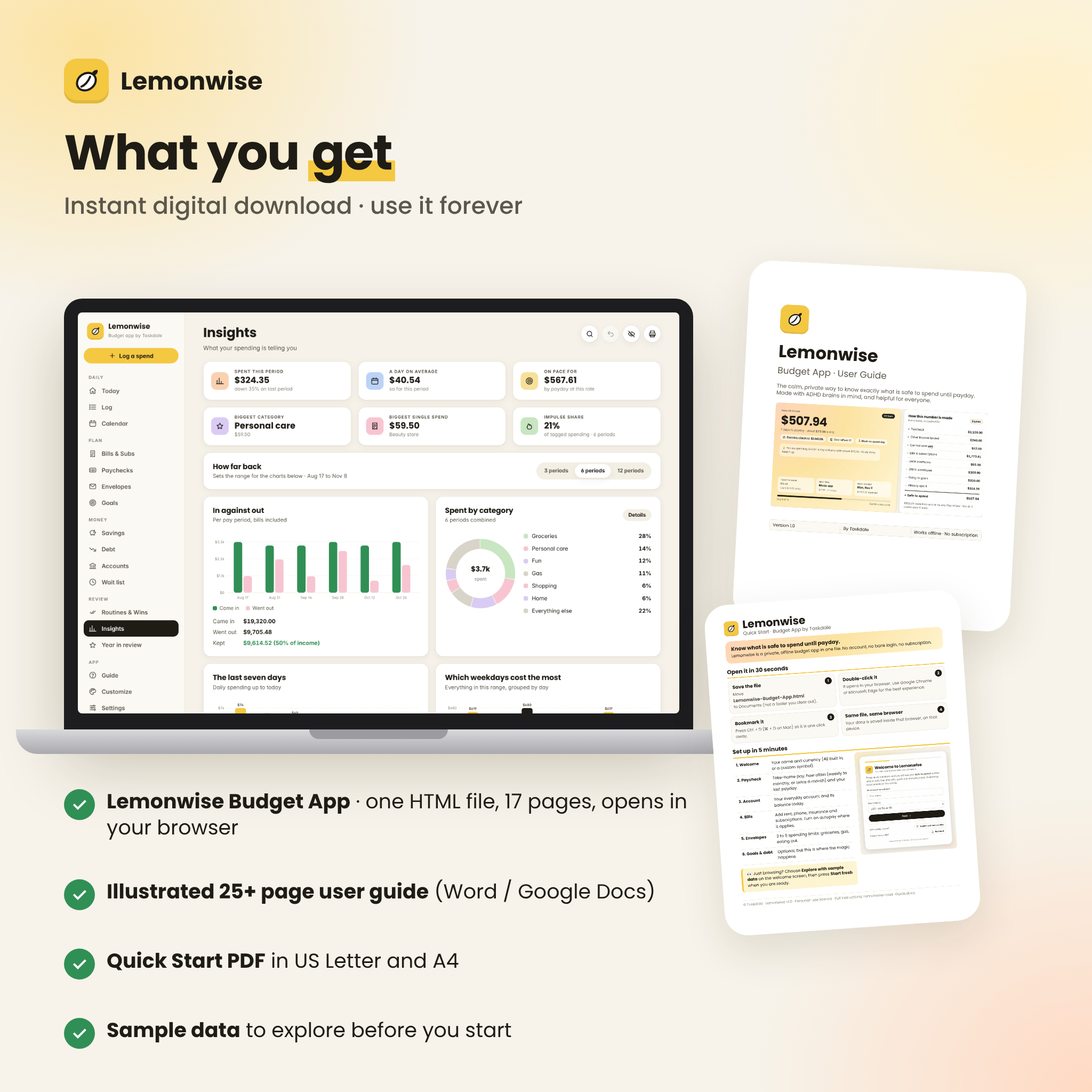
- Insights: in vs out, spending by category, weekdays, last seven days, top places and envelopes against plan
- Year in review with month-by-month totals, highlights and reflection prompts
What is included
- Lemonwise Budget App (one HTML file, 17 pages)
- Illustrated user guide (Word .docx, opens in Word, Google Docs, Pages or LibreOffice)
- Quick Start PDF in US Letter and A4
- License file
- Optional sample data so you can explore every feature before entering your own numbers
How it works
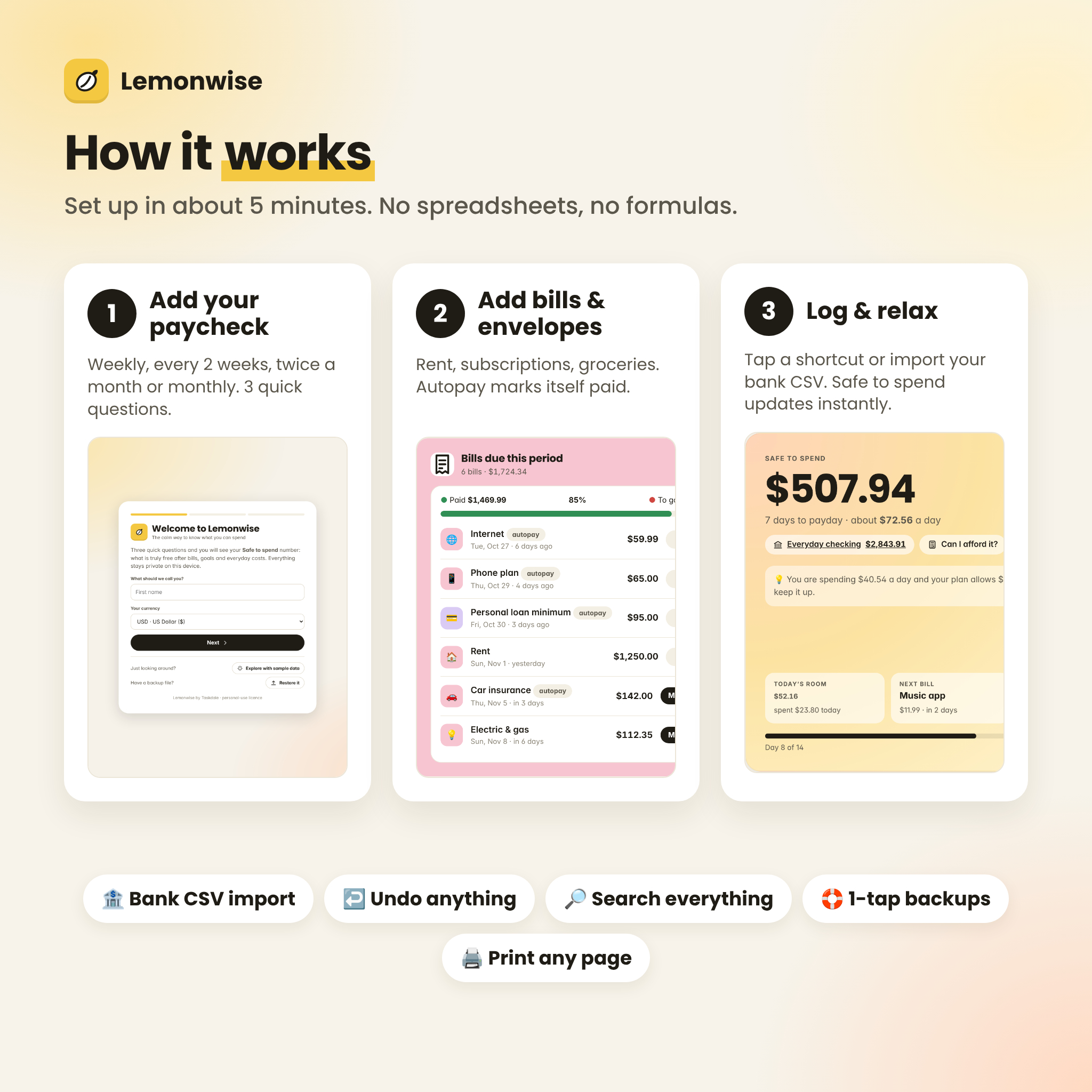
- Download the ZIP and open Lemonwise-Budget-App.html in Google Chrome or Microsoft Edge.
- Answer three quick questions: your name and currency, your paycheck, and your everyday account balance.
- Add your bills, a few envelopes and any goals or debts.
- Log spends as you go (or import your bank CSV). Safe to spend updates instantly.
File formats and software requirements
- App: HTML file for Google Chrome or Microsoft Edge (Chromium-based browsers) on a computer, laptop or Chromebook. Fully tested in Chrome.
- Phones: the layout adapts to phone screens. On Android, open the file with Chrome. iPhone and iPad do not reliably run downloaded HTML files, so please use a computer if you are an Apple mobile-only user.
- Guide: DOCX. Quick start: PDF.
- No internet connection needed after download. No account, no subscription, no installs.
Customization
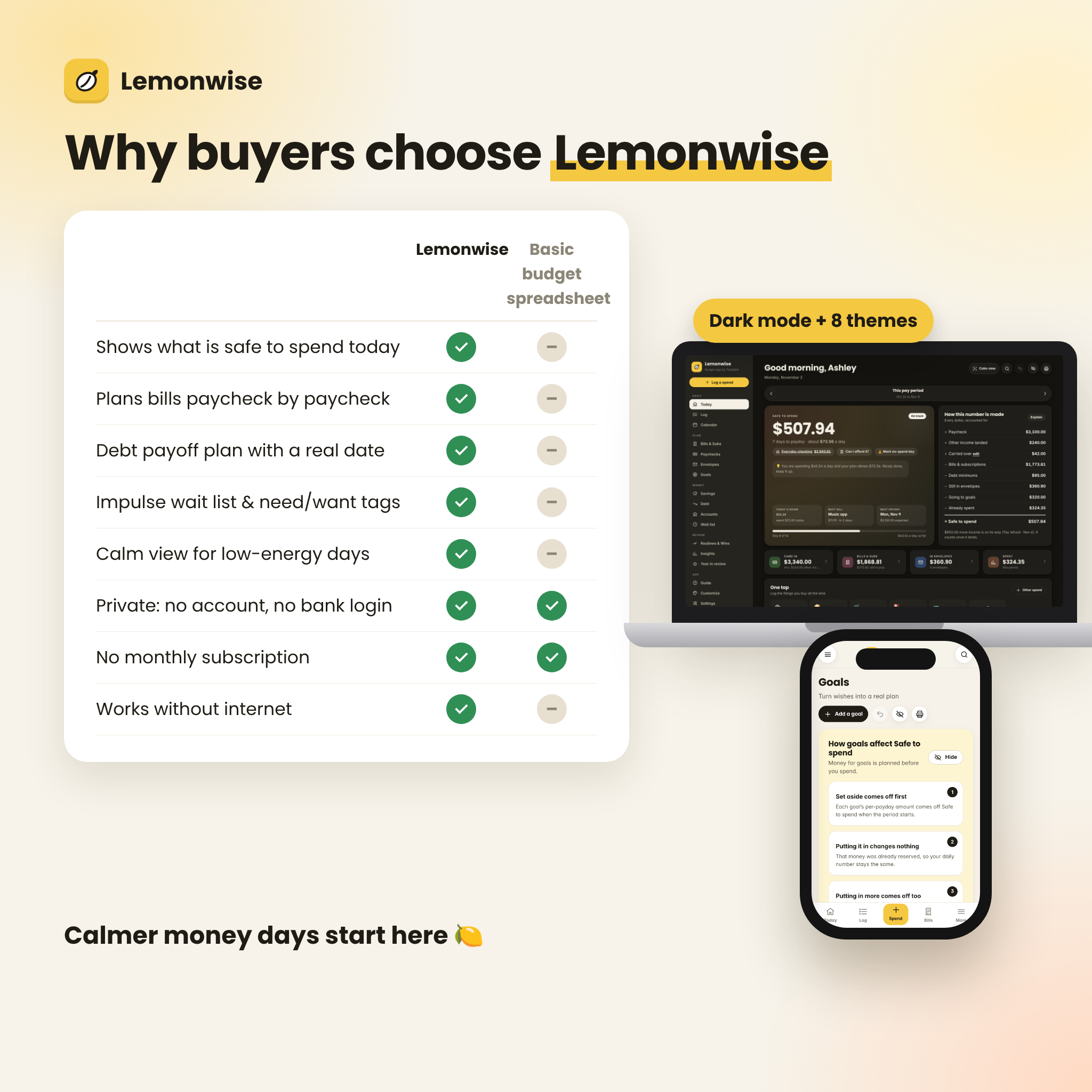
Choose from 8 color themes, light or dark mode, two font styles, three text sizes, compact or roomy spacing and reduced motion. Set your currency once in Settings (48 built in, or any custom symbol) and every amount in the app follows it. Rename and recolor categories, add auto-categorize rules, edit routines and shortcuts, and turn on a PIN screen or blur amounts for privacy.
Privacy and backups
Everything you enter stays in your own browser on your own device. Nothing is uploaded. Because of that, Lemonwise reminds you to download a backup file regularly, which you can restore anytime or use to move your budget to another computer. Clearing browser data or using a private window starts fresh, so keep your backup somewhere safe.
Real-life use cases
- Checking whether you can grab takeout tonight without derailing rent
- Planning which paycheck covers rent, insurance and the car payment
- Pausing an online cart for 48 hours, then skipping it and seeing the savings
- Building a 3-month emergency cushion one payday at a time
- Choosing between avalanche and snowball and seeing the interest difference
Digital download
This is an instant digital download. No physical item will be shipped. Your files are available right after purchase from your account. Because this is a digital product, all sales are final.
Frequently asked questions
Is this an app I install from an app store?
No. It is a single HTML file that opens in your web browser. There is nothing to install and no account to create.
Does it connect to my bank?
No. You type balances and spends, or import a CSV file you download from your bank. Your data never leaves your device.
Is there a monthly fee?
No. You pay once and keep the files.
Can I use it on my phone?
The layout is phone-friendly and works with Chrome on Android. On iPhone and iPad, downloaded HTML files do not run reliably, so we recommend using a computer.
I get paid every two weeks. Does it handle that?
Yes. Weekly, every two weeks, twice a month (for example the 1st and 15th), every four weeks and monthly are all supported, and 3-paycheck months are flagged.
Can I use a currency other than US dollars?
Yes. Pick from 48 currencies or set any custom symbol. Every amount updates at once.
What if my pay changes every time?
Set a typical amount, then confirm the real amount each payday. Only that pay period changes.
Is this financial advice?
No. Lemonwise is a personal organizing tool. For financial, tax or debt decisions, please talk to a qualified professional.
Personal-use license: please do not resell, share or redistribute the files. © Taskdale.
Reviews
There are no reviews yet.