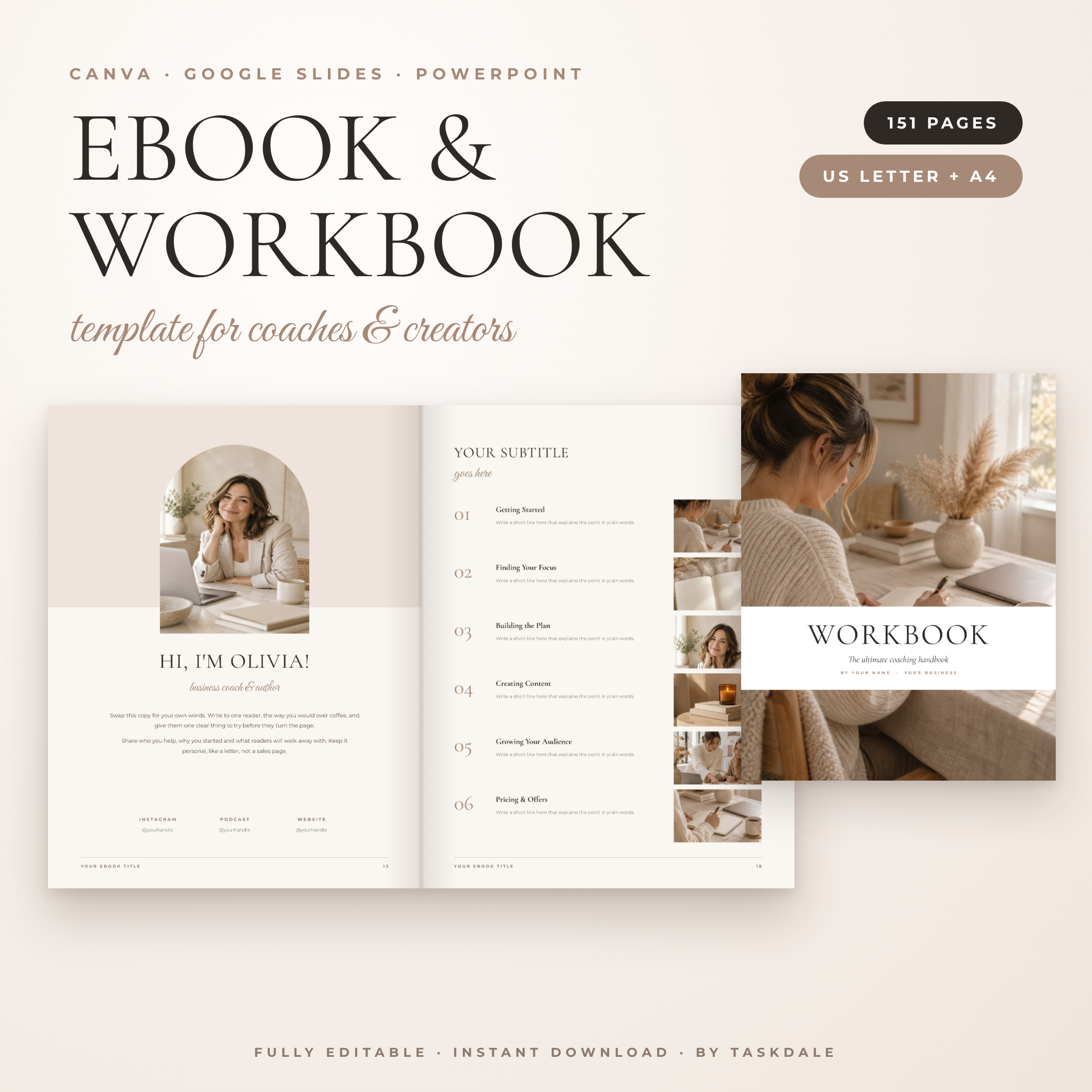
Soft Margins is an ebook template and workbook template with 151 editable pages, made for coaches, course creators and small business owners who want a polished book without paying a designer. Open it in Canva with one click, or edit the PowerPoint file in Google Slides or PowerPoint. Both US Letter and A4 sizes are included, ready to go.
The look is warm and calm: linen and taupe tones, an elegant serif for headings and plenty of white space. Readers notice when a guide feels considered. This one does.
What this ebook and workbook template does
It gives you every page type you need to turn your knowledge into a finished, sellable ebook or a client workbook. Covers, welcome pages, chapter openers, content layouts, checklists, worksheets, pricing pages and a thank-you page are already designed. You swap in your words and photos, then export a PDF.
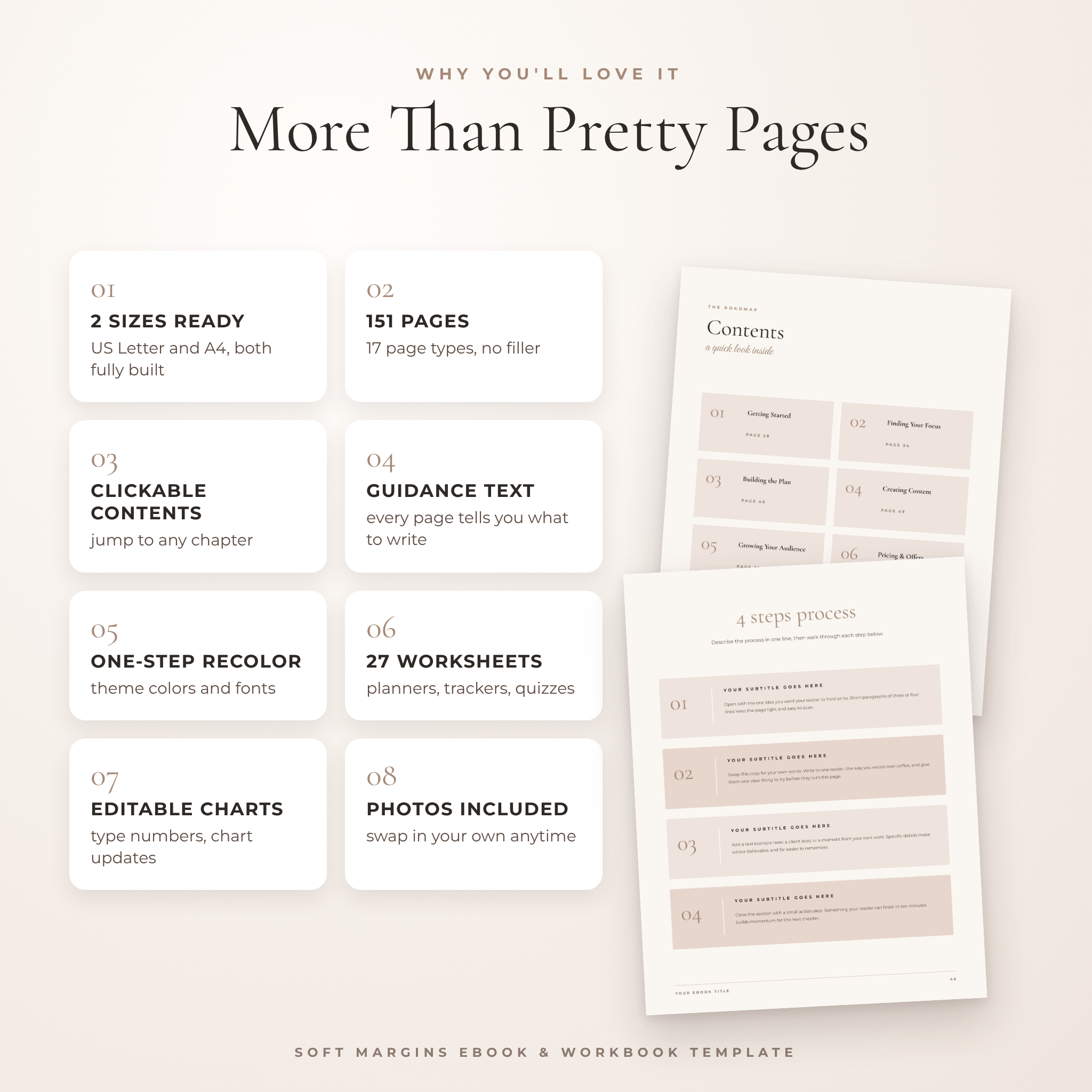
Most templates fill their pages with fake Latin text. Here, most pages carry short guidance that tells you what belongs there, like “open with the one idea you want your reader to hold on to.” It makes the blank-page problem a lot smaller.
Who it is for
- Coaches building a client workbook, program guide or welcome pack
- Course creators who need lesson pages, module overviews and worksheets
- Freelancers and service providers making a services or pricing guide
- Bloggers and podcasters creating a lead magnet or freebie
- Small business owners writing a how-to guide for their customers
What’s included
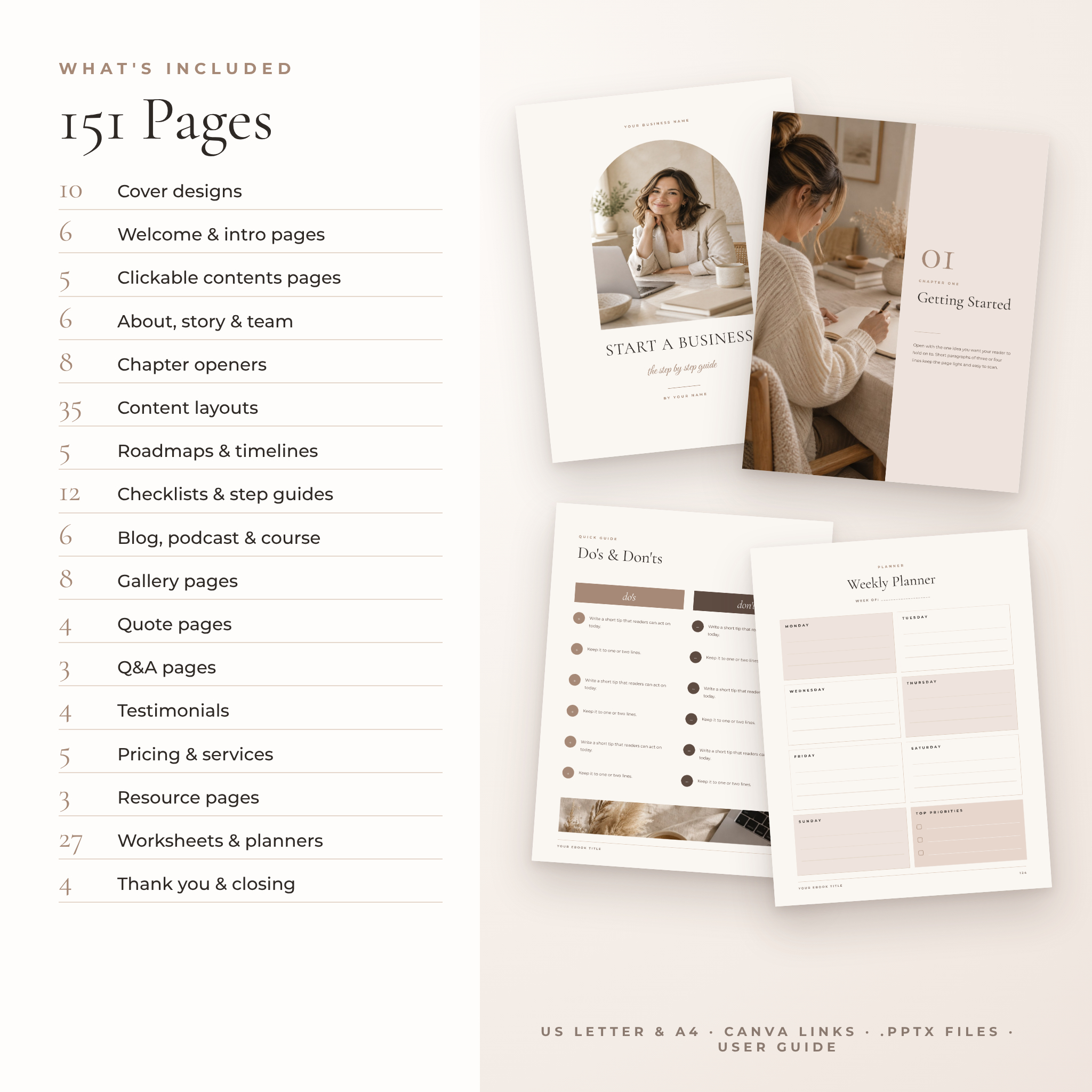
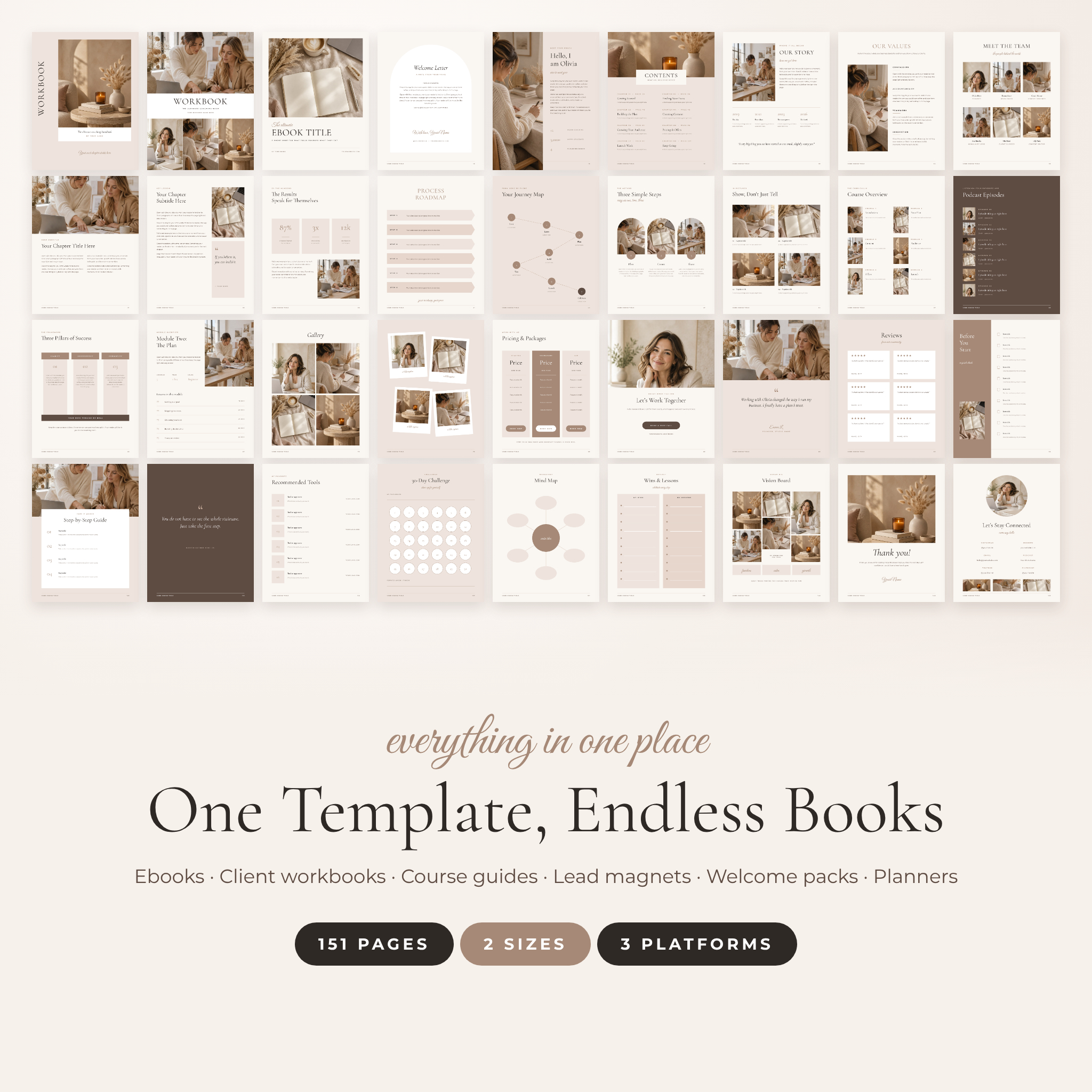
151 pages in two sizes
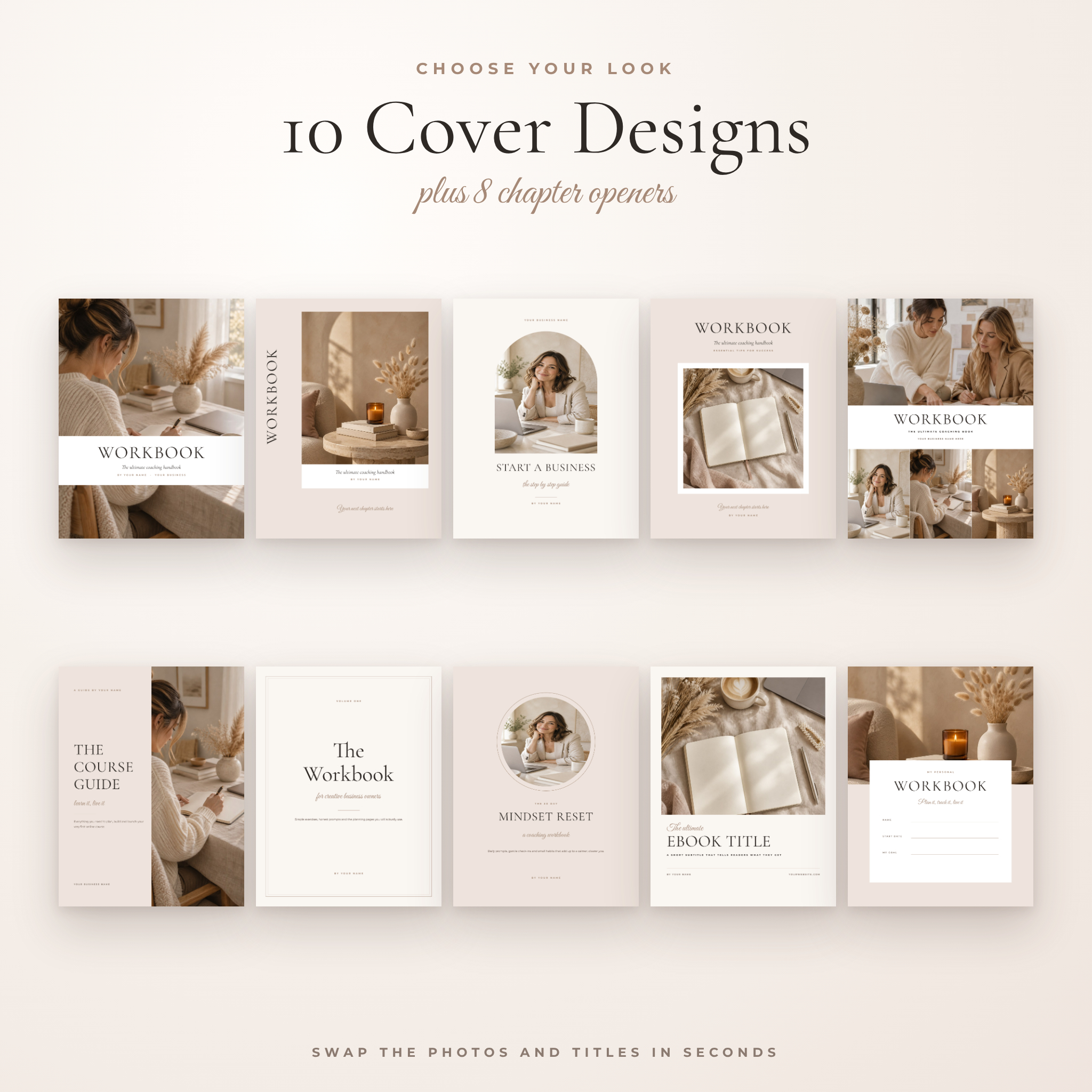
- 10 cover designs, including an arch cover, a typographic cover and a fill-in workbook cover
- 6 welcome and intro pages: copyright page, welcome letter, about the author, how to use this book
- 5 clickable table of contents layouts
- 6 about pages: our story, mission and vision, values, two team layouts, what we believe
- 8 chapter opener styles
- 35 content layouts: text, photo, tips grid, do’s and don’ts, step processes, case study, glossary, myth vs fact, comparison table, lesson page, module overview, interview, bar chart and donut charts
- 5 roadmap and timeline pages
- 12 checklists and step-by-step guides
- 6 blog, podcast and course pages
- 8 gallery layouts, from photo grids to polaroids
- 4 quote pages, 3 Q&A pages and 4 testimonial pages
- 5 pricing, services and booking pages
- 3 resource pages
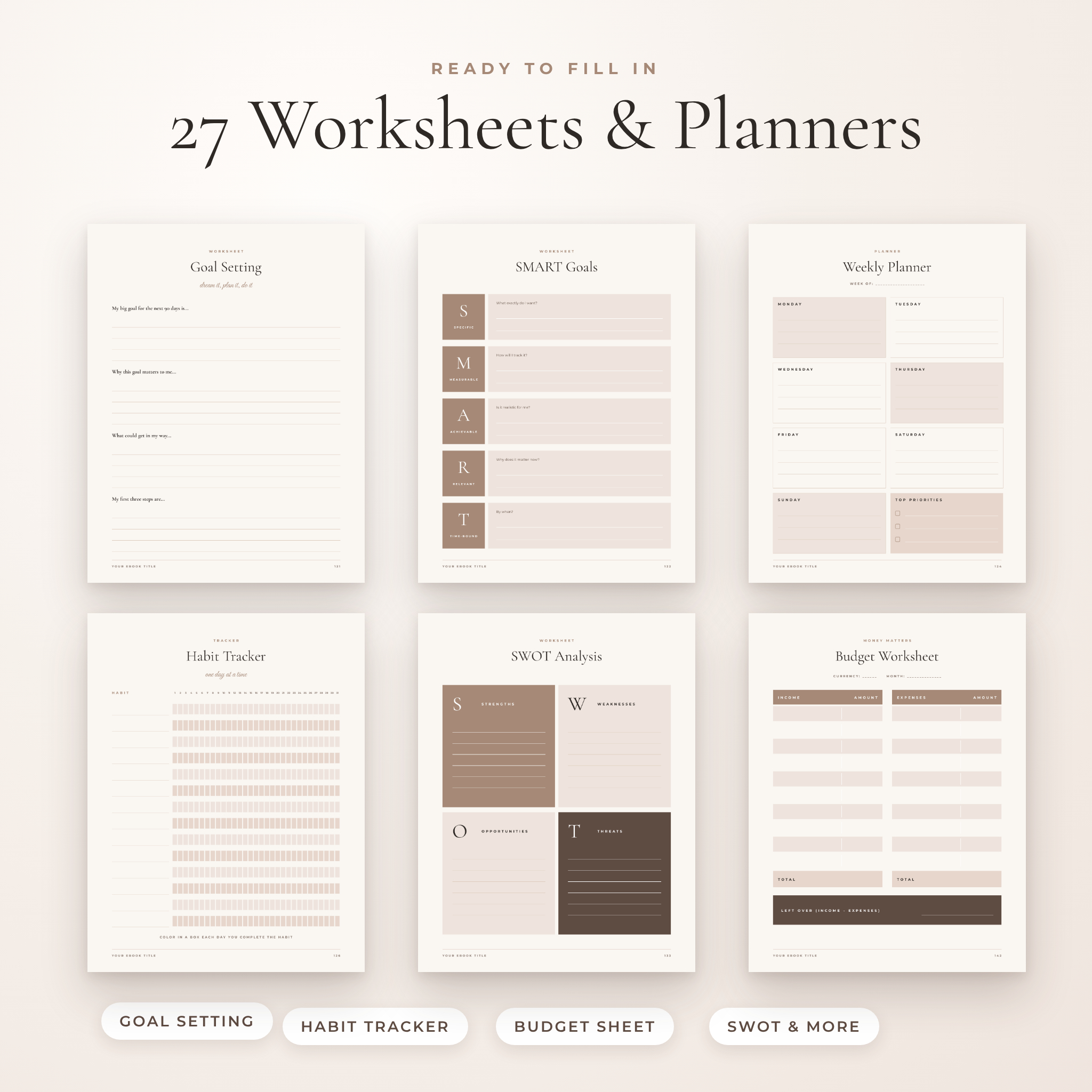
- 27 worksheets and planners
- 4 closing pages: thank you, next steps, stay connected and a back cover
Your download
- Start Here PDF with your Canva template links (US Letter and A4)
- US Letter .pptx file (8.5 x 11 in)
- A4 .pptx file (210 x 297 mm)
- Page Preview PDF with a clickable contents page
- User guide (.docx) covering setup, editing, recoloring, printing and troubleshooting
Features that save you time
- Two sizes, both finished. US Letter and A4 are separate, fully built versions. Nothing to resize, nothing cut off.
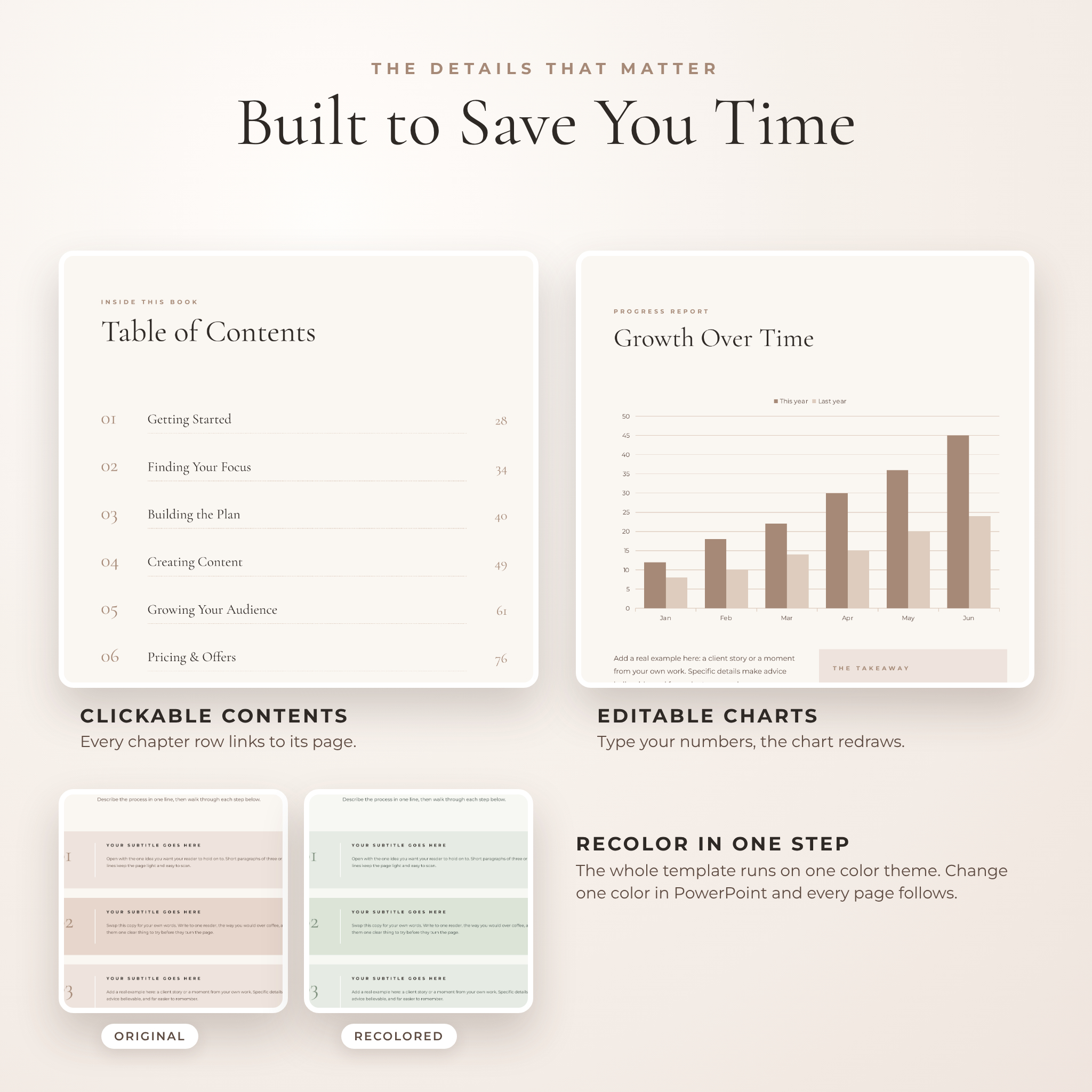
- Clickable contents pages. Each chapter row links to its chapter in PowerPoint, Google Slides and the preview PDF.
- Recolor in one step. The PowerPoint file runs on a single color theme, so changing one theme color updates all 151 pages.
- Editable charts. A bar chart and three donut charts redraw when you type new numbers.
- Automatic page numbers in PowerPoint and Google Slides.
- Photo frames that keep their shape. Arch and circle frames stay round when you swap the picture.
- Sample photos included, licensed for use inside the books you make.
The worksheets and planners
The 27 printable pages include goal setting, SMART goals, an action plan, weekly, monthly and daily planners, a 31-day habit tracker, a 30-day challenge, a progress tracker, a self-assessment, a quiz, a mind map, a brainstorm page, a SWOT analysis, a reflection journal, wins and lessons, pros and cons, a 5-step worksheet, a client intake form, lesson notes, lined and dot grid notes, a budget worksheet, a content planner, a priority matrix, an ideal client page and a vision board.
The budget worksheet keeps money fields neutral with a blank currency space, so it works anywhere in the world.
How it works
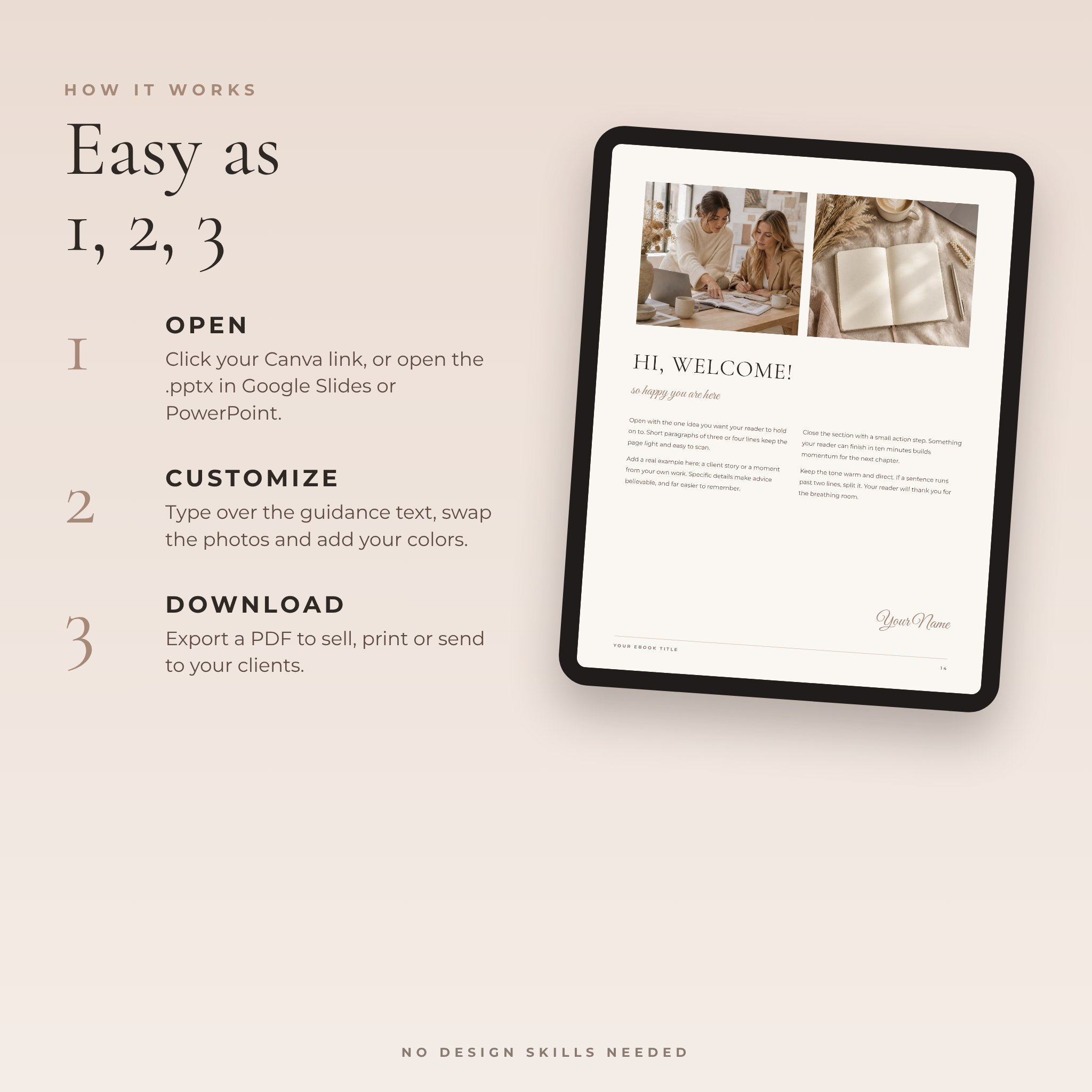
- Download your files after checkout.
- Open the Start Here PDF and click the Canva link for your size, or open the .pptx file in Google Slides or PowerPoint.
- Type over the guidance text, drag in your own photos and add your brand colors.
- Export a PDF to sell, print or send to your clients.
File formats and software
- Canva: template links for US Letter and A4. A free Canva account works.
- Google Slides: upload the .pptx file to Google Drive and open it.
- PowerPoint: open the .pptx file. Install the three free fonts first.
- Fonts: Cormorant Garamond, Montserrat and Great Vibes, all free from Google Fonts and already built into Canva and Google Slides.
Customization
Everything is editable: text, colors, fonts, photos, charts and page order. Duplicate the layouts you love, delete the ones you don’t need and add your logo. The user guide walks you through each step for Canva, Google Slides and PowerPoint.
Digital download
This is a digital product. No physical item will be shipped. Your files are available to download right after payment. Printing is up to you: export a PDF and print at home, or send it to a local print shop.
Ways to use it
- A paid ebook sold on your website or digital store
- A free lead magnet that grows your email list
- A client onboarding workbook for your coaching program
- A course companion guide with lessons and worksheets
- A services and pricing guide you send to new inquiries
- A printed workshop handbook
FAQ
Do I need Canva Pro?
No. The template works with a free Canva account.
Can I use this ebook template in Google Slides or PowerPoint?
Yes. The .pptx files open in Google Slides and PowerPoint. In PowerPoint, install the three free fonts first.
Can I sell the ebooks I make with it?
Yes. You can sell or give away the finished books you create. You can’t resell or share the template itself.
Which size should I choose?
US Letter suits the US and Canada. A4 suits the UK, Europe, Australia and most other countries. You get both.
Can I change the colors and fonts?
Yes. Change the theme colors once in PowerPoint and every page follows. In Canva, use “Change all” on any color or font.
Are the photos included?
Yes. The sample photos can be used inside books you make with this template, or swapped for your own.
Can I print it?
Yes. Export a PDF and print at home or at a print shop. The user guide explains print settings and bleed.
License
Single-buyer license. Create and sell or give away finished ebooks, workbooks and guides. Do not resell, share or redistribute the template files, Canva links or photos as stand-alone items.

Reviews
There are no reviews yet.