Online bill generators are handy in a pinch. Type a few details into a web page, press a button, download a bill. But a bill you cannot find again, number properly or add up at month end is only half a tool. If you run a shop or a service business and send bills every week, a bill generator alternative that keeps your records will save you time and stress.
This guide is for small shop owners, market sellers, repair businesses, cleaners, salons and other service providers. You will see what web bill generators do well, where they leave gaps, how bills differ between shops and services, four practical alternatives, a worked day in a small shop, and a simple way to choose.
Quick picks: bill generator alternatives on Taskdale
| Product | Best for | Price | Link |
|---|---|---|---|
| Client Billing Hub Invoice Tracker Spreadsheet | Service businesses billing clients and tracking payments | $6.49 | View |
| Tallyhive Small Business Spreadsheet | Shops and makers with orders, stock and invoices | $35.99 | View |
| Gleamwise Cleaning Business Management App | Cleaning services with recurring visits | $77.96 | View |
| ProfitPetal Bookkeeping Spreadsheet | Logging bills and sales into simple books | $26.00 | View |
What online bill generators do well
Credit where it is due. A web bill generator is quick. You do not need Excel or Word. You open a page on any device, fill in a name, a few items and a total, and get a neat PDF in a couple of minutes. For a one-off bill, say a garage sale of furniture or a single repair for a neighbor, that is often all you need.
They are also good for seeing what a bill should contain. If you have never written one, filling in a generator’s form shows you the fields that matter: your details, the customer’s, items, quantities, totals and a date.
Where they fall short for a real business
The trouble starts when you use one every week. The gaps are general to the format rather than any one site, and they add up:
- No memory. Many generators do not keep a list of what you made, or only keep it inside an account. You end up with PDFs scattered in your downloads folder.
- Numbering is on you. You must remember that the last bill was 0216, every time.
- No totals over time. A generator makes one bill. It does not tell you that you billed 4,380.00 in March and 610.00 is still unpaid.
- Retyping. Customer details and prices have to be typed again for each bill, unless you create an account.
- Internet and accounts. You need a connection, and some tools ask you to sign up or show their own branding on free versions.
- Your customers’ details typed into a website. Some owners simply prefer to keep that on their own computer.
None of these matter for a one-off. For a business sending 20 bills a week, they cost hours each month.
Shops and services need different bills
Before choosing an alternative, be clear which kind of bill you send.
Shops and product sellers
A shop usually gives a bill or receipt at the moment of sale. The customer pays there and then. What matters is speed, an itemized list, tax, and a record that also reduces your stock. A gift shop selling three candles and a card needs the bill out in 30 seconds, and needs to know at closing time how many candles are left.
Service businesses
A service business usually sends an invoice after the work, and gets paid later. What matters is a professional invoice, a due date, a record of payments and a list of who has not paid. A phone repair technician who fixes 12 screens a week for a local school needs to see, on Friday, which of those invoices are still open.
Some businesses do both. A bike shop sells parts over the counter and invoices for repairs. In that case, pick a tool that handles orders and invoices together. Our daily operations checklist for small businesses is a good companion for building the open-to-close routine around whichever tool you choose.
Alternative 1: a billing workbook for service businesses
For services, the strongest alternative is a spreadsheet that makes the bill and tracks it. You type each client and service once. After that, picking an invoice number fills in the bill, logging a payment changes its status, and a dashboard shows what is overdue.
It works offline in Excel or online in Google Sheets, the file is yours, and nothing needs retyping. That first Friday when you open the dashboard and see exactly who owes you, without scrolling through downloads, is a real relief.
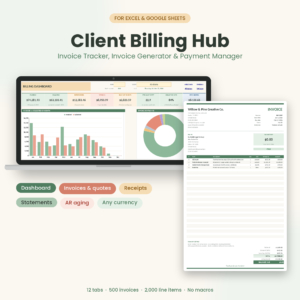
Client Billing Hub Invoice Tracker Spreadsheet
Price: $6.49 | Best for: Services billing clients weekly
A 12-tab workbook for Excel and Google Sheets with Settings, Clients, Products, Invoices, Line Items, Payments, Print Invoice, Print Receipt, Statement and AR Aging tabs, plus a dashboard. It builds print-ready invoices and quotes, logs full and part payments, prints numbered receipts and shows nine automatic statuses from Draft to Overdue. Add your clients and services, then create your first bill from the Invoices tab.
Alternative 2: a connected workbook for shops and product sellers
Shops need the bill and the stock to move together. A connected small business workbook takes an order, prints the invoice and packing slip, records the sale as income and lowers the stock count, all from one entry. By closing time you know what sold, what is running low and what you earned.
Take a small soap and candle shop that sells in person, online and at two weekend markets. Logging each order once updates the customer list, the stock of finished goods and even the raw materials used to make them. The owner sees a “Make Soon” alert for lavender soap before the shelf runs empty.

Tallyhive Small Business Spreadsheet
Price: $35.99 | Best for: Shops, makers and market sellers
One .xlsx workbook for Excel and Google Sheets with 30 linked tabs: an order tracker with printable invoice and packing slip, customer list, raw materials and finished goods inventory, a pricing calculator, a bill calendar and seven dashboards. Payment status updates by itself, and unpaid balances are grouped by days late. Add your products and starting stock first, then log today’s sales.
Alternative 3: an offline app for a service trade
Some services bill the same customers again and again on a schedule. Cleaners are the classic case. Here the bill should come straight from the job, so you never forget a visit. A small offline app that combines a schedule and billing does this, with no subscription and no login.

Gleamwise Cleaning Business App
Price: $77.96 | Best for: Cleaners with recurring clients
An offline app in a single HTML file that runs in Chrome or Edge and adapts to tablet and phone screens. It schedules recurring visits up to 104 weeks ahead, prices jobs with a square-foot calculator, and keeps a billing queue of un-billed jobs with an Invoice all button. Invoices handle discounts, tax, partial payments, overdue status and branded PDF printing. Add your regular clients and their repeat schedules first.
Alternative 4: a free template plus a simple log
If money is tight, there is a no-cost route that still beats a web generator. Use a free blank invoice or receipt template in Word or Excel, and keep a separate log of every bill: number, date, customer, amount, paid or not. It takes discipline, because nothing updates by itself, but your records stay in one place.
When you are ready for proper books, a bookkeeping spreadsheet such as ProfitPetal can hold those sales alongside your expenses, with paid and pending tracking and a print-ready profit and loss. Our guide to the best bookkeeping spreadsheet for small business compares more options.
A worked day in a small repair shop
Here is how one switch played out for Sam, who runs a phone and tablet repair counter in a shopping arcade. Before, he used a free web bill generator for every job, around 15 a day.
The old way: type the customer’s name and phone, the device, the repair and the price into the web form. Download. Email or print. Repeat 15 times. At month end, open the downloads folder, find 300-odd PDFs called “bill (1)” to “bill (312)”, and try to total them for his accountant. Two evenings gone.
The new way: his repairs and parts are saved as products, and regular business customers are saved as clients. Walk-ins go in as “Cash customer”. A bill takes about a minute, the receipt prints with a number, and the school that sends him broken tablets gets a monthly statement instead of 20 separate bills.
Month end now takes ten minutes. The totals are already there. Sam says the best bit is not the time. It is knowing, any day of the month, that the numbers are right.
Receipts, refunds and returns
Shops face something services rarely do: returns. A customer brings back a mug with a chip in it, or swaps a size. A web bill generator has no idea the original sale happened, so the refund becomes a loose end.
Handle it the same way every time. Find the original bill number. Issue a refund or credit note that refers to it, such as “Refund for bill 0482, chipped mug”. Record it as a negative sale so your income for the month is right, and put the item back into stock if it can be sold again. Most good workbooks accept refunds as negative amounts, which keeps the totals honest without any extra tabs.
For services, the equivalent is a credit for a missed visit or a discount after a complaint. Again, refer to the original invoice number and record it as a credit. A cleaner who knocks 20.00 off for a rescheduled visit should see that on the client’s statement, not just in her head.
Setting up your alternative in one hour
Whatever you choose, the first hour decides whether it sticks. Here is a simple plan.
- Ten minutes: your details. Business name, address, phone, email, tax rate, currency and payment terms.
- Twenty minutes: your products or services. Start with the 20 things you sell most. Add the rest when they come up.
- Ten minutes: your regular customers. Business clients and anyone who buys often. Walk-in customers can share one “Cash customer” entry.
- Ten minutes: open bills. Enter anything currently unpaid so you can keep chasing it.
- Ten minutes: a test. Make one bill for yourself, print it or save it as a PDF, and log a pretend payment. Then delete the test.
Do it on a quiet evening, not on a Saturday with a queue at the counter.
How to choose your alternative
| If your business… | Choose |
|---|---|
| Bills clients after the work and waits to be paid | A billing workbook with payment tracking |
| Sells products and needs stock to update | A connected shop workbook |
| Runs recurring visits to the same customers | A scheduling and billing app for your trade |
| Sends fewer than ten bills a month | A free template plus a simple log |
| Wants everything on a phone | A tool listed as working in Google Sheets or on mobile screens |
Pick the row that matches most of your sales, not the occasional exception.
Mistakes when replacing a bill generator
- Starting numbering again at 1. Continue from your last bill number.
- Leaving old bills scattered. Move last year’s PDFs into one folder, by month, before you switch.
- Skipping setup. Ten minutes adding products and regular customers saves hours later.
- Using a shop tool for services, or the reverse. Match the tool to how you get paid.
- No backup. Keep a second copy of your workbook or app data somewhere safe.
Frequently asked questions
What is the difference between a bill and an invoice?
People use the words loosely. A bill is often handed over at the point of sale and paid straight away. An invoice is usually sent after work is done, with a due date for payment later.
Is it safe to use an online bill generator?
For occasional bills, many people use them without trouble. If you would rather keep customer details on your own device, a downloaded template or offline app avoids typing them into a website.
Can I make bills in Excel without any formulas knowledge?
Yes. A ready-made template has the formulas built in. You type names, items and quantities, and the totals appear.
How do I keep track of bills I have already made?
Use a workbook or app with a bill log, or keep a simple list with number, date, customer, amount and paid status for every bill.
What should a shop bill include?
Your shop name and contact details, a bill number, the date, each item with quantity and price, any tax, the total and how it was paid.
Can one tool handle a shop that also does repairs?
Yes, if it handles both orders and invoices. Sell parts as products, add repairs as services with a labor price, and use one numbering run for everything so your records stay in a single list. Check the overdue list weekly for repair customers who were billed but have not yet paid.
Your next step
Look at your downloads folder and count last month’s bills. If the number is above 20, set up a proper billing file this week and carry on your numbering from the last bill you made. Service businesses can start with the Client Billing Hub Invoice Tracker Spreadsheet.