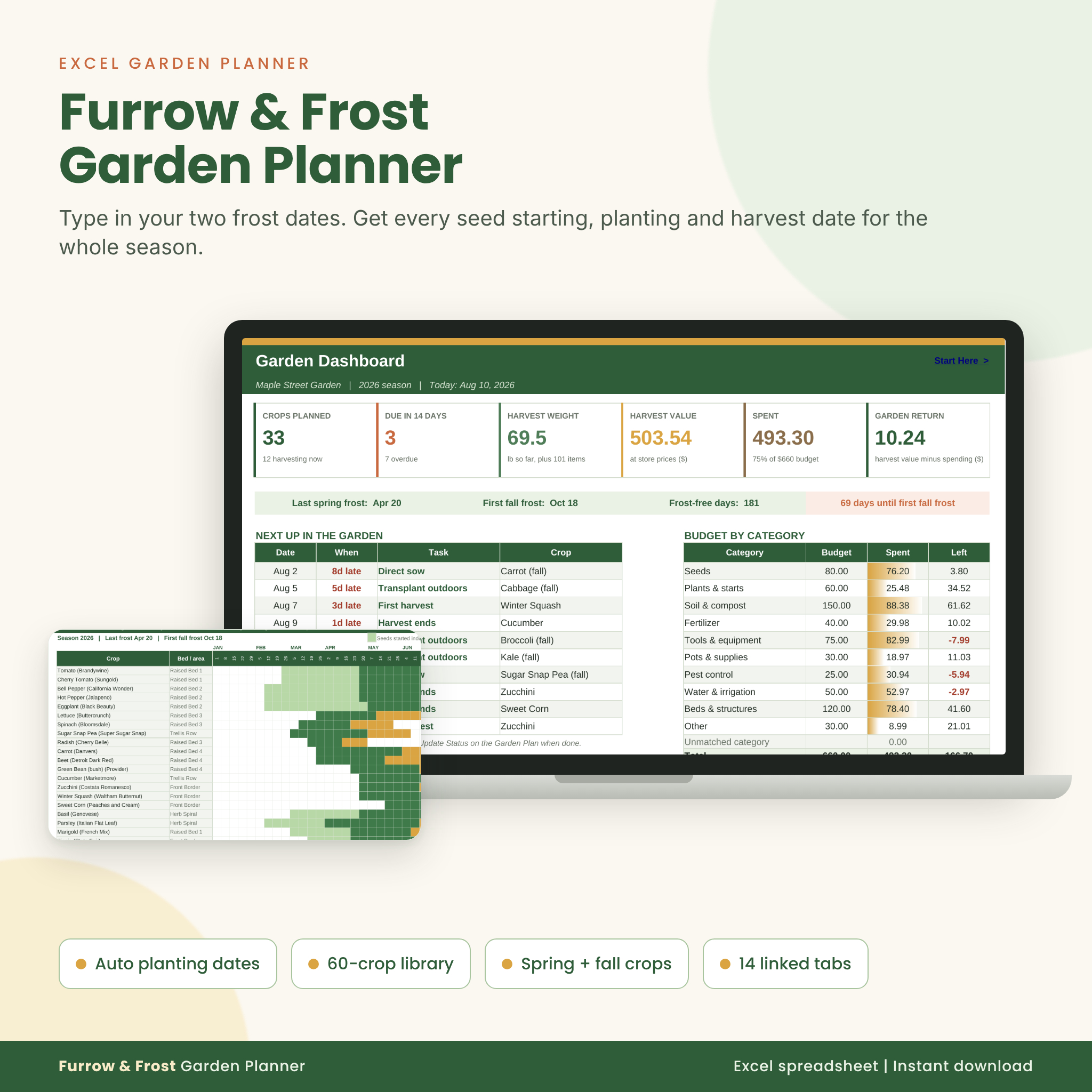
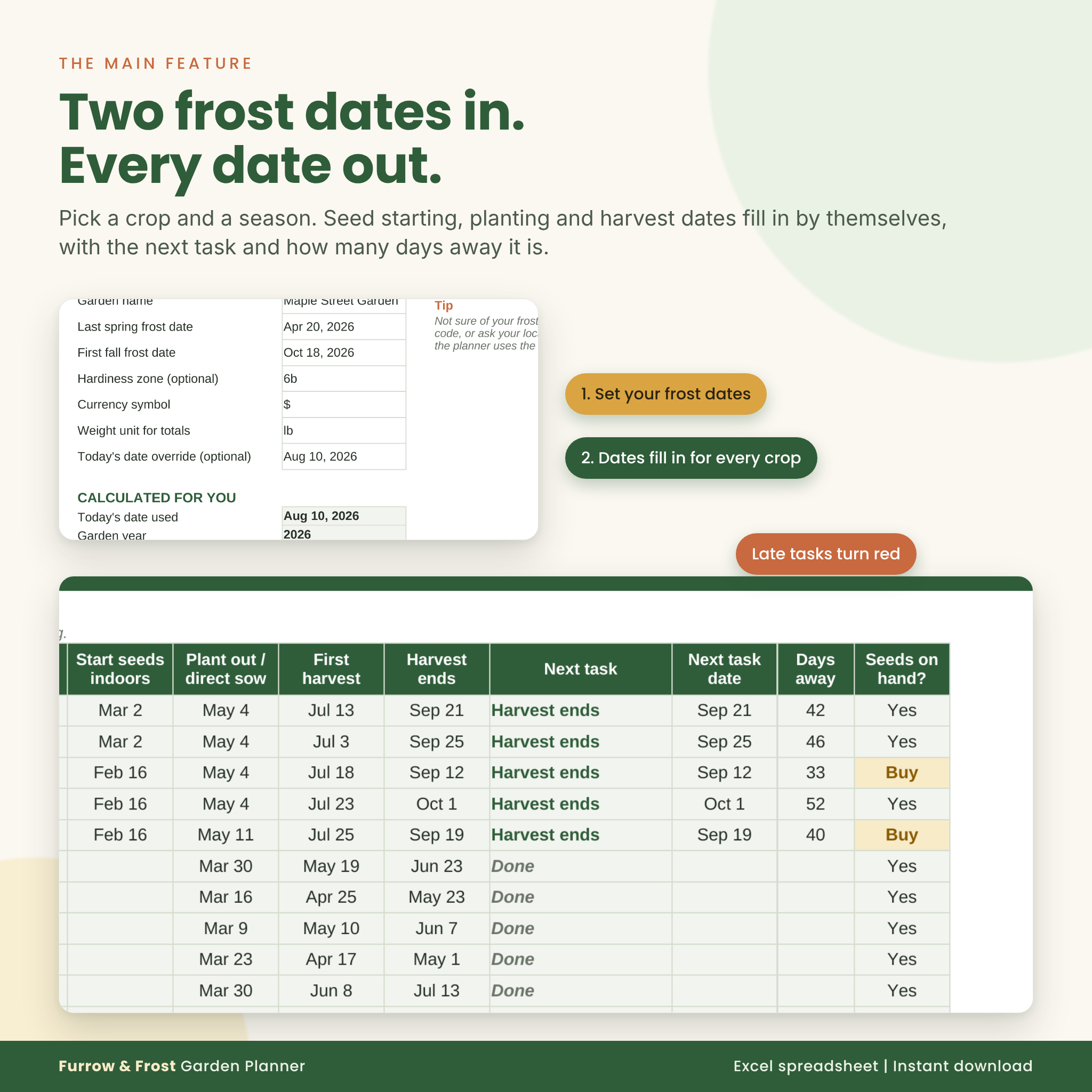
The Furrow & Frost garden planner spreadsheet does the frost date math for you. Type in your last spring frost and first fall frost once, then pick crops from a dropdown. Every seed starting date, planting date and harvest window fills in on its own. No more counting weeks backward on a paper calendar, and no more missing the window for fall broccoli.
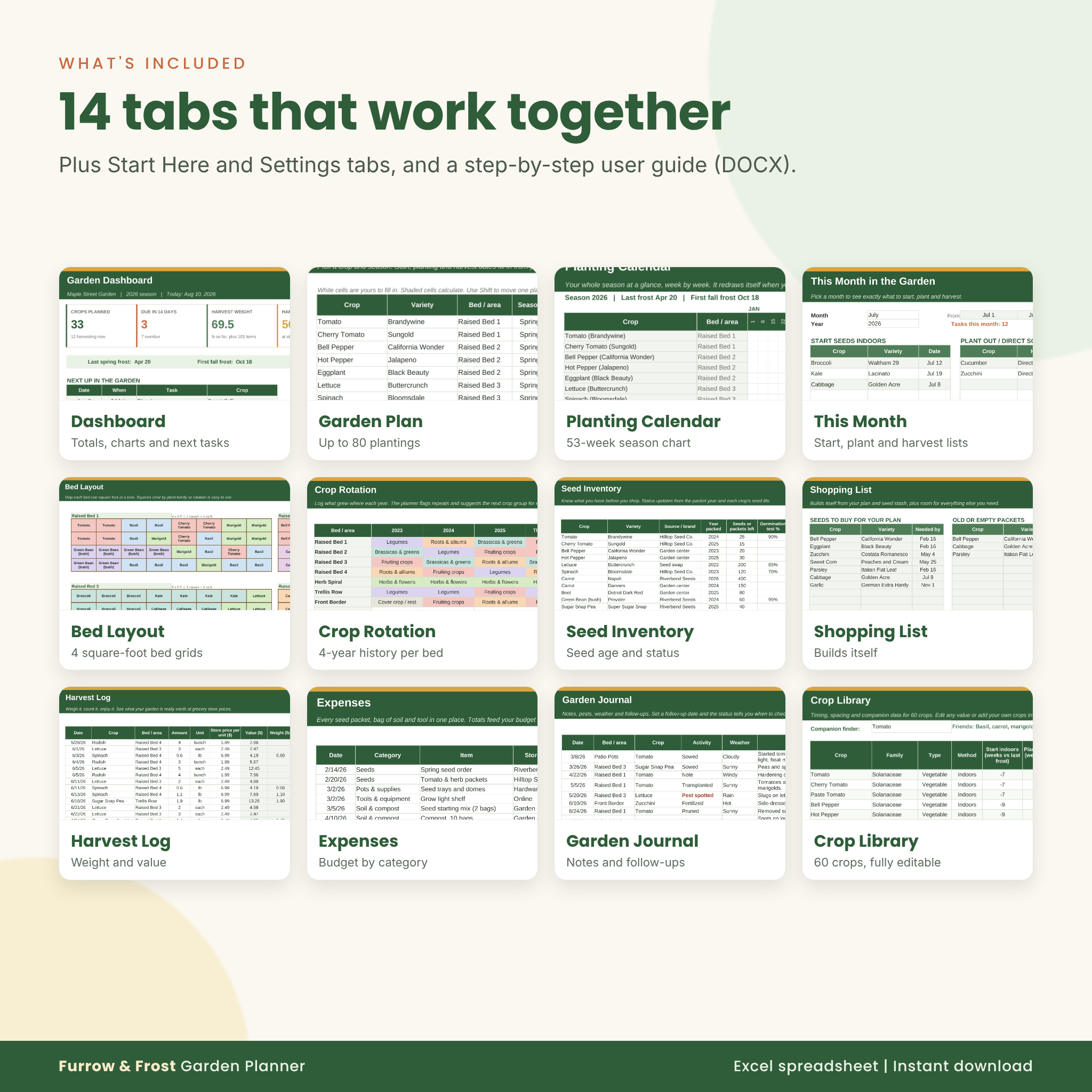
It is one Excel file with 14 linked tabs, built for vegetable gardeners who want a plan they will actually use from February seed starting to the last fall harvest.
What this vegetable garden planner spreadsheet does
- Calculates planting dates from your frost dates. Spring crops count from your last frost; fall crops count back from your first fall frost.
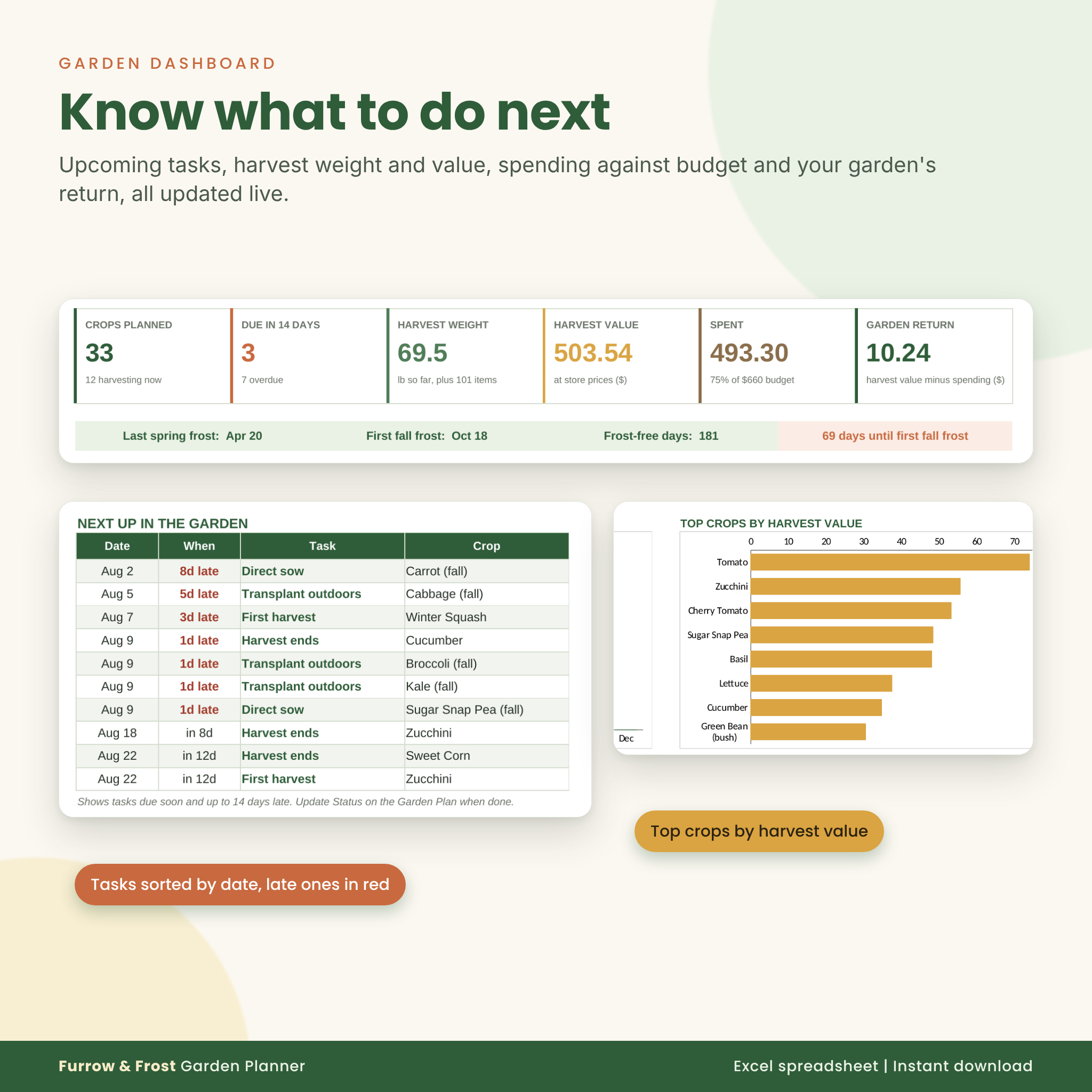
- Tells you what to do next. Every planting shows its next task (start seeds, transplant, direct sow, first harvest) and how many days away it is. Late tasks turn red.
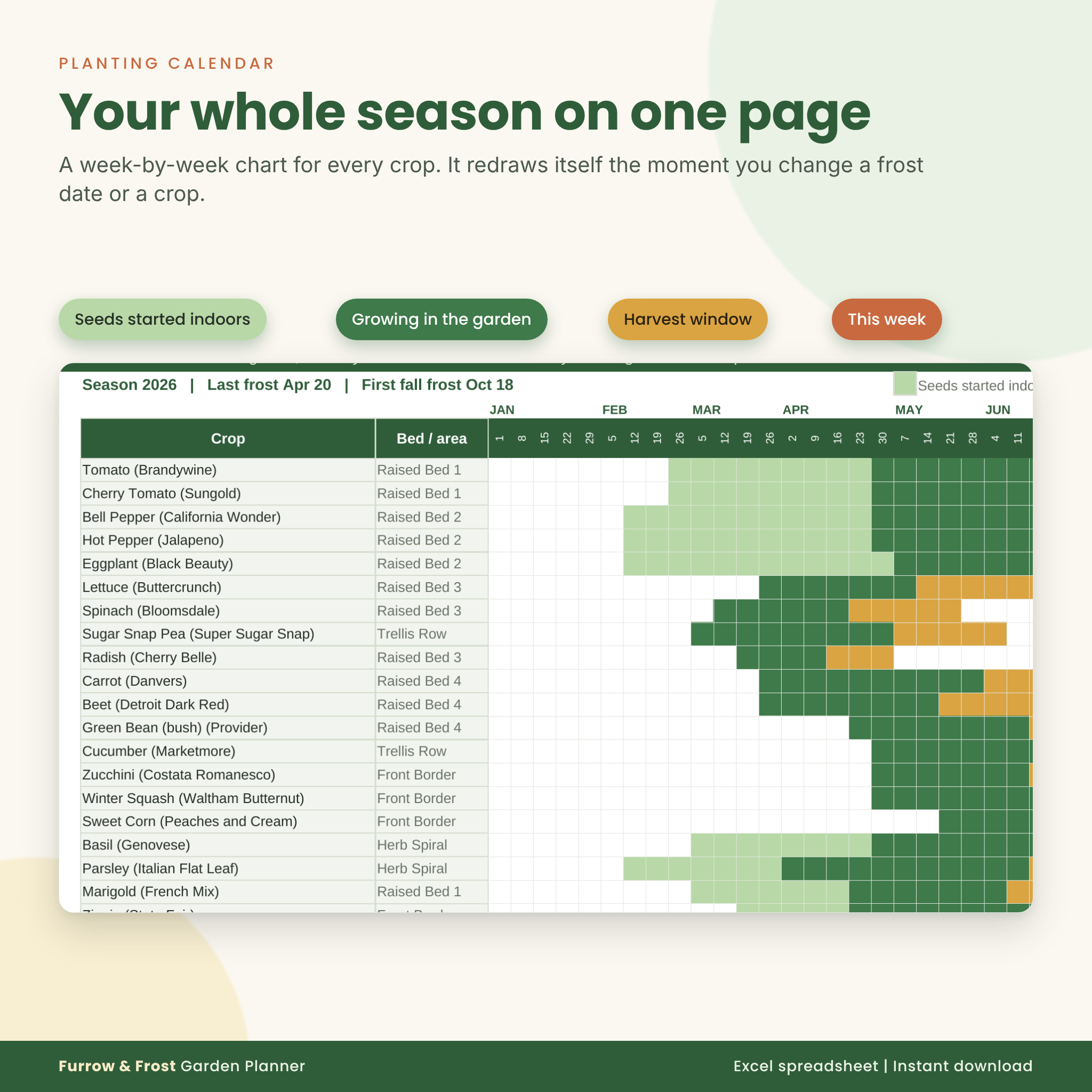
- Draws your season. A 53-week planting calendar colors each crop: seeds indoors, growing, harvest window and the current week.
- Keeps your seeds in check. Seed inventory flags old packets, and the shopping list builds itself from crops you plan but have no seed for.
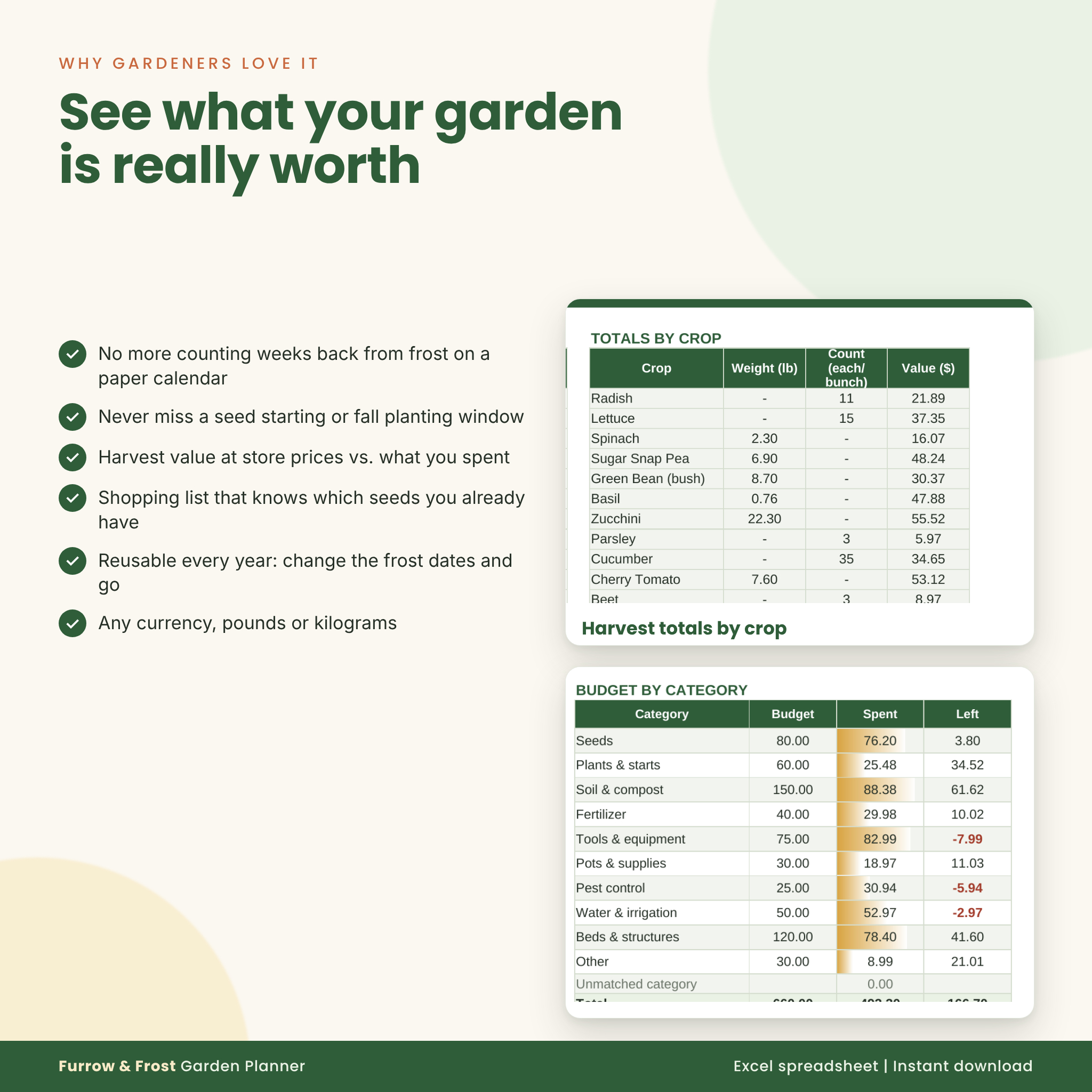
- Tracks what your garden is worth. Log harvests by weight or count with store prices, log spending, and see your garden return on the dashboard.
Who it’s for
Backyard, raised bed and square-foot gardeners. Beginners who want a clear monthly to-do list. Experienced growers who plant in succession, grow fall crops and like real numbers. It also makes a thoughtful gift for the gardener in your life who already has every tool.
Features
Planning
- Garden Plan for up to 80 plantings with crop, variety, bed, season, plant count and status dropdowns
- Shift column to move any planting earlier or later for succession sowing
- Spring and fall seasons, with a warning if a crop has no fall timing
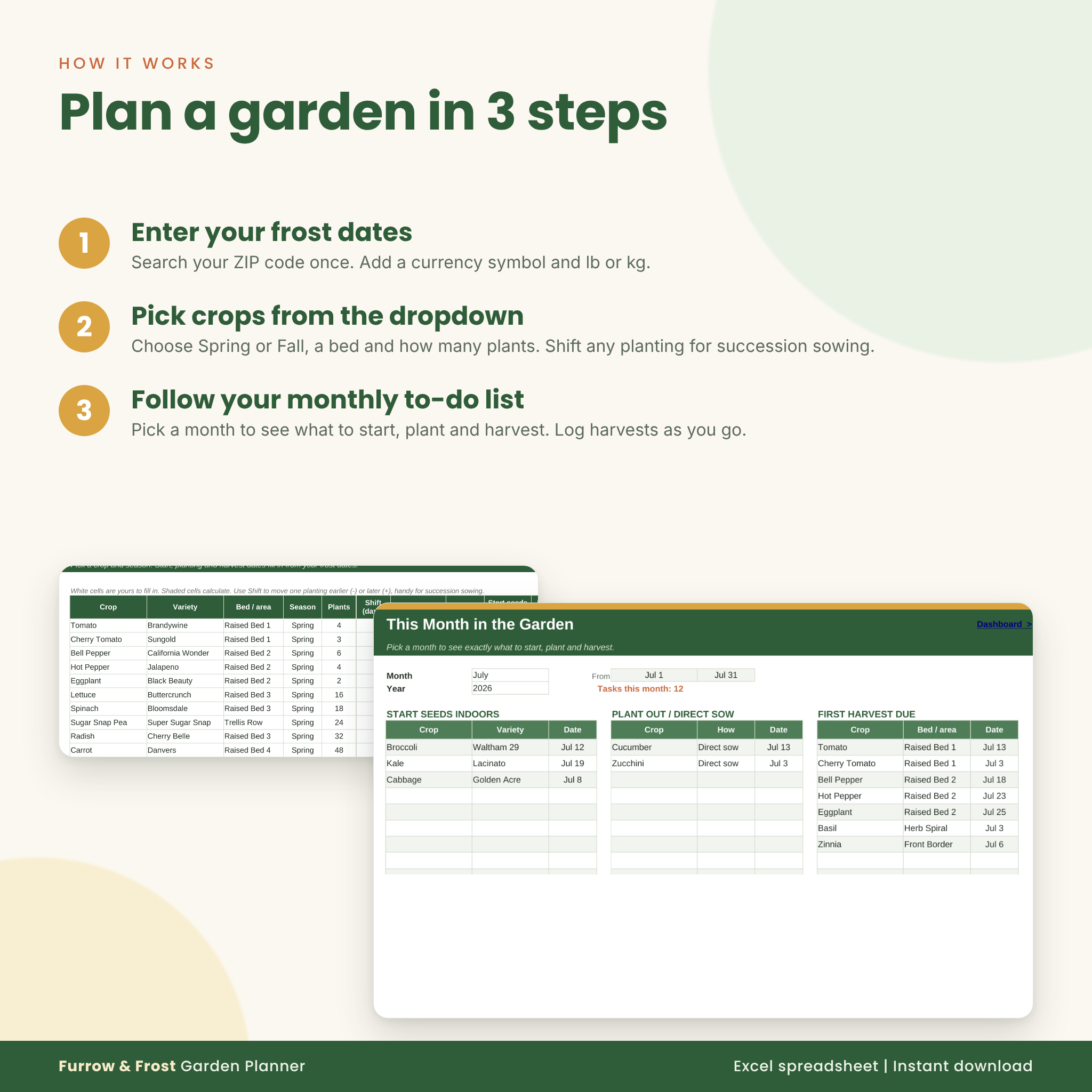
- This Month tab: pick a month and get three lists (start indoors, plant out or direct sow, first harvests)
- Week-by-week Planting Calendar that redraws when you change a date
Garden layout and rotation
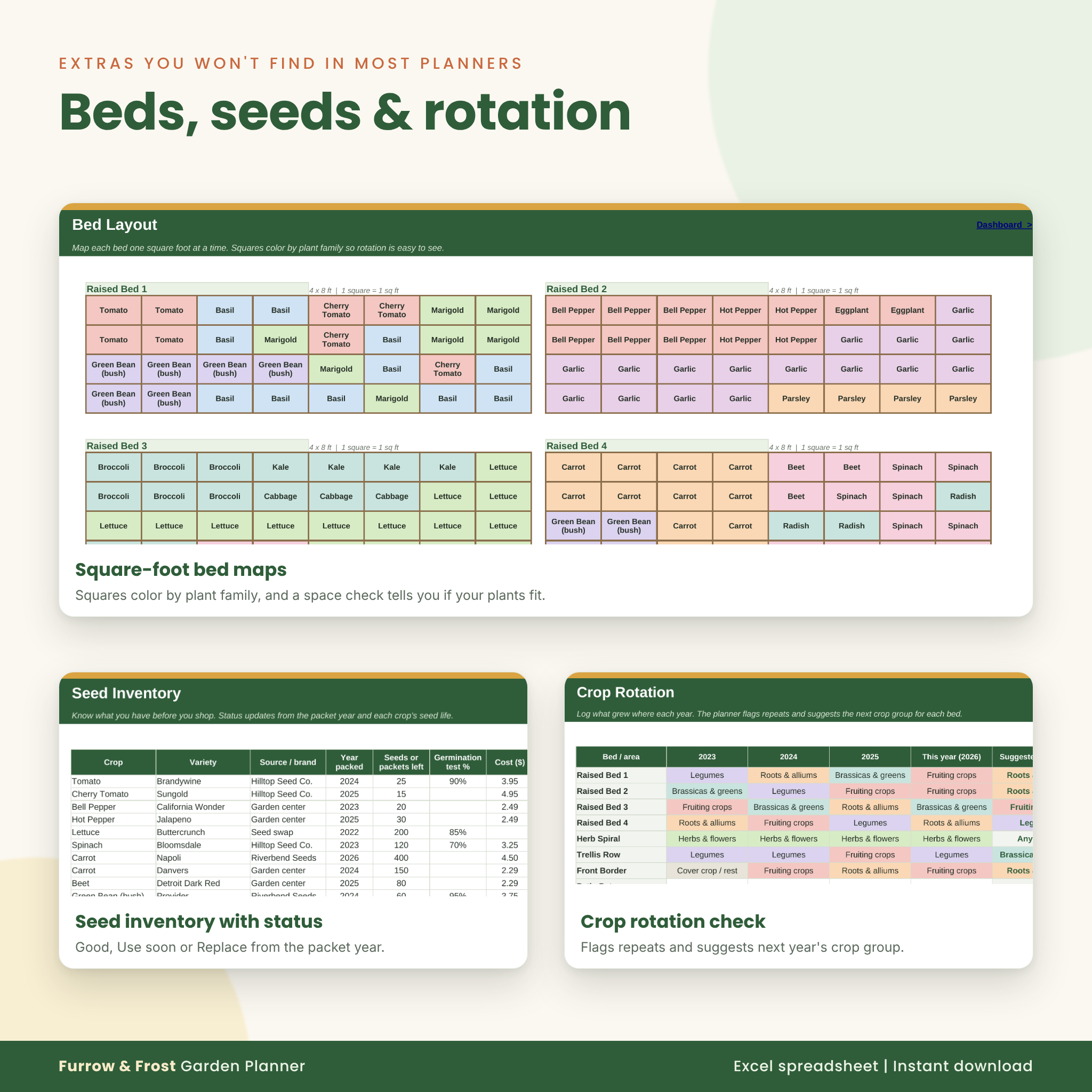
- Four 4 x 8 ft square-foot bed grids with crop dropdowns, colored by plant family
- Space check that compares plants that fit with plants in your plan
- Crop rotation log for up to 12 beds across four years, with repeat warnings and a suggested next crop group
Seeds and shopping
- Seed inventory for 150 packets with seed age status: Good, Use soon, Replace or Empty
- Germination test field with a sowing tip (sow 1, 2 or 3 seeds per spot)
- Shopping list that fills itself, plus your own items with a Bought? checkoff
Tracking
- Harvest log for 300 entries in lb, oz, kg, g, each or bunch, with automatic weight conversion
- Expense tracker with 10 editable budget categories
- Garden journal with activity, weather and follow-up reminders
- Dashboard: crops planned, tasks due, harvest weight and value, spending vs. budget, garden return, next 10 tasks and two charts
Crop Library
60 vegetables, herbs, flowers and fruits with start indoors and plant out weeks, days to harvest, harvest length, spacing, plants per square foot, frost tolerance, fall timing, seed life, companions, crops to keep apart and rotation group. Every number is editable, and you can add your own crops.
What’s included
- Furrow-and-Frost-Garden-Planner.xlsx (14 tabs: Start Here, Settings, Dashboard, Garden Plan, Calendar, This Month, Bed Layout, Rotation, Seed Inventory, Shopping List, Harvest Log, Expenses, Journal, Crop Library)
- User guide (DOCX) with setup steps, how every tab works, tips, troubleshooting and FAQ
How the garden planting calendar works
- Enter your frost dates on Settings (search “frost dates” plus your ZIP code if you are not sure).
- Add crops on the Garden Plan and choose Spring or Fall.
- Check the Dashboard or This Month each week, update Status as you go, and log harvests.
File format and software
- Microsoft Excel (.xlsx) for desktop, Excel 2010 or newer. Also opens in free LibreOffice Calc.
- No macros, no add-ins and no internet connection needed.
- Not made for Google Sheets or Numbers.
- Formula cells are locked without a password so they can’t be erased by accident. Input cells stay open.
Customizing
Set your currency symbol and lb or kg once and every label updates. Rename beds, spending categories and journal activities. Change any timing in the Crop Library to match your seed packet, or add a new crop and it shows up in every dropdown. Reuse the planner every year: save a copy and change the frost dates.
Digital download
This is a digital product. No physical item will be shipped. After purchase you get a ZIP file with the spreadsheet and the user guide, ready to download right away. Licensed for personal use only.
Real ways to use it
- Plan a first raised bed garden and know exactly when to start tomatoes and peppers indoors.
- Line up a fall garden of broccoli, kale and carrots without guessing the sowing date in the heat of summer.
- Sow lettuce and beans every two weeks with the Shift column.
- Find out if the garden paid for itself this year.
FAQ
Does this garden planner work in Google Sheets?
No. It is built for Microsoft Excel and also opens in LibreOffice Calc.
Will the planting dates fit my area?
Yes. All dates come from your own frost dates. Timings are typical US guidelines and you can edit any of them.
Can I plan a fall garden?
Yes. Choose Fall on any row and dates count back from your first fall frost.
Can I use it every year?
Yes. Save a copy, change the frost dates and clear the logs.
Can I use it outside the US?
Yes. Enter local frost dates, any currency symbol, and kg for weights.
Is it beginner friendly?
Yes. Dropdowns guide every entry, calculated cells are locked, and the guide walks you through setup in about ten minutes.
Are there macros?
No. It opens without security warnings.
Reviews
There are no reviews yet.