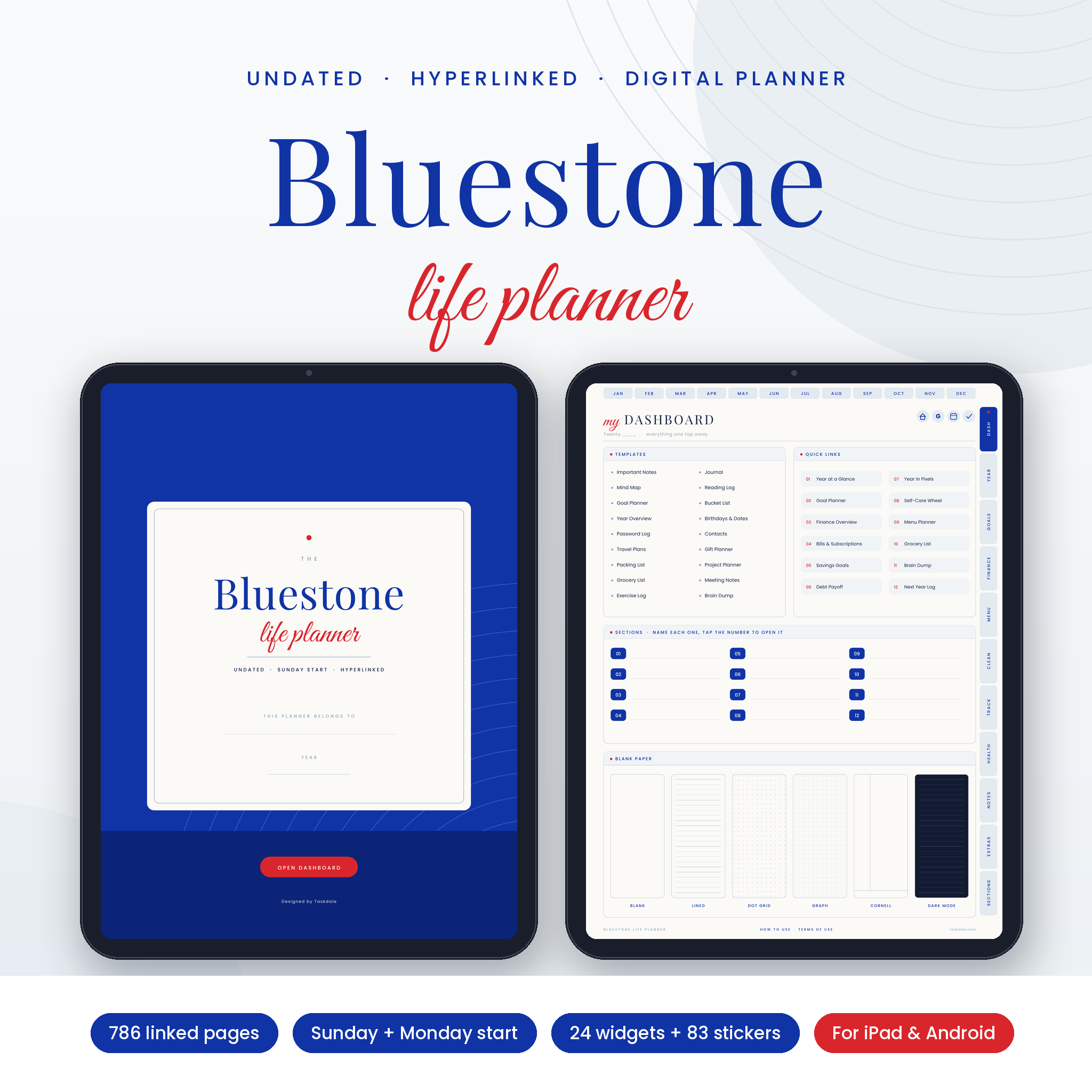
The Bluestone Life Planner is an undated digital planner that puts your calendar, weekly and daily pages, money, meals, cleaning, health and notes in one hyperlinked PDF. Tap a tab and you’re there. It never expires, so you can start this week, skip a month when life gets loud, and pick it up again without wasting a page.
It’s dressed in Egyptian blue, soft stone blue and a small hit of scarlet red. Calm enough to look at every day, bright enough that the important bits stand out.
What this undated digital planner does for you
Most planners make you choose between a calendar app, a budget sheet, a meal list on the fridge and a notebook you keep losing. Bluestone gives each of those a home, then links them together. Your January calendar links to every January day. Every day links back to its week. The finance overview links to each month’s budget. You stop hunting and start planning.
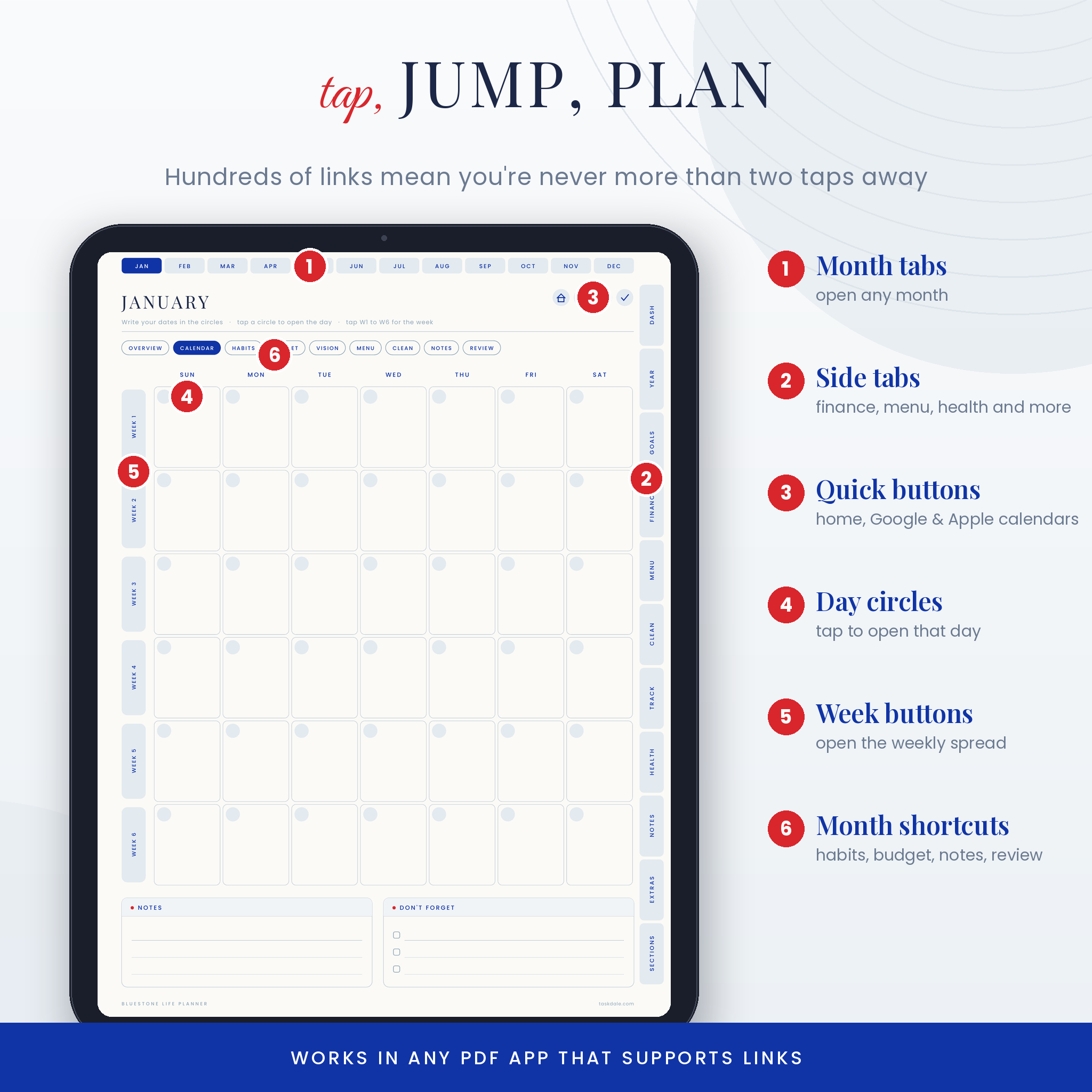
There are 786 pages in each file and close to 30,000 links between them. That sounds like a lot, but the layout is simple: month tabs along the top, life tabs down the side, and a house button that always takes you home to the dashboard.
Who it’s for
- Parents juggling school runs, dinners, bills and birthdays
- Students and professionals who like to time-block their days
- Anyone moving from a paper planner to an iPad or Android tablet
- People who hate buying a new dated planner every January
Features
Plan the year, month, week and day
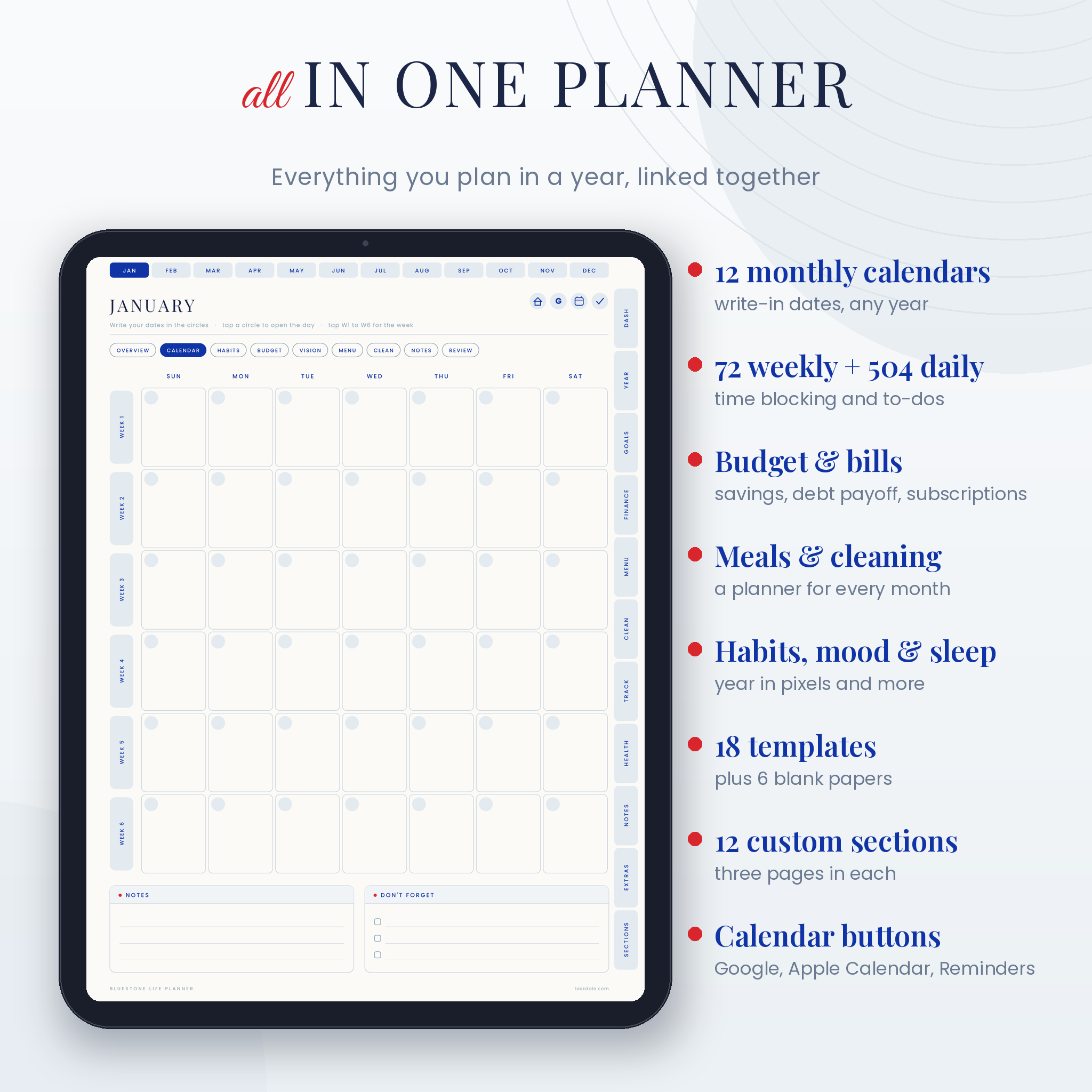
- Year at a glance with 12 mini calendars, plus a next year log
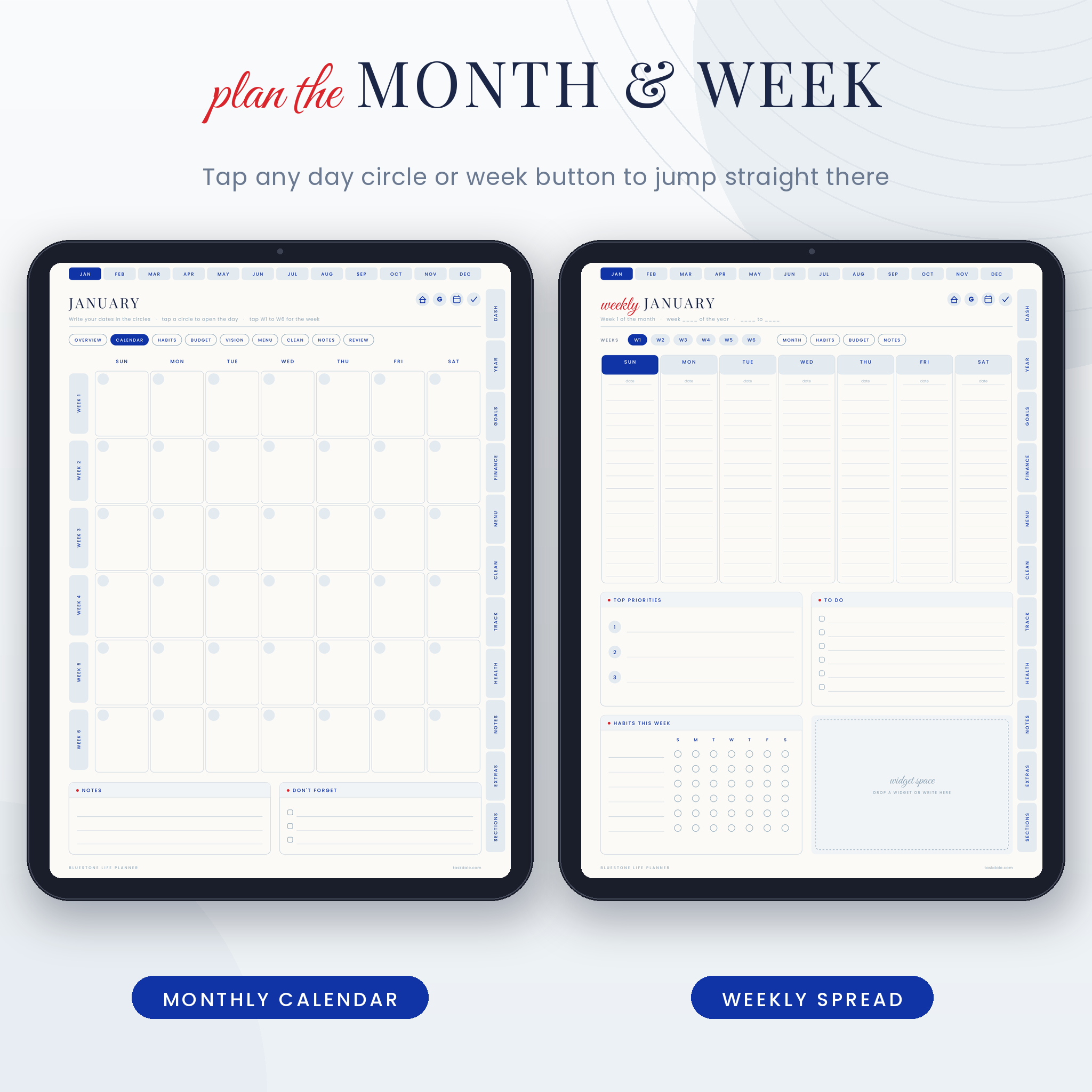
- 12 monthly calendars with six-week grids that fit any month. Write your dates in the circles and tap a circle to open that day
- 72 weekly spreads (six per month) with day columns, top priorities, a to-do list, a habit grid and a widget space
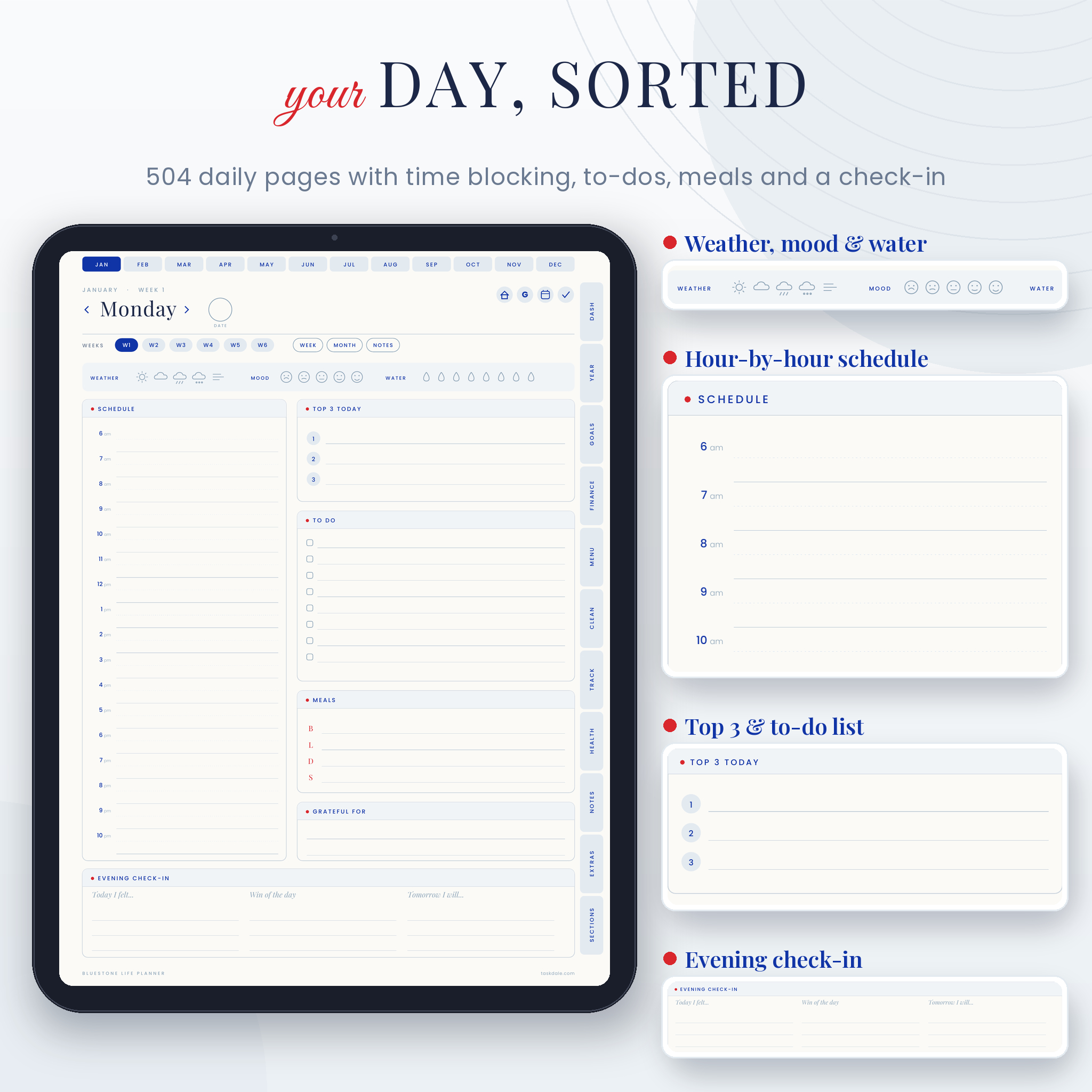
- 504 daily pages with a 6 am to 10 pm schedule, top 3, to-dos, meals, gratitude and an evening check-in
- Weather, mood and water trackers on every day, plus previous and next day arrows
- A monthly overview and a monthly review page, so you set goals and then check how they went
Money, meals and home
- A monthly budget for every month: income, savings funds, expenses with budget versus actual, and bills with a paid box
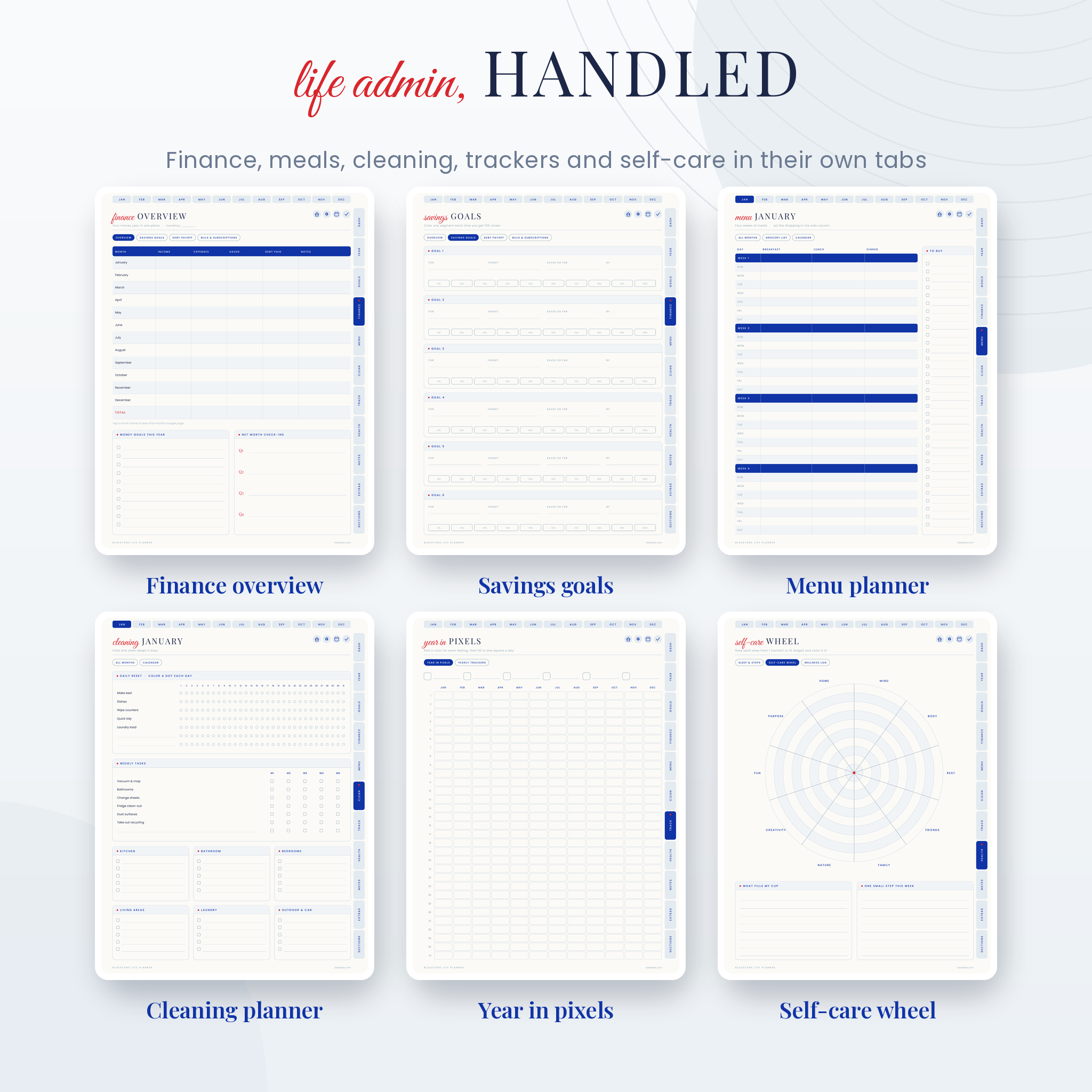
- Finance tab with a year overview, savings goals with 10% progress bars, a debt payoff tracker (snowball or avalanche) and a 12-month bills and subscriptions grid
- Money fields stay neutral, so you can plan in dollars or any other currency. Write yours in the space provided
- 12 monthly menu planners covering four weeks of breakfast, lunch and dinner, with a to-buy column
- 12 monthly cleaning planners with a 31-day reset grid, weekly tasks and six room checklists
Trackers and wellbeing
- A habit tracker every month with 14 habits and 31 days
- Year in pixels for moods, plus yearly goal and habit trackers
- Sleep tracker, step counter and movement checklist
- A ten-area self-care wheel and a wellness log for appointments
- A vision board every month with nine photo frames
Templates, notes and sections
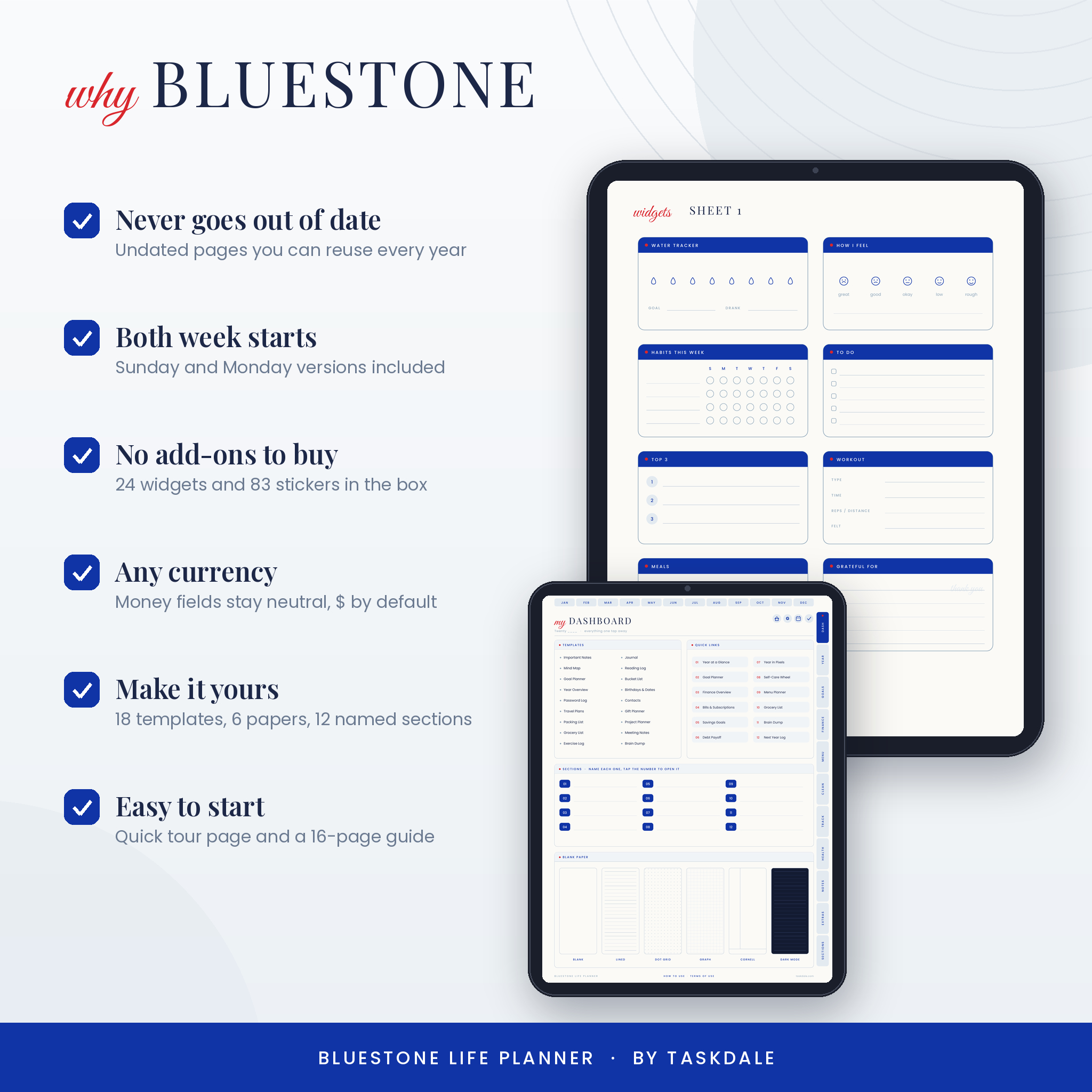
- 18 templates: important notes, mind map, goal planner, year overview, password log, travel plans, packing list, grocery list, exercise log, journal, reading log, bucket list, birthdays, contacts, gift planner, project planner, meeting notes and brain dump
- 6 blank papers: blank, lined, dot grid, graph, Cornell and dark mode
- 12 custom sections you name yourself, each with a cover and three linked pages
- A notes index with ten titled note pages, plus notes for every month
Quick buttons
- A dashboard with 12 quick links to the pages you’ll open most
- One-tap buttons for Google Calendar, Apple Calendar and Apple Reminders on every main page
What’s included
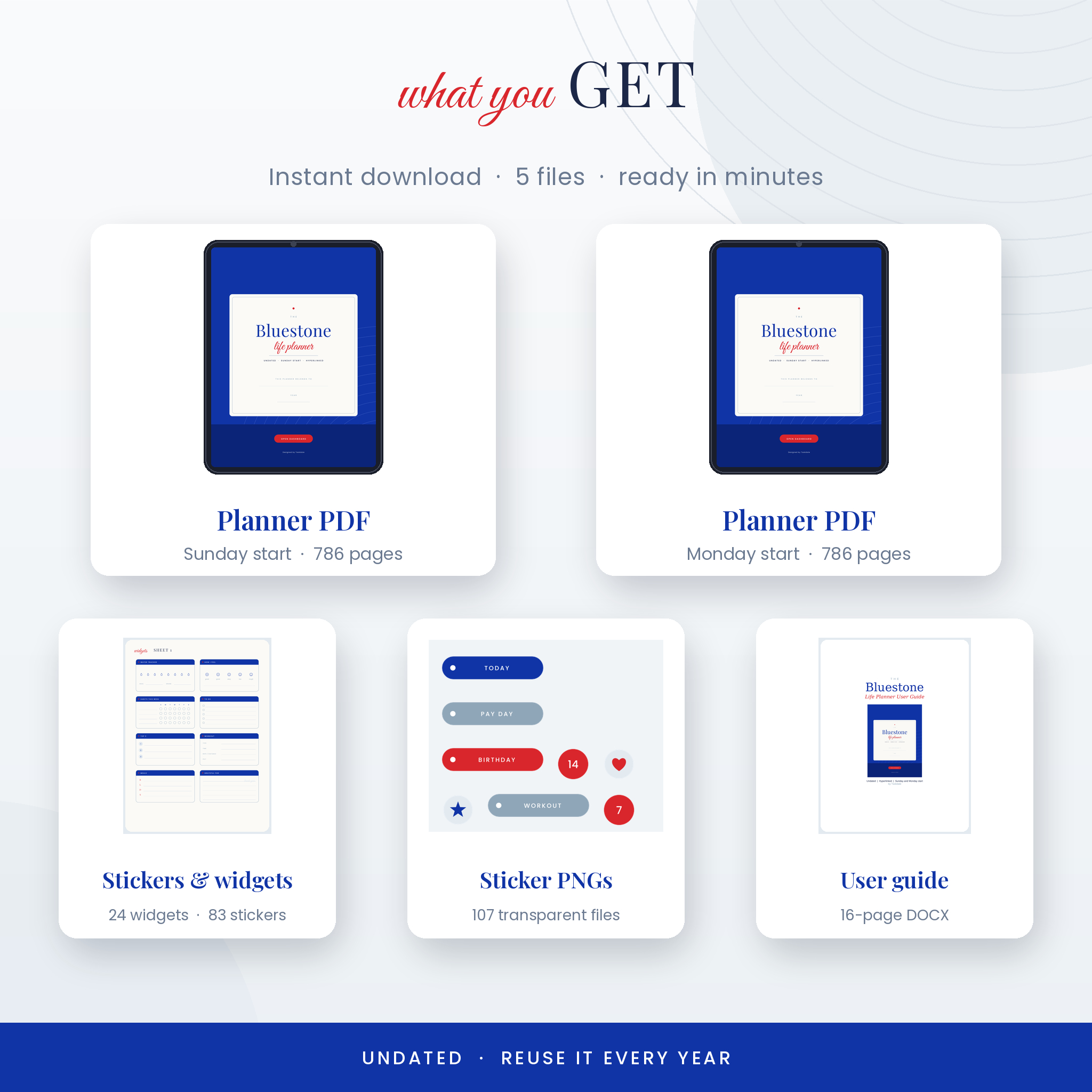
- Bluestone Life Planner, Sunday start (PDF, 786 pages)
- Bluestone Life Planner, Monday start (PDF, 786 pages)
- Sticker and widget pack (PDF) with 24 widgets and 83 stickers
- 107 transparent PNG stickers and widgets (ZIP)
- User guide (DOCX) with setup steps, tips, troubleshooting and FAQs
The widgets are sized to drop into the widget spaces on the monthly and weekly pages. Water, mood, habits, workout, savings, bills, sleep, focus sessions and more. No add-on packs to buy.
How it works
- Buy and download the files. You get them straight away.
- Import the Sunday or Monday PDF into your note-taking app.
- Tap “Open Dashboard” on the cover and start with the quick tour page.
- Write with your stylus, and tap tabs and buttons to move around.
File formats and software
The planner is a hyperlinked PDF with a 3:4 portrait page that suits iPad and most Android tablets. You’ll need a PDF note app that supports links, such as GoodNotes, Notability, Noteshelf, ZoomNotes, Penly or Xodo. The note app itself is not included. The stickers come as a PDF sheet and as PNG files. The guide is a Word document, which also opens in Google Docs and Pages.
Customizing your planner
Name your sections on the dashboard. Duplicate any page you need more of, like a second budget page in a busy month. Swap a page for lined, dot or graph paper. Color-code days with the highlight stickers. Keep an untouched copy of the file so you can start fresh next year.
Digital download
This is a digital product. Nothing will be shipped. After checkout you’ll get download links on the order page and by email. The files are for your personal use only. Please don’t share or resell them.
Real ways people use it
- A Sunday reset: fill in the week’s dates, pick three priorities and plan dinners in ten minutes
- Payday: open Finance, log income, tick off bills and color in a savings bar
- Back to school: one section for each child, with the packing list and contacts template close by
- Side projects: a section for your small business with the project planner and meeting notes
- Getting healthier: daily water and mood, a sleep log and the self-care wheel once a month
FAQ
Is this digital planner dated?
No. It’s fully undated, so you can start in any month of any year and reuse it.
Does it work with GoodNotes and Notability?
Yes. It’s a standard hyperlinked PDF, so it imports into GoodNotes, Notability and other PDF note apps that support links.
Can I use it on an Android tablet?
Yes. Use a PDF app with link support, such as Xodo, Noteshelf or Samsung Notes.
What’s the difference between the two files?
Only the first day of the week. One starts on Sunday, the other on Monday.
Can I print it?
You can print pages for yourself. It’s designed for screens, so choose “fit to page” on Letter or A4.
Are stickers included?
Yes. 24 widgets and 83 stickers come with it, as a PDF sheet and as transparent PNGs.
How do the links work while I’m writing?
Most apps follow links in reading mode or when you tap with a finger. The user guide shows you how in GoodNotes.
Reviews
There are no reviews yet.