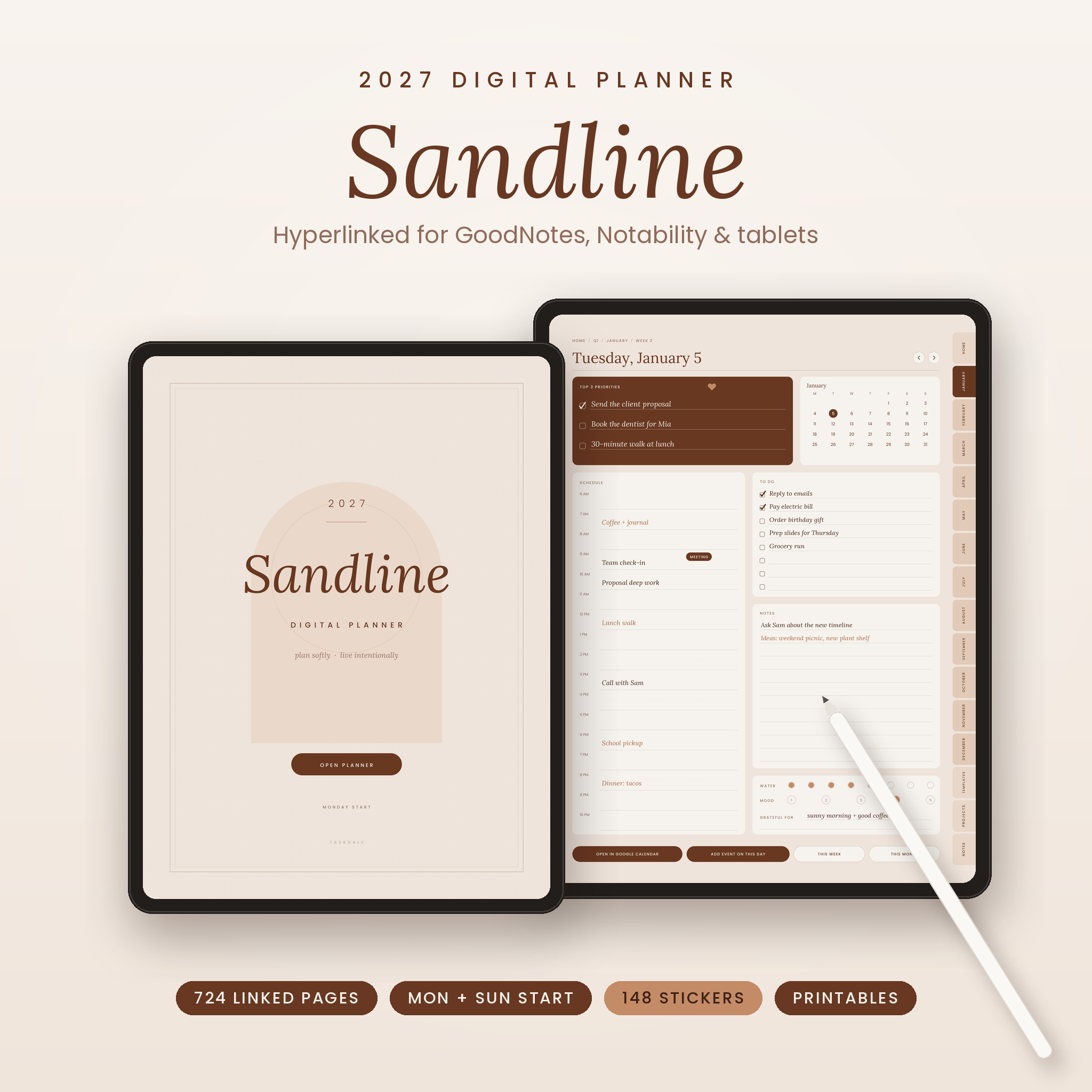

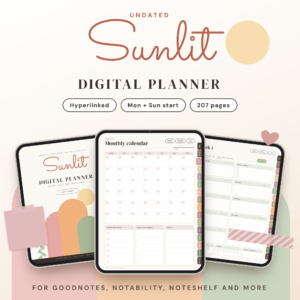
Sandline is a 2027 digital planner made for people who want one quiet place for the whole year. Open it in GoodNotes or Notability, tap a tab, and you are on the right page. No scrolling through hundreds of pages to find next Tuesday. The look is warm and simple: soft sand pages, coffee-brown ink, roomy writing space.
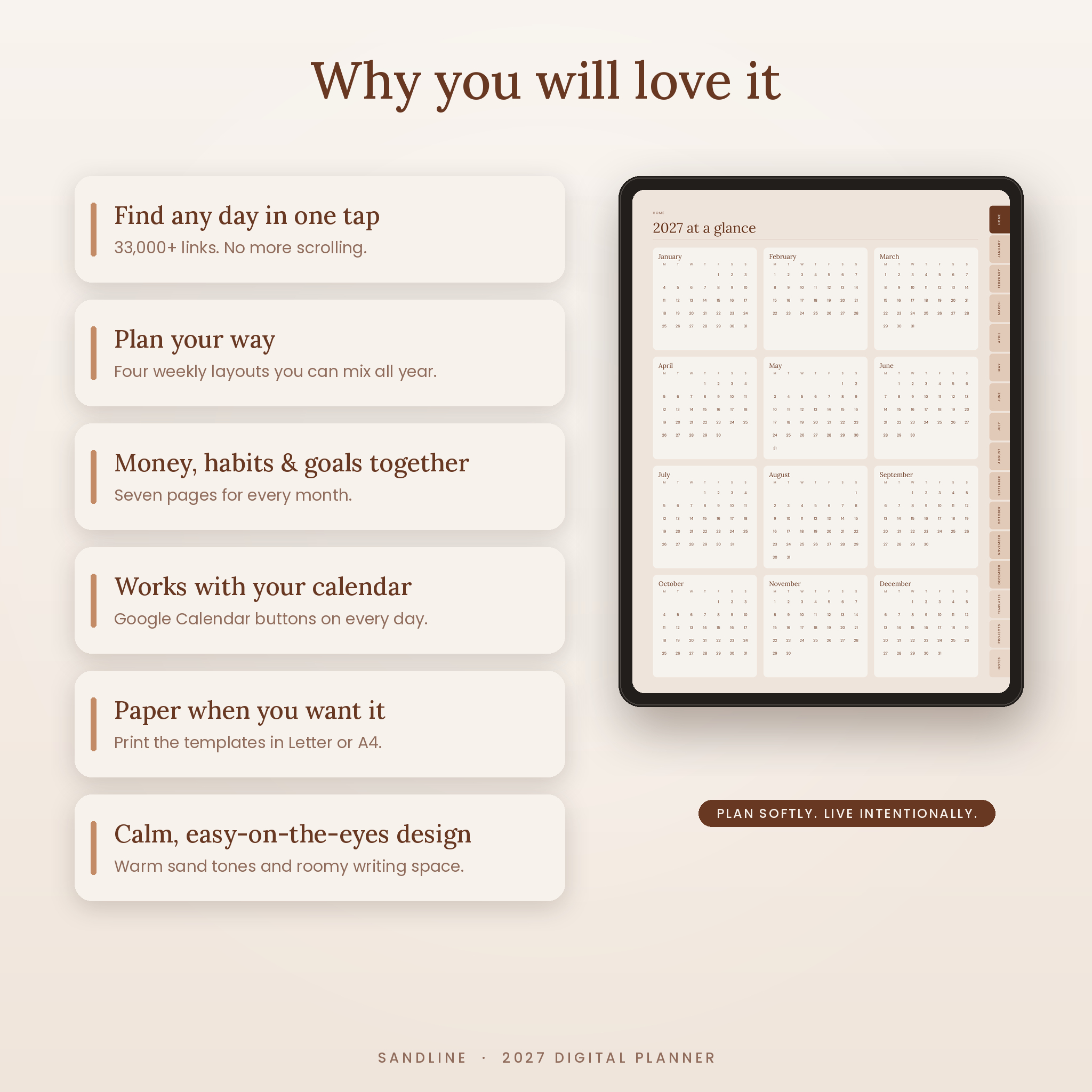
It covers January 1 to December 31, 2027 with 724 portrait pages and more than 33,000 working links. Every one of those links was tested before this listing went live.
What this 2027 digital planner does for you
Most planners give you a calendar and leave the rest to you. Sandline plans the year in layers, so big goals turn into weekly steps and daily to-dos.
- See the whole year: year at a glance, a 2027 vision page with 8 life areas, 4 goal plans and a year in pixels mood tracker.
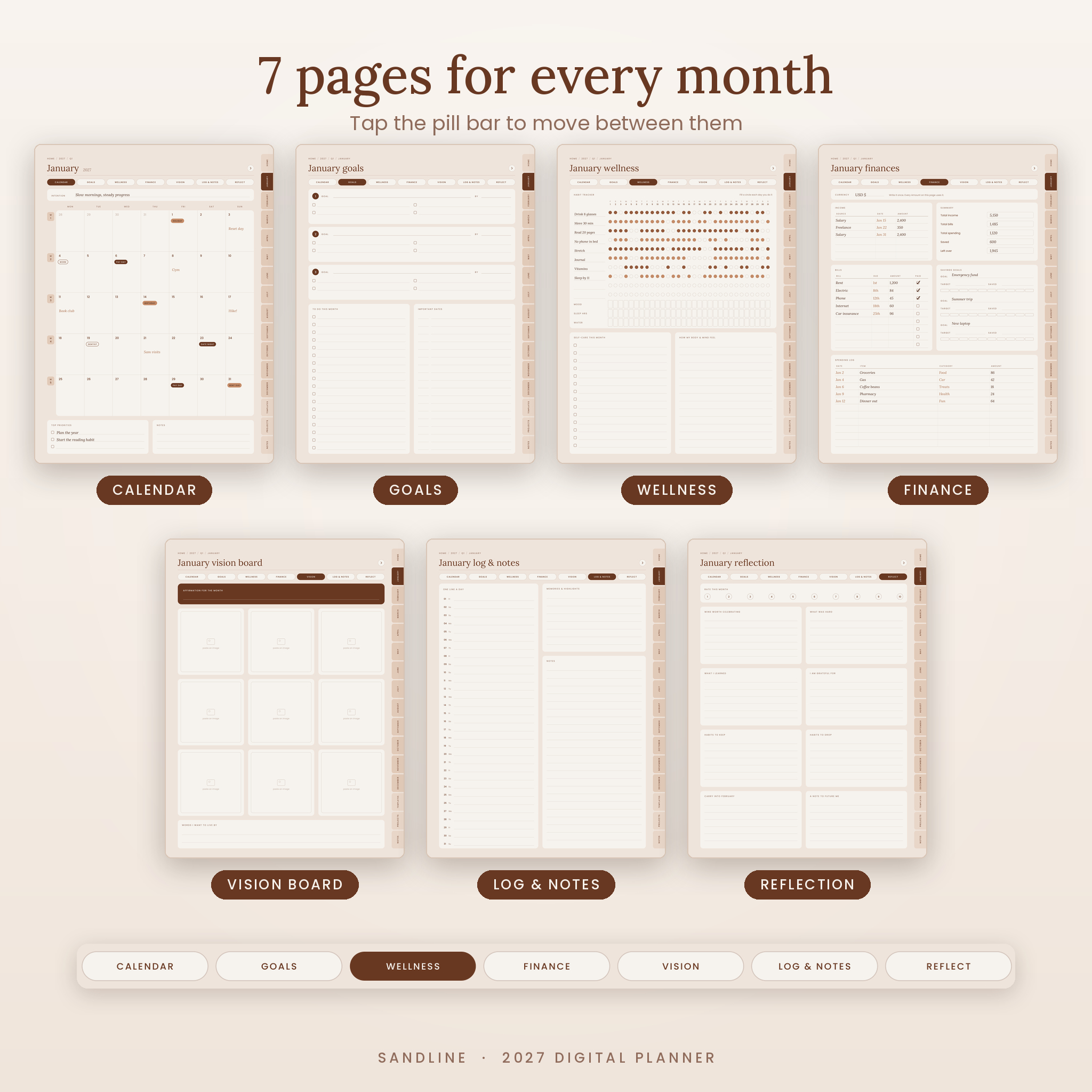
- Run each month: seven pages per month, joined by a tap-to-switch pill bar.
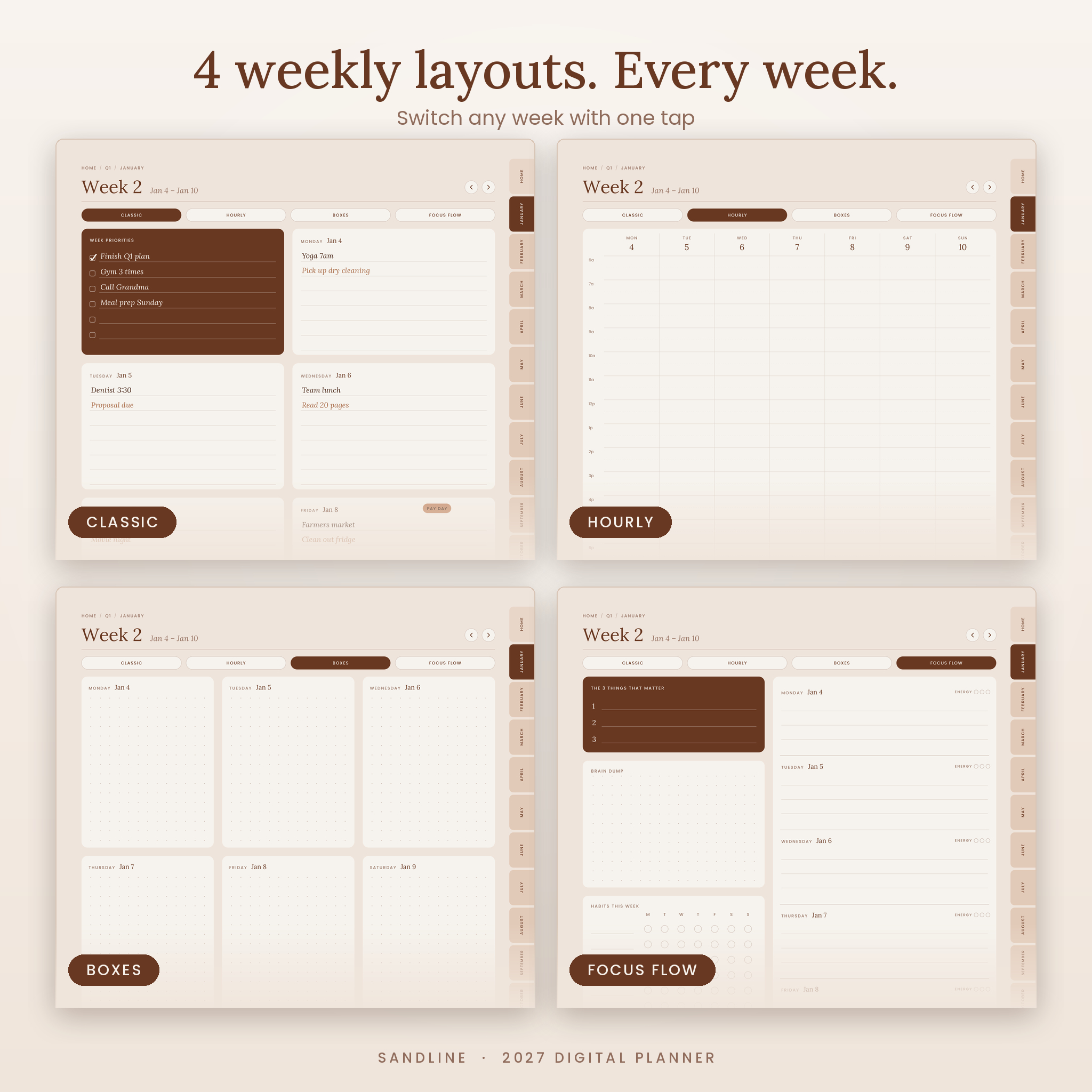
- Shape each week: four layouts for every week, so a busy week and a slow week can look different.
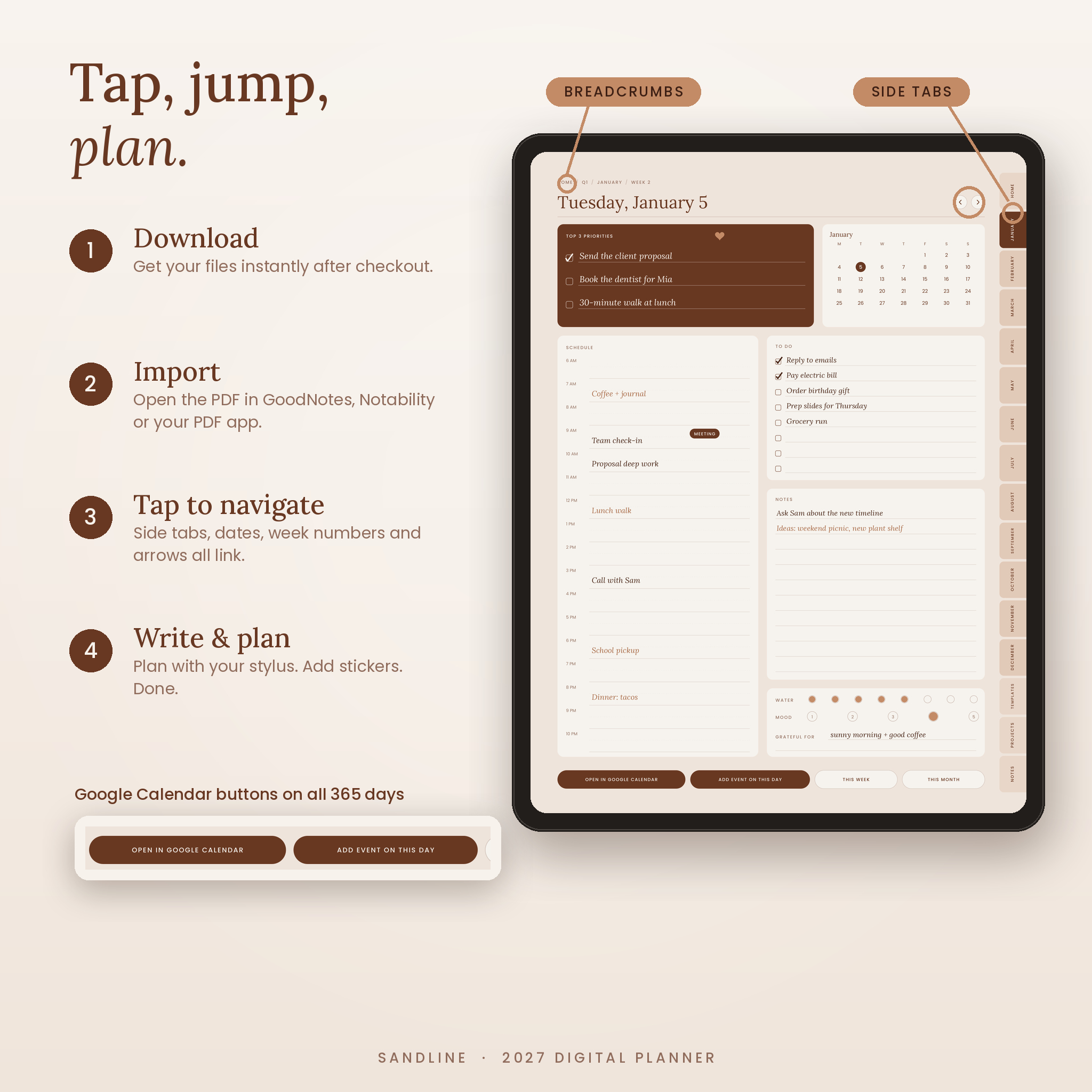
- Live each day: 365 dated pages with priorities, a schedule, to-dos, notes and quick trackers.
Features
Yearly and quarterly pages
- 2027 at a glance with every date linked to its daily page
- 2027 vision: word of the year, how you want to feel, 8 life areas
- 4 yearly goal plans with steps, deadline and a 10-step progress bar
- Key dates and birthdays, one box per month
- Year in pixels: 365 squares and your own color key
- 4 quarter pages with mini calendars, focus, goals and a review
Seven pages for every month
- Calendar with linked dates, week buttons, an intention line and priorities
- Goals with 3 goal plans, a to-do list and important dates
- Wellness with a 10-habit tracker plus mood, sleep and water rows for every day
- Finance with income, bills (due date and paid box), savings goals, a spending log and a summary
- Vision board with 9 frames for photos and an affirmation
- Log and notes with one line a day, memories and free notes
- Reflection with a 1 to 10 rating and 8 prompts
Four weekly layouts for all 53 weeks
- Classic: week priorities and a lined box for each day
- Hourly: seven columns from 6 AM to 10 PM for time blocking
- Boxes: dot-grid day boxes, a to-do list and an ideas box
- Focus Flow: 3 things that matter, brain dump, habit grid, energy check and wins
365 daily pages
Top 3 priorities, a mini month calendar with today circled, an hourly schedule, a to-do list, notes, water and mood trackers and a gratitude line. Two buttons at the bottom open that exact date in Google Calendar or start a new event on it. The other two jump to the week or month.
Bonus tools
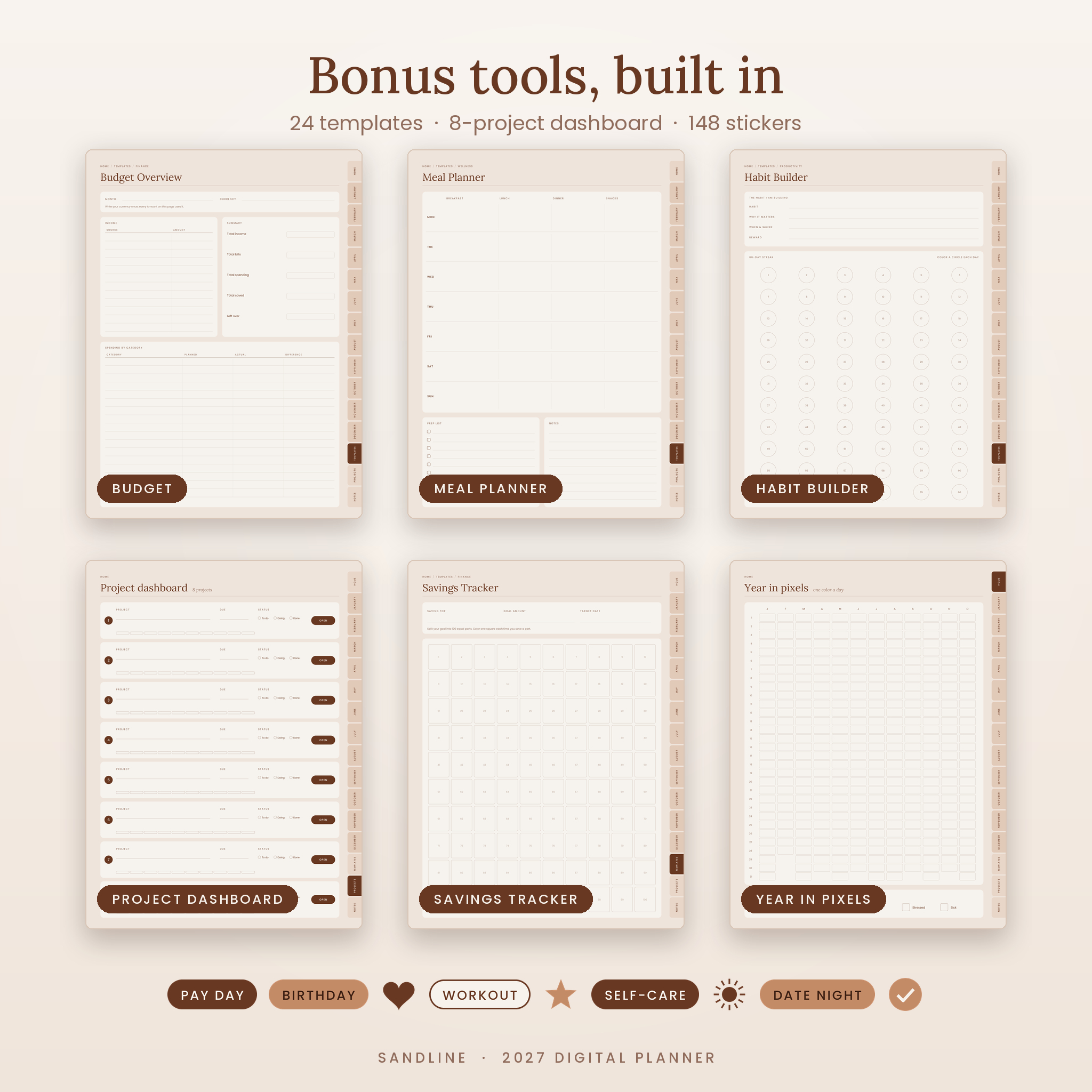
- 24 templates: Meal Planner, Grocery List, Workout Log, Self-Care Menu, Gratitude Journal, Sleep and Water Log, To-Do List, Brain Dump, Priority Matrix, Meeting Notes, Habit Builder, Reading Log, Travel Planner, Budget Overview, Savings Tracker, Debt Payoff, Subscription Tracker, Sinking Funds, Bill Tracker, plus Lined, Dot Grid, Graph, Blank and Cornell notes
- Project dashboard with 8 linked project planners (tasks, milestones, budget, notes)
- 12 note pages with a linked notes index
- 2028 preview and two year-in-review pages
What is included
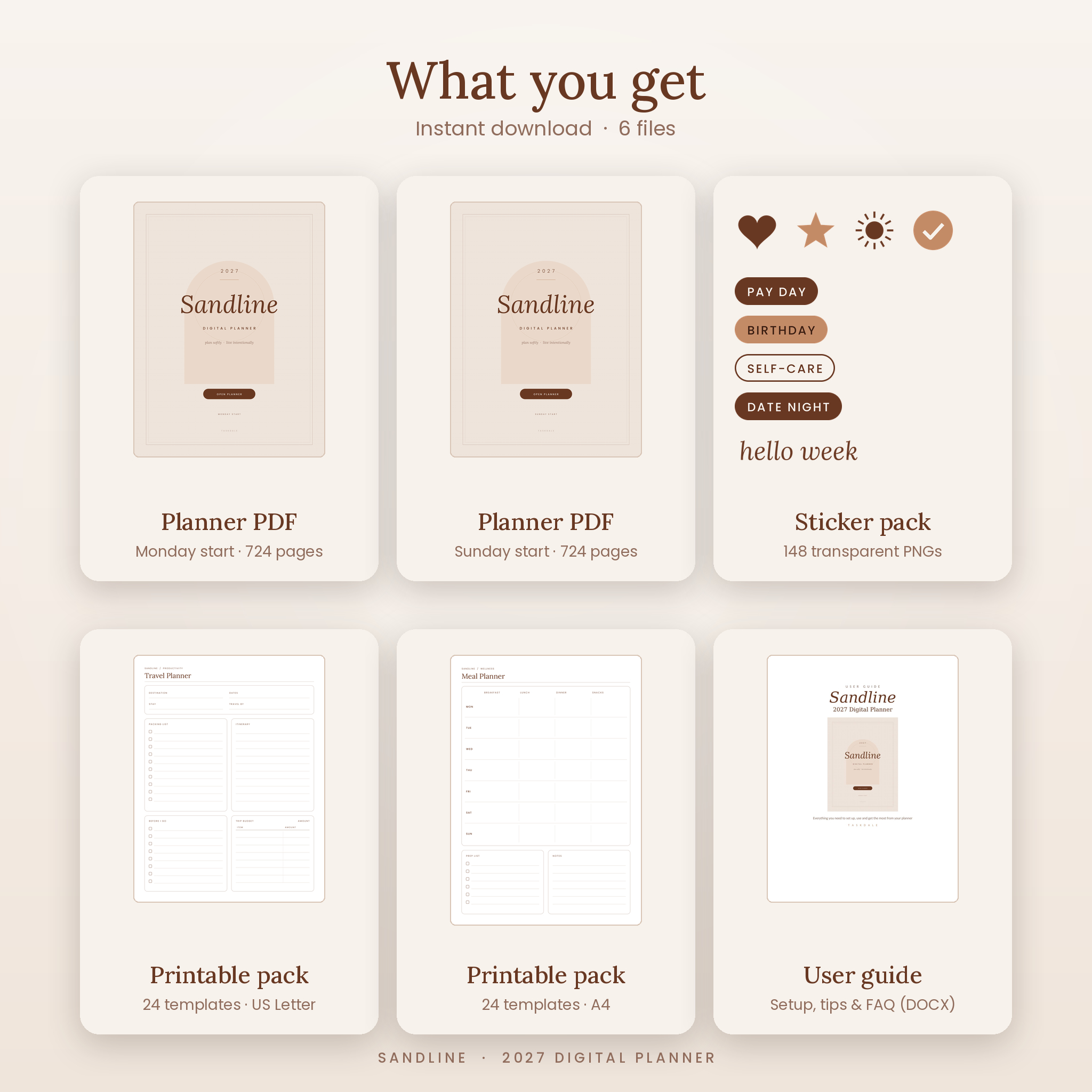
- Sandline 2027 Digital Planner, Monday start (PDF, 724 pages)
- Sandline 2027 Digital Planner, Sunday start (PDF, 724 pages)
- Sticker pack: 148 transparent PNG stickers in the planner colors (ZIP)
- Printable template pack, US Letter (PDF, 24 templates)
- Printable template pack, A4 (PDF, 24 templates)
- User guide (DOCX) with setup steps, tips, troubleshooting and FAQ
How it works
- Buy and download your files right away.
- Pick the Monday or Sunday start planner.
- Import the PDF into GoodNotes, Notability or another PDF annotation app.
- Tap side tabs, dates, week numbers and arrows to move around. Write with your stylus.
- Add stickers and duplicate any template page you need more of.
File formats and software
The planners are hyperlinked PDF files sized for portrait tablet screens (3:4). Use them in an app that lets you write on PDFs, such as GoodNotes or Notability on iPad. Android PDF apps that follow links, like Xodo, Noteshelf or Samsung Notes, can open them too. The stickers are PNG files. The guide is a Word document (DOCX) that also opens in Google Docs and Pages. You need a tablet with a stylus or finger input, and an internet connection only for the Google Calendar buttons.
Make it yours
Choose a different weekly layout each week. Rename the 10 habits every month. Paste photos into the vision boards. Set your own year in pixels colors. Write your currency once at the top of each finance page and every Amount column follows it, so it works in dollars, pounds, euros or rand. Change your pen colors to match the planner for a tidy look.
Real ways people use it
- A working parent blocks out school runs and meetings on the Hourly week, then tracks bills on the monthly finance page.
- A student keeps exam dates in Key Dates and study habits on the Wellness tracker.
- A freelancer runs client work on the project dashboard and books calls with the Google Calendar buttons.
- Anyone starting fresh in January sets a word of the year and checks progress each quarter.
Digital download
This is an instant digital download. Nothing is shipped. Your files are ready on the order page and in your account as soon as payment goes through. Personal use only. Please do not share or resell the files.
FAQ
Does this digital planner work with GoodNotes?
Yes. Import the PDF into GoodNotes and tap links with your finger. Notability works the same way.
Can I use it on Android?
Yes, in a PDF app that supports links, such as Xodo, Noteshelf or Samsung Notes.
Is the planner dated?
Yes. Every day from Friday, January 1, 2027 to Friday, December 31, 2027 has its own page.
What is the difference between Monday and Sunday start?
Only the first day of each week. Both versions are included, so pick the one you like.
Do the Google Calendar buttons sync my writing?
No. They open Google Calendar on that date so you can check or add events. Your notes stay in the planner.
Can I print it?
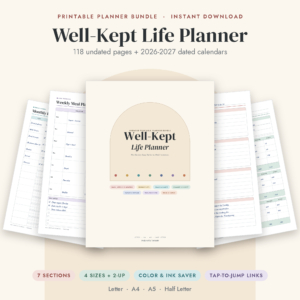
The planner is built for a screen. For paper, use the included Letter and A4 template packs.
Why is a link drawing a line instead of jumping?
Your app is in writing mode. Tap with your finger in read-only mode, or turn on Apple Pencil-only drawing.
Reviews
There are no reviews yet.