

A fundraiser tracker spreadsheet that does the math for you
Raiseboard is a fundraiser tracker spreadsheet for Microsoft Excel, made for PTAs, school classes, sports teams, booster clubs, scout troops and churches. You type in the money as it arrives. The workbook fills the goal thermometer, works out net profit, ranks your top sellers and tells you who still needs a thank-you note.
Most free templates stop at a donation list and a progress bar. Real fundraisers are messier. Money comes in as online gifts, cash at the bake sale, per-lap pledges from a fun run, cookie dough orders and a check from the dentist down the street. Raiseboard gives each of those its own tab, then pulls them together so nothing is counted twice.
What you can do with it
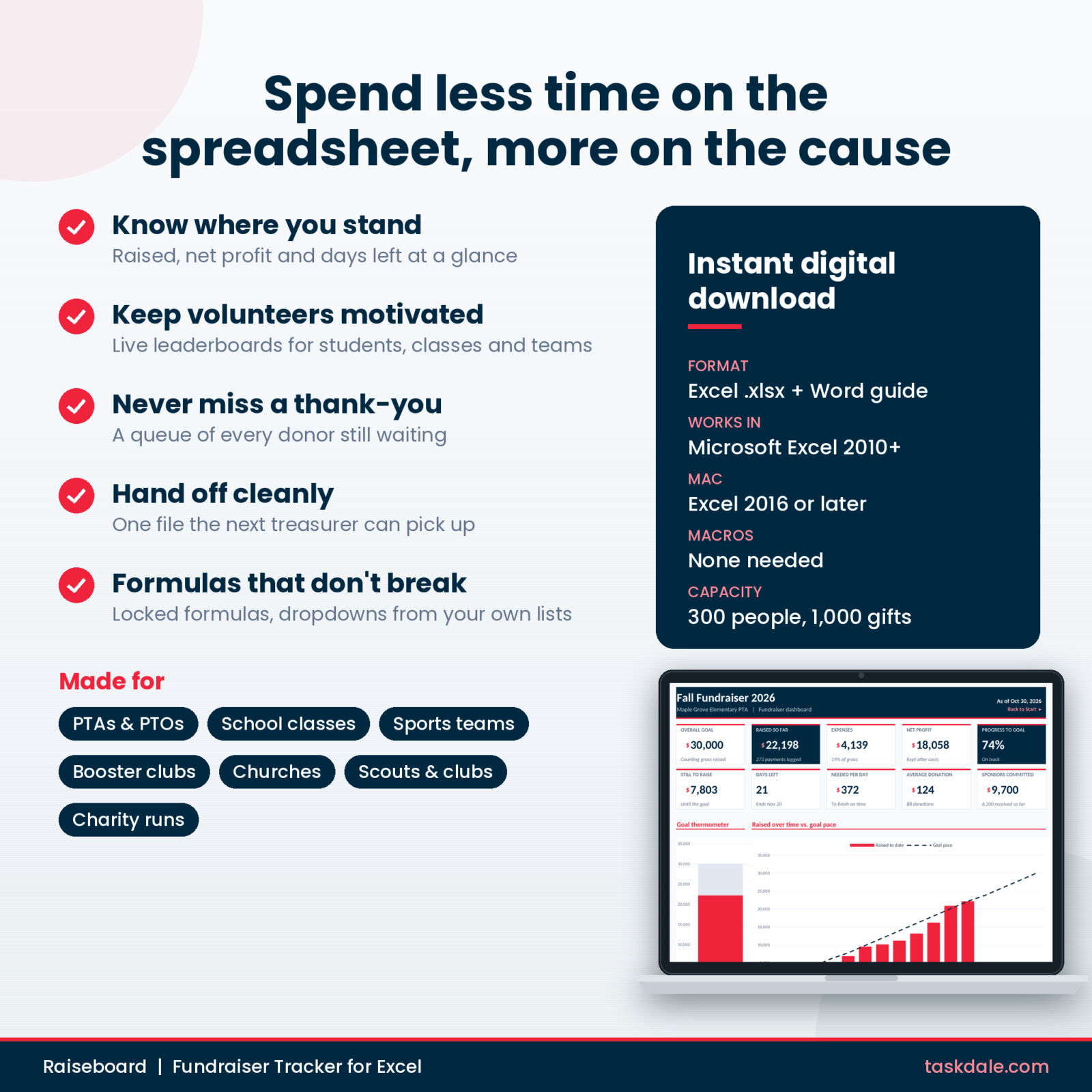
- See raised, expenses, net profit and progress to goal on one dashboard
- Know if you are on track or behind pace, and how much you need per day to finish
- Run a class or team competition with live leaderboards
- Collect fun run and read-a-thon pledges, flat or per lap, page or mile
- Total a product sale and see exactly how many of each item to order
- Track sponsors from the first ask to the logo on the banner
- Find out which events were worth the volunteer hours
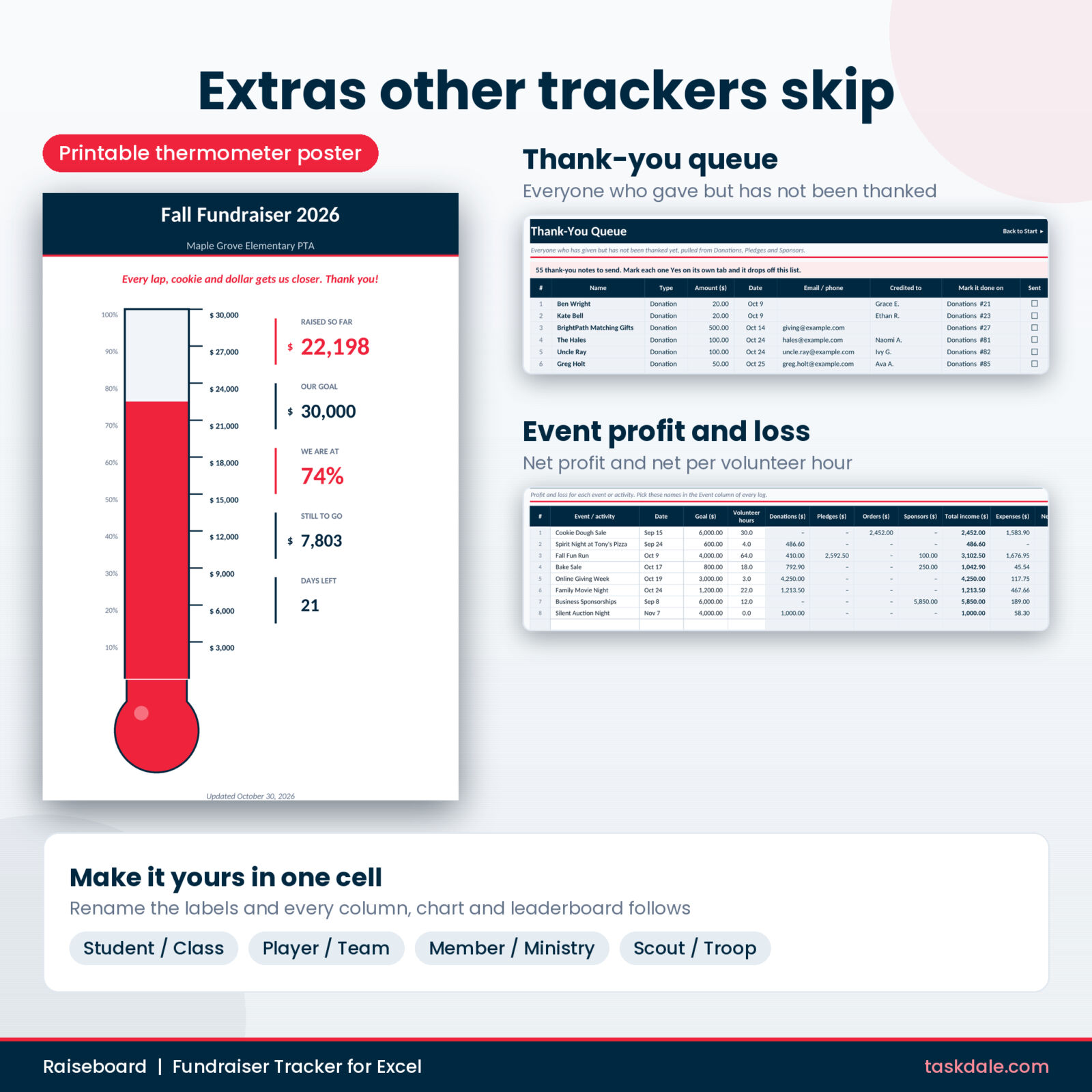
- Never forget a thank-you note again
Features
Dashboard and goal thermometer
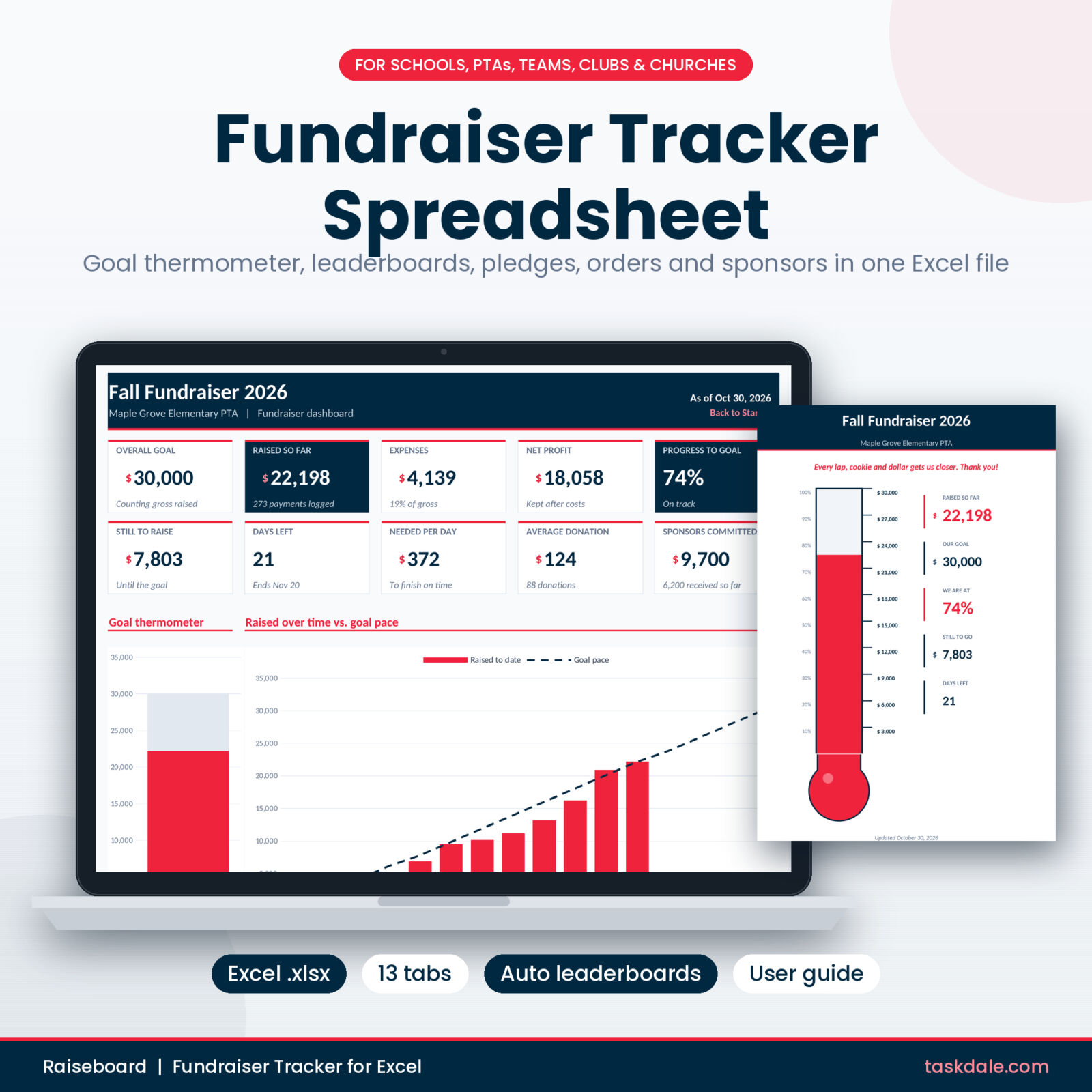
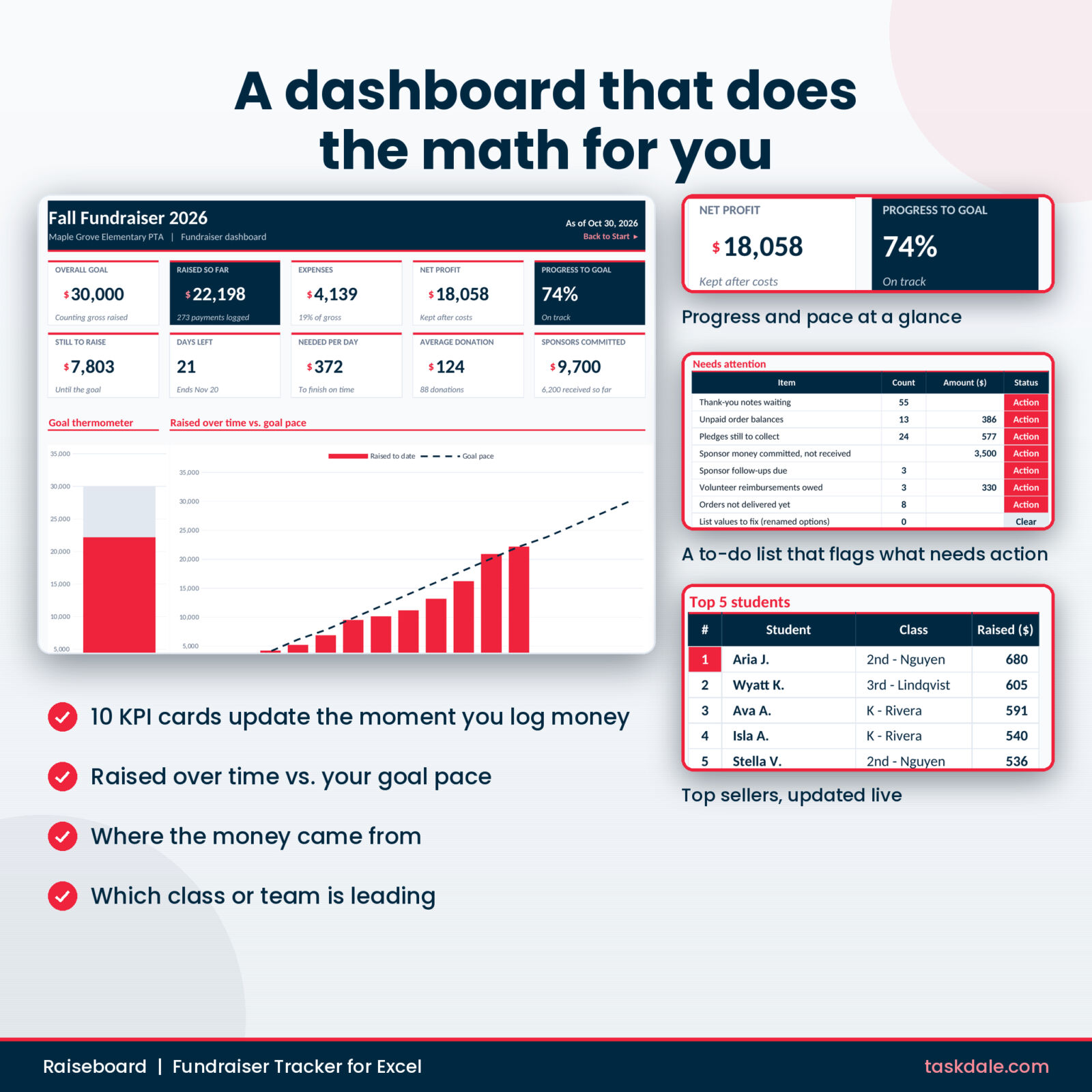
Ten KPI cards show your goal, money raised, expenses, net profit, progress, amount still to raise, days left, amount needed per day, average donation and sponsor money committed. Four charts show the thermometer, money raised over time against a goal pace line, where the money came from and the top 10 classes or teams. A Needs attention list flags unpaid orders, pledges still to collect, sponsor follow-ups due, volunteer reimbursements owed and more.
Roster and leaderboards
Add up to 300 participants with a group and a personal goal. Each person’s total, progress bar and rank fill in from every log. The Leaderboard tab shows the top 10 sellers, standings for up to 30 classes or teams, and the five biggest gifts.
Four ways to log money
- Donations: 1,000 rows for gifts, tickets, raffles, cash boxes, matching gifts and spirit night shares
- Pledges: 500 rows with flat or per-unit amounts, optional caps and balances, with laps pulled from the roster
- Orders: 500 product-sale orders across 8 products, with supplier quantities, revenue and estimated profit
- Sponsors: 100 sponsors with tiers, status, follow-up dates, benefits delivered and amounts received
Expenses and event profit
Log every cost with a category and event, and flag reimbursements owed to volunteers. The Events tab gives a profit and loss for up to 20 events, including net per volunteer hour, so you can decide what to repeat next year.
Thank-you queue and printable poster
The Thank-Yous tab lists every donor, pledger and sponsor who has paid but has not been thanked, with the row to update. The Thermometer tab is a letter-size poster with your fundraiser name and message that fills itself, ready for the school hallway or church lobby.
What is included
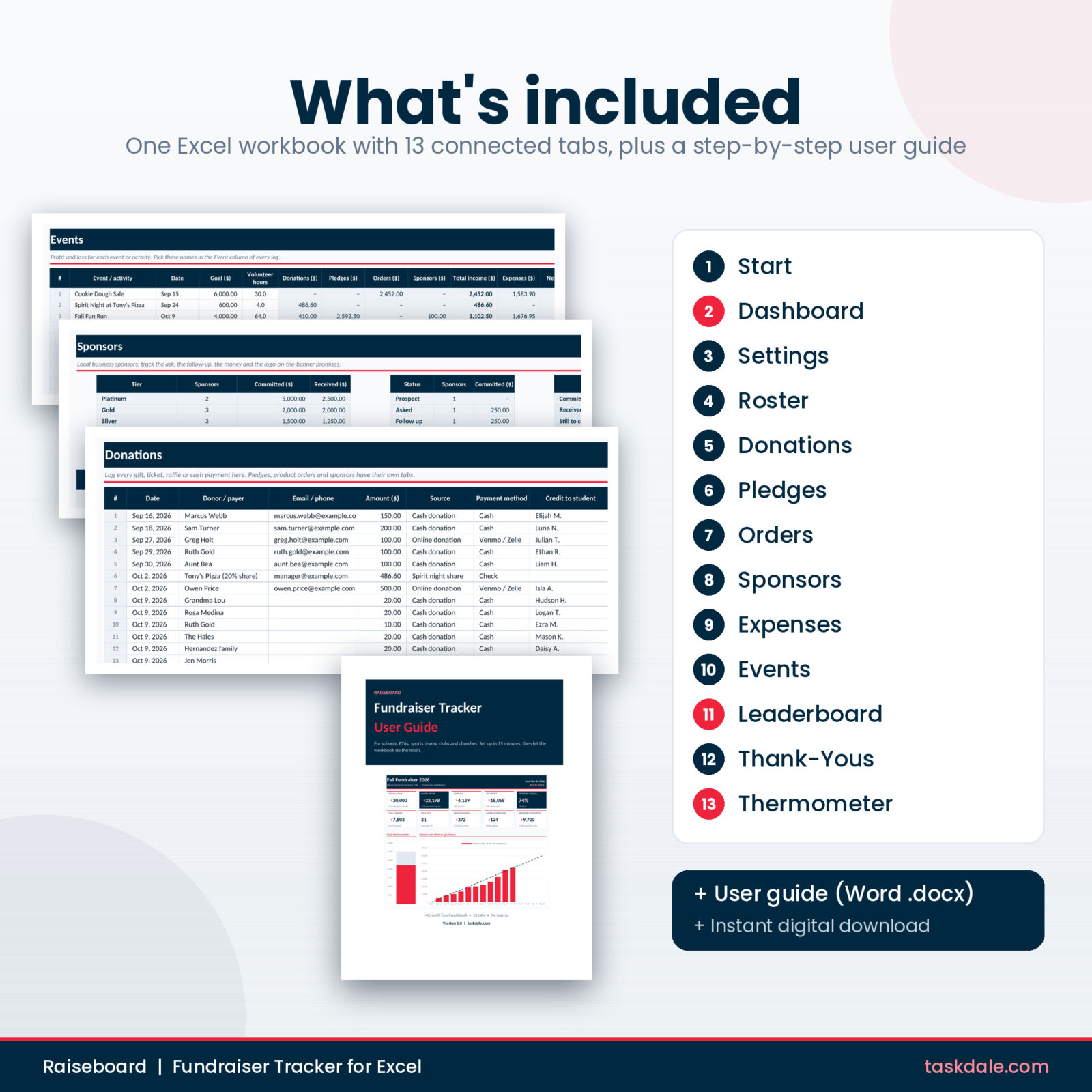
- Raiseboard Fundraiser Tracker workbook (.xlsx) with 13 tabs: Start, Dashboard, Settings, Roster, Donations, Pledges, Orders, Sponsors, Expenses, Events, Leaderboard, Thank-Yous and Thermometer
- User guide (.docx, 13 pages) with screenshots, setup steps, troubleshooting and FAQ
How it works
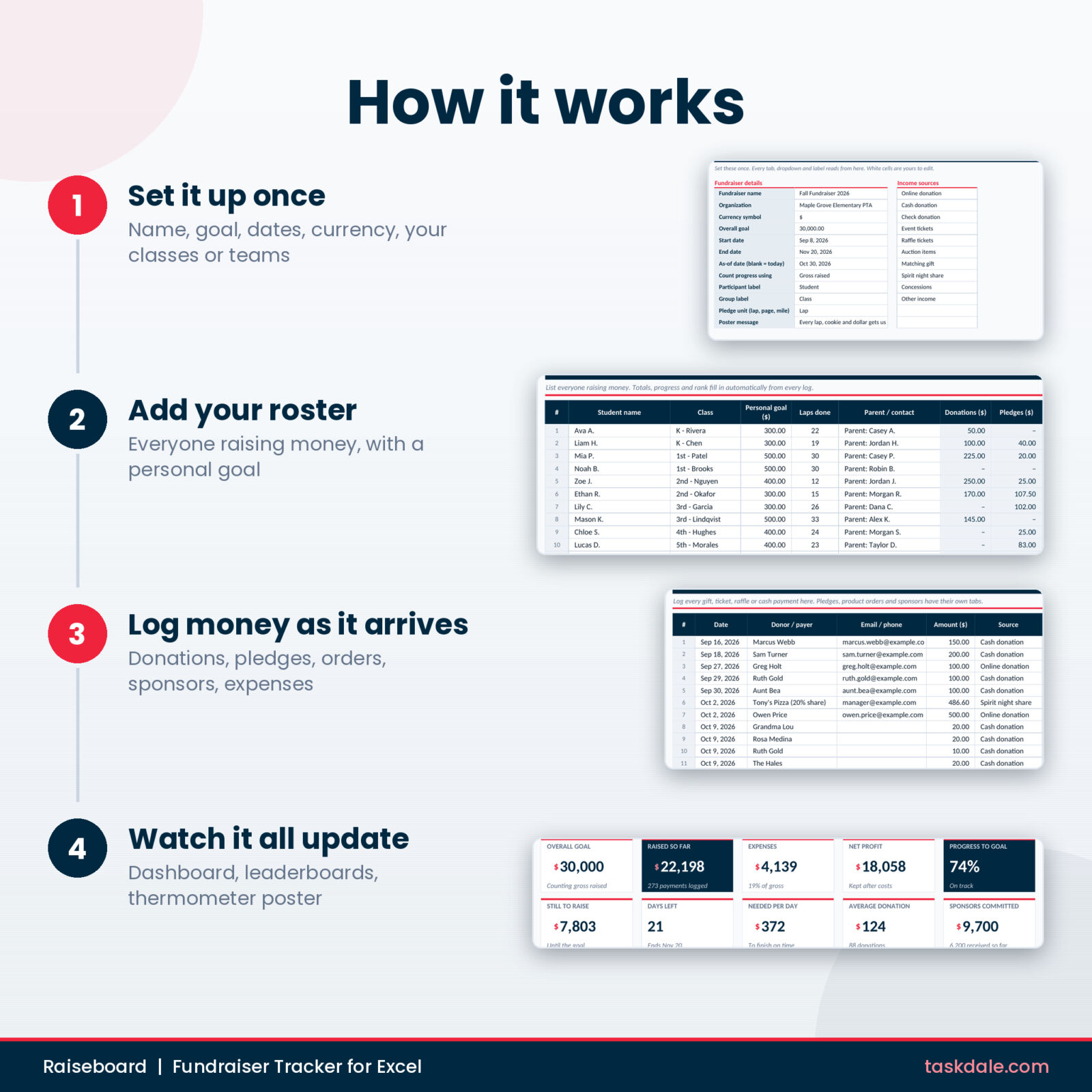
- Set up once: type your fundraiser name, goal, dates and currency on Settings, then list your classes or teams, products and sponsor tiers.
- Add your people: list everyone raising money on the Roster.
- Log money as it arrives: pick from dropdowns so names and categories always match.
- Check the results: open the Dashboard, print the poster and work through the thank-you queue.
Customize it to your group
Rename the labels in one cell and every column, chart and leaderboard follows: Student and Class, Player and Team, Member and Ministry, or Scout and Troop. Set any currency symbol and every money header updates. Edit every dropdown list on Settings. Switch progress between gross raised and net profit. If you rename a list option later, the dashboard flags the old entries for you instead of quietly dropping them from the totals.
Formula cells are locked so they cannot be overwritten by accident, while input cells stay open. Sheets are protected without a password, so you can still change the design if you want to.
Use cases
- A PTA fall fundraiser with a fun run, a cookie dough sale and business sponsors
- A classroom read-a-thon with per-page pledges and a class leaderboard
- A travel team or booster club raising money for uniforms and tournament fees
- A church mission trip or youth group campaign with a lobby thermometer
- A scout troop popcorn or wreath sale with orders and supplier totals
File format and requirements
- Microsoft Excel 2010 or later on Windows, Excel 2016 or later on Mac, or Microsoft 365
- No macros, add-ins or subscriptions
- US Letter print settings for the dashboard, leaderboard and poster
- Instant digital download. Nothing is shipped.
Fundraiser tracker spreadsheet FAQ
Does it work in Google Sheets?
Raiseboard is built for Microsoft Excel. Google Sheets can import .xlsx files, but it is not supported, so the tab buttons and some color rules may not work there.
Can I use it for more than one fundraiser?
Yes. Save a fresh copy of the original file for each campaign or school year.
Can I use a currency other than dollars?
Yes. Type any symbol on the Settings tab and every money header and card follows.
How many people and entries does it hold?
Up to 300 participants, 30 groups, 1,000 donations, 500 pledges, 500 orders, 100 sponsors, 300 expenses and 20 events.
Does it take payments?
No. It records the money you collect through cash, checks, card readers or giving apps. Your data stays in your own file.
Is a sample filled in?
The workbook comes clean and ready for your own fundraiser. The user guide walks through each tab and shows screenshots of a filled example.
What is the license?
Personal use and use inside your own school, PTA, team, club, church or organization. Printed reports can be shared with your members. The file itself may not be resold, shared or given away.
Reviews
There are no reviews yet.