
Survivor Pool Spreadsheet and Pick’em Tracker for Your Office or Friends
Outpick is a survivor pool spreadsheet and pick’em pool tracker built for the person who runs the pool. You type each week’s games and scores once. The workbook grades every survivor pick, catches anyone who uses a team twice, scores every pick’em pick, sorts both leaderboards and works out exactly who gets paid. It opens in Microsoft Excel and Google Sheets, needs no macros and works for any league or season because you enter your own team names.
Most survivor templates are a grid where you color cells by hand. Outpick has a rule engine behind the grid, so the result is the same every week no matter who is arguing about it.
Who It Is For
- Commissioners of office football pools, family pools and group-chat pools
- Survivor pools (also called last man standing or eliminator pools) with 1 to 80 entries
- Weekly pick’em pools with up to 50 players, straight-up, against the spread or confidence points
- Any level of play: pro, college, high school, fantasy leagues or another weekly sport
Main Benefits
- No more manual grading. Enter scores on one Schedule tab and every survivor and pick’em result updates.
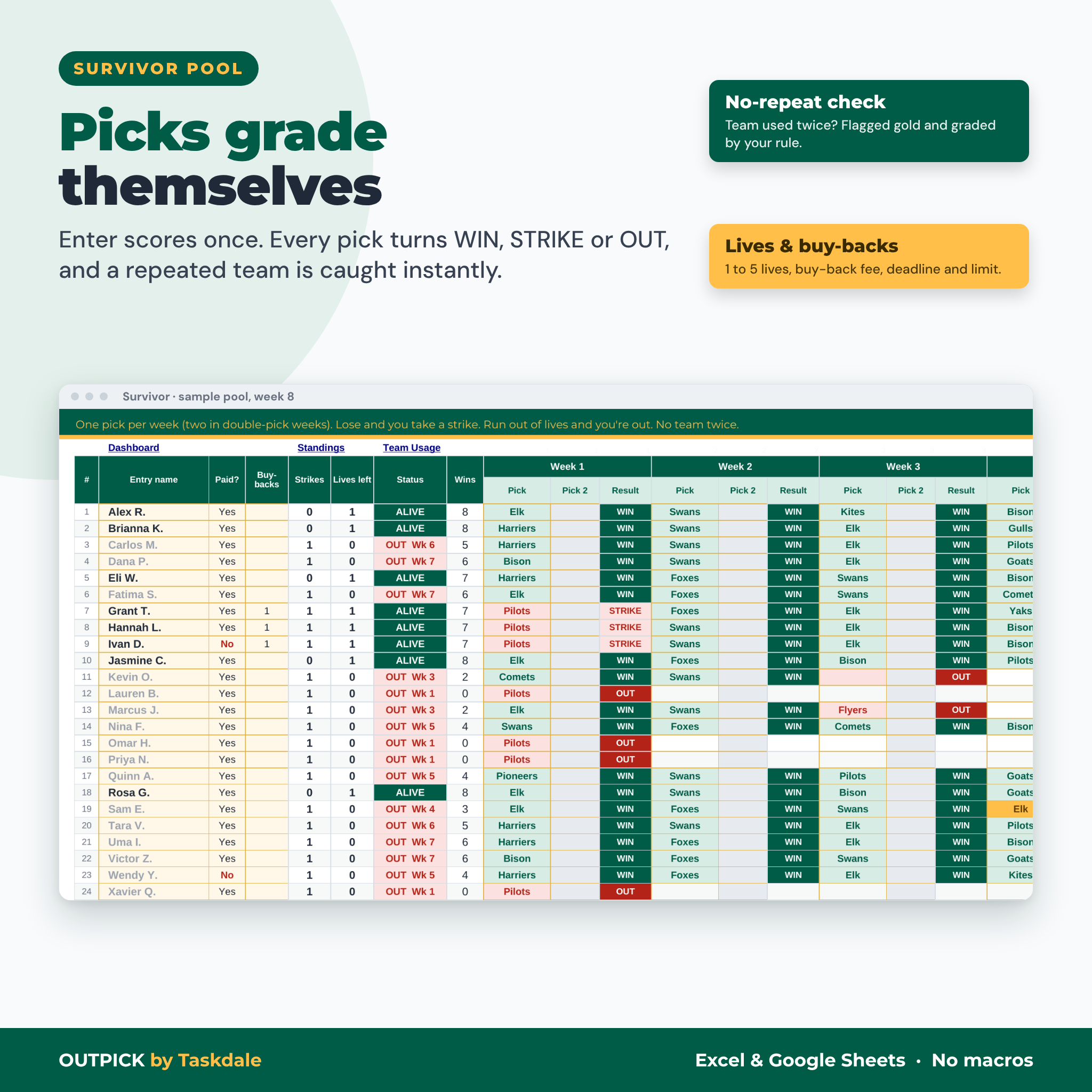
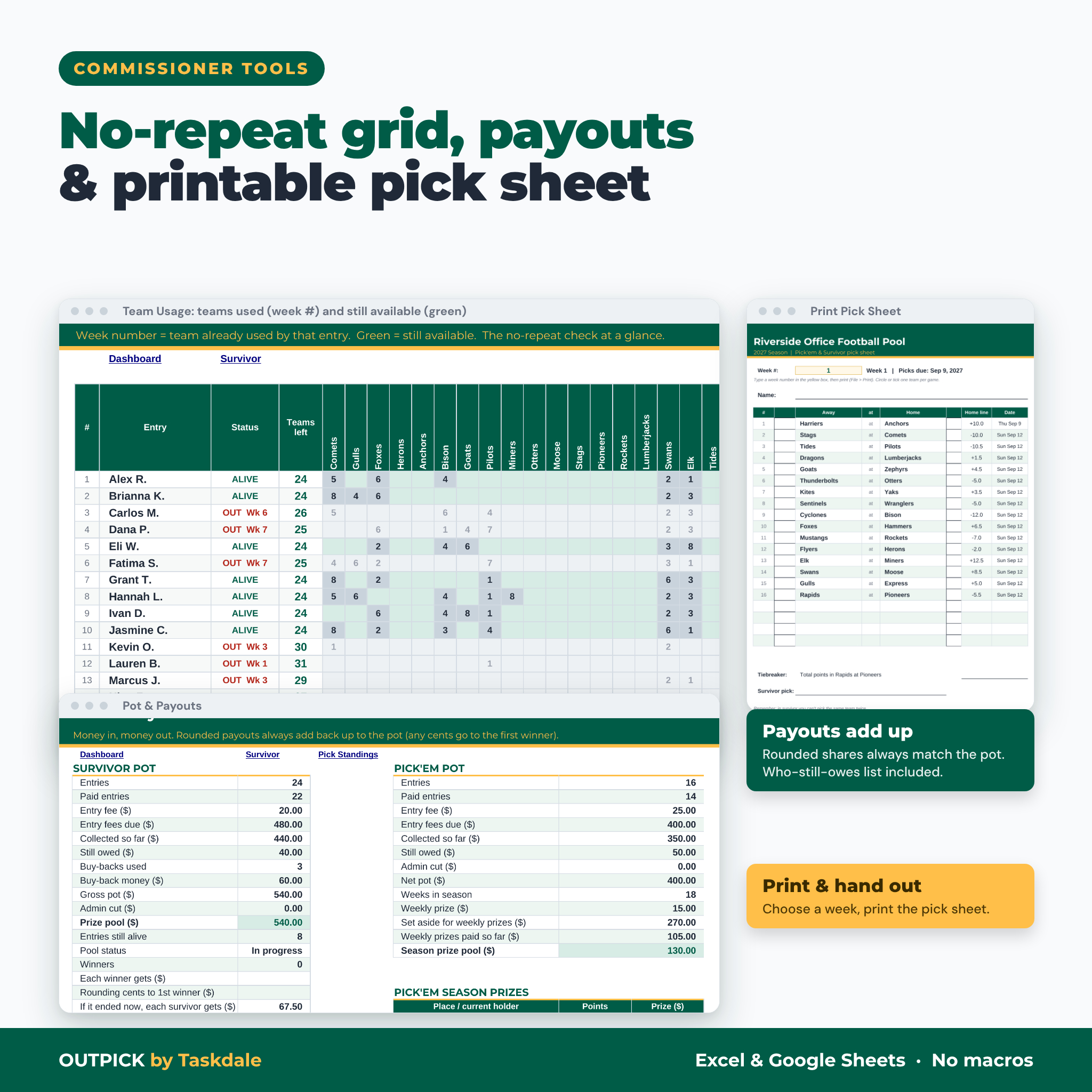
- No-repeat check built in. A team used twice by the same entry turns gold and is graded by your rule.
- Rules handled the same way every time. Ties, missed picks, buy-backs and the “everyone lost” week are settings, not debates.
- Money that adds up. Pots, admin cut, weekly prizes and season splits are calculated, and rounded payouts always match the pot.
Survivor Pool Features
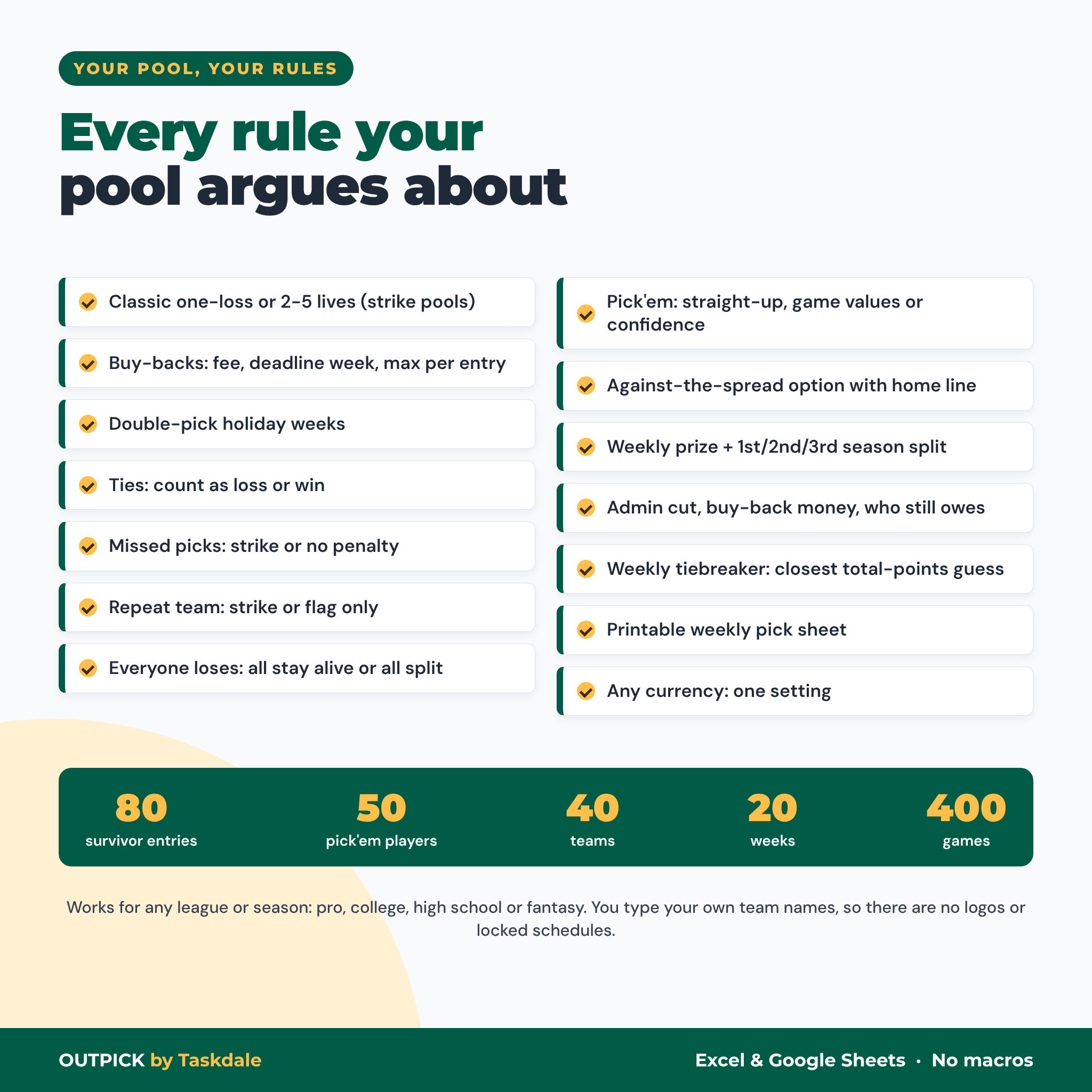
- Up to 80 entries and 20 weeks, one or two picks per week (double-pick holiday weeks)
- Automatic WIN, STRIKE, OUT, PENDING and SAVED results with color-coded picks
- Lives per entry from 1 (classic) to 5 (strike pools)
- Buy-backs with a fee, a last week allowed and a maximum per entry; rule-breaking buy-backs are flagged
- Choose how ties, missed picks and repeated teams count
- Everyone-loses rule: all remaining entries stay alive, or they all go out and split the pot
- Team Usage grid showing every team each entry has used (with the week) and still has available
- Sorted Survivor Standings plus a survivors-by-week table and chart
Pick’em Pool Features
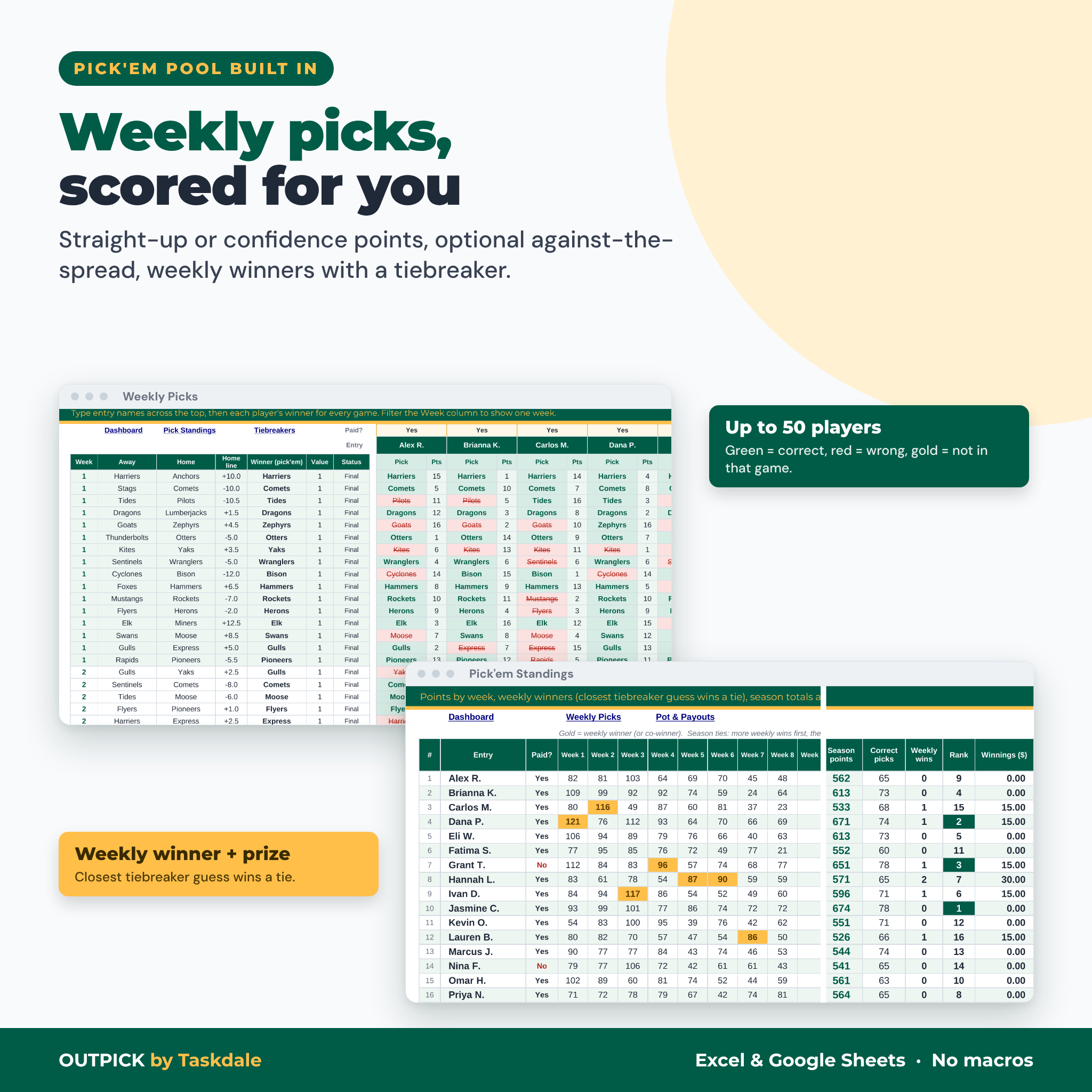
- Up to 50 players picking every game, with color-coded correct and wrong picks
- Straight-up scoring with optional bonus game values, or confidence points with a duplicate check
- Optional against-the-spread scoring using the home line you enter
- Choose whether tie games and pushes score points
- Weekly winner with a total-points tiebreaker, and automatic split when still tied
- Season standings with correct-pick counts, weekly wins, rank and winnings
What Is Included
- Outpick Survivor & Pick’em Pool Tracker (.xlsx) with 14 tabs: Start Here, Dashboard, Settings, Teams, Schedule, Team Grid, Survivor, Team Usage, Survivor Standings, Weekly Picks, Tiebreakers, Pick Standings, Pot & Payouts and Print Pick Sheet
- User guide (Word .docx) covering setup, every rule, each tab, tips, troubleshooting and FAQs
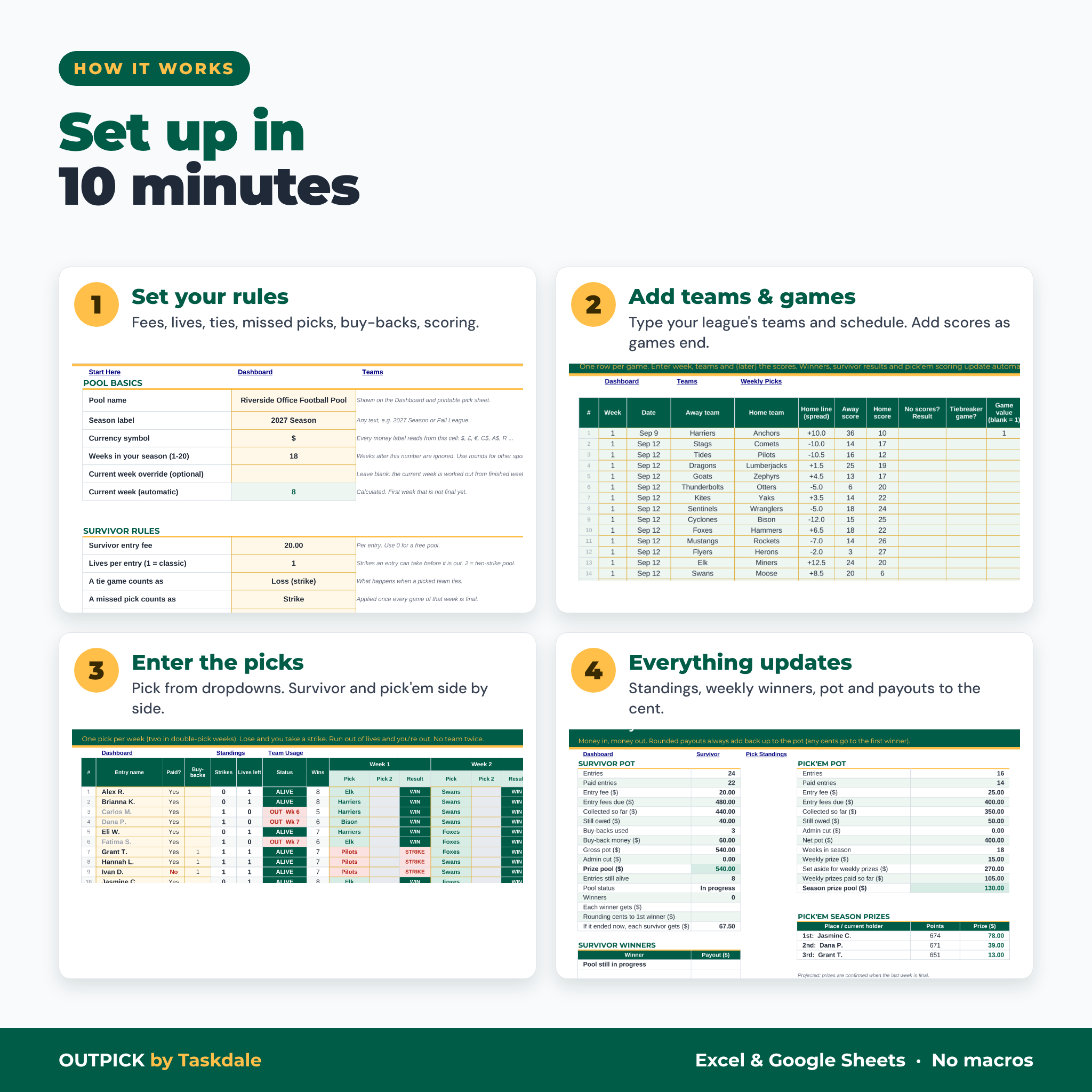
How It Works
- Set your rules. Pool name, currency, fees, lives, buy-backs, tie and missed-pick rules, scoring style and prizes.
- Add teams and games. Type your league’s teams once, then one row per game with the week, away and home team.
- Enter picks. Choose each entry’s survivor team and each player’s pick’em winners from dropdown lists.
- Type the scores. Results, eliminations, standings, weekly winners, the Dashboard and payouts all update.
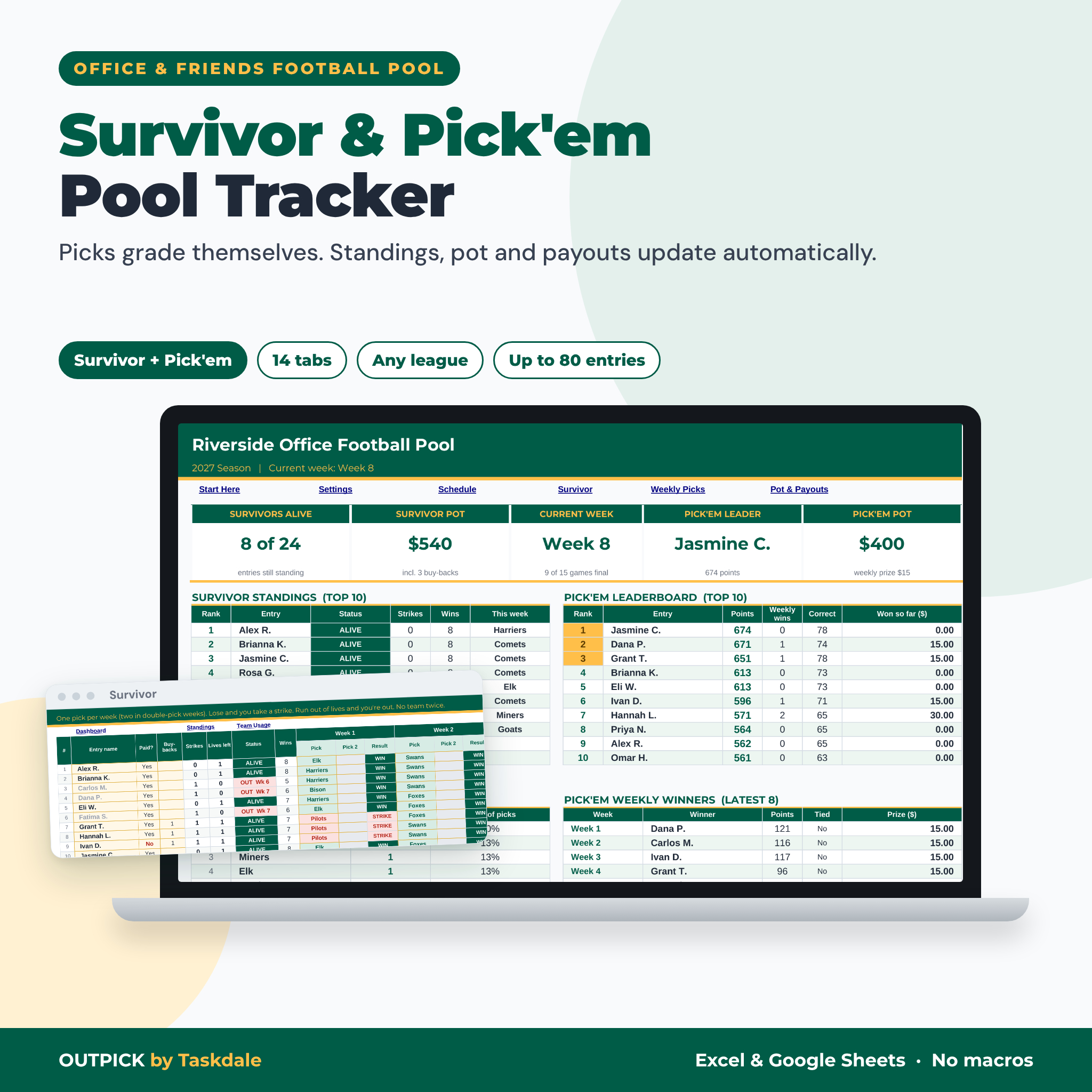
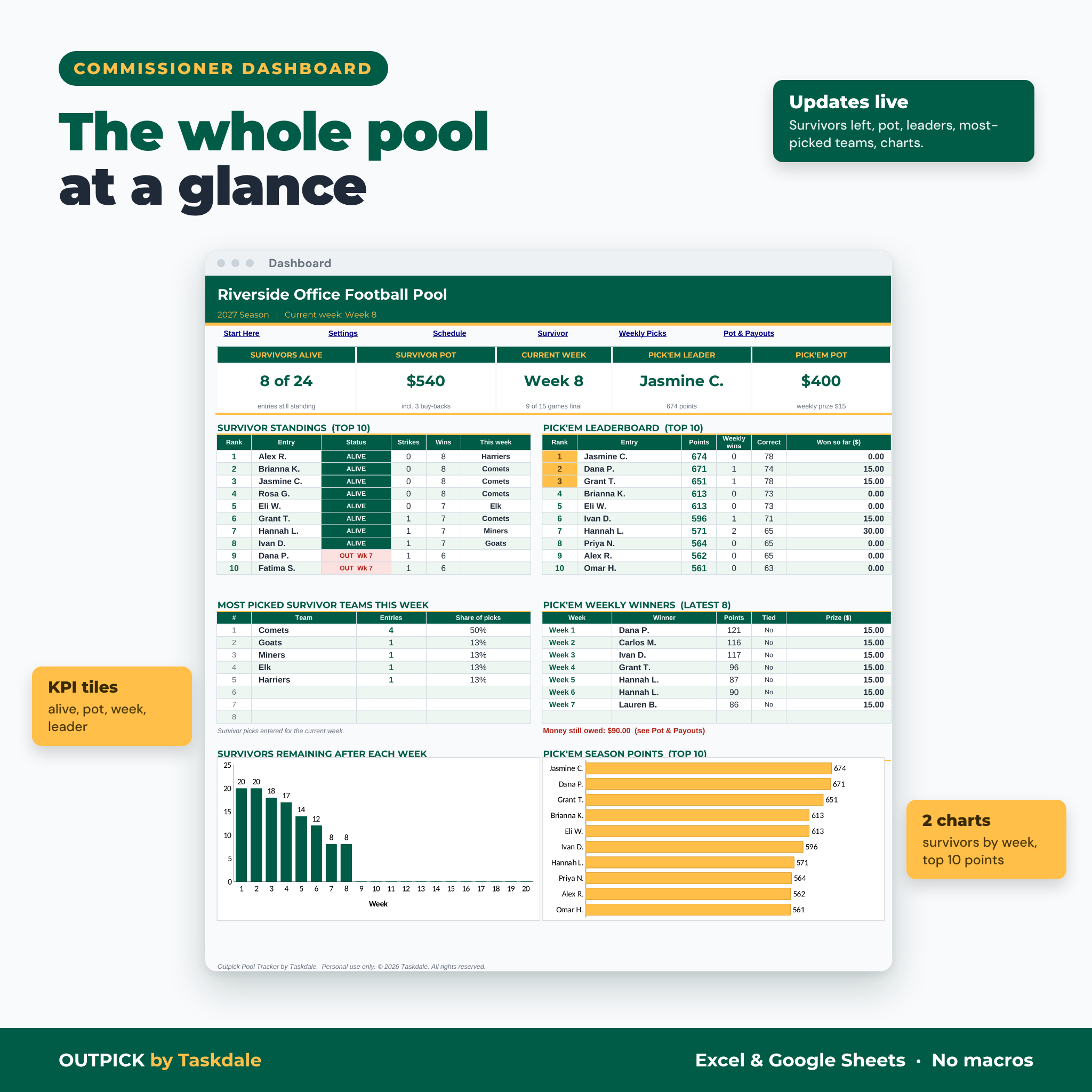
The Dashboard shows survivors alive, both pots, the current week, the pick’em leader, top-10 tables, the most-picked survivor teams this week, recent weekly winners, money still owed and two charts. The Print Pick Sheet tab turns any week into a one-page sheet you can hand out or post.
File Format and Software Requirements
- One .xlsx workbook plus a .docx user guide
- Microsoft Excel 2016 or newer (Windows or Mac), Microsoft 365, or free Google Sheets
- No macros, add-ons, scripts or subscriptions
- Desktop or laptop recommended for setup; results can be viewed in the Google Sheets mobile app
Customization
Every rule lives on the Settings tab, so you can change the pool name, season label, week labels (Week 1, Wild Card, Round 2), currency symbol, fees and prize splits at any time. Formula cells are protected without a password to prevent accidents, and yellow cells show where to type. Fonts and colors can be changed after unprotecting a sheet. There are no team names, logos or locked schedules inside, so the same file works next season and for other leagues.
Digital Download
This is a digital product. After checkout you can download the workbook and the user guide right away. Nothing is shipped. Scores are not downloaded automatically; the commissioner types them, which takes about five minutes a week.
Use Cases
- A 30-person office survivor pool with a $20 entry, one buy-back allowed through Week 4 and a double-pick holiday week
- A family pick’em pool using confidence points, with a weekly prize for the top score
- A friends’ group running both pools side by side from one file and posting the Dashboard each Tuesday
- A college or high school football pool where you type that league’s teams and weekly schedule
FAQ
Does this survivor pool tracker work in Google Sheets?
Yes. Upload the .xlsx to Google Drive and save it as a Google Sheet. It uses standard functions that work in Excel and Google Sheets.
Does it include team names or the season schedule?
No. You type your league’s teams and games, so it works for any league, level or year and never goes out of date.
Can I run a strike pool or allow buy-backs?
Yes. Set 1 to 5 lives per entry and turn on buy-backs with a fee, a deadline week and a limit.
What happens if everyone left loses in the same week?
You choose: they all stay alive (the week shows SAVED), or they are all out and split the pot.
How many people can join?
Up to 80 survivor entries and 50 pick’em players, with 40 teams, 20 weeks and 400 games.
Does it update scores automatically?
No. You type the scores (or simply who won). Everything else, including standings and payouts, is automatic.
Can I use it again next season?
Yes. Keep a clean copy of the download and start fresh each season.
Personal use only. You may not resell, share or redistribute the files. Not affiliated with or endorsed by any sports league or team.
Reviews
There are no reviews yet.