



A blog content planner spreadsheet that plans, tracks and improves every post
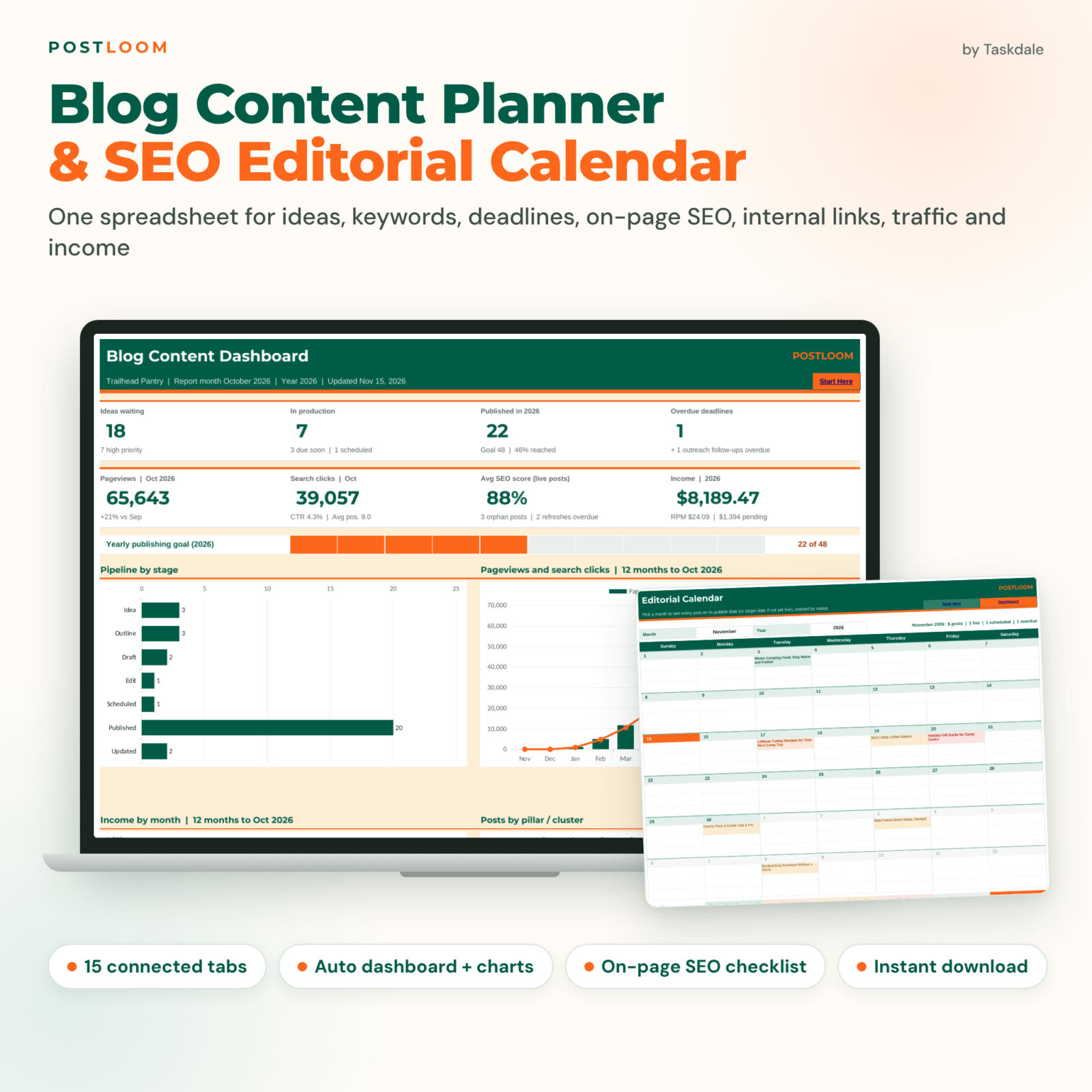
Postloom is a blog content planner spreadsheet for bloggers, niche site owners and small content teams. It replaces the scattered mix of idea notes, editorial calendars, SEO checklists and traffic reports with one connected workbook. You type in the white cells; deadlines, statuses, scores, charts and sorted to-do lists are calculated for you.
It works in Microsoft Excel 2016 or later (Windows and Mac), Microsoft 365 and Google Sheets. There are no macros, add-ons or monthly fees.
What the editorial calendar spreadsheet does
- Collects and ranks ideas. Score each idea from 1 to 5 on traffic potential, business value, ease and timeliness. A weighted 0-100 priority score, a High/Medium/Low label and a rank tell you what to write next.
- Organizes keyword research. Log the estimated volume, difficulty and CPC you get from your own keyword tool, plus intent, cluster and role. Postloom adds a difficulty band, an opportunity score and a warning when two posts target the same keyword.
- Runs your editorial pipeline. Every post moves through Idea, Outline, Draft, Edit, Scheduled, Published and Updated. Pick a target publish date and the sheet works out the next step, its due date and whether it is On track, Due soon or Overdue.
- Shows a monthly and weekly content calendar. The Calendar tab colors each post by status. Week View lists publishing dates, stage deadlines and outreach follow-ups day by day.
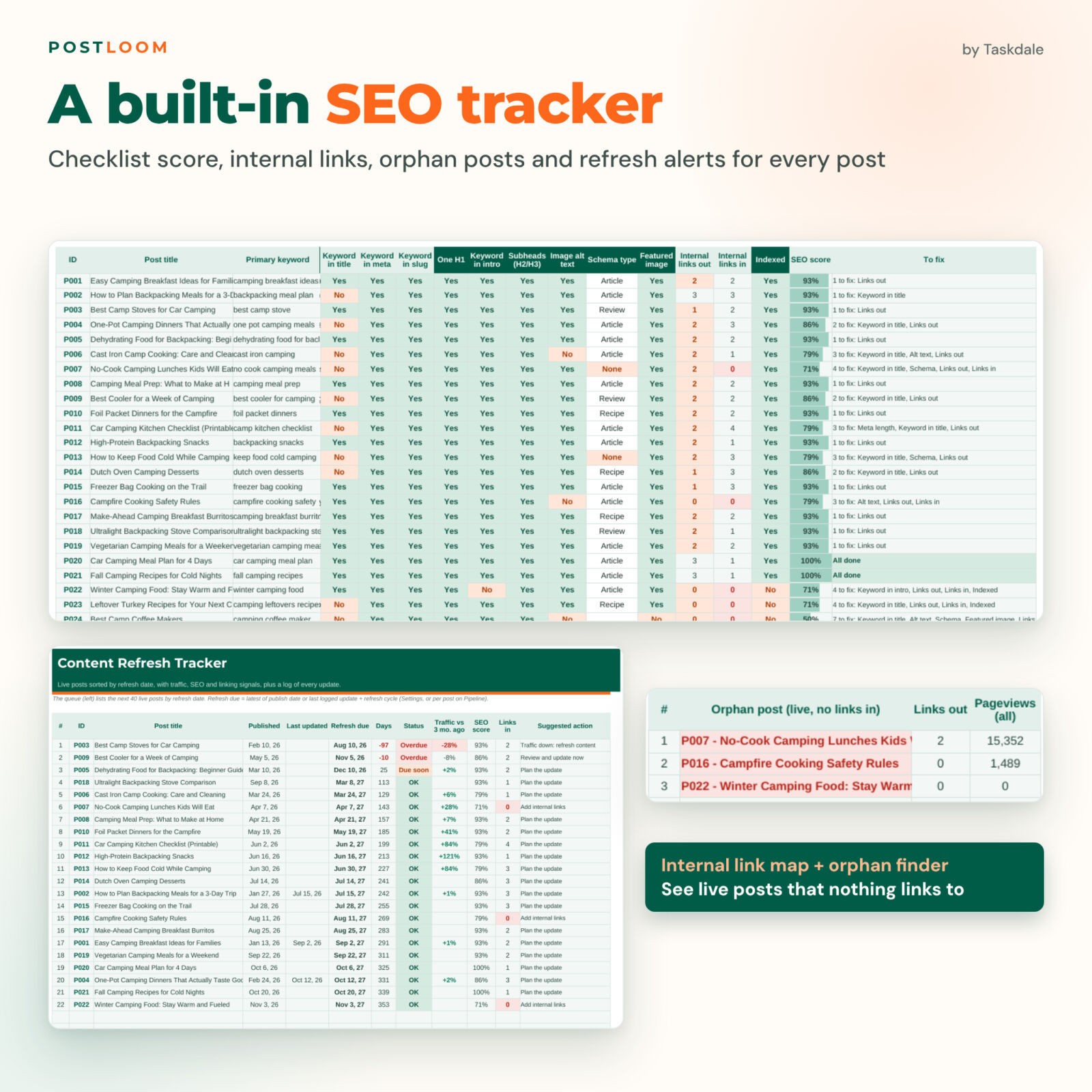
- Checks on-page SEO. Paste the SEO title and meta description for live length checks. Keyword-in-title, meta and slug checks run automatically. Answer the rest (H1, intro, subheads, alt text, schema, featured image, indexed) and get a score with a to-fix list.
- Maps internal links. Record links between posts. Links in and out are counted for every post, and an orphan list shows live posts with no links pointing to them.
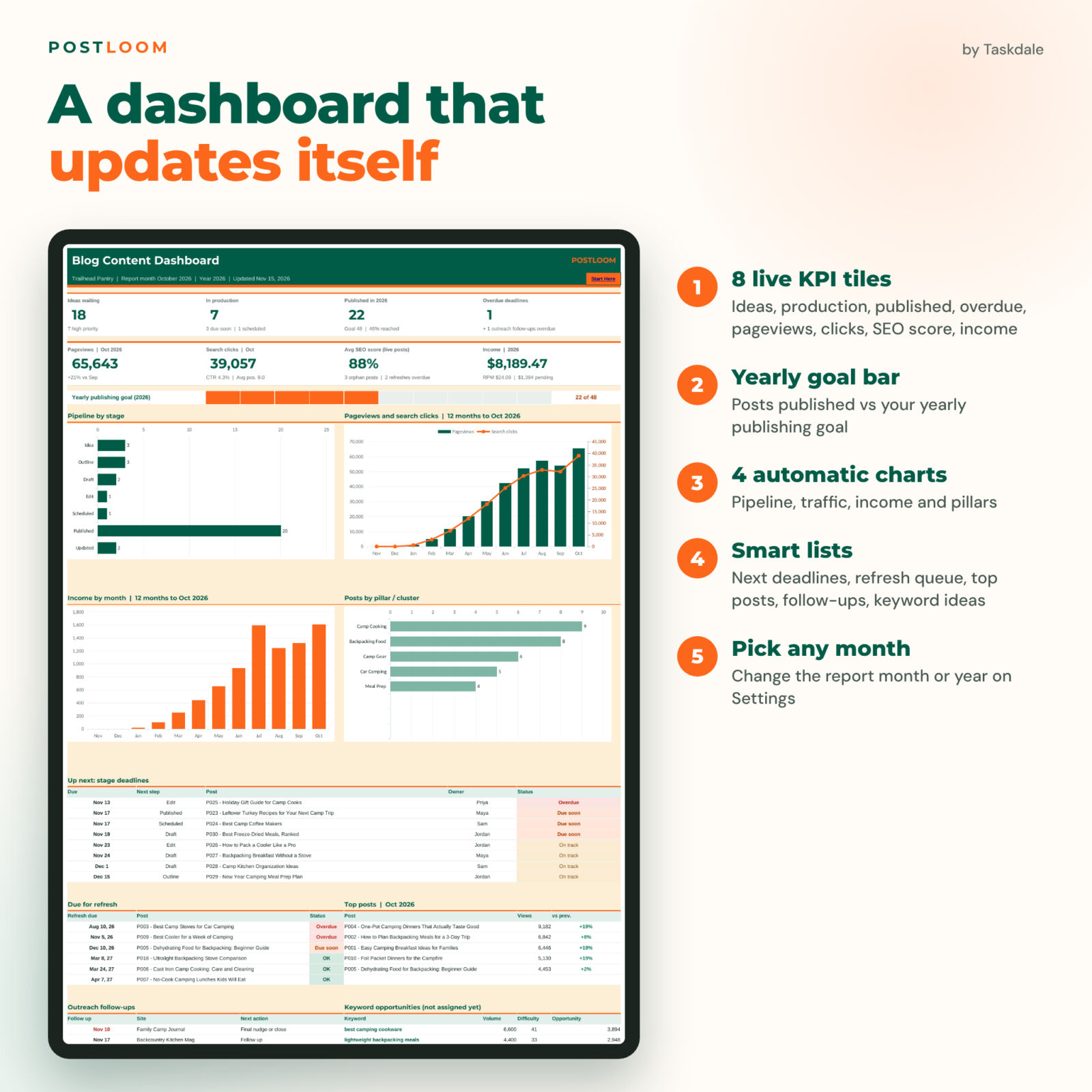
- Tracks performance. Once a month, log pageviews, search clicks, impressions and average position per post. Analytics charts the last 12 months, shows a trend for any post, the top 10 posts and results by pillar.
- Tells you what to refresh. A refresh queue sorts live posts by refresh date and flags traffic drops, weak SEO scores and missing internal links, with a suggested next action.
- Tracks guest posts and income. Follow-up dates for pitches and link requests are calculated. Affiliate, ad, sponsored and product income can be linked to a post, so you see RPM and your top earners.
Who this blog planner is for
- Solo bloggers who want one simple system instead of five half-used tools
- Affiliate and niche site owners who care about rankings, refreshes and earnings per post
- Content managers and small teams who assign posts to writers and editors
- Freelance writers and agencies planning a client blog
Main benefits
- Nothing slips: automatic deadlines and overdue alerts for every stage
- Better rankings: an on-page checklist, keyword overlap check and internal link tracking for every post
- Clear priorities: idea scores, keyword opportunity and a refresh queue tell you where your next hour pays off
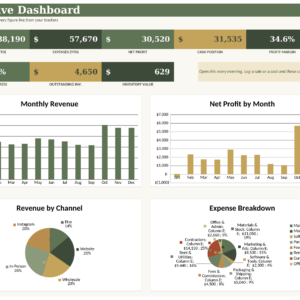
- A dashboard that updates itself: eight KPI tiles, a yearly publishing goal bar, four charts and five smart lists
- Beginner-friendly: white cells for input, dropdowns everywhere, protected formulas and a step-by-step guide
What is included
- Postloom Blog Content Planner (.xlsx) with 15 tabs: Start Here, Dashboard, Settings, Idea Bank, Keywords, Pipeline, Calendar, Week View, SEO Checklist, Link Map, Performance, Analytics, Refresh, Outreach and Income
- Room for 300 posts, 300 ideas, 500 keywords, 600 internal links, 1,500 monthly performance rows, 200 outreach contacts and 600 income entries
- User guide (.docx) covering setup, every tab, customizing, tips, troubleshooting and FAQs
The download is a clean copy with no sample data, ready for your own blog. The listing images show a fictional example blog so you can see the planner in use.
How it works
- Open Settings and add your blog name, currency, team members, categories and pillars or clusters.
- Add ideas to the Idea Bank and keywords to the Keywords log.
- Move the posts you are working on into the Pipeline with an owner, stage and target publish date.
- Before publishing, complete the SEO Checklist and add internal links on the Link Map.
- Each month, log performance numbers and income, then check the Dashboard, Analytics and Refresh tabs.
File formats and software requirements
- Format: Excel workbook (.xlsx) plus a Word user guide (.docx)
- Works in Microsoft Excel 2016 or later, Microsoft 365 (desktop and web) and Google Sheets (upload to Google Drive and save as a Google Sheet)
- Not designed for Apple Numbers
- Numbers such as search volume, pageviews and clicks are typed in from the tools you already use; the file does not connect to any website or service
Customization
Choose any currency symbol, rename your owners, categories, pillars, content types, income sources and outreach types, and change stage lead days, the ‘due soon’ window, the refresh cycle, the traffic-drop alert, the yearly publishing goal and the idea scoring weights. Sheets are protected without a password, so you can unlock them to restyle anything.
Digital download
This is a digital product. No physical item will be shipped. You can download the files right after checkout from your order confirmation and your account.
Use cases
- A food blogger plans seasonal recipes three months ahead and sees which recipes need a refresh before peak season.
- An affiliate site owner checks which reviews earn the most per 1,000 pageviews and which lost traffic since last quarter.
- An editor assigns drafts to three writers and sees overdue edits on the Dashboard every Monday.
- A new blogger turns 40 scattered ideas into a ranked list and a 12-week content calendar.
FAQ
Does this blog planner work in Google Sheets?
Yes. Upload the .xlsx to Google Drive and save it as a Google Sheet. It also works in Excel 2016 or later and Microsoft 365.
Does it pull data from my analytics or keyword tools automatically?
No. You copy the numbers in from the tools you already use. That keeps the file private and free of logins or add-ons.
Is this an editorial calendar template too?
Yes. It includes a monthly editorial calendar and a weekly view, both filled automatically from your post pipeline.
Can my team use it?
Yes. Add team members to the Owners list and share the file through Google Sheets or OneDrive.
Can I change the currency?
Yes. Type your currency symbol once on Settings and every money header and tile updates.
Is it beginner-friendly?
Yes. You only type in white cells, most fields are dropdowns, formulas are protected, and the user guide walks through every tab.
Can I resell or share the file?
No. It is licensed for personal use or use within your own business. You may not resell, share or redistribute the files.
Microsoft Excel and Google Sheets are trademarks of their owners. Postloom is not affiliated with or endorsed by Microsoft or Google.
Reviews
There are no reviews yet.