If your book lives in a notes app, a paper planner and three DM threads, you already know the cost. A client slips through the cracks, a fill gets double booked, and at the end of the month you can’t say what you actually made. A simple appointment tracker spreadsheet fixes most of that in about ten minutes a week. This guide shows lash artists and nail techs how to set one up, what to track, and how to turn it into more rebooked clients. You can grab our free tracker right below.
Free Lash & Nail Tech Appointment Tracker (Excel + Google Sheets)
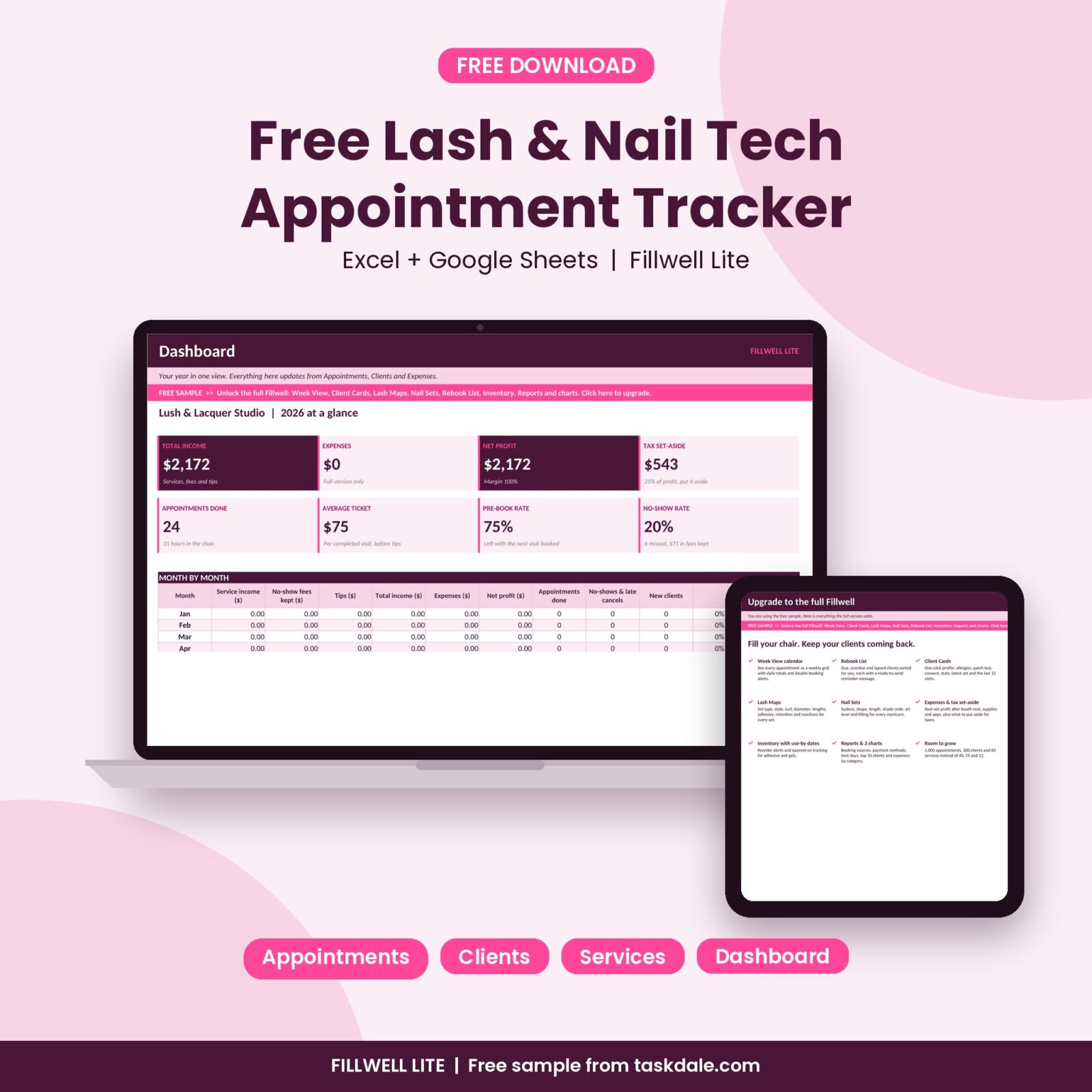
Fillwell Lite: a free sample spreadsheet with an appointment book (40 rows), client list (15 clients), 12-service menu, income dashboard with 8 KPIs and a month-by-month table, plus example data you can type over.
Want everything unlocked?
The free file is a sample. The full version has every page, tab and feature, plus the user guide.
See the full versionThe download is free. Enter your email address to get the file. Free downloads are limited to 3 per day.
Why lash and nail techs need their own appointment tracker
Booking apps are great at taking bookings. They’re not always great at telling you how your business is doing. Most beauty pros switch apps at least once, and every switch means losing history, client notes or both.
A spreadsheet you own fixes that. Your client list, visit history, deposits and income stay in one file, no matter which app takes the booking. It also answers the questions that matter in a fill-cycle business:
- Who is due for a fill this week and hasn’t booked?
- How much did I take home last month after tips and no-show fees?
- Which services pay best for my time?
- How many new clients came from Instagram versus referrals?
What to track for every appointment
Keep each row simple. One booking, one row. These are the columns that pull their weight:
- Date and start time. Used for your calendar and to work out the end time.
- Client. Pick it from a dropdown so the spelling always matches. Spelling is what links visits to the right person.
- Service and add-on. Hybrid fill plus bottom lashes, or acrylic fill plus nail art.
- Status. Booked, Completed, No-show, Late cancel, Canceled or Rescheduled.
- Deposit, discount and tip. Tips are income too, so log them, but keep them apart from service income.
- Payment method and booking source. Card, cash, Venmo, Zelle. Instagram, TikTok, referral, booking app.
- Pre-booked next visit? Yes or no. This one habit tells you how full your next month will be.
The free tracker has all of these, with dropdowns, so logging a booking takes under a minute.
How to set up the free tracker in 5 steps
- Open the Settings tab. Add your business name, currency symbol, the year, your tax set-aside percentage and a monthly income goal.
- Edit the service menu. The Services tab comes with 12 common lash, brow and nail services. Change the names, prices and minutes to match your menu. Product cost lets you see profit per hour.
- Add your clients. Name, phone, Instagram, usual service, allergies and patch test date. The usual service sets how often they should come back.
- Log appointments. Pick the client, service and status. The price, end time, deposit balance and income fill in for you.
- Check the Dashboard. Total income, tips, average ticket, pre-book rate and no-show rate update on their own, with a month-by-month table underneath.
Using Google Sheets? Upload the file to Google Drive, then open it with Google Sheets. Everything calculates the same way.
Tips that make the tracker pay for itself
Ask for the next booking before they leave
The fastest way to a full book is pre-booking at checkout. “Want me to save your next fill for three weeks from today?” Mark it in the tracker. If your pre-book rate sits under 60%, that’s your biggest growth lever.
Take deposits on full sets
Full sets block two to three hours. A deposit of 25% to 50% protects that time. Log the deposit on the booking so it comes off the balance at checkout, and so a no-show still counts the kept deposit as income.
Write your no-show policy down
Pick a fee percentage and stick to it. Tracking no-shows by client shows you who needs a stricter deposit next time.
Watch average ticket, not just bookings
Ten clients at a higher average ticket can beat fifteen at a low one. Add-ons like bottom lashes or nail art lift your average without adding much chair time.
Free tracker vs the full Fillwell appointment book
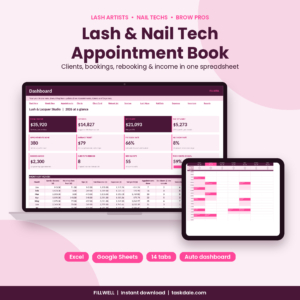
The free file is a real, working tracker. It’s also a sample of the full Fillwell Lash & Nail Tech Appointment Book, which adds the tools that keep clients coming back.
| Feature | Free (Fillwell Lite) | Full Fillwell |
|---|---|---|
| Appointment book | 40 rows | 1,000 rows |
| Client list | 15 clients | 300 clients |
| Service menu | 12 services | 60 services, plus income per service |
| Dashboard | 8 KPIs + monthly table | 12 KPIs, monthly table + 3 charts |
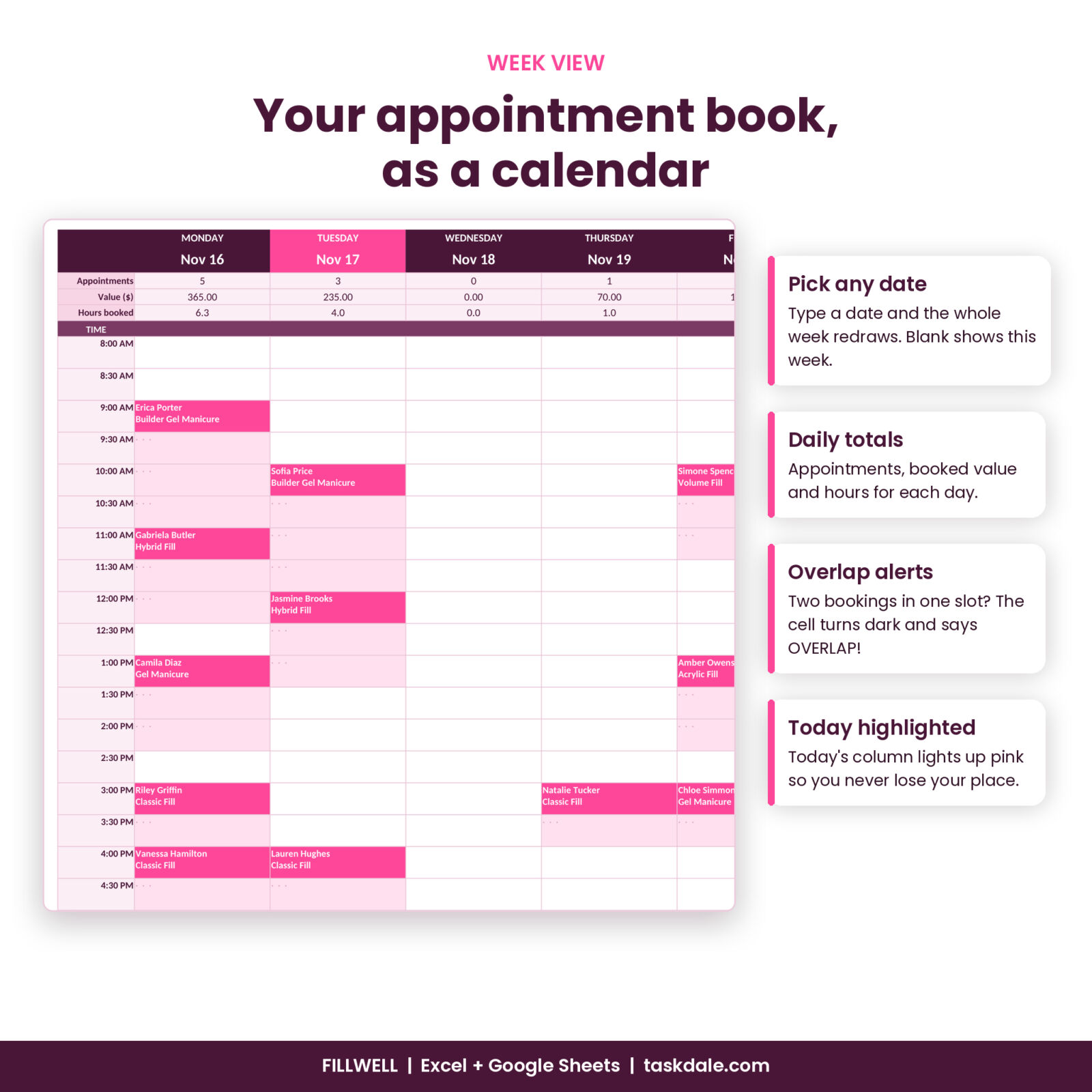
| Week View calendar with overlap alerts | No | Yes |
| Rebook List with ready-to-send reminder texts | No | Yes |
| Client Card (profile, safety notes, last 12 visits) | No | Yes |
| Lash Maps and Nail Sets records | No | Yes |
| Expenses, net profit and tax set-aside | No | Yes |
| Inventory with reorder alerts and use-by dates | No | Yes |
| Reports: sources, payments, best days, top 10 clients | No | Yes |
| Step-by-step user guide | No | Yes |
The Rebook List is the part techs love most
Every client gets a next due date from their usual service. The full version lists everyone who is due, overdue or lapsed with nothing booked, most urgent first, and writes a personal reminder for each one: “Hi Jade! Your Hybrid Fill is due around Nov 18. Want me to save you a spot?” Copy it into a text or DM and send. Five messages on a Sunday night can fill a slow Tuesday.
Repeat the look without guessing
Lash Maps saves set type, curl, diameter, lengths, adhesive and retention for every set. Nail Sets saves system, shape, length and shade code. Open a Client Card and the latest map, allergies and patch test status are right there.
See the full Fillwell Appointment Book »
Frequently asked questions
Is this appointment tracker really free?
Yes. Enter your email and the file downloads straight away. It’s yours to use for your own business.
Does it work in Google Sheets?
Yes. Upload it to Google Drive and open it with Google Sheets.
Can I move my entries to the full version later?
Yes. The columns match, so you can copy your Clients, Services and Appointments rows and paste them into the same columns of the full Fillwell.
Is it only for lashes?
No. It covers lash, nail and brow services, and you can rename any service to fit your menu.
Get your free appointment tracker
Start with the free tracker today. When you’re ready for the calendar, the rebook list and client cards, the full version is one click away.
Two ways to start
Get the free Fillwell Lite tracker by entering your email in the download box at the top of this page.
The full version adds Week View, the Rebook List, Client Cards, Lash Maps, Nail Sets, Expenses, Inventory, Reports and a step-by-step user guide, for Excel and Google Sheets.