
Lash & Nail Tech Appointment Book Spreadsheet for Excel and Google Sheets
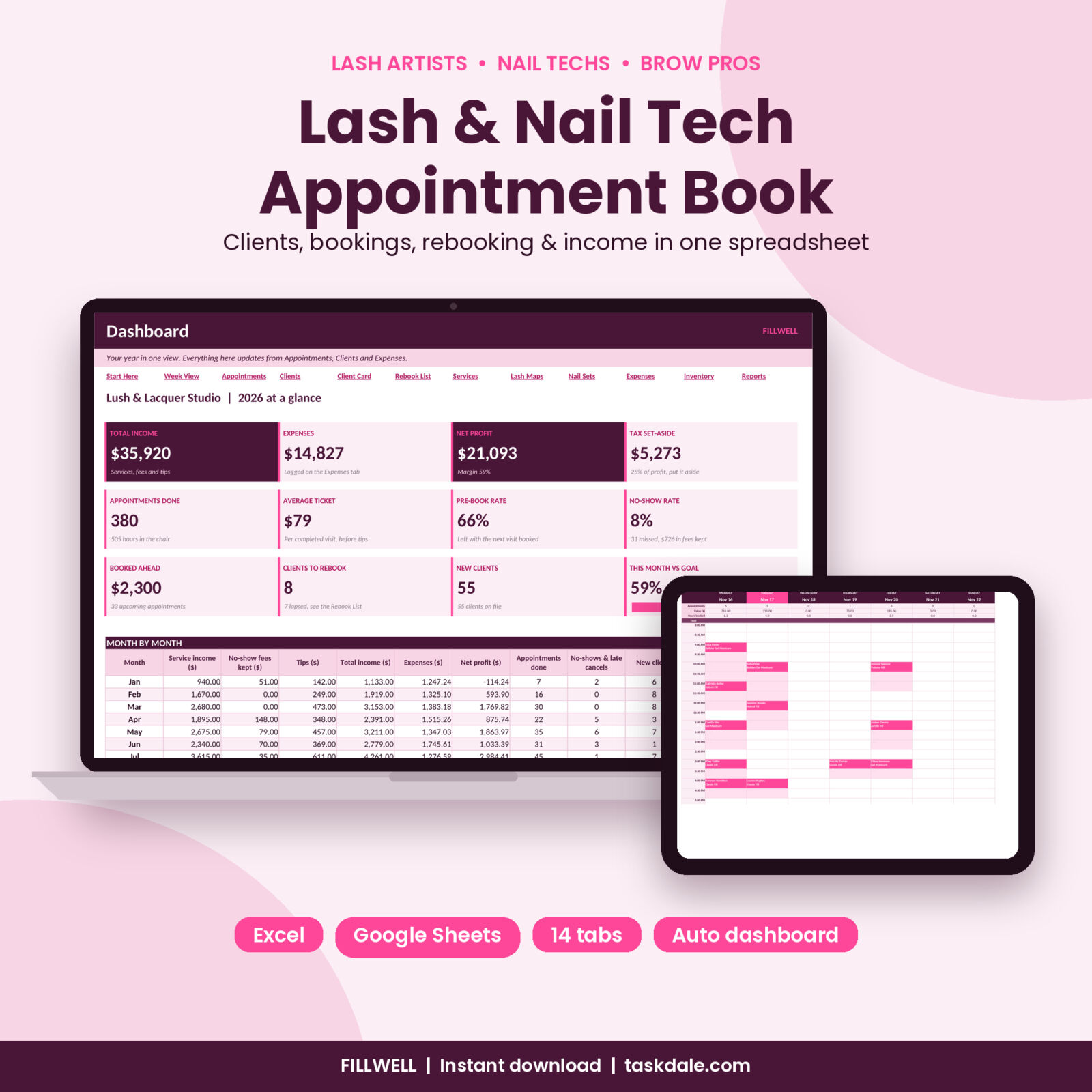
Fillwell is a lash and nail tech appointment book spreadsheet that keeps your bookings, clients, rebooking and income in one file. You log each appointment once. Fillwell works out the price, end time, deposit balance, tips, no-show fees, next due date and your monthly numbers for you.
It was built for fill-cycle businesses. Lash artists, nail techs and brow pros live on clients coming back every two to three weeks, so Fillwell tracks exactly that: who is due, who is overdue, and who slipped away. Then it hands you a ready-to-send reminder message for each one.
Who it’s for
- Lash artists doing classic, hybrid and volume sets, fills, lifts and removals
- Nail techs doing acrylic, Gel-X, builder gel, gel manicures and pedicures
- Brow artists doing lamination, wax and tint
- Suite renters, booth renters and home studio owners who want their own records, separate from a booking app
What you can do with it
Run your week from a real calendar
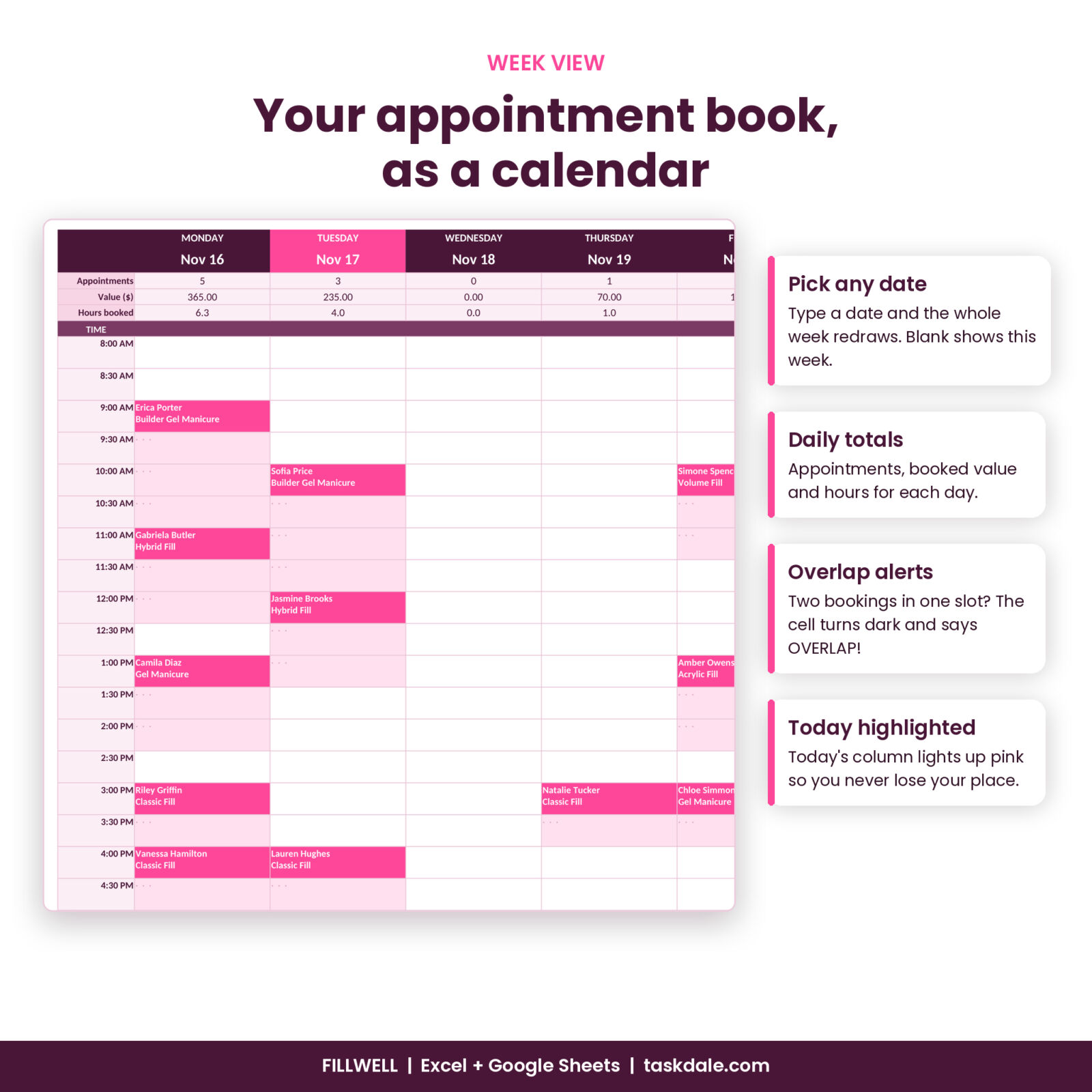
The Week View turns your bookings into a Monday to Sunday grid with 26 half-hour slots. Each appointment shows the client and service at its start time, with light dots while it runs. Two bookings in one slot? The cell turns dark and says OVERLAP! so double bookings get caught early. Daily totals show appointments, booked value and hours.
Fill your chair with the Rebook List
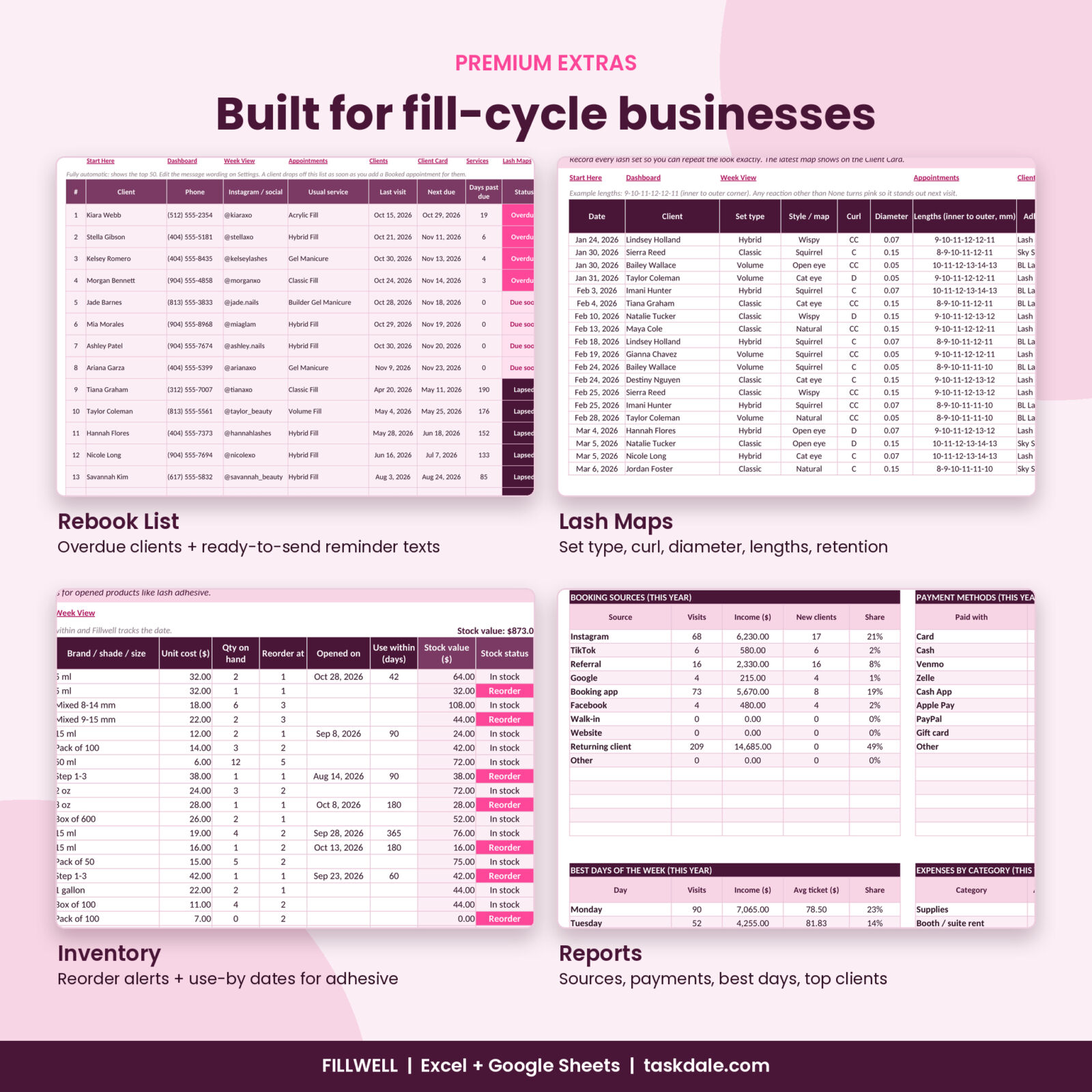
Every client gets a next due date from their usual service, like a hybrid fill every 21 days. The Rebook List pulls everyone who is due soon, overdue or lapsed with nothing booked, most urgent first. Each row includes a personal reminder text with their first name, service and due date already filled in. Copy, paste, send.
See every client in one click
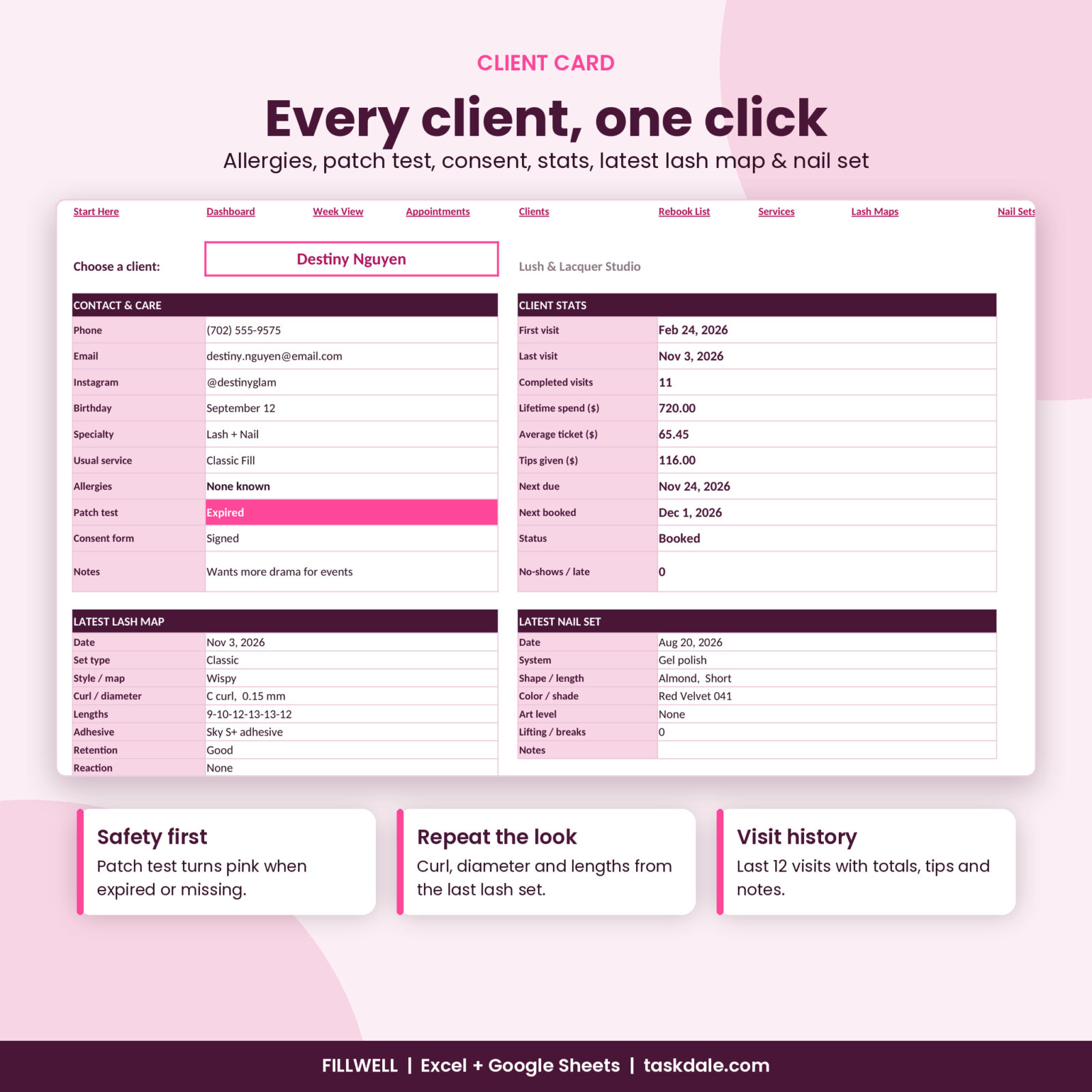
The Client Card shows contact details, allergies, patch test status, consent form, lifetime spend, average ticket, tips, next due and next booked dates, the latest lash map, the latest nail set and the last 12 visits. Expired or missing patch tests turn hot pink so you never miss one.
Repeat the look exactly
Lash Maps records set type, style, curl, diameter, lengths from inner to outer corner, adhesive, retention at fill and any reaction. Nail Sets records system, shape, length, shade code, art level and lifted or broken nails. Up to 600 entries each.
Protect your time from no-shows
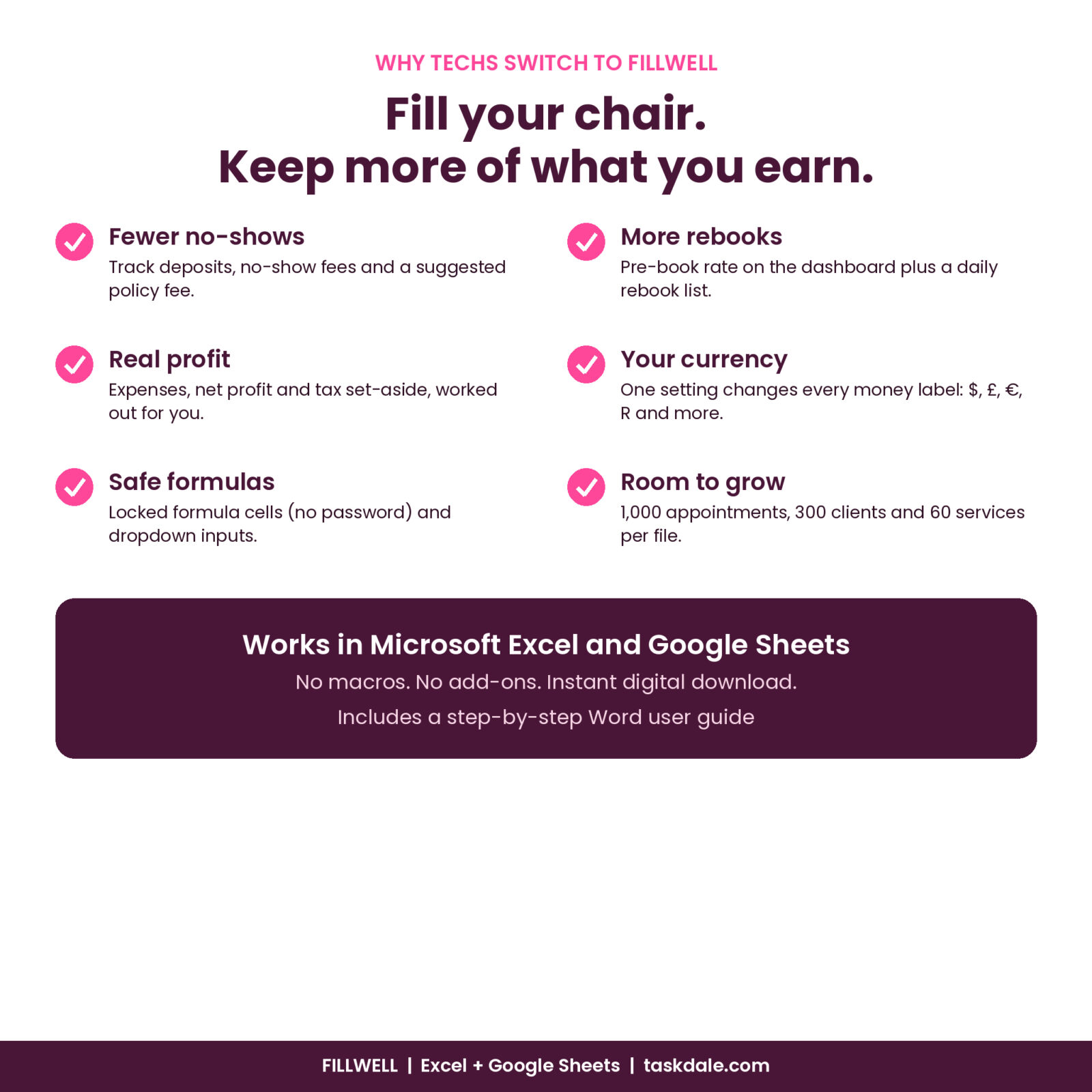
Log deposits, no-show and late cancel fees. Fillwell counts what you kept as income, suggests a policy fee from your own percentage, and shows your no-show rate on the dashboard. Clients with two or more misses stand out on the Clients tab.
Know your real profit
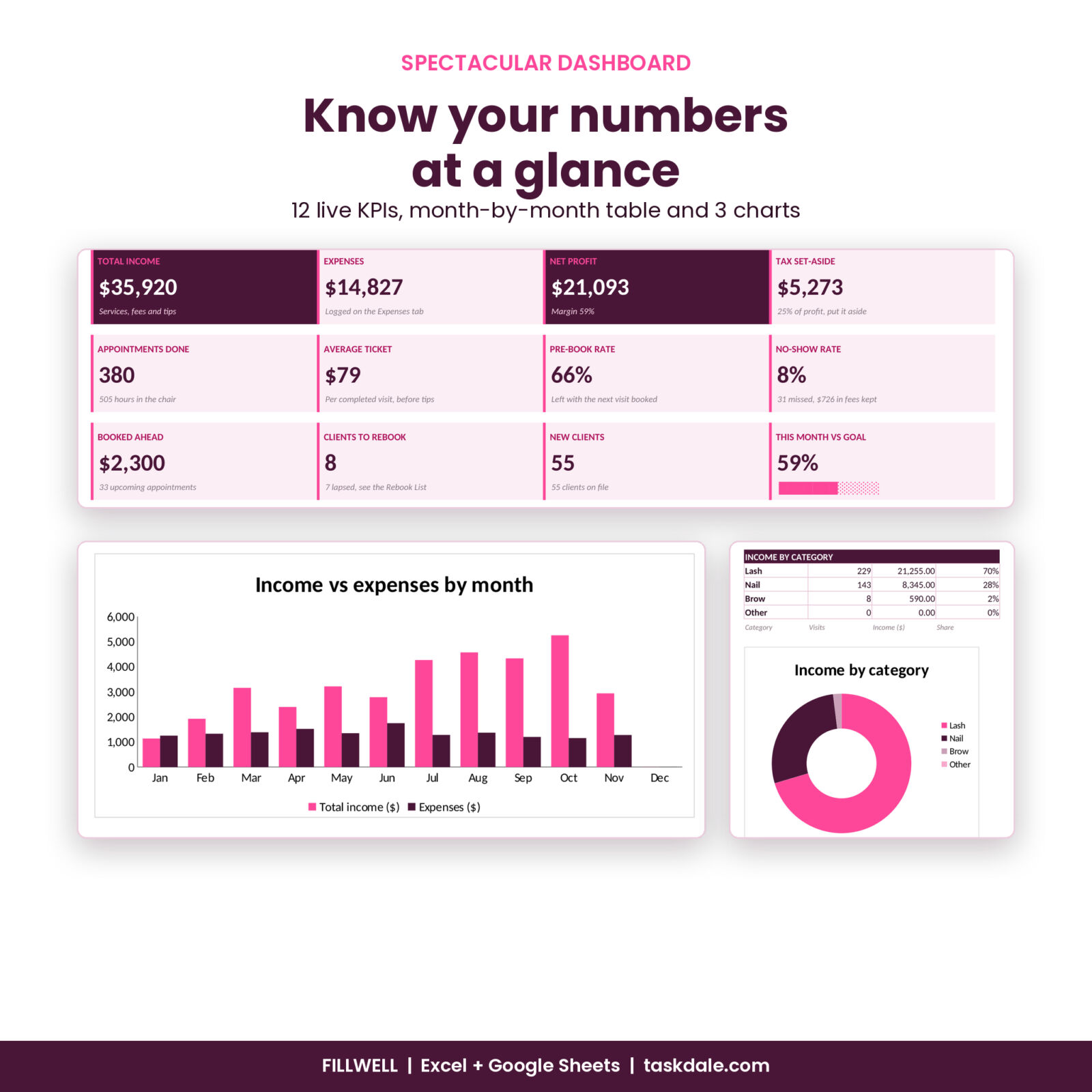
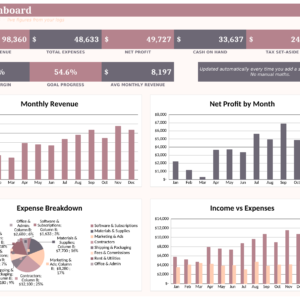
The dashboard shows 12 live KPI cards: total income, expenses, net profit with margin, tax set-aside, appointments done and hours in the chair, average ticket, pre-book rate, no-show rate, booked ahead, clients to rebook, new clients and this month against your goal. A month-by-month table and three charts sit underneath.
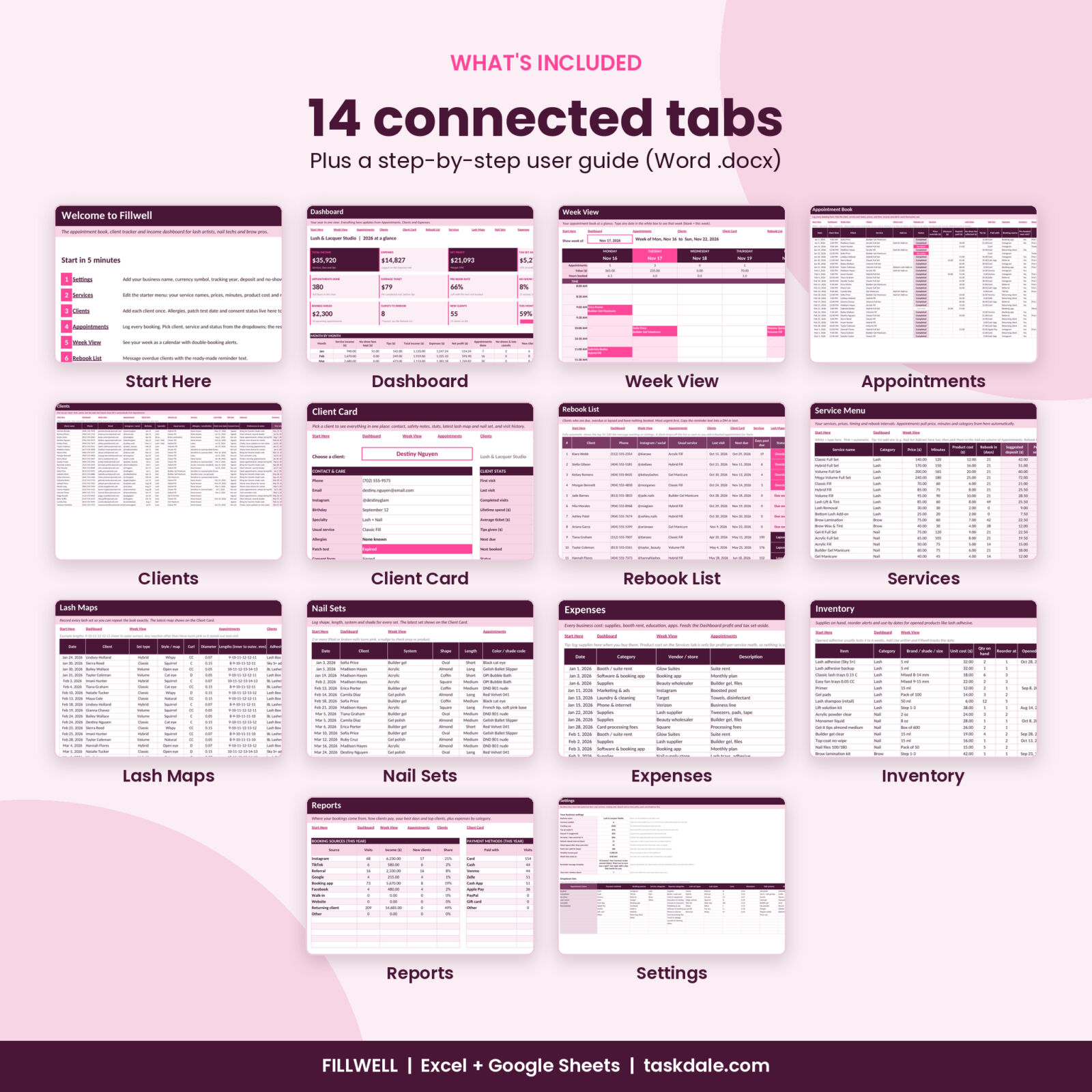
What’s included
- Start Here with quick steps and buttons to every tab
- Dashboard with 12 KPIs, monthly table and 3 charts
- Week View calendar with daily totals and overlap alerts
- Appointments for up to 1,000 bookings, with automatic alerts
- Clients for up to 300 clients, with automatic status
- Client Card printable client profile
- Rebook List with copy-ready reminder messages
- Services menu with suggested deposit, profit per service and profit per hour
- Lash Maps and Nail Sets technical records
- Expenses with categories that suit a beauty business
- Inventory with reorder alerts and use-by dates for opened adhesive and gels
- Reports for booking sources, payment methods, best days, top 10 clients and expenses by category
- Settings for currency, year, policies, goal, reminder text and every dropdown list
- A step-by-step user guide in Word format
How it works
- Set it up once. Add your business name, currency symbol, deposit and no-show policy, and monthly goal. Edit the starter menu of 20 lash, brow and nail services.
- Add clients. Name, contact, usual service, allergies, patch test date and consent status.
- Log bookings. Pick the client, service and status from dropdowns. Add a deposit, discount or tip if there is one.
- Let it calculate. The dashboard, Week View, Client Card, Rebook List and Reports update on their own.
Real situations it helps with
- It’s Sunday night and you want to know which regulars have gone quiet. Open the Rebook List and send five messages in five minutes.
- A client says “same as last time.” Open her Client Card and read the curl, diameter and lengths from her last set.
- Tax season is coming. The dashboard shows profit after booth rent and supplies, plus how much you set aside.
- You’re deciding whether to raise prices. The Services tab shows profit per hour for every service, so you can see which ones pay best for your time.
Customize it to your business
Change the currency symbol once and every money label updates. Edit the dropdown lists for payment methods, booking sources, expense categories, lash styles, curls, nail shapes and more. Set your own rebook intervals, lapsed window, patch test validity and reminder message wording.
Formula cells are locked with no password, so you can’t break them by accident, and inputs use dropdowns and checks that catch typos. White cells are for typing. Pink cells calculate.
File format and requirements
- One .xlsx workbook (14 tabs) and one .docx user guide
- Microsoft Excel 2019, 2021 or Microsoft 365 (Windows or Mac)
- Google Sheets: upload the file to Google Drive and open it with Google Sheets
- No macros, no add-ons, no subscription
- US English, with your own currency symbol
Digital download
This is a digital product. Nothing ships. Your files are ready to download right after checkout from your account and your order email. For your own business use only; please don’t share or resell the files.
FAQ
Can I use this lash tech client tracker in Google Sheets?
Yes. Upload the .xlsx to Google Drive and open it with Google Sheets. Use the tabs along the bottom to move around if a link button doesn’t jump.
Does it work for nail techs and brow artists too?
Yes. The service menu, client records and Nail Sets tab cover nail services, and brow services are in the starter menu.
Does it send automatic text reminders?
No. It writes the reminder message for each due client so you can copy it into a text or DM yourself.
How many clients and appointments does it hold?
300 clients and 1,000 appointments per file, plus 600 lash maps, 600 nail sets, 600 expenses and 150 inventory items. Start a fresh copy each year.
Can I change the currency?
Yes. Type your symbol on the Settings tab and every money label follows it.
Is it beginner friendly?
Yes. You type in white cells and pick from dropdowns. The guide walks through every tab, and the Start Here tab gets you set up in about five minutes.
Can I use it on my phone?
You can view and edit it in the Excel or Google Sheets apps. Setup is easiest on a computer.
Reviews
There are no reviews yet.