Most transaction trackers make you type everything twice. The Contract-to-Close Command Center does not. You add a deal on one row. From that row it generates the tasks, dates the deadlines, totals the money and keeps the dashboard and calendar current without another keystroke from you.
It was built for agents who handle their own paperwork, transaction coordinators running files for several agents, and small teams who need one honest view of what is due this week.
What it does
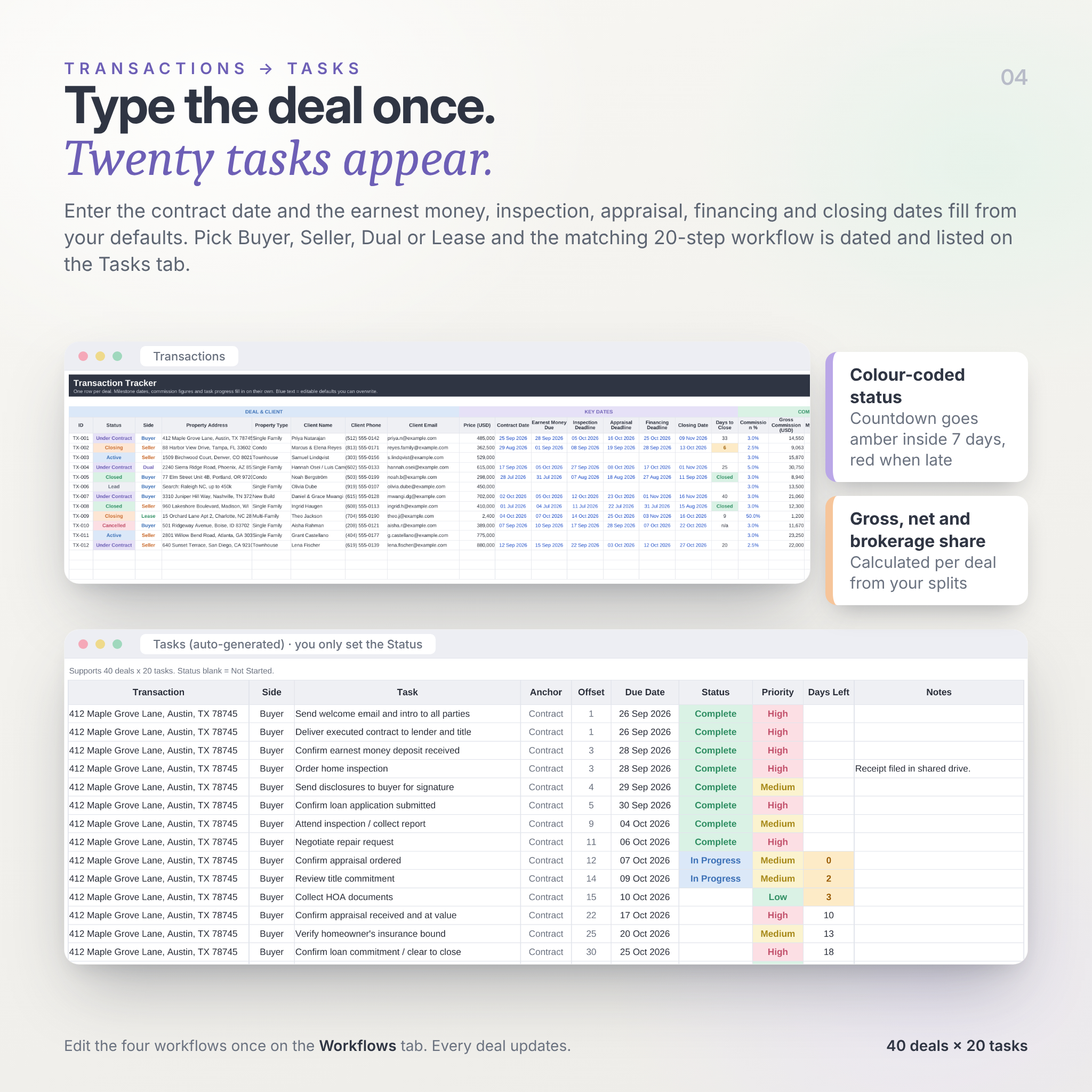
Enter the contract date and the five milestone dates fill in from your own defaults (3 days to earnest money, 10 to inspection, and so on; all adjustable). Pick Buyer, Seller, Dual or Lease and the matching 20-step workflow appears on the Tasks tab, each task dated from the contract or closing date. Mark tasks complete and the deal’s progress bar moves. Log contingencies, documents and expenses as they happen. The Dashboard, Calendar, Deal View and Reports read all of it and update themselves.
Why agents pick this one
- Works in both Microsoft Excel and Google Sheets. Plain formulas, no scripts, no add-ons, no security warnings.
- Tasks and milestone dates are generated, not typed. Edit the four workflows once and every deal follows.
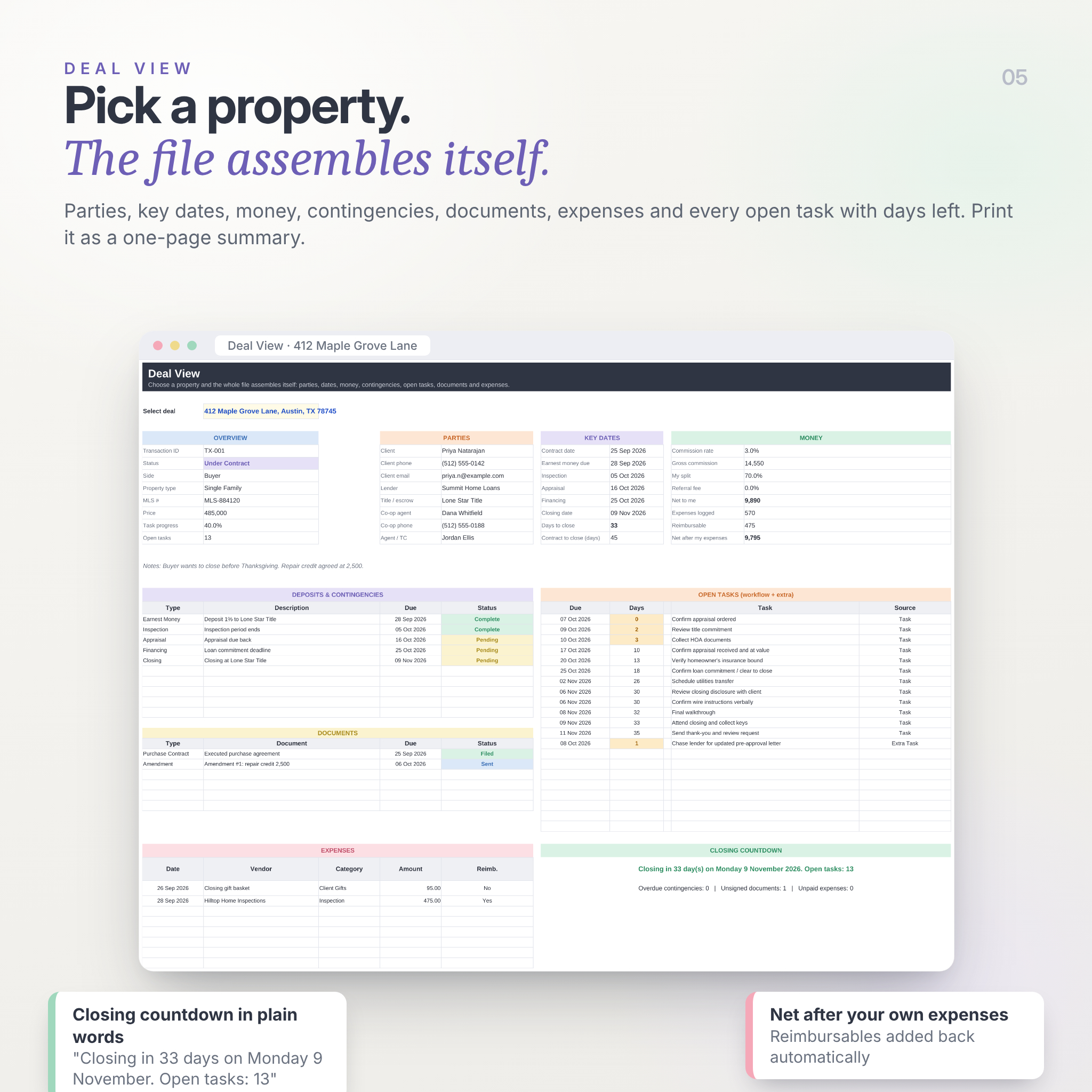
- Deal View assembles a one-page file summary for any property, ready to print.
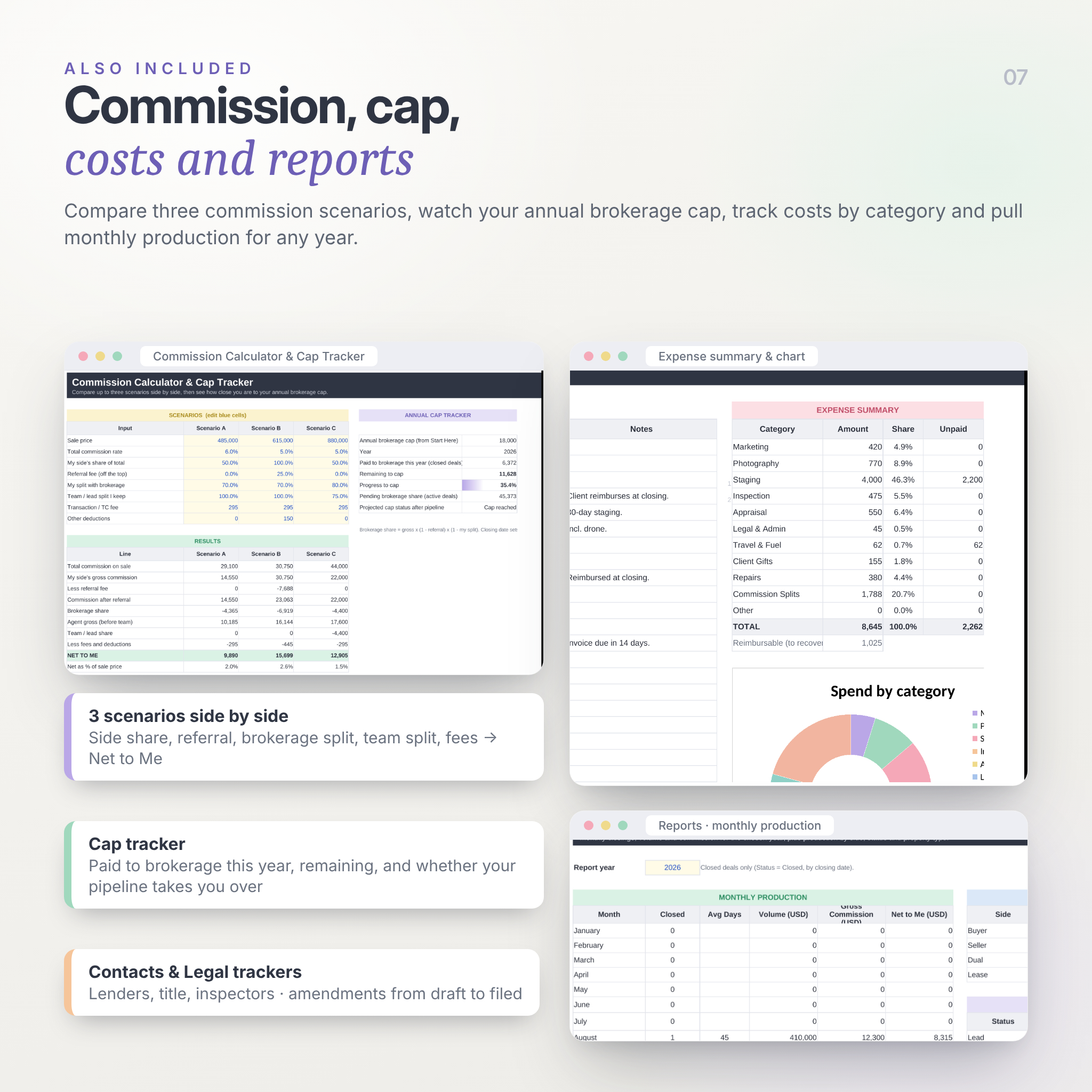
- A three-scenario commission calculator plus an annual brokerage cap tracker.
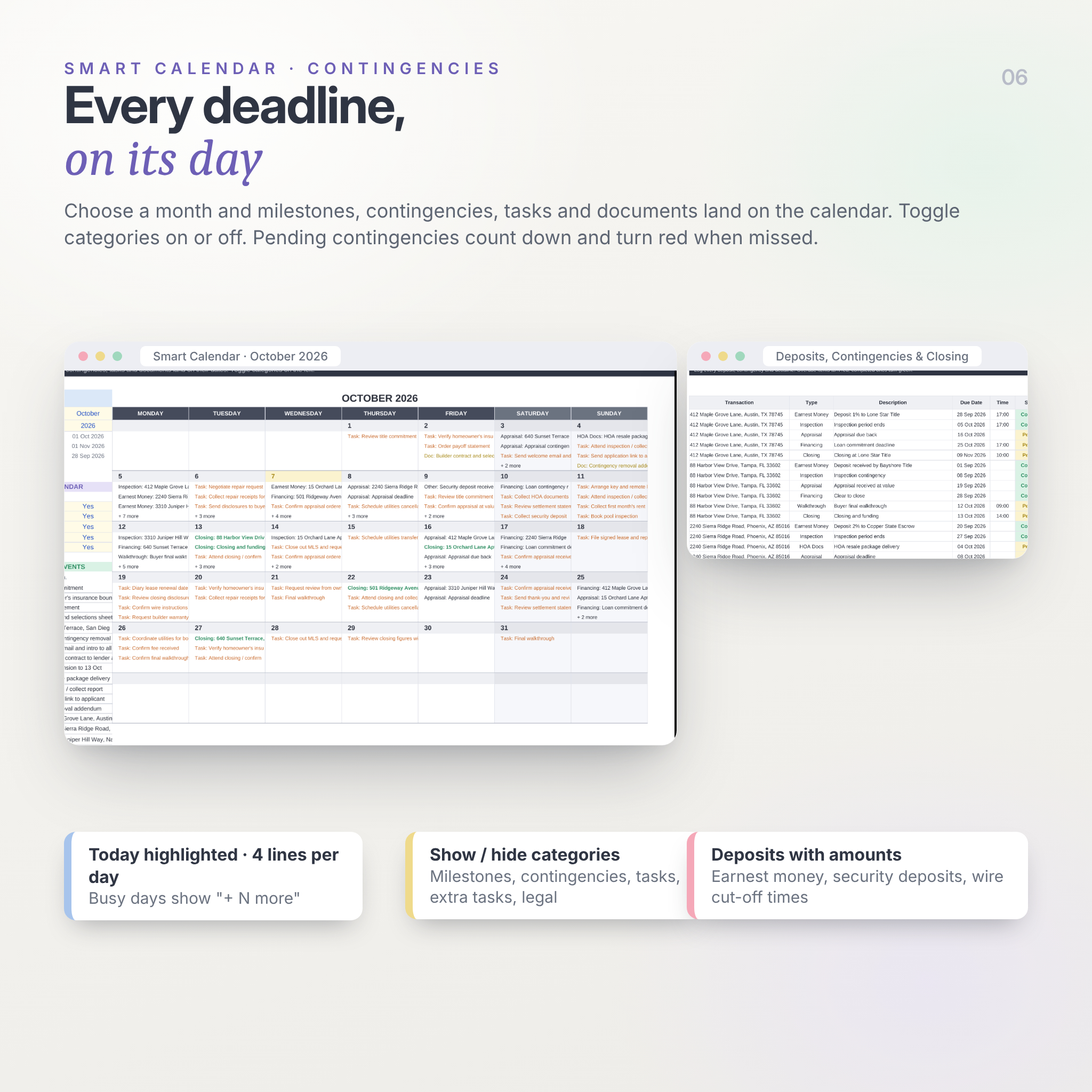
- Smart Calendar with category toggles, today highlight and a “+ more” line on busy days.
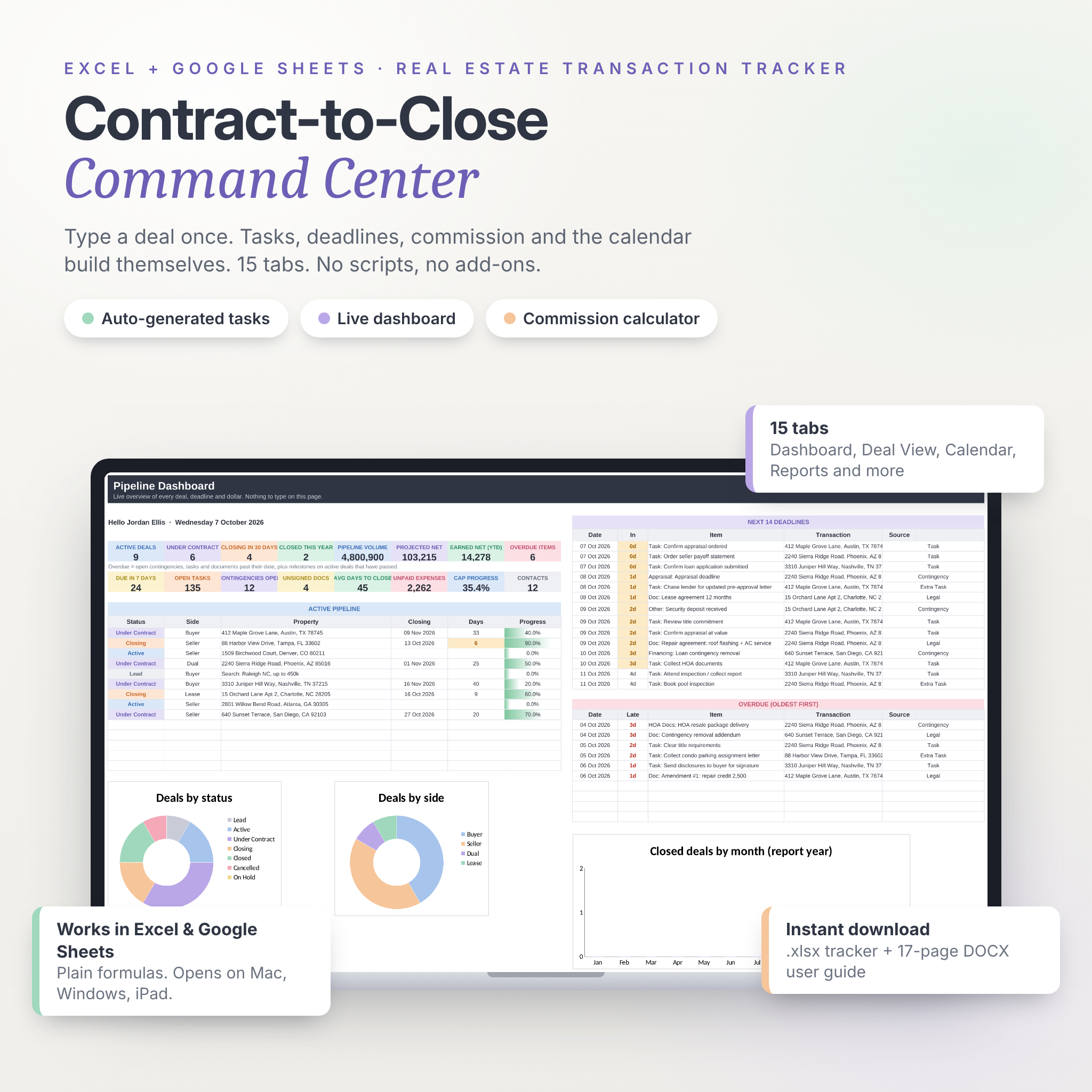
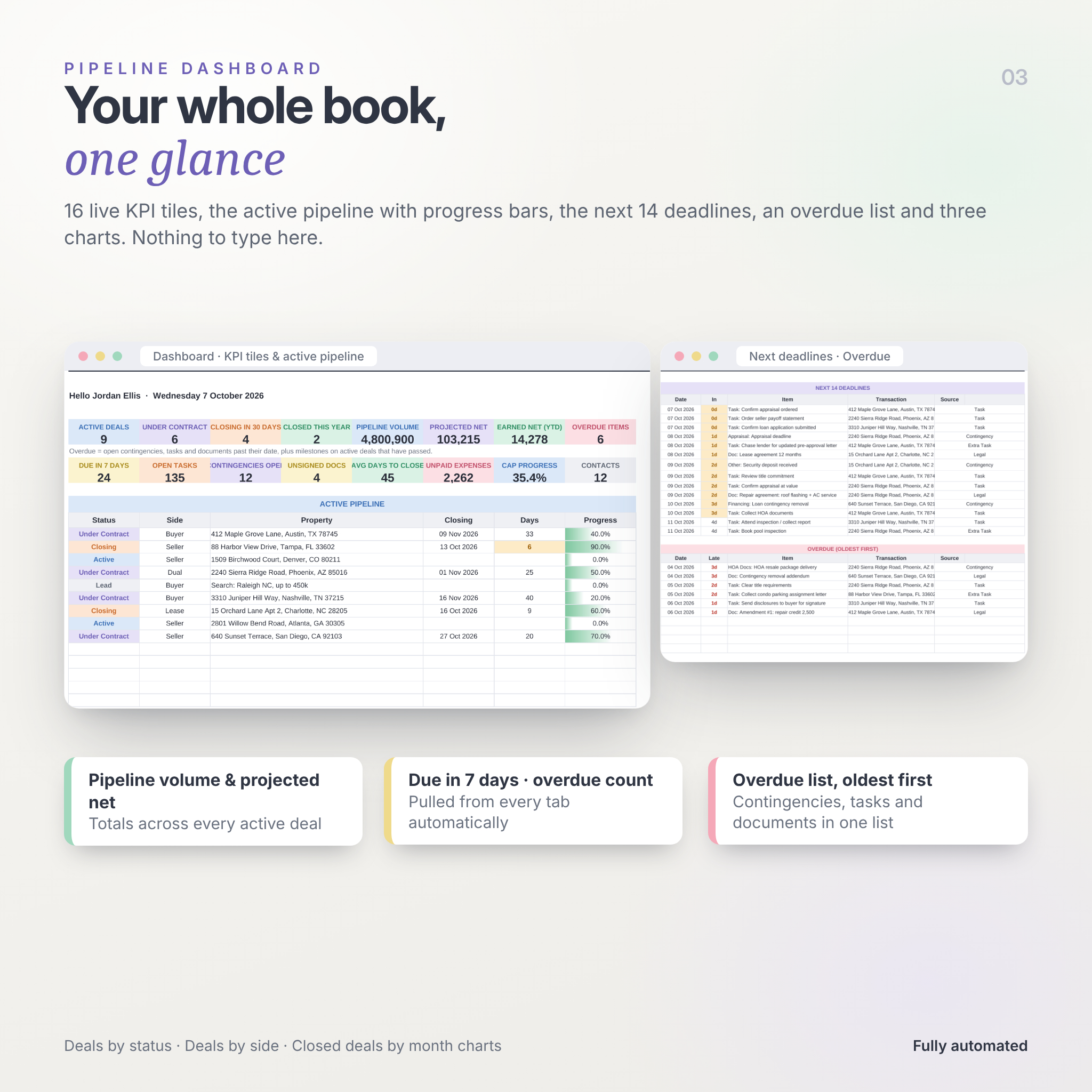
- Dashboard with 16 live KPI tiles, the next 14 deadlines, an overdue list and three charts.
- Contacts, legal documents and expenses live in the same file, so nothing is in a second spreadsheet.
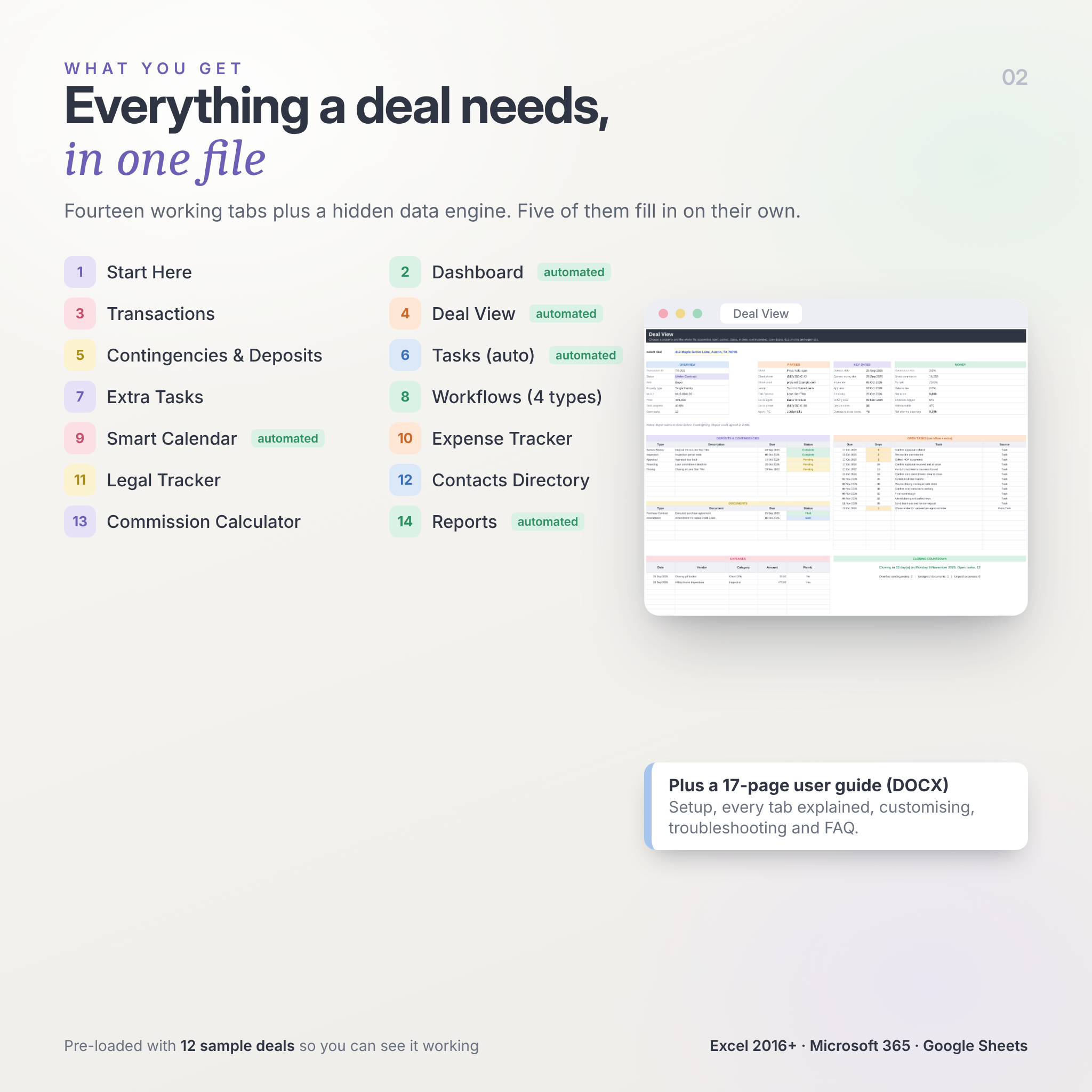
The 15 tabs
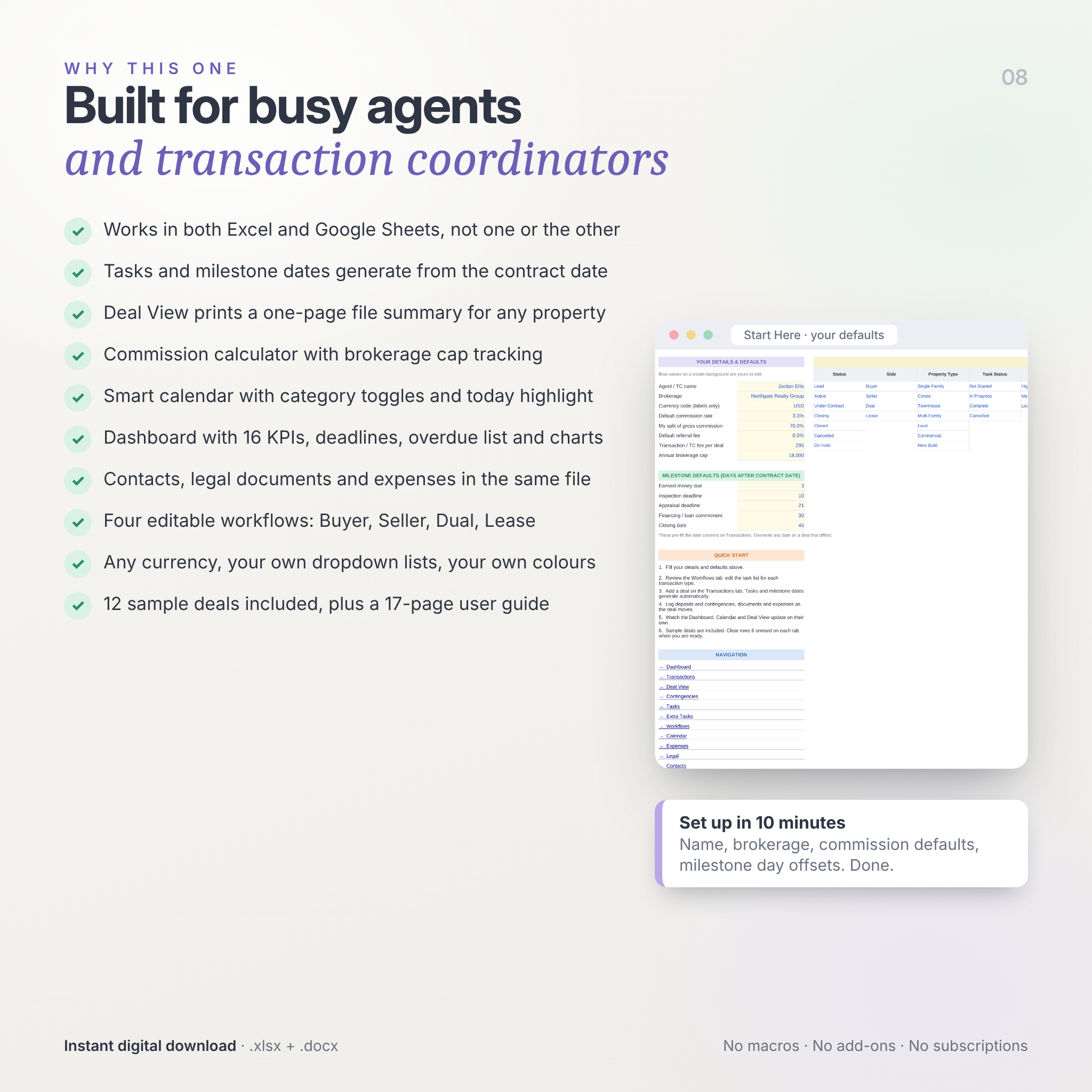
- Start Here: your name, brokerage, commission defaults, milestone day offsets and every dropdown list.
- Dashboard: active deals, under contract, closing in 30 days, closed this year, pipeline volume, projected net, earned net, overdue items, due in 7 days, open tasks, open contingencies, unsigned documents, average days to close, unpaid expenses, cap progress, contacts. Active pipeline table, next 14 deadlines, overdue list, charts.
- Transactions: one row per deal with status, side, client, price, five auto-filled milestone dates, days-to-close countdown, commission rate, gross commission, your split, referral fee, net to you, brokerage share, task progress, lender, title company, co-op agent, MLS number and notes. Room for 100 deals.
- Deal View: pick a property and see overview, parties, key dates, money, contingencies, documents, open tasks (with days left) and expenses on one printable page with a closing countdown in plain words.
- Contingencies: deposits, contingencies and closing deadlines with type, due date, time, amount, status and days left. Overdue turns red.
- Tasks: auto-generated workflow tasks for up to 40 deals (800 tasks) with due dates, priority, status dropdown and days left.
- Extra Tasks: one-off tasks outside the standard workflow.
- Workflows: four editable 20-step templates (Buyer, Seller, Dual, Lease) with anchor, day offset and priority for each task.
- Calendar: month view that auto-populates with milestones, contingencies, tasks and documents, plus a sorted list of the month’s events.
- Expenses: deal costs by category with paid and reimbursable flags, a category summary and a doughnut chart.
- Legal: contracts, amendments, addendums, counter offers and disclosures tracked from Draft to Filed.
- Contacts: clients, lenders, title and escrow, inspectors, appraisers, attorneys, co-op agents and vendors.
- Commission Calc: three scenarios side by side (side share, referral, brokerage split, team split, fees) and the cap tracker.
- Reports: monthly closings, volume, gross and net commission for any year; totals by side, status and property type; bar chart.
- Data: the hidden engine behind the Dashboard and Calendar. Nothing to touch.
What is included
- Contract-to-Close-Command-Center.xlsx (the tracker, pre-loaded with 12 sample deals so you can see every feature working)
- Contract-to-Close-Command-Center-User-Guide.docx (17 pages: setup, every tab explained, customising, tips, troubleshooting, FAQ)
How it works
- Fill in the blue cells on Start Here (about ten minutes).
- Check the four workflows and adjust them to your process.
- Add a deal on Transactions. Tasks and dates generate on their own.
- Log contingencies, documents and expenses as the deal moves.
- Watch the Dashboard, Calendar and Deal View keep themselves current.
- Clear the sample rows when you are ready for real deals.
File formats and requirements
- .xlsx spreadsheet and .docx guide
- Microsoft Excel 2016 or newer (Windows or Mac), Excel for Microsoft 365, or Google Sheets (upload to Drive and open with Sheets)
- Also opens in LibreOffice Calc. Not supported in Apple Numbers.
- Works on tablets and phones through the Excel or Google Sheets apps.
Customisation
Every dropdown list is editable on Start Here. Workflows, milestone offsets, commission defaults, colours and the currency code are all yours to change. Columns can be added. The guide explains which cells hold formulas so you know what to leave alone.
Digital download
This is an instant digital download. Nothing is shipped. Files are available straight after payment. Because of the nature of digital products, refunds are not offered, but questions are always answered.
Licence: personal and business use by the purchaser. Resale, sharing or redistribution of the files in any form is not permitted.
This spreadsheet is a planning tool and does not constitute legal, tax or financial advice. Confirm all deadlines against your contract and local regulations.
Reviews
There are no reviews yet.