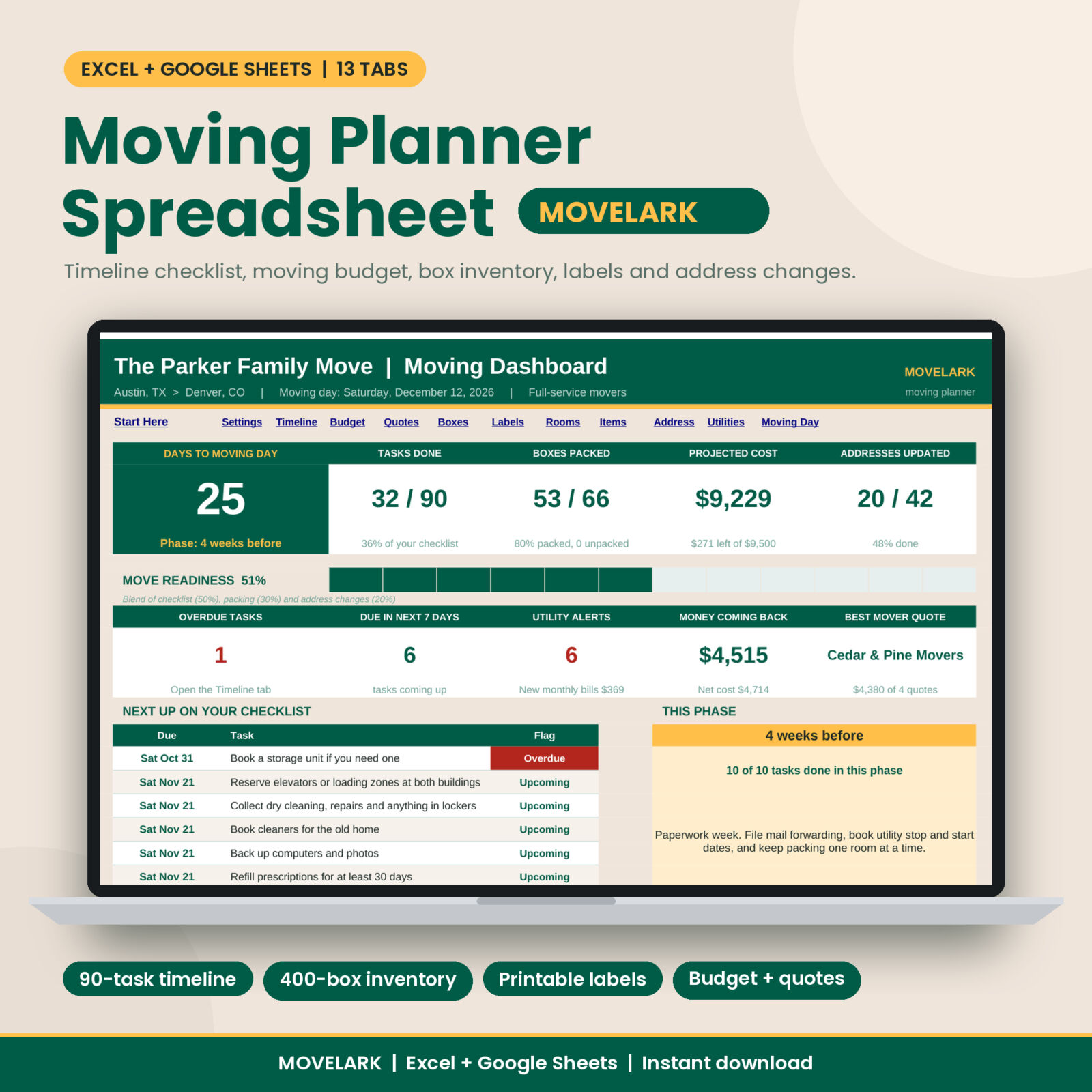
Moving Planner Spreadsheet: your whole move in one workbook
Moving means about a hundred small jobs, a pile of quotes, a budget that keeps growing and a garage full of boxes you will never find again. Movelark is a moving planner spreadsheet that pulls all of it into one place. You type your moving day once. The timeline dates itself, the dashboard counts down, and every box gets an ID you can print on a label.
It works in Microsoft Excel and in Google Sheets. No macros, no add-ons, no formulas to write.
Who it is for
- Families moving a full house who need everyone on the same plan
- Renters moving across town on a tight timeline
- First-time buyers juggling closing dates, deposits and utilities
- Anyone relocating for work who has to track costs and reimbursement
- Organized people who want a plan, and less organized people who need one
What you can do with it
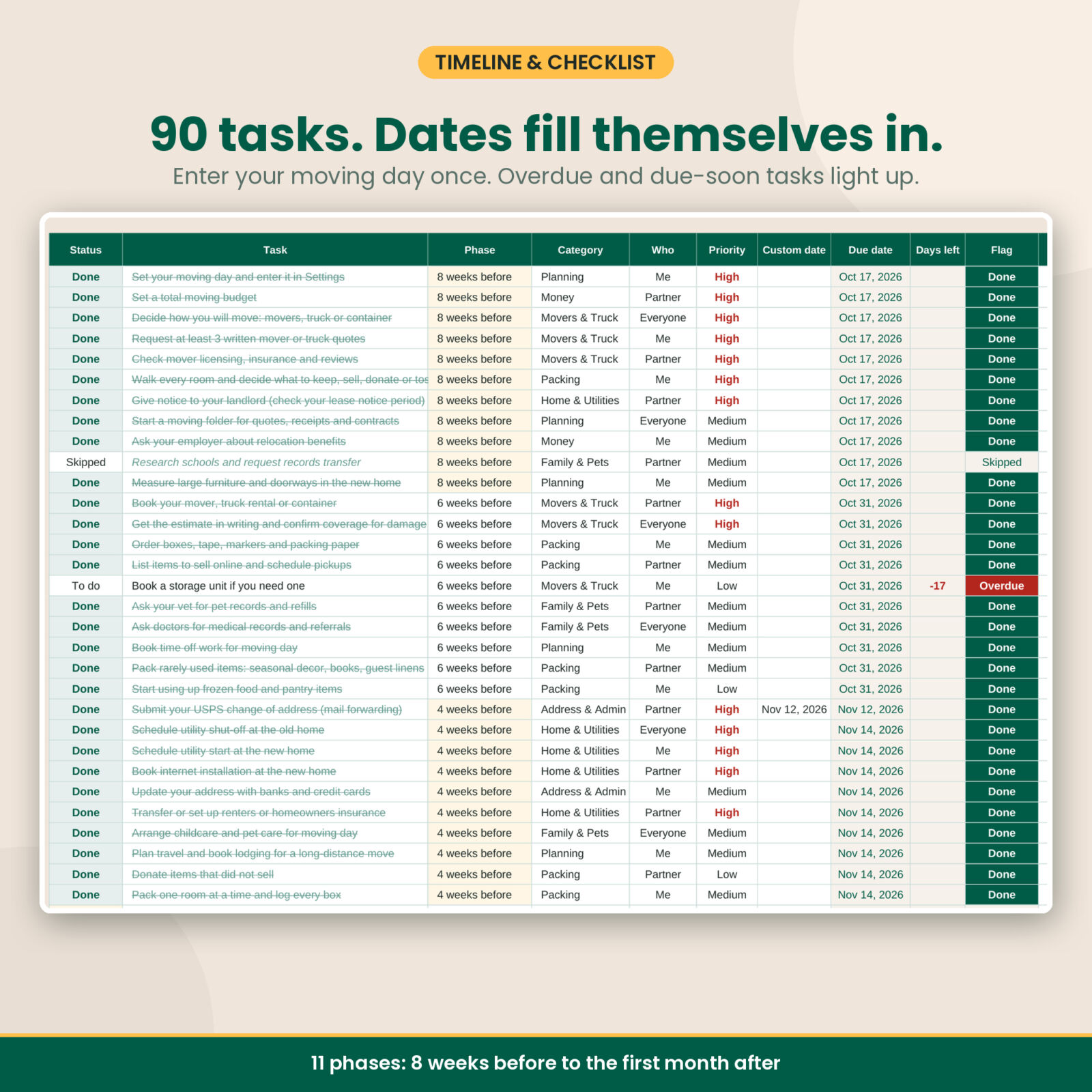
Follow a moving checklist that dates itself
The Timeline tab comes with 90 ready-made tasks across 11 phases, from 8 weeks before the move to the first month after. Each task has a phase, so the due date fills in from your moving day. Change the phase lengths if you only have four weeks. Tasks turn red when overdue and yellow when due soon. Add your own tasks in the empty rows, up to 250.
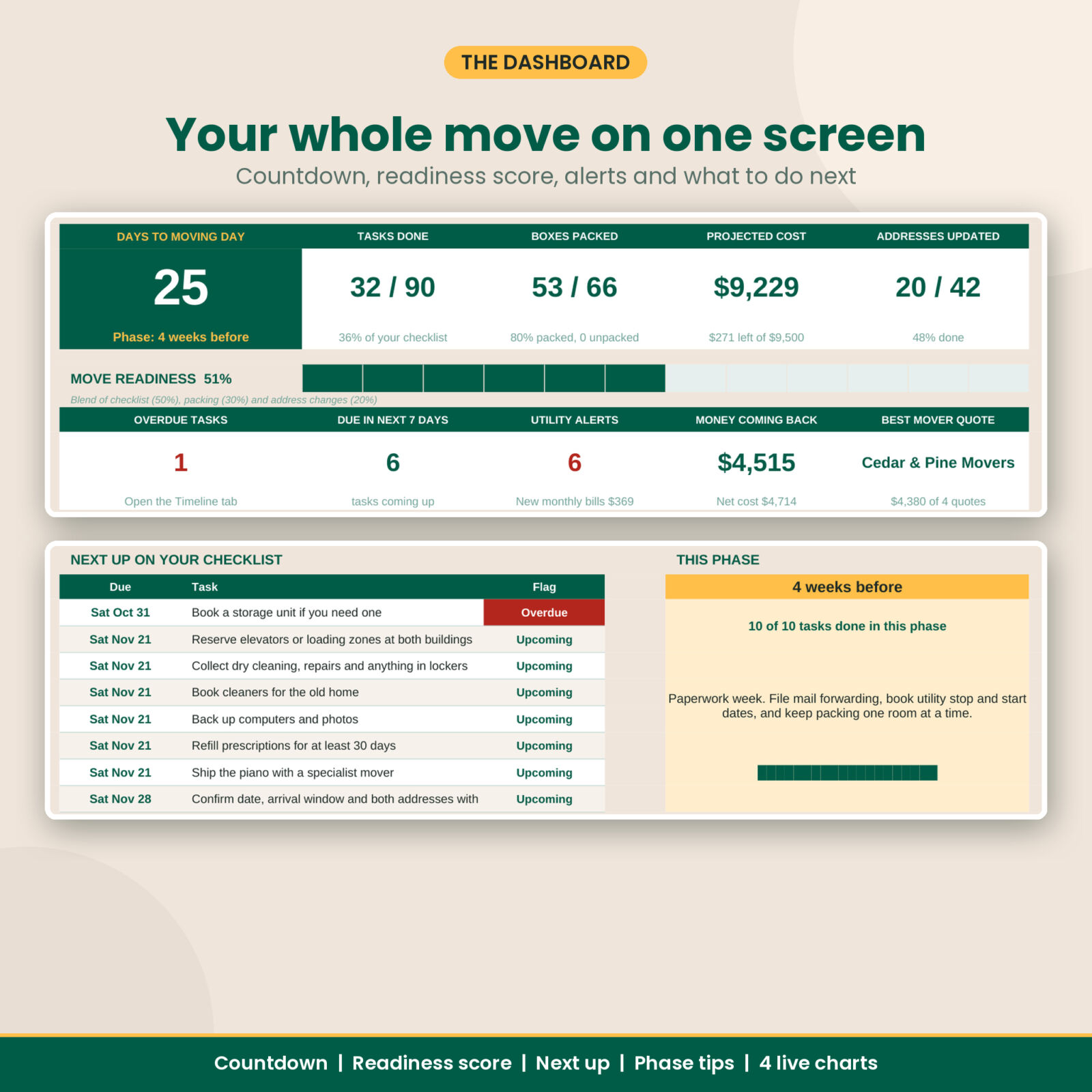
See everything on a live dashboard
Days to moving day, the phase you are in right now, tasks done, boxes packed, projected cost against your budget and address changes done. A move readiness score blends it all into one number. The “Next up” list shows the 8 nearest open tasks, and four charts show your budget, checklist, packing and box status.
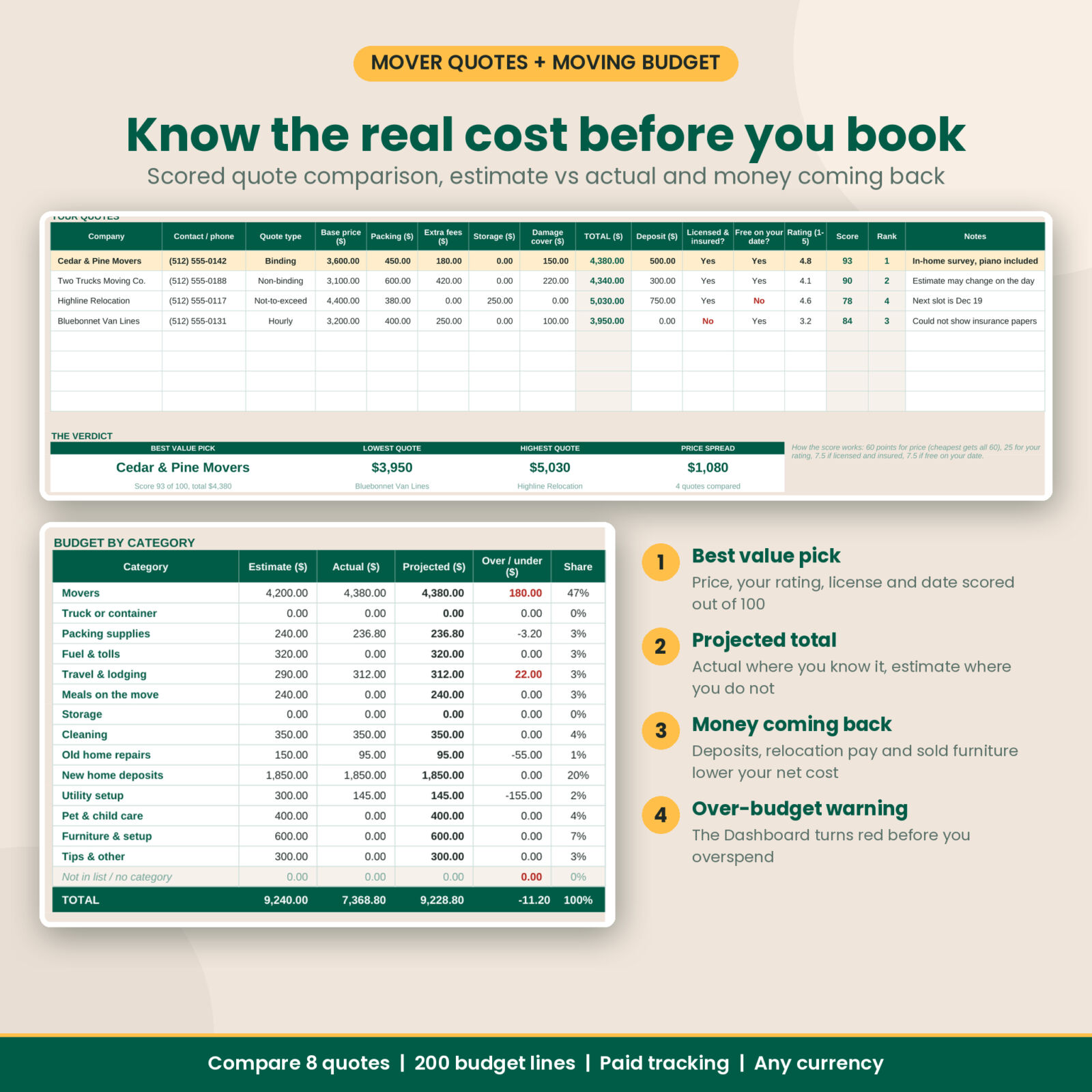
Keep the moving budget honest
Log each cost with an estimate first, then the actual. The projected total uses the actual where you have it and the estimate where you do not, so you always see a realistic number. Track what is paid, what is still to pay and how far you are over or under in each of 14 categories. Money coming back (deposit refunds, relocation payments and furniture you sold) brings your net cost down.
Compare mover quotes side by side
Enter up to 8 quotes from movers, rental trucks or containers. Totals add up base price, packing, extra fees, storage and damage cover. Each quote gets a score out of 100 based on price, your rating, licensing and availability, and the best value pick is highlighted. Ten questions to ask every mover sit right underneath.
Know where every box is
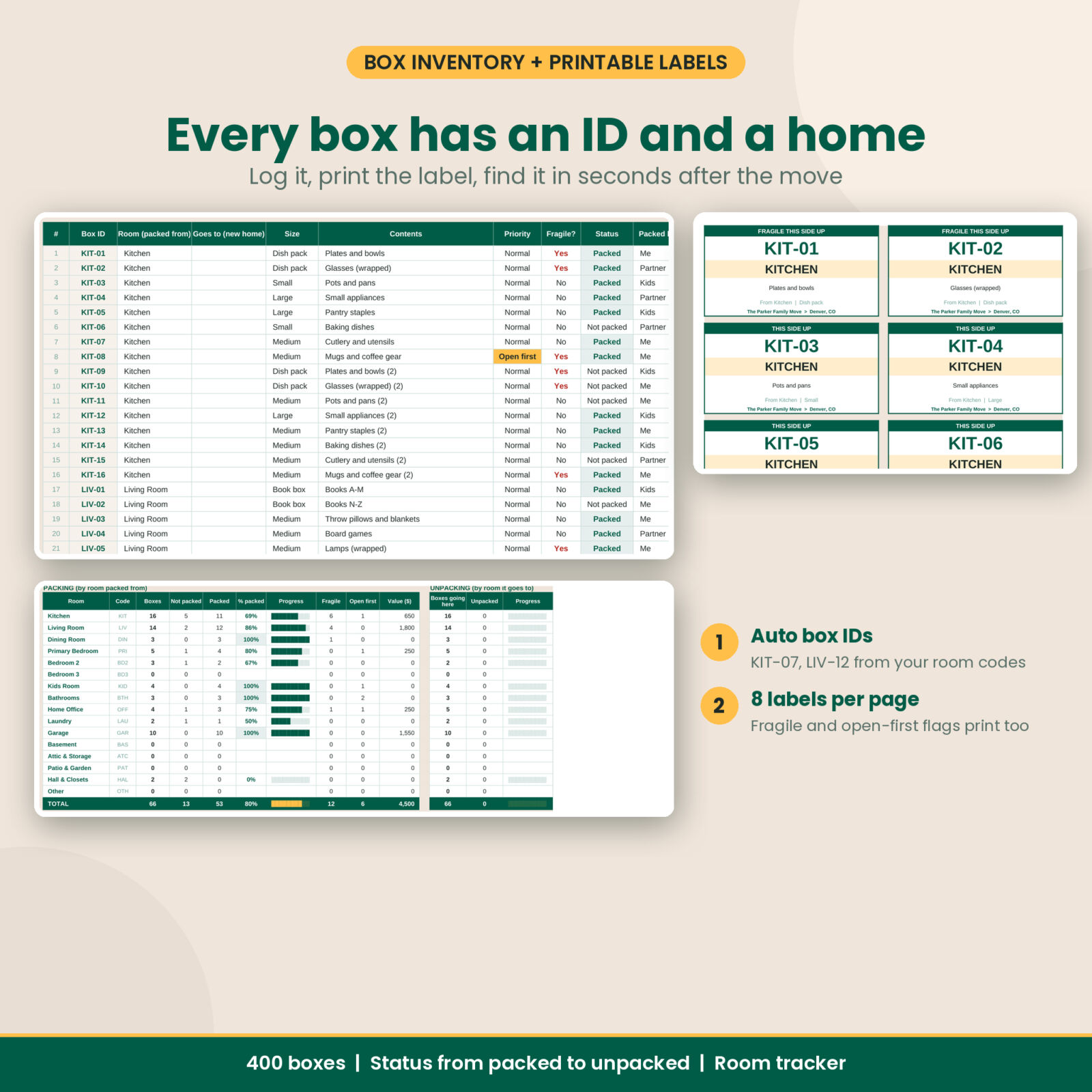
Log a box in seconds and its ID builds itself from the room code: KIT-07, LIV-12, GAR-03. Track size, contents, fragile, open-first and status from Not packed to Unpacked. The Box Labels tab prints 8 labels per page straight from your list, with FRAGILE and OPEN FIRST flags. The Room Tracker shows packing and unpacking progress for every room.
Cover the details people forget
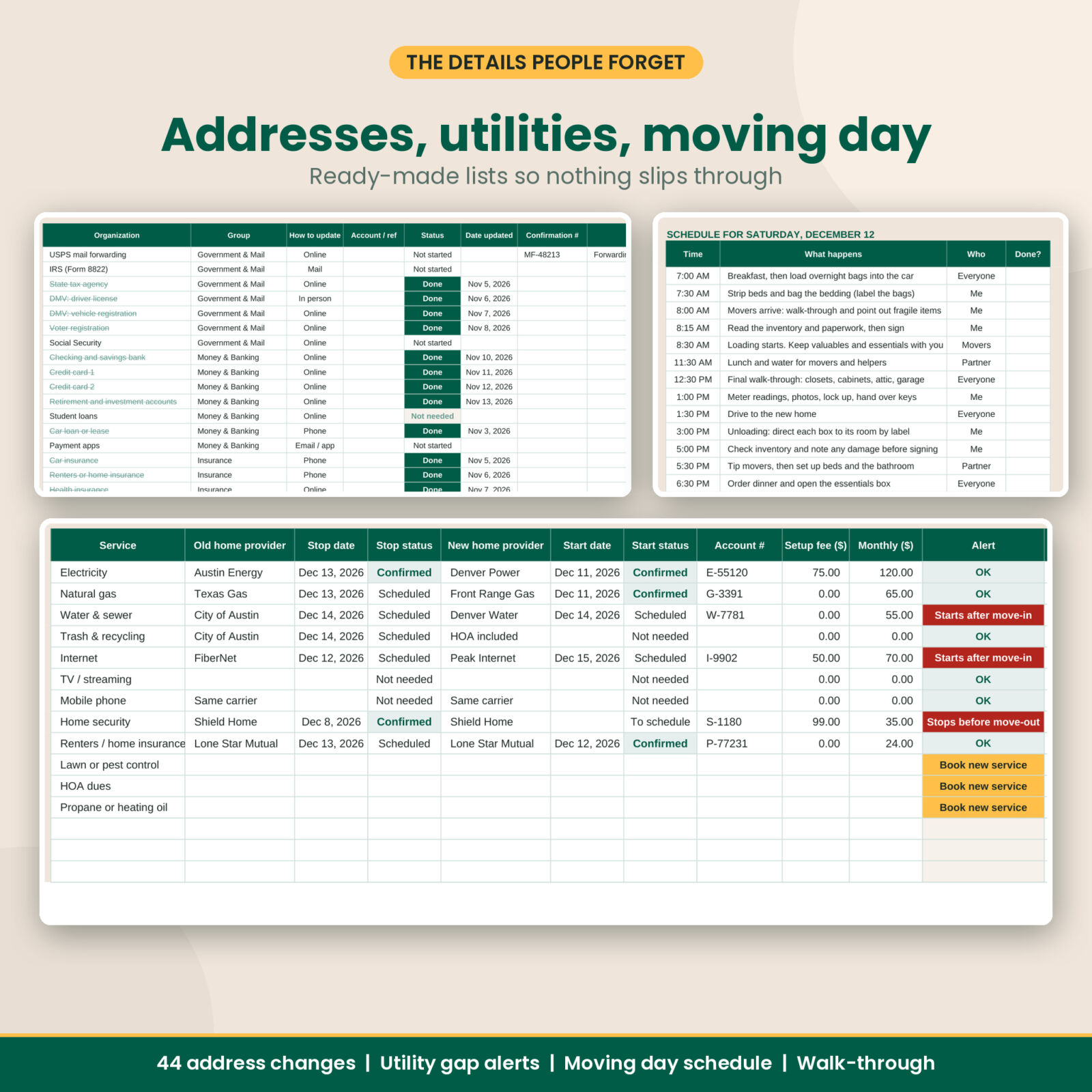
A change of address checklist with 44 places in 9 groups, from mail forwarding and the DMV to streaming services. A utilities tab that warns you when a new service starts after move-in or an old one stops too early. A big items plan for what to move, sell, donate or toss, with measurements. And a moving day plan with an hour-by-hour schedule, key contacts, an open-first box checklist and a final walk-through.
Features at a glance
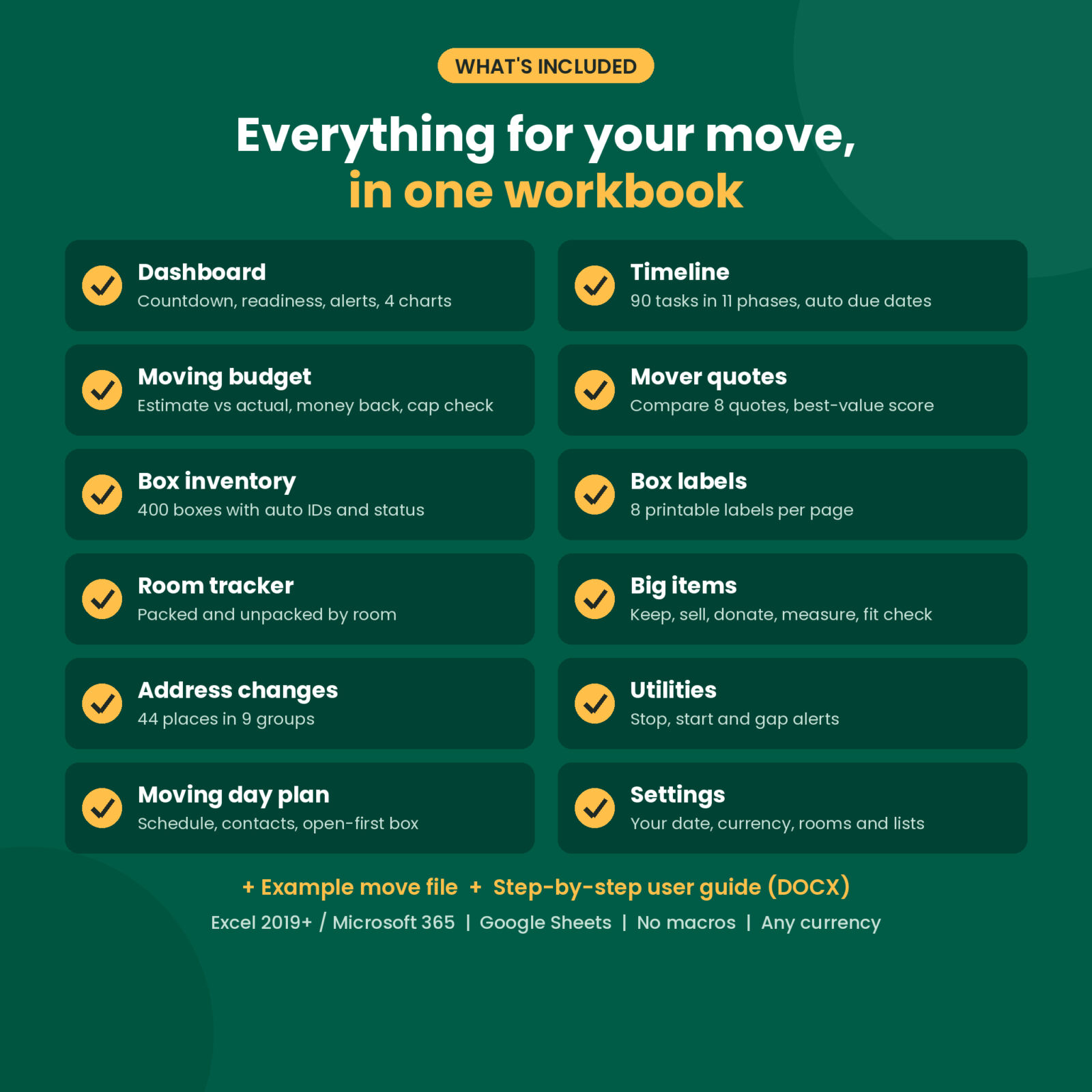
- 13 tabs: Start Here, Dashboard, Settings, Timeline, Budget, Mover Quotes, Box Inventory, Box Labels, Room Tracker, Big Items, Addresses, Utilities, Moving Day
- 90 prefilled tasks, 44 address changes, 12 utilities, 18 budget lines, 33 open-first essentials
- Room for 250 tasks, 400 boxes, 200 budget lines, 150 big items and 8 quotes
- Automatic due dates, countdown, phase tips and overdue flags
- Dropdowns for every status, room, category and person
- Check columns that catch typos and renamed list items
- One currency setting used by every money value ($ by default)
- Formula cells locked with no password, so nothing breaks by accident
What is included
- Movelark Moving Planner.xlsx: the clean workbook, ready for your move
- Movelark Moving Planner – Example Move.xlsx: the same workbook filled in for a sample family move
- Movelark User Guide.docx: a step-by-step guide with screenshots, tips, troubleshooting and FAQ
How it works
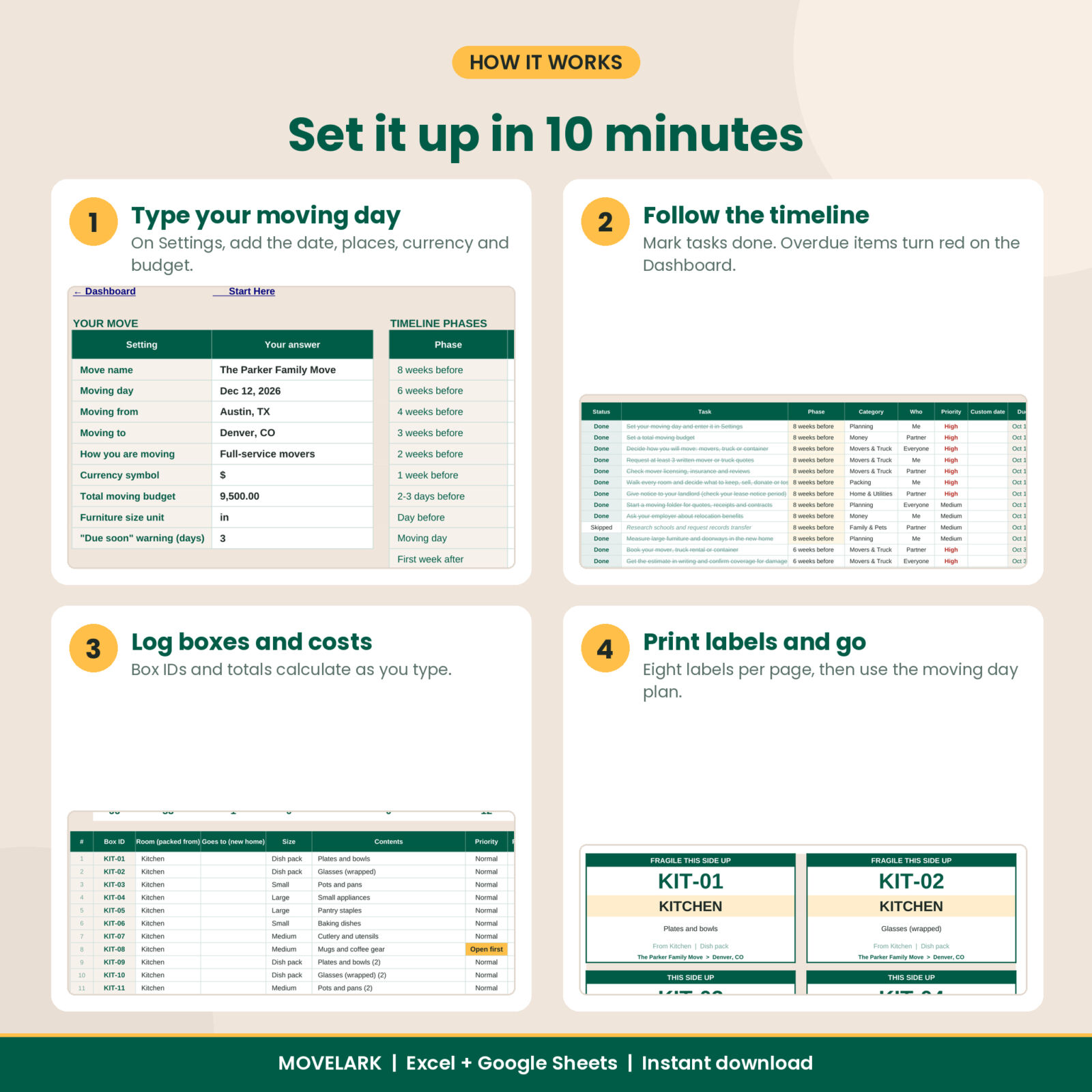
- Download the files and open the workbook.
- On Settings, add your moving day, where you are moving from and to, your currency symbol and your budget.
- Rename the rooms to match your home.
- Work through the Timeline, log costs and quotes, and log boxes as you pack.
- Print box labels, then use the Moving Day tab on the big day.
File formats and software
One .xlsx workbook plus an example copy and a .docx guide. Works in Microsoft Excel 2019 or newer and Microsoft 365 on Windows or Mac. For Google Sheets, upload the file to Google Drive and open it with Google Sheets. All formulas, dropdowns and colors use features both programs support. Not made for Apple Numbers.
Customization
Rename rooms, budget categories, task categories, box sizes and people on the Settings tab and every dropdown updates. Change the phase lengths for a short-notice or long move. Use any currency symbol and inches or centimeters for furniture. Delete prefilled tasks you do not need and add your own.
Digital download
This is a digital product. Nothing will be shipped. Your files are ready to download right after checkout. Personal use license: for your own household only. Please do not share or resell the files.
Real situations where it helps
- A family of four moving states with a full-service mover and a piano
- A renter with four weeks notice who needs the short version of the checklist
- A couple splitting tasks, packing and costs between two people
- A work relocation where every receipt and reimbursement needs tracking
- A downsizing move with a lot of furniture to sell or donate
FAQ
Does this moving planner work in Google Sheets?
Yes. Upload the .xlsx to Google Drive and open it with Google Sheets. The tab links on Start Here are built for Excel; in Google Sheets use the sheet tabs at the bottom.
Can I use it on a Mac?
Yes, in Excel for Mac 2019 or newer or Microsoft 365.
Do I need spreadsheet skills?
No. You type in the white cells and pick from dropdowns. Everything else calculates on its own.
How far ahead should I start?
Eight weeks is ideal, but you can shorten every phase on the Settings tab if your move is sooner.
Can I print the box labels?
Yes. The Box Labels tab prints 8 labels per page from your box list and fits Letter or A4.
Can I use it outside the US?
Yes. Set your currency symbol and size unit. A few address-change entries are US agencies, and you can rename them.
Is there sample data in my file?
The main file is clean. A separate example file shows a filled-in move.
Reviews
There are no reviews yet.