


An event and fundraiser planner spreadsheet that does the math for you
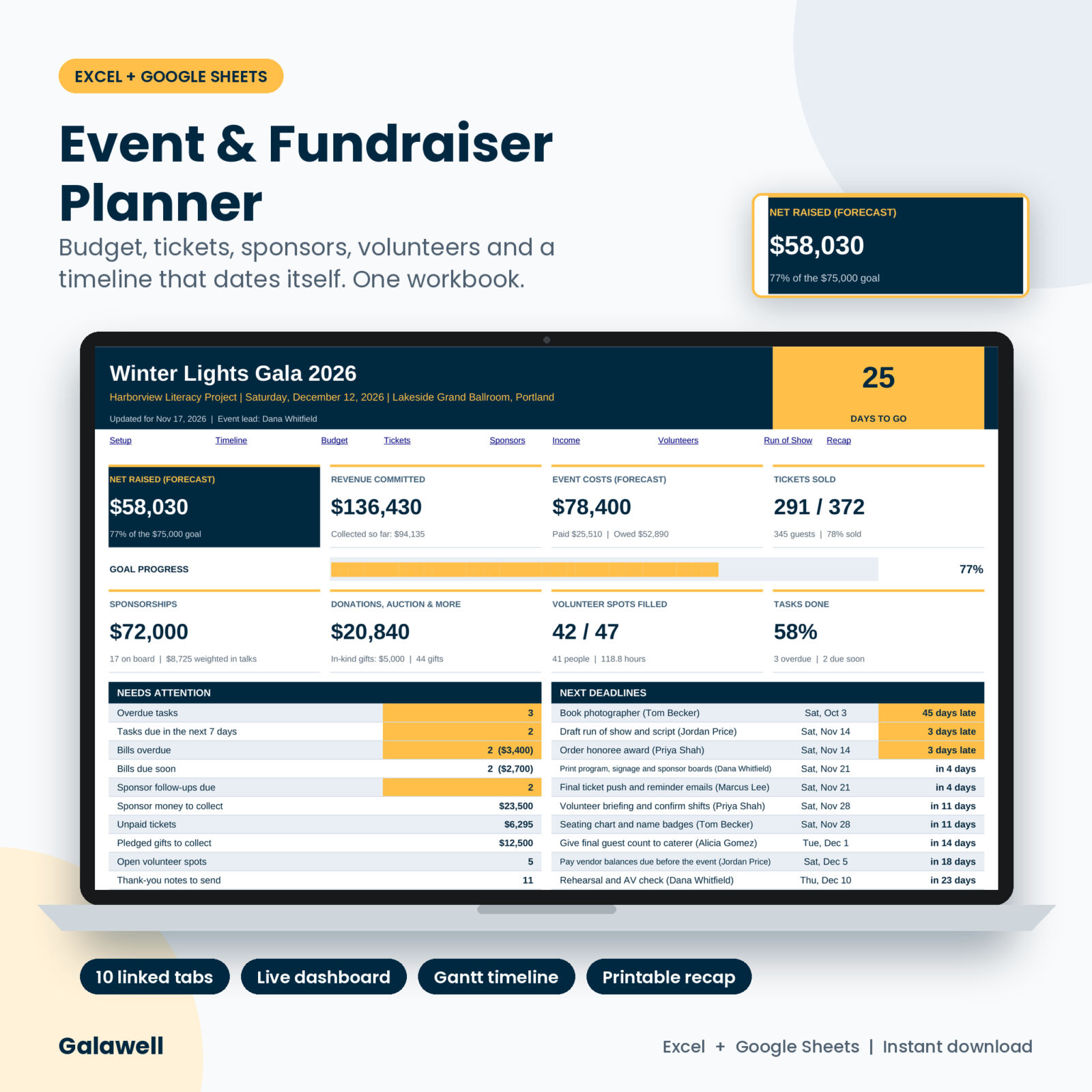
Planning a gala, a charity auction or a school benefit night means juggling a dozen lists at once. Vendor quotes in one email, ticket sales in another app, sponsor promises on sticky notes, and a volunteer sheet nobody can find. Galawell pulls all of it into one event and fundraiser planner spreadsheet and adds it up as you go.
Type your event date, goal and ticket prices once. From then on, every sale, pledge, cost and shift feeds a dashboard that tells you how much you will have left after costs, how close you are to your goal, and what needs you this week.
Who it is for
- Nonprofit staff and volunteer committees running a gala, benefit dinner or charity ball
- PTA, PTO and school foundation teams planning an auction or fundraiser night
- Churches, clubs, sports teams and community groups selling tickets to an event
- Event planners who run a client’s fundraiser and need clean numbers for the board
What you can do with it
See the whole event on one dashboard
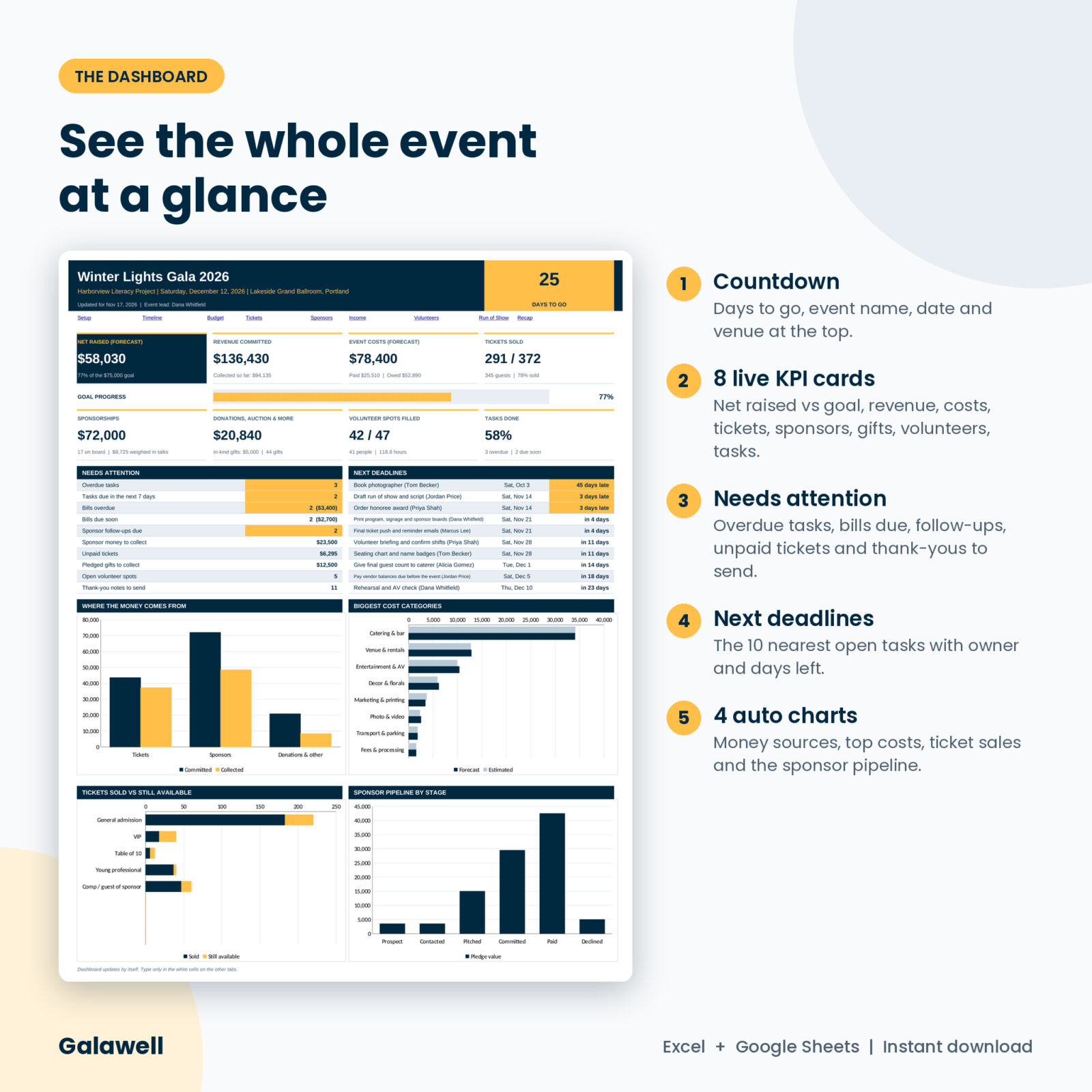
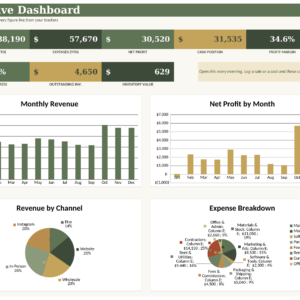
A countdown, eight live cards (net raised, revenue committed, costs, tickets sold, sponsorships, donations and auction, volunteer spots filled, tasks done), a goal progress bar and four charts. The Needs Attention panel counts overdue tasks, bills due, sponsor follow-ups, unpaid tickets, open shifts and thank-you notes still to send. Next Deadlines lists the ten nearest open tasks with owner and days left.
Run a timeline that dates itself
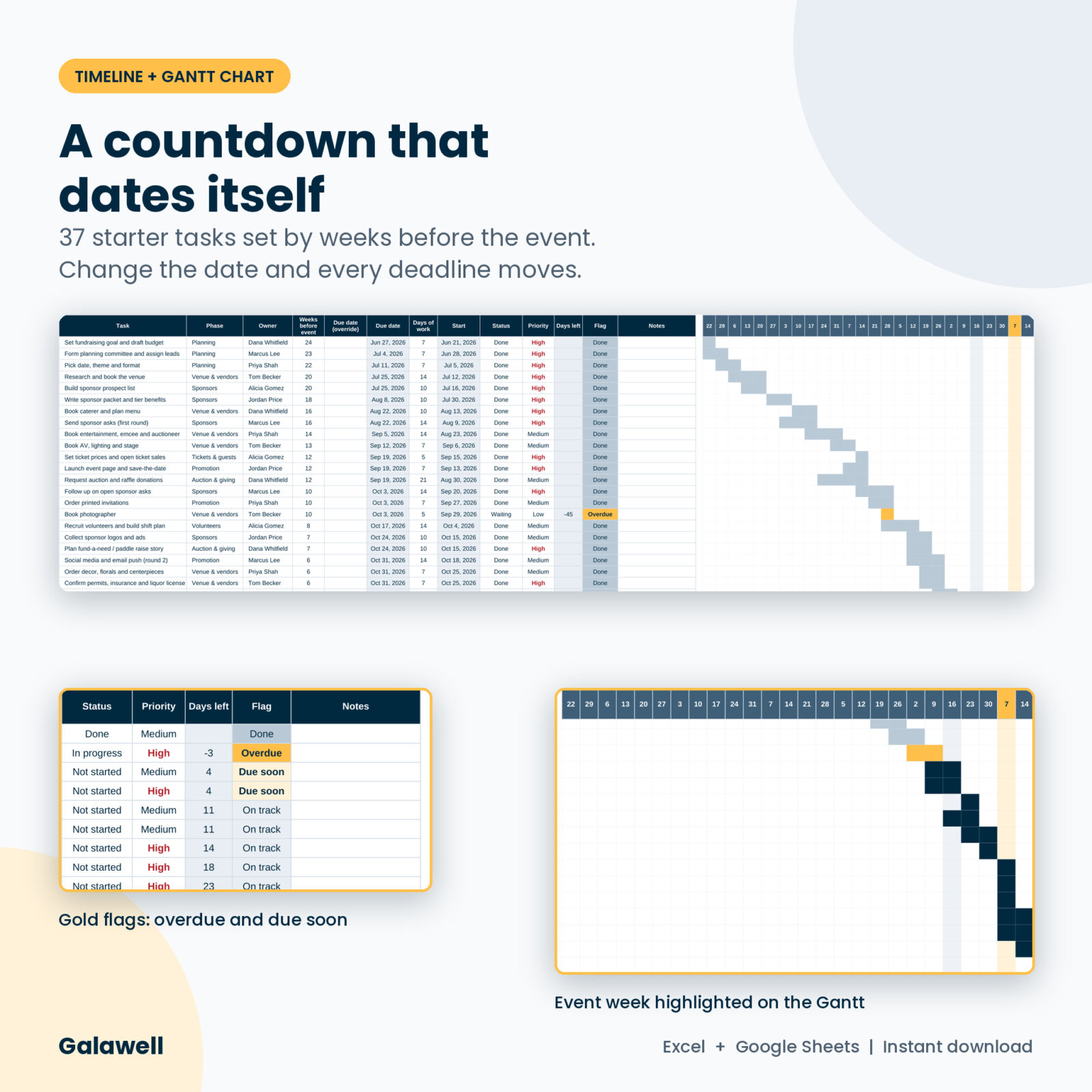
The Timeline tab comes with 37 starter tasks for a typical fundraiser, from booking the venue 20 weeks out to sending thank-you notes the week after. Each task is set by weeks before the event, so changing the event date moves every deadline. Assign owners, track status and see it all on a 26-week Gantt chart with the event week highlighted.
Keep the budget honest
Log up to 200 cost lines with estimate, actual, paid to date and balance due date. Each line shows Paid, Part paid, Due soon or Overdue, and a category summary shows estimate vs forecast and where you are over.
Sell tickets and know your break-even
Set up to 8 ticket types with seats per ticket, so a table of 10 counts as 10 guests. The 500-row sales log handles discounts, price overrides, refunds, payment status, table numbers and door check-in. The break-even planner shows how many more guests you need to cover costs and to reach your goal.
Work your sponsor pipeline
Track up to 150 sponsors from Prospect to Paid. Pick a tier and the pledge fills in. A Next Action column tells you who to follow up, who still owes money and who has not been thanked. Tier totals, comp seats and a weighted forecast of open asks are built in.
Log donations, auctions and raffle
Up to 300 gifts with source, status and type. Pledges and in-kind gifts are kept apart from cash, so your totals stay real.
Fill every volunteer shift
Plan 30 shifts and a 250-row roster. Each shift shows Need 2, Full or Over by 1, and a clash check flags anyone booked into two shifts at the same time.
Run the night and report on it
The Run of Show tab works out start and end times from minutes, and the Recap tab gives you a printable one-page report with net raised, cost to raise a dollar, revenue by stream, costs by category and space for lessons learned.
What’s included
- Galawell Event & Fundraiser Planner workbook (.xlsx) with 11 tabs: Start Here, Dashboard, Setup, Timeline, Budget, Tickets, Sponsors, Income, Volunteers, Run of Show and Recap
- Starter task timeline and a sample run of show you can edit
- User guide (.docx) with setup steps, tab-by-tab help, troubleshooting and FAQ
How it works
- Open Setup and type your event name, date, currency symbol and net goal.
- Add ticket types, sponsor tiers and rename any dropdown list you like.
- Log costs, sales, sponsors, gifts and volunteers as they happen. Prices and pledges fill in on their own.
- Check the Dashboard each week and clear the gold flags.
- After the event, print the Recap for your board.
File format and software
- Microsoft Excel (.xlsx). Excel 2016 or newer, Microsoft 365, or Excel for Mac.
- Google Sheets: upload the file to Google Drive and open it with Google Sheets.
- No macros and no add-ins. Formula cells are locked without a password, so you can’t type over them by mistake.
Make it yours
Change the currency symbol and every money label follows. Rename expense categories, income sources, volunteer roles, task phases and payment methods. Edit or clear the starter tasks. Set your own due-soon window. Resize columns while the sheets stay protected.
Digital download
This is a digital product. Nothing ships. You get the workbook and the user guide right after checkout. Personal license: use it for your own events and your own organization. Please don’t resell or share the file.
Use cases
- A literacy nonprofit planning a 350-guest winter gala with a live auction and paddle raise
- A PTA running a spring auction night with table sales and donated baskets
- A youth sports club hosting a dinner and raffle to pay for travel
- A church committee planning a benefit concert with sponsors and volunteers
- A charity golf day with hole sponsors, player tickets and a prize raffle
FAQ
Does this event planner work in Google Sheets?
Yes. Upload the .xlsx file to Google Drive and open it with Google Sheets. The formulas and dropdowns use features Google Sheets supports.
Can I use it for more than one event?
Each workbook holds one event. Save a blank copy and duplicate it for every new event.
Can I change the currency?
Yes. Type any symbol in Setup and the labels across the workbook update.
Does it sell tickets or take payments?
No. It tracks the sales you make anywhere, online, at the door or by invoice, in one place.
Is it good for small events too?
Yes. Leave the tabs you don’t need empty. The dashboard only counts what you enter.
How many rows does it hold?
200 costs, 500 ticket sales, 150 sponsors, 300 gifts, 30 shifts, 250 volunteer sign-ups, 150 tasks and 60 run-of-show lines.
Is there a password on the sheets?
No. Protection is only there to stop accidental typing over formulas, and you can switch it off.

Reviews
There are no reviews yet.