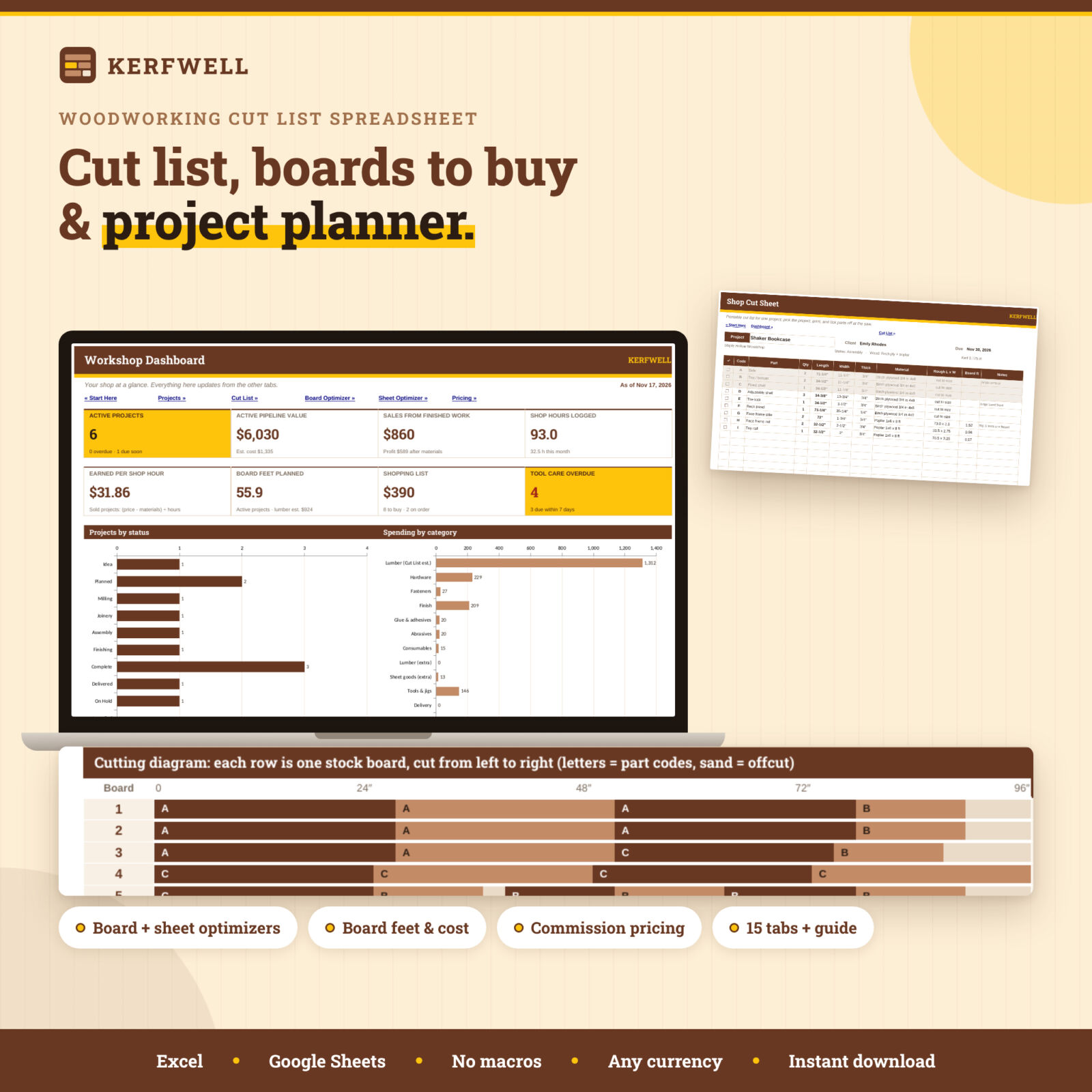

A woodworking cut list that tells you what to buy and where to cut
Kerfwell is a woodworking cut list and project planner in one spreadsheet. List the parts of a project once, in finished inches, and the workbook does the shop math: rough sizes with your allowances, board feet, square feet and cost for every part. Then pick a project and a material, and the cut list optimizer lays the parts out on your real stock boards or plywood sheets, with saw kerf and end trim, so you know exactly how many boards or sheets to buy before the lumber run.
It also tracks every project from idea to delivery, prices commissions properly, estimates hardware and finish costs, logs finishing coats and shop hours, and keeps your tool maintenance on schedule. A workshop dashboard pulls it all together.
Who it is for
- Hobby woodworkers who want to stop overbuying (or underbuying) lumber.
- Makers who sell furniture, cutting boards, boxes and shelves and need a fair, profitable price.
- Small cabinet and furniture shops that want a simple project tracker without a subscription.
- Anyone who plans projects on graph paper today and wants the math done automatically.
Features
Cut list calculator (600 parts)
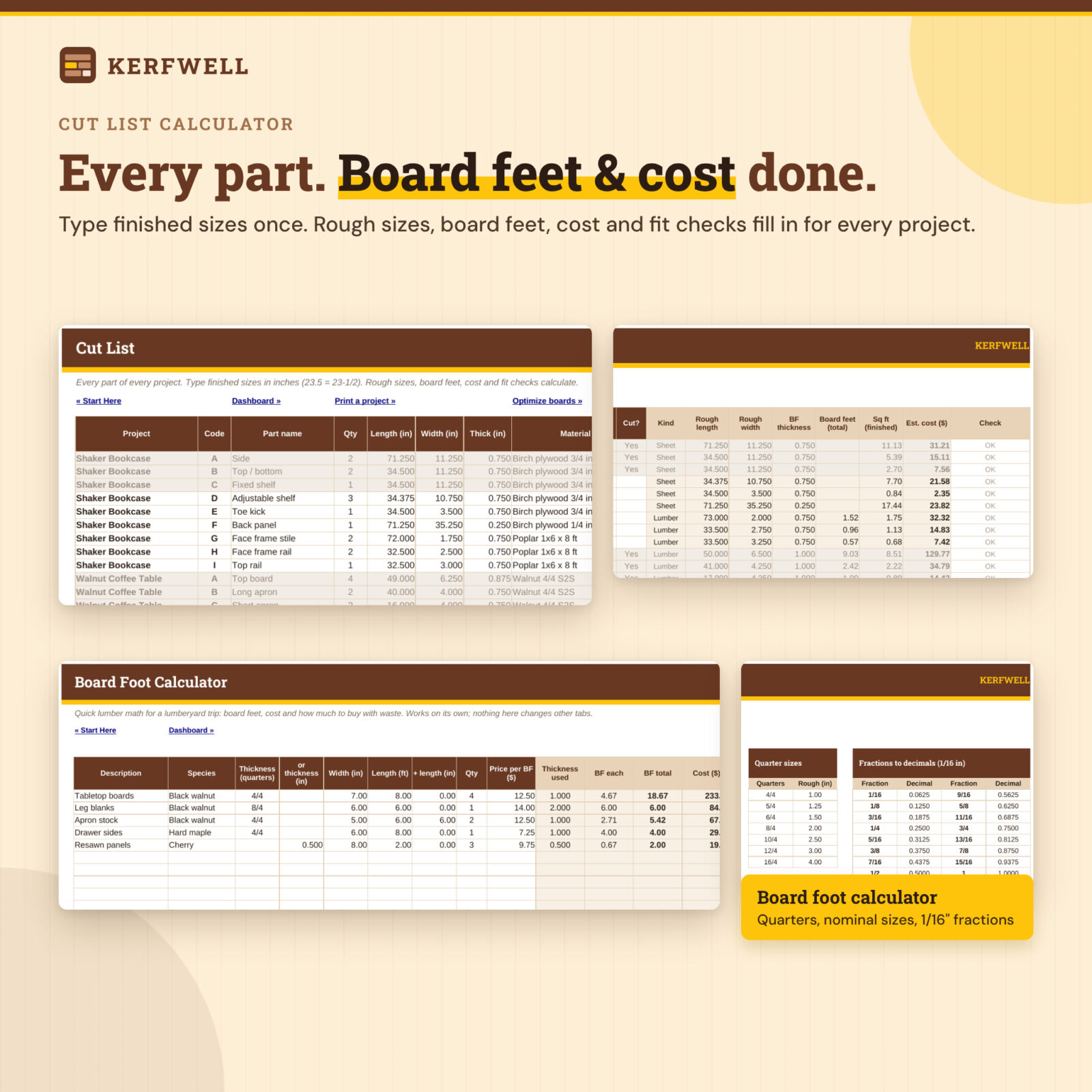
One list for every project. Type quantity, length, width and thickness, pick the material, and see rough length and width, board feet (using the stock thickness, so 4/4 counts as 1 inch), finished square feet and estimated cost with your waste factor. A check column flags missing sizes, unknown materials, parts longer than your stock and wide parts that need a glue-up.
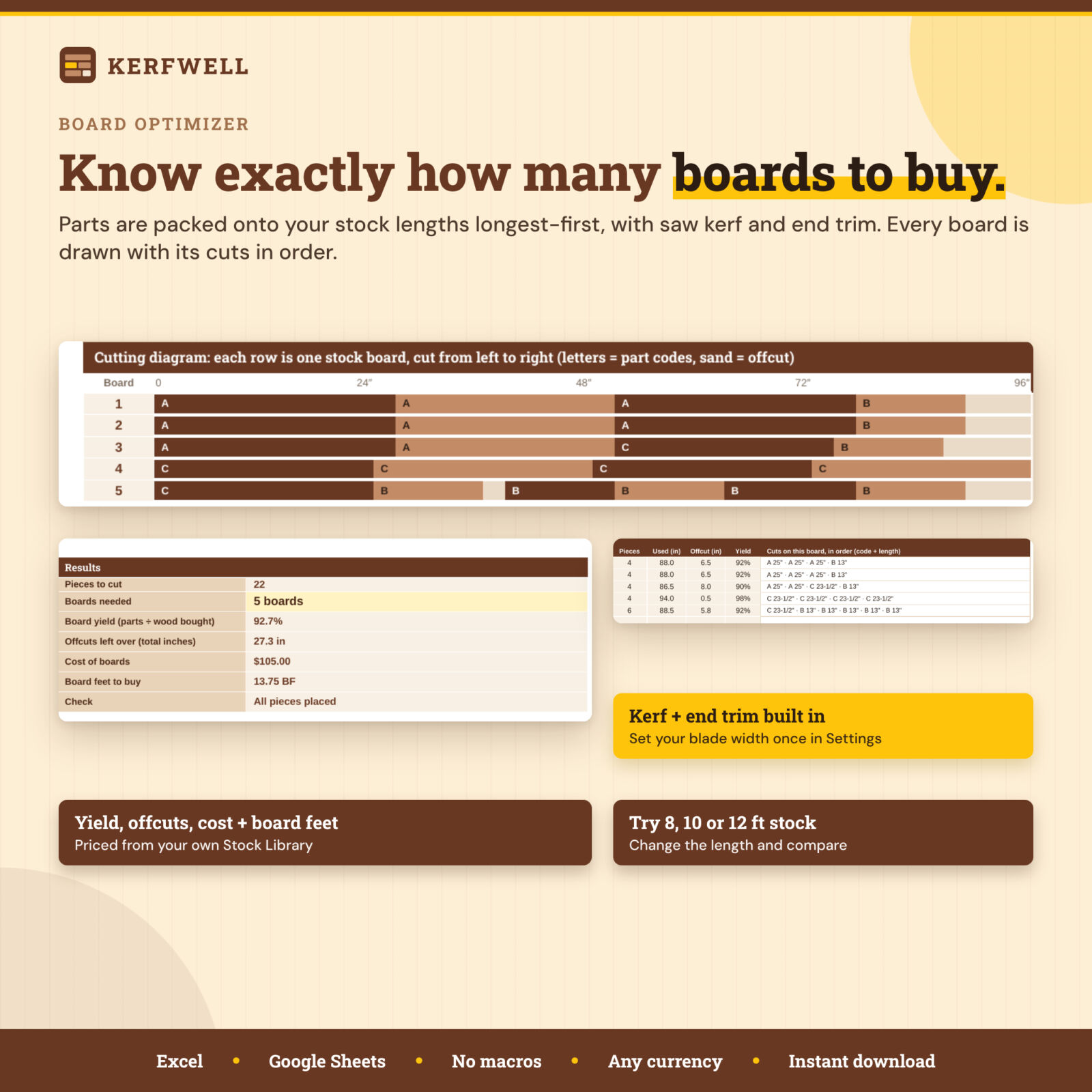
Board optimizer for stock lengths
- First-fit layout, longest part first, on 8, 10 or 12 ft boards (or any length you type).
- Saw kerf and end trim built in; switch rough or finished lengths with one dropdown.
- Colored cutting diagram for up to 30 boards, with the cuts on each board listed in order as fractions (for example 23-1/2″).
- Boards needed, yield, total offcut, cost of boards and board feet to buy.
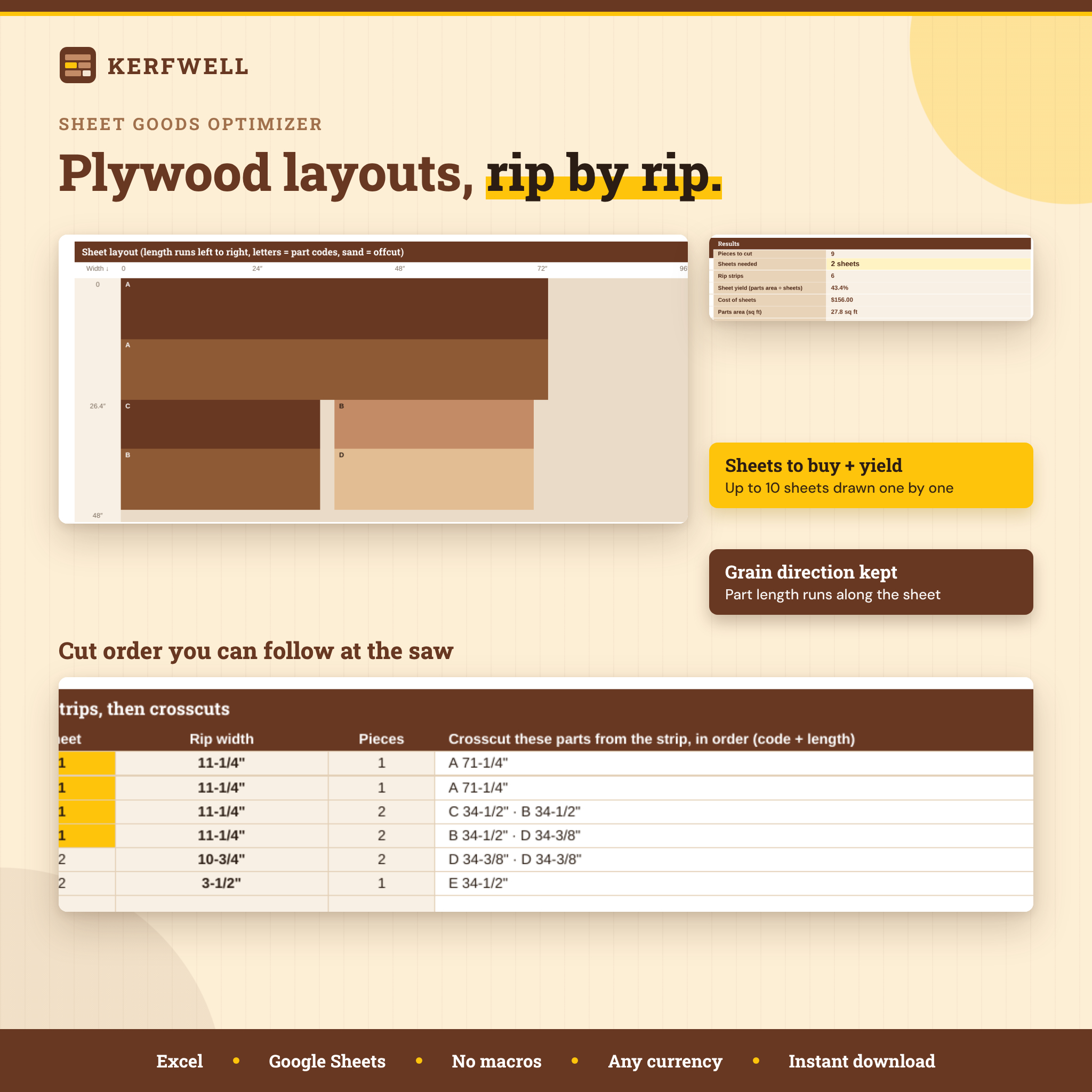
Sheet goods optimizer for plywood and MDF
Parts are grouped into rip strips (widest first), crosscut along the strip and stacked onto 4×8 or 5×5 sheets. You get sheets to buy, yield, cost, a drawn layout for each sheet and a cut order: rip this width, then crosscut these parts. Part length always runs along the sheet, so the grain direction you designed is kept.
Project planner and tracker
100 projects with client, type, status, priority, start, due and completed dates, estimated hours and sale price. Progress, parts, board feet, lumber estimate, materials, total cost, hours logged, profit after materials, margin, days left and an Overdue / Due soon / On track flag fill in automatically.
Commission pricing calculator
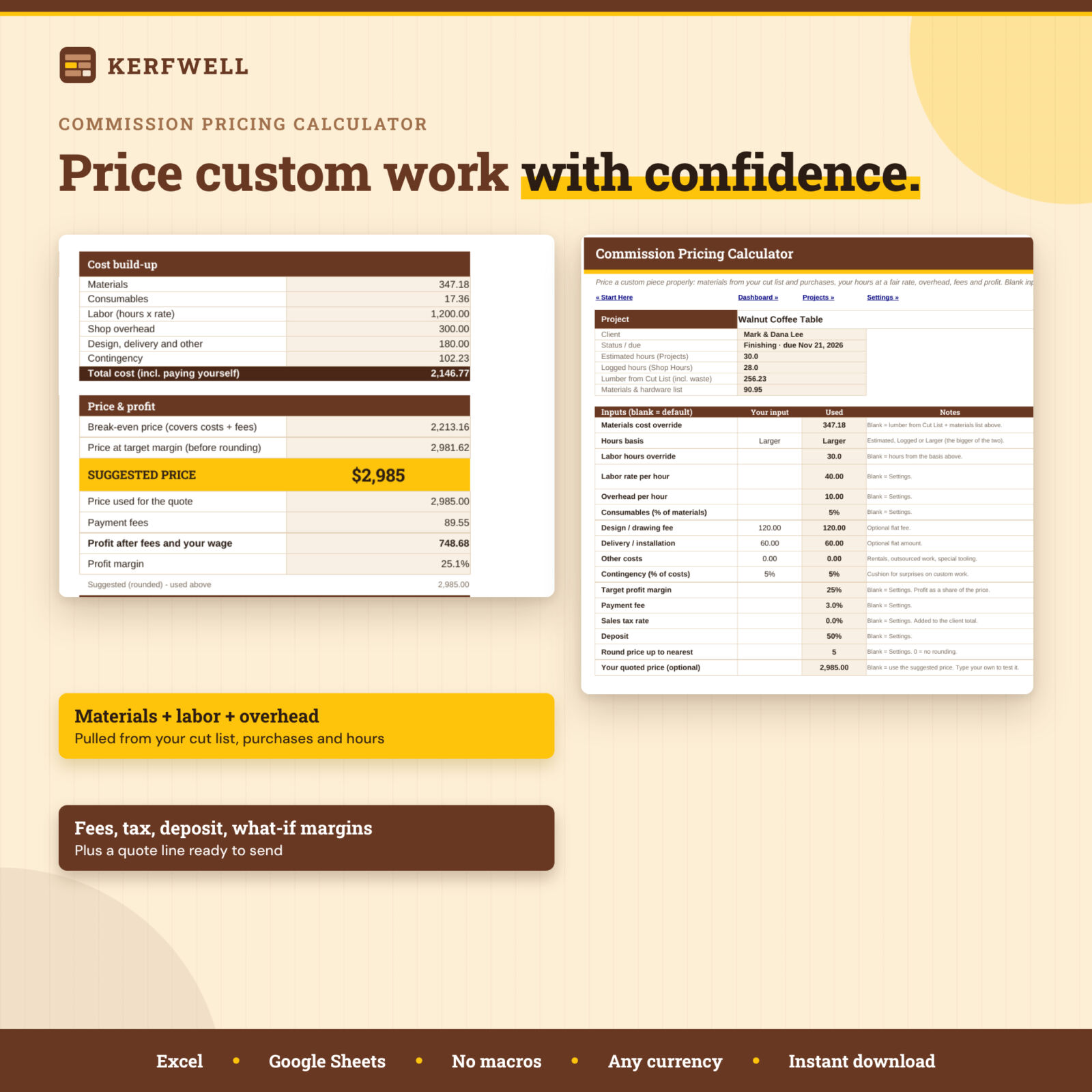
Pick a project and get a suggested price from real numbers: materials from the cut list and purchases, labor at your hourly rate, shop overhead, consumables, design and delivery fees, contingency, payment fees and your target margin. It shows break-even, profit after paying yourself, effective hourly rate, sales tax, client total, deposit and balance, a what-if table at five margins, a price breakdown chart and a quote line ready to copy.
Everything else a shop needs
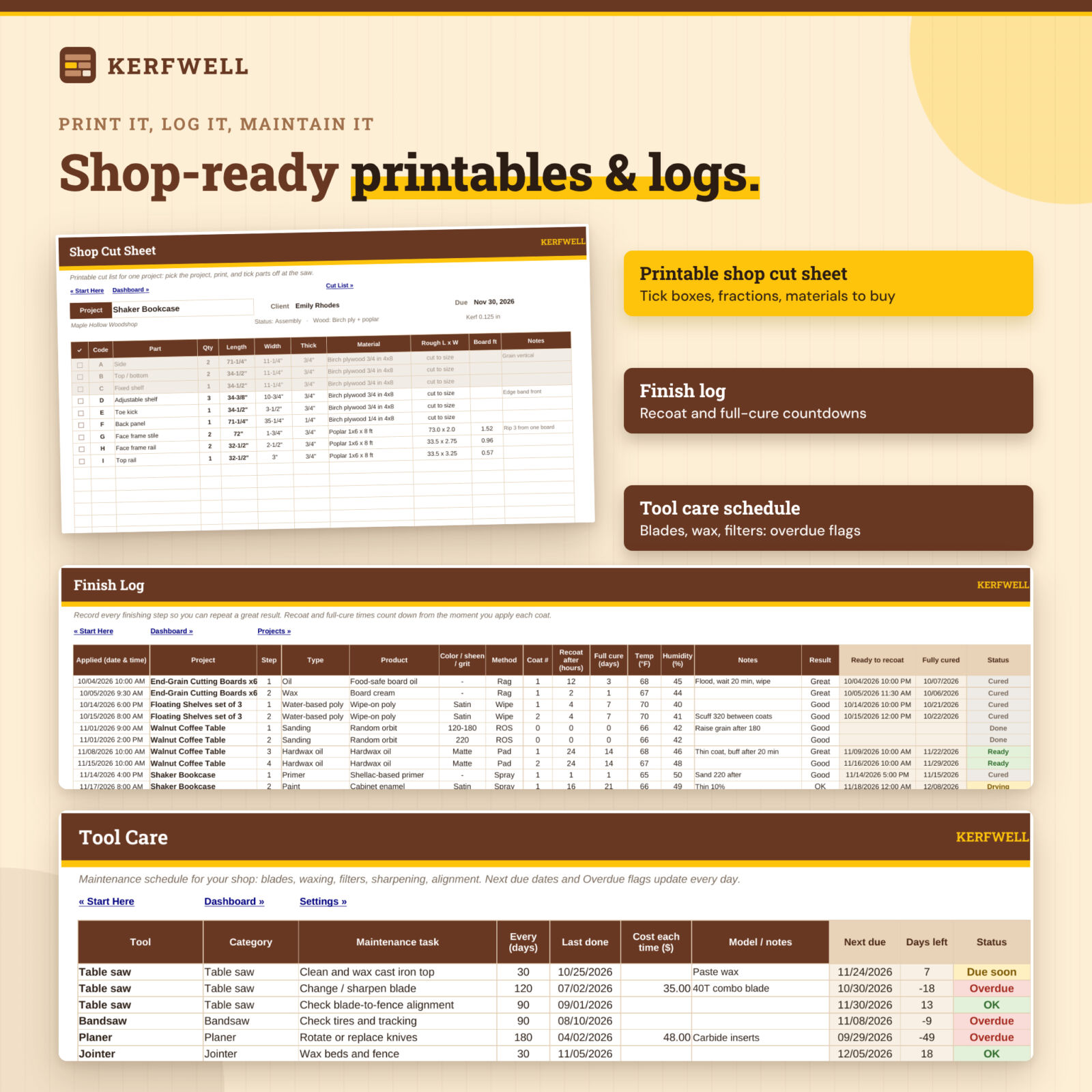
- Shop Cut Sheet: printable cut list for one project with tick boxes, fractions to 1/16 inch and an estimate of boards and sheets to buy.
- Stock Library: 40 materials priced per board foot, linear foot, piece or sheet.
- Board Foot Calculator: quarters (4/4 to 16/4), nominal vs actual lumber sizes, a fraction-to-decimal chart and a quick converter.
- Materials & Hardware: cost estimator with Needed / Ordered / Bought status that builds your shopping list.
- Finish Log: product, sheen or grit, method, coats, temperature and humidity, with recoat and full-cure countdowns.
- Tool Care: maintenance schedule for blades, waxing, filters and sharpening with overdue flags.
- Shop Hours: time log by project and task.
- Workshop Dashboard: 8 tiles, 3 charts and 5 live lists.
What is included
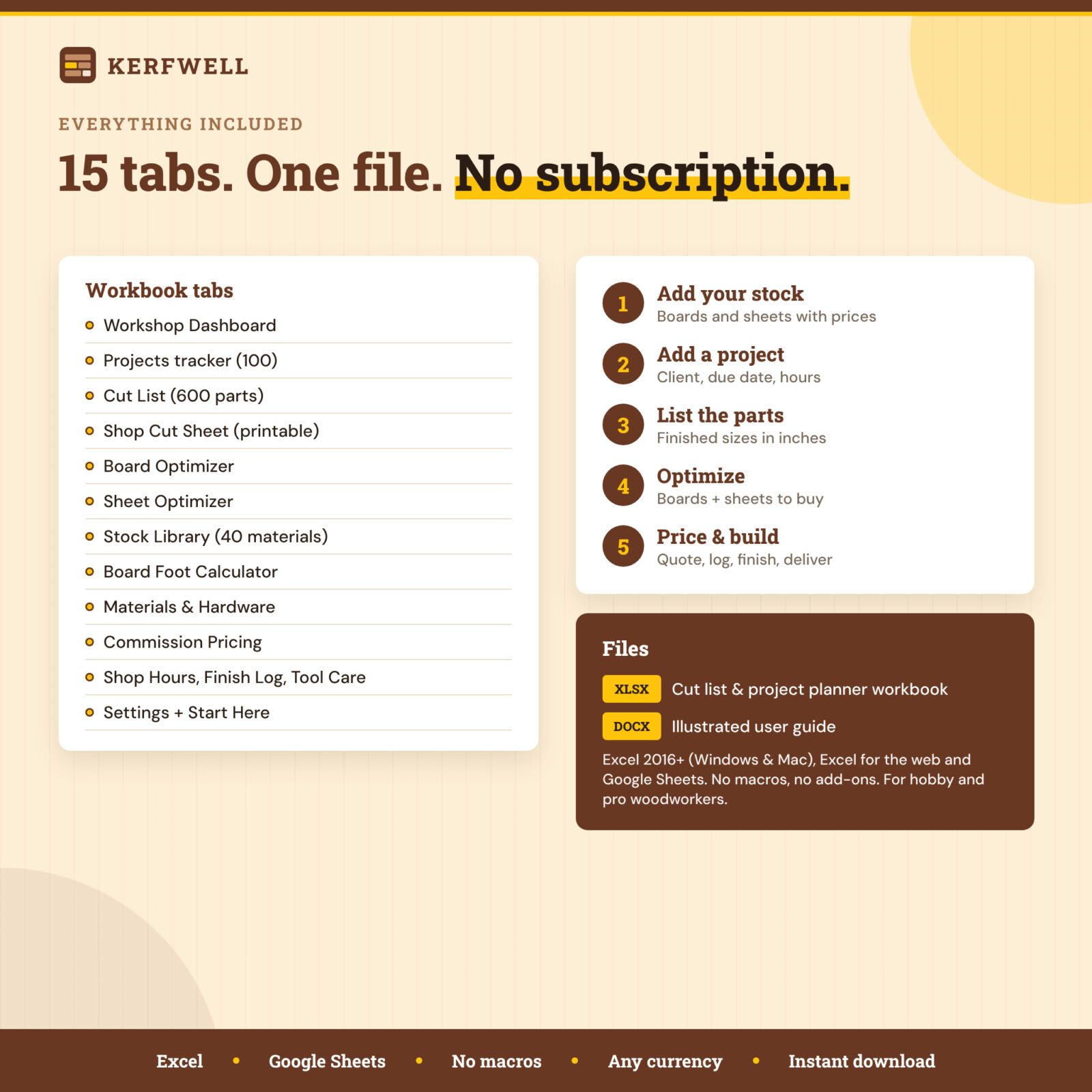
- Kerfwell Woodworking Cut List & Project Planner (.xlsx): 15 tabs, blank and ready to use, with starter materials in the Stock Library.
- Illustrated user guide (.docx): setup, every tab, tips, troubleshooting and FAQ.
How it works
- Set your currency, saw kerf, trim, rough allowances, waste factor and labor rate on Settings.
- Add the boards and sheets you buy to the Stock Library.
- Add a project, then list its parts on the Cut List.
- Open the Board Optimizer or Sheet Optimizer to see what to buy and how to cut it.
- Price the job on Commission Pricing, print the Shop Cut Sheet and log hours, purchases, finishes and tool care as you go.
File format and requirements
Works in Microsoft Excel 2016 or newer (Windows and Mac), Excel for the web and Google Sheets (upload to Drive and save as a Google Sheet). No macros, scripts or add-ons. Money columns use the currency symbol you choose ($ by default). Sizes are in inches. Formula cells are protected without a password, so you can unlock and customize anything.
Customization
Edit project types, purchase categories, finish types, shop tasks and tool categories on Settings. Change stock sizes per material, override kerf and trim per layout, and set your own pricing defaults.
Digital download
Instant digital download. No physical item ships.
Real-world uses
- Plan a bookcase from two sheets of plywood and a poplar face frame, then print the cut sheet.
- Check whether 10 ft boards waste less than 8 ft boards before buying walnut.
- Quote a dining table commission with your real hours and a profit margin you choose.
- Batch 20 cutting boards for a craft fair and track materials, hours and profit.
FAQ
Does this woodworking cut list work in Google Sheets?
Yes. Upload the file to Google Drive and save it as a Google Sheet. Calculations, dropdowns and charts work; data bars may show as plain percentages.
How does the cut list optimizer work?
It uses first-fit decreasing: parts are sorted largest first and each goes on the first board or strip with room. It is a simple, saw-friendly method and is usually within one board or sheet of the best possible layout.
Does it account for saw kerf?
Yes. Every cut uses your kerf (0.125 inch by default), and you can also trim board ends and sheet edges.
Can it calculate board feet?
Yes, for every part on the cut list and in a separate board foot calculator with quarter sizes.
Can I use metric?
The layouts work in any unit if you stay consistent, but board feet and fraction displays assume inches.
How many projects and parts can I track?
100 projects, 600 cut list parts, 800 material lines, 1,000 hour entries, 300 finish steps and 80 tool tasks. Each layout handles 60 part lines and 150 pieces.
Can I use it for my woodworking business?
Yes, within your own business. You may not resell or share the files.
Licence: Personal use only (or use within your own business for business templates). You may not resell, share, or redistribute the files. © 2026 Taskdale. All rights reserved.
Reviews
There are no reviews yet.