If you are saving for more than one thing at a time, a free savings tracker spreadsheet is the easiest way to keep every goal straight. One file shows what you have saved, what is left, and how much to set aside each month so each goal lands on time. No app subscription, no bank login, just numbers you control.
Below you can grab Goalkeel Lite, our free savings goals tracker for Excel and Google Sheets. After the download box, we cover how to set it up, how to work out a monthly savings amount by hand, and the mistakes that quietly wreck most savings spreadsheets.
Download the free savings tracker spreadsheet
Enter your email and the .xlsx file downloads right away. It opens in Excel, and you can upload it to Google Drive to use it in Google Sheets.
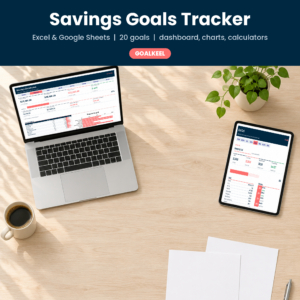
Free Savings Goals Tracker Spreadsheet (Excel & Google Sheets)
Goalkeel Lite: track 3 savings goals and 60 deposits with progress bars, needed per month and per paycheck, and on-track status.
Want everything unlocked?
The free file is a sample. The full version has every page, tab and feature, plus the user guide.
See the full versionWhat the free Goalkeel Lite tracker does
- Tracks 3 savings goals side by side, each with a category, priority, start date, target date, target amount and starting balance.
- Logs up to 60 deposits and withdrawals with a dropdown for the goal and the type, so totals stay accurate when you take money out.
- Calculates everything else: saved so far, still to save, % done, a progress bar, months left, needed per month, needed per paycheck, a 3-month average and a projected finish date.
- Flags each goal’s status: Not started, On track, Behind, Overdue or Complete.
- Uses your currency. Type $, €, £ or any other symbol once on the Settings tab.
Formula cells are locked (no password), and every white cell is yours to type in. That one detail saves a lot of frustration, because the most common way to break a spreadsheet is typing over a formula by accident.
How to set up your savings tracker in 10 minutes
Step 1: Settings
Type your currency symbol and choose how often you are paid: weekly, every two weeks, twice a month or monthly. The tracker uses your pay frequency to turn monthly targets into per-paycheck amounts, which is the number most people actually need.
Step 2: Add your goals
Give each goal a short, specific name (“Emergency Fund”, “Hawaii 2027”, “New Tires”). Add a target amount, a target date and any money you have already set aside. The start date matters too: the tracker compares how much time has passed with how much you have saved to decide whether you are on track.
Step 3: Log deposits as they happen
Every time you move money into savings, add a row with the date, goal, type and amount. Took money out? Choose Withdrawal and type the amount as a positive number. The tracker subtracts it for you.
Step 4: Check the numbers once a week
Look at “Needed per paycheck” and “Status”. If a goal says Behind, either save a little more, push the target date back, or lower the target. All three are fine. The point is to decide on purpose.
How to calculate how much to save each month
The math behind any savings goal is simple, and it helps to understand it even if a spreadsheet does it for you:
Monthly amount = (target amount minus money already saved) / months left
Here are a few worked examples, assuming you are paid every two weeks (about 2.17 paychecks a month):
| Goal | Target | Saved | Months left | Per month | Per paycheck |
|---|---|---|---|---|---|
| Emergency fund | $6,000 | $800 | 12 | $433.33 | $200.00 |
| Summer vacation | $2,400 | $0 | 8 | $300.00 | $138.46 |
| Holiday gifts | $1,200 | $200 | 10 | $100.00 | $46.15 |
| Car insurance (yearly) | $900 | $150 | 6 | $125.00 | $57.69 |
Add those up and you need $958.33 a month, or about $442 per paycheck. If that is more than you can spare, now you know before you are three months behind. That is the real value of tracking several goals in one place: you see the total pull on your paycheck, not just one goal at a time.
Spreadsheet vs app vs paper: which savings tracker is best?
| Option | Good at | Not so good at |
|---|---|---|
| Spreadsheet | Several goals, exact math, charts, any currency, private | Needs a computer or the Sheets app |
| Banking app buckets | Automatic, money is already separated | Little planning, no per-paycheck targets, tied to one bank |
| Printable tracker | Visible on the fridge, fun to color | Manual math, hard to change targets |
Many people use two: a spreadsheet to plan and a bank sub-account (or a printable) to hold the money and keep it visible.
PRODUCT SPOTLIGHT

Goalkeel Savings Goals Tracker (Full Version)
The complete savings planner for Excel and Google Sheets.
- 20 goals and 1,000 deposit rows
- Self-updating dashboard with KPI tiles and 4 charts
- Goal Cards with milestones and 12-month history
- Savings Calendar heatmap and 3 savings calculators
- User guide included
Free Lite vs full Goalkeel tracker
| Feature | Free Lite | Full version |
|---|---|---|
| Savings goals | 3 | 20 |
| Deposit and withdrawal rows | 60 | 1,000 |
| Needed per month and per paycheck | ✓ | ✓ |
| Status and projected finish date | ✓ | ✓ |
| Dashboard with KPI tiles | ✗ | ✓ |
| Charts (progress, monthly, category) | ✗ | ✓ |
| Goal Card with milestones | ✗ | ✓ |
| Savings Calendar heatmap | ✗ | ✓ |
| 3 savings calculators | ✗ | ✓ |
| User guide | ✗ | ✓ |
See the full Goalkeel Savings Goals Tracker on Taskdale.
7 mistakes that break savings spreadsheets
- Typing over formulas. One overwritten cell and the totals are wrong for months. Use a template with locked formula cells.
- Changing a goal name after logging deposits. Deposits are matched by name. If you rename “Vacation” to “Hawaii”, update the old rows too. The full Goalkeel dashboard warns you when any deposit is not linked to a goal.
- Ignoring withdrawals. If you take $300 out for a car repair and do not log it, your tracker says you have money you do not have.
- No target date. Without a date there is no monthly amount, and without a monthly amount the goal drifts.
- Typing currency symbols into number cells. “$250” is text, not a number. Type 250 and let the sheet handle the symbol.
- Tracking too many goals at once. Ten goals at $20 each feels like nothing is moving. Fund the top three first.
- Never looking at it. Put a weekly reminder on your phone. Two minutes on payday keeps the file honest.
Smart ways to use a savings goal tracker
- Sinking funds: set each yearly bill (car insurance, gifts, school fees, vet checkups) as its own goal with a monthly amount. When the bill arrives, the money is already there.
- Emergency fund first: mark it High priority and fund it before fun goals. Many people aim for $1,000 first, then three months of expenses.
- Windfalls: when a tax refund or bonus lands, split it across goals and log each piece as a deposit.
- Couples: keep one shared file in Google Sheets so both partners see the same numbers.
- Pair it with a challenge: a printable savings challenge on the fridge plus a spreadsheet for the real totals is a strong combination.
What to save for first: a simple order
When everything feels urgent, a clear order helps. This is the sequence many money coaches suggest, and it maps neatly onto the Priority column in the tracker:
- A starter emergency fund ($1,000 or one month of essentials). This stops small surprises from turning into credit card debt.
- Bills you know are coming. Car registration, insurance premiums, back-to-school costs and holiday gifts. They are not emergencies, so give each one a goal and a date.
- A full emergency fund (three to six months of expenses). Build it slowly alongside the next goals.
- Big planned purchases. A car down payment, a move, a wedding or a house deposit.
- Fun goals. Travel, hobbies and upgrades. Keep at least one on the list so saving does not feel like punishment.
Set the first two as High priority, the next as Medium and the rest as Low. When money is tight, fund High goals first and let the tracker show you how far the others slide.
Using the tracker in Google Sheets
Upload the .xlsx file to Google Drive, open it, then choose File > Save as Google Sheets. All formulas use functions Google Sheets supports. Two small differences: the navigation buttons at the top work in Excel, while in Google Sheets you switch tabs at the bottom of the screen; and the colored data bars in the % column are an Excel feature, though the text progress bars work everywhere.
More Taskdale money templates
| Product | Best for |
|---|---|
| Coinmeadow Savings Challenge Bundle | 23 printable savings challenges and color-in trackers |
| Lapis Ledger Annual Budget Spreadsheet | Full yearly budget with sinking funds and paycheck plan |
| Envelora Cash Stuffing Budget Spreadsheet | Cash envelope budgeting in Excel |
| Flintwise FIRE Calculator Spreadsheet | Long-term savings rate and early retirement planning |
| Jinglejar Christmas Savings Plan Spreadsheet | A dedicated Christmas fund and gift budget |
Savings tracker spreadsheet FAQ
Is the savings tracker spreadsheet really free?
Yes. Goalkeel Lite is free to download and use for personal use. It covers 3 goals and 60 deposits.
Does it work in Google Sheets?
Yes. Upload it to Google Drive and save it as a Google Sheet. All formulas are compatible.
Can I use it on my phone?
You can view and edit it in the Google Sheets or Excel mobile apps. Setup is easier on a computer.
How does the tracker decide if I am on track?
It compares the percentage of your goal you have saved with the percentage of time that has passed between the start and target dates. If saving keeps pace with time (within 5%), the goal is On track.
Can I track sinking funds with it?
Yes. Each sinking fund is simply a goal with a target and a date.
What if I need more than 3 goals?
The full Goalkeel tracker handles 20 goals and 1,000 deposits, with a dashboard and charts.
Start tracking your savings today
Download the free tracker, add your first goal, and log the money you already have. Seeing the per-paycheck number for the first time is often the moment saving starts to feel doable.
Ready for the complete version? Get the Goalkeel Savings Goals Tracker with 20 goals, a full dashboard, Goal Cards, a Savings Calendar and calculators.