
FIRE Calculator Spreadsheet That Shows Exactly When You Can Stop Working
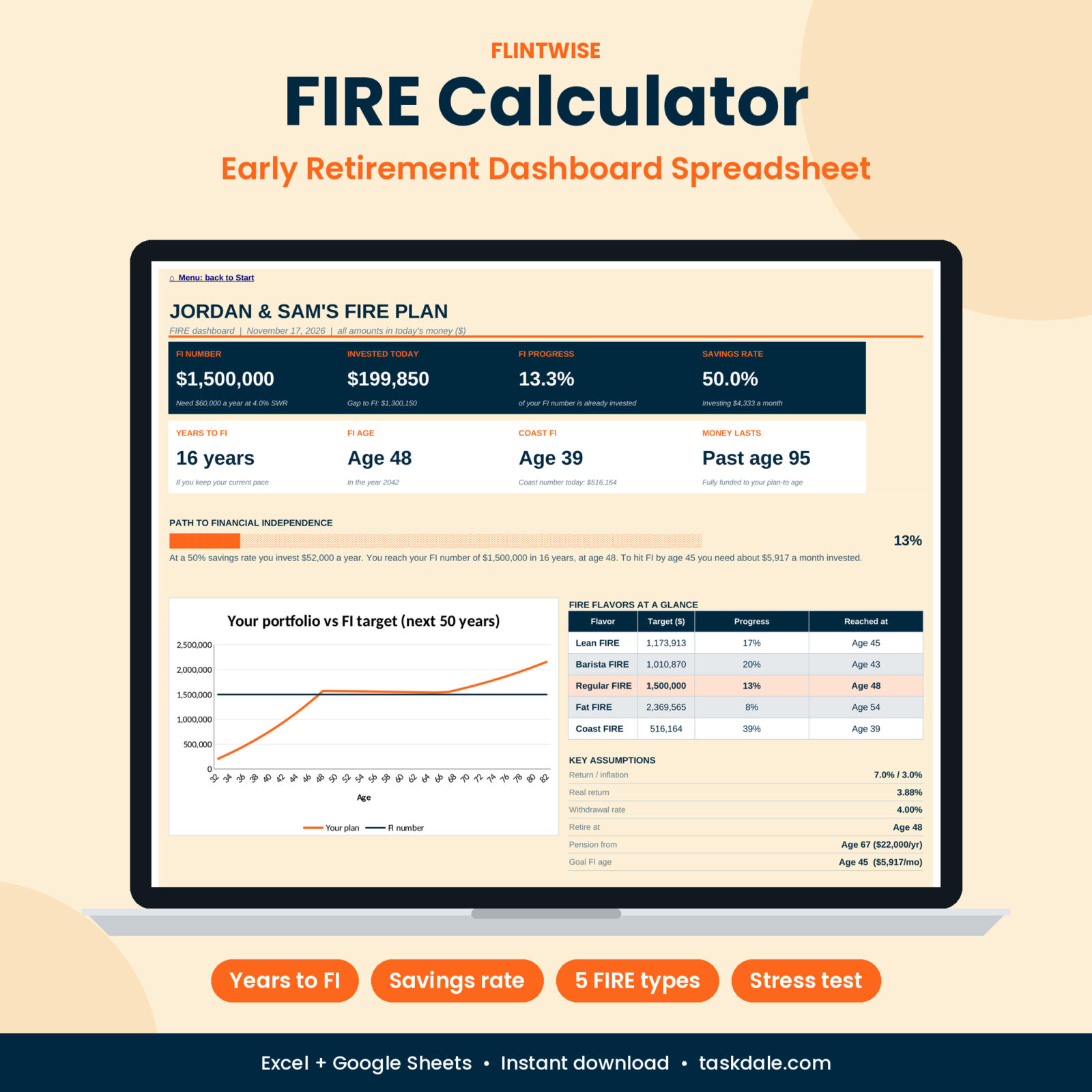
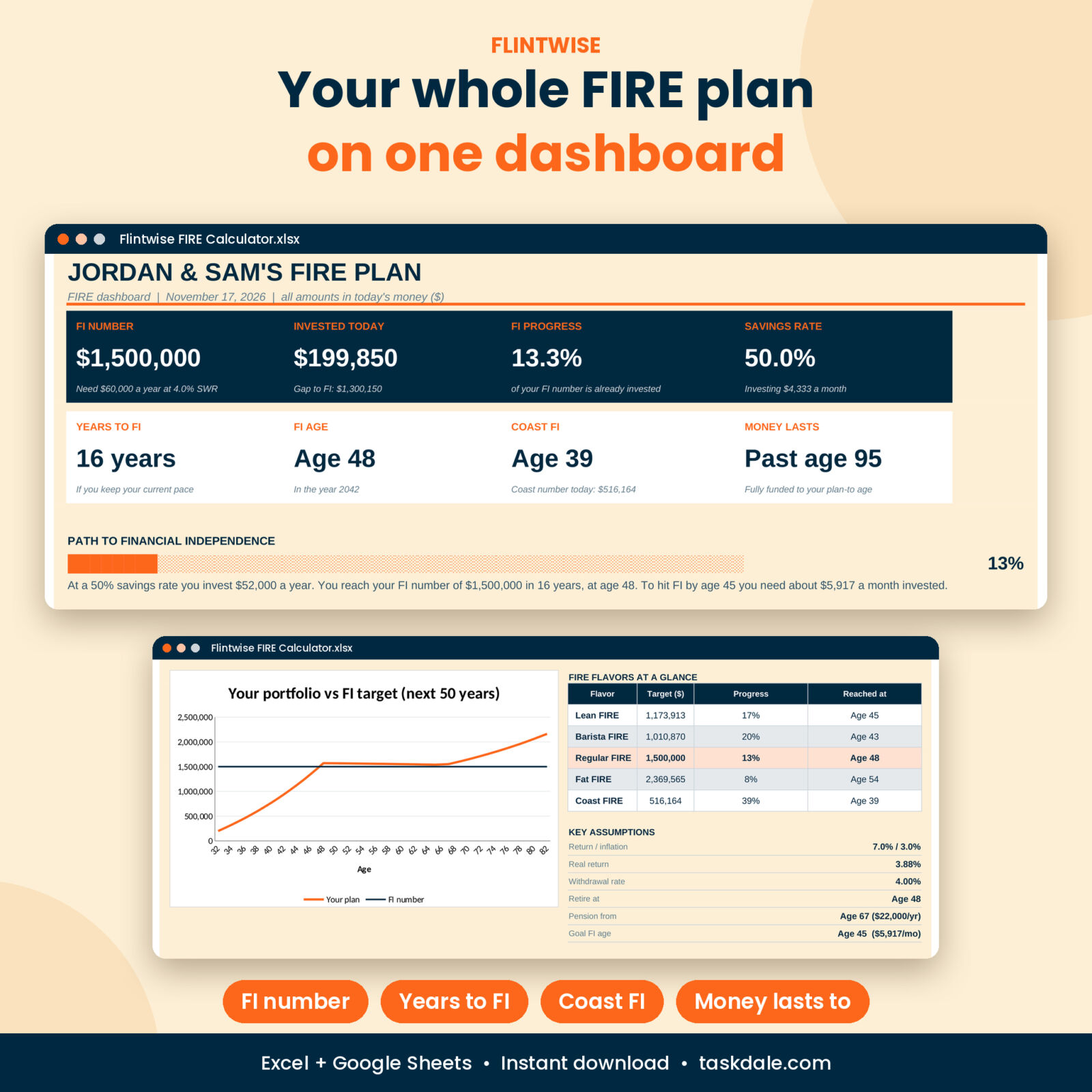
Flintwise is a FIRE calculator spreadsheet for Excel and Google Sheets that turns a few numbers into a full early retirement plan. Type your age, take-home pay, spending and investments once. In about five minutes you see your FI number, your years to financial independence, your FI age, your savings rate and whether your money lasts to 95.
Most free FIRE calculators give you one number and stop. This one keeps going. It compares five FIRE flavors, runs three scenarios side by side, stress-tests a market crash in your first year of retirement and tracks your real progress every month for ten years.
What the Early Retirement Calculator Does
- Finds your FI number from your retirement spending, safe withdrawal rate, tax on withdrawals and pre-Medicare healthcare costs.
- Counts your years to FI and shows the exact age and calendar year you get there.
- Plans the years after you retire with withdrawals, a healthcare bridge and Social Security or pension income from the age you choose.
- Tells you if the money lasts to your plan-to age, or the year it runs short.
- Shows your Coast FI age, the point where you could stop saving and let growth finish the job.
Everything is in today’s money. Inflation is taken out, so “48,000 a year” means what 48,000 buys right now. No mental math needed.
Who It Is For
- Singles and couples chasing financial independence and early retirement
- Savers deciding between Lean FIRE, Barista FIRE, Regular FIRE, Fat FIRE and Coast FIRE
- Anyone who wants to see what a 10% bump in savings rate really does to the timeline
- People nearing their FI date who want to stress-test it before handing in notice
- Beginners. Every input has a plain-English note beside it.
Features of the FIRE Dashboard
Dashboard
Eight headline cards: FI number, invested today, FI progress, savings rate, years to FI, FI age, Coast FI and how long your money lasts. Below them sits a path-to-FI progress bar, a plan summary written from your own numbers, a 50-year portfolio chart against your FI target, a FIRE flavors table and two more charts.
Year-by-Year Projection
Your plan up to age 105. See savings, growth, spending, pension income, gross withdrawals and end balances every year, in today’s money and in future dollars. The year you hit FI is highlighted. Any year the portfolio falls short is flagged.
FIRE Types Comparison
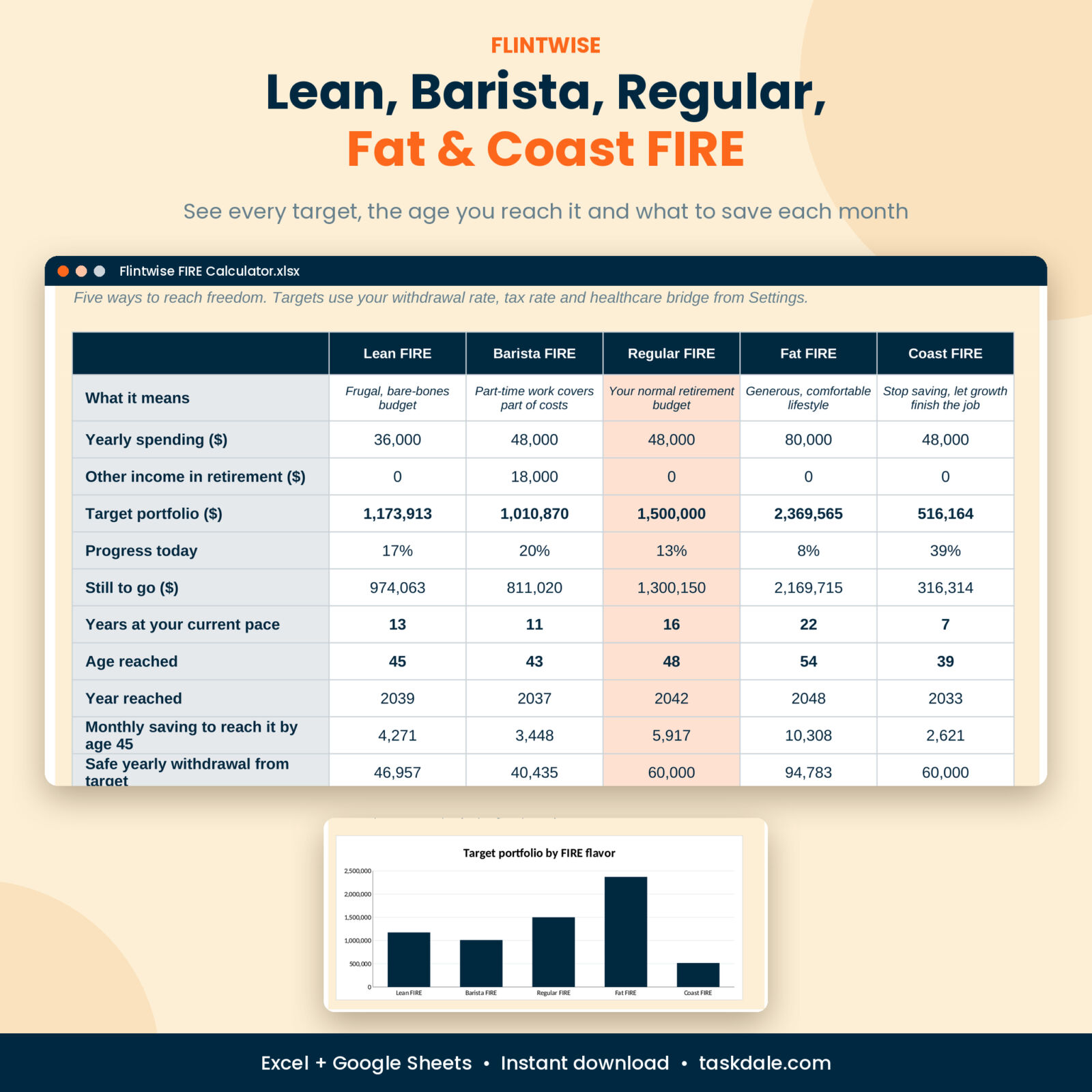
Lean, Barista, Regular, Fat and Coast FIRE side by side: target portfolio, progress today, amount still to go, age and year reached, and the monthly saving needed to get there by your goal age.
Scenario Planner
Plan A copies your settings. Plans B and C are yours to play with. Earn more, spend less, retire on a part-time income, change the return or withdrawal rate. Results and a 40-year growth chart update instantly.
Savings Rate Lab
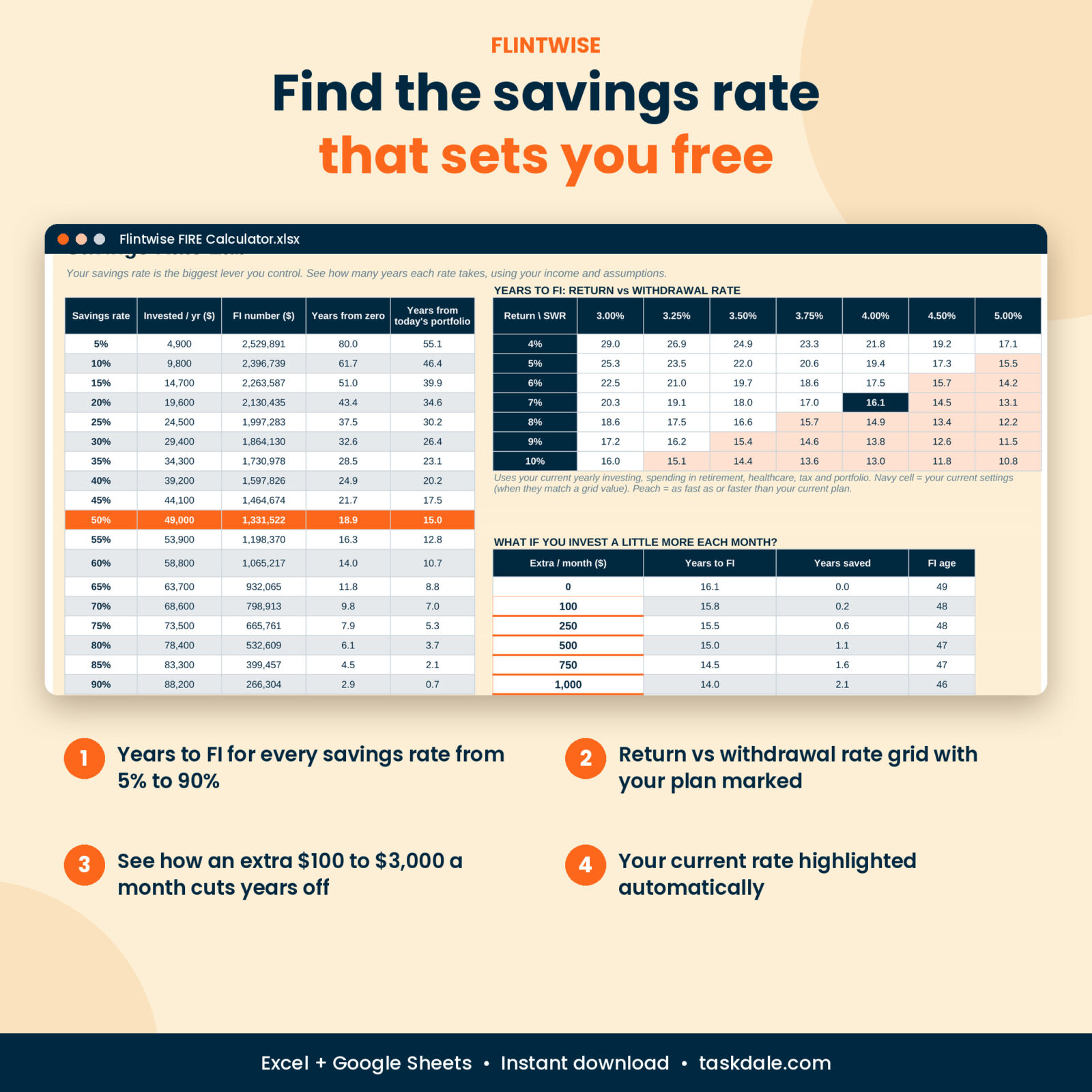
Years to FI for every savings rate from 5% to 90%, with your current rate highlighted. A 49-cell grid of return against withdrawal rate. And a table that shows how many years an extra 100, 500 or 1,000 a month saves you.
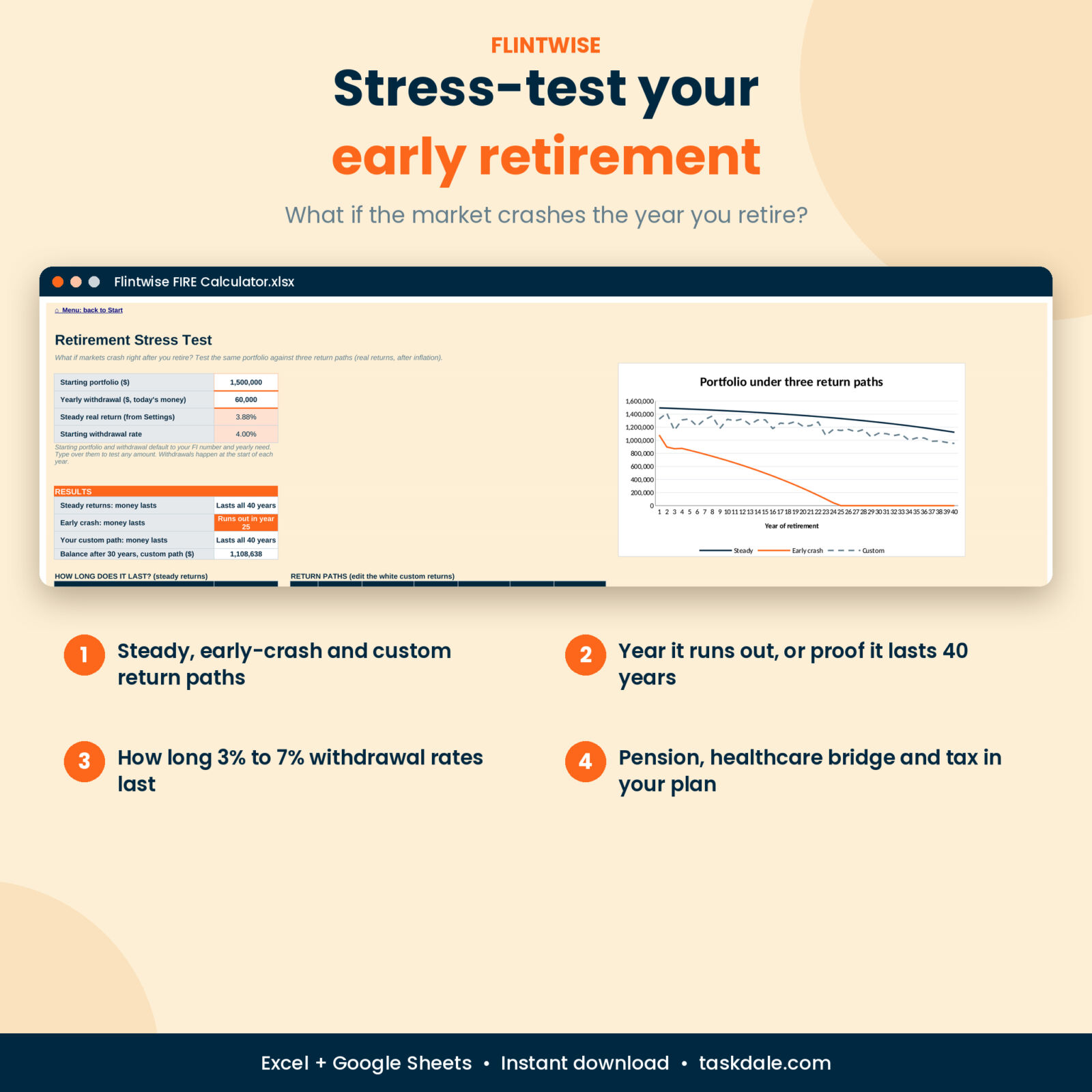
Retirement Stress Test
Run the same portfolio through steady returns, an early crash and your own custom return path for 40 years. See the year each one runs out, or proof it lasts. A second table shows how long 3% to 7% withdrawal rates last.
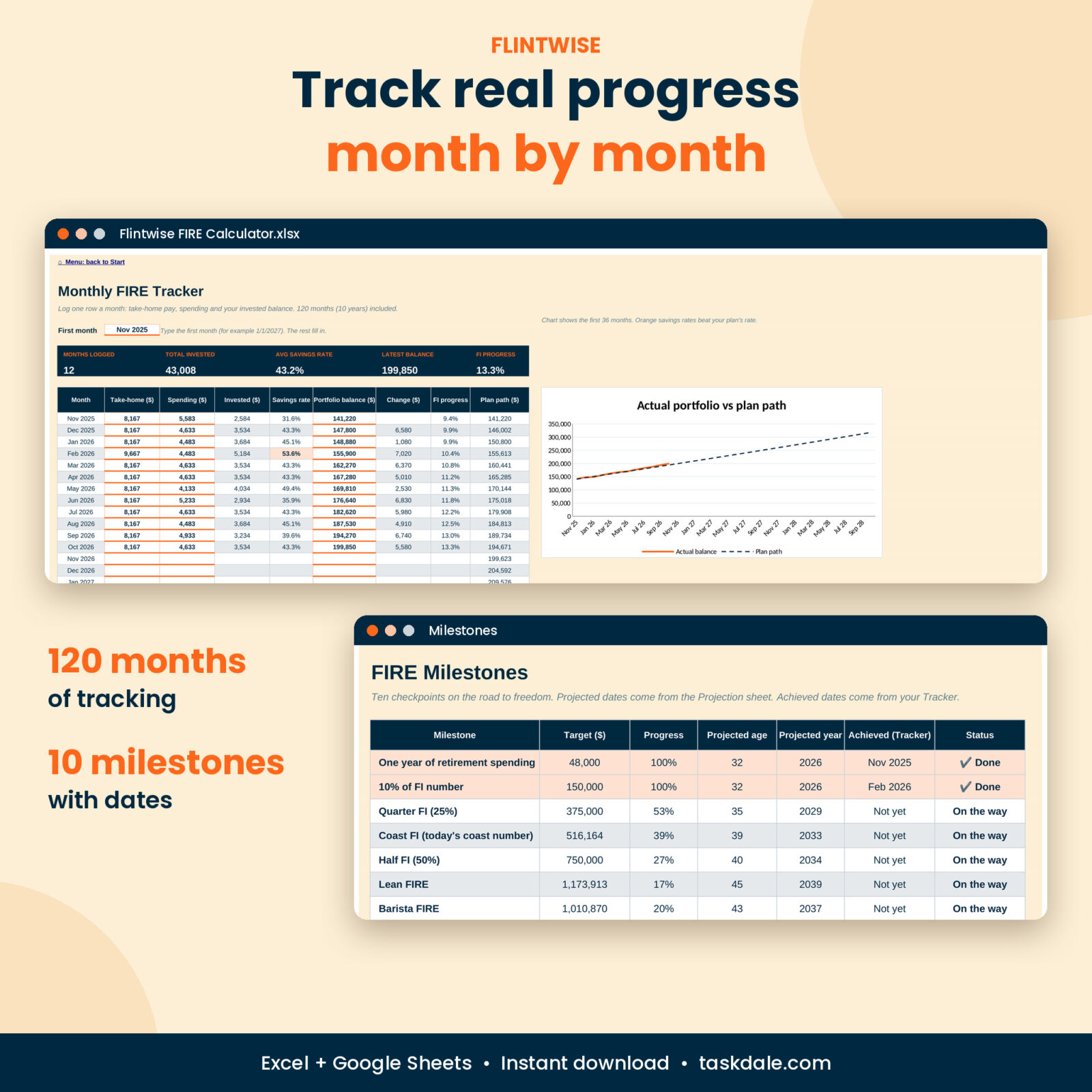
Monthly Tracker and Milestones
120 months of take-home pay, spending, savings rate and portfolio balance, with an actual-vs-plan chart. Ten milestones, from one year of expenses to Fat FIRE, show the projected date and the month you really reached each one.
What Is Included
- Flintwise FIRE Calculator (.xlsx), ready for your numbers
- Flintwise FIRE Calculator Example (.xlsx), filled in for a sample couple so you can explore first
- User Guide (.docx) covering every tab, setting, tip and fix
The workbook has 11 tabs: Start, Settings, Dashboard, Projection, FIRE Types, Scenarios, Savings Lab, Stress Test, Tracker, Milestones and Lists.
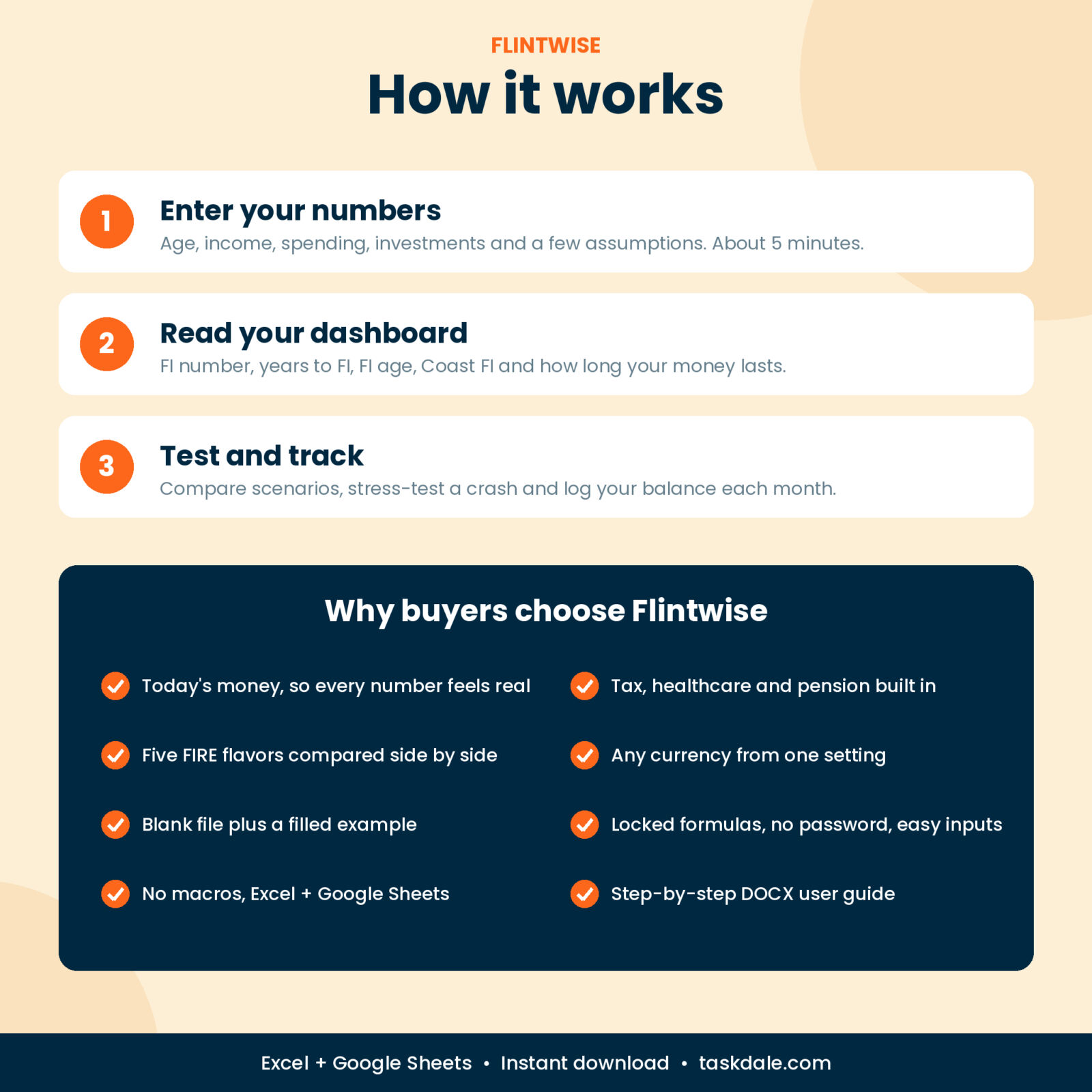
How It Works
- Download the files right after checkout.
- Open Settings and fill the white cells with the orange underline. Defaults are already in place for return, inflation and withdrawal rate.
- Open the Dashboard. Your plan is ready.
- Once a month, log pay, spending and balance in the Tracker.
File Formats and Software
- Microsoft Excel: Microsoft 365 or Excel 2019 and later (desktop or web)
- Google Sheets: upload the file to Google Drive and open it with Google Sheets
- No macros, no add-ins, no subscriptions
- US Letter landscape print setup on every tab
Customization
One currency setting changes every money label, so it works in dollars, euros, pounds, rand or anything else. Rename the plan, change the lifestyle amounts for each FIRE flavor, set a goal FI age or test retiring at a fixed age. Formula cells are locked without a password so you cannot break them by accident, and you can switch the protection off any time.
Digital Download
This is a digital product. Nothing is shipped. Your files are available to download as soon as payment goes through. For personal use only: please do not share or resell the files.
Real Ways People Use It
- A couple in their 30s checks whether moving to a cheaper city gets them to FI five years sooner.
- A nurse planning Barista FIRE works out how much part-time income lets her leave full-time work at 45.
- A saver who just hit Coast FI sees he could drop his savings rate and still retire at 60.
- A 52-year-old tests whether a crash in year one would sink a retirement at 55.
FAQ
What is a FIRE number?
The invested amount that can fund your yearly spending for life. At a 4% withdrawal rate it is 25 times your yearly need. Flintwise also adds tax and healthcare costs.
Does this FIRE calculator work in Google Sheets?
Yes. Upload the .xlsx to Google Drive and open it with Google Sheets. It uses standard functions only.
Can I use it as a couple?
Yes. Combine both incomes, spending and investments in Settings.
Does it include Social Security or a pension?
Yes. Enter the yearly amount and starting age. It lowers your withdrawals in the projection.
What is Coast FIRE?
The point where your investments, with no new savings, grow to your full FI number by a traditional retirement age. The calculator shows your Coast number and the age you reach it.
Can I change the currency?
Yes. One setting updates every money label in the workbook.
Is this financial advice?
No. It is a planning tool based on the assumptions you enter. Markets do not move in straight lines, so review your plan at least once a year.
Reviews
There are no reviews yet.