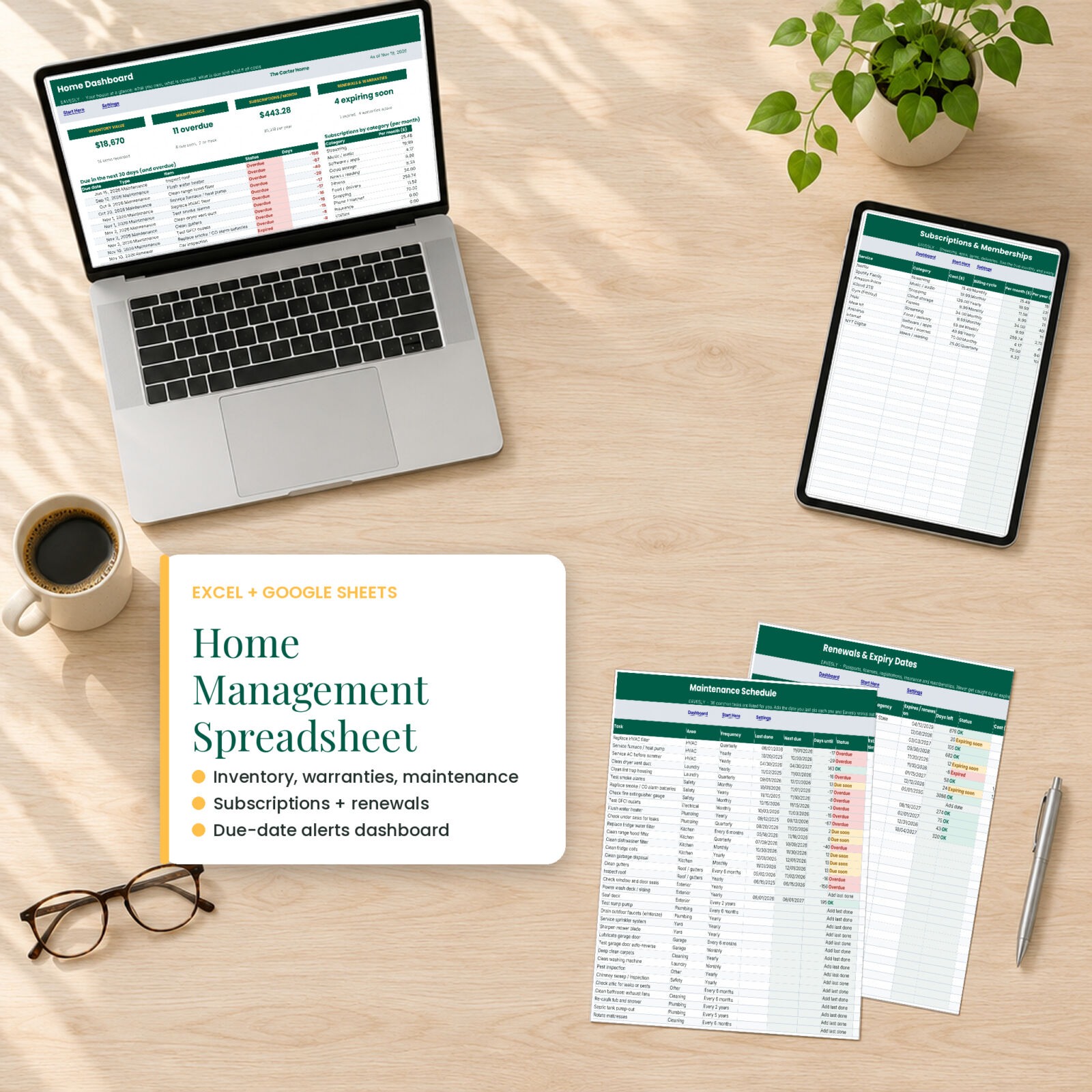
The furnace filter you meant to change in August. The car registration that expires next week. The streaming service you forgot you pay for. Eavesly is a home management spreadsheet that keeps track of all of it, then puts what needs attention on one dashboard so you can deal with it in ten minutes a month.
It works in Microsoft Excel and Google Sheets, uses standard formulas only (no macros, no add-ons), and comes with a DOCX user guide.
What this home management spreadsheet does
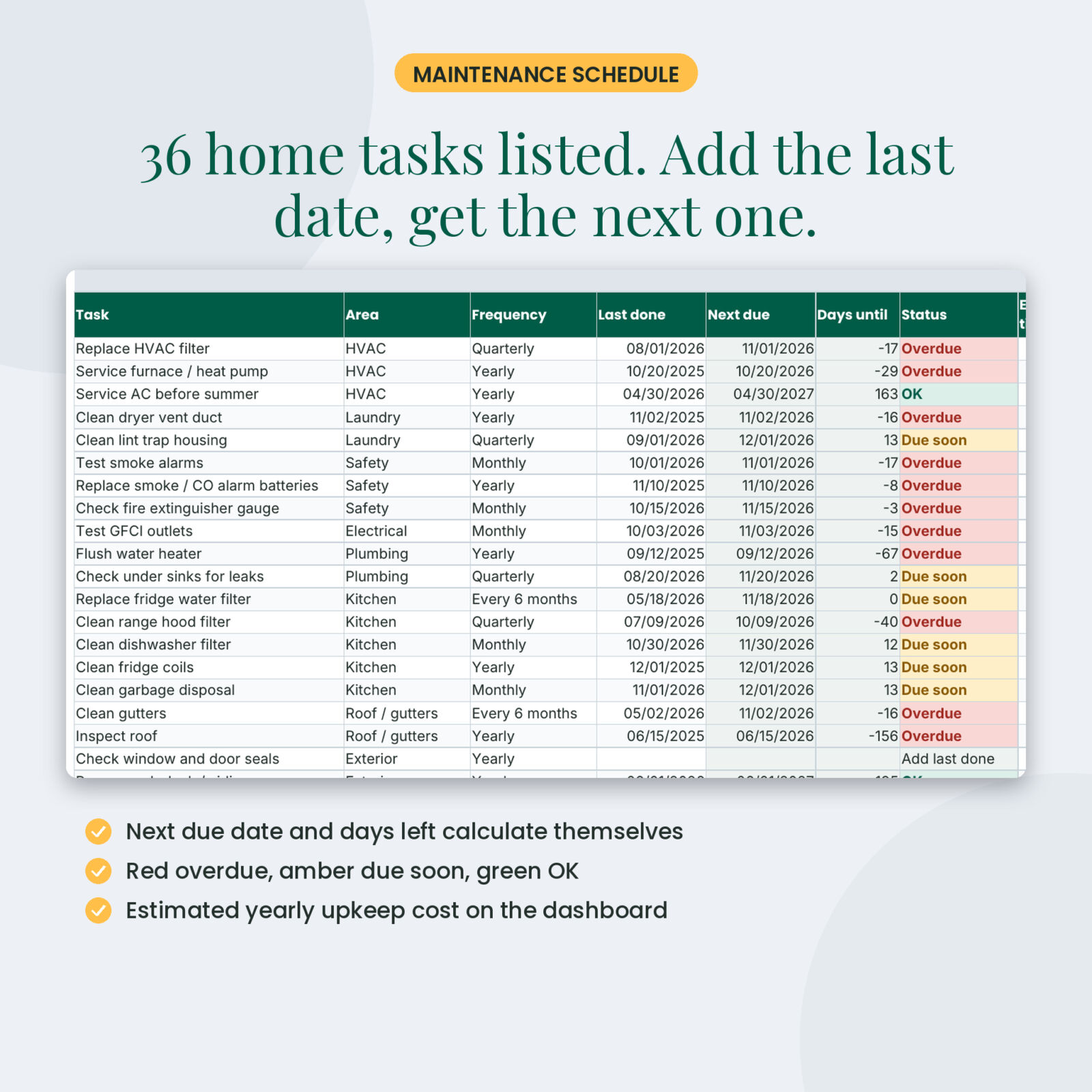
- Maintenance schedule: 36 common home tasks are already listed, from HVAC filters and smoke alarms to gutters and the water heater. Type the date you last did each one. Eavesly works out the next due date, the days left and the status: Overdue, Due soon or OK.
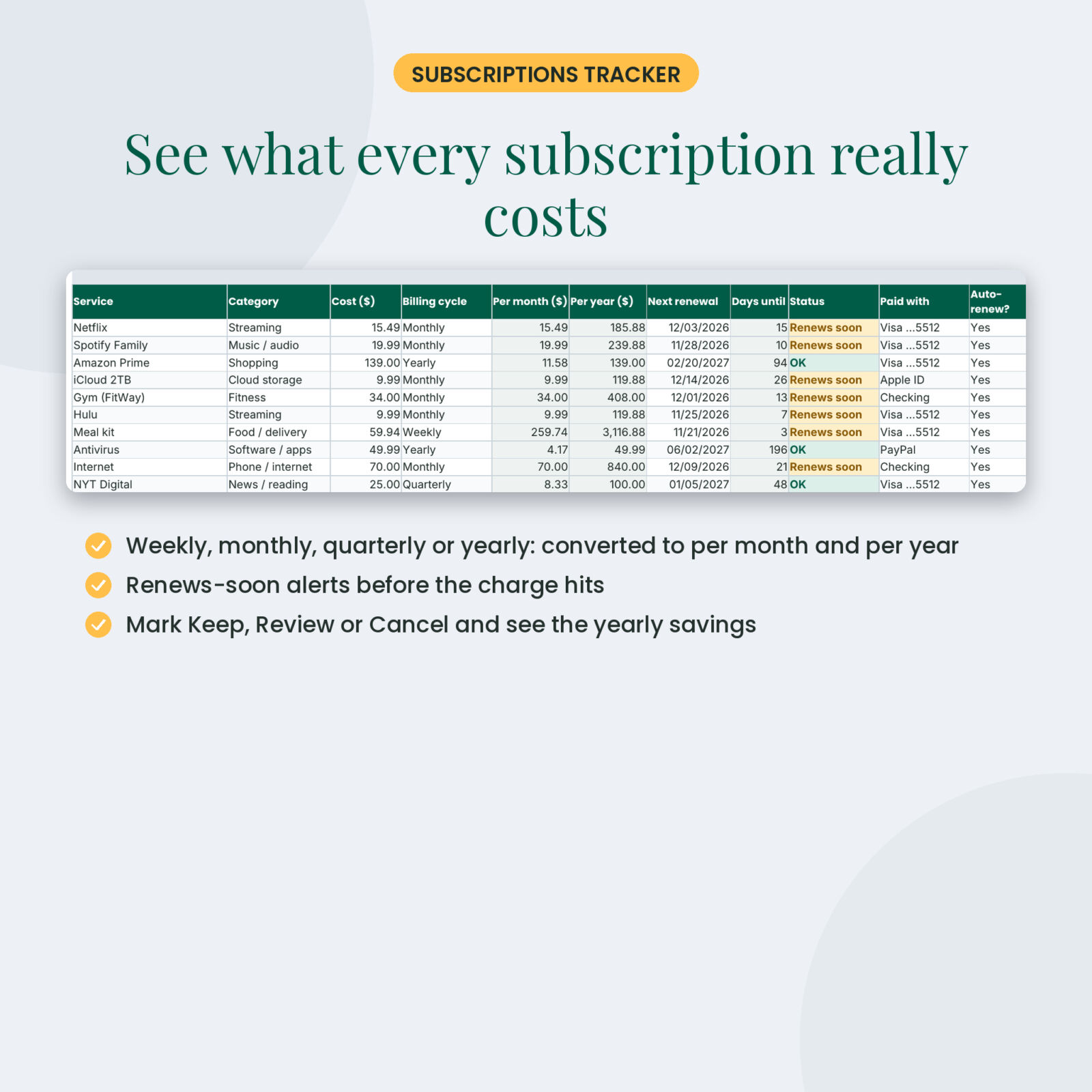
- Subscriptions tracker: enter the cost and billing cycle (weekly, monthly, quarterly, every 6 months, yearly) and see the real cost per month and per year. Mark each one Keep, Review or Cancel and the dashboard shows what you would save.
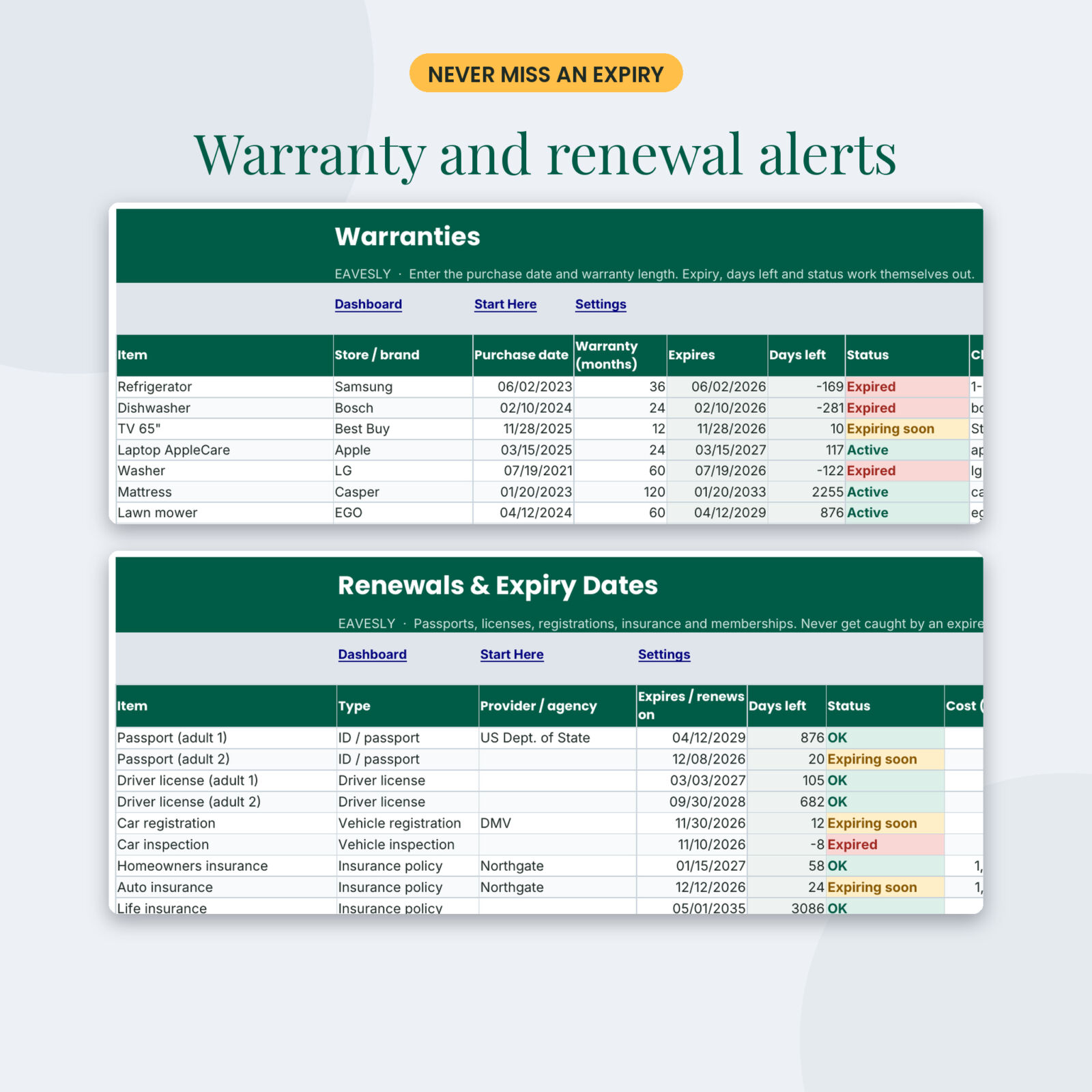
- Renewals: passports, driver licenses, registrations, inspections, insurance policies and memberships. 14 common items are pre-listed. Expiring soon and Expired alerts turn amber and red.
- Warranties: purchase date plus warranty months gives the expiry date, days left and status.
- Household inventory: 200 rows with room, category, brand, model, serial (last 4), purchase date, price and quantity. Values total by room for insurance.
- Maintenance and repair log: 300 entries with costs, and this year’s total on the dashboard.
- Contacts: utilities, insurers and the service pros you trust, with ratings.
The dashboard
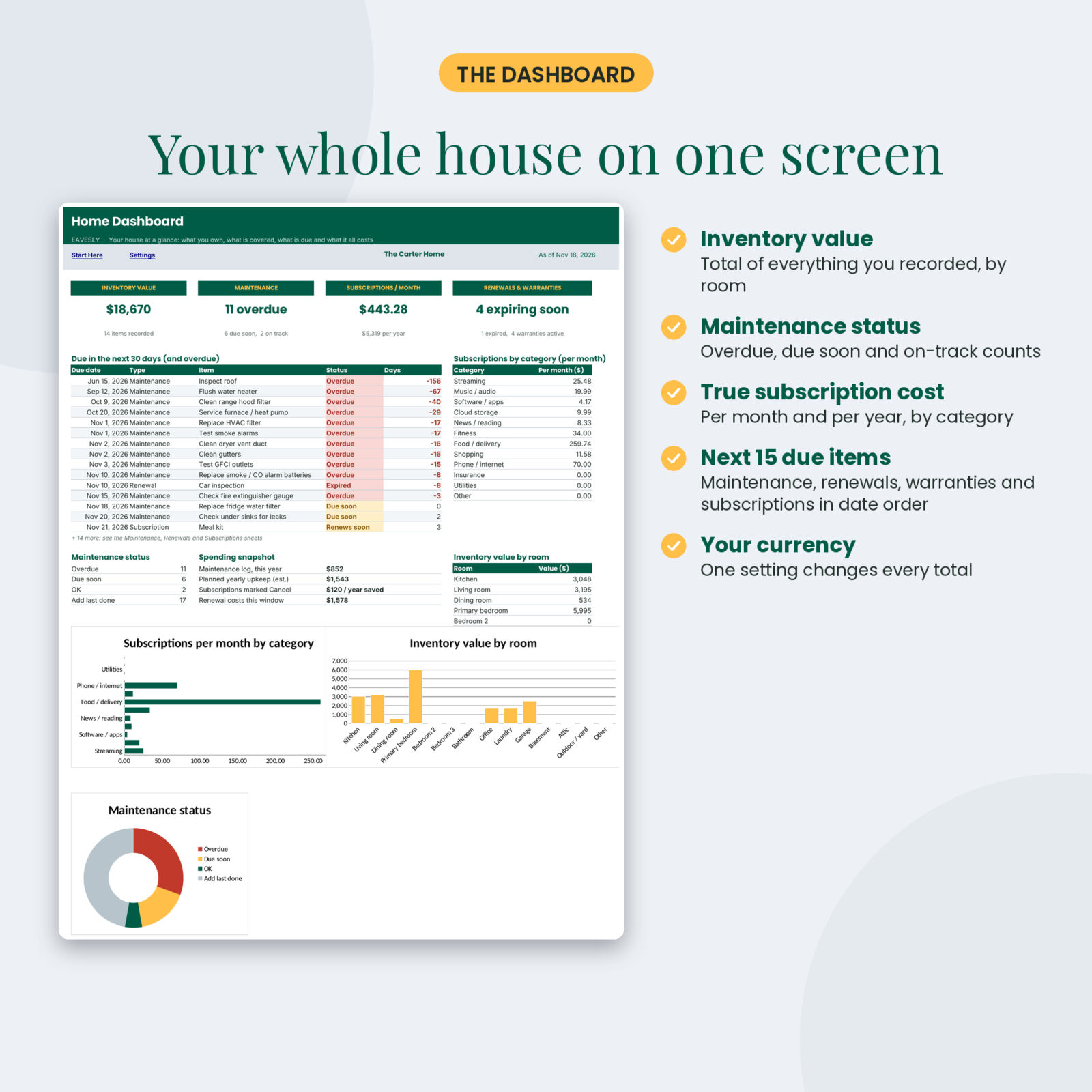
Open one tab and see your house at a glance:
- Inventory value and number of items
- Maintenance tasks overdue, due soon and on track
- Subscriptions per month and per year
- Renewals and warranties expiring soon
- The next 15 due items across every tab, in date order
- A spending snapshot: repairs this year, estimated yearly upkeep, savings from cancellations, renewal costs coming up
- Charts for subscriptions by category, inventory value by room and maintenance status
What’s included
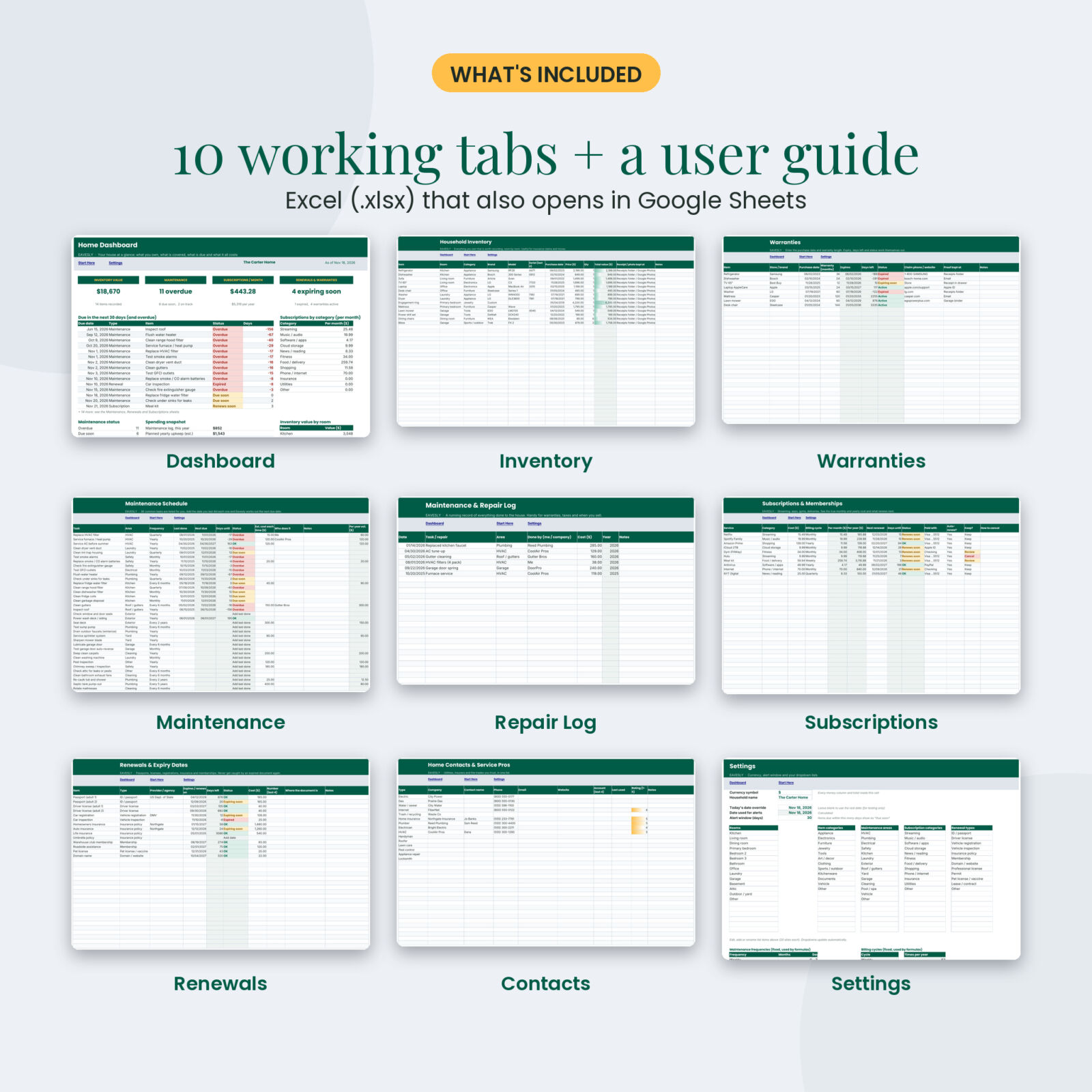
- Eavesly-Home-Management-Spreadsheet.xlsx with 11 tabs: Start Here, Dashboard, Inventory, Warranties, Maintenance, Maintenance Log, Subscriptions, Renewals, Contacts, Settings and an Alerts helper tab
- Eavesly-User-Guide.docx with setup, every feature, Google Sheets steps, troubleshooting and FAQ
Who it’s for
- Homeowners who want a maintenance schedule that reminds them instead of the other way around
- Renters who need an inventory for renters insurance
- Families with several passports, licenses and policies to keep current
- Anyone trying to cut subscription spending
- People getting organized before a move, a sale or an insurance renewal
How it works
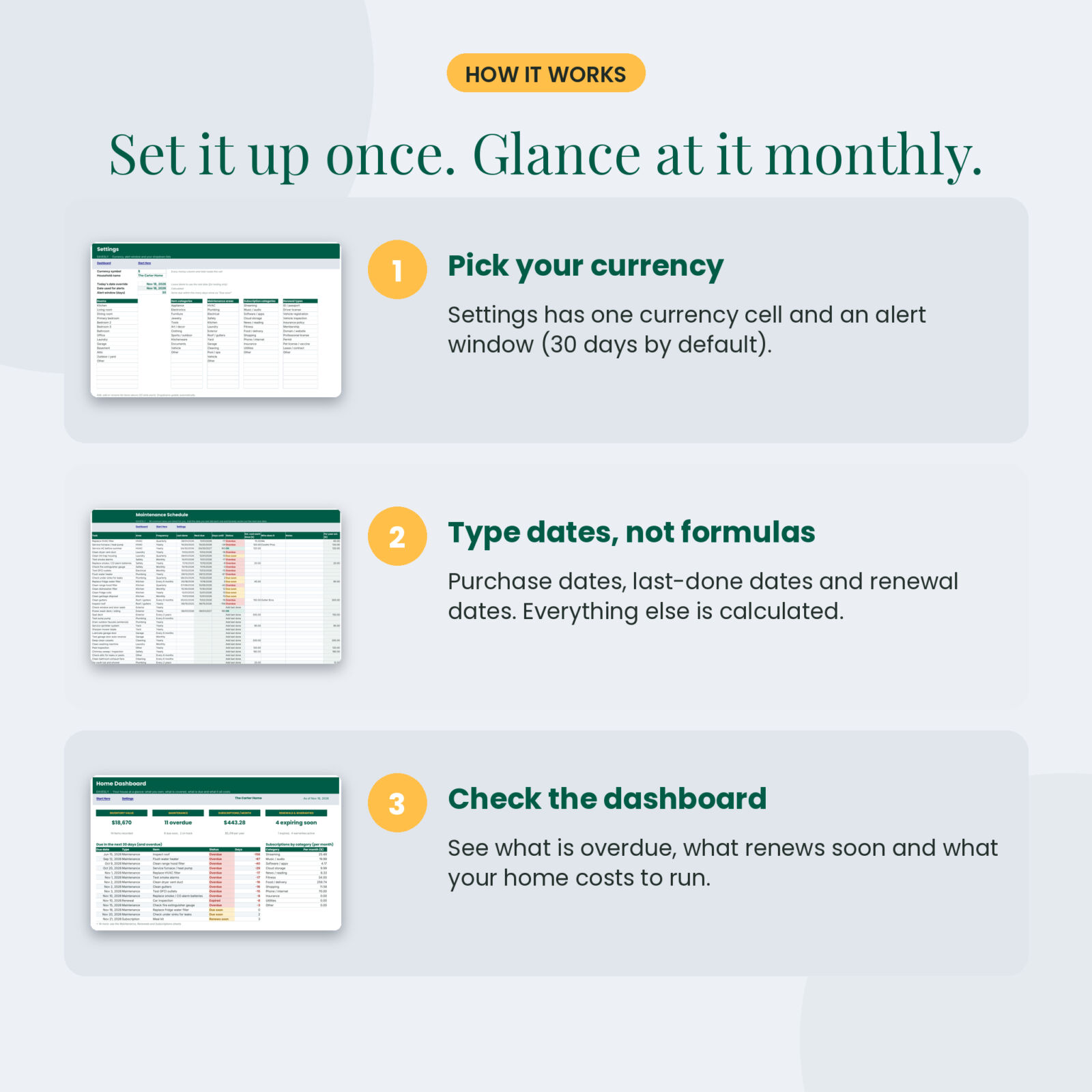
- Settings: pick your currency symbol and alert window (30 days by default).
- Type dates, not formulas: last-done dates, purchase dates, renewal dates. White cells are for typing; green-gray cells calculate and are locked.
- Check the dashboard once a month and handle what is red or amber.
Built to be hard to break
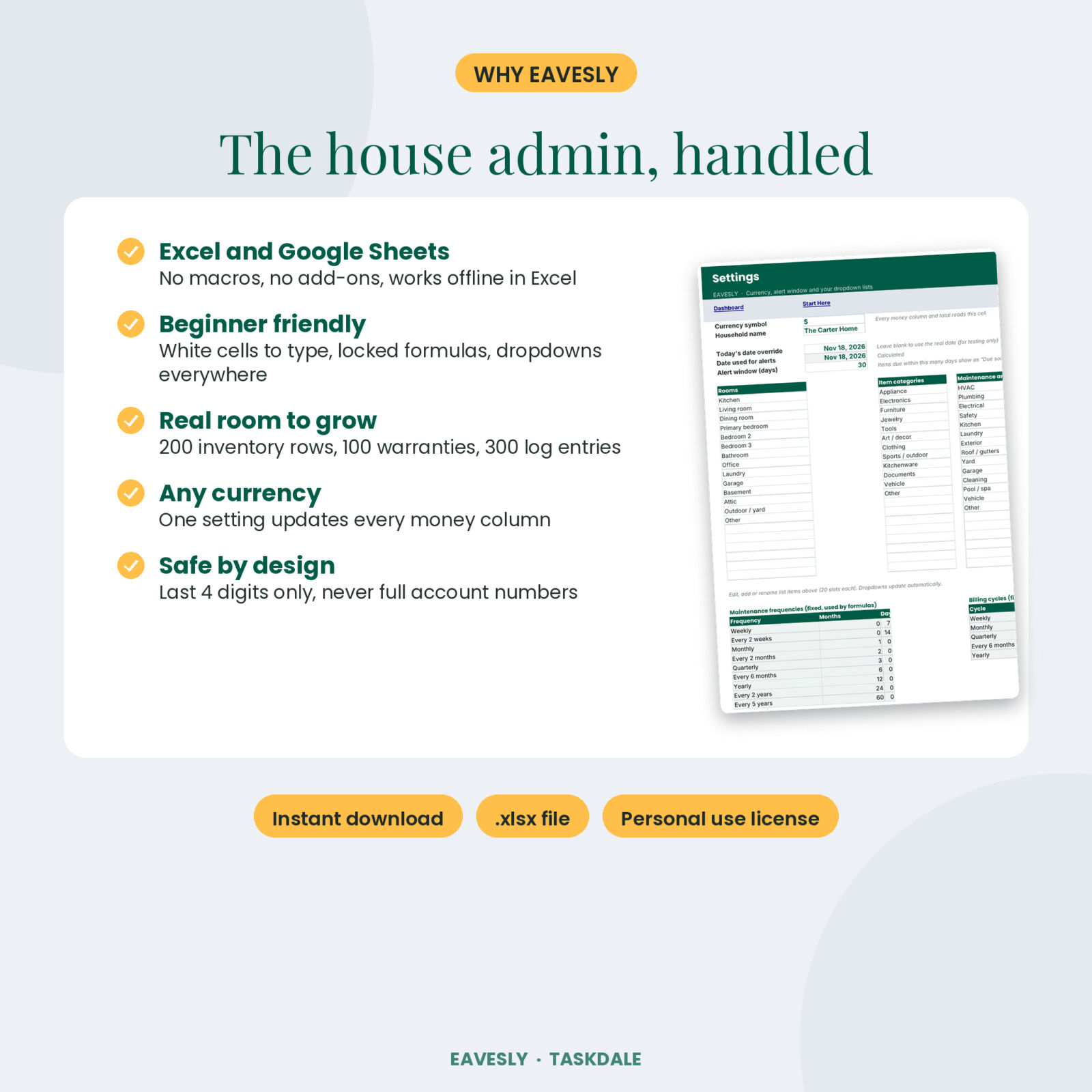
- Formula cells are locked (no password, so you can still change the design)
- Dropdowns for rooms, categories, areas, frequencies, billing cycles and renewal types
- Date and number checks stop typos like letters in a price field
- Frequencies and billing cycles are fixed so editing a list cannot quietly break a formula
- Tested with empty files, 200 full inventory rows and numbers in the billions
Real situations where it helps
- Insurance claim after a storm: print the inventory by room with values
- January budget review: sort subscriptions by yearly cost and cancel two
- Selling the house: show buyers a dated maintenance and repair log
- Summer travel: spot the passport that expires in 40 days
- A new appliance breaks: check the warranty’s days left in seconds
File format and requirements
- .xlsx file for Microsoft Excel 2016 or newer, Excel for Mac and Microsoft 365
- Google Sheets: upload to Drive and choose File > Save as Google Sheets
- No macros, no VBA, no add-ons
- Any currency through one Settings cell
Customizing
Rename rooms, categories, maintenance areas, subscription categories and renewal types on the Settings tab (20 slots each). Add your own maintenance tasks below the 36 pre-listed ones. Estimated costs are starting points; change them to match your area.
Instant digital download
Nothing ships. Download the spreadsheet and guide right after checkout.
FAQ
Does it work in Google Sheets?
Yes. All formulas are Google Sheets compatible. Upload the file to Drive and save it as a Google Sheet.
Do I need to know formulas?
No. You type names, dates and amounts. Everything else is calculated.
Can I use pounds, euros or rand?
Yes. Choose your currency symbol on Settings and every money label and total updates.
Does it send email reminders?
No. It is a spreadsheet, so alerts appear as colors and on the dashboard when you open it.
Can I add more rows?
Yes. Unprotect the sheet (no password) and copy the last row down.
Is my data private?
It stays in your own file. Eavesly asks for last 4 digits only, never full account numbers.
License: personal use only. Please do not share, resell or redistribute the file.

Reviews
There are no reviews yet.