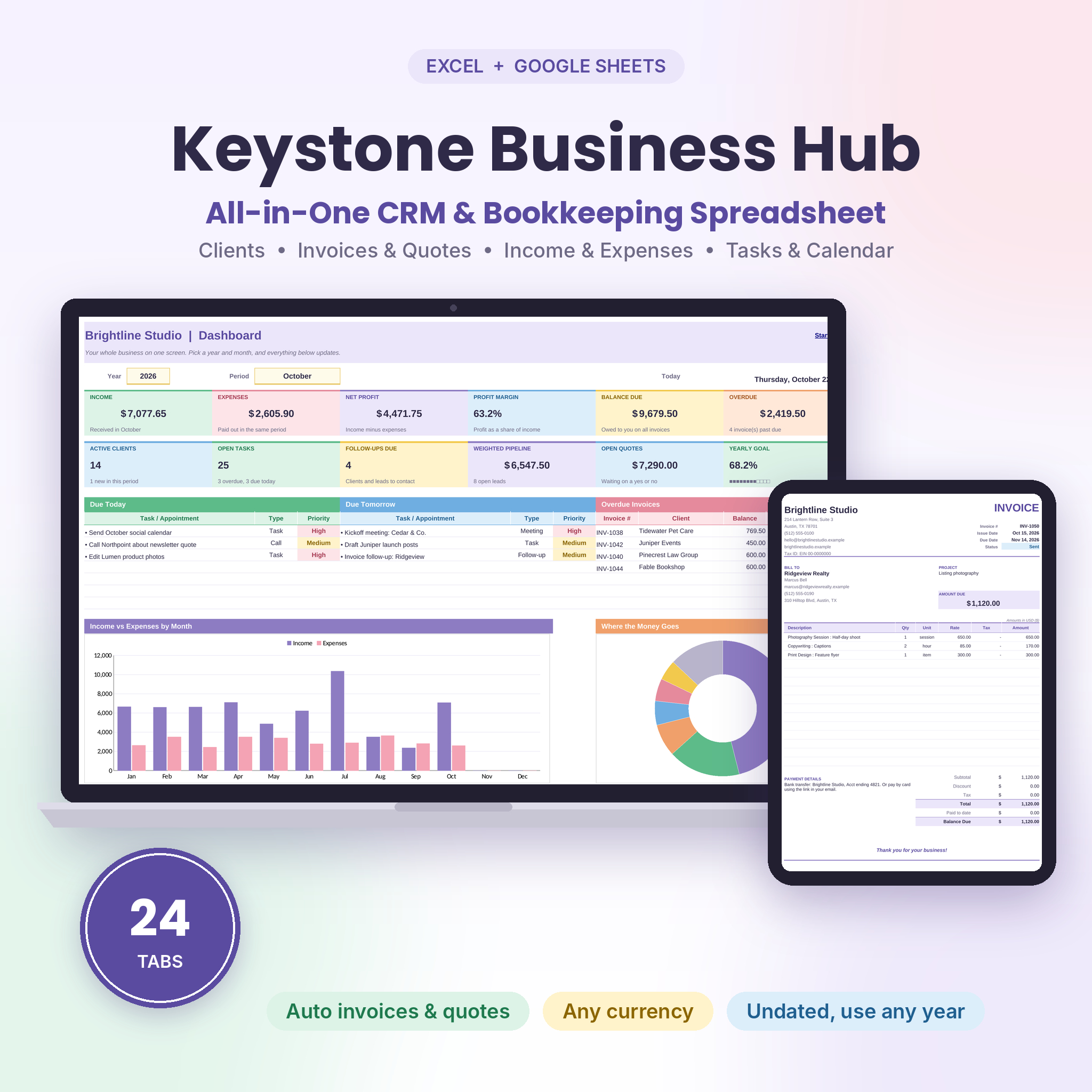


Keystone Business Hub is a small business spreadsheet for Excel and Google Sheets that keeps your clients, quotes, invoices, income, expenses and to-do list in one linked workbook. Type something once and every tab that needs it picks it up. Record a payment, and the invoice marks itself paid, the client balance drops and your reports move with it.
It was built for freelancers and small service businesses who are tired of juggling a client list, an invoice template, a bookkeeping sheet and a sticky-note to-do list. One file. 24 tabs. No subscription.
What This Small Business Spreadsheet Does
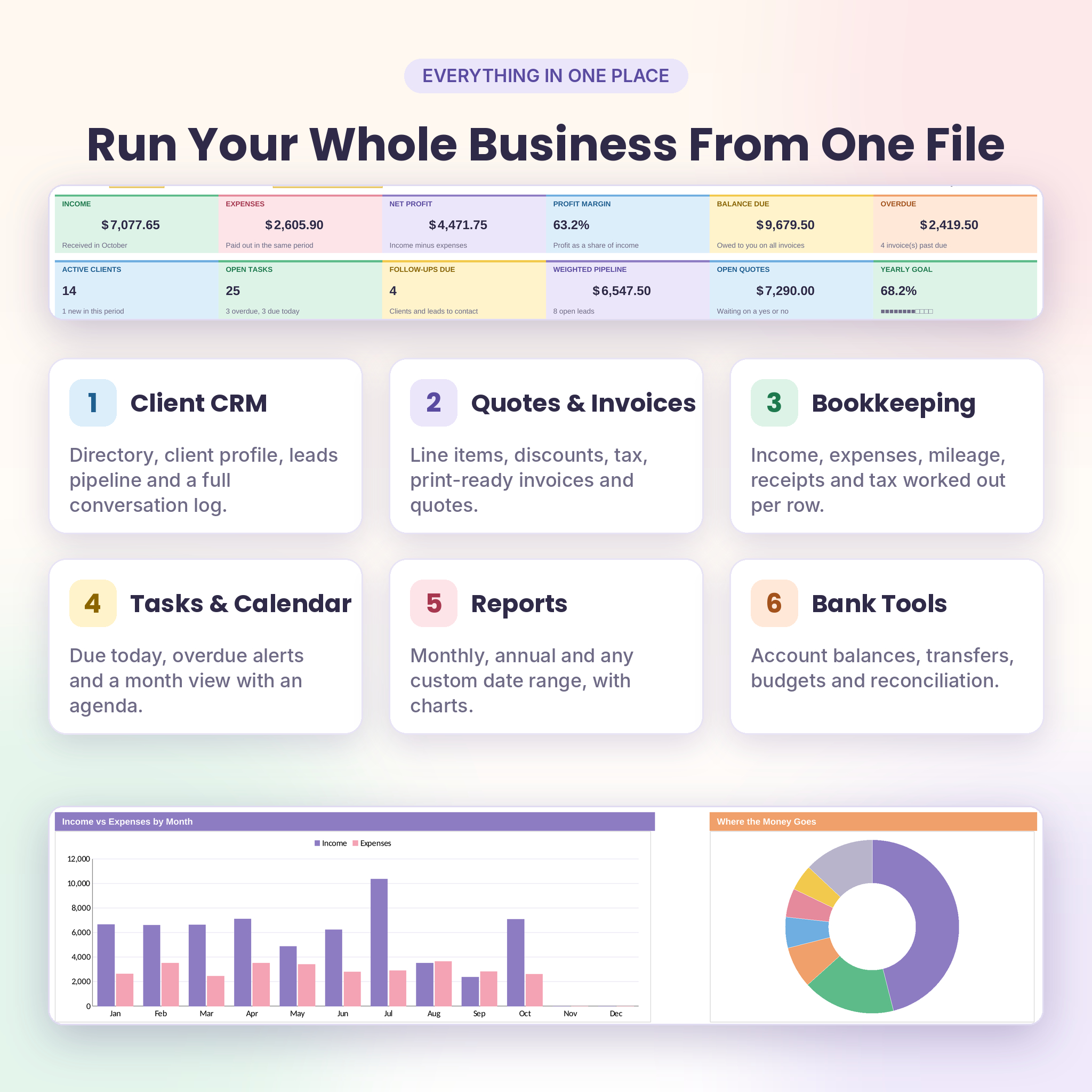
Think of it as a simple CRM and a bookkeeping tracker that talk to each other. You add clients, send quotes and invoices, record what comes in and goes out, and plan your week. The Dashboard then shows how the business is really doing for any month or year you pick.
- Client CRM: client directory, a one-page client profile, a leads pipeline with win chances, and a log of every call, email and meeting with follow-up reminders.
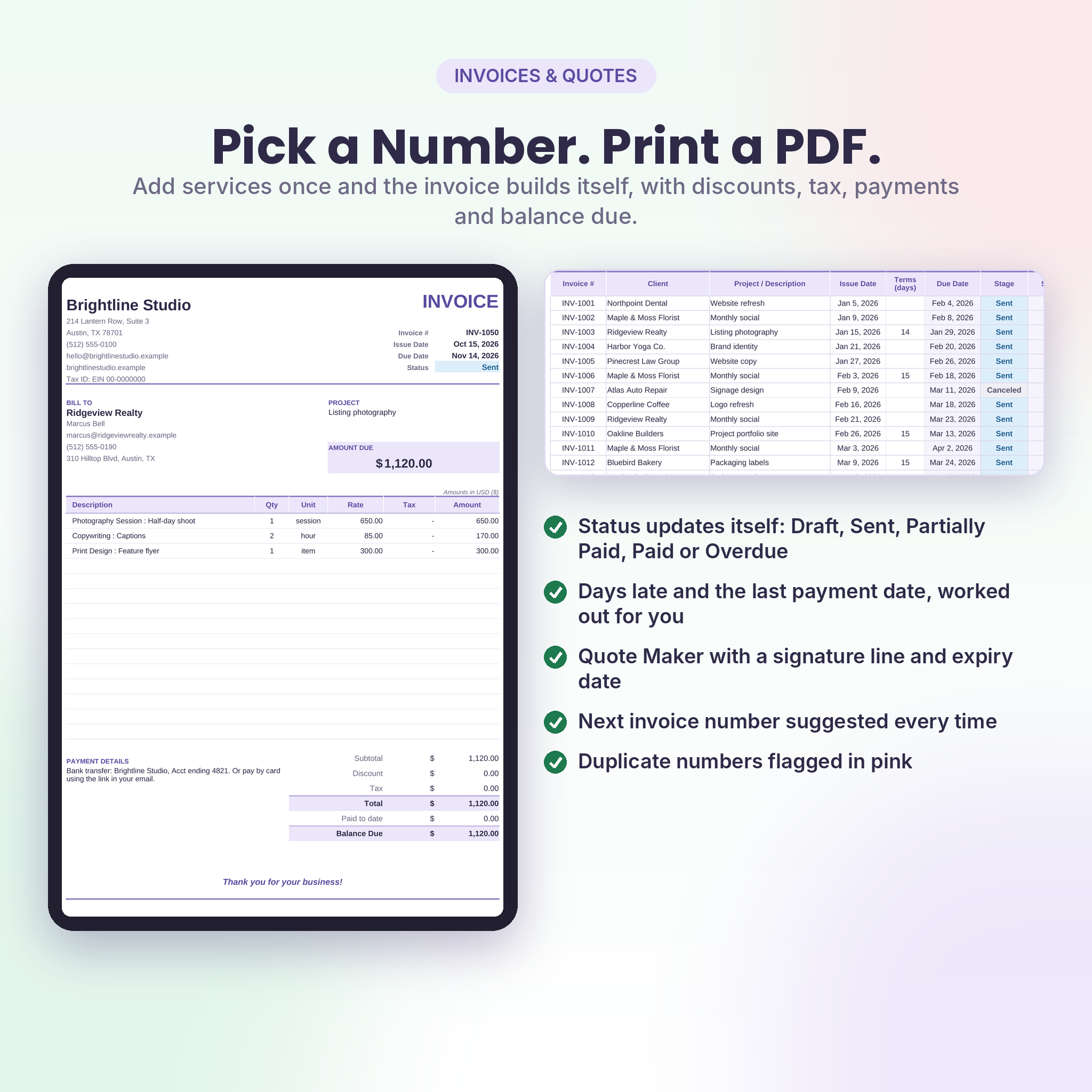
- Quotes and invoices: add services from your own price list, apply discounts and tax, then print a clean invoice or quote, or save it as a PDF.
- Bookkeeping: income and expense logs with categories, cost types, receipt tracking and tax worked out on every row.
- Planning: tasks and appointments with priorities, overdue alerts, and a month calendar with an agenda.
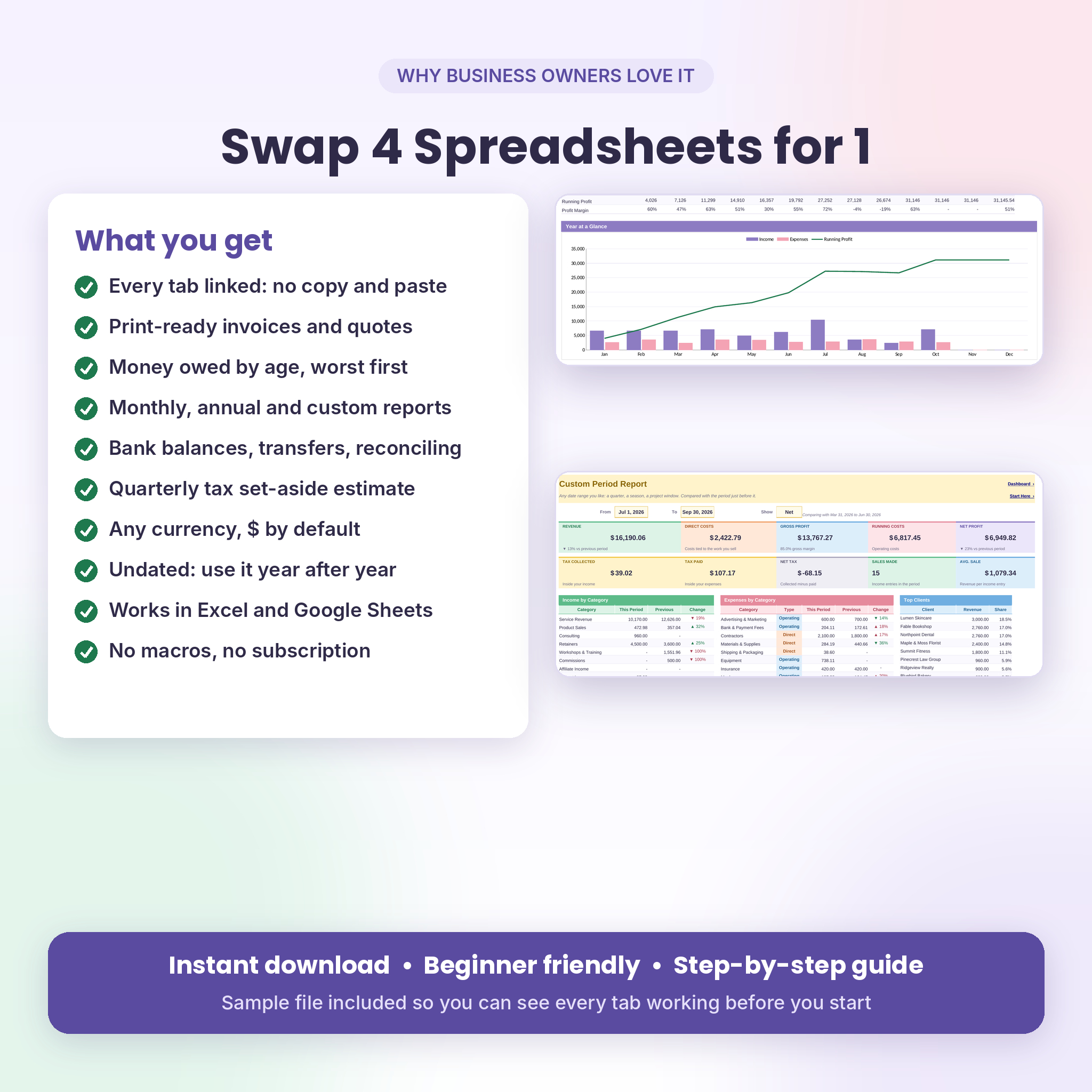
- Reports: monthly, annual and custom date range reports, with charts and comparisons.
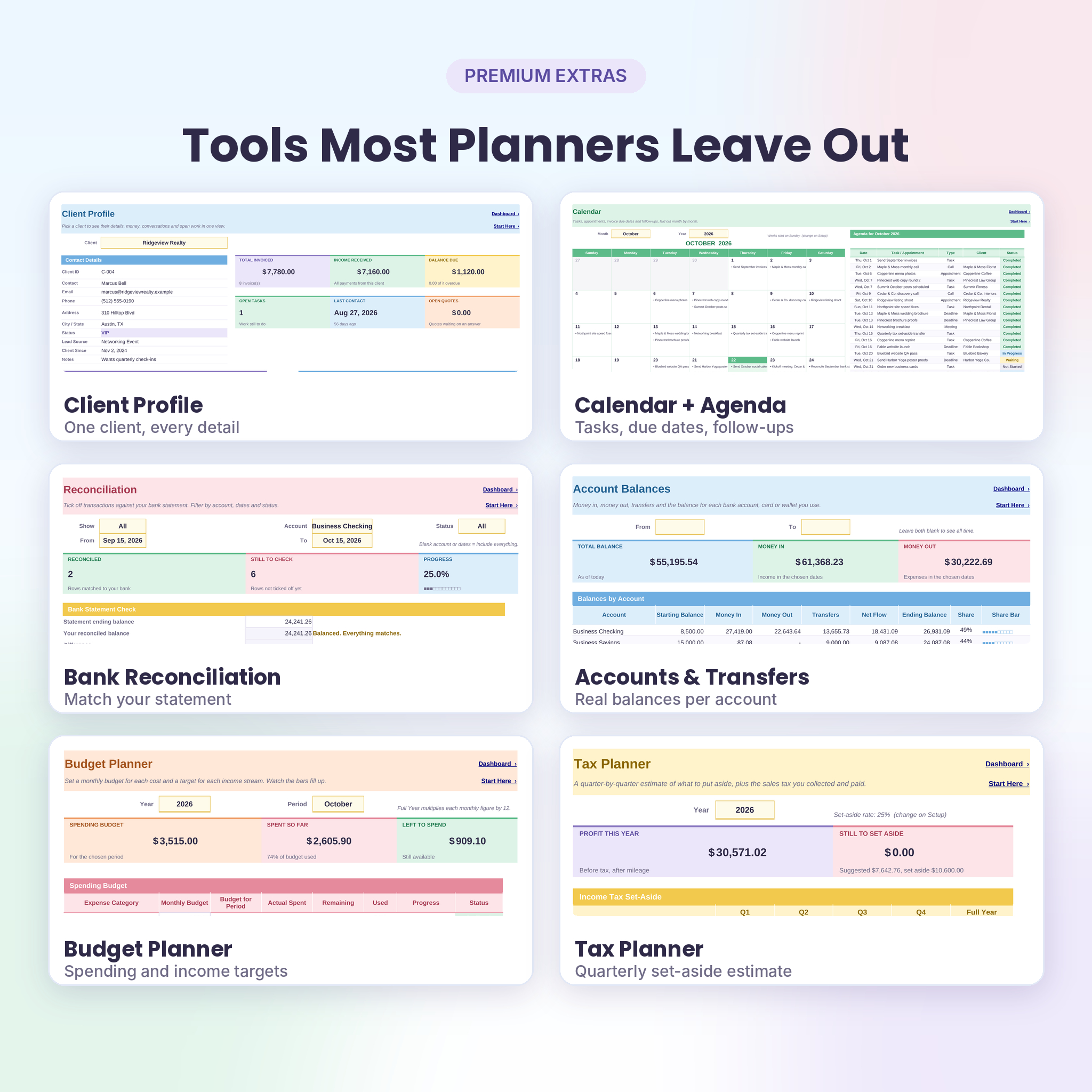
- Bank tools: account balances with transfers, a budget planner, a reconciliation tab and a quarterly tax set-aside planner.
Who It’s For
Designers, writers, coaches, consultants, photographers, virtual assistants, cleaners, trades and any small team that bills clients for its work. If you can type in a box and pick from a dropdown, you can run it. No formulas to write.
Features at a Glance
Dashboard
Income, expenses, net profit and margin for the month or year you choose. Balance due, overdue amount, active clients, open tasks, follow-ups due, weighted pipeline, open quotes and a yearly goal bar. Below that: today’s and tomorrow’s tasks, your six most overdue invoices, a monthly income vs expenses chart, a spending breakdown and a money owed by age table (not due yet, 1 to 30, 31 to 60, 61 to 90 and over 90 days late).
Invoice and Quote Tracker
Each invoice shows its subtotal, discount, tax, total, amount paid, balance and days late. Status updates itself: Draft, Sent, Partially Paid, Paid, Overdue or Canceled. Duplicate numbers turn pink. Quotes track their expiry date and your win rate. Invoice Maker and Quote Maker turn any number into a print-ready page with your business details and payment instructions.
Income and Expense Tracker
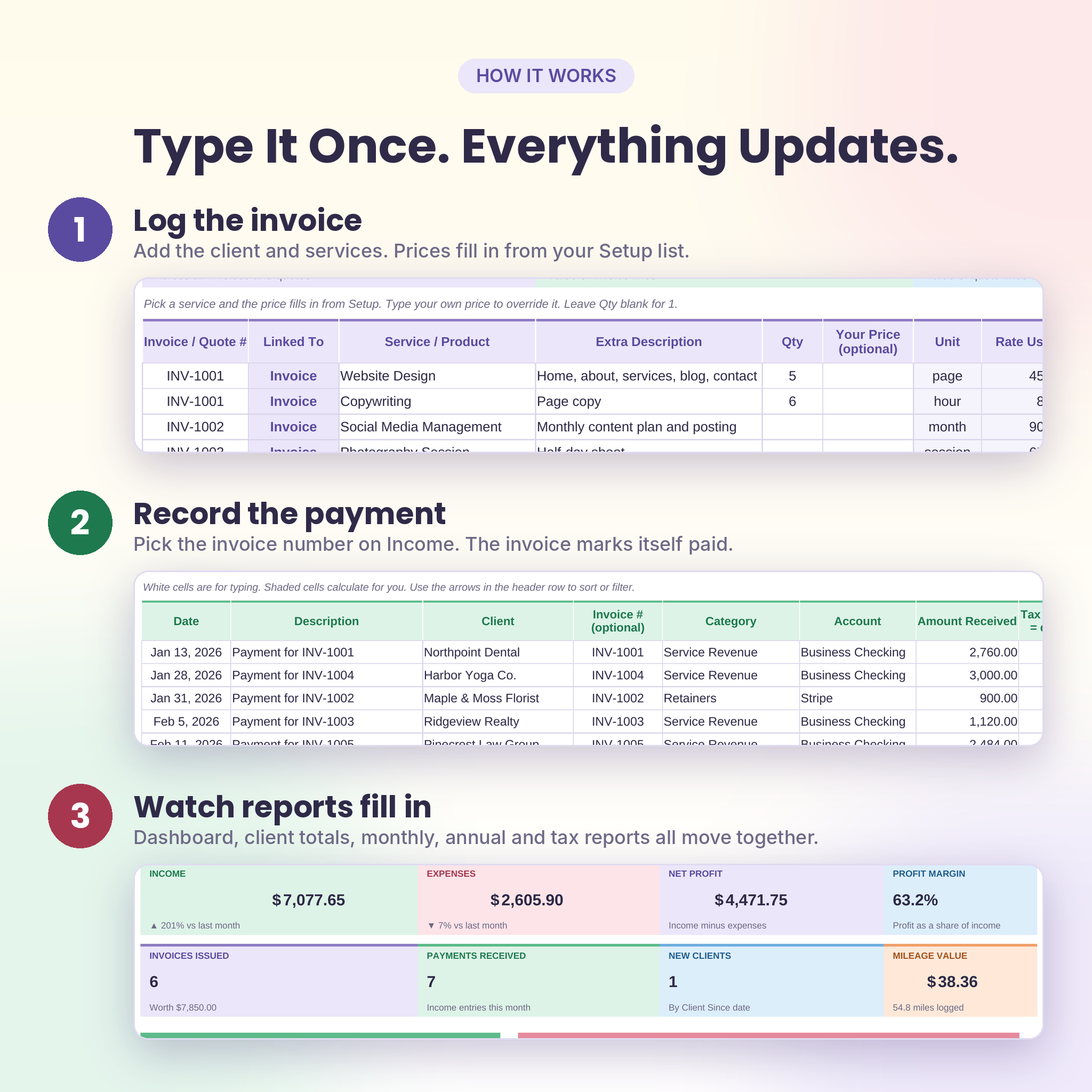
Link a payment to an invoice number and the invoice updates. Set a default tax rate or override it per row. Expenses carry a cost type (direct or operating), a receipt-saved check and a reconciled flag. A mileage log works out trip value at your own rate.
Client Tracker and Leads
The client list totals what each client has been billed, what they’ve paid, what they owe, when you last spoke and how many tasks are open. Client Profile puts all of that on one page, along with recent invoices, conversations and payments.
Reports and Planning
Monthly Overview compares each category with last month and with your budget. Annual Overview lays out 12 months with a running profit line. Custom Period gives you revenue, direct costs, gross profit, running costs, net profit and top clients for any date range, compared with the period before it. The Tax Planner suggests a quarterly set-aside and shows sales tax collected against tax paid.
What’s Included
- Keystone Business Hub workbook (.xlsx), clean and ready for your business
- A sample copy filled with a demo design studio, so you can see every tab working
- A 21-page user guide (.docx) with screenshots, troubleshooting and FAQs
The 24 tabs: Start Here, Setup, Dashboard, Calendar, Clients, Client Profile, Leads, Communications, Tasks, Quotes, Invoices, Line Items, Invoice Maker, Quote Maker, Income, Expenses, Mileage, Monthly, Annual, Custom Period, Accounts, Budget, Reconcile and Tax Planner.
How It Works
- Open Setup. Add your business name, pick a currency and enter any tax rate you charge.
- Edit the lists: your categories, services with prices, accounts and team.
- Add clients. Log an invoice and put its services on Line Items. Open Invoice Maker to print or save a PDF.
- Record payments on Income and costs on Expenses as they happen.
- Check the Dashboard and reports. They fill in on their own.
File Formats and Software
- Microsoft Excel 2016 or newer, including Microsoft 365
- Google Sheets: upload the file to Google Drive and choose File > Save as Google Sheets (free Google account)
- No macros, no add-ins, no internet connection needed
- Built for use on a computer or laptop
Make It Yours
Pick any currency symbol once and every money label follows. Dollars are the default. Rename categories, add up to 40 services with prices, set your payment terms, choose whether weeks start on Sunday or Monday, and switch between miles and kilometers. Formula cells are protected with no password, so nothing gets wiped by accident, yet you can unprotect a sheet any time.
Room to grow: 200 clients, 300 invoices, 1,500 line items, 600 income entries, 600 expenses, 400 tasks and more. It’s undated, so you can keep using it year after year.
Use Cases
- A freelance designer sends quotes, bills the accepted ones and chases the two that are 30 days late.
- A cleaning business tracks recurring clients, supplies, mileage and what to save for quarterly taxes.
- A coach logs every discovery call, follows up on time and sees which clients bring in the most revenue.
- A two-person agency reconciles its business checking account each month in under an hour.
Digital Download
This is an instant digital download. Nothing is shipped. You’ll get your files right after checkout, along with the user guide. Licensed for use in your own business; please don’t resell or share the files.
FAQ
Does it work in Google Sheets?
Yes. Upload the Excel file to Google Drive, open it, and choose File > Save as Google Sheets. All formulas and charts work.
Can I use my own currency?
Yes. Change the symbol once on the Setup tab and the whole workbook follows.
Can I create and print invoices with it?
Yes. Pick an invoice number in Invoice Maker and a print-ready invoice appears. Print it or save it as a PDF.
Is it dated?
No. Every report has a year picker, so it works for any year.
Do I need spreadsheet experience?
No. White cells are for typing, shaded cells calculate for you, and the guide walks you through every tab.
Does it work on a Mac?
Yes, in Excel for Mac 2016 or newer, or in Google Sheets in any browser. The file has no macros.
Does it do my taxes?
No. It organizes your records and estimates what to set aside. Your accountant or tax software handles the filing.
Reviews
There are no reviews yet.