A free seller profit calculator spreadsheet answers the question every online seller eventually asks: after the marketplace takes its cut, the postage is paid and the box is bought, what did that sale actually leave me? This guide shows how to work it out step by step, the costs most sellers forget, and gives you a free Excel and Google Sheets calculator to do it in seconds.
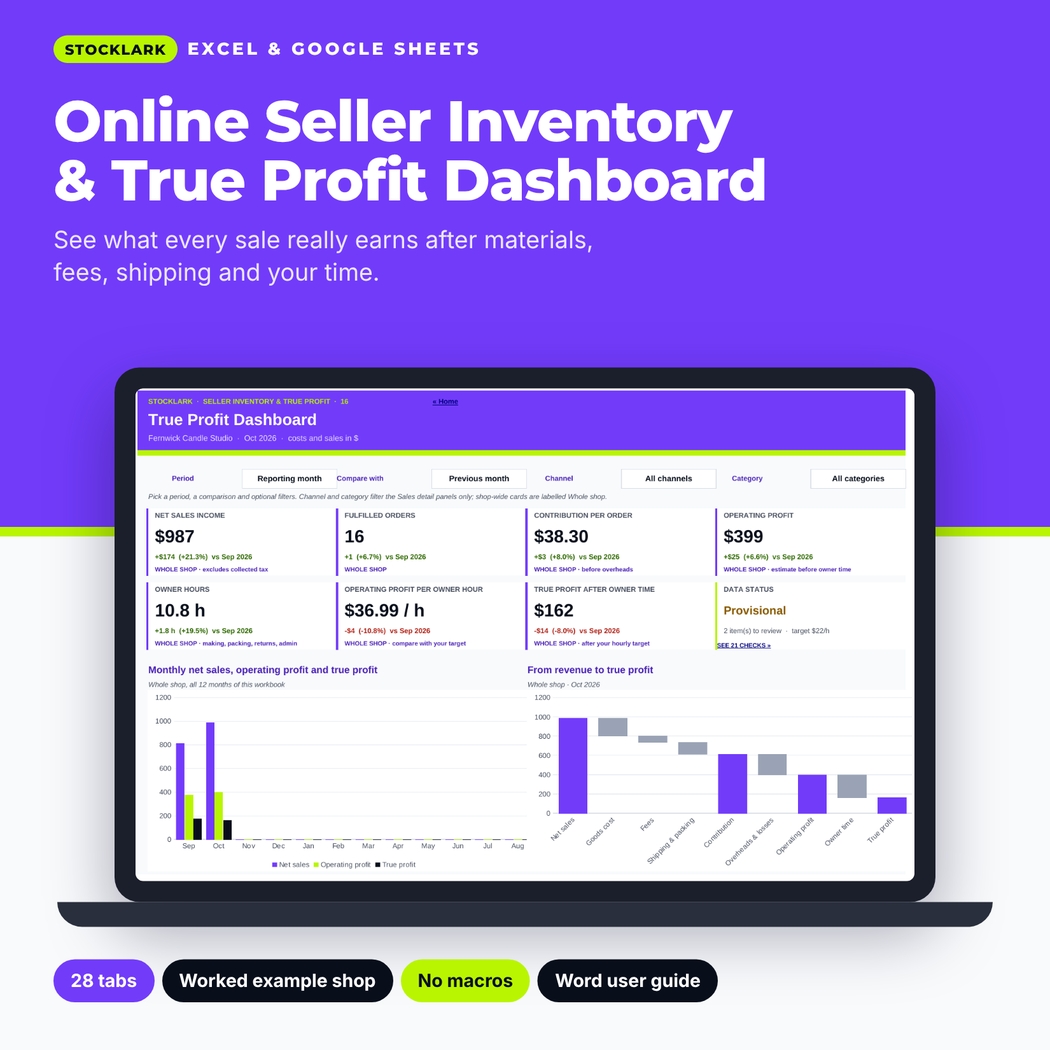
Free Seller Profit Calculator Spreadsheet (Excel + Google Sheets)
A 25-item product catalogue plus a side-by-side profit calculator: fees, shipping, packaging, contribution, profit per hour and break-even price.
Want everything unlocked?
The free file is a sample. The full version has every page, tab and feature, plus the user guide.
See the full versionThe download is free. You enter your email address to get the file, and free downloads are limited to 3 per day.
What the free seller profit calculator does
Stocklark Lite is a three-sheet workbook. You list up to 25 products with what one unit costs you and your usual price, then compare up to four products or offers side by side. For each one it shows:
- Items after discount, shipping charged and estimated selling fees
- Cost of goods, postage and packaging
- Contribution per order and contribution margin
- Contribution per hour of your time and after your hourly target
- Break-even unit price and the unit price you need for a target contribution
It uses one currency setting (dollars by default) and works in Excel and Google Sheets with no macros.
Revenue is not profit: the five layers of a sale
When an order comes in, the money in your account is the top layer. Underneath it sit at least five costs:
- Cost of goods. Materials or the purchase price of the item, including the delivery you paid to receive it. A $1.20 jar with $0.15 of shipping per jar costs you $1.35, not $1.20.
- Selling fees. Commission, payment processing, fixed per-order charges and per-item fees. Many platforms charge a percentage on the shipping you collect too, and some on sales tax.
- Postage and packaging. The label, the mailer box and the filler. Charging the customer nothing for shipping does not make the parcel free to send.
- Refunds and returns. A partial refund, a returned item you can restock, and a damaged return all affect profit differently.
- Your time. Making, packing and answering messages. If a product earns $15 but takes an hour, it may pay less than one that earns $8 in ten minutes.
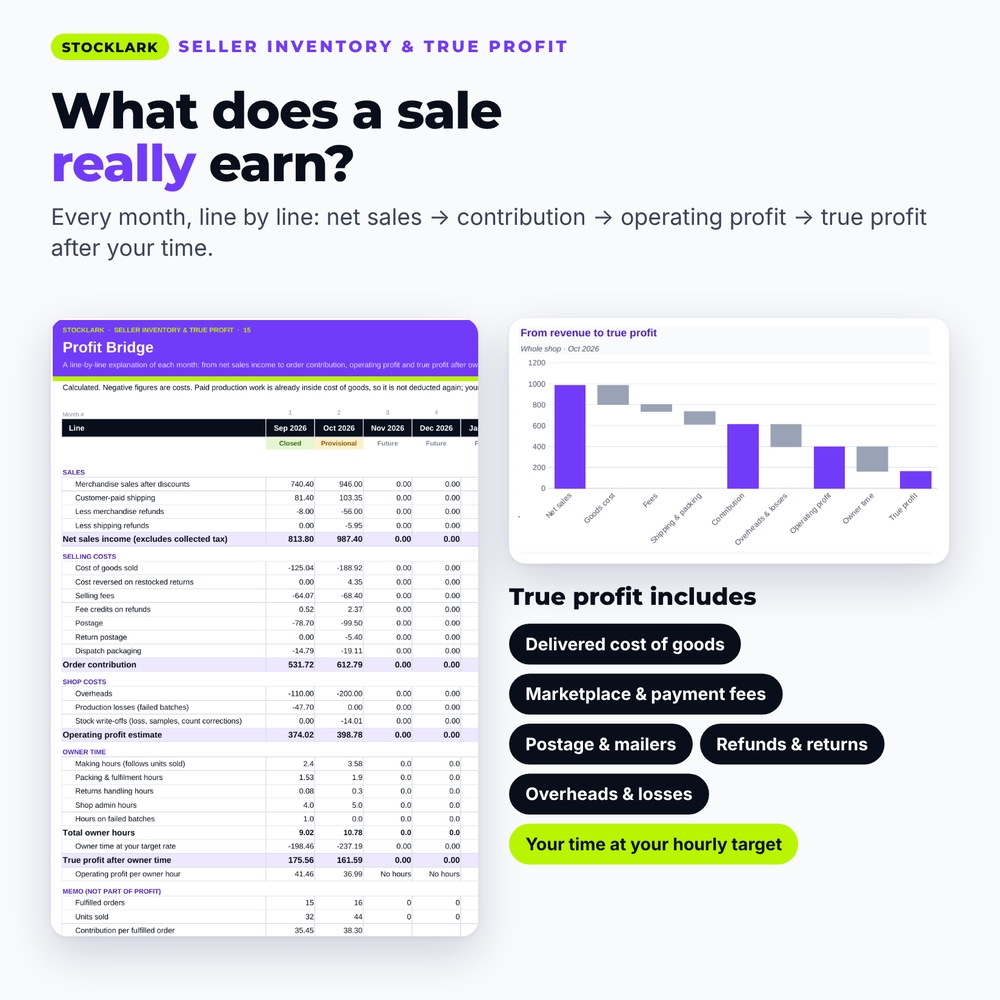
What is left after the first four is called contribution: the money each sale contributes toward your overheads and your pay. After your time is valued at a target rate, you reach what many sellers call true profit.
How to calculate profit per sale (worked example)
Take an 8 oz candle that sells for $28.00 with $5.95 shipping charged to the customer. Using illustrative rates of 6.5% commission and 3% payment processing on items plus shipping, plus $0.25 per order and $0.20 per item:
| Line | Amount |
|---|---|
| Item price | $28.00 |
| Shipping charged | $5.95 |
| Selling fees (9.5% of $33.95 + $0.45) | −$3.68 |
| Cost of goods (materials and jar) | −$4.35 |
| Postage | −$5.40 |
| Mailer box and filler | −$1.05 |
| Contribution per order | $19.47 |
That is a 57% contribution margin. If making and packing take 12 minutes, the order earns about $97 per hour of your time before overheads. These are exactly the figures the free calculator produces for its first example row, so you can check your own numbers against it.
Break-even price: the floor under every listing
Because percentage fees grow as the price grows, the break-even price is not simply “costs added together”. The calculator solves it exactly: break-even price = (fixed costs per order − shipping you keep after fees) ÷ (1 − fee rate). For the candle above that is about $6.48, the lowest price at which the order covers its own costs. A target price adds the contribution you want per order. Rounded listing prices should be checked again, because $24.99 is not the same as $24.21 once fees are applied.
Discount or free shipping? Test it before you change the listing
A 15% discount on a $28 candle costs you $4.20 of revenue but also lowers the fees. Free shipping removes $5.95 of income while the postage is still due. In the full Stocklark workbook, the Offer Tester shows both side by side with a volume hurdle: in the worked example, a 15% discount needs 25 orders to earn what 20 orders earn today, and free shipping needs 28. A two-candle bundle with 10% off and free shipping needs only 14, because both candles travel in one parcel.
Margin versus markup
Margin is profit divided by price; markup is profit divided by cost. A $15 profit on a $60 sale is a 25% margin but a 33% markup on a $45 cost. The free catalogue sheet shows both, so you never compare one with the other by mistake.
Why a one-sale calculator is only the start
A calculator tells you what one order earns if your costs are right. Real shops have three harder problems:
- Your unit cost moves. Wax costs more this month, two jars arrived broken, a delivery charge covered three items. The cost of one candle depends on what you bought and when.
- Baskets are mixed. When a candle and a snuffer share one box, the postage and fees belong to both.
- Stock runs out. Knowing a product is profitable is no help if the jars to make it are not on the shelf.
That is what the full online seller inventory spreadsheet handles.
How the full workbook keeps costs and stock right
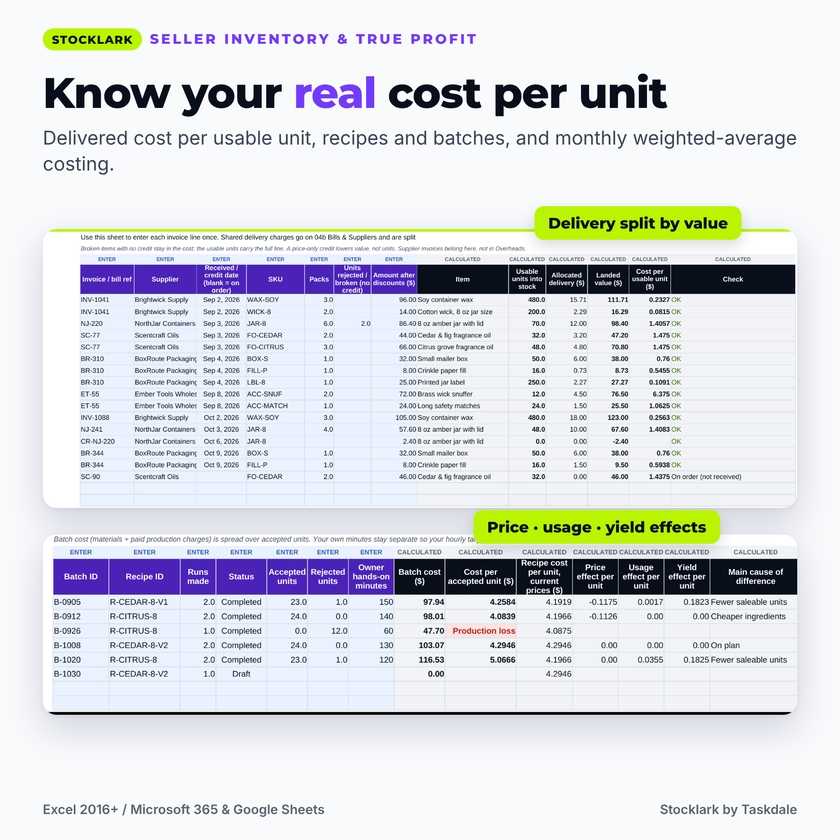
- Delivered cost per usable unit: enter a bill’s delivery charge once and it is split across the lines by value; broken items stay in the cost; supplier credits are linked to the invoice.
- Recipes and batches: planned versus actual material cost, with the cause named (dearer ingredients, extra consumption or fewer saleable units). A failed run is recorded as a loss, not as stock.
- Monthly weighted-average costing: each month, opening value plus what you received, divided by units available, for supplies first and then finished goods.
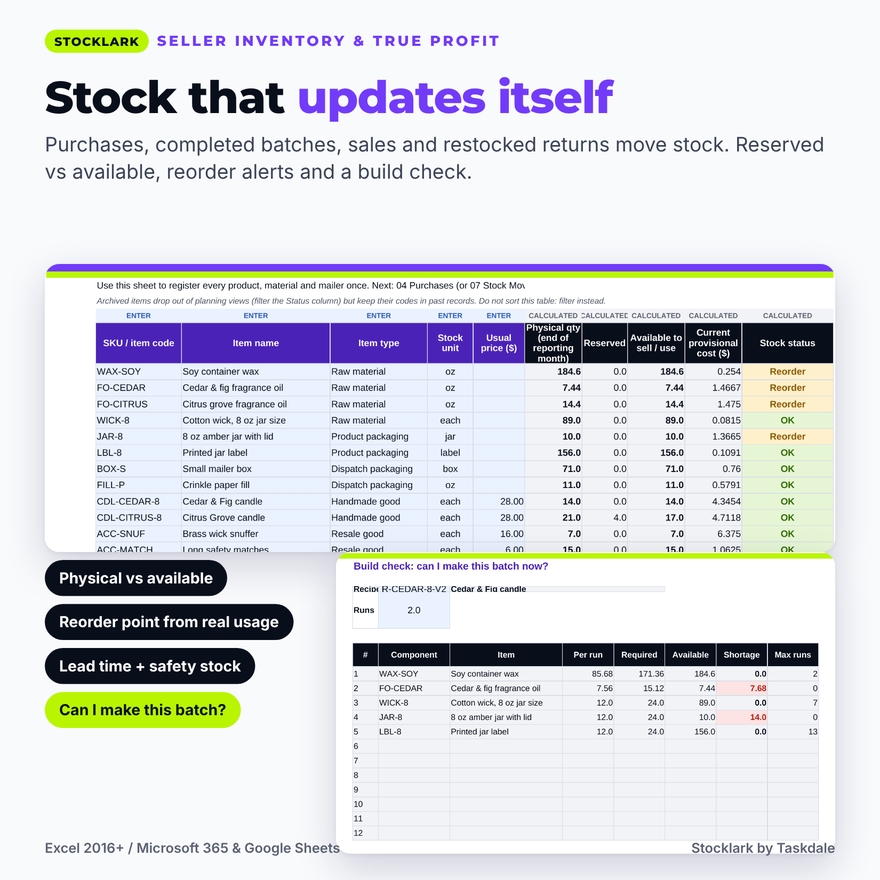
- Stock that updates itself: purchases, completed batches, sales and restocked returns move stock; reservations lower what is available; a reorder list uses your real usage and lead times.
- Mixed baskets and returns: order costs are split across items fairly, and refunds are separated from units that come back.
A simple monthly routine
- Enter purchases as they arrive and batches as you complete them.
- Record orders and their items as they ship, and any returns.
- Replace estimated fees with the actual fees from your statement.
- Count your stock and enter any corrections.
- Check the dashboard, then save a values-only month-end snapshot.
The full workbook guides this with a Month Close checklist, a Checks register that lists every data problem, and a Decision Sheet that records whether you chose to restock, make another batch, change a price, test an offer or hold.
Get the full Stocklark Online Seller Inventory & True Profit workbook
- 28-tab workbook plus a completed worked example shop
- Purchases, recipes, batches and stock that updates itself
- Monthly weighted-average costing and mixed-basket order costs
- Profit Bridge and True Profit Dashboard, including profit per owner hour
- Offer Tester, Price Finder, Month Close, Checks and Decision Sheet
- Designed Word user guide
Price: $34.99, one-time download for Excel and Google Sheets.
Frequently asked questions
Does the free calculator work in Google Sheets?
Yes. Upload the .xlsx file to Google Drive and open it with Google Sheets, or open it in Excel 2016 or newer.
Which fee rates should I use?
Your own. Copy the current rates from your platform’s fee page or your latest statement. The example rates in the file are illustrative.
Is contribution the same as profit?
Contribution is what each sale leaves before shop overheads such as software, rent and insurance. The full workbook carries it through to operating profit and true profit after your time.
Is this tax advice?
No. It is a planning tool. Taxable profit follows tax rules; ask a tax professional for your situation.
Grab the free calculator below and run your three bestsellers through it today. If the numbers surprise you, the Stocklark workbook will show you where every dollar goes.