A good scope change request template saves you from the two worst answers a freelancer can give to “could you also…?”: a resentful yes, or a tense no. This guide shows you how to handle out-of-scope requests in five calm steps, and gives you a free Word and Google Docs template to start with today: a request intake form plus a one-page client choice that lets your client pick swap, extend or defer.
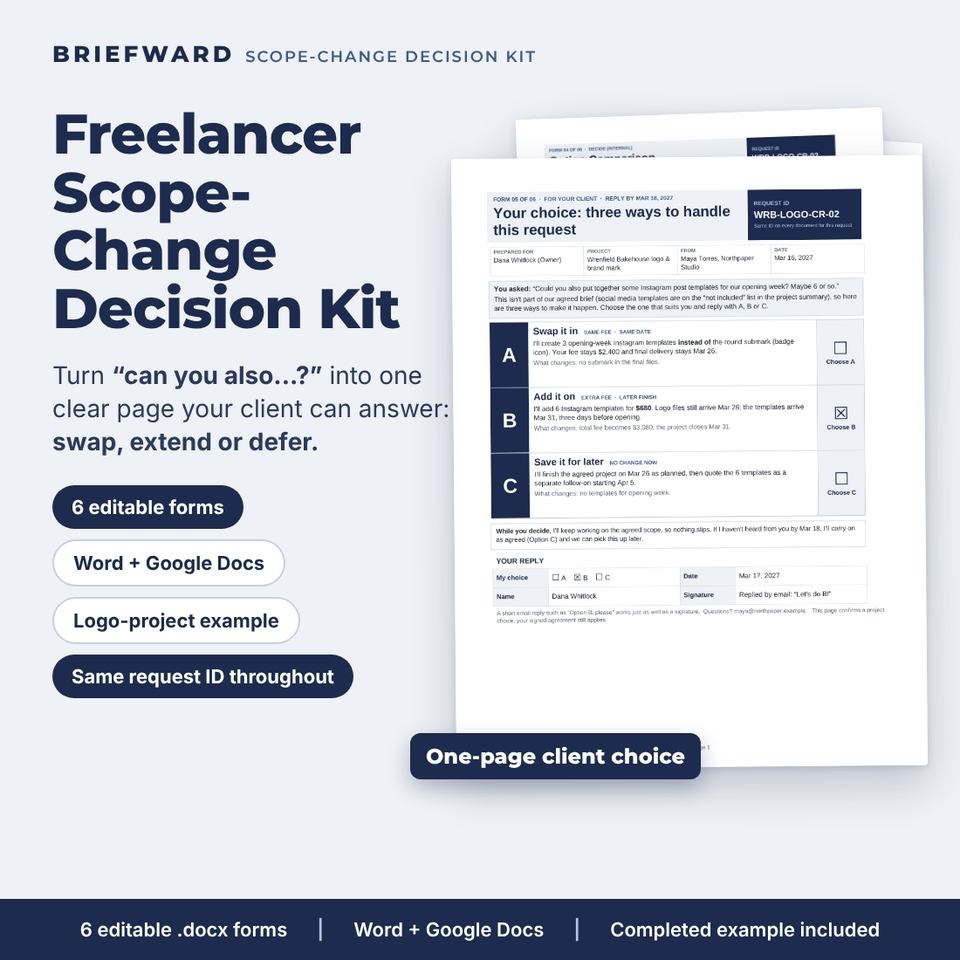
Free Scope Change Request Template (Request Intake + Client Choice Page)
An editable Word and Google Docs request intake form plus the one-page client choice (swap, extend or defer), with an upgrade page for the full six-form kit.
Want everything unlocked?
The free file is a sample. The full version has every page, tab and feature, plus the user guide.
See the full versionThe download is free. You enter your email address to get the file, and free downloads are limited to 3 per day.
What is a scope change request?
A scope change request is any client request that falls outside what you agreed to deliver: an extra deliverable, more revision rounds than agreed, a change to work the client already approved, or a tighter deadline. On their own, most of these are reasonable. The problem is how they are handled. When small requests are absorbed without a conversation, the project quietly grows while the fee and the deadline stay put. That is scope creep.
A scope change request template gives every one of those requests the same short path: write it down, check it against the agreed brief, size it, offer options and record the decision. It is not about saying no more often. It is about saying yes on terms that work for both of you.
Why a “change order” alone is not enough
Most free change order forms do one thing: list the extra work and the extra price. That puts the client in a corner. They can pay more or feel told off. A better approach is to offer a choice:
- Swap it in: the new request replaces an existing deliverable of similar effort. Same fee, same date.
- Add it on: the project is extended for an extra fee and, if needed, a later finish date.
- Save it for later: the agreed project finishes as planned and the request becomes a separate follow-on.
Two of those three options cost the client nothing today. That changes the tone of the conversation completely, and clients often pick the paid option anyway once they see it laid out next to the others. The Briefward Scope-Change Decision Kit is built around exactly this one-page choice.
Step 1: Know your baseline before anything changes
You can only spot a scope change if the scope is written down. At kickoff, put the agreed deliverables on one page with quantities, formats and sizes, the number of revision rounds and what counts as one round. Then add the most useful list in freelancing: not included. If social media templates, packaging, animation or printing are listed there, a later request for them is easy to explain without a debate.
Share that page with your client. A client who has seen the “not included” list rarely argues with it later. The full kit includes a two-page Project Scope Summary with a change request register that tracks every request on the project.
Step 2: Log the request the day it arrives
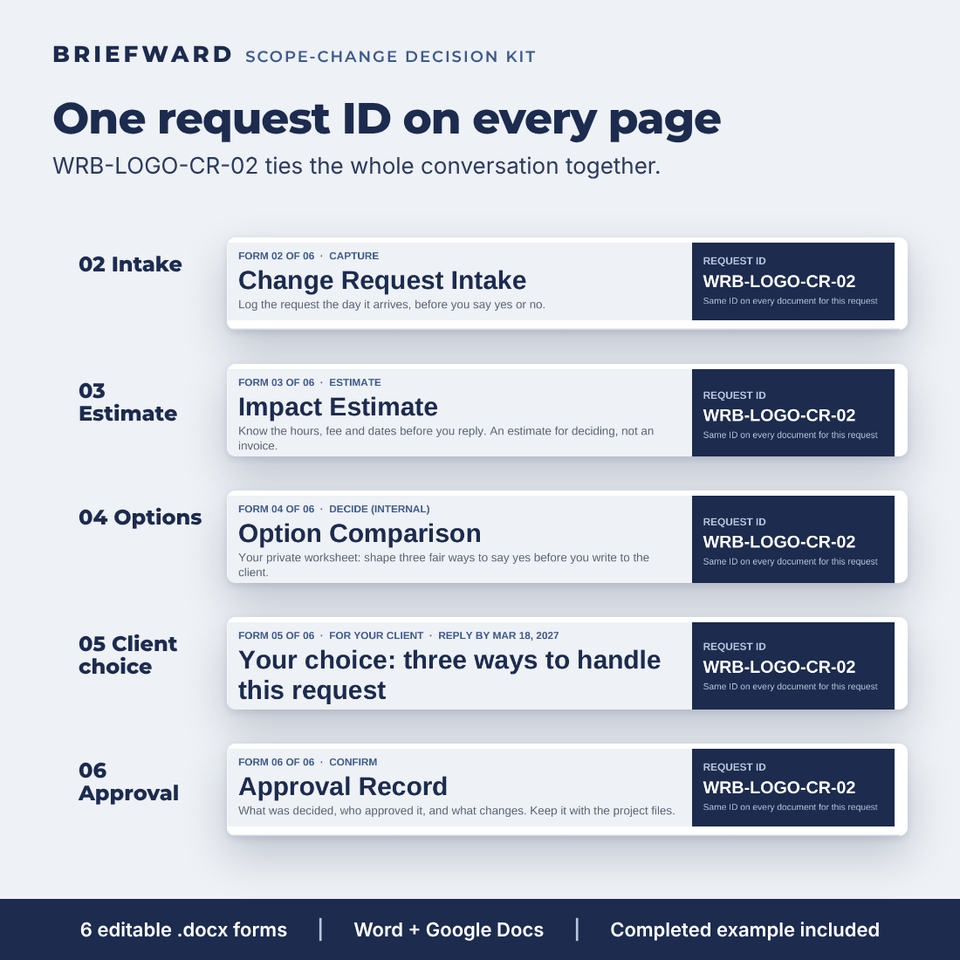
Use the free Request Intake form for this step. Give the request an ID, such as ACME-WEB-CR-01 (project code, then CR for change request, then a number). Quote the client’s words exactly, and write down the goal behind the request, because there is often a smaller way to reach the same goal.
Then run a quick scope check:
- Is it listed as an agreed deliverable?
- Is it a revision to unapproved work, within the rounds left?
- Does it change something already approved?
- Does it add new items, versions, sizes or formats?
- Will it take more than a couple of hours?
- Will it move a delivery date or affect other deliverables?
If it is a clarification or a revision within the agreed rounds, it is in scope: reply and carry on. Otherwise, send a short holding reply such as: “Thanks! I’ve logged this as ACME-WEB-CR-01. I’ll check how it fits with what we agreed and come back to you by Thursday with options. The rest of the project carries on as planned.”
Step 3: Size the work before you reply
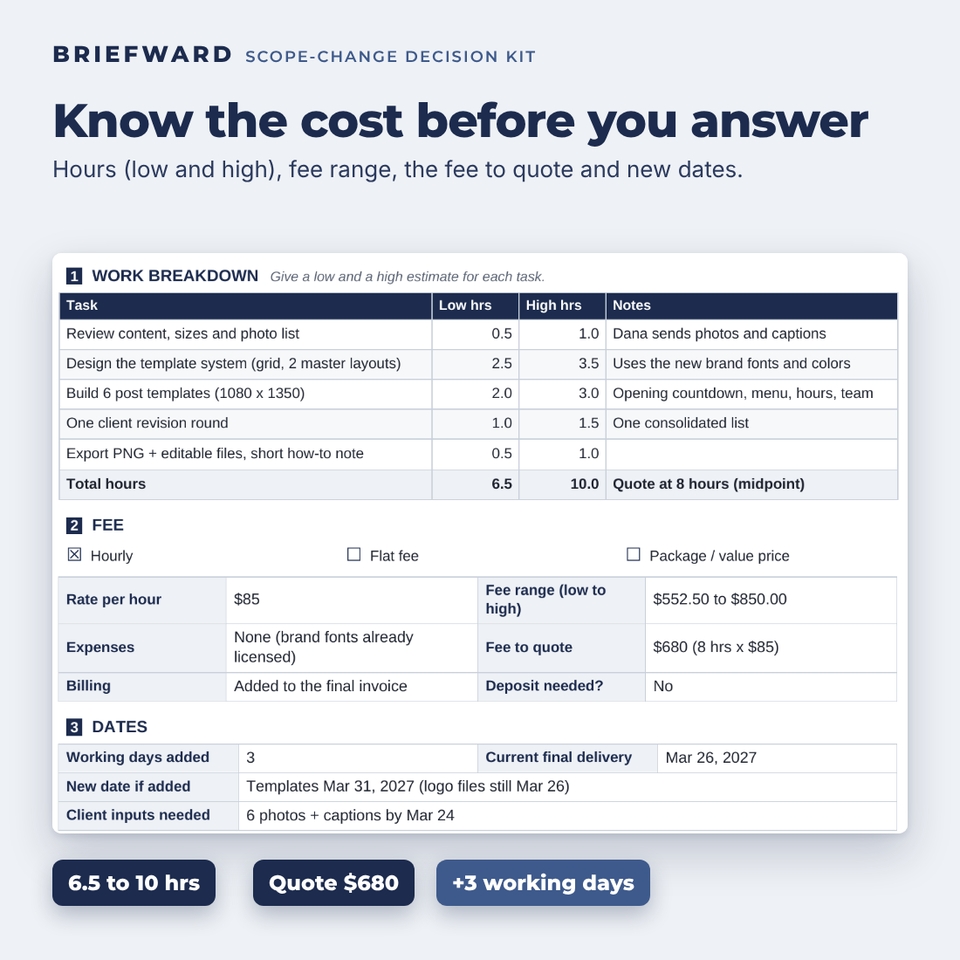
Break the request into tasks and give each one a low and a high estimate in hours. Multiply by your rate for a fee range, add expenses such as fonts or stock images, and round to one fee you are happy to quote. Then work out the dates: how many working days the extra work adds and what the new finish date would be.
In the worked example in the full kit, a bakery asks its logo designer for six Instagram templates. The estimate comes to 6.5 to 10 hours; at $85 an hour that is $552.50 to $850, and the designer quotes $680 for 8 hours with three working days added. The Impact Estimate form keeps those numbers, the knock-on effects and the swap candidates on one page.
Step 4: Offer a clear choice on one page
This is where the free Client Choice page does the work. It quotes the client’s request, says in one sentence why it falls outside the agreed brief, and sets out the three options with the fee and date for each. Add a reply-by date and a sensible default: if the client does not reply, you carry on with the agreed scope (Option C). That way nothing stalls while they decide.
Tips for writing good options:
- For the swap, pick a deliverable of similar effort that the client is least likely to miss. An unused revision round can be a fair swap for a small extra.
- For the extension, use the same hourly rate as the rest of the project and state the new total and finish date.
- Use the client’s words and plain language. Leave “scope creep” and “change order” out of the client page.
- Only offer options you are happy to deliver.
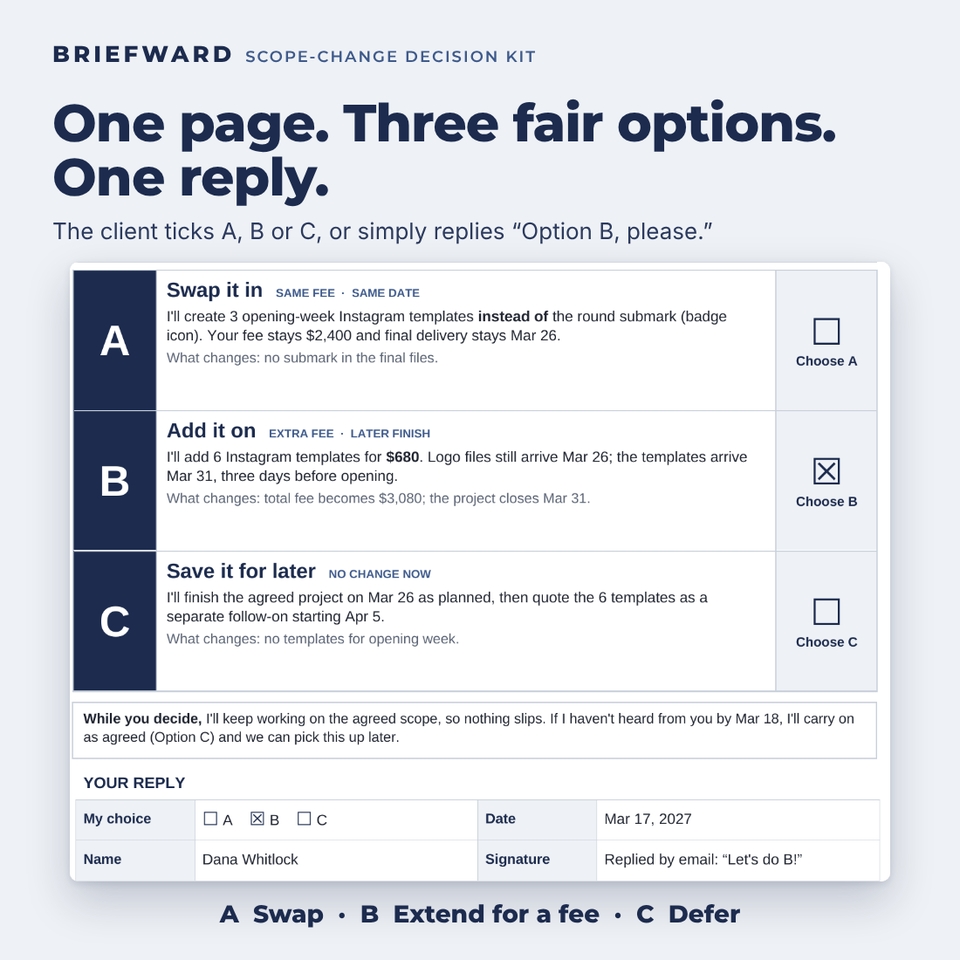
Step 5: Record the decision
When the client replies, confirm the decision in writing the same day and keep a record: which option they chose, who approved it and how (a signed page, an email reply, or a call you confirmed in writing), and what changes in deliverables, fee, dates and revision rounds. Note when the extra amount will be billed. The full kit’s Approval Record has a before/after table and a follow-through checklist for exactly this.
What the free template includes
| Free Lite edition | Full Briefward kit |
|---|---|
| Request Intake form | Request Intake form |
| One-page Client Choice (swap, extend, defer) | One-page Client Choice (swap, extend, defer) |
| Upgrade page | Project Scope Summary with change request register |
| Impact Estimate (hours, fee, dates, swap candidates) | |
| Option Comparison worksheet with fairness check | |
| Approval Record with before/after table | |
| Completed logo-project example and illustrated user guide |
Get the full Briefward Scope-Change Decision Kit
- All six editable forms, from scope summary to approval record
- The same request ID carried through every document
- Impact estimate with low and high hours, fee range and new dates
- A completed logo-project example for every form
- Illustrated user guide with wording for each step
$19, instant download, Word and Google Docs compatible.
Common mistakes to avoid
- Doing it free “just this once”. It sets a precedent for every request that follows.
- Replying before you have sized it. A quick yes on a call is hard to undo.
- Stopping work while you wait. Keep going on the agreed scope; it protects your schedule and shows good faith.
- Forgetting to write it down. A decision made on a call should always get a short written recap.
- Treating the form as a contract. These pages help you communicate. Your signed agreement still governs.
How to use the free template in Word or Google Docs
Open the .docx in Microsoft Word, or upload it to Google Drive and choose Open with Google Docs. Use Replace All to swap [REQUEST-ID], [PROJECT NAME] and the other shared tokens in one go, then type over the remaining bracketed placeholders. Export the Client Choice page as a PDF to attach to your email, or paste the three options into the message. Your client can simply reply “Option B, please.”
Ready to handle every request the same calm way? Download the free template below, or get the complete scope change kit with all six forms and the worked example.
This template is a communication tool, not a legal contract, and does not replace your signed agreement or legal advice.