Scope change request templates that give your client a clear choice
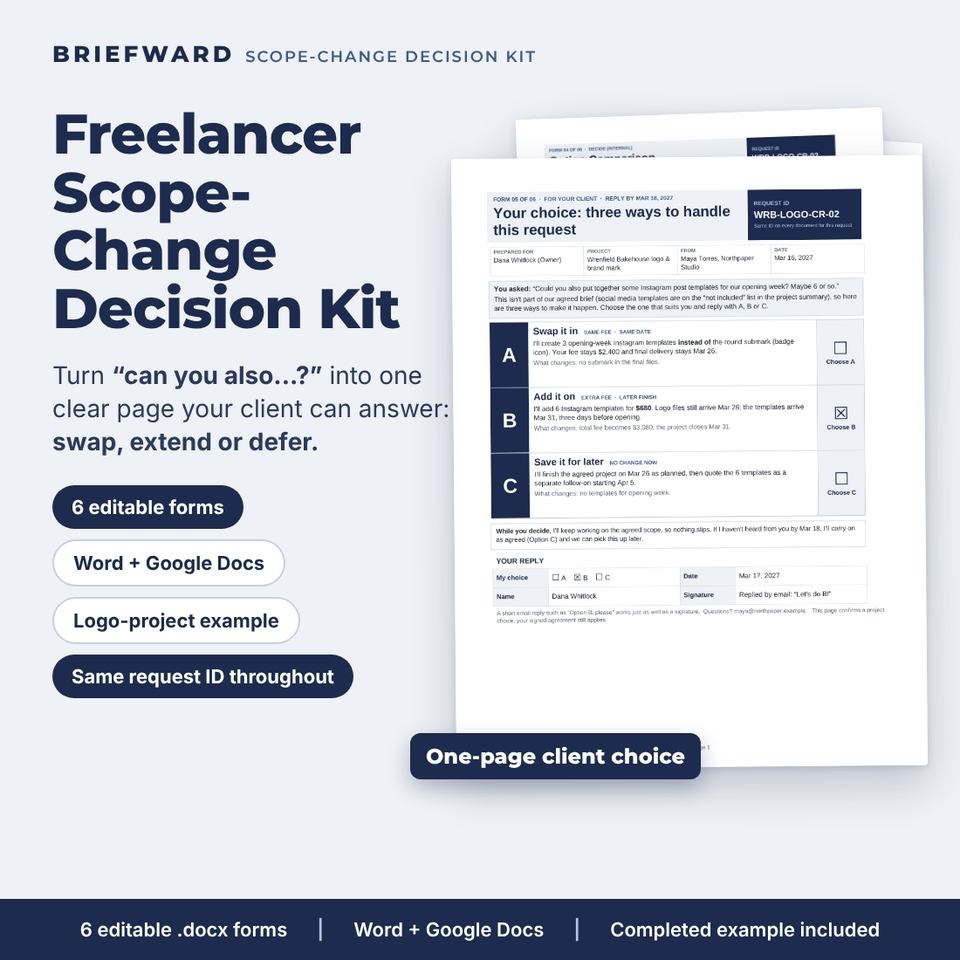
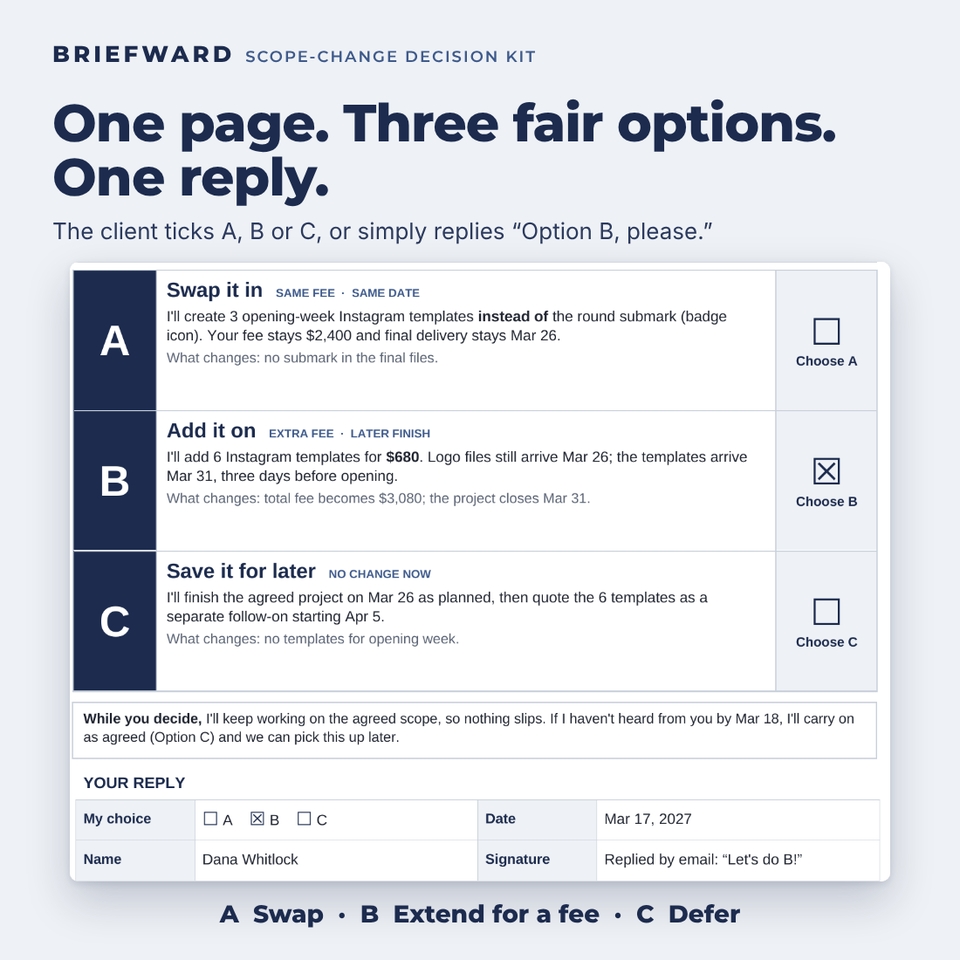
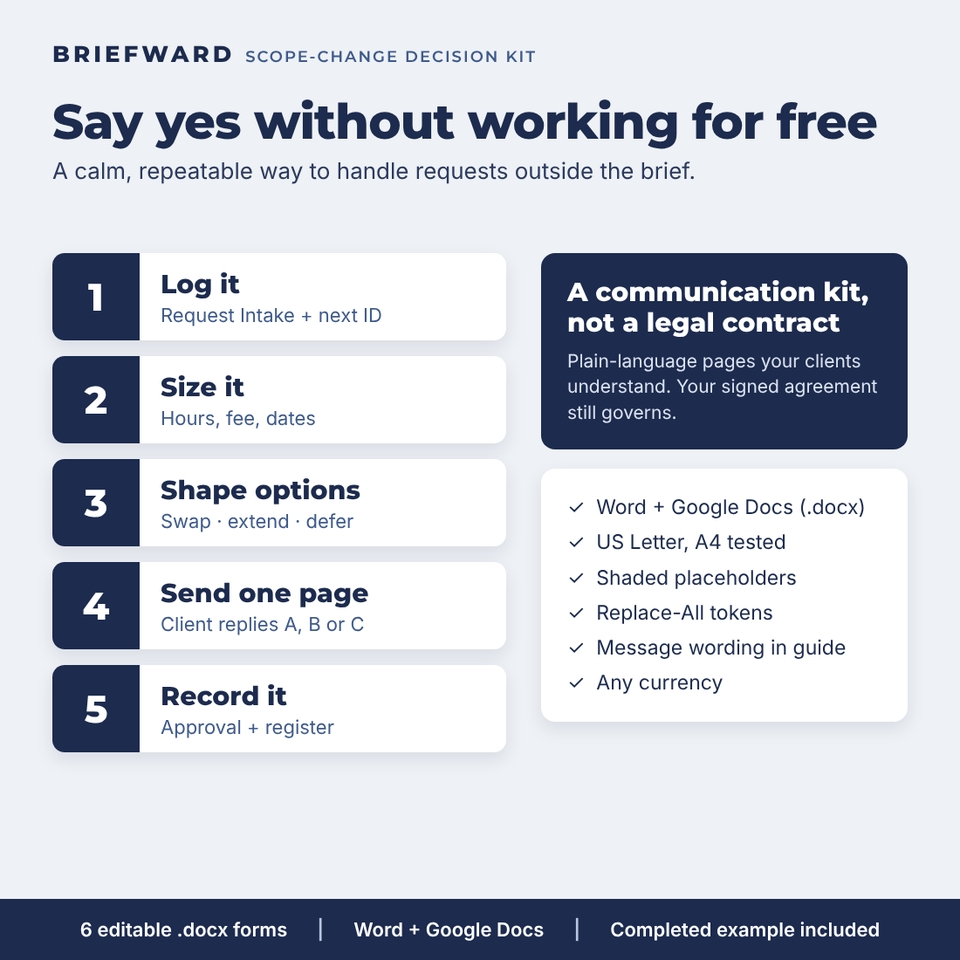
Every freelancer knows the message: “Could you also…?” Briefward is a scope change request template kit that turns that moment into a calm, repeatable process. Instead of a reluctant yes or an awkward no, you log the request, size it, and send your client a single page with three fair options: swap an existing deliverable, extend the project for a fee, or defer the request to a follow-on project. Your client replies with A, B or C, and you record the decision.
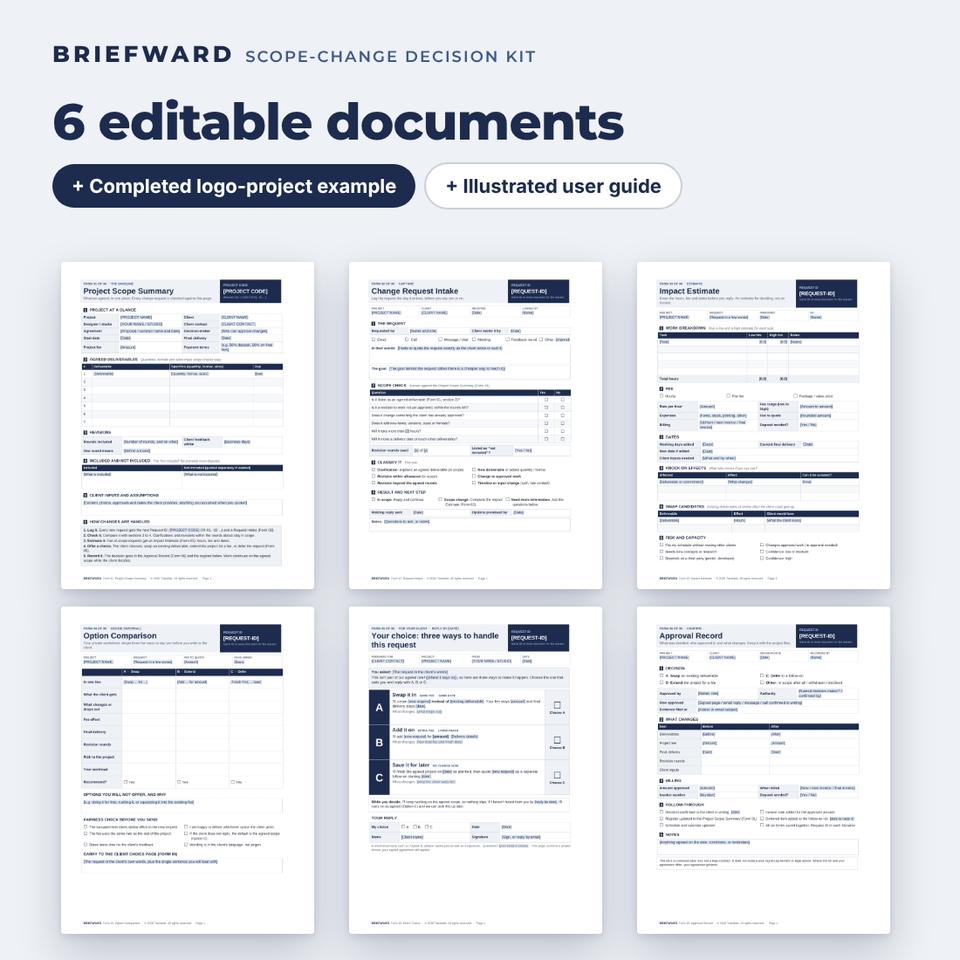
The kit is six editable .docx documents that open in Microsoft Word and Google Docs, a completed example for a logo project, and an illustrated user guide. It is built for independent designers handling requests that fall outside an agreed brief, and it works just as well for copywriters, developers, photographers and consultants.
What is included
- 01 Project Scope Summary (2 pages): the baseline every request is checked against. Deliverables with quantities and formats, revision rounds, an “included / not included” list, client inputs, your change process and a change request register for the whole project.
- 02 Request Intake (1 page): capture the request in the client’s own words, the goal behind it, a six-question scope check, a classification (clarification, revision, new deliverable, change to approved work, timeline change) and the next step.
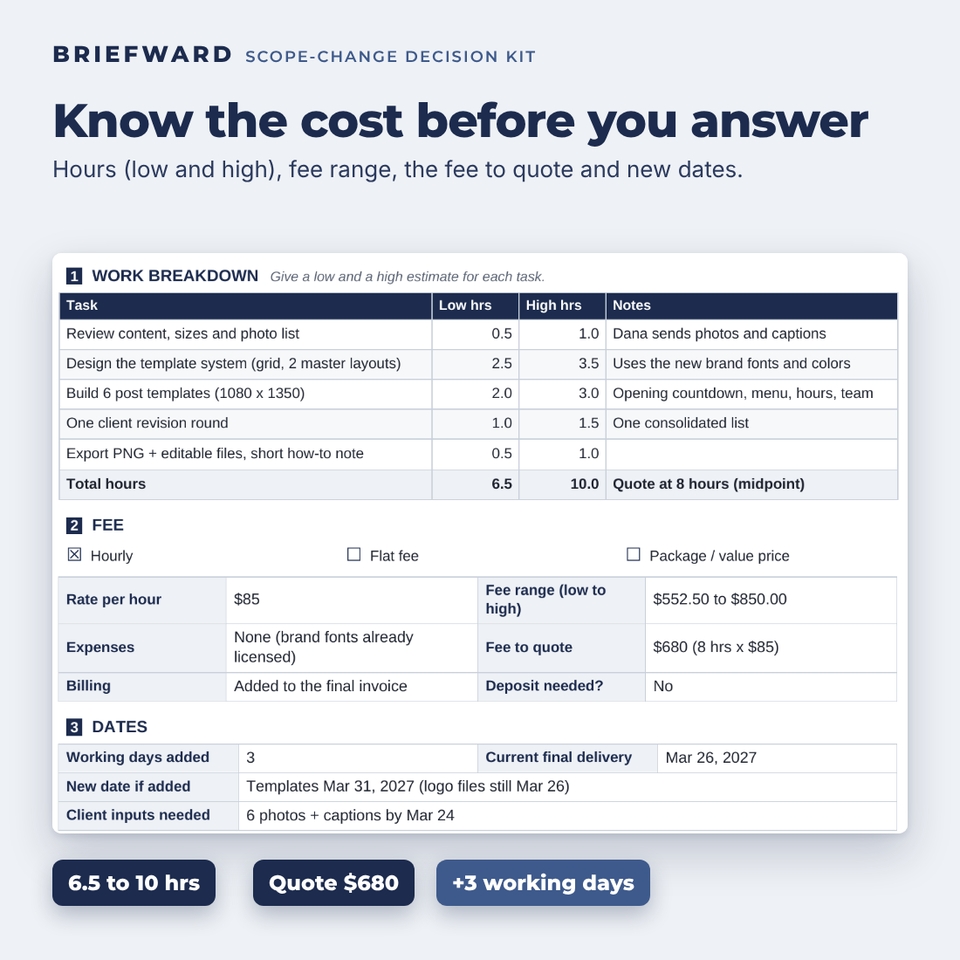
- 03 Impact Estimate (1 page): tasks with low and high hours, rate, fee range, the fee you will quote, expenses, working days added, the new date, knock-on effects and swap candidates.
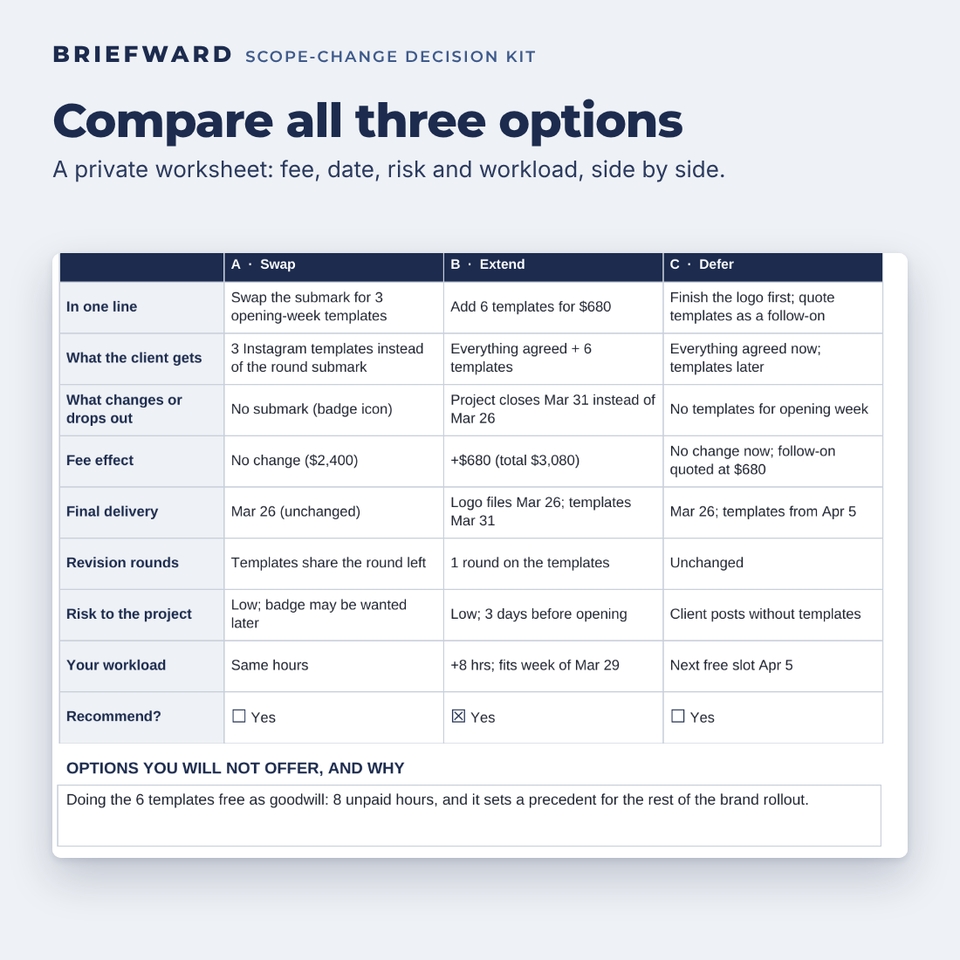
- 04 Option Comparison (1 page, private): swap, extend and defer side by side, covering what the client gets, what drops out, fee, date, revision rounds, risk and workload, plus a fairness check.
- 05 Client Choice (1 page): the centerpiece. One client-friendly page with three options, a reply-by date, a sensible default and a simple reply box.
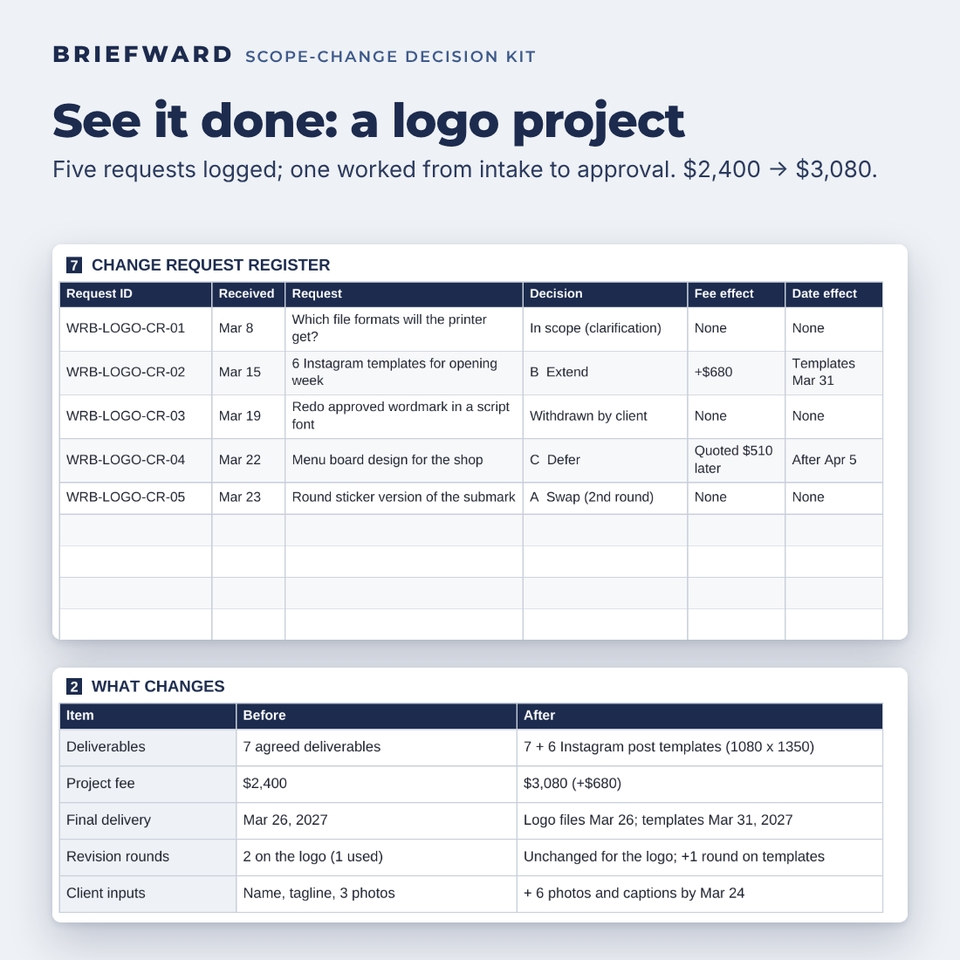
- 06 Approval Record (1 page): the decision, who approved it and how, where the evidence is filed, a before/after table for deliverables, fee and dates, billing details and a follow-through checklist.
- Completed example (zip of six filled documents): a fictional bakery logo project where a request for six Instagram templates is handled from intake to approval, with a register showing five requests and their outcomes.
- User guide (Word): quick start, the request ID system, Replace All tokens, form-by-form instructions with screenshots, wording for each step, tips, troubleshooting and FAQ.
Why this kit is different
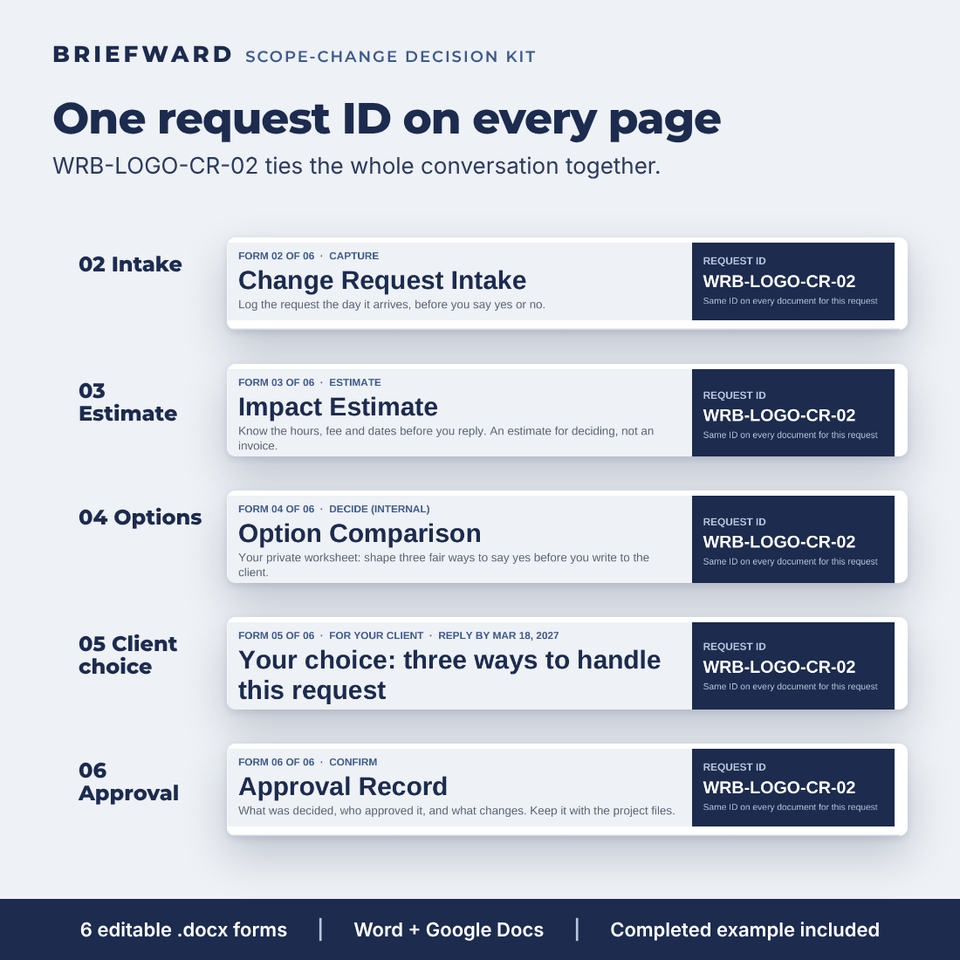
One request ID through every document
Each request gets an ID such as WRB-LOGO-CR-02. It sits in the same dark box at the top of the intake, estimate, options, client choice and approval forms, in the register on your scope summary, and in your email subject and file names. Six months later you can still find who approved what, and when.
A choice, not a bill
Most change order templates only say “this will cost more.” Briefward’s client page offers three ways to say yes, including a no-cost swap and a no-change-now deferral, so the conversation stays friendly and the client stays in control.
Numbers before words
The impact estimate makes you size the work before you reply: low and high hours, a fee range and one rounded fee to quote, plus the real effect on your delivery date.
A worked example you can copy
Every form comes filled in for a realistic logo project, so you can see the level of detail that works and the tone that keeps clients on side.
How it works
- At kickoff, fill in the Project Scope Summary and share it with your client.
- When a new request arrives, log it on the Request Intake with the next request ID and send a short holding reply.
- Estimate the hours, fee and dates on the Impact Estimate, then shape three options on the Option Comparison.
- Send the one-page Client Choice. Work continues on the agreed scope while your client decides.
- Record the decision on the Approval Record and update the register on your scope summary.
Use cases
- A logo client asks for social media templates, packaging or a menu board halfway through the project.
- A website client wants three extra pages or a new feature after the sitemap was approved.
- A client asks you to rework a design they already approved.
- A request arrives on a call and you want a clear written record of what happens next.
- Too many small “quick changes” are eating your margin and you want a consistent way to handle them.
File formats and software
- Six editable .docx forms (US Letter, also tested on A4 with the same page count), a .docx user guide and a .zip with the completed example.
- Opens in Microsoft Word (2016 or later, Microsoft 365, Word for Mac) and Google Docs (upload to Google Drive, then Open with Google Docs). Also opens in LibreOffice Writer.
- Arial font throughout, so the layout looks the same on every computer. No macros, no add-ons.
Customization
Bracketed placeholders are shaded light blue so you can spot them. Shared tokens such as [REQUEST-ID], [PROJECT NAME] and [CLIENT NAME] fill in with one Replace All. Add your logo to the title band, change the ink blue and pale gray fills, edit the fixed wording to match your process, and restyle with the built-in heading styles. Money fields are neutral (“Amount”), so you can use any currency.
Instant digital download
This is a digital product: no physical item is shipped. You download the files right after purchase. Personal use only (or use within your own business). You may send filled-in forms to your own clients, but you may not resell, share or redistribute the templates.
Briefward is a communication kit, not a legal contract. It does not replace your signed agreement or legal advice.
FAQ
Is this a change order or a contract?
No. It is a communication kit that helps you and your client agree on what happens next. Your signed agreement still governs; use your own contract or a lawyer for formal amendments.
Does it work in Google Docs?
Yes. Upload the .docx files to Google Drive and open them with Google Docs. There is no Google template link to copy; you keep your own files.
I’m not a designer. Will it fit my work?
Yes. The forms talk about deliverables, revision rounds, fees and dates, so they suit writers, developers, photographers, video editors and consultants. The example happens to be a logo project.
Do I need all six forms for every request?
No. In-scope requests stop after the intake. For a real scope change, the intake, client choice and approval record are the minimum.
Can I add my own branding?
Yes. Add your logo to the title band, change the colors and edit any fixed wording.
What currency does it use?
Any. Money fields are left neutral; the example uses US dollars.
Is there a free version?
Yes: the free Lite edition includes the Request Intake and the Client Choice page. The full kit adds the scope summary, impact estimate, option comparison, approval record, completed example and guide.
Reviews
There are no reviews yet.