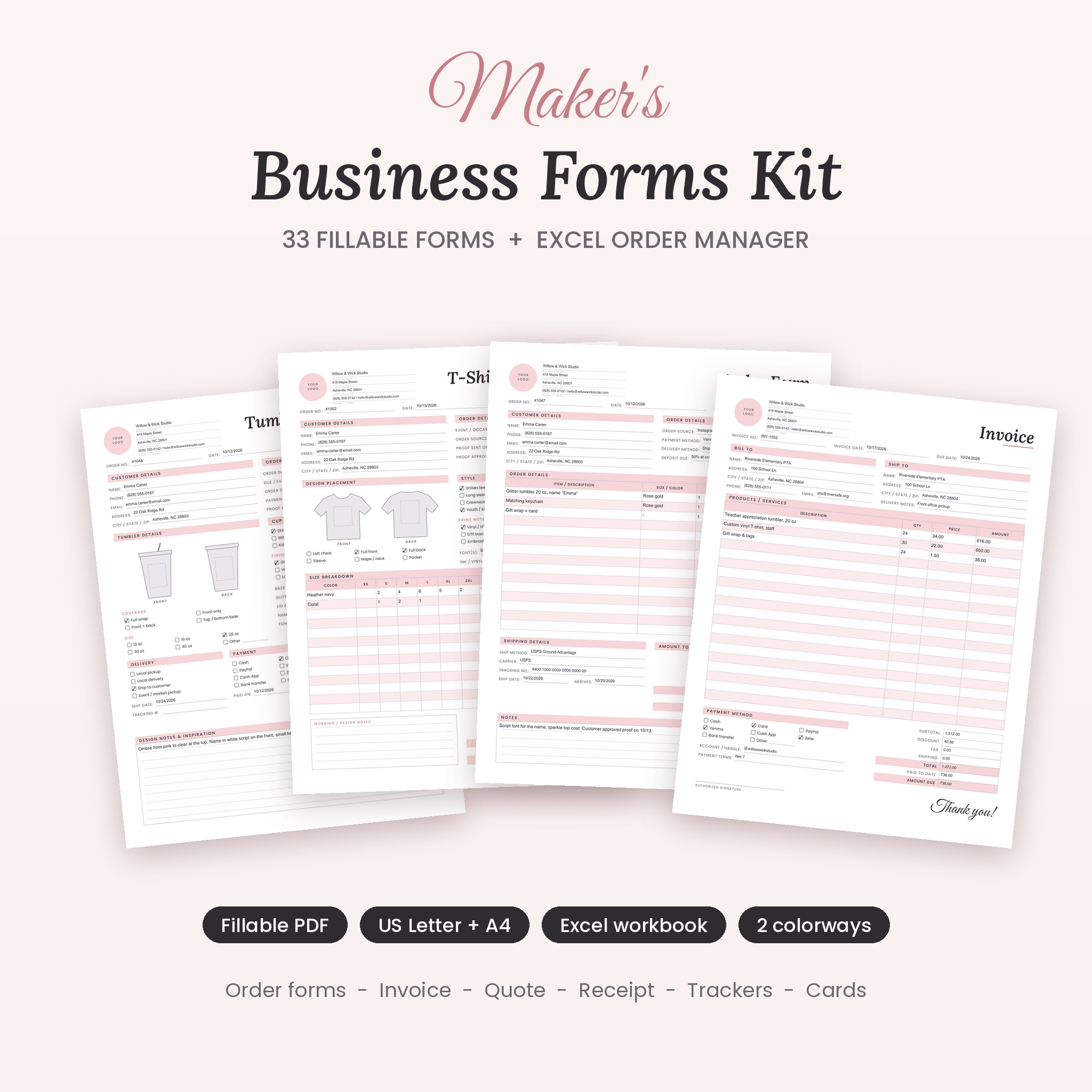

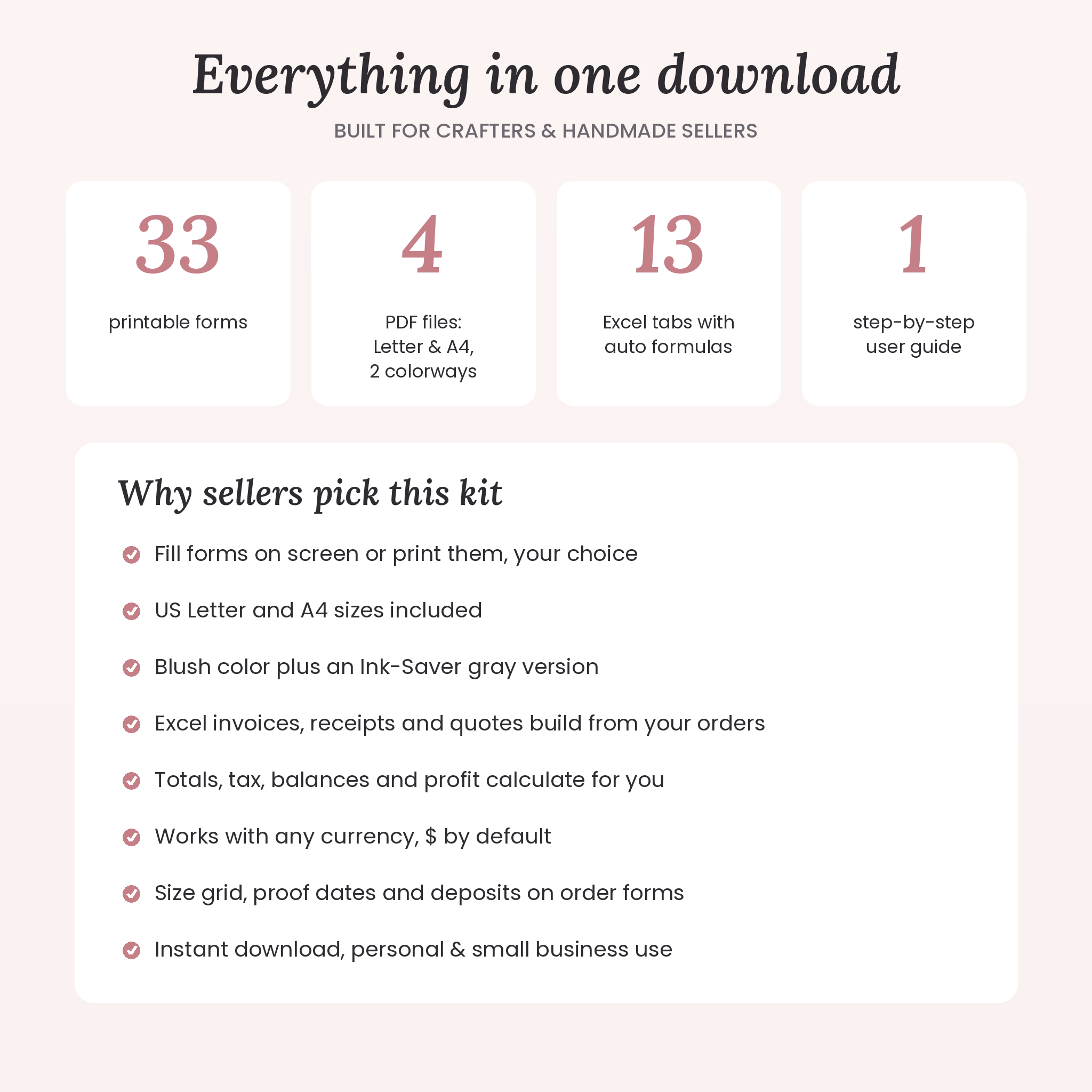
These small business order forms are made for crafters and handmade sellers who take custom orders. You get 33 printable and fillable PDF forms, in US Letter and A4, plus an Excel Order Manager that turns your orders into invoices, receipts and a live sales dashboard.
Custom work is full of tiny details. A name spelled just so. Rose gold glitter, not silver. Six youth mediums and two adult XLs. A party on Saturday. Miss one and you remake the piece. This kit gives every detail a box, so you can take an order in two minutes and get it right the first time.
What’s inside the small business order forms kit
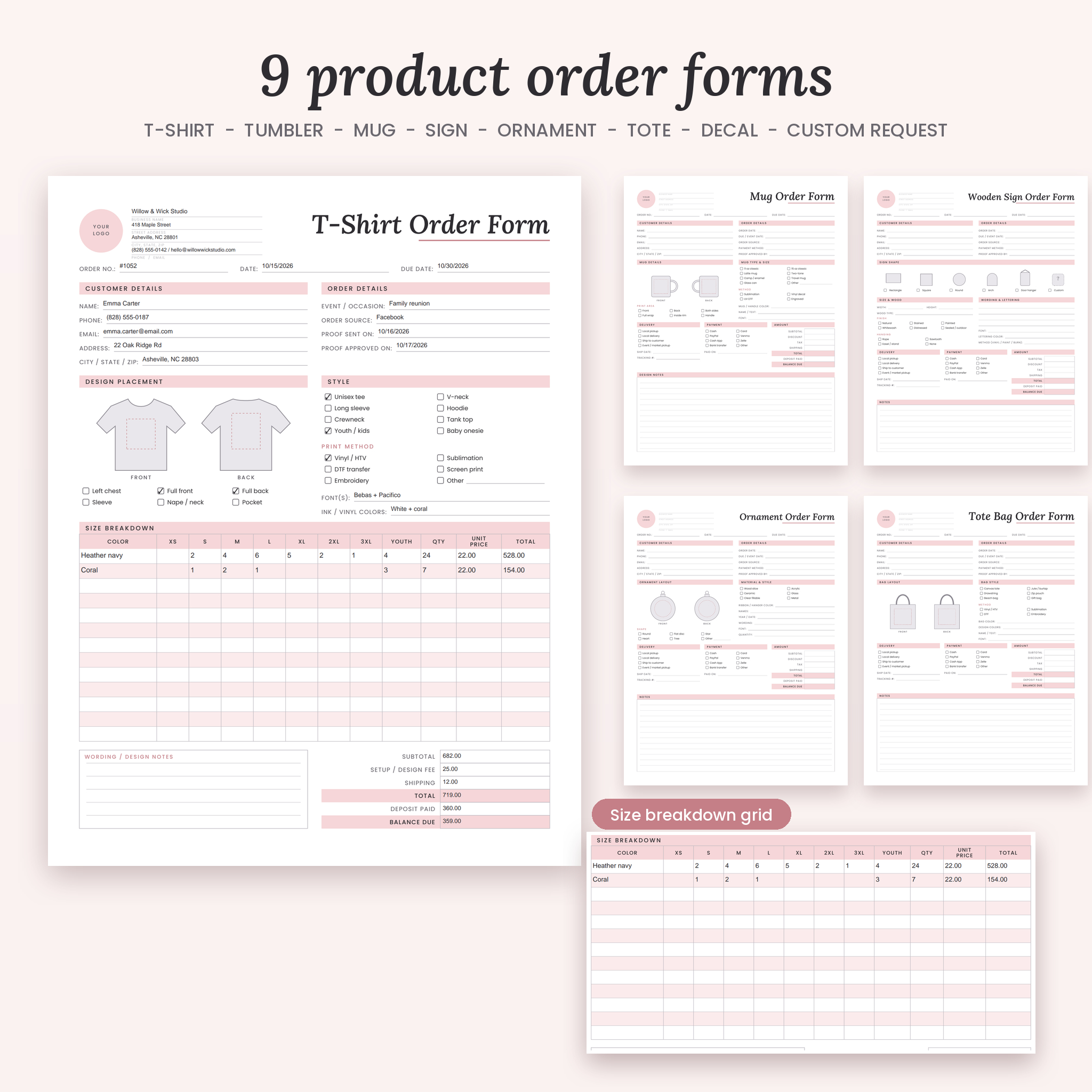
9 order forms
- General Order Form
- T-Shirt & Apparel Order Form with a size breakdown grid (XS to 3XL plus youth)
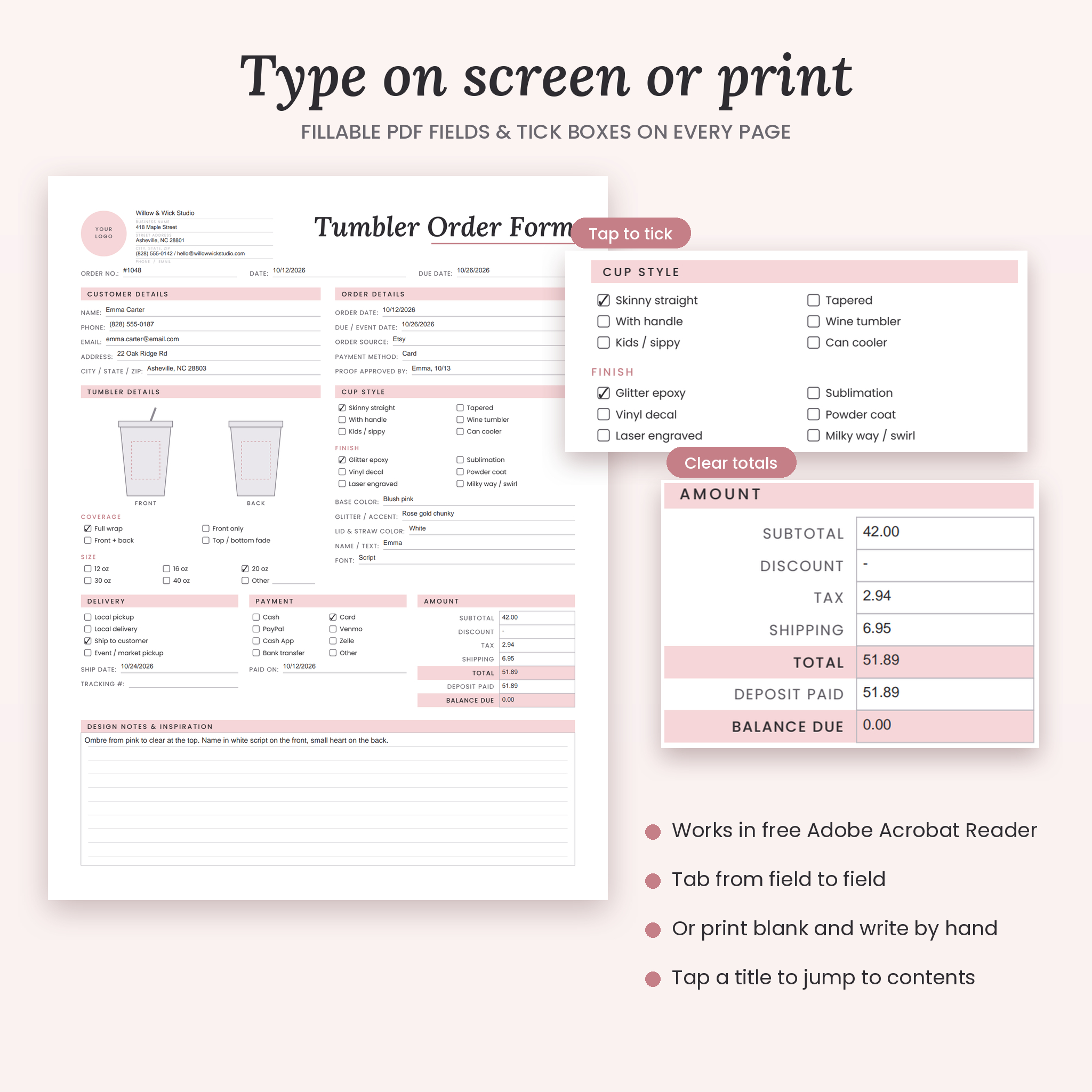
- Tumbler Order Form with cup style, size, finish, glitter and lid color
- Mug, Wooden Sign, Ornament and Tote Bag Order Forms with front and back layout sketches
- Vinyl Decal & Sticker Order Form
- Custom Order Request form with a sketch box for customer ideas
6 sales and money forms
- Invoice, Price Quote, Sales Receipt
- Custom Order & Deposit Agreement with tick-box terms and signatures
- Price List and Price Menu with add-ons
10 business records
- Order Tracker, Client Profile, Customer List
- Product Inventory, Supply Inventory, Expense Tracker
- Monthly Budget, Monthly Sales Log, Yield Tracker, Product Pricing Worksheet
8 planning pages and customer extras
- Craft Fair & Market Day Planner with a 16-item packing list
- Weekly Production Planner, To-Do List, Social Media Content Planner
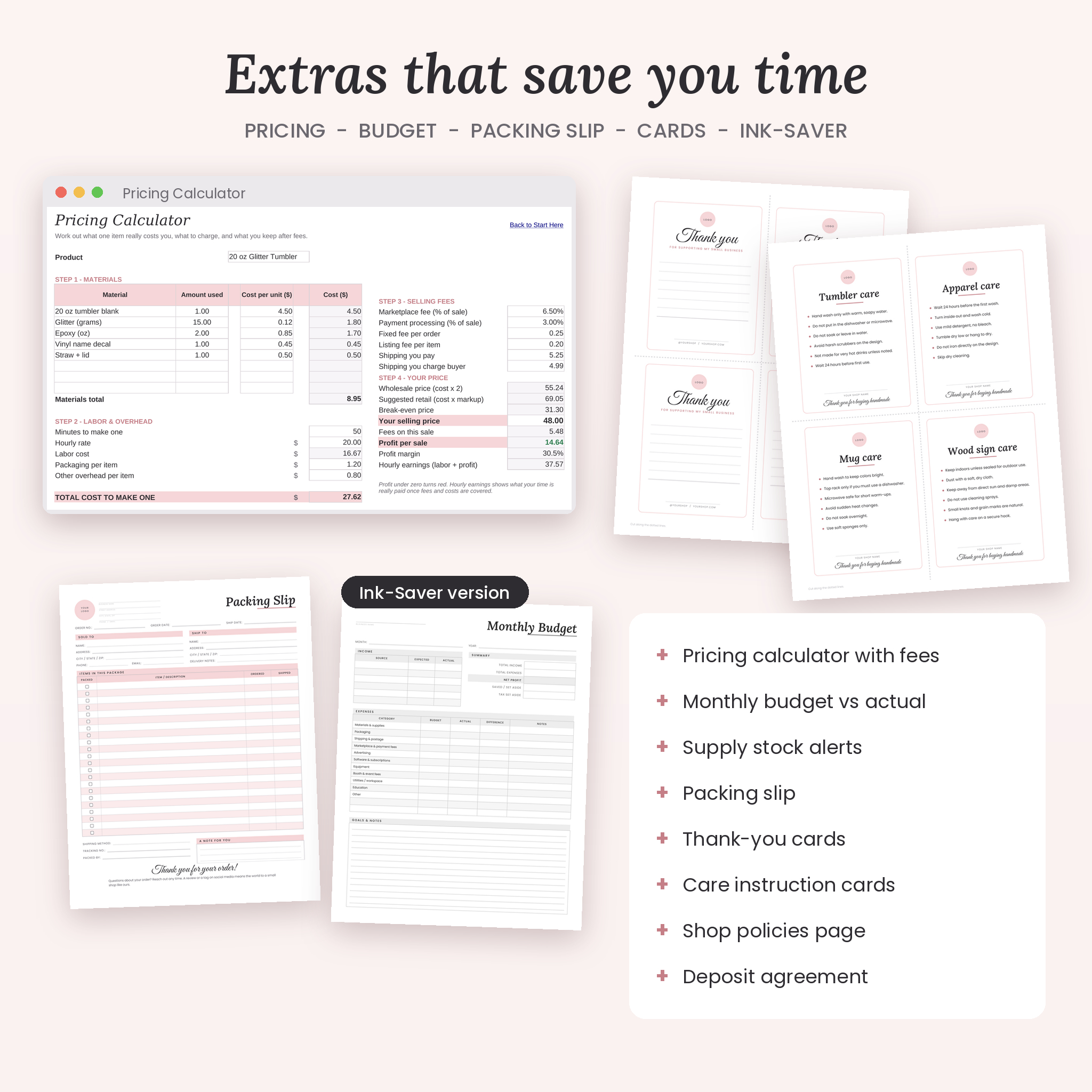
- Packing Slip, Thank You Cards (4 per page), Care Instruction Cards for tumblers, apparel, mugs and wood signs, and a Shop Policies page
The Excel Order Manager
Paper forms are great at the market table. The math is better left to a spreadsheet. The workbook has 13 tabs that talk to each other:
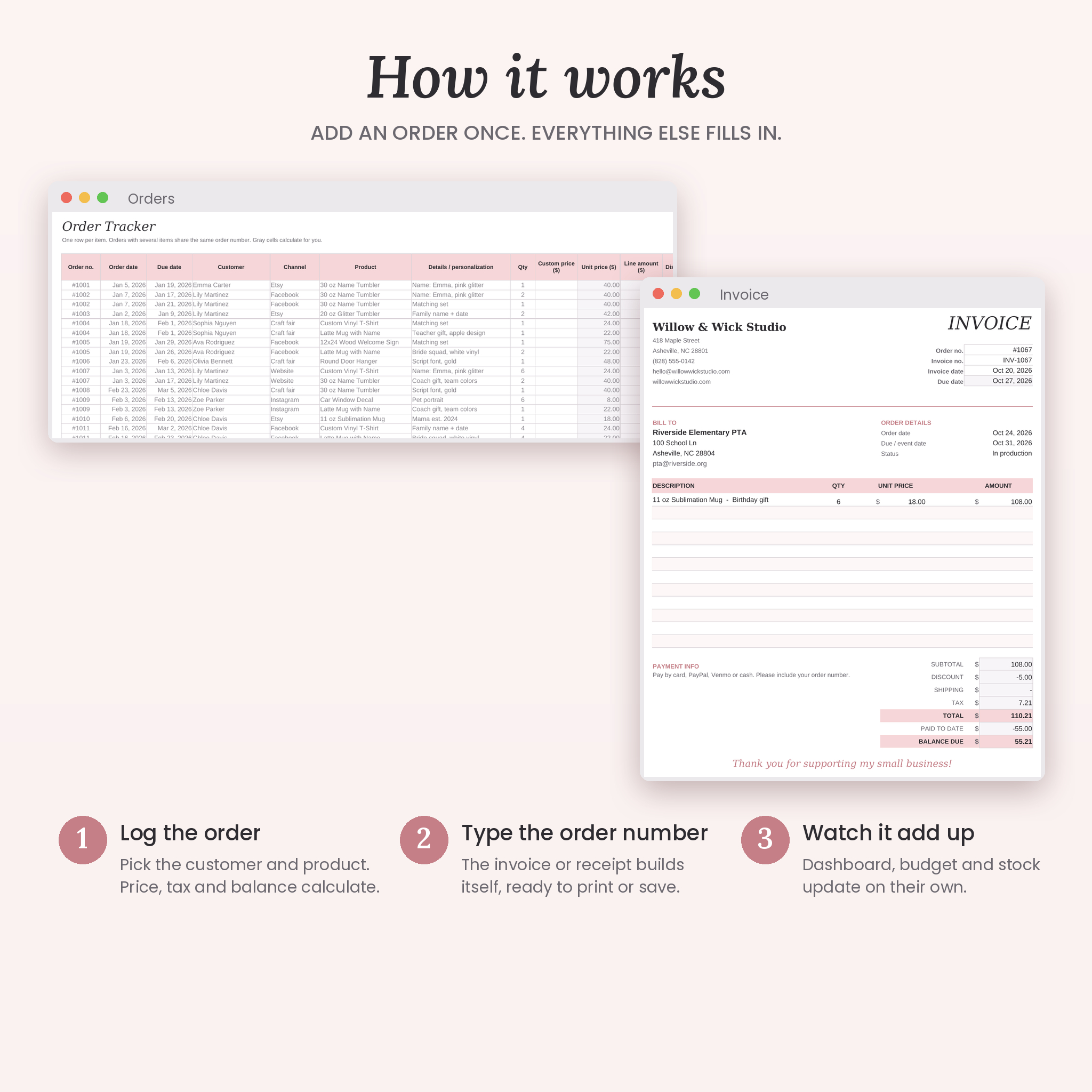
- Orders: pick a customer and product from dropdowns. Unit price, tax, order total, balance and payment status fill in. Due dates turn amber three days out and red when overdue.
- Invoice and Receipt: type an order number and a print-ready invoice or receipt builds itself, with your business details at the top.
- Quote: price a job before it is an order, with an automatic deposit amount.
- Products: true cost per item including your time, a suggested price, profit, margin and stock left with reorder alerts.
- Customers: order count, total spent and balance owing for every customer.
- Expenses and Budget: log purchases and compare each month against your budget.
- Supplies: stock value and low-stock flags for blanks, vinyl and packaging.
- Pricing Calculator: break-even price, fees, profit per sale and what you really earn per hour.
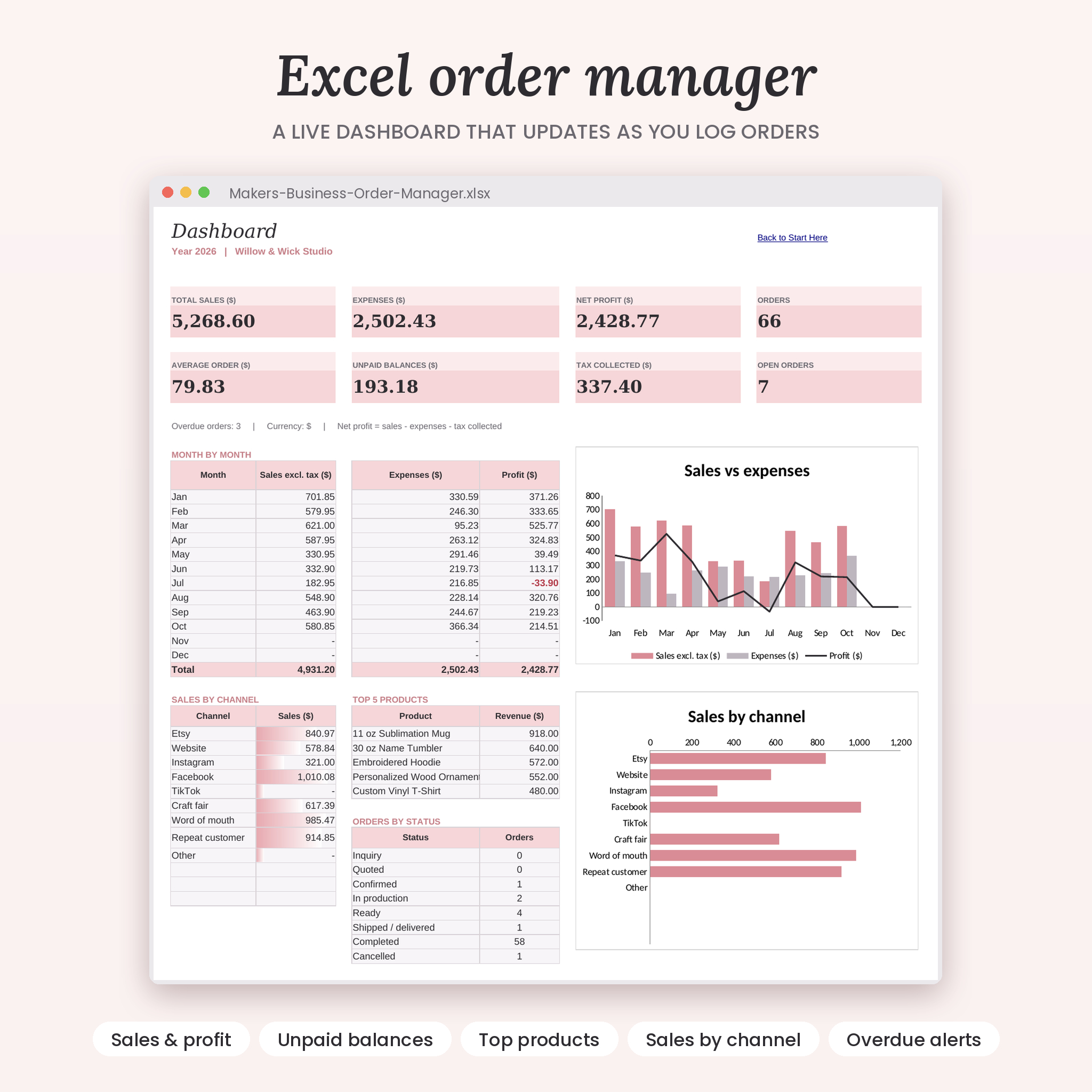
- Dashboard: sales, expenses, net profit, unpaid balances, top 5 products, sales by channel and two charts.
Why this kit and not a plain set of templates
- Fill on screen or print. Every line and tick box is a fillable field, so you can type in free Adobe Acrobat Reader on a computer, phone or tablet.
- No Canva account needed.
- US Letter and A4 versions, so it prints right wherever you live.
- Two colorways: soft Blush pink and an Ink-Saver gray that is kind to your printer.
- 33 forms instead of the usual 20 or so, with craft-specific details like proof dates, print placement and deposits.
- A real calculating workbook, not just blank tables.
How it works
- Download the files right after checkout.
- Open the Excel workbook, go to Settings and add your business name, currency symbol and tax rate.
- Use the PDF forms to take orders at markets, by message or over the phone.
- Log each order in the workbook. Invoices, receipts and the dashboard update on their own.
- Print packing slips, thank-you cards and care cards to finish every order.
Real ways sellers use it
- A tumbler maker hands the Tumbler Order Form to customers at a craft fair and never forgets a lid color again.
- A shirt shop takes a 30-piece family reunion order with the size grid and sends a deposit agreement before buying blanks.
- A sign maker prices a new 12×24 design with the Pricing Calculator and finds out it was selling at a loss.
- A PTA or school club order gets a clean invoice in under a minute from the order number.
File formats and requirements
- 4 fillable PDF files: Blush and Ink-Saver, each in US Letter (8.5 x 11 in) and A4 (210 x 297 mm), 34 pages each including a clickable contents page
- 1 Excel workbook (.xlsx) for Microsoft Excel 2010 or newer on Windows or Mac
- 1 Word user guide (.docx) with screenshots, tips and troubleshooting
- All files are also included in one ZIP download
- To type in the PDFs, use free Adobe Acrobat Reader. To print, any home printer works.
Customization
Set any currency symbol once in the workbook and every money value follows, with $ as the default. The PDF forms have blank amount fields, so they work in any currency. Rename dropdown options, add product categories and change colors and fonts in Excel. The PDFs have a logo spot and lines for your business details on every form.
Digital download
This is an instant digital download. Nothing will be shipped. Licensed for personal and small business use: print as many copies as you need for your own shop. Reselling or sharing the files is not allowed.
FAQ
Can I fill these order forms on my phone or iPad?
Yes. Open the PDFs in free Adobe Acrobat Reader on iOS or Android and tap any line to type.
Do I need Canva?
No. The forms are fillable PDFs and the workbook opens in Excel.
Does the invoice calculate totals?
The Excel invoice, receipt and quote calculate subtotal, discount, tax, shipping, total and balance due. The PDF invoice is for typing or writing by hand.
Does it work with my currency?
Yes. Change the symbol on the workbook Settings tab. The PDFs have no symbol printed.
Will it work in Google Sheets?
The workbook is built and tested for Excel. Google Sheets has not been tested, so Excel is recommended.
Which paper size do I need?
US Letter for the US, Canada and Mexico. A4 for most other countries. Both are included.
Can I add my logo?
Each form has a round logo spot. Type your business name in the header lines, or add a logo sticker after printing.
Reviews
There are no reviews yet.