
A craft fair inventory spreadsheet that tells you what to make
Before a market, the question isn’t how much stock you have. It’s how many of each product you still need to make so you can hit your sales target and still have a full-looking table at 3 pm. Boothstock Restock Planner answers that for every product. You enter a sales target and a minimum display quantity, count your stock, and the workbook builds a production list rounded up to whole batches, sorted so the riskiest products are at the top.
It’s built for makers who sell at craft fairs, holiday markets, pop-up shops and farmers markets: soap and candle makers, potters, jewelry makers, bakers of shelf-stable goods, sticker and print sellers, and anyone who makes stock in batches before a show.
How the restock math works
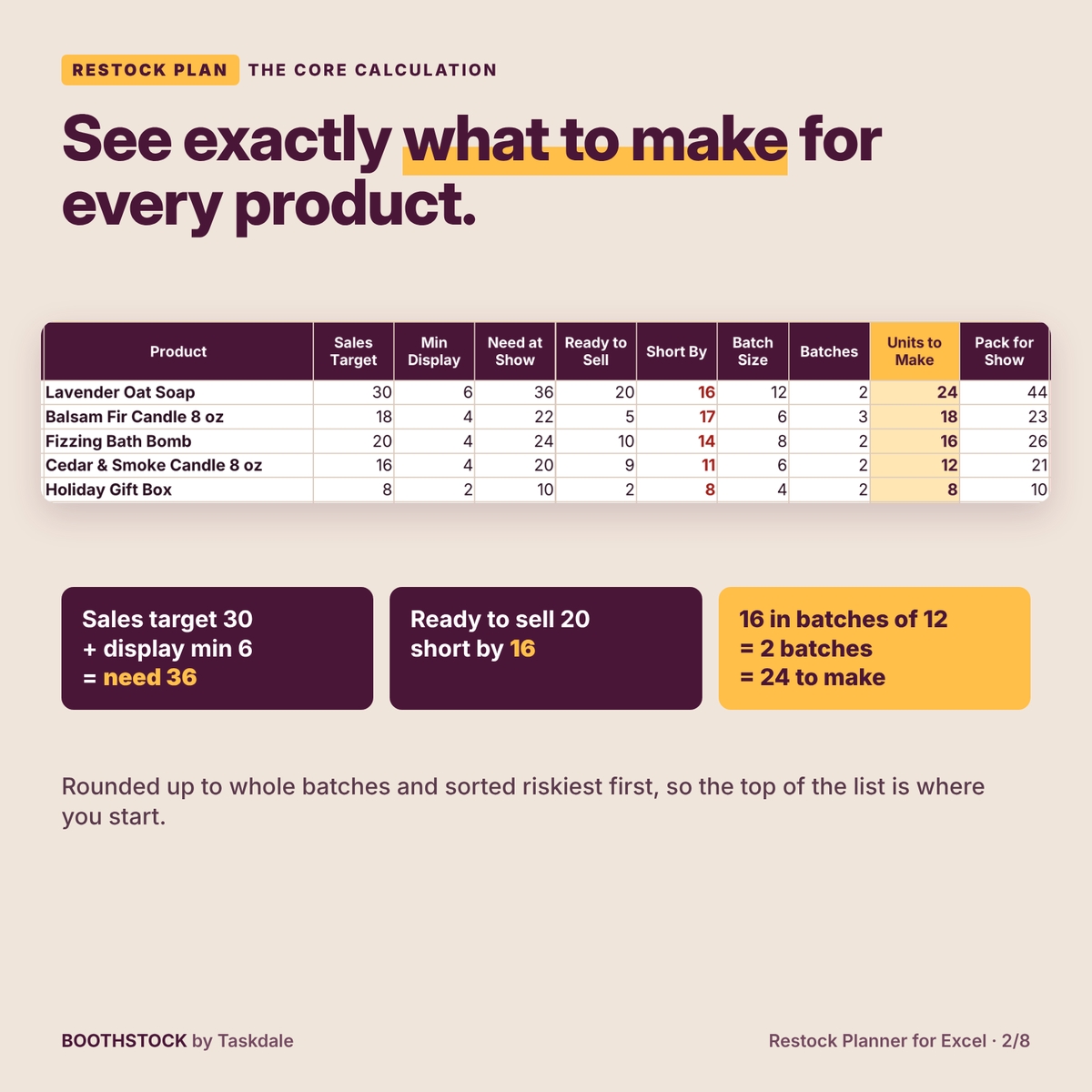
Here is a real example from the demo workbook. Your target for Lavender Oat Soap at the Holiday Craft Fair is 30 bars, and you want 6 left on display after you hit it, so you need 36. You have 30 bars on the shelf, but 4 are damaged and 6 are reserved for a wholesale order, so only 20 are ready to sell. You’re 16 short. Your soap loaf cuts into 12 bars, so the plan says 2 batches = 24 bars to make, and 44 to pack.
A simple count would have said you had 30 and were only 6 short. That gap is why Boothstock keeps ready-to-sell, damaged and reserved stock separate: seconds and units held for customers never count toward your show.
What’s included
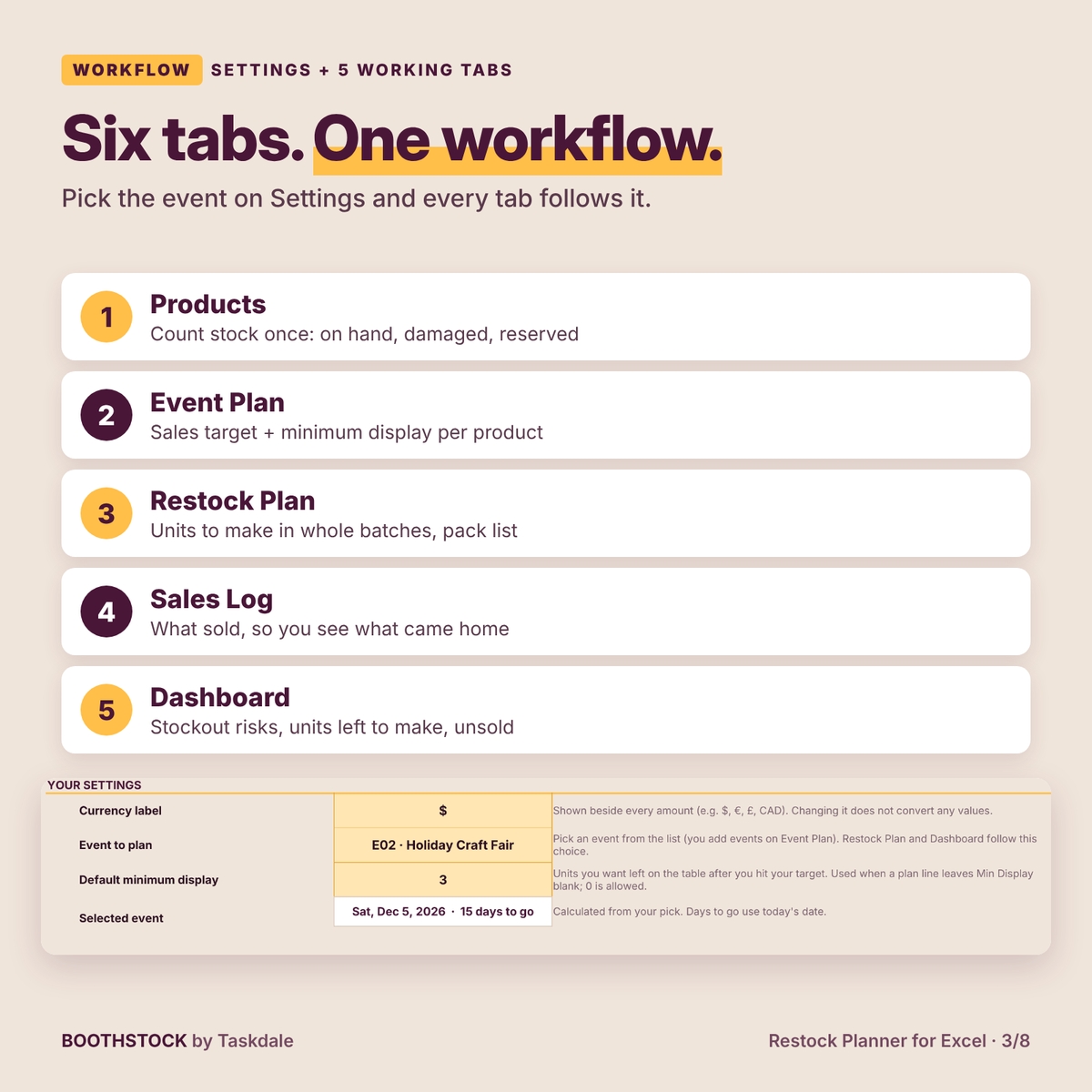
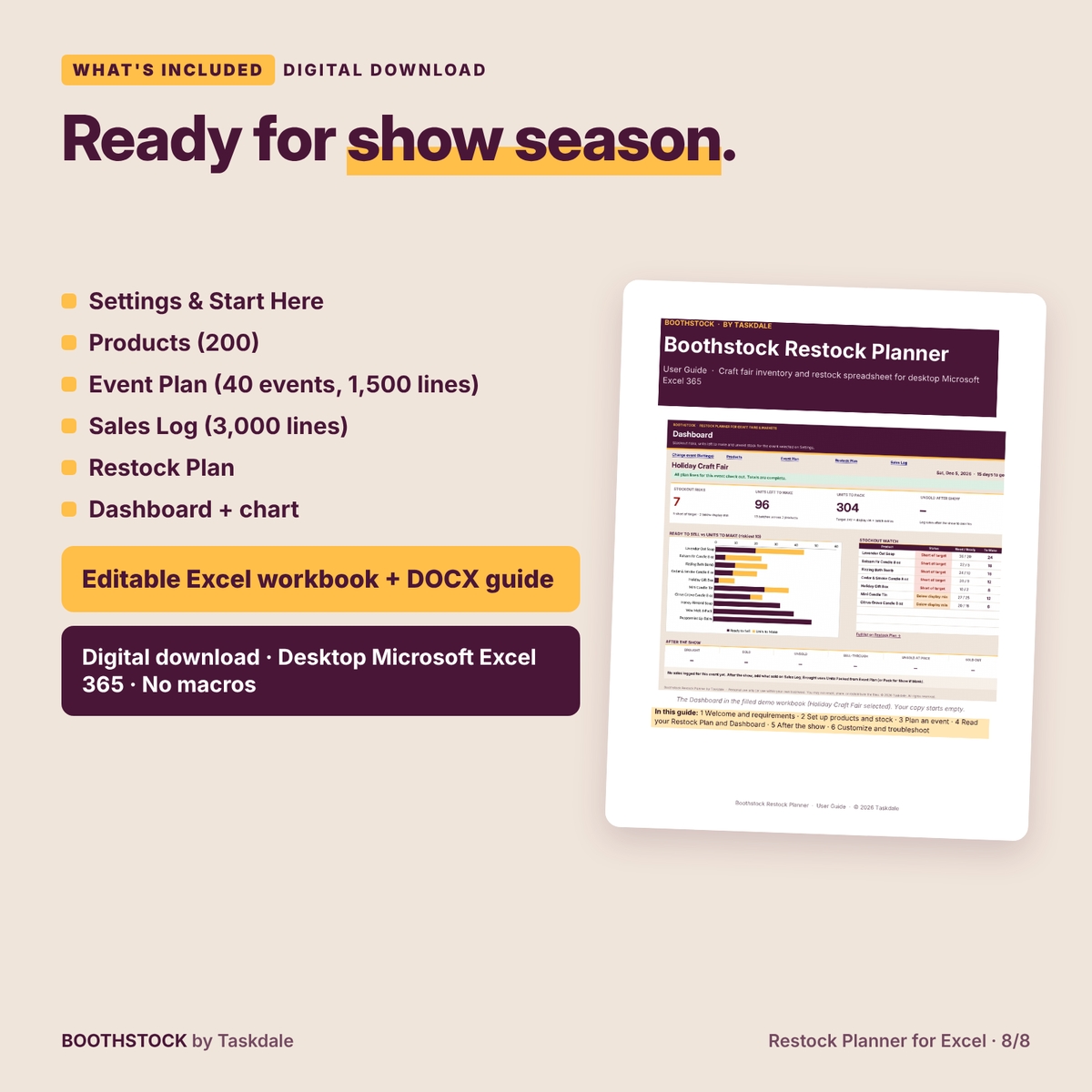
An editable Excel workbook with six tabs, plus a DOCX user guide:
- Settings: currency label, the event you’re planning, a default minimum display quantity, three setup steps, a health check that counts rows needing attention, and links to every tab.
- Products: up to 200 products with fixed IDs, price, cost, batch size, On Hand, Damaged and Reserved. Ready to Sell is calculated.
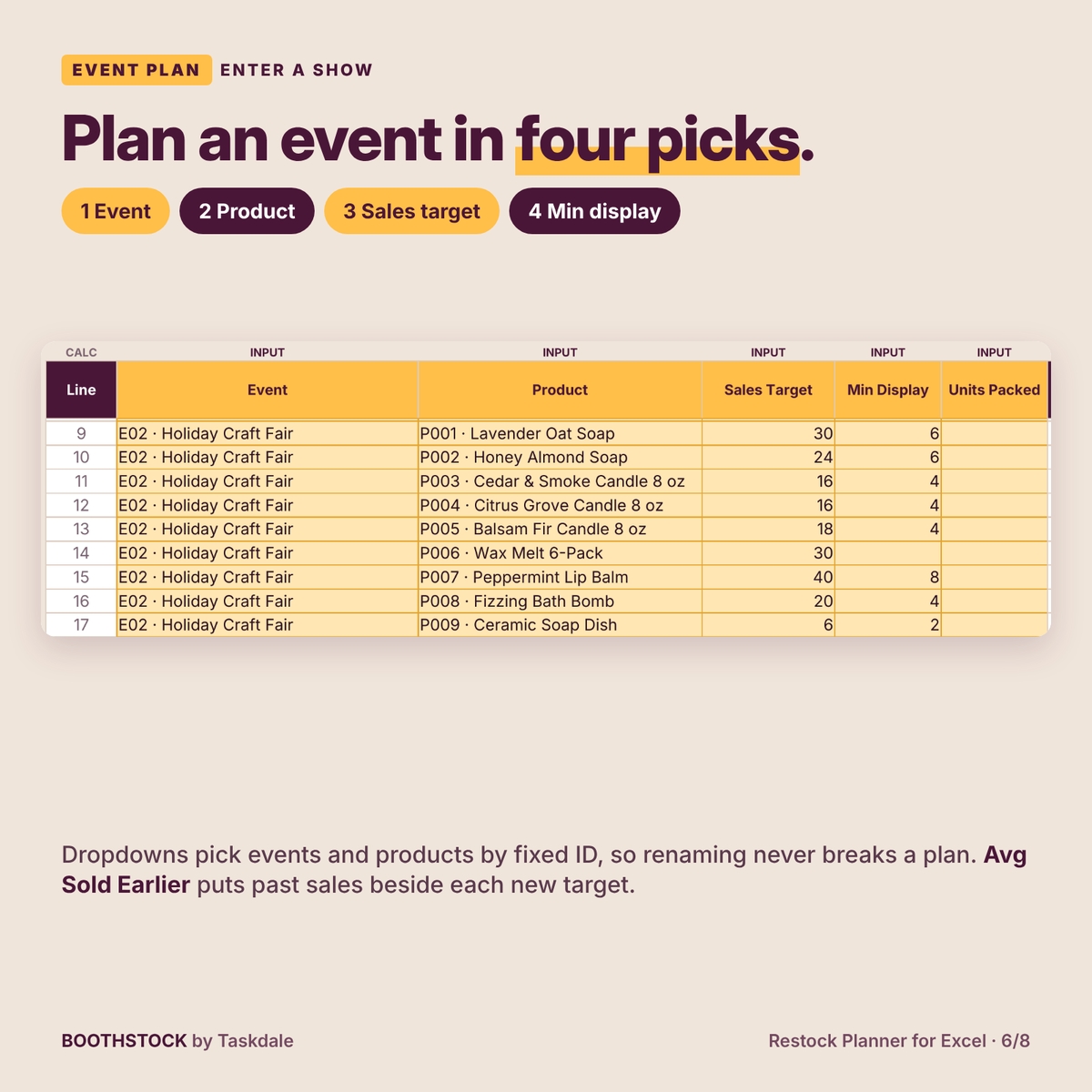
- Event Plan: up to 40 events and 1,500 plan lines. Each line holds a sales target, minimum display, optional units packed, and Avg Sold Earlier, your average sales of that product at earlier events.
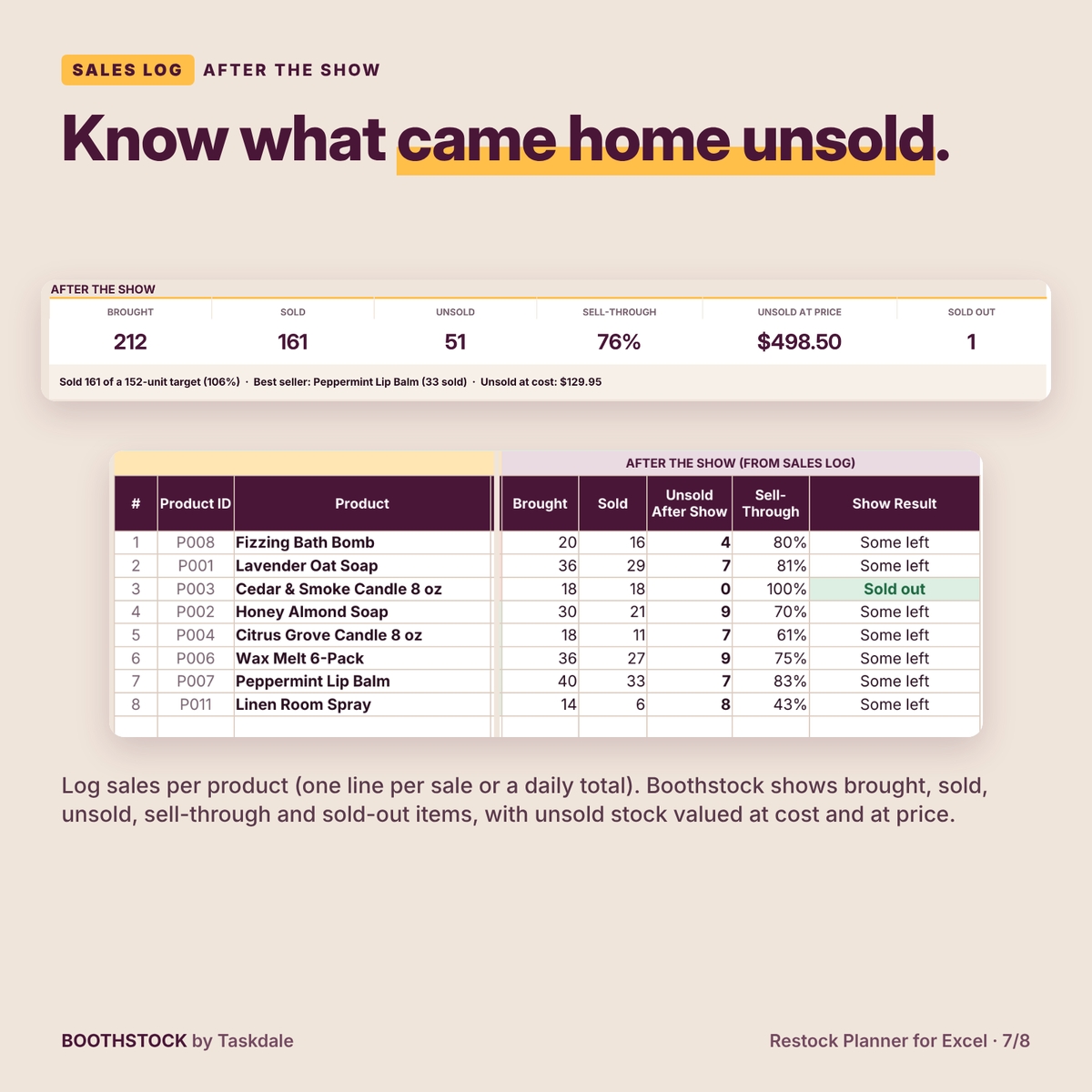
- Sales Log: up to 3,000 lines of what sold, by event and product.
- Restock Plan: the production list for the selected event: need at show, ready to sell, short by, batches, units to make, pack for show and stock status, then brought, sold, unsold and sell-through after the show.
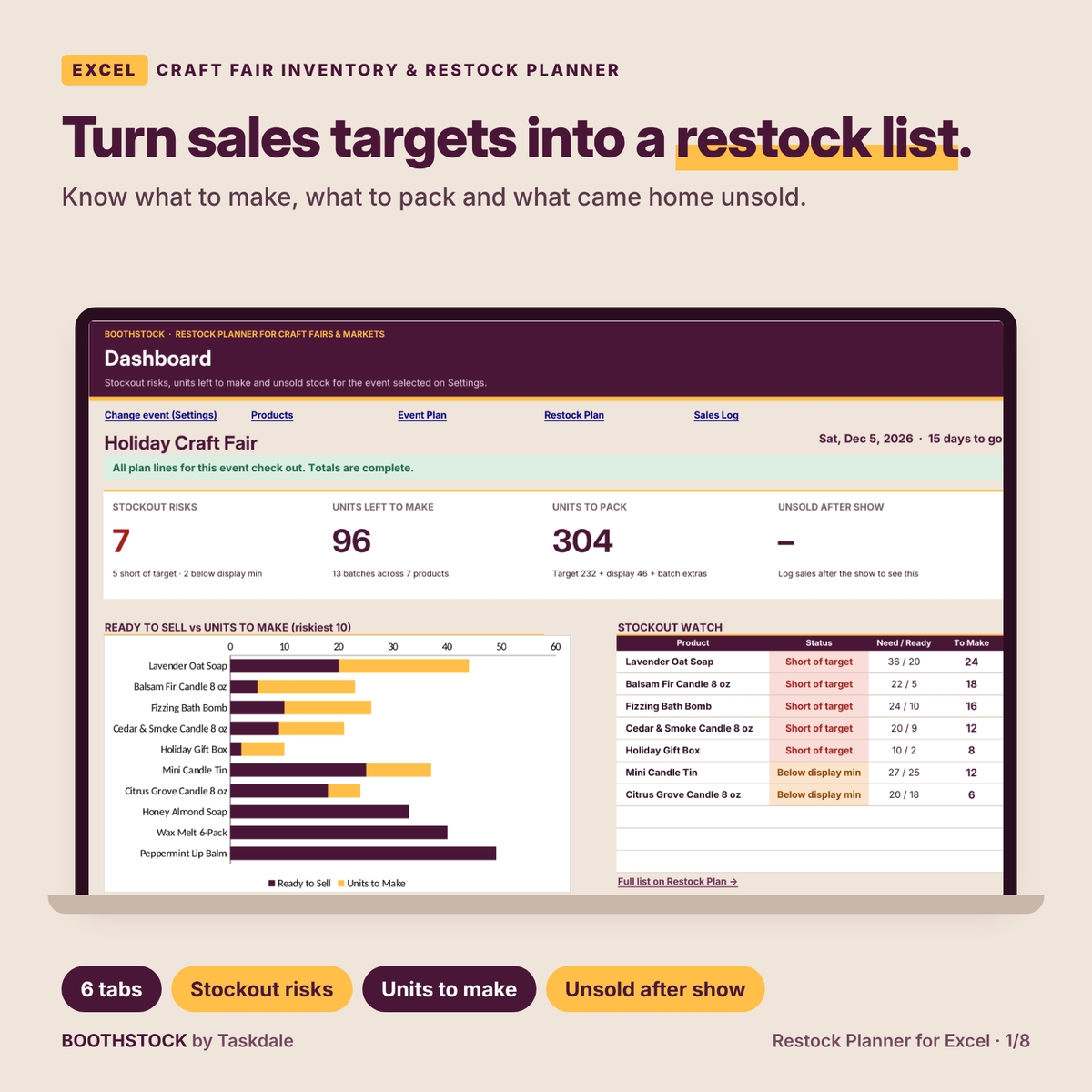
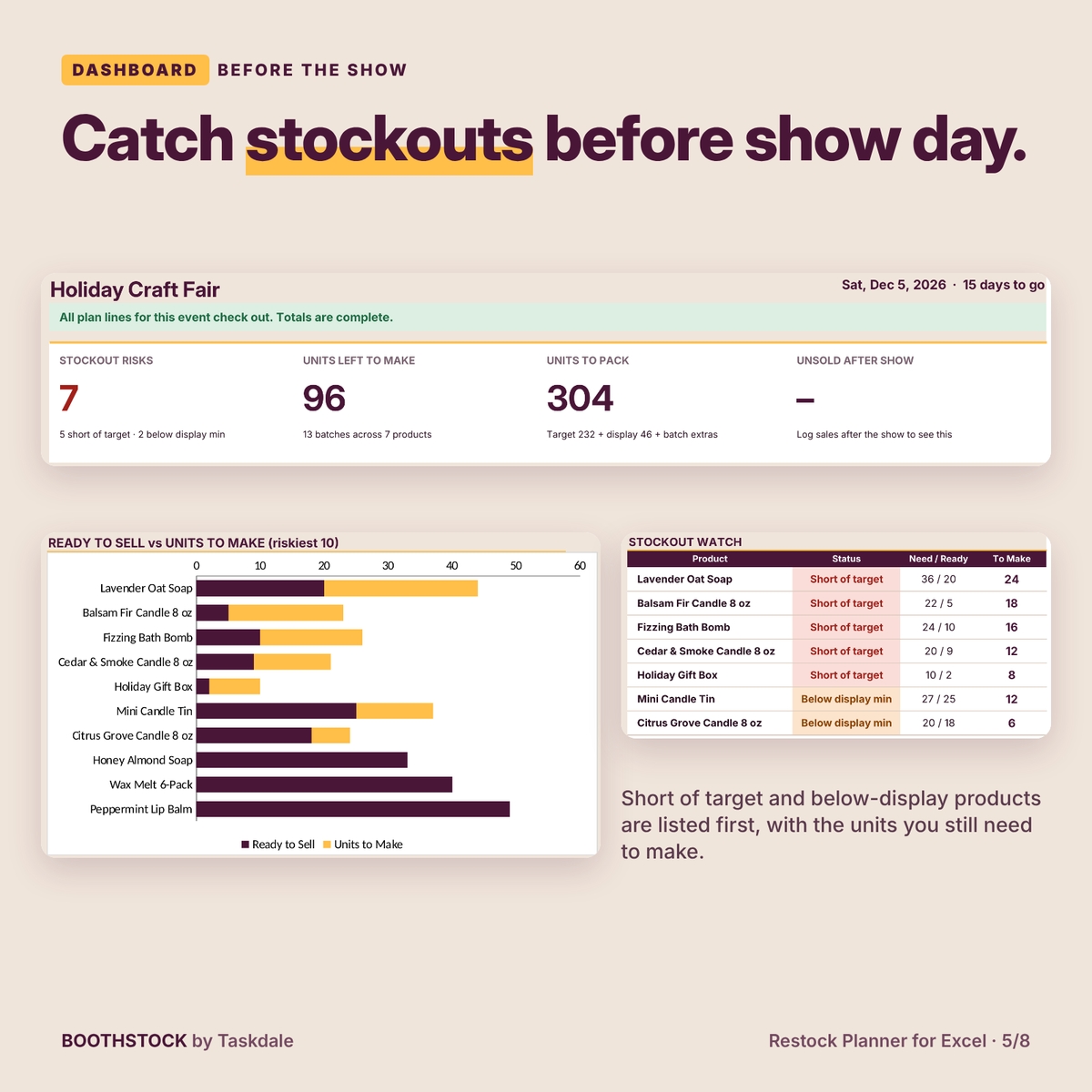
- Dashboard: four cards (Stockout Risks, Units Left to Make, Units to Pack, Unsold After Show), a ready-vs-to-make chart for the riskiest 10 products, a stockout watch list and an after-the-show panel.
The workbook you download is clean and ready for your own products. The filled workbook in the images is a demonstration.
How to use it
1. Count your stock once
On Products, enter On Hand (every unit you physically have), then Damaged and Reserved. If damaged plus reserved is more than on hand, the Check column flags the row and keeps it out of the totals until it’s fixed.
2. Set targets for the event
Add the event on Event Plan, then one line per product with a sales target and minimum display. Leave Min Display blank to use your default. Avg Sold Earlier shows what the product sold at earlier shows, so targets start from real numbers.
3. Make, pack and log sales
Pick the event on Settings. The Restock Plan lists units to make in whole batches. As you finish batches, add them to On Hand and the list shrinks. After the show, log sales and see brought, sold, unsold and sell-through for every product, plus unsold stock valued at cost and at price.
Built to catch mistakes
- Every table has a Check column. Pasted text, negative counts, decimals, unknown products and duplicate plan lines are flagged and left out of totals.
- A duplicate plan line is ignored, so a repeated row can’t double your production list.
- The dashboard banner tells you when totals are complete and when some lines need attention.
- Formula cells are locked without a password; input cells are marked INPUT and stay editable.
Format, customization and download details
For desktop Microsoft Excel 365 (Windows or Mac). The workbook is a macro-free .xlsx file; the guide is a .docx file. This is a digital download and no physical item will ship. Rename products and events at any time without breaking plans, set any currency label (the default is $; changing it does not convert values), and choose your own default display minimum. Licensed for personal use or use within your own business; you may not share, resell or redistribute the files.
Frequently asked questions
Does it work for more than one craft fair?
Yes. Add up to 40 events and switch the selected event on Settings. Restock Plan and Dashboard follow your choice.
Why does it say make 24 when I’m only 16 short?
Production is rounded up to whole batches. If a batch makes 12, two batches make 24. Leave batch size blank for items you make one at a time.
Does it subtract sales from my stock automatically?
No. Stock can change between shows (restocks, gifts, breakage), so you recount On Hand when you unpack. Unsold After Show tells you roughly what should come home.
Can I track revenue or profit?
No. It values unsold stock at cost and at price, but it is not a bookkeeping, fee or profit tool.
Can I use Google Sheets?
This listing is for desktop Microsoft Excel 365. Google Sheets, Excel for the web and mobile apps are not covered.
Is there a free version?
Yes. The free Stock Check handles one event and up to 10 products with no sales history. This full planner adds multiple events, sales logging, history and the dashboard.
Known limitations
One selected event at a time, no unit conversions, no automatic stock depletion, and no sales forecasting: targets are yours to set.
Reviews
There are no reviews yet.