


Billable Hours Pro: Freelance Time Tracker
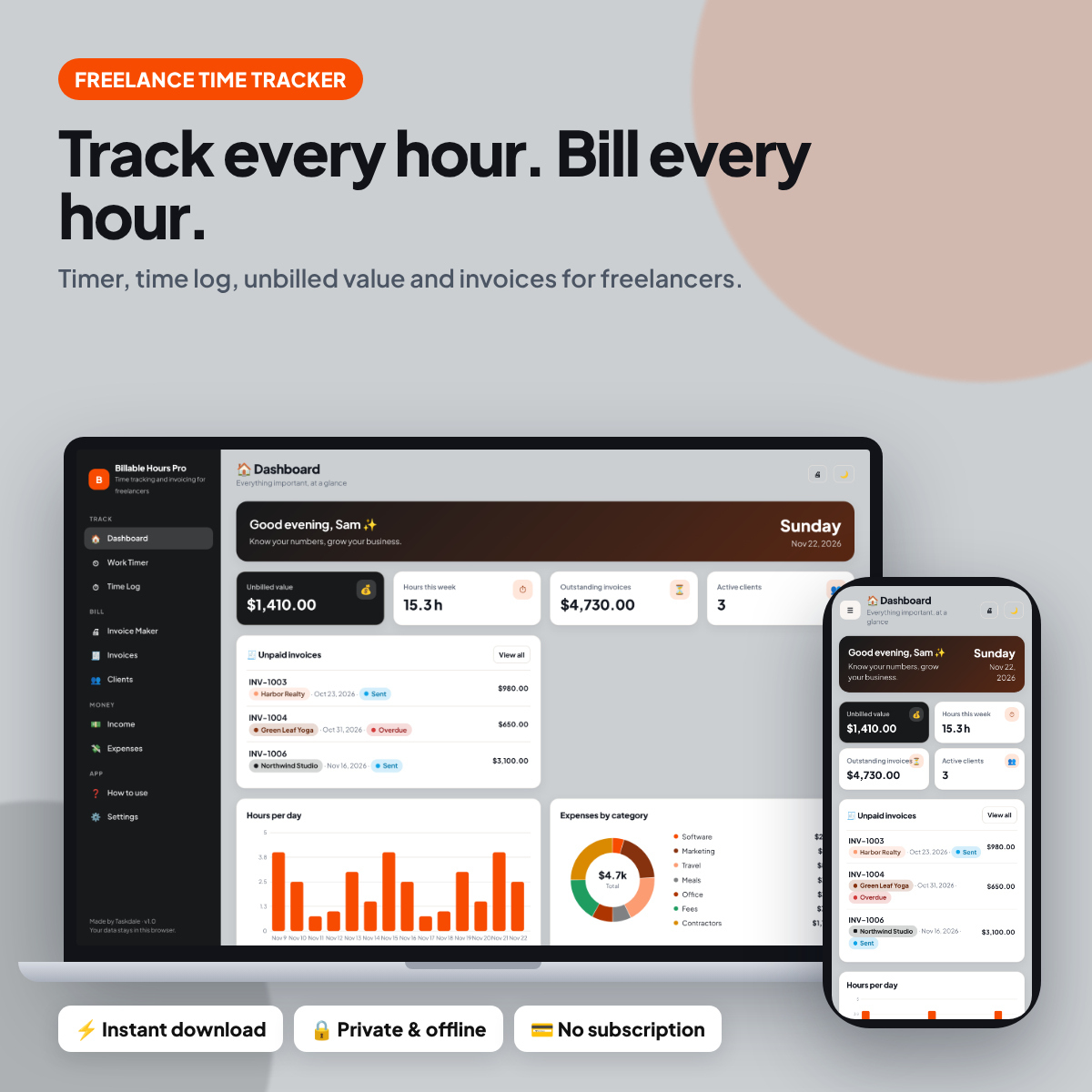
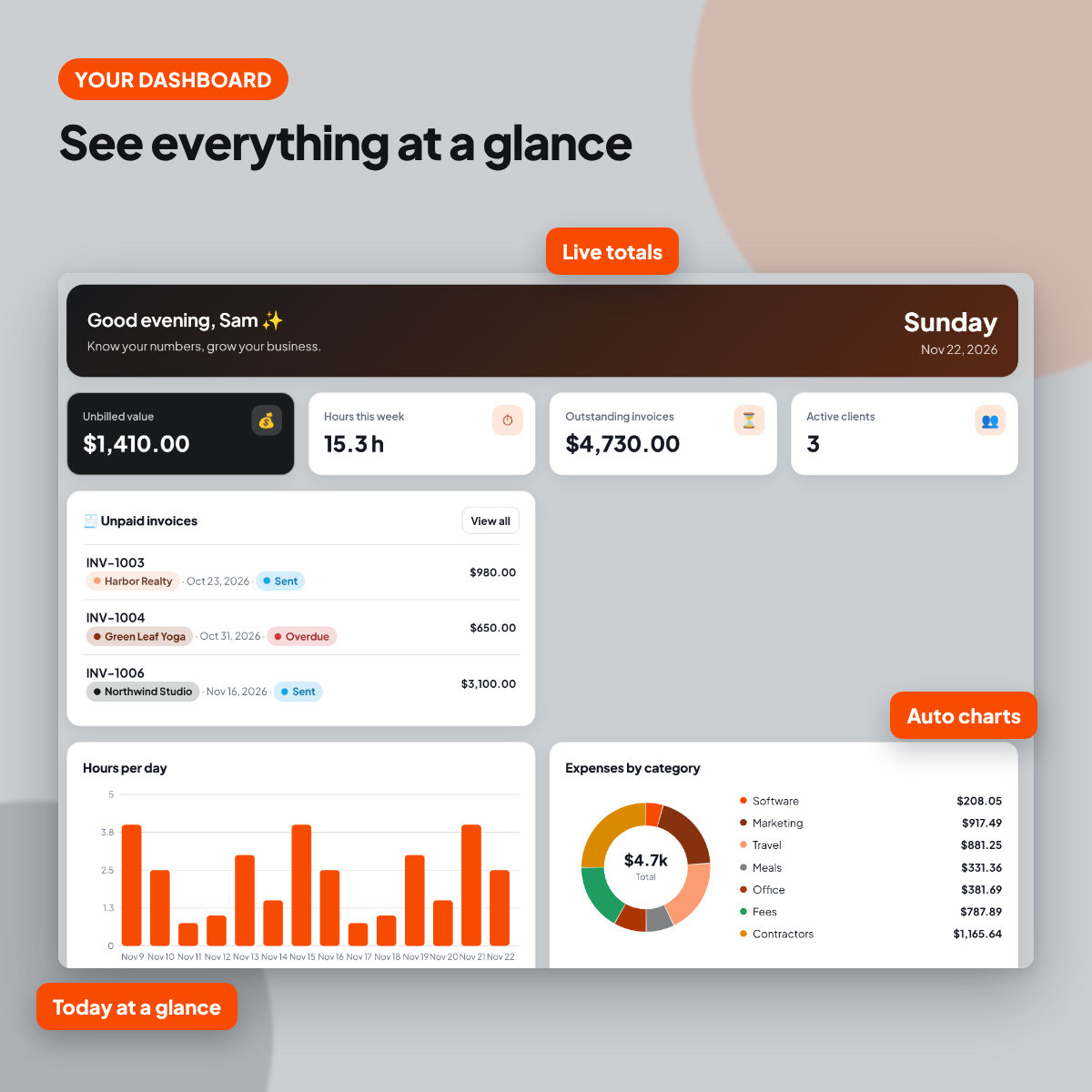
Billable Hours Pro is a freelance time tracker that closes the gap between doing the work and getting paid. Run the timer while you work, and every session lands in the time log with its client, rate and value. The dashboard shows unbilled value, so you never forget hours you haven’t invoiced.
When it’s time to bill, create a professional invoice, save it as a PDF and track it until it’s paid. Income and expenses round out your freelance finances.
Who this freelance time tracker is for
- Freelance designers, developers and writers
- Consultants and coaches billing by the hour
- Virtual assistants and bookkeepers
- Agencies tracking contractor hours
Main benefits
- Never lose a billable hour
- Invoice faster
- Works offline and private
- No account or subscription
- Phone, tablet & desktop layouts
- Dark mode + any currency
- Sample data to learn fast
- Backup, CSV export & print
Features of the freelance time tracker
- Dashboard: Your overview with live totals, charts and what needs attention next.
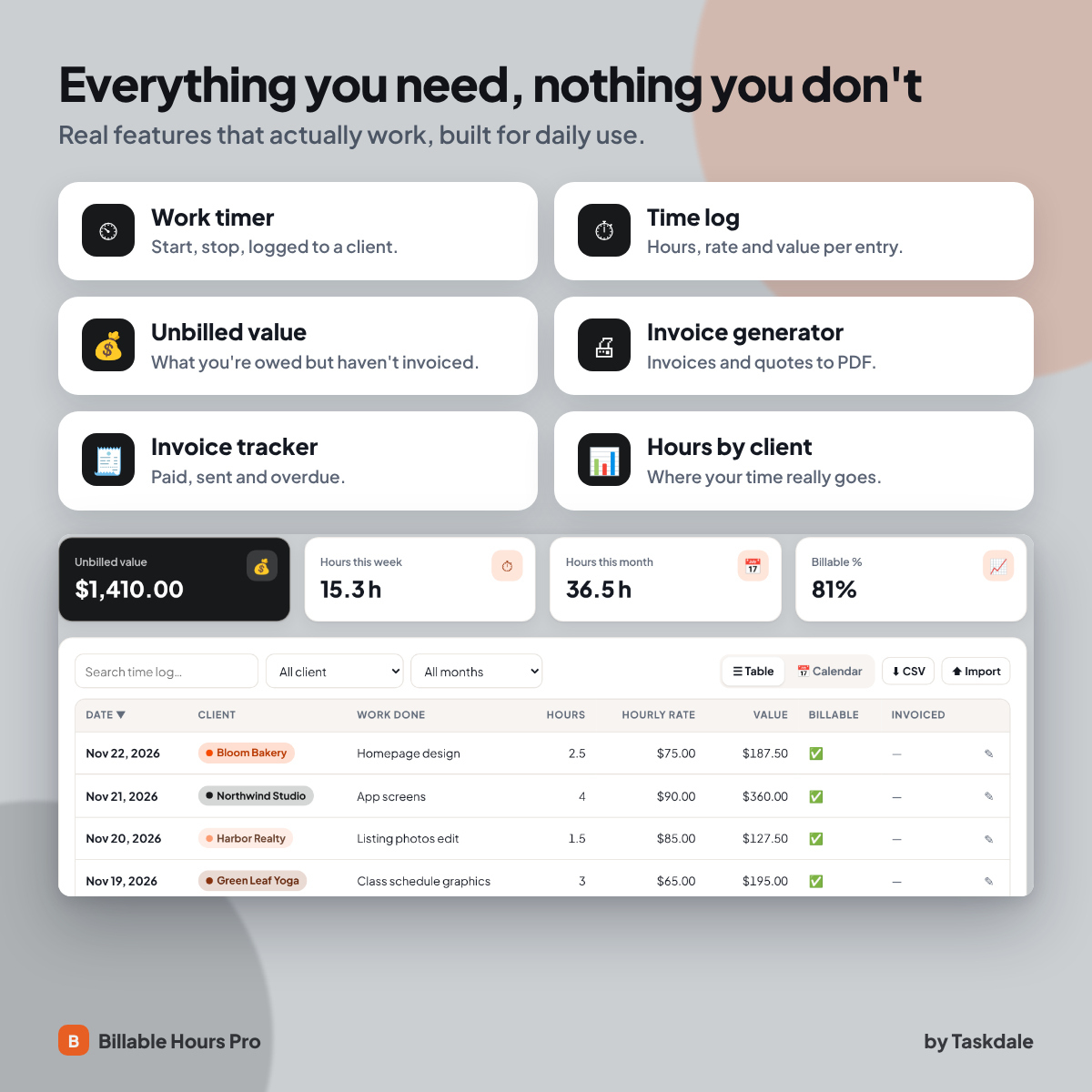
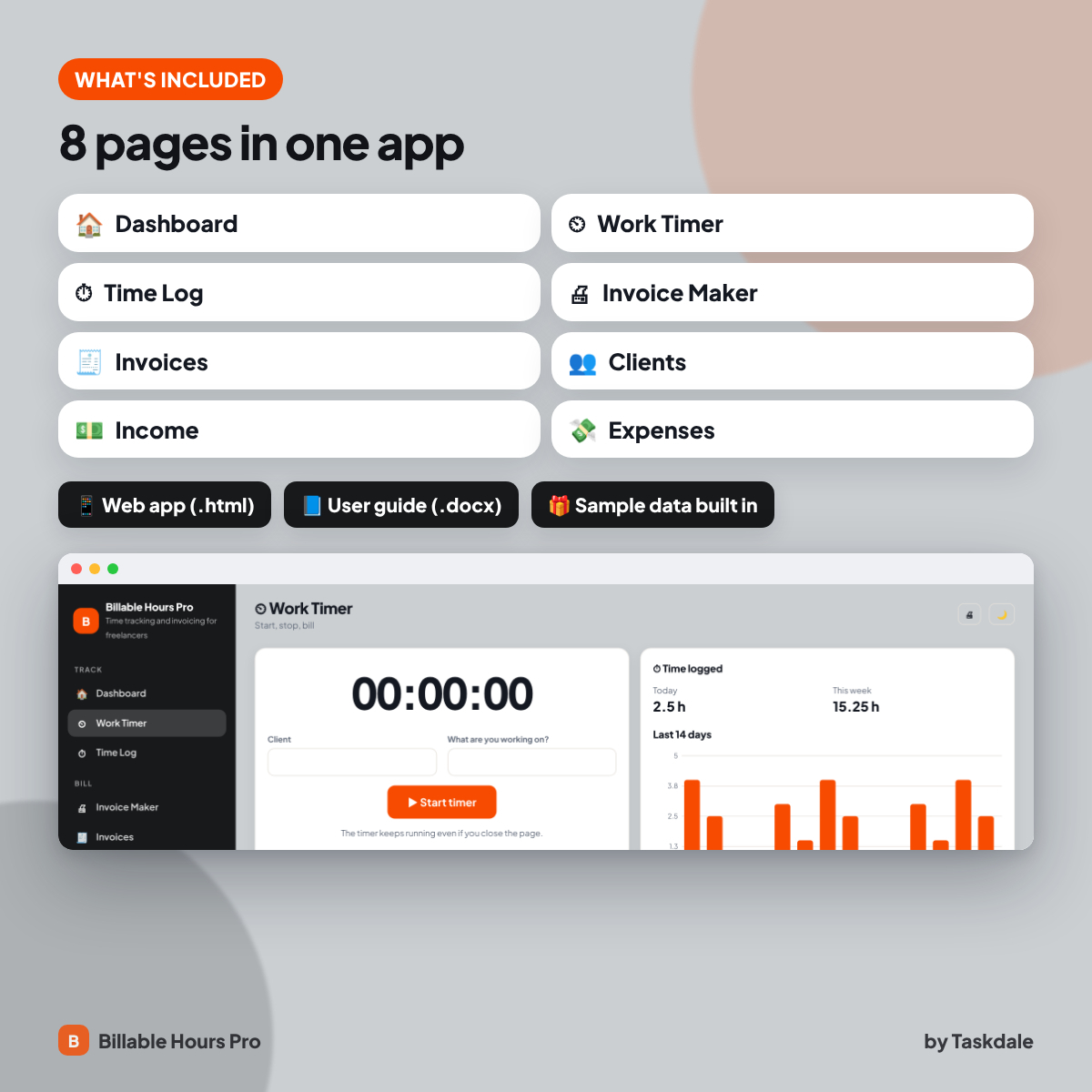
- Work Timer: A start/stop timer that logs billable hours to the Time Log for the client you choose.
- Time Log: Time entries by client with hours, rate, value, billable and invoiced flags.
- Invoice Maker: Build an invoice or quote with line items, tax, discount and shipping, then print or save as PDF.
- Invoices: Every invoice with status, due date and days overdue. Totals update automatically.
- Clients: Client records with contact details, status, source, rate and notes.
- Income: Income entries with source, client, fees and net amount.
- Expenses: Business expenses with category, vendor, payment method, receipt and tax-deductible flags.
Built-in extras
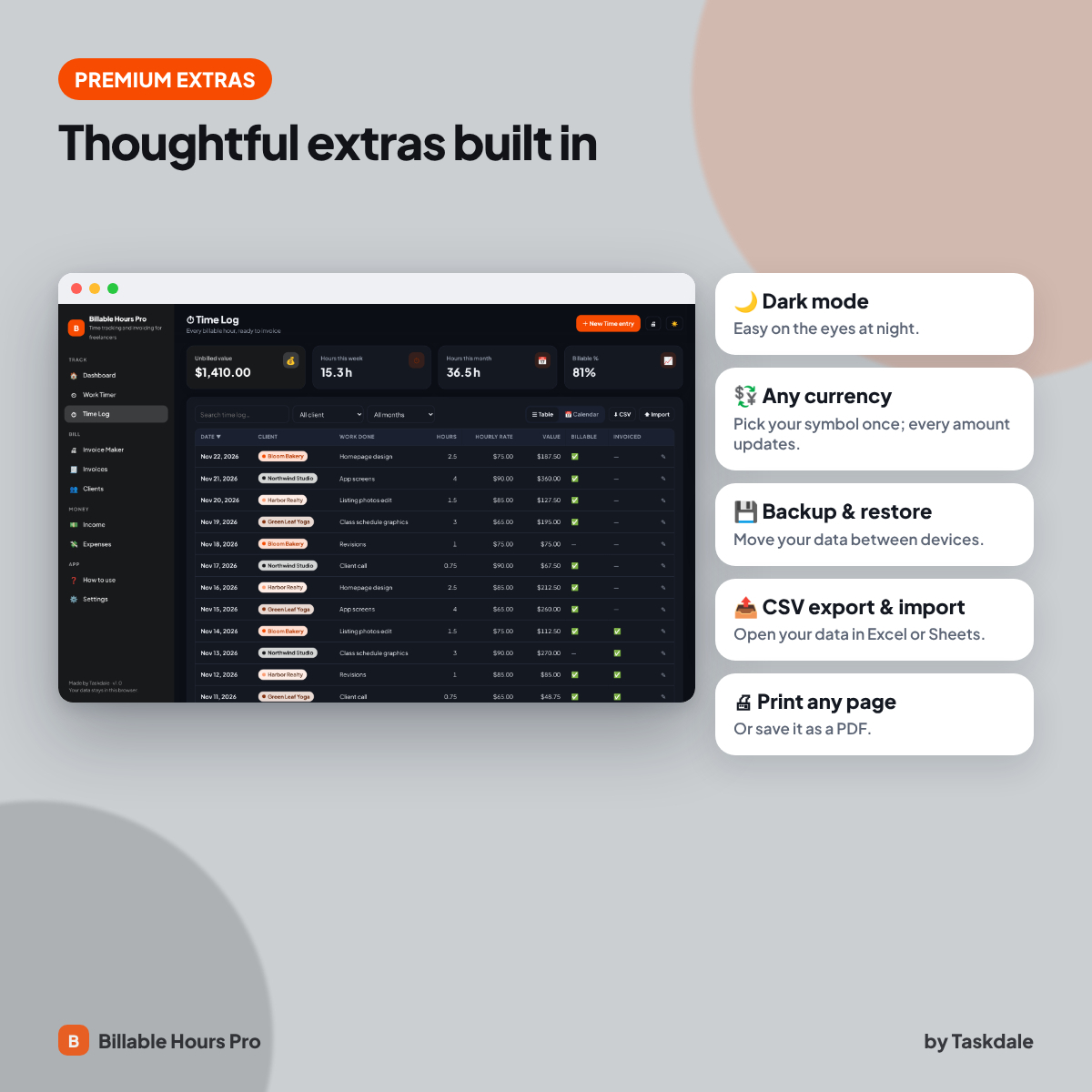
- Dark mode: Switch between light and dark themes.
- Any currency: One currency setting that every money value reads from ($ by default).
- Backup and restore: Export all your data to a file and restore it on any device.
- CSV export and import: Open your tables in Excel or Google Sheets, or bring data in.
- Print-ready pages: Print any page or save it as a PDF.
- Sample data: explore a fully filled-in example, then clear it with one click.
Why an app instead of a spreadsheet or PDF?
- Nothing to break: there are no formulas to copy or cells to protect. Totals, charts and progress bars calculate themselves.
- Faster to use: add an entry with a simple form, search and filter in one click, and switch between table, board and calendar views.
- Private by design: Billable Hours Pro runs in your own browser and never uploads your data.
What’s included
- Billable Hours Pro web app (one .html file, 8 pages)
- Billable Hours Pro User Guide (.docx) with setup steps, feature walkthroughs, tips, troubleshooting and FAQ
- Built-in sample data and quick start page
How it works
- Download the ZIP file after purchase and unzip it.
- Double-click the .html file. It opens in your web browser like an app, with no install.
- Click Explore sample data to see it filled in, or start adding your own entries.
- Set your name and currency in Settings, and export a backup now and then.
File format and software requirements
- Format: one HTML web app file (.html) plus a Word user guide (.docx), delivered in a ZIP.
- Tested in Google Chrome on desktop and on phone-sized screens. It uses standard HTML, CSS and JavaScript with no plugins.
- No internet connection, account or subscription needed after download.
- Your data is stored locally in your browser. It does not sync between devices automatically; use the backup file to move it.
Customization
- Add, rename and delete your own entries, categories and lists
- Choose your currency symbol and add your name for a personal greeting
- Switch between light and dark mode
Digital download
This is a digital product. No physical item will be shipped. Your files are available to download right after checkout.
Use cases
- Starting work: pick the client and hit start.
- Friday: invoice all unbilled hours.
- Month-end: check hours by client and income.
FAQ
Do I need internet or an account?
No. The app is a single file that runs in your web browser. After download it works offline, with no sign-up and no subscription.
Where is my data saved?
Privately in your browser on your device. Nothing is uploaded anywhere. Use Settings → Export backup to keep a copy or move your data to another device.
Can I use it on my phone or tablet?
The layout adapts to phone and tablet screens. We test it in Google Chrome on desktop and on phone-sized screens. Data is stored per device and browser, so use the backup file to move it between devices.
Can I change the currency?
Yes. Choose any currency symbol in Settings and every money value in the app updates. The default is $.
Is there a free version?
Yes, a free version with a few pages is available on our blog so you can try it first. This listing is the complete app.
Can I print or export my data?
Yes. Every page has a print button (print or save as PDF), and every table can be exported to CSV for Excel or Google Sheets.
Licence: personal use only. You may not resell, share or redistribute the files. © Taskdale.


Reviews
There are no reviews yet.