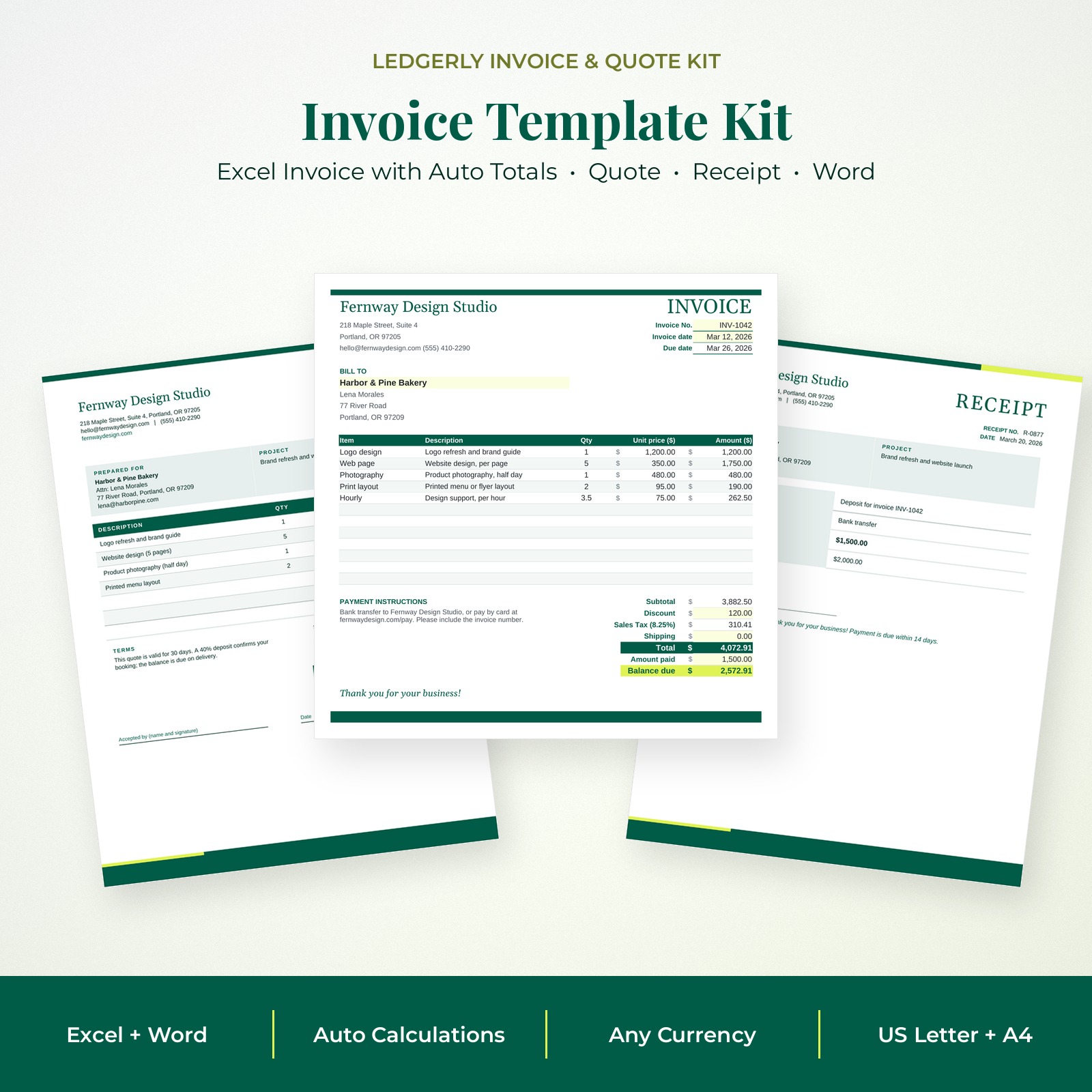


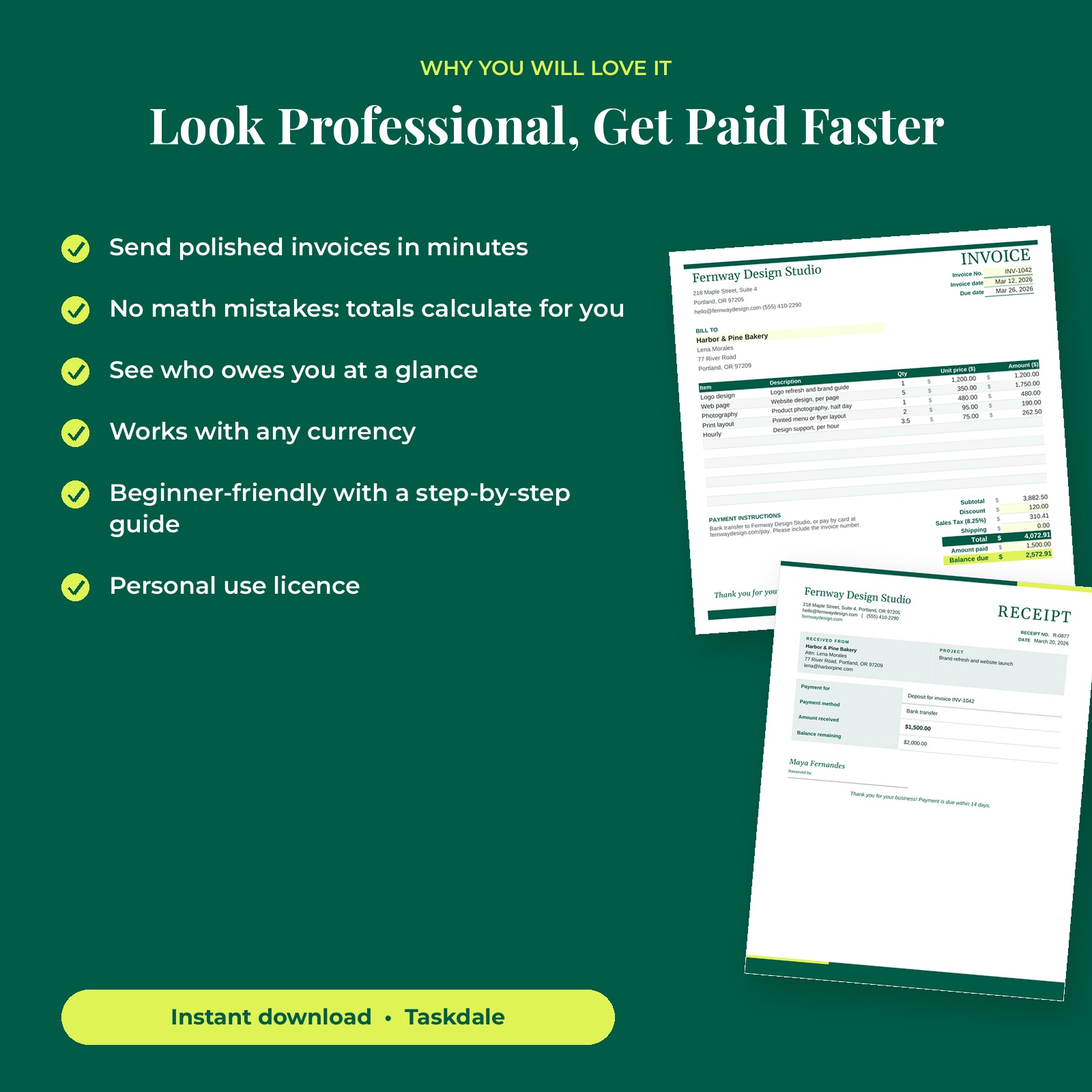
The Ledgerly Invoice & Quote Kit is a complete invoice template system for freelancers and small businesses. It combines a smart Excel workbook that does the math for you with matching Microsoft Word templates for anyone who prefers to type a document.
Set up your business details, currency, tax rate and payment terms once. After that, creating an invoice is as simple as picking a client and a few items from dropdown lists. Line totals, tax, discount, shipping, total and balance due calculate automatically, and the Invoice Log shows at a glance who has paid and who is overdue.
Why Choose the Ledgerly Invoice & Quote Kit Invoice Template
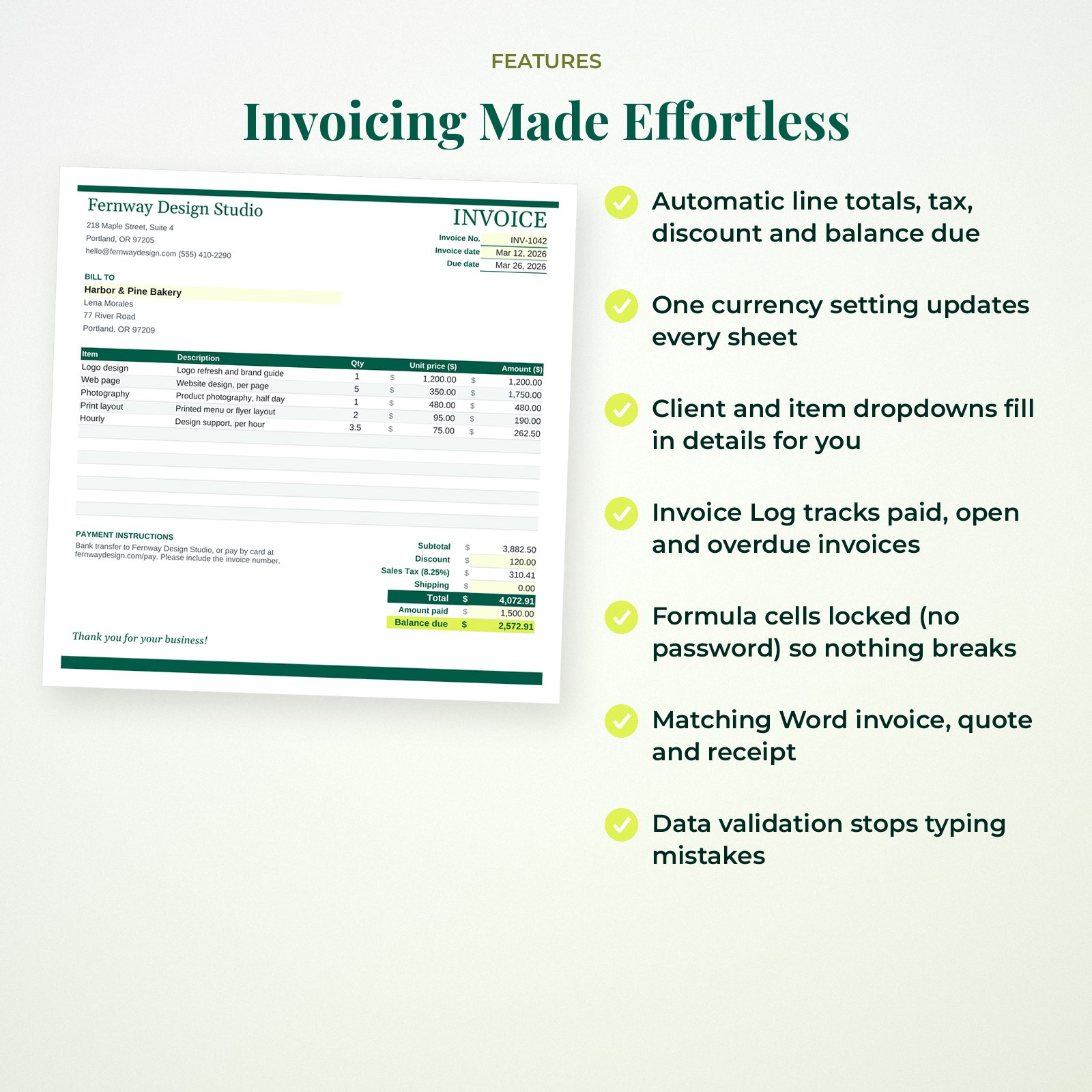
- Automatic calculations remove math errors from every invoice and quote
- One currency setting: choose $, €, £ or any symbol and every money cell follows
- Client and item lists mean you type details once and reuse them
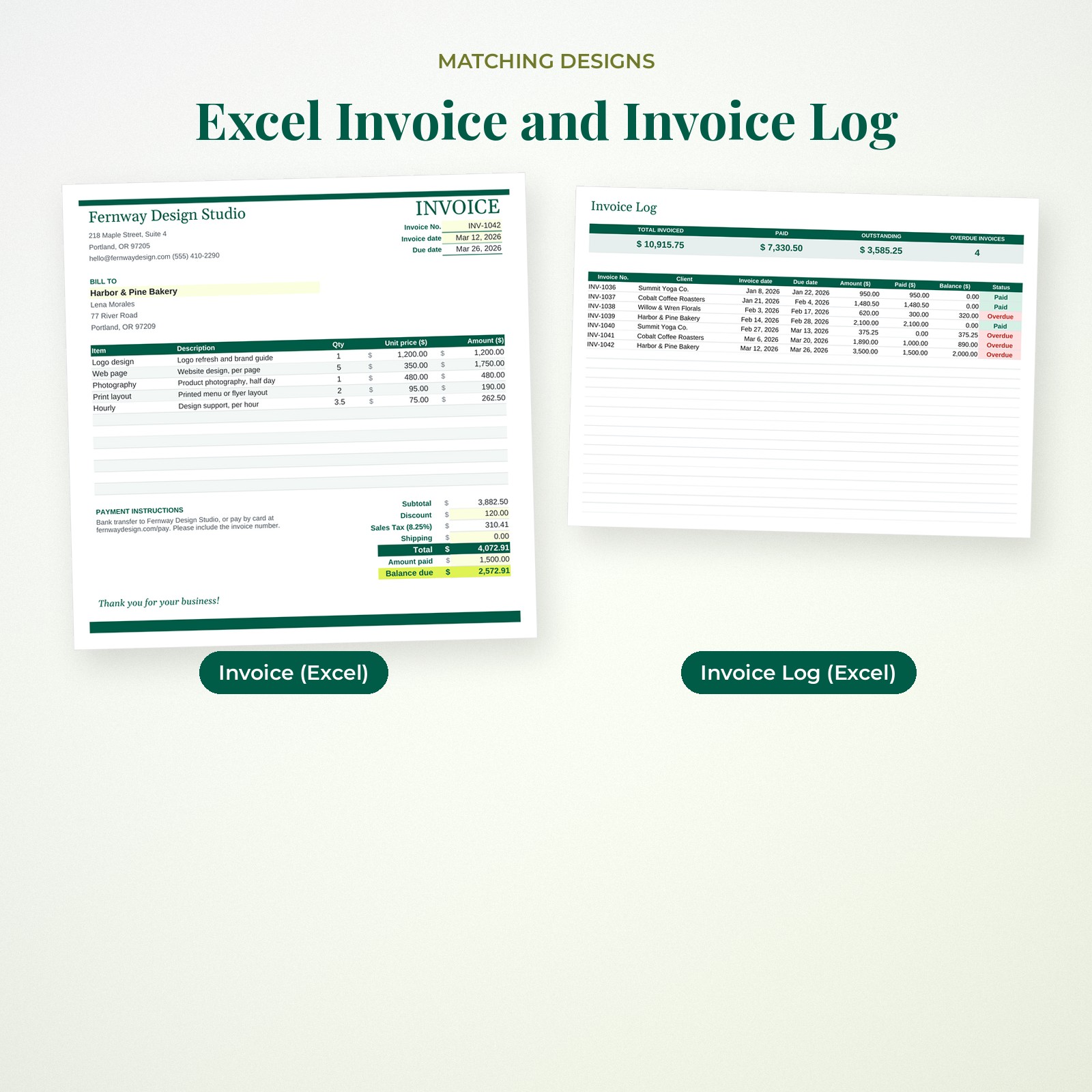
- Invoice tracking with Paid, Open and Overdue status in color
- Both Excel and Word formats in one download
- Locked formulas (no password) and input checks keep the workbook reliable
Who It Is For
- Freelancers, designers, writers and consultants who bill clients
- Small business owners, makers and service providers
- Contractors, cleaners, tutors and photographers who need a simple invoice template
- Side hustlers who want a professional invoice without monthly software fees
Features
Excel Invoice Template with Auto Totals
Enter quantities and the invoice calculates rounded line totals, subtotal, discount, sales tax, shipping, total, amount paid and balance due. Because each line is rounded to cents before it is added, the totals always match what your client sees.
Quote and Receipt Sheets
Send a professional quote with an automatic valid-until date, then confirm payments with a matching receipt that works out the remaining balance.
Invoice Log and Payment Tracker
Record every invoice in one list. Due dates, balances and Paid, Open or Overdue status calculate automatically, and summary tiles show total invoiced, paid and outstanding amounts.
Client and Item Dropdowns
Store up to 100 clients and 200 products or services. Choose them from dropdown lists and the address, description and price fill in for you.
Word Invoice, Quote and Receipt
Matching .docx templates in US Letter and A4 with clear [bracketed] fields for anyone who prefers Word. Money fields stay neutral so you can type any currency.
What’s Included
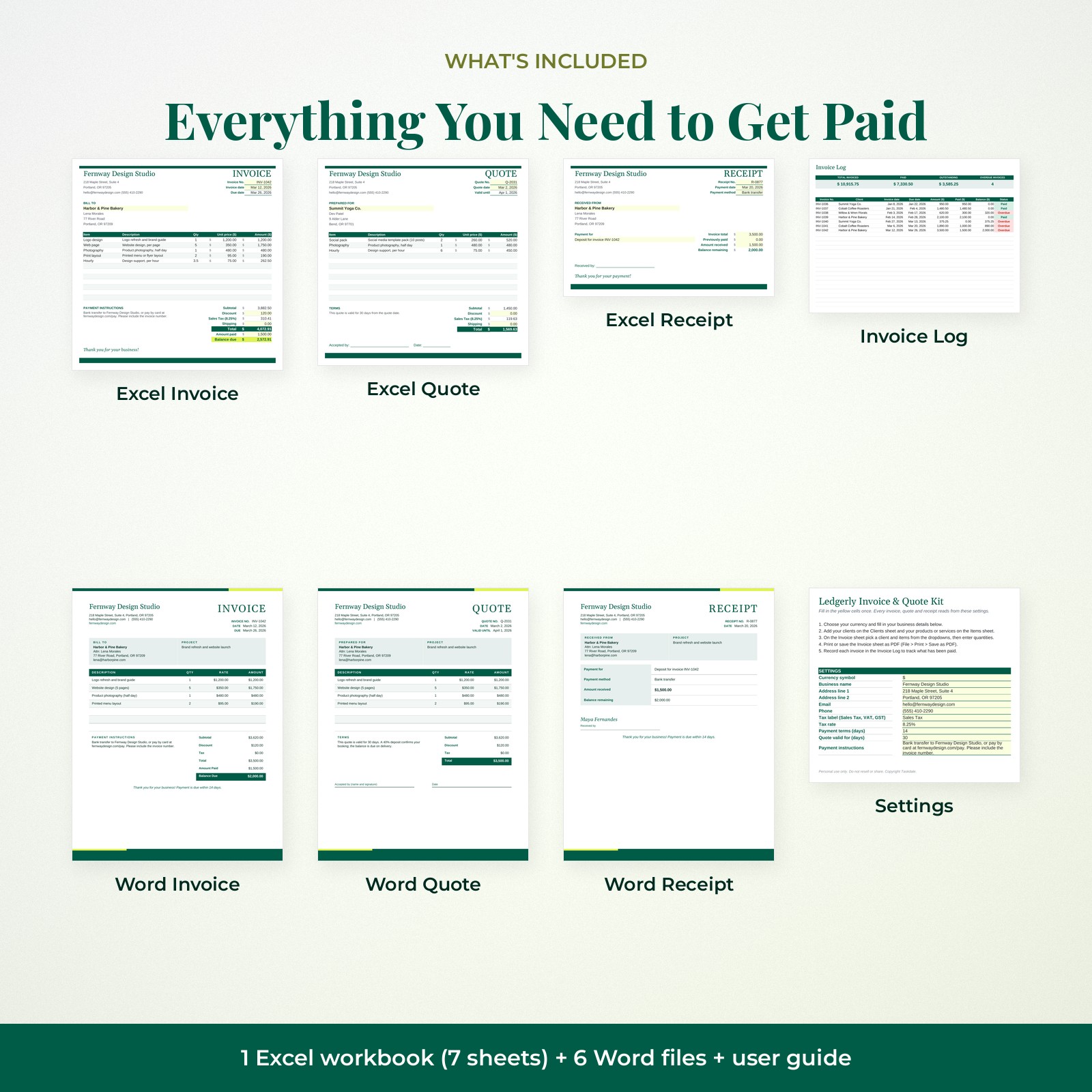
- Excel workbook (.xlsx) with Start Here settings, Invoice, Quote, Receipt, Invoice Log, Clients and Items sheets
- Word invoice template (US Letter and A4)
- Word quote / estimate template (US Letter and A4)
- Word receipt template (US Letter and A4)
- User guide (.docx) with setup steps, tips and troubleshooting
How It Works
- Download the ZIP file and user guide right after checkout.
- Open the Excel workbook and fill in the Start Here settings: currency, business details, tax and terms.
- Add clients and items, then create invoices and quotes with the dropdowns.
- Save as PDF and email it to your client, then record it in the Invoice Log.
File Formats and Software Requirements
- 1 Excel workbook (.xlsx), 7 sheets
- 6 Microsoft Word compatible .docx files (3 templates x US Letter and A4)
- User guide (.docx)
Use Microsoft Excel for the workbook and Microsoft Word for the .docx files. Every formula, dropdown and conditional format was tested by recalculating the workbook in LibreOffice Calc, and every Word file was rendered in LibreOffice Writer. No macros are used.
Customizing Your Invoice Template
Change the business name, colors, fonts, labels, tax name (Sales Tax, VAT or GST), payment terms and payment instructions. Add your logo by unprotecting the sheet (no password) and inserting a picture. In Word, every element is editable text inside simple tables, so you can add lines or rename columns easily.
Real-Life Ways to Use It
- Freelance projects: Quote a website or design project, then invoice the deposit and final payment.
- Service businesses: Bill weekly cleaning, tutoring or lawn care clients from your saved item list.
- Makers and sellers: Invoice wholesale orders and issue receipts for custom work.
- Year-end: Use the Invoice Log totals to prepare for taxes.
Digital Download Information
This is a digital product. No physical item will be shipped. Your files are available to download right after checkout from your order confirmation and your Taskdale account. Colors may look slightly different on screen and in print depending on your monitor and printer.
Licence: personal use only. You may edit and print the templates for yourself or your own single business. Reselling, sharing or redistributing the files, edited or unedited, is not allowed.
Invoice Template FAQ
Does this invoice template calculate totals automatically?
Yes. The Excel invoice calculates line totals, subtotal, discount, tax, shipping, total and balance due.
Can I change the currency?
Yes. Choose a symbol in the Currency setting and every money column and total in the workbook updates. In Word, type amounts with any currency.
Is this a free invoice template alternative to software?
It is a one-time purchase with no subscription. You keep the files and reuse them for every invoice.
Does it work in Google Sheets?
The workbook is built for Microsoft Excel and tested in LibreOffice Calc. It may open in Google Sheets, but dropdowns and protection can behave differently, so we recommend Excel.
Can I add my logo?
Yes. Unprotect the sheet (no password needed) and insert your logo picture in the header area. In Word, insert it beside your business name.
Will my formulas break if I type in the wrong place?
Formula cells are locked, and input cells check for valid numbers and dates, so accidental mistakes are blocked.
Which paper sizes are included?
Word files come in US Letter and A4. The Excel sheets are set to fit one page wide on either size.
Reviews
There are no reviews yet.