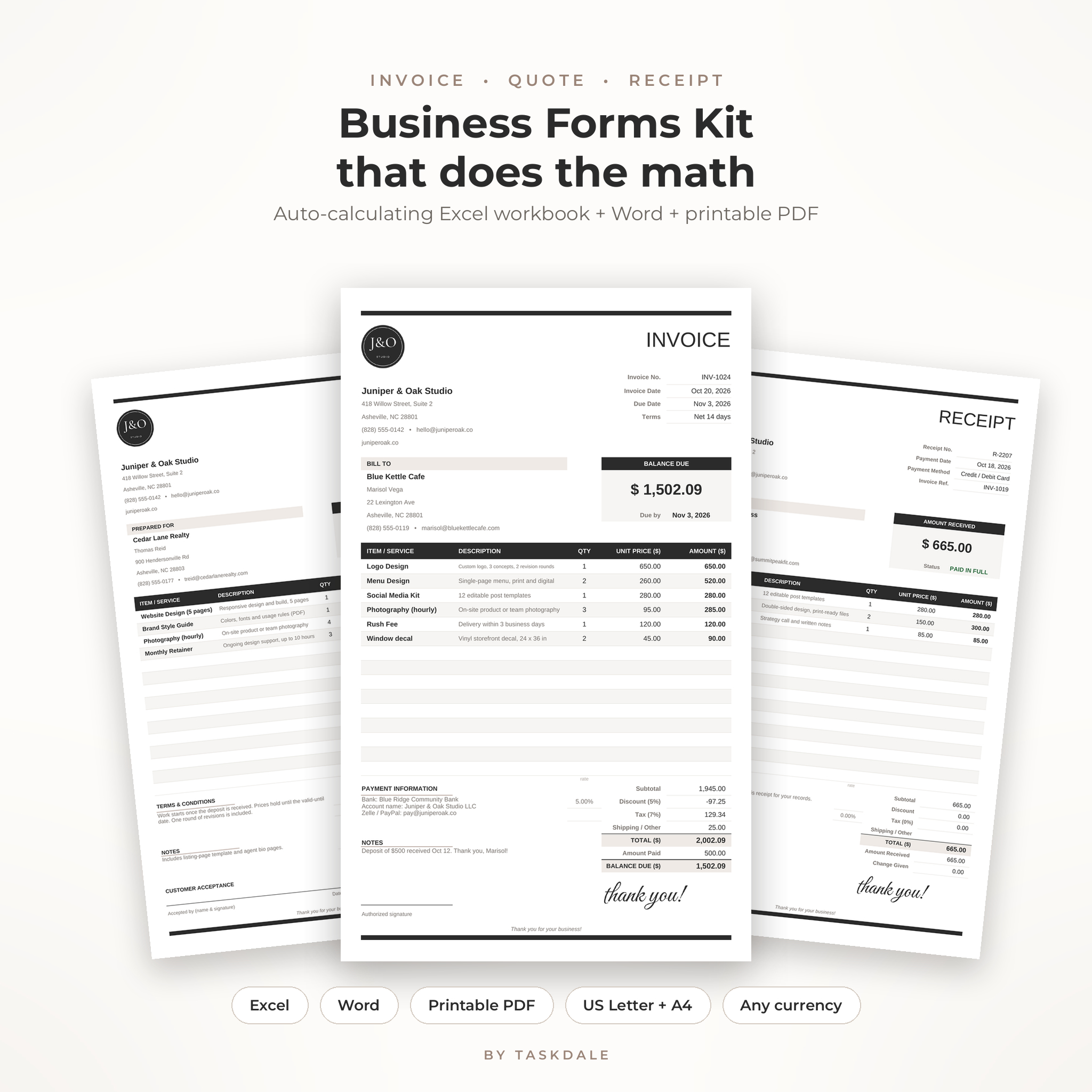
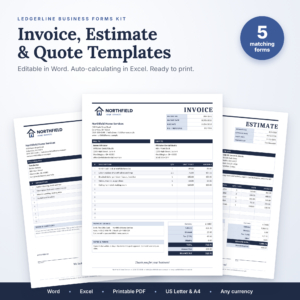
Tired of rebuilding the same invoice every month? This invoice, quote and receipt template kit fixes that. You get an Excel workbook that does the math, matching Word templates and printable PDF forms, all in one clean black-and-taupe design. Set it up once. After that, a new invoice takes about a minute.
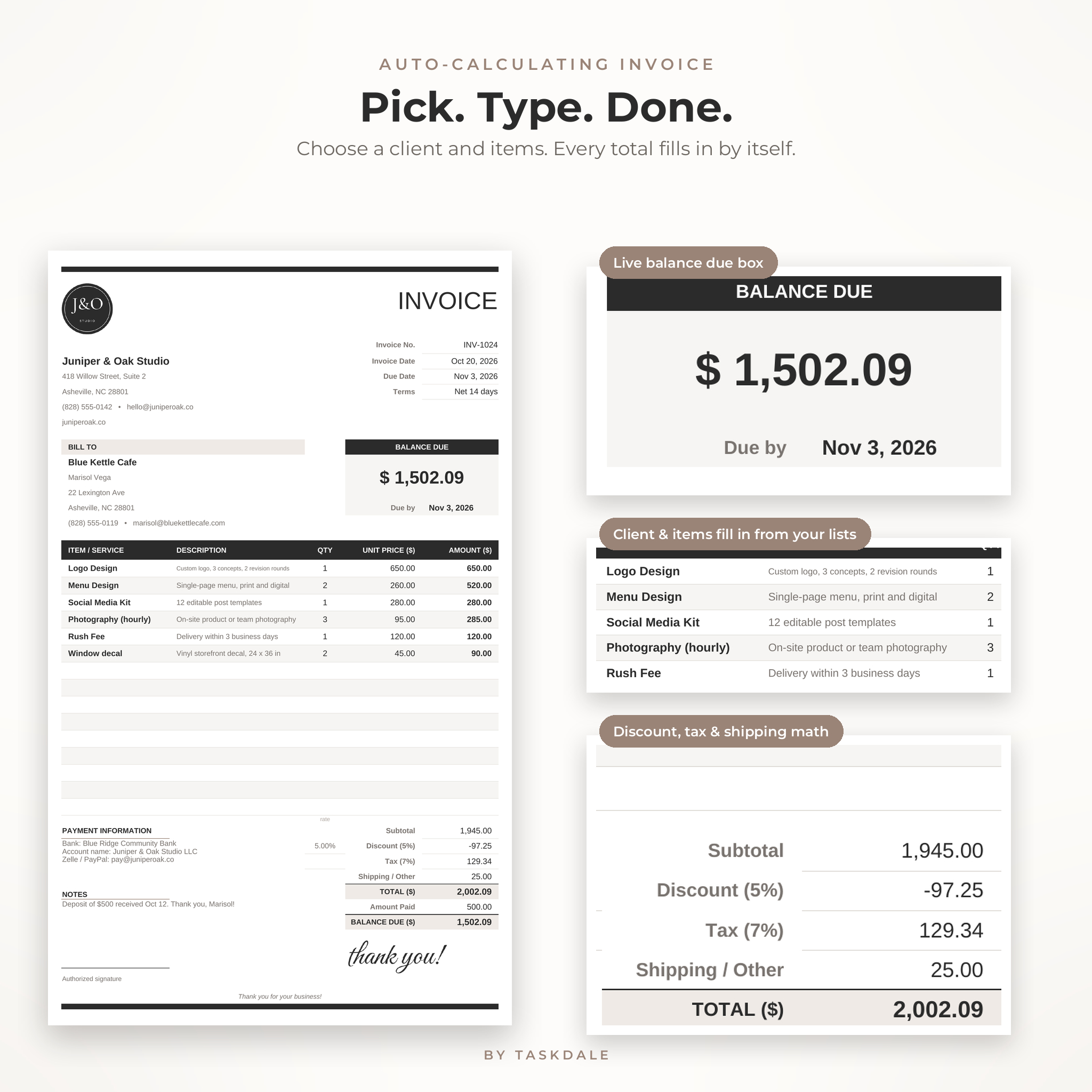
Pick a client from a dropdown and their address fills in. Pick an item and the description and price appear. Type a quantity. The subtotal, discount, tax, shipping and balance due work themselves out, rounded to the cent so the numbers always add up.
What this invoice, quote and receipt template kit does
Most invoice templates stop at a pretty page you fill in by hand. Ledgerline goes a few steps further. It keeps a log of every invoice you send, flags the late ones in red, builds a statement for any client and shows a simple dashboard of what came in and what is still owed.
- Auto-calculating invoice with a big Balance Due box that turns green and reads PAID IN FULL once it is settled.
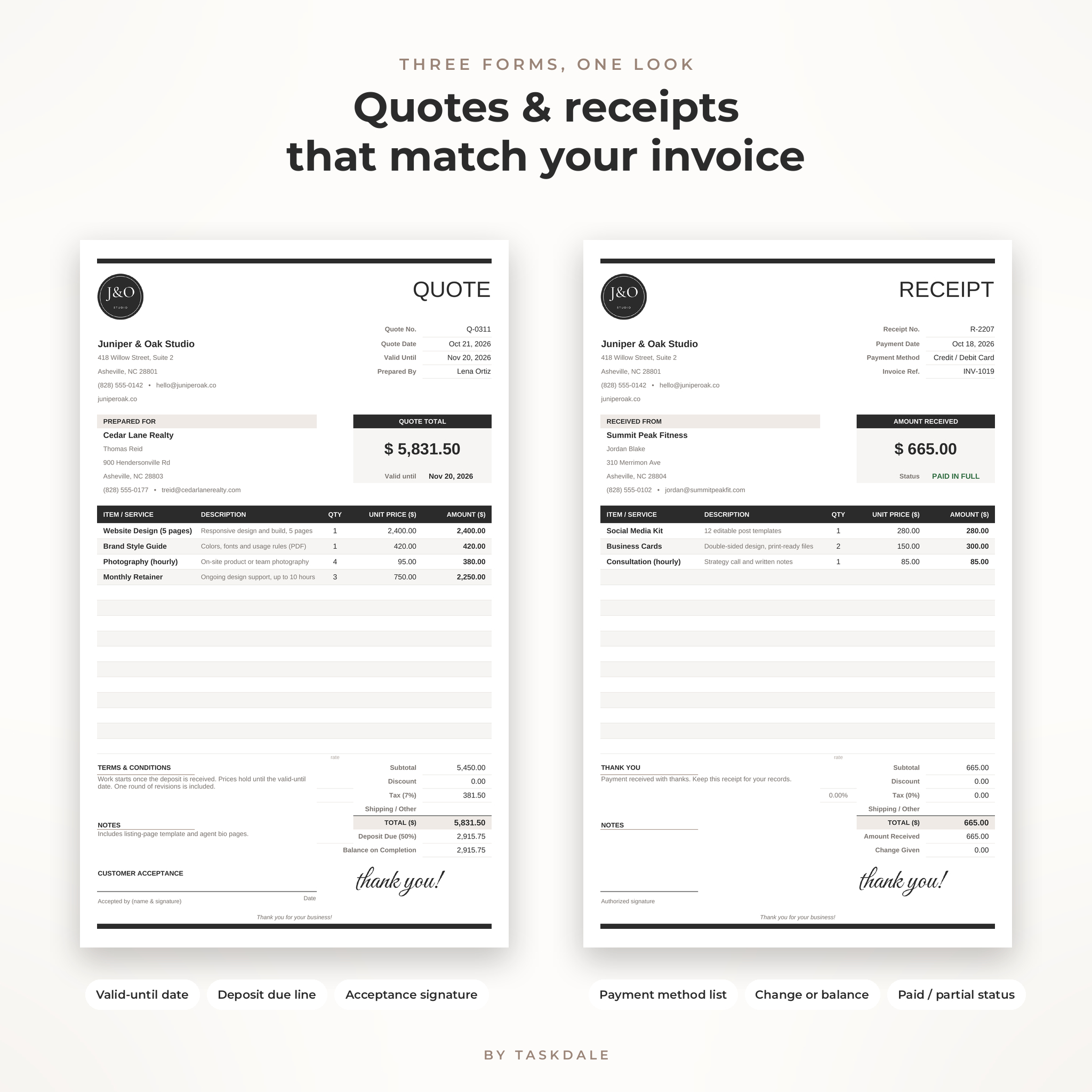
- Quote / estimate template with a valid-until date, a deposit line and a customer acceptance signature.
- Receipt template with a payment method dropdown, change given or balance remaining, and a paid or partial status.
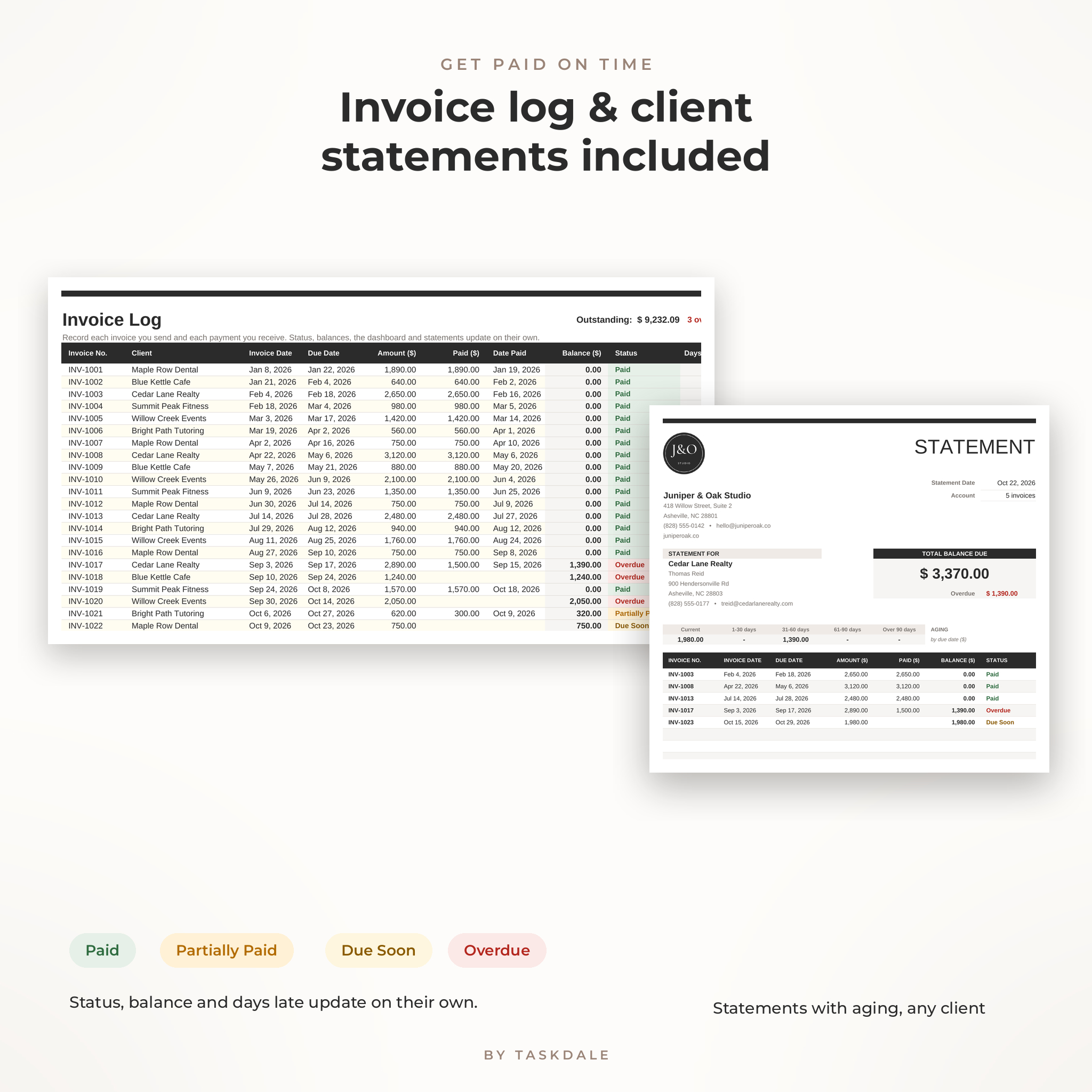
- Invoice log for up to 300 invoices. Status updates on its own: Paid, Partially Paid, Open, Due Soon or Overdue, plus days late.
- Statement of account for any client, with aging: current, 1 to 30, 31 to 60, 61 to 90 and over 90 days.
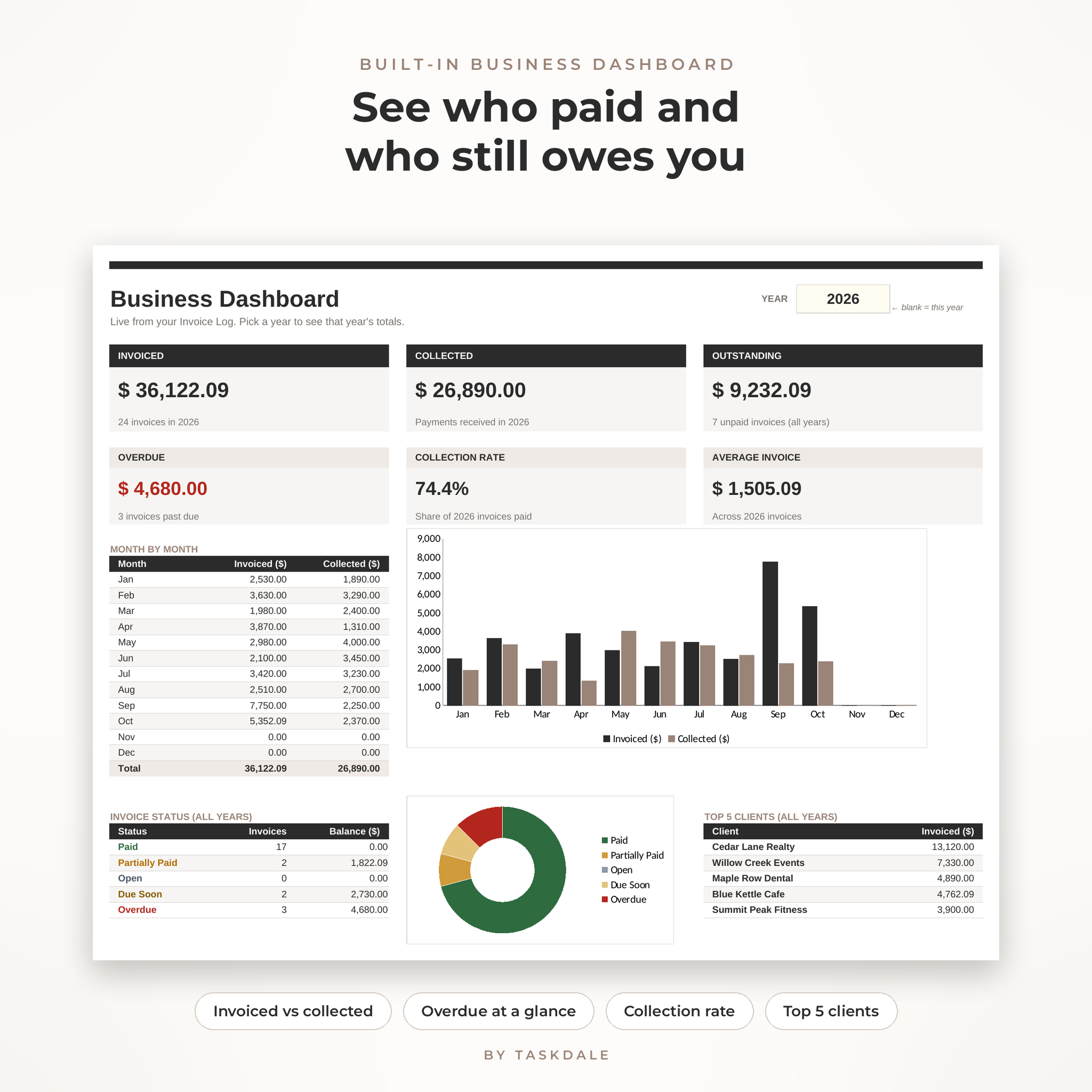
- Business dashboard showing invoiced, collected, outstanding and overdue totals, collection rate, average invoice, a month-by-month chart and your top 5 clients.
- Client list (100 clients) and price list (150 products or services) that feed every form.
Who it is for
Freelancers, consultants, designers, photographers, tutors, cleaners, contractors, event pros, makers and small shop owners. If you bill clients directly and want to look professional without paying for invoicing software every month, this was built for you.
What’s included
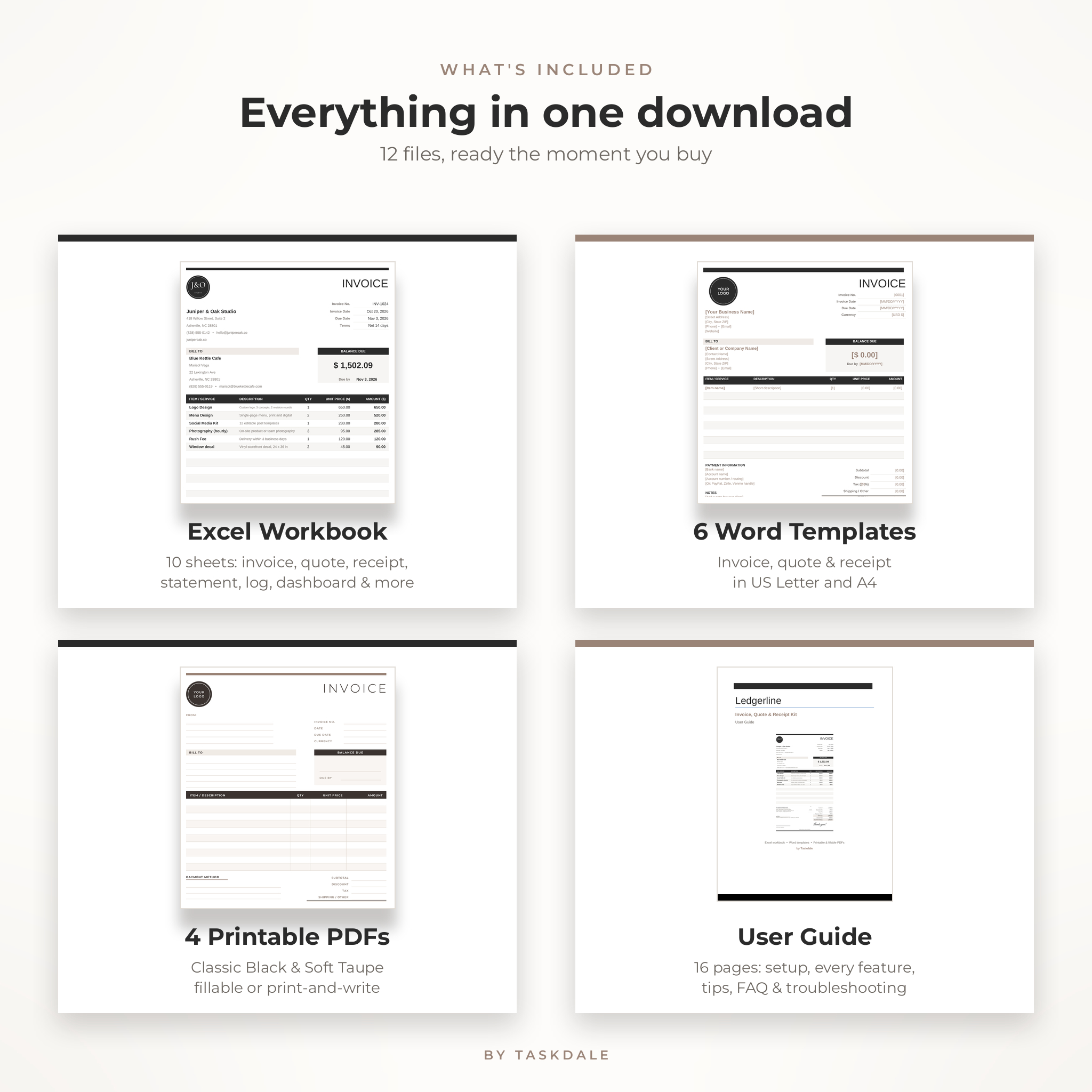
- 1 Excel workbook (.xlsx) with 10 sheets: Start Here, Settings, Invoice, Quote, Receipt, Statement, Invoice Log, Dashboard, Clients and Items
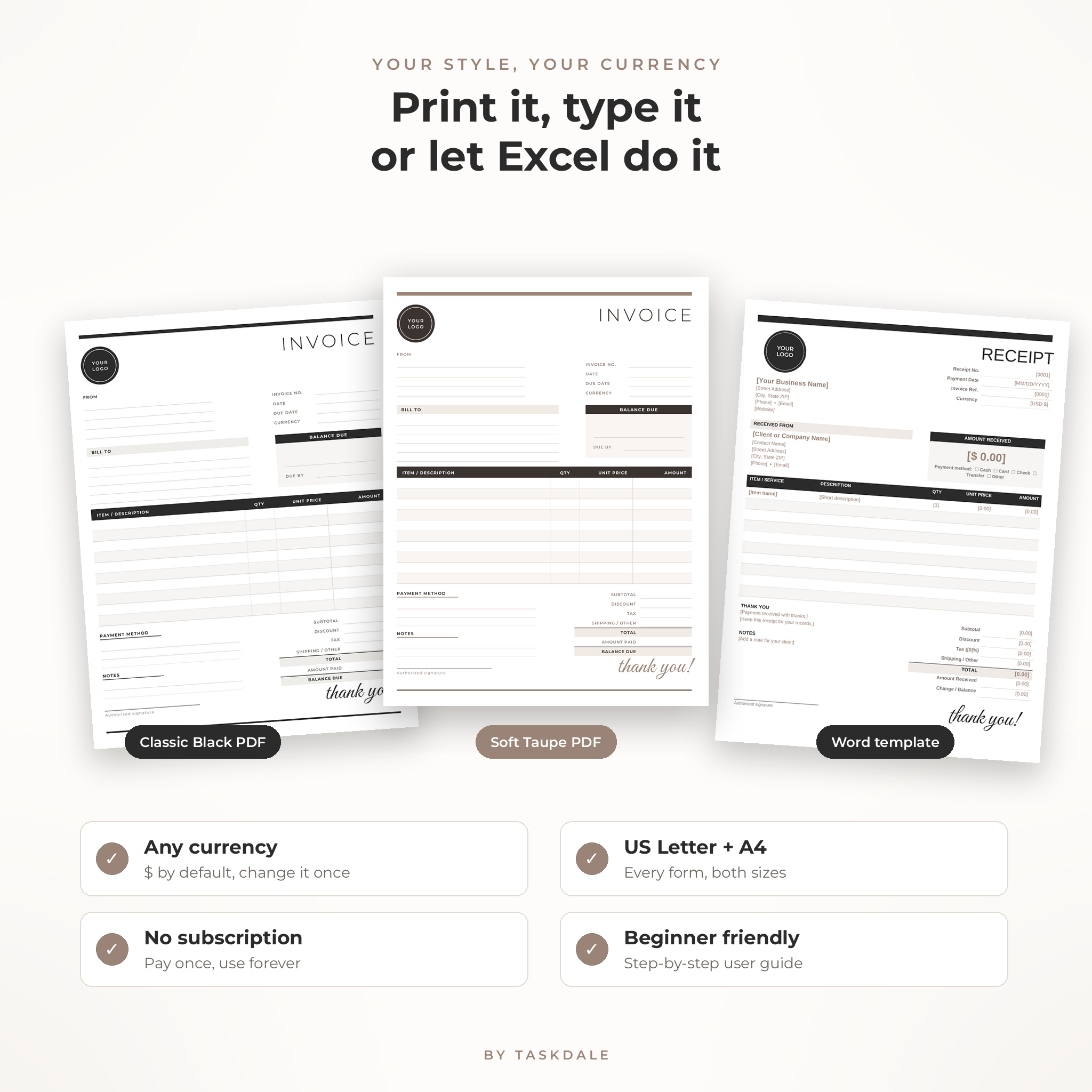
- 6 Word templates (.docx): invoice, quote and receipt, each in US Letter and A4
- 4 printable PDFs: all three forms in Classic Black and in Soft Taupe, each in US Letter and A4. Print and write by hand, or type into the fields on screen.
- 1 user guide (.docx, 16 pages): setup, every feature, tips, troubleshooting and FAQ
How the invoice template works
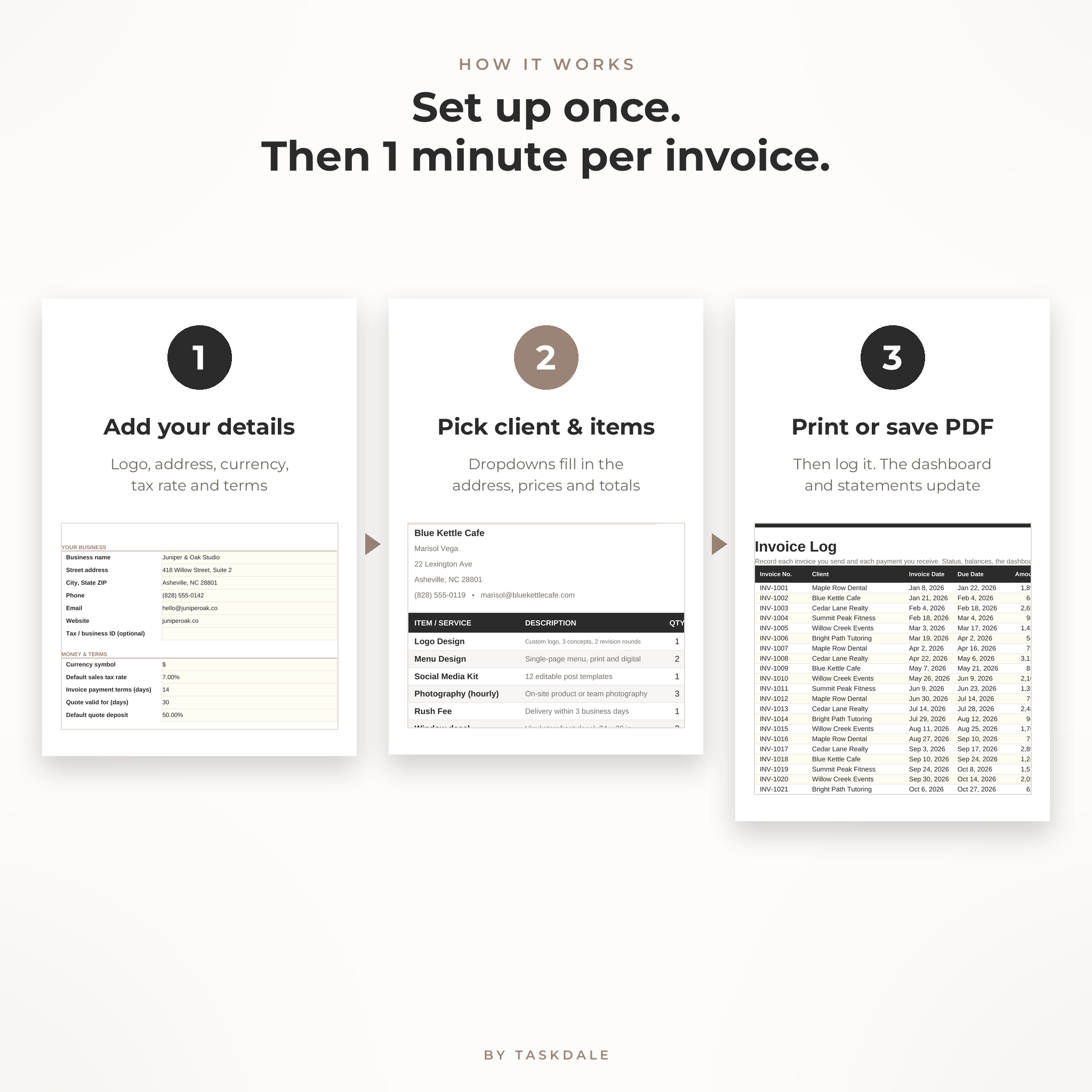
1. Add your details once
Open the Settings sheet. Type your business name, address, phone, email and website. Choose your currency symbol, sales tax rate, payment terms, quote deposit and the wording for your payment details. Add your logo by right-clicking the round placeholder and choosing Change Picture.
2. Fill a form in a minute
Open Invoice, Quote or Receipt. Pick the client, pick the items, type quantities. Something not on your price list? Type it in and use the custom description and price columns beside the form. They never print.
3. Print, save as PDF and log it
Each form is set to fit one page. Print it or save it as a PDF to email. Add the invoice to the log and your dashboard and statements stay current.
Features that make it easier to get paid
- Use your own currency. Dollars are the default. Change the symbol once on the Settings sheet and every money label in the workbook follows it. The Word and PDF forms keep money fields neutral, with a currency line you fill in.
- Discount, tax and shipping on every form. Use your default tax rate or type a different one for a single invoice.
- Due dates fill in from your payment terms. Net 14, Net 30 or due on receipt.
- Locked formulas, no password. Typing cells are clearly marked. Formula cells are protected so a stray keystroke cannot break your totals, and you can unlock any sheet in two clicks.
- Input checks. Dates must be dates and prices must be numbers. Duplicate client names and repeated invoice numbers turn red.
- Two color styles in the printable PDFs: crisp black and white, or a soft warm taupe.
File formats and software requirements
- Excel workbook (.xlsx): Microsoft Excel 2010 or newer for Windows or Mac, including Microsoft 365, or the free LibreOffice Calc
- Word templates (.docx): Microsoft Word 2010 or newer, or another app that opens .docx files
- PDF forms: any PDF reader to print. Adobe Acrobat Reader, Apple Preview or a web browser to type into the fields
- Paper sizes: US Letter (8.5 x 11 in) and A4
Please note: the Word and PDF versions do not calculate totals. For automatic math, use the Excel workbook.
Customizing your forms
Swap in your logo, change the footer line, rewrite the payment instructions and terms, rename the payment methods and recolor cells as you like. The Word templates use real heading styles, so you can restyle a whole form at once. Placeholders sit in [square brackets] so they are easy to find and replace.
Real ways people use it
- A photographer sends a quote with a 50% deposit, then turns it into an invoice after the shoot.
- A cleaning business gives a receipt on the spot for cash or card.
- A web designer sends a statement to a client with two open invoices as a polite reminder.
- A tutor checks the dashboard at month end to see what came in and who still owes.
- A contractor prints the blank PDF forms and fills them in on site.
Instant digital download
This is a digital product. Nothing will be shipped. Your files are ready to download as soon as payment goes through, and you can download them again from your account.
License: for use in your own business, as many times as you like. Please do not resell, share or redistribute the files.
FAQ
Does the invoice template calculate totals automatically?
Yes, in the Excel workbook. Line amounts, subtotal, discount, tax, shipping, total and balance due all calculate as you type.
Can I add my own logo?
Yes. In Excel or Word, right-click the round logo placeholder and choose Change Picture.
Can I use a currency other than dollars?
Yes. Type your symbol or code on the Settings sheet, such as €, £ or CAD. Every money label updates.
Do I need Excel?
For automatic math you need Excel 2010 or newer, or the free LibreOffice Calc. Without either, use the Word templates or the printable PDFs.
Is this a Canva template?
No. You edit it in Excel and Word, or type into the PDFs. No Canva account needed.
Can I print it?
Yes. Every form fits one page on US Letter or A4.
Is there a monthly fee?
No. You pay once and keep the files.
Reviews
There are no reviews yet.