An all-in-one small business spreadsheet for client-based businesses
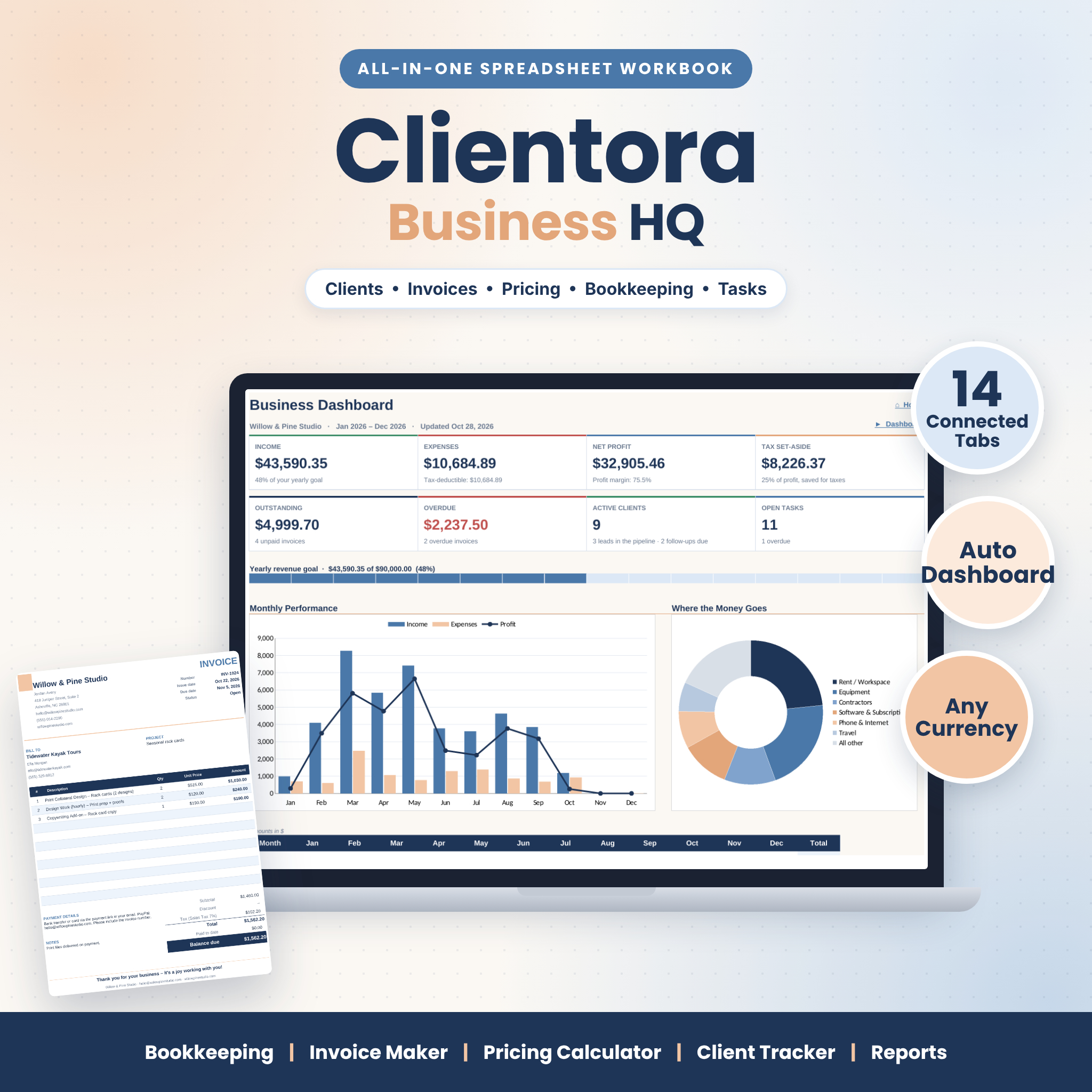
Clientora Business HQ is a small business spreadsheet template that brings your bookkeeping, invoices, pricing, clients and tasks together in one connected .xlsx workbook. Instead of juggling separate files and retyping the same client four times, you enter information once and every tab updates: log a payment and the invoice turns Paid, the client’s balance drops, and your dashboard, monthly report and annual profit and loss all refresh.
It is built for freelancers, consultants, coaches, designers, virtual assistants, photographers, trades and small studios that bill clients by the project, hour, session or month.
What you can do with it
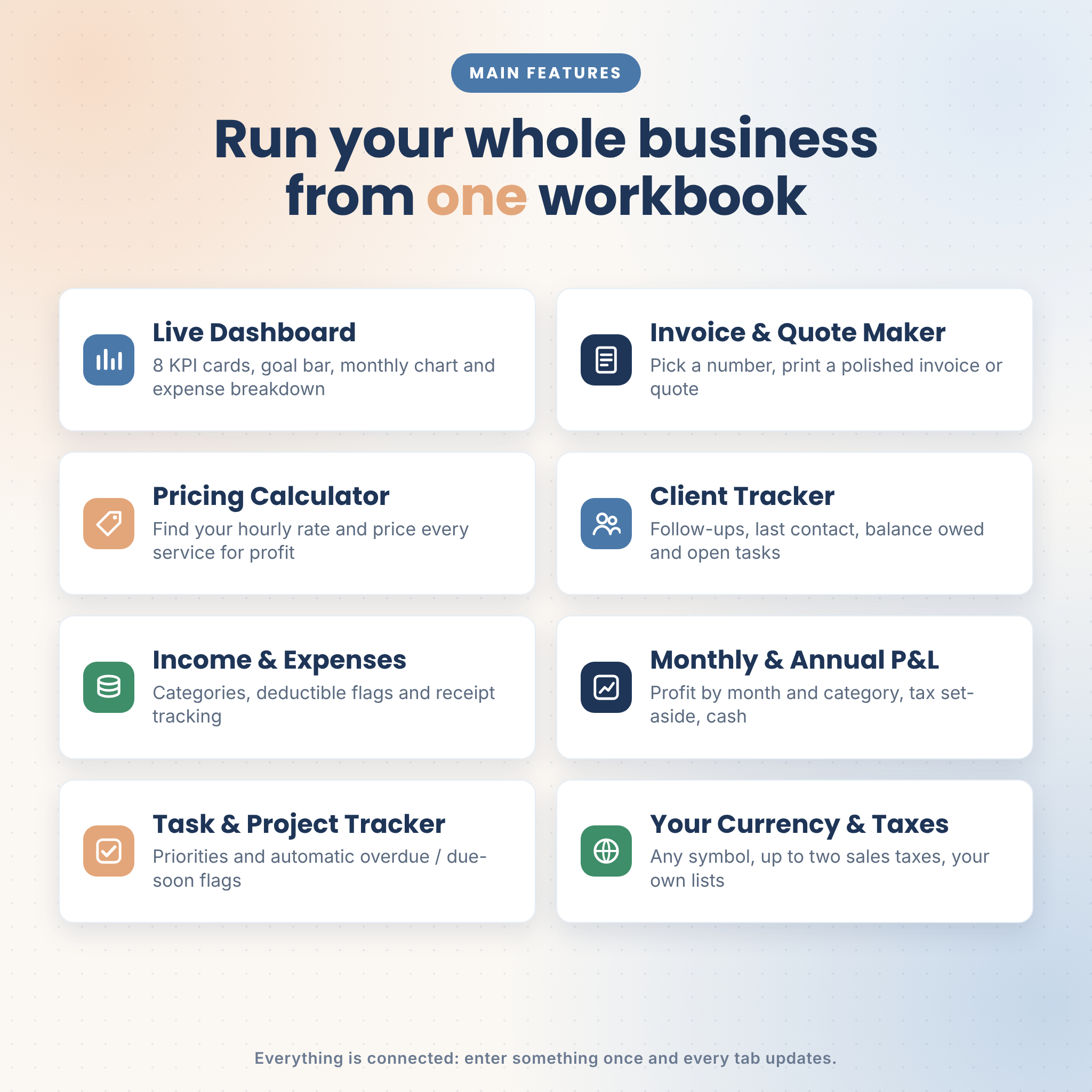
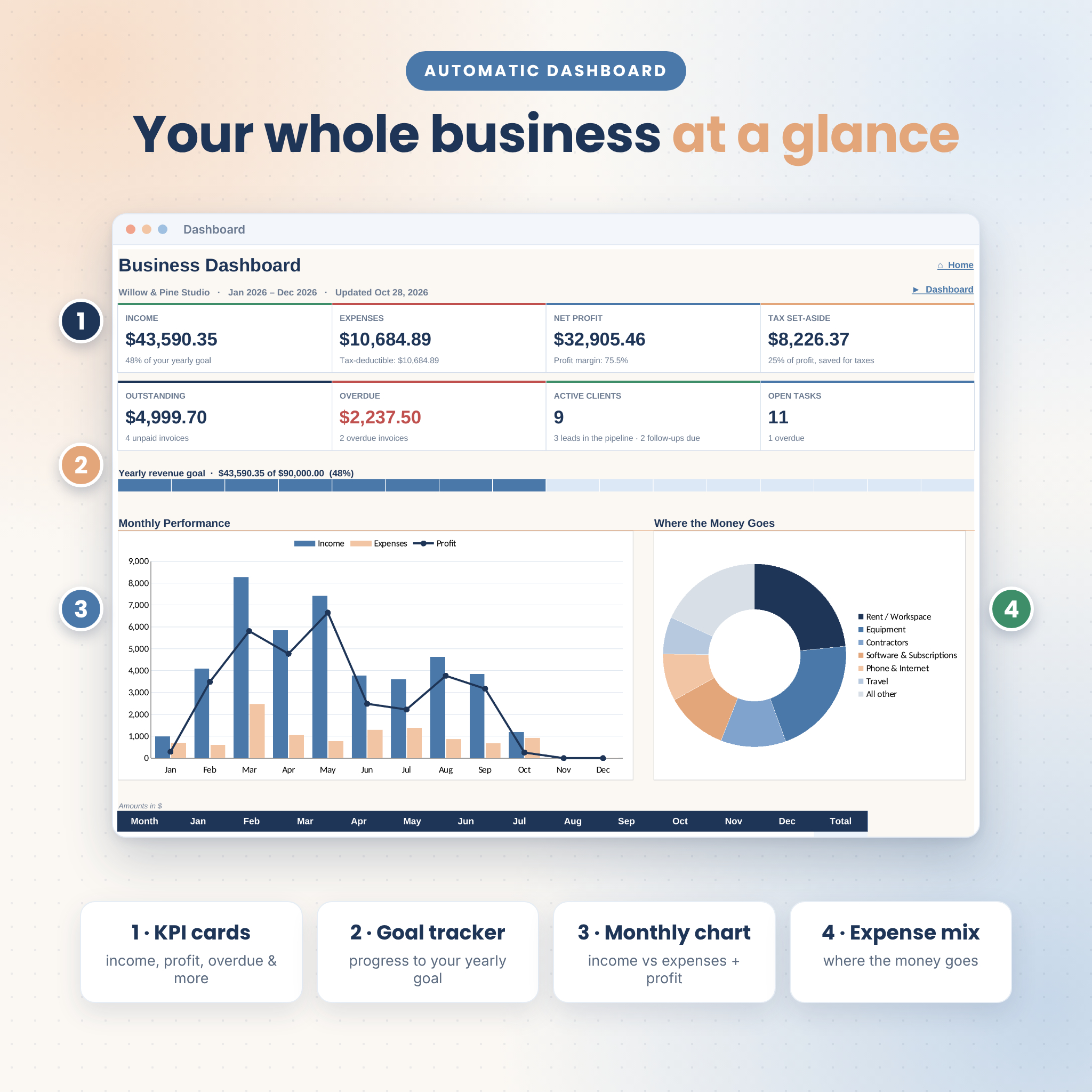
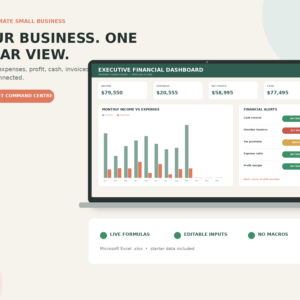
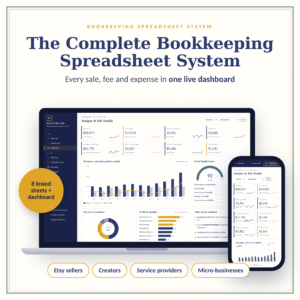
- See your business at a glance on a live dashboard with 8 KPI cards, a yearly goal tracker, a monthly income vs expenses chart, an expense breakdown, invoice status, top clients and upcoming tasks.
- Price for profit with an hourly rate calculator, break-even targets and a price builder for up to 40 services that includes costs, overhead, profit margin and sales taxes.
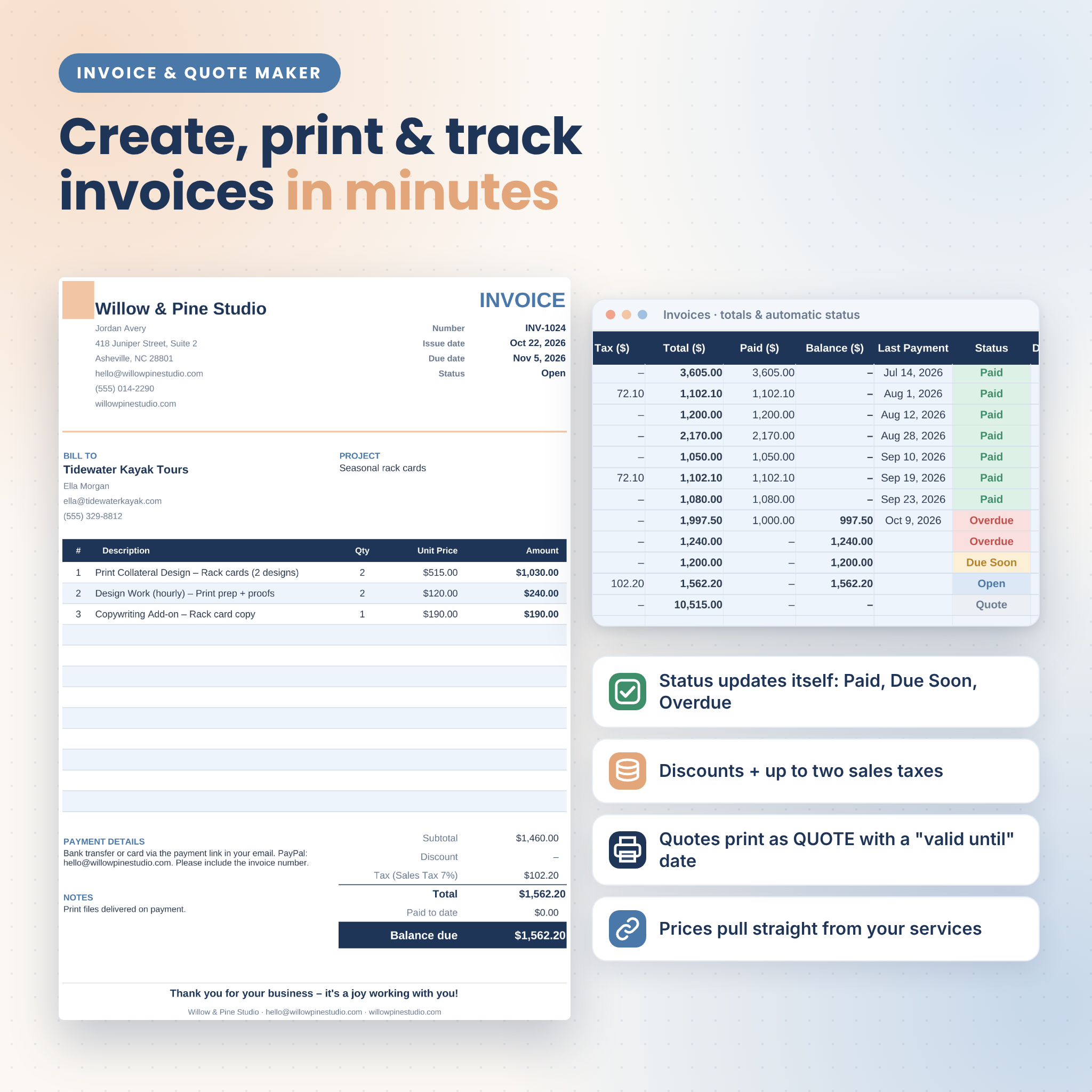
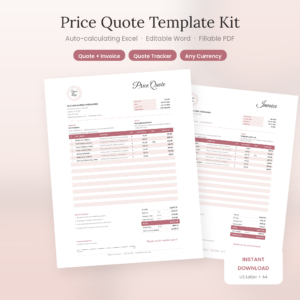
- Create, print and track invoices and quotes. Pick a client and service, and prices fill in from your Pricing tab. The Invoice Maker turns any invoice or quote into a polished, print-ready page.
- Keep clean books with income and expense logs, categories, tax-deductible flags, receipt tracking and a full-year profit and loss statement with tax set-aside and closing cash balance.
- Stay on top of clients and deadlines with a client tracker, follow-up reminders, a communication log and a task tracker with automatic overdue and due-soon flags.
Features
Dashboard and reports
- KPI cards: income, expenses, net profit, tax set-aside, outstanding, overdue, active clients, open tasks
- Yearly revenue goal progress bar
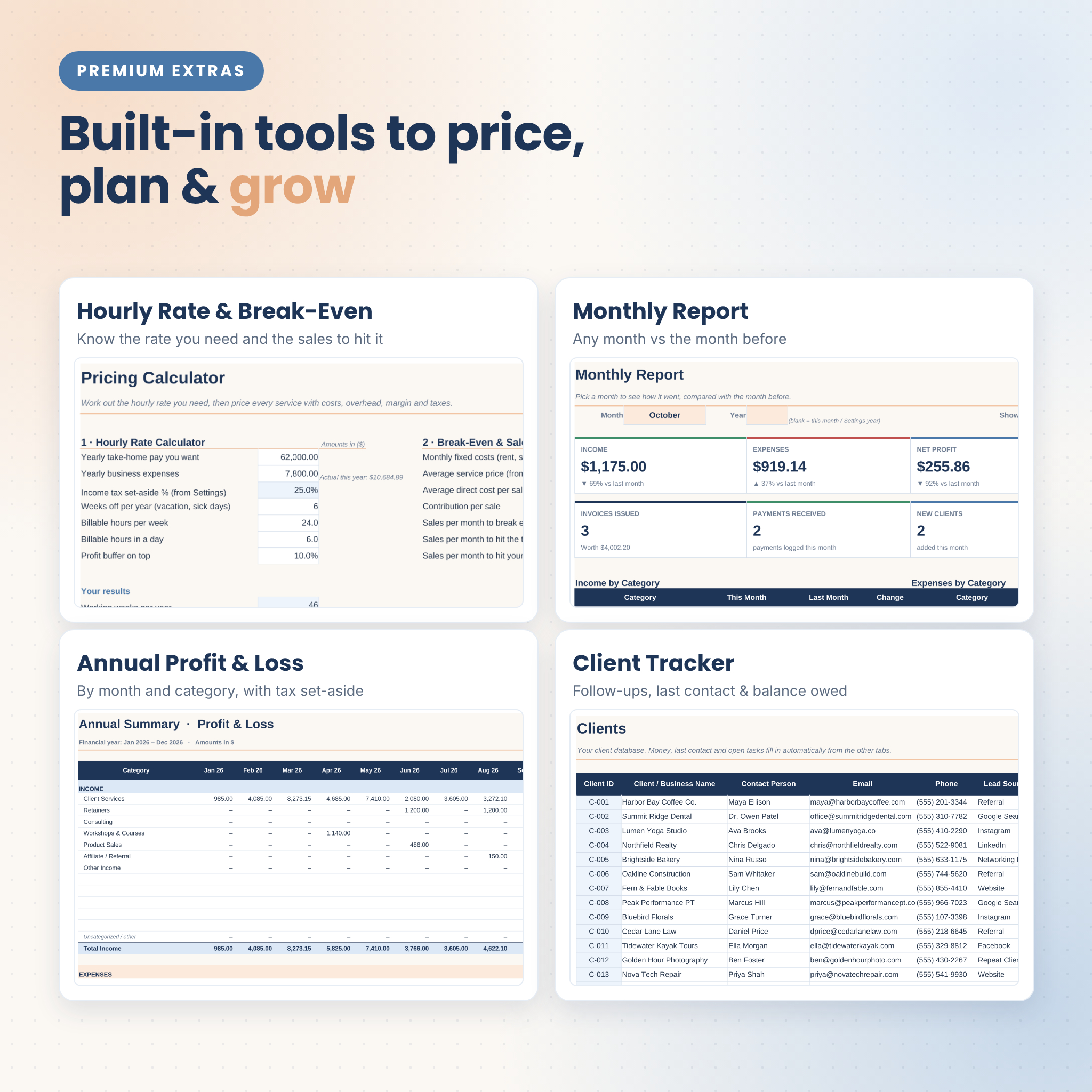
- Monthly Report: pick any month and compare it with the month before
- Annual Summary: profit and loss by month and category, profit margin, tax set-aside and closing cash
Invoicing
- Invoices and quotes in one list, with automatic due dates, totals, payments and balance
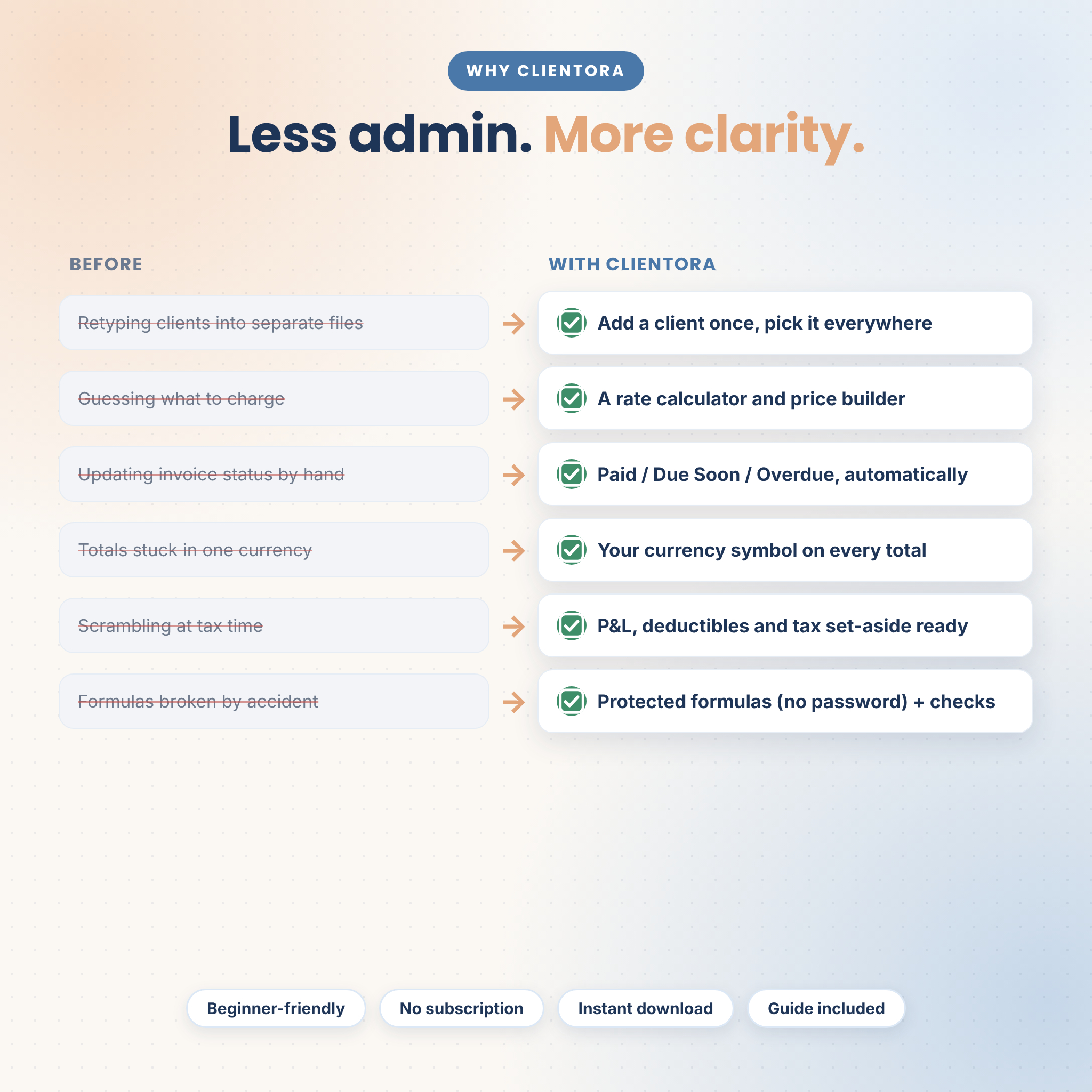
- Status updates itself: Draft, Open, Due Soon, Overdue, Partly Paid, Paid, Quote or Void
- Discounts and up to two sales tax rates per invoice
- Print-ready Invoice Maker with your business details, payment instructions and notes
- Suggested next invoice number and duplicate number warnings
Pricing calculator
- Hourly rate calculator based on your income goal, expenses, time off and billable hours
- Break-even and sales targets per month
- Service price builder with labor, direct costs, overhead, margin, rounding, taxes, profit, real hourly earnings and a market price comparison
Client and task tracking
- Client database with lead source, status, follow-up flags, last contact, invoiced, paid, balance owed and open tasks
- Communication log with next steps and dates
- Task and project tracker with priority, status, days left and automatic flags
Bookkeeping
- Income log linked to invoices and clients
- Expense log with tax-deductible and receipt-saved columns
- Check columns that flag missing dates, amounts, categories or invoice numbers
What’s included
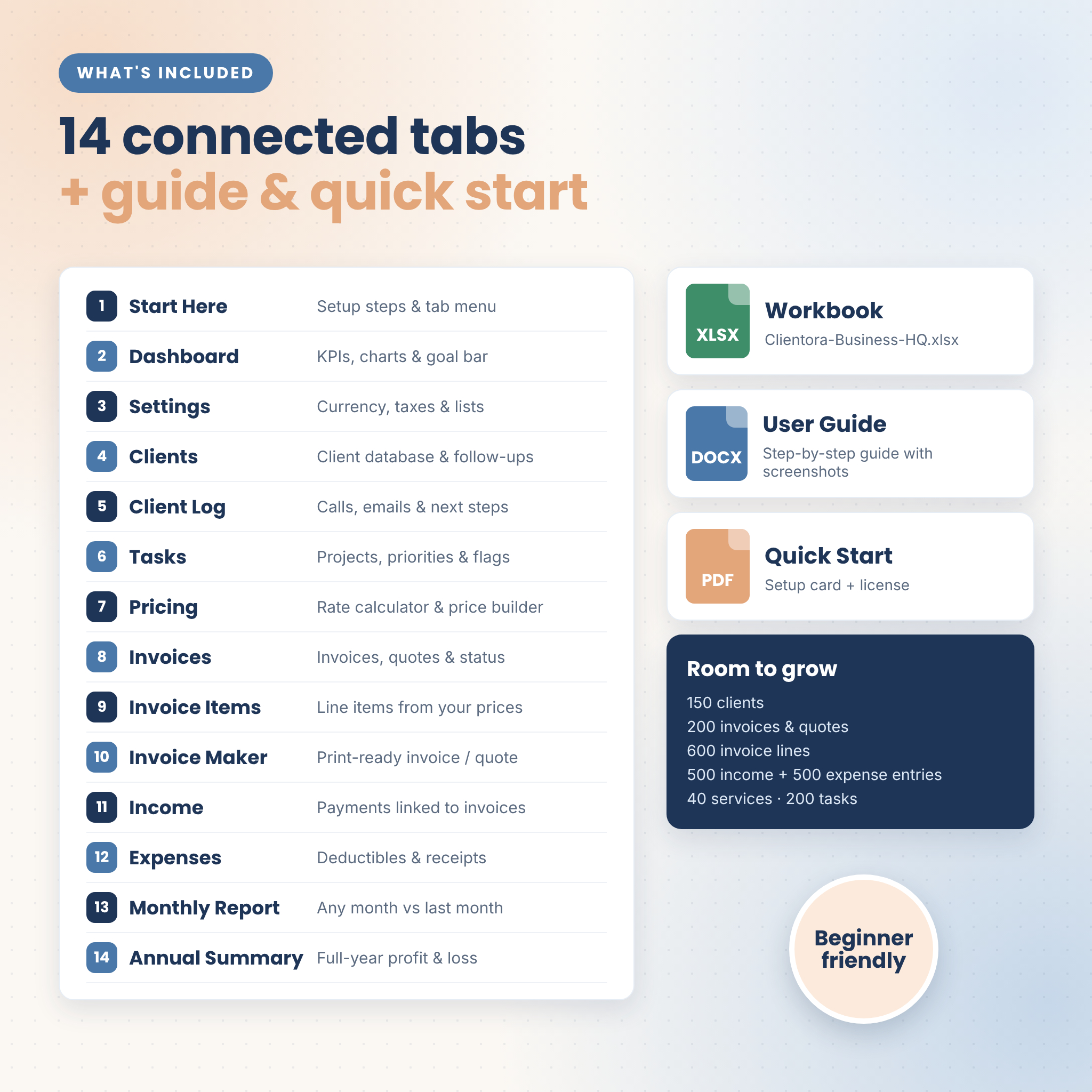
- Clientora-Business-HQ.xlsx — the workbook with 14 connected tabs: Start Here, Dashboard, Settings, Clients, Client Log, Tasks, Pricing, Invoices, Invoice Items, Invoice Maker, Income, Expenses, Monthly Report and Annual Summary
- User Guide (.docx) — step-by-step help for every tab, with screenshots, tips, troubleshooting and FAQ
- Quick Start PDF — a two-page setup card in US Letter and A4
Capacity per file: 150 clients, 200 invoices or quotes, 600 invoice lines, 500 income and 500 expense entries, 40 services, 200 tasks and 400 log entries.
How it works
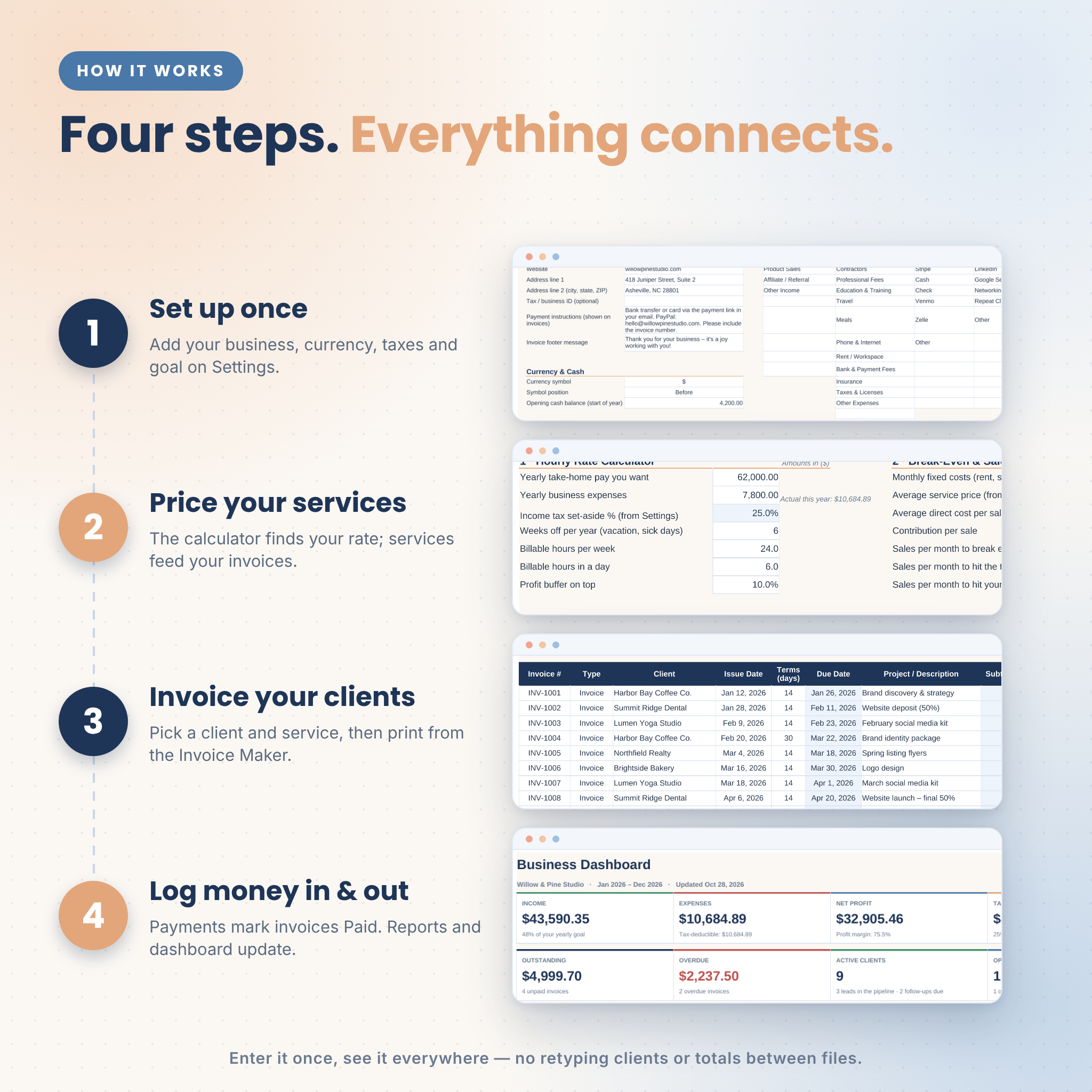
- Set up once: add your business details, currency symbol, reporting year, taxes and monthly goal on the Settings tab.
- Price your services: the calculator finds your rate, and your services become the invoice dropdown.
- Invoice your clients: add an invoice, add its lines, then print it from the Invoice Maker.
- Log money in and out: payments mark invoices Paid, and the reports and dashboard update automatically.
File format and software requirements
This is a digital download: one .xlsx spreadsheet workbook plus a .docx user guide and PDF quick start. The workbook is a standard Excel-format (.xlsx) file built with classic, long-established spreadsheet functions (SUMIFS, COUNTIFS, INDEX and MATCH, with no macros and no add-ins). It has been tested in LibreOffice Calc. You need a spreadsheet app that opens .xlsx files. No subscription is required.
Customization
- Use your own currency: choose or type any symbol and every money total follows it
- Set your financial year start month, payment terms and “due soon” warning
- Edit income and expense categories, payment methods, lead sources, contact types and service units
- Add your logo to the Invoice Maker and change fonts and colors
- Formulas are protected without a password, so you can unlock and customize them any time
Use cases
- A freelance designer pricing a branding package, sending a quote and turning it into an invoice when the client says yes
- A virtual assistant or bookkeeper billing monthly retainers and chasing overdue invoices
- A coach or consultant tracking sessions, follow-ups and income per client
- A photographer or trade business logging expenses and receipts for tax time
- A side-business owner checking each month’s profit against last month
Digital download
This is a digital product. Nothing physical will be shipped. Your files are available to download right after purchase.
FAQ
Is this a small business bookkeeping spreadsheet?
Yes. It tracks income and expenses by category and builds a monthly and yearly profit and loss statement automatically.
Can I create and print invoices?
Yes. Add invoice lines, choose the invoice number on the Invoice Maker and print it or save it as a PDF. Quotes work the same way.
Does it work with my currency?
Yes. Choose or type any currency symbol on the Settings tab, before or after the amount. The default is $.
Does it handle sales tax?
Yes, up to two tax rates, chosen per invoice.
Is it beginner friendly?
Yes. White cells are for typing, blue cells calculate on their own, and the Start Here tab plus the illustrated user guide walk you through setup in about 10 minutes.
Does my financial year have to start in January?
No. Choose any starting month on Settings and all reports follow it.
Can I share or resell the template?
No. The license covers one business. Please do not share, resell or redistribute the files.
Is this tax or accounting advice?
No. It organizes your records; please speak with a qualified accountant about your taxes.
© Taskdale. Licensed for use by one business. No resale, sharing or redistribution.
Reviews
There are no reviews yet.