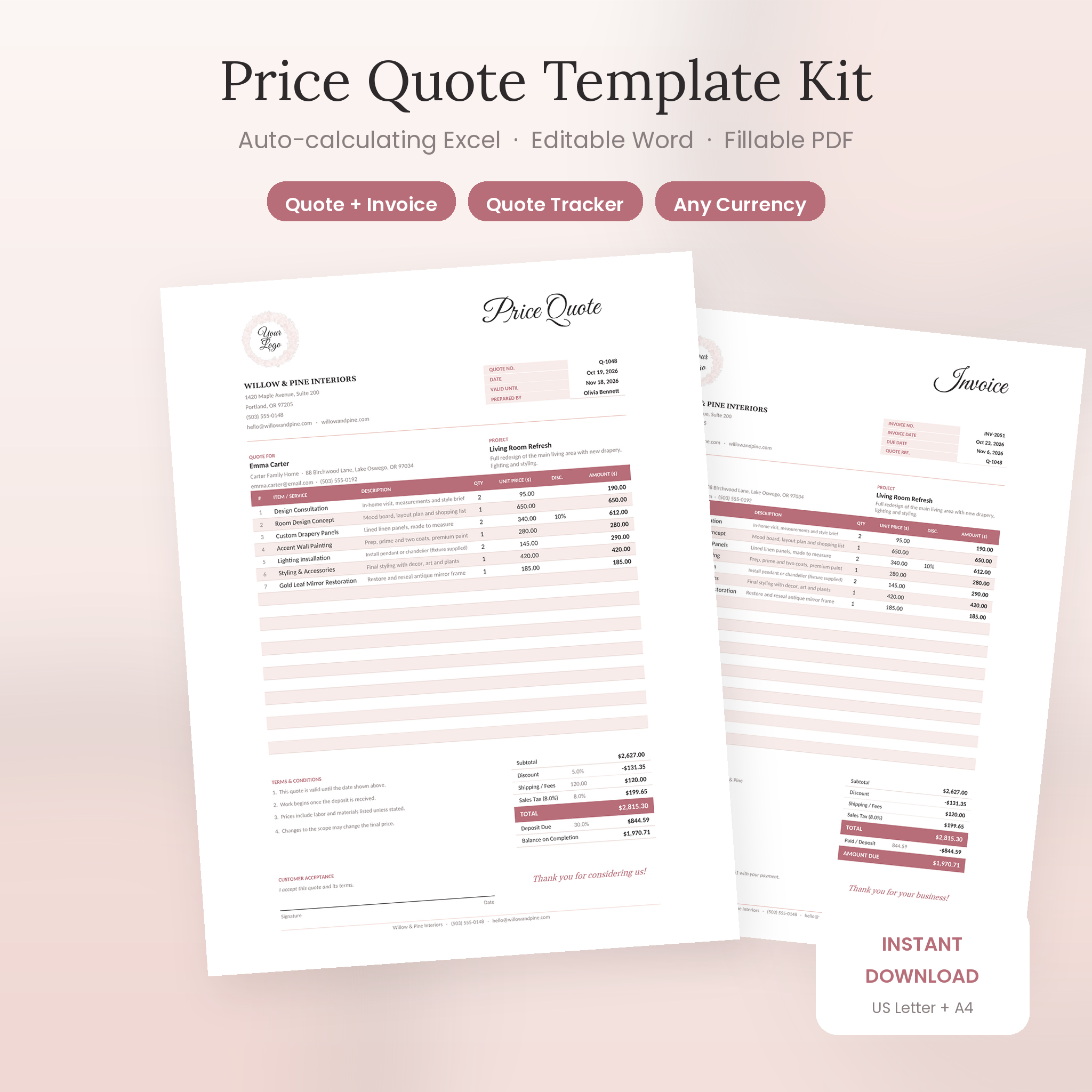
The Rosewater Price Quote Template Kit gives you a soft blush-and-rose price quote that looks like a designer made it, plus an Excel workbook that does all the math. Pick an item, type a quantity, and the subtotal, discount, tax, deposit and balance fill in on their own. When the client says yes, the matching invoice is already waiting.
It’s an editable estimate template for people who would rather be doing the work than adding up numbers. No app to join. No login. You download it, open it and start quoting.
What This Price Quote Template Does
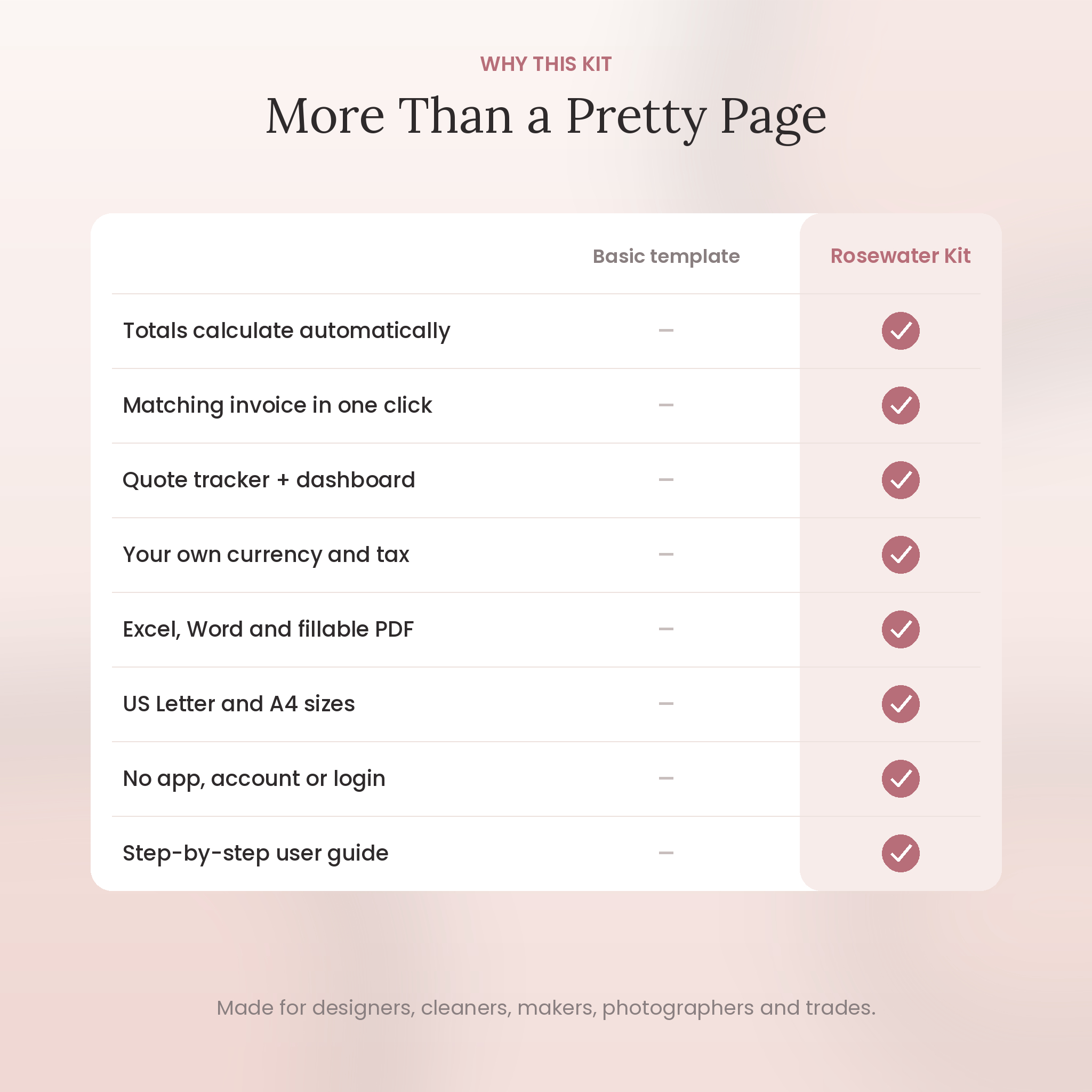
Most quote templates are a pretty page with empty boxes. You still grab a calculator, type every total by hand and hope you didn’t slip a decimal. This kit fixes that.
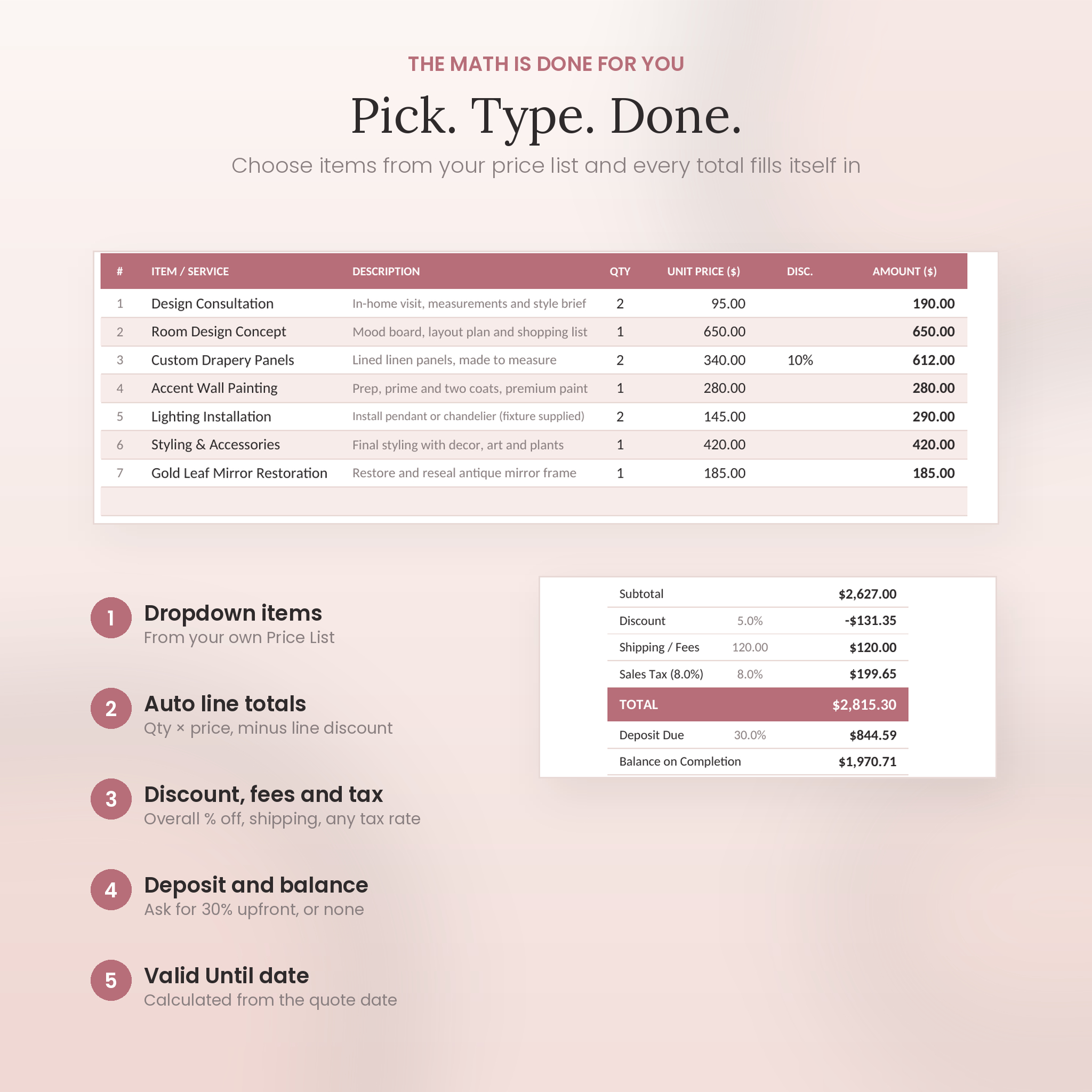
- Automatic totals. Each line works out Qty × Unit Price, minus any line discount. The quote adds it all up, takes off an overall discount, adds shipping or fees, works out tax and shows the deposit due.
- Your own price list. Save your products and services once (up to 150). They appear in a dropdown on every quote with the description and price filled in.
- Saved clients. Store up to 200 clients. Pick a name and their company, address, email and phone appear.
- One-click invoice. The Invoice sheet copies every line from the quote. Add an invoice number and date, and the due date and amount due work themselves out.
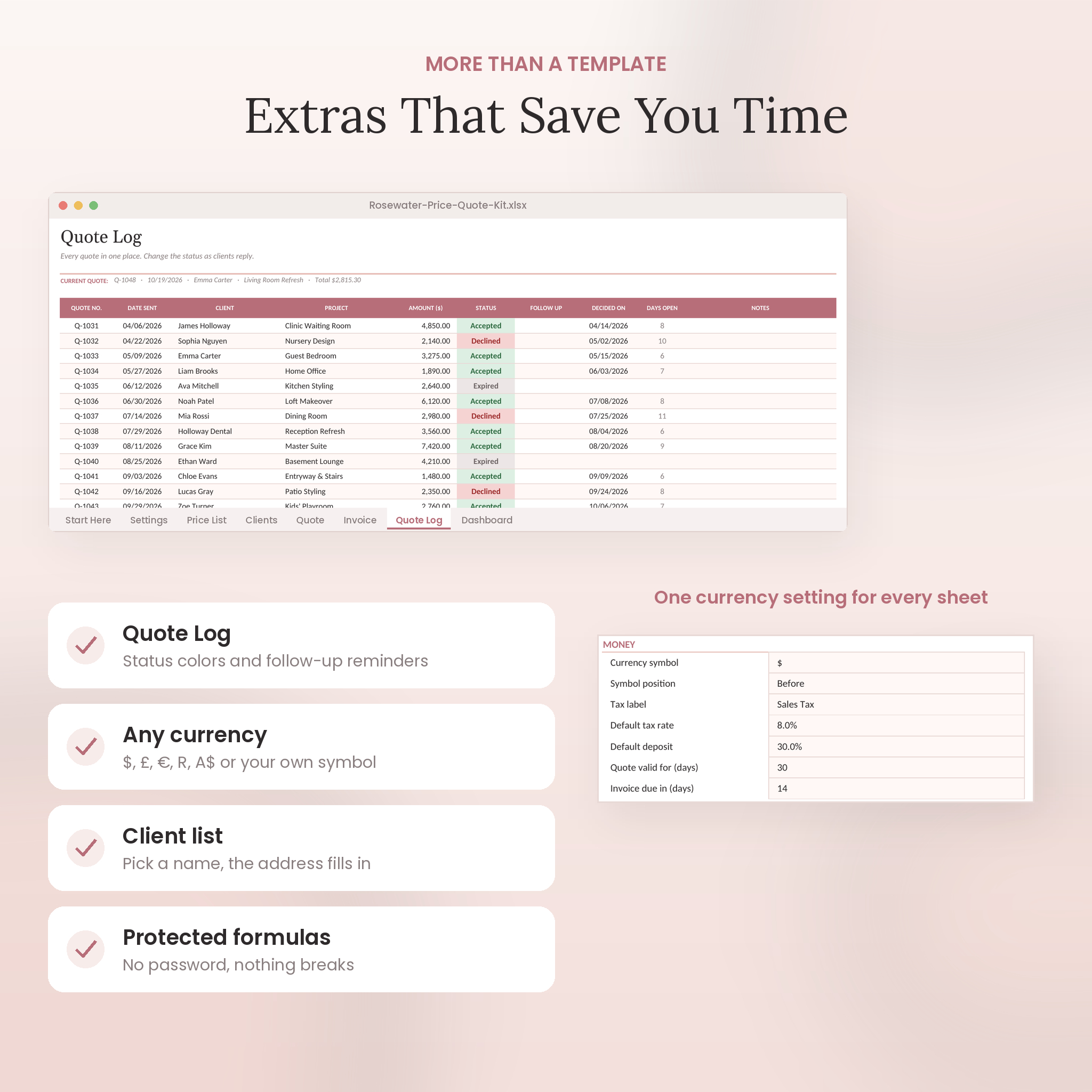
- Quote tracker. Log up to 300 quotes as Draft, Sent, Accepted, Declined or Expired. Follow-up dates turn red when they’re due.
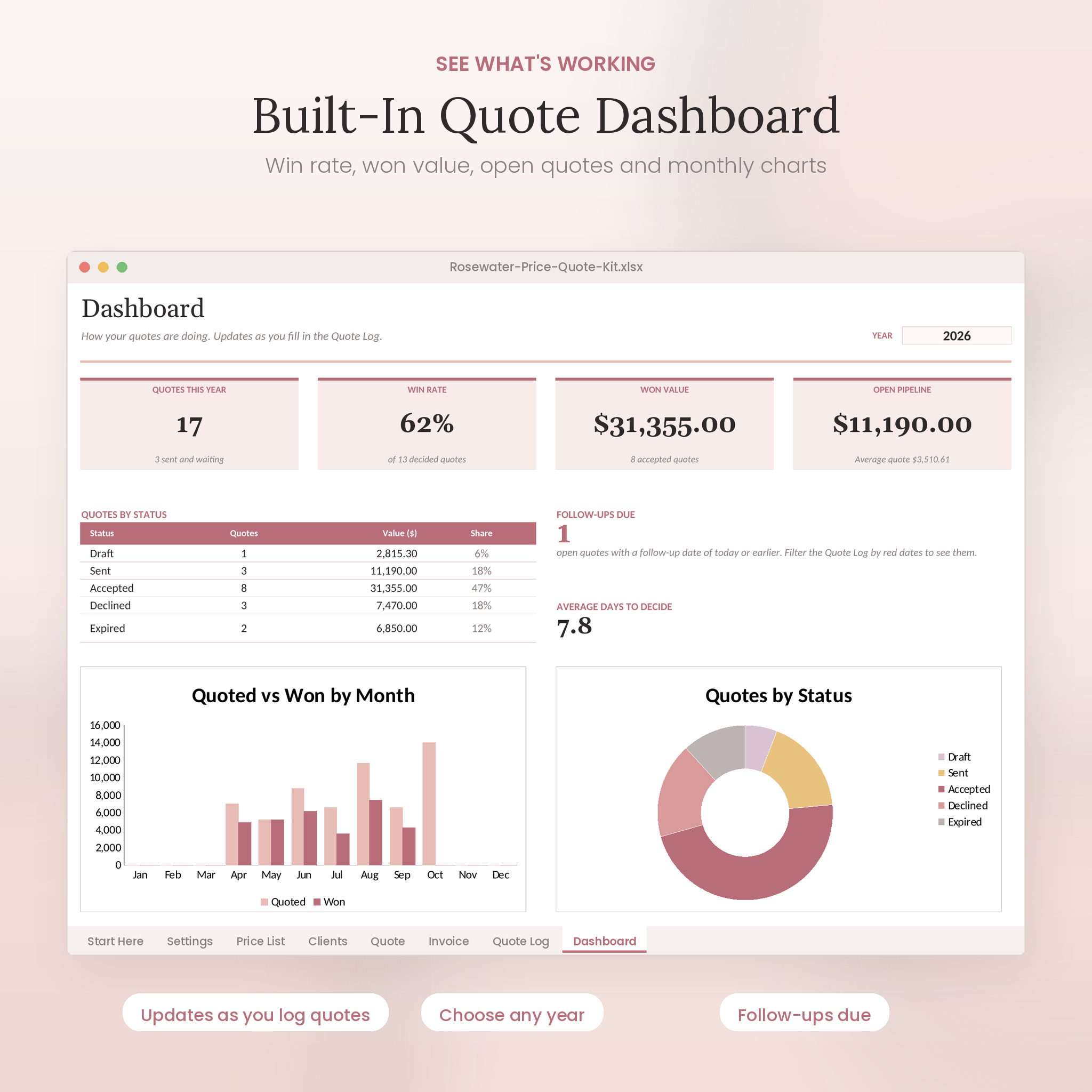
- Dashboard. See your win rate, the value you’ve won, open quotes, follow-ups due and a month-by-month chart.
Who It’s For
Anyone who prices a job before starting it. Interior designers, cleaners, photographers, bakers, florists, event planners, contractors, landscapers, tutors, freelancers, Etsy and craft sellers, and service businesses of every size. If you’ve ever sent a quote from a blank email, this will feel like a big step up.
What’s Included
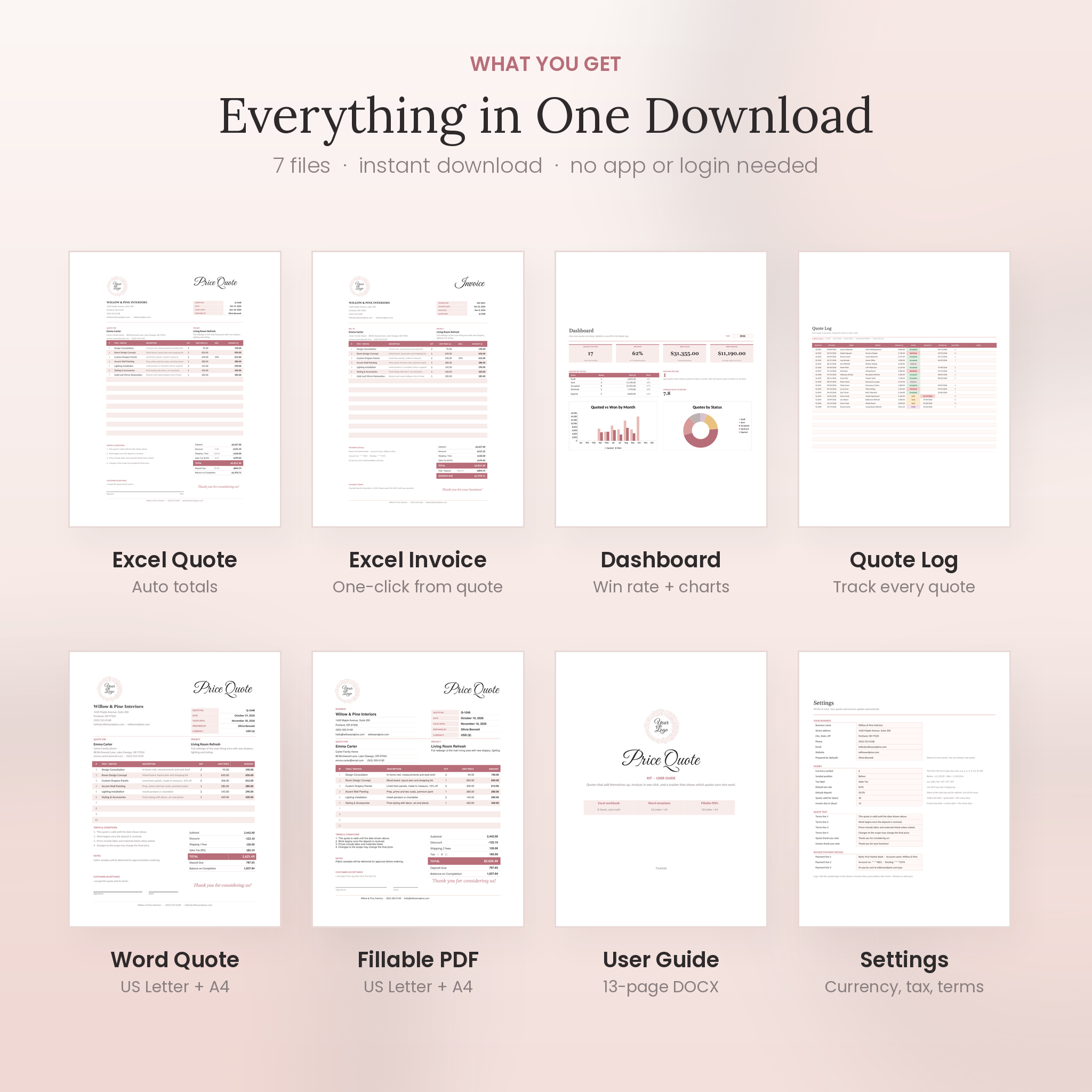
- Excel workbook (.xlsx) with 8 linked sheets: Start Here, Settings, Price List, Clients, Quote, Invoice, Quote Log and Dashboard
- Word price quote template (.docx) in US Letter
- Word price quote template (.docx) in A4
- Fillable PDF quote in US Letter (10 item lines)
- Fillable PDF quote in A4 (12 item lines)
- 13-page user guide (.docx) with screenshots, tips, troubleshooting and FAQs
Features of the Editable Estimate Template
Built for real quoting
- 20 line items per quote in Excel, with optional line discounts
- Overall discount %, shipping and fees, and any tax rate (Sales Tax, VAT, GST or your own label)
- Deposit Due and Balance on Completion, worked out from a deposit % you choose
- Valid Until date calculated from the quote date
- One-off items: type anything and add a custom price in a side panel that doesn’t print
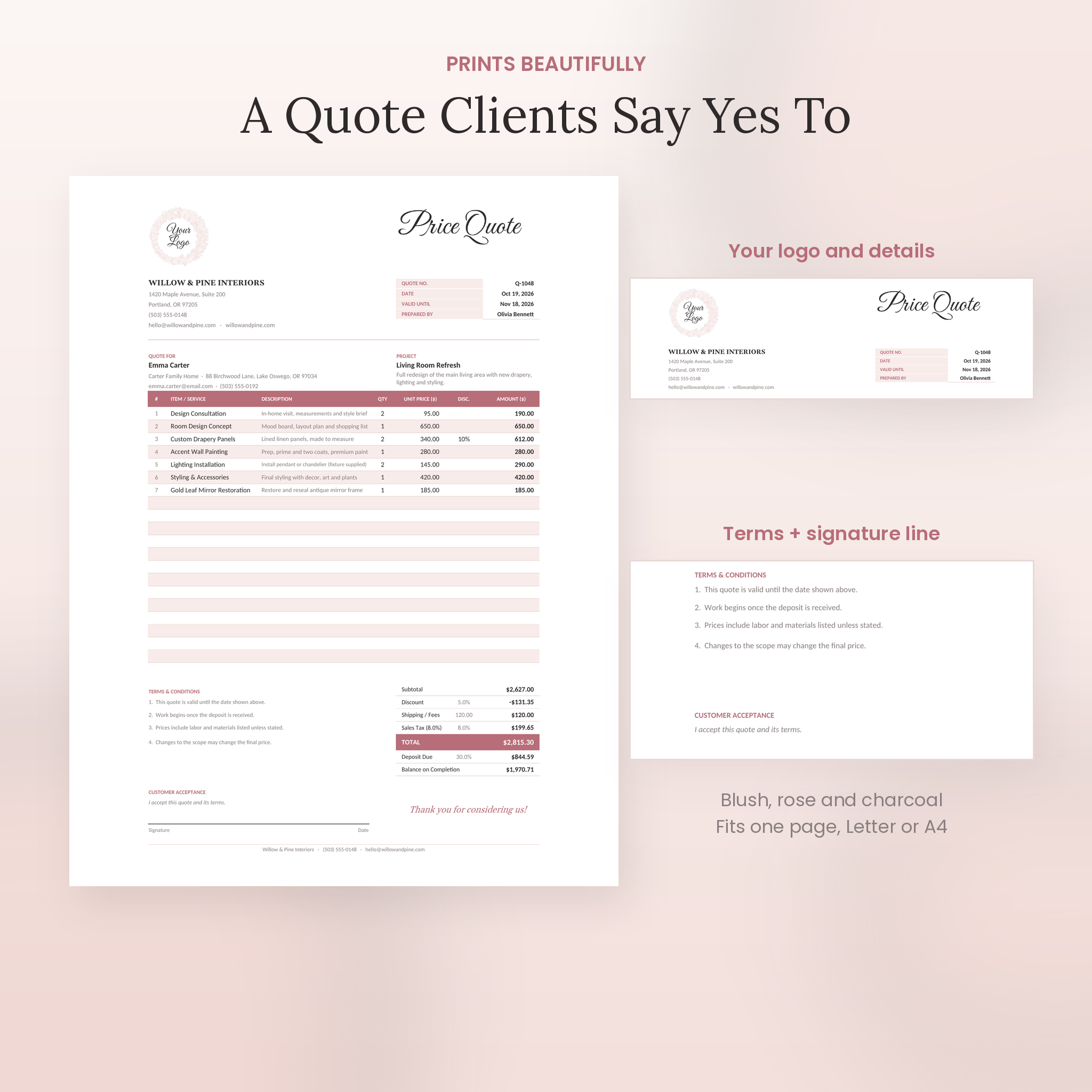
- Terms and conditions, notes, a customer signature line and a thank-you note
Any currency
Choose $, £, €, R, A$, C$, ¥, ₹, ₦, KSh and more, or type your own symbol. One setting changes every money value in the workbook, and you can put the symbol before or after the amount. The Word and PDF versions keep money columns neutral with a Currency box, so they work anywhere.
Hard to break
Formulas are locked and the sheets are protected with no password. Your typing cells stay open, inputs are checked (no negative prices or 500% discounts), and every total is rounded to cents so the figures always add up.
Looks good on paper
The quote and invoice each fit one printed page. Blush, rose and charcoal, a script title, a watercolor logo spot you swap for your own, and clean tables that stay readable in print or as a PDF attachment.
How It Works
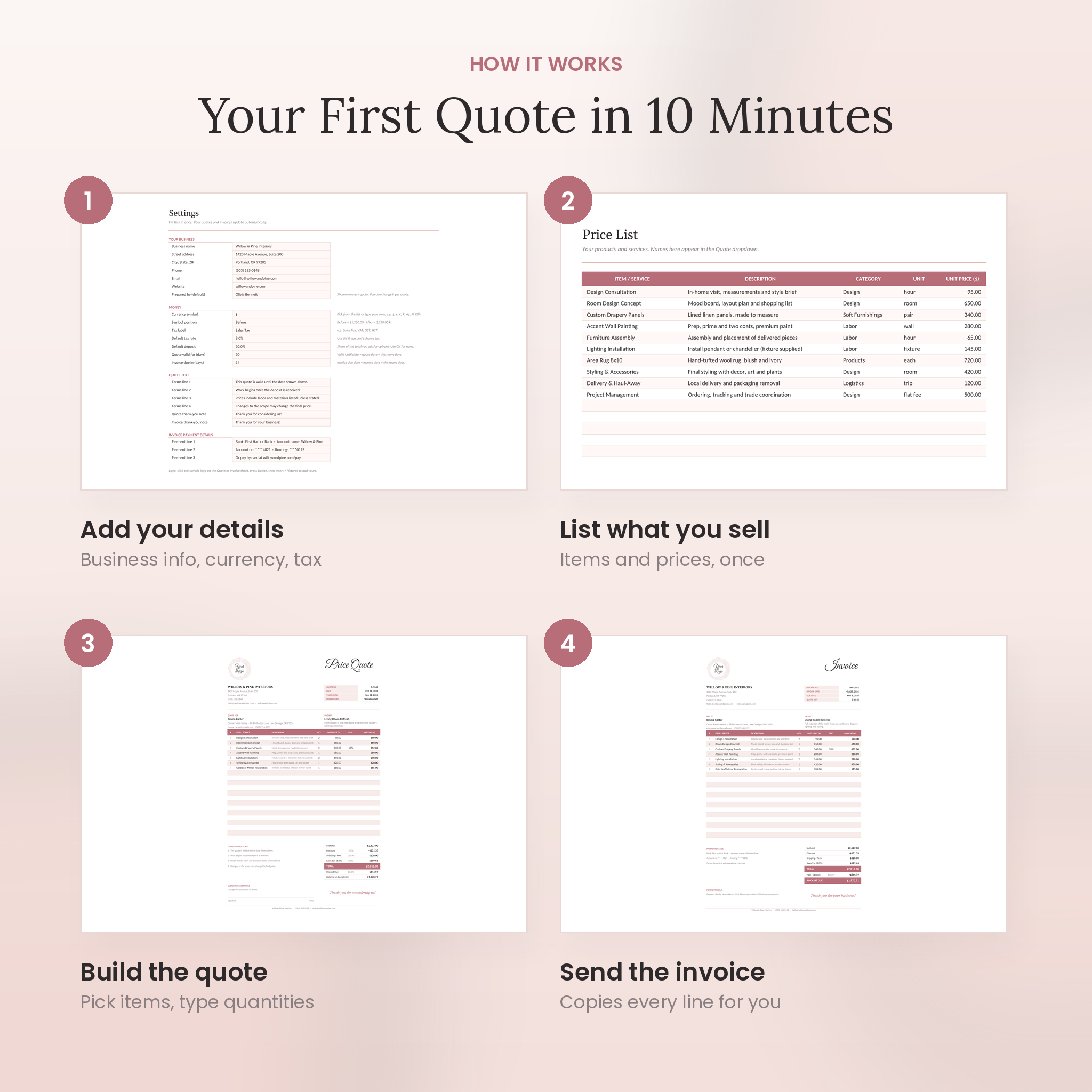
- Open the workbook and fill in Settings: business details, currency, tax rate, deposit and terms.
- Add your products or services to the Price List.
- Open the Quote, pick a client and items, and type quantities.
- Print it or save it as a PDF and send it.
- When it’s accepted, open the Invoice sheet, add an invoice number and send that too.
- Log the quote so your Dashboard stays up to date.
File Formats and Software
- Excel workbook: Microsoft Excel (2016 or newer recommended, Windows or Mac) or LibreOffice Calc
- Word templates: Microsoft Word
- Fillable PDFs: a PDF reader that supports form fields; a desktop reader works best
- Paper sizes: US Letter and A4
Google Sheets and online design editors are not supported.
Customizing Your Quote
Replace the sample logo with yours in two clicks (Insert > Pictures). Change your terms, thank-you notes and payment details in Settings. Every color can be changed after unprotecting a sheet, and the Word template uses real heading styles so you can restyle it fast. The user guide walks through each step.
Digital Download
This is an instant digital download. Nothing will be shipped. After checkout you’ll get a ZIP file with everything above plus the user guide as a separate download. Unzip it, open the workbook and start on the Start Here tab.
Real Ways People Use It
- An interior designer quoting a living room refresh with design fees, drapery and styling, and asking for a 30% deposit
- A cleaning business sending weekly and deep-clean prices from a saved price list
- A wedding florist quoting bouquets and centerpieces, then invoicing the balance a month before the date
- A photographer sending session packages with a travel fee added as shipping / fees
- A handyman printing the blank PDF and filling it in by hand at the job site
Frequently Asked Questions
Does the quote template calculate totals automatically?
Yes, in the Excel workbook. Line totals, subtotal, discount, tax, total, deposit and balance all calculate. The Word and PDF versions are type-in templates without automatic math.
Can I use my own currency?
Yes. Pick or type any symbol in Settings. Word and PDF versions have a Currency box.
Can I add my logo?
Yes, in the Excel and Word files. Delete the sample logo and insert yours.
Does it work in Google Sheets?
No. It’s made for Microsoft Excel and LibreOffice Calc.
Can I turn off tax or deposits?
Yes. Set either to 0% in Settings or on a single quote.
Is there an invoice template too?
Yes. The Invoice sheet builds a matching invoice from your quote.
Do I need an account or app?
No. There’s no sign-up and no expiring edit link. The files are yours to keep.
License
For use in your own business. You can send as many quotes and invoices as you like. Please don’t resell, share or redistribute the files, edited or unedited. © Taskdale.
Reviews
There are no reviews yet.