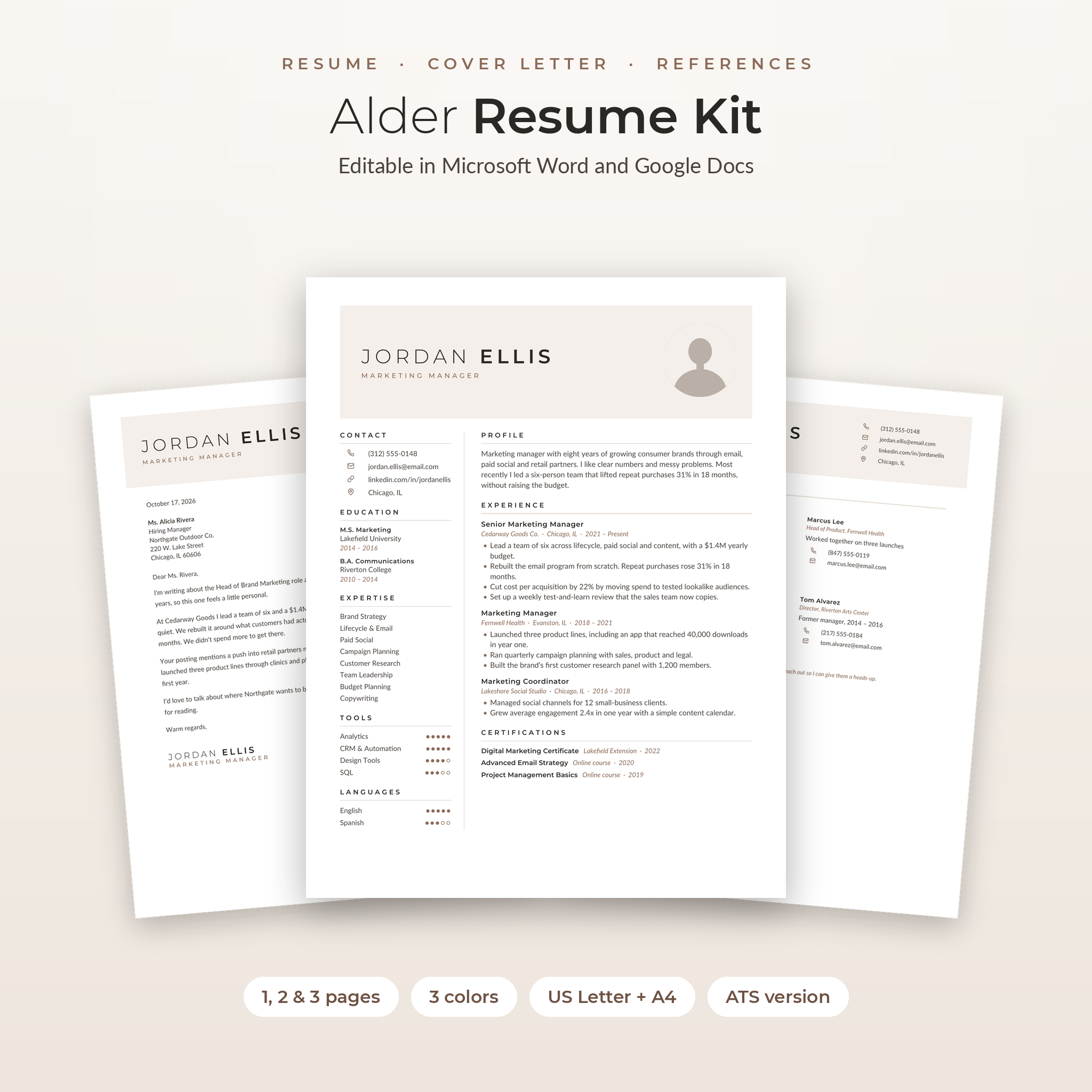
The Alder Resume Kit is a resume template with photo for Word and Google Docs. It looks clean and quiet, the kind of resume a recruiter can read in a few seconds. You get every page you need for a job application in one matching set, plus tools that help after you hit send.
Every template opens as an editable .docx file. Click a line, type over it, done. The placeholder text isn’t filler either. Each line is a short tip that tells you what to write there.
What’s included in this resume template kit
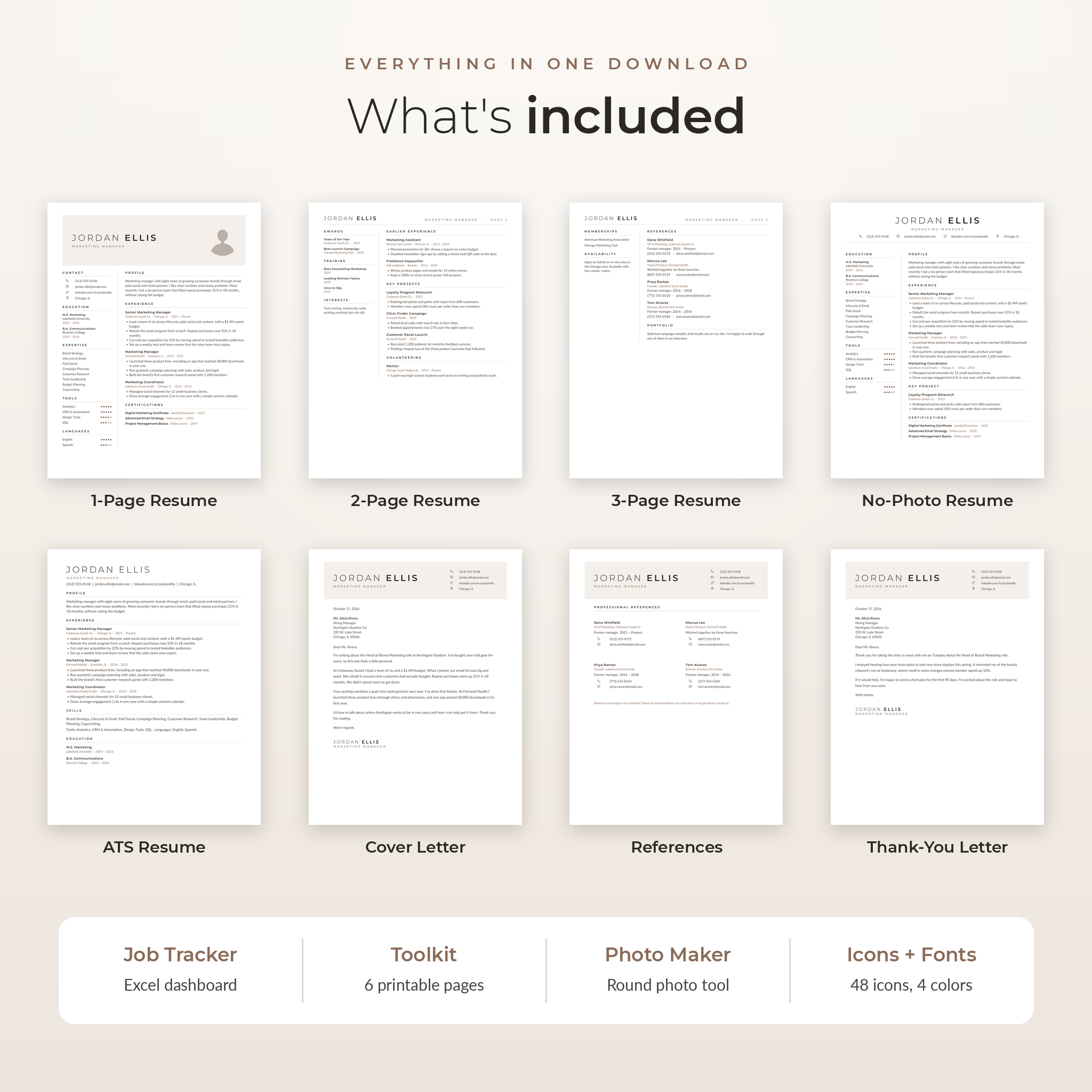
- 1-Page Resume with photo. Two columns, a shaded header and a round photo.
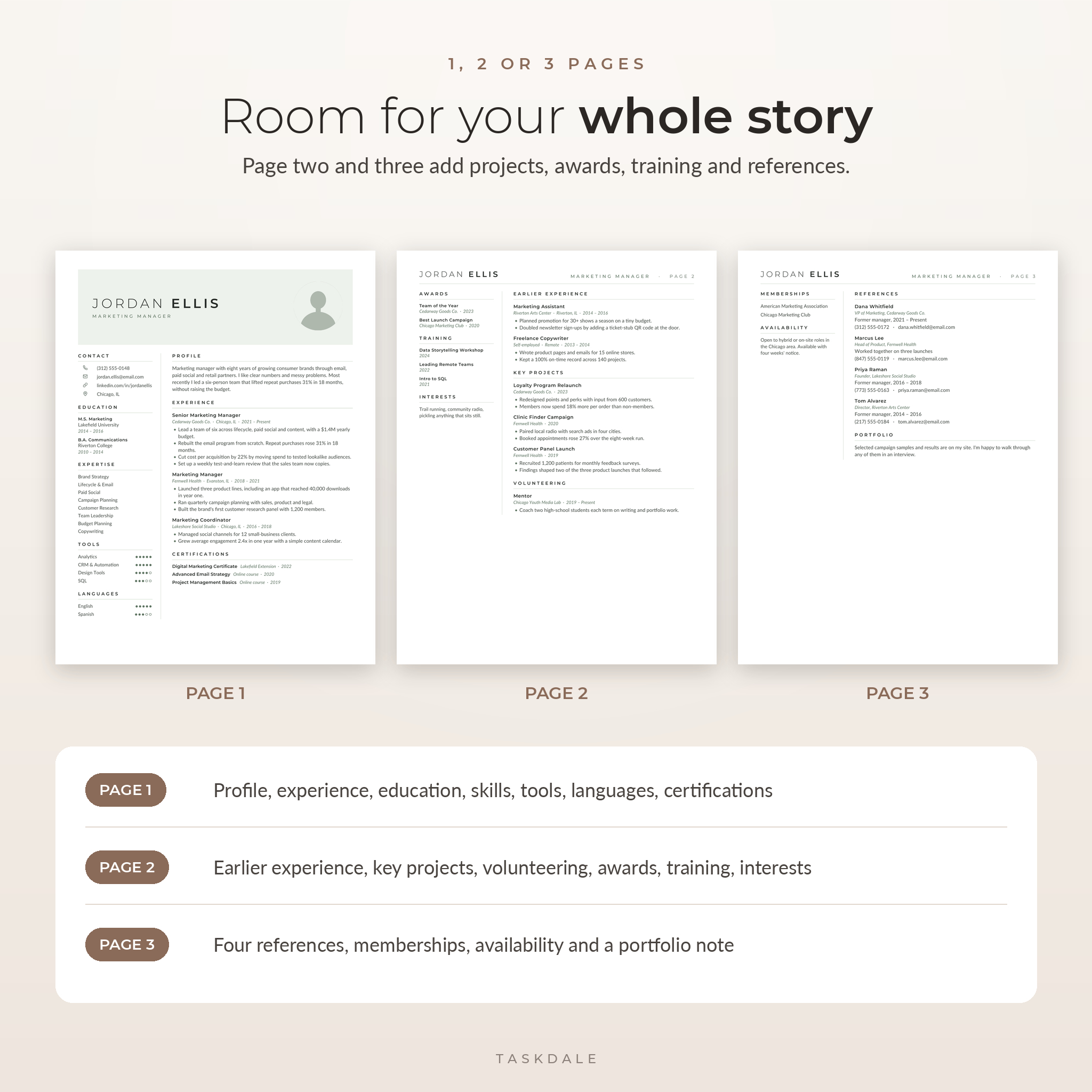
- 2-Page Resume. Adds earlier experience, key projects, volunteering, awards and training.
- 3-Page Resume. Adds a page for references, memberships, availability and a portfolio note.
- 1-Page Resume without photo. Centered header with your contact details on one line.
- ATS-friendly resume. One column. No tables, icons or images, so screening software can read it.
- Cover letter, references page and thank-you letter, all with the same header.
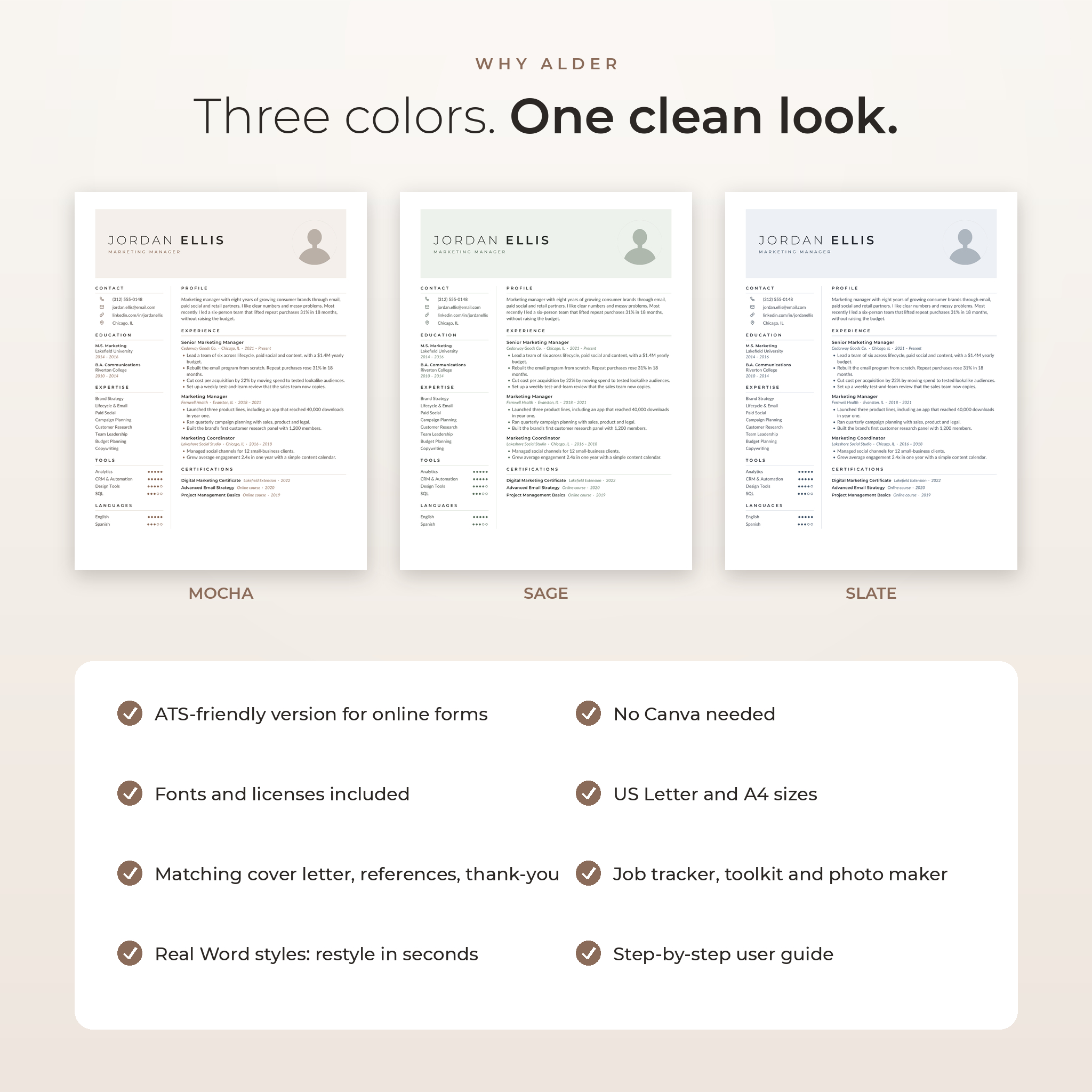
- 3 colors: Mocha, Sage and Slate.
- 2 page sizes: US Letter and A4. That’s 48 template files in total.
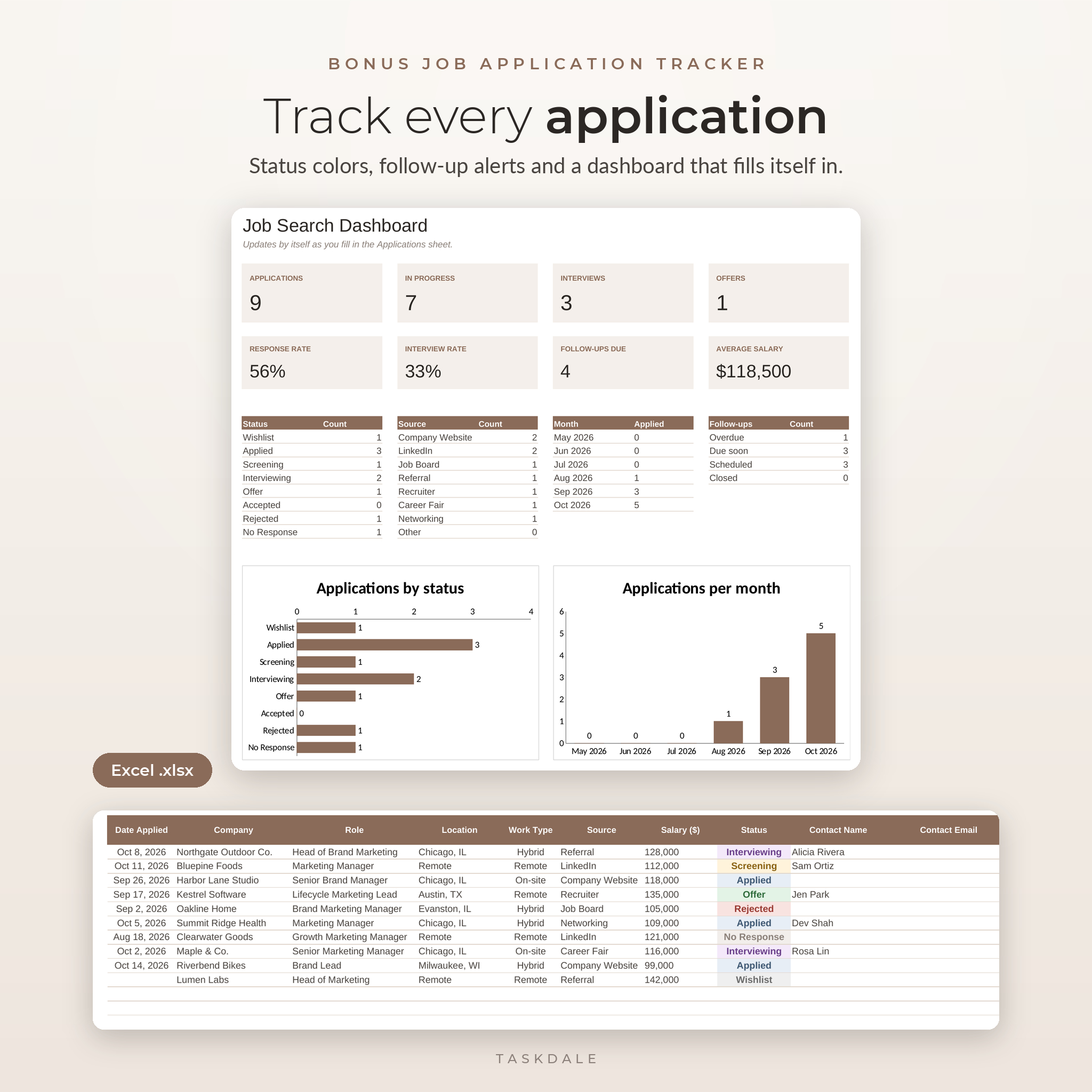
- Job Application Tracker for Excel with a dashboard, dropdowns and follow-up alerts.
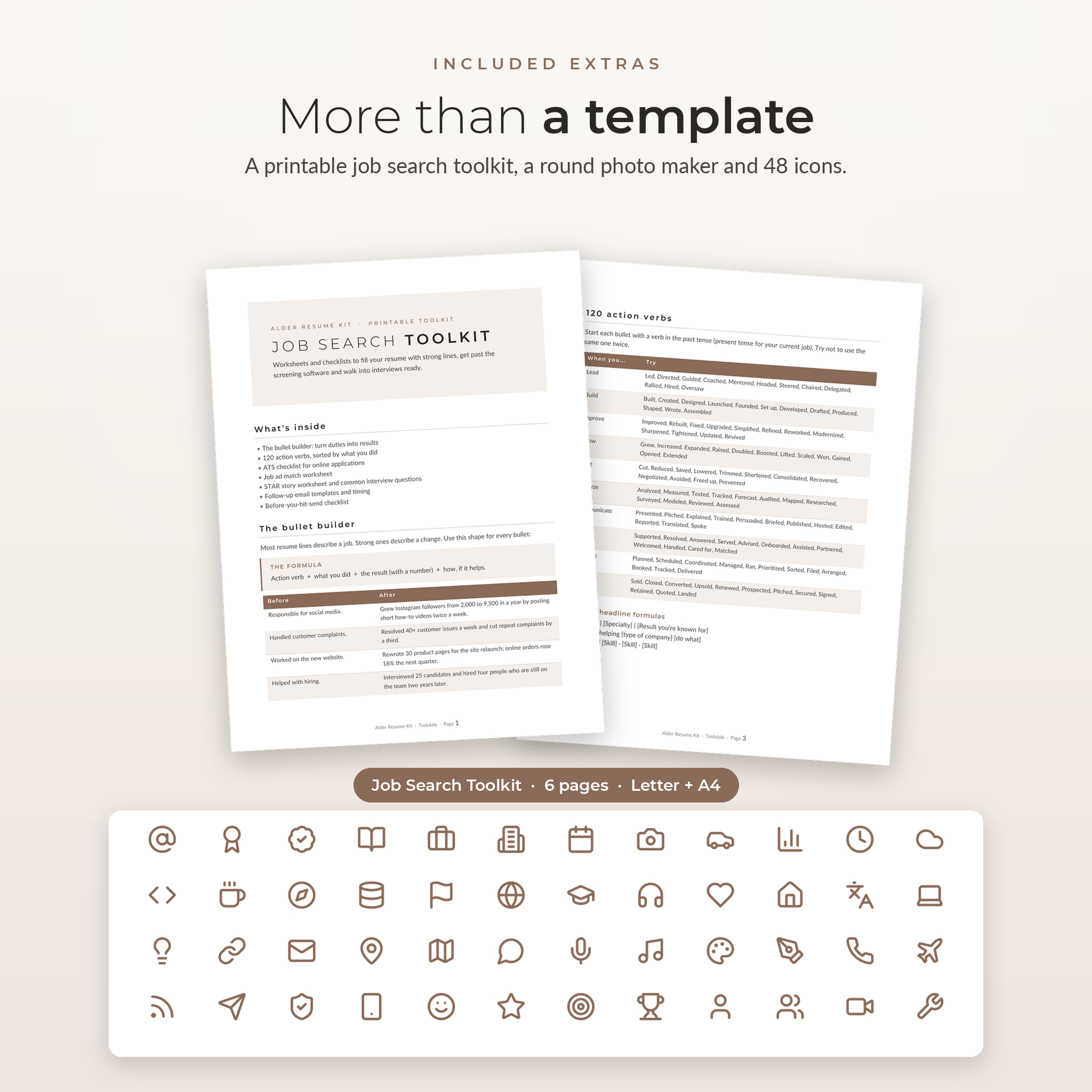
- Job Search Toolkit, 6 printable pages in Letter and A4 (Word and PDF).
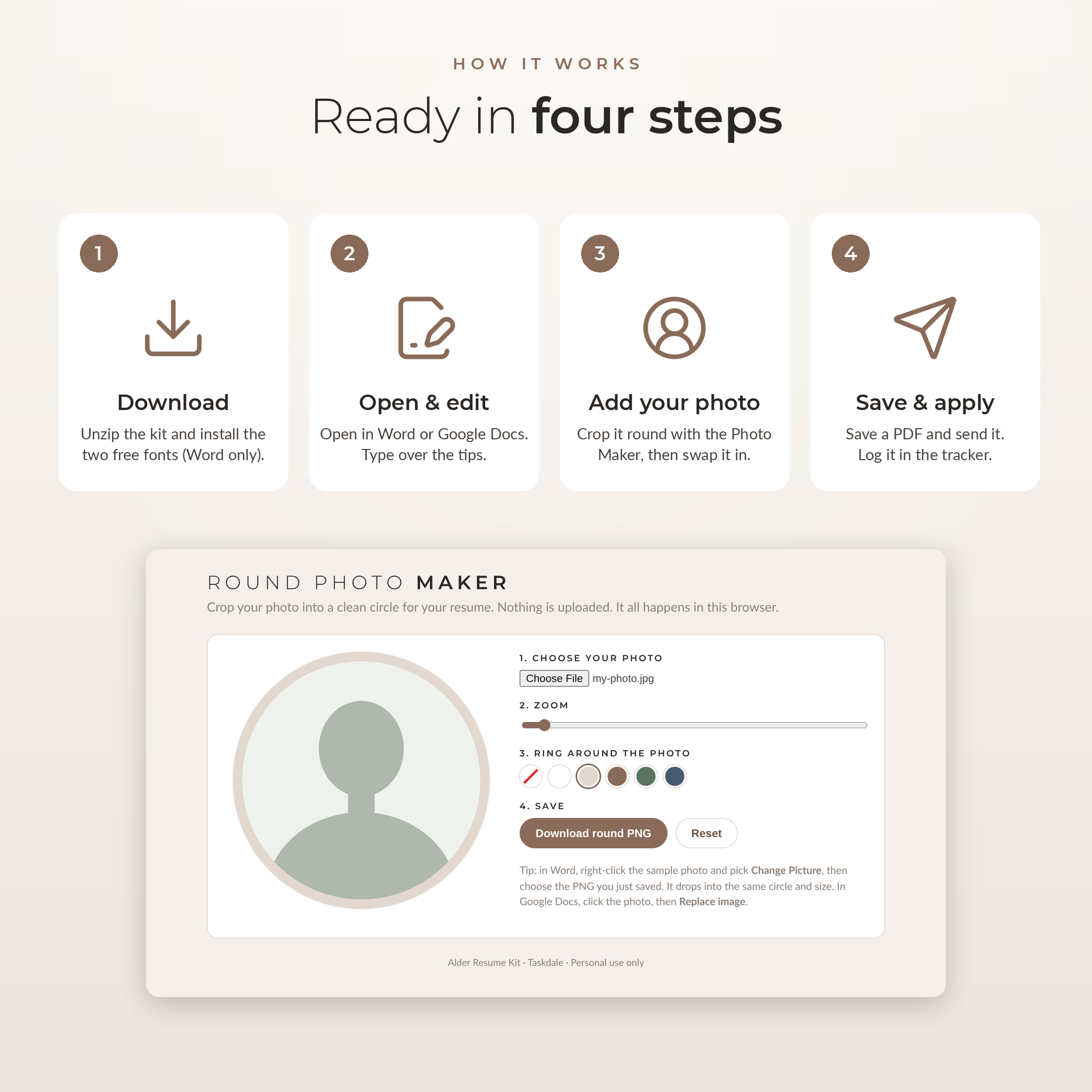
- Round Photo Maker that crops your photo into a circle in your browser.
- 48 line icons in 4 colors, plus the two fonts with their open licenses.
- Step-by-step user guide (Word).
Who it’s for
Anyone who needs a good-looking resume this week without building one from scratch. Graduates. Career changers. Managers who haven’t updated their CV in years. The layout works for both men and women, and for most fields: office, healthcare, sales, education, tech and trades.
Features that make editing easy
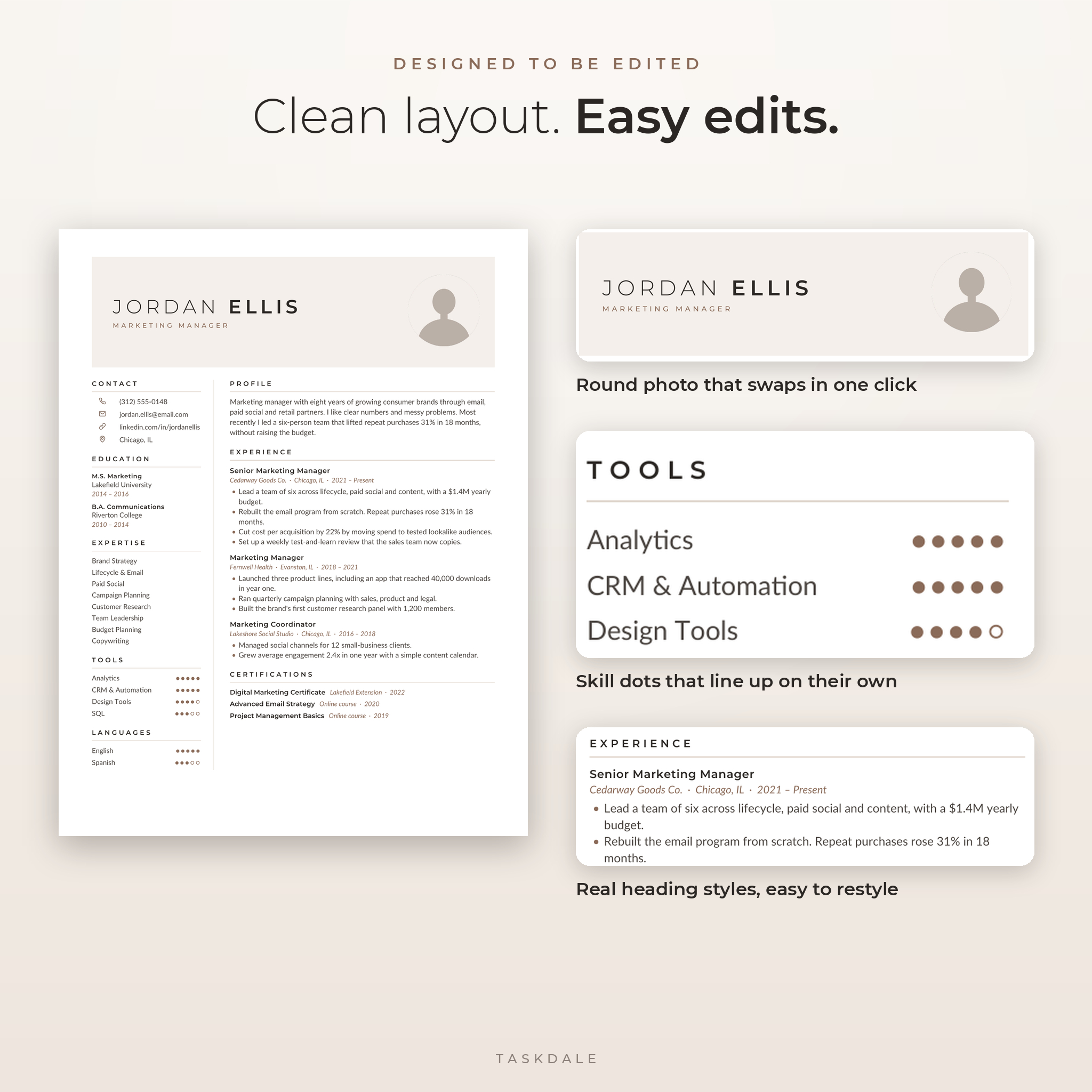
Real Word styles
Your name, section titles, job titles and bullets each use a proper style. Change the color of one section title and all of them follow. Most cheap templates skip this, which is why they fall apart after a few edits.
A photo that drops right in
The sample photo is already round. Run your own picture through the Round Photo Maker, then use Change Picture in Word or Replace image in Google Docs. It keeps the same size and spot. No cropping fights.
Skill dots that line up
Tools and languages use simple dot ratings. They sit on a right tab, so they stay lined up even when your skill names are different lengths.
Room to grow
Add a job by copying a job block. Delete a section by selecting it and pressing Delete. If you write more than fits, the two-column layout flows onto the next page instead of breaking.
The bonus job tracker
Most resume templates stop at the resume. Alder keeps going. The Job Application Tracker is an Excel workbook with room for 300 applications. Pick a status from a dropdown and the cell changes color. Add a follow-up date and the alert column flags it two days before and again when it’s overdue. The dashboard counts your applications, interviews and offers, works out your response rate and charts your activity by month.
Salary figures use one currency setting, with $ as the default. Type €, £, R or any other symbol once and every sheet updates.
How it works
- Download the zip file after checkout and unzip it.
- Word users: install the two free fonts (double-click, then Install). Google Docs already has them.
- Open the template in Word, or upload it to Google Drive and open it with Google Docs.
- Type over the tips, swap in your photo and save a PDF.
- Log the application in the tracker and set a follow-up date.
File formats and software
- Resume, letter and toolkit templates: .docx (Microsoft Word format). Checked in Google Docs and LibreOffice Writer.
- Job tracker: .xlsx for Microsoft Excel. Also checked in LibreOffice Calc.
- Toolkit: also included as print-ready PDF.
- Round Photo Maker: an .html file that opens in any modern browser and works offline.
- Fonts: Montserrat and Lato (.ttf), free for commercial and personal use under the SIL Open Font License.
- You need a computer. Phones and tablets are fine for small text changes but not layout work.
- No Canva account needed.
Customize it your way
Change any text, color, font or section title. Remove the photo or use the no-photo version. Rename sections. Swap icons from the included icon pack. The user guide walks you through each step for Word and Google Docs.
Instant digital download
This is a digital product. Nothing gets shipped. You’ll get a download link right after payment: the full kit as one zip file, plus the user guide as a separate Word file.
Real ways people use it
- A nurse moving into a clinic manager role uses the 2-page version to show leadership projects.
- A new graduate sends the 1-page resume with the matching cover letter for internships.
- A sales rep applies to 40 roles in a month and uses the tracker to follow up on time.
- A job seeker applying through big company portals sends the ATS version, then brings the designed one to the interview.
Frequently asked questions
Can I edit this resume template in Google Docs?
Yes. Upload the .docx file to Google Drive and open it with Google Docs. The fonts are built into Google Docs. The one difference: Google Docs doesn’t support letter spacing, so the name looks a little tighter.
Do I need Microsoft Word?
No. Word works, and so do free Google Docs and LibreOffice.
Is it ATS friendly?
The kit includes a dedicated ATS resume with a single column and no graphics. Use it for online application forms.
Can I use it without a photo?
Yes. There’s a no-photo version, or you can delete the photo from any template.
What size is it?
Every template comes in US Letter and A4.
Can I change the colors?
Three color options come ready to use. You can also change text and header colors yourself in a few clicks.
Does it work on Mac?
Yes, in Word for Mac or Google Docs. Apple Pages can open .docx files, but the layout may shift, so we don’t recommend it.
License
Personal use only. You may edit, print and send these templates for your own job applications. Please don’t resell, share or redistribute the files.
Reviews
There are no reviews yet.