Larderly: the meal planner and grocery list app that writes your shopping list for you
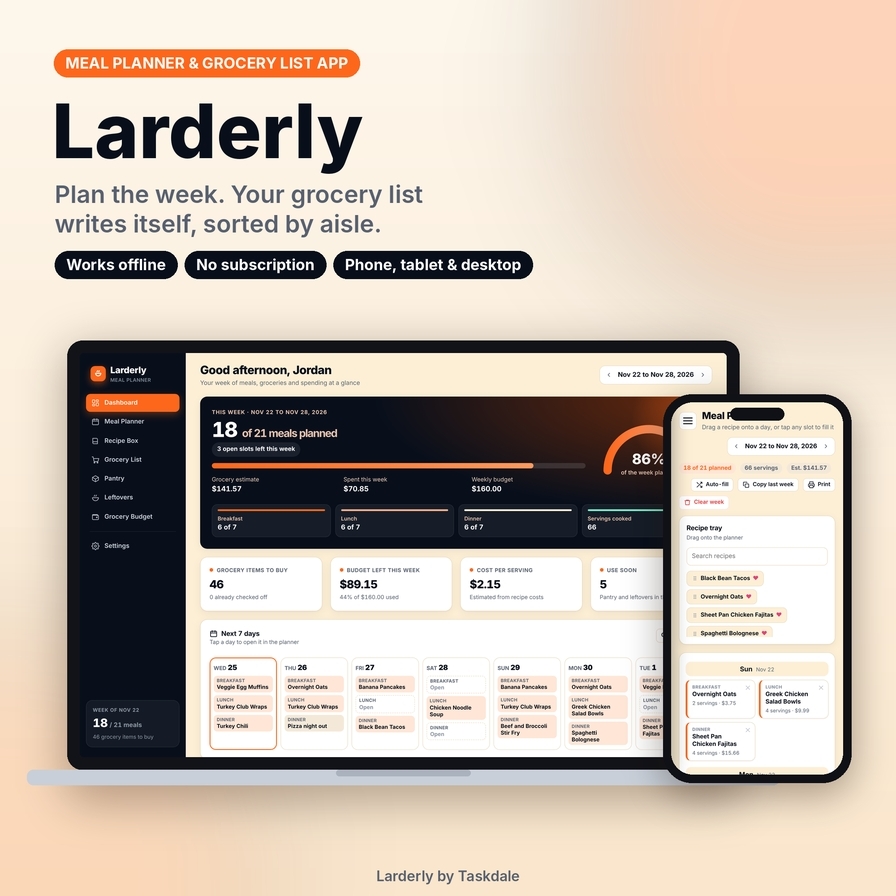
Larderly is a meal planner and grocery list app that runs in your web browser from one downloaded file. Drag recipes onto the days of the week, and the grocery list builds itself: every ingredient scaled to the servings you plan, merged across meals and sorted by store aisle. Whatever is already in your pantry comes off the list. No subscription, no account and no ads.
It works offline once downloaded, and your recipes and plans stay private on your own device.
Who this meal planning app is for
- Families who want dinner settled before Monday instead of at 5:30 pm.
- Anyone trying to lower the weekly grocery bill with a set budget.
- Meal preppers who batch cook and want leftovers planned, not forgotten.
- People tired of throwing out spinach and half a tub of sour cream every week.
- Home cooks who want their favorite recipes, with costs, in one searchable recipe box.
Features of the Larderly meal planner
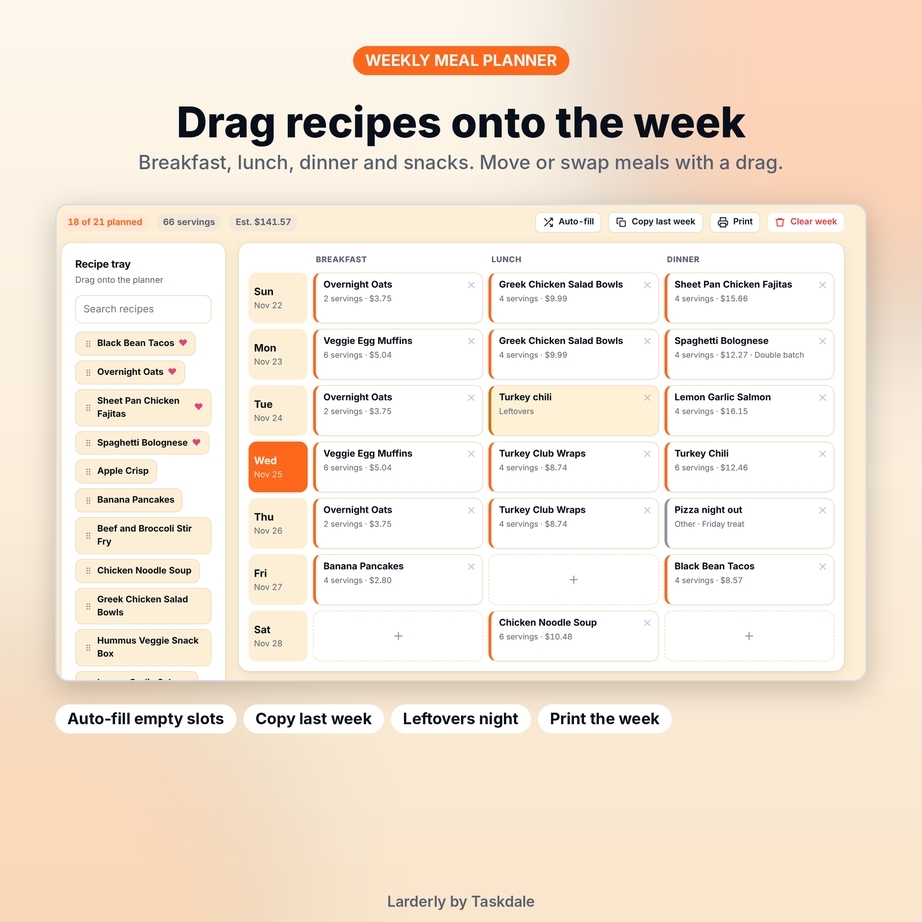
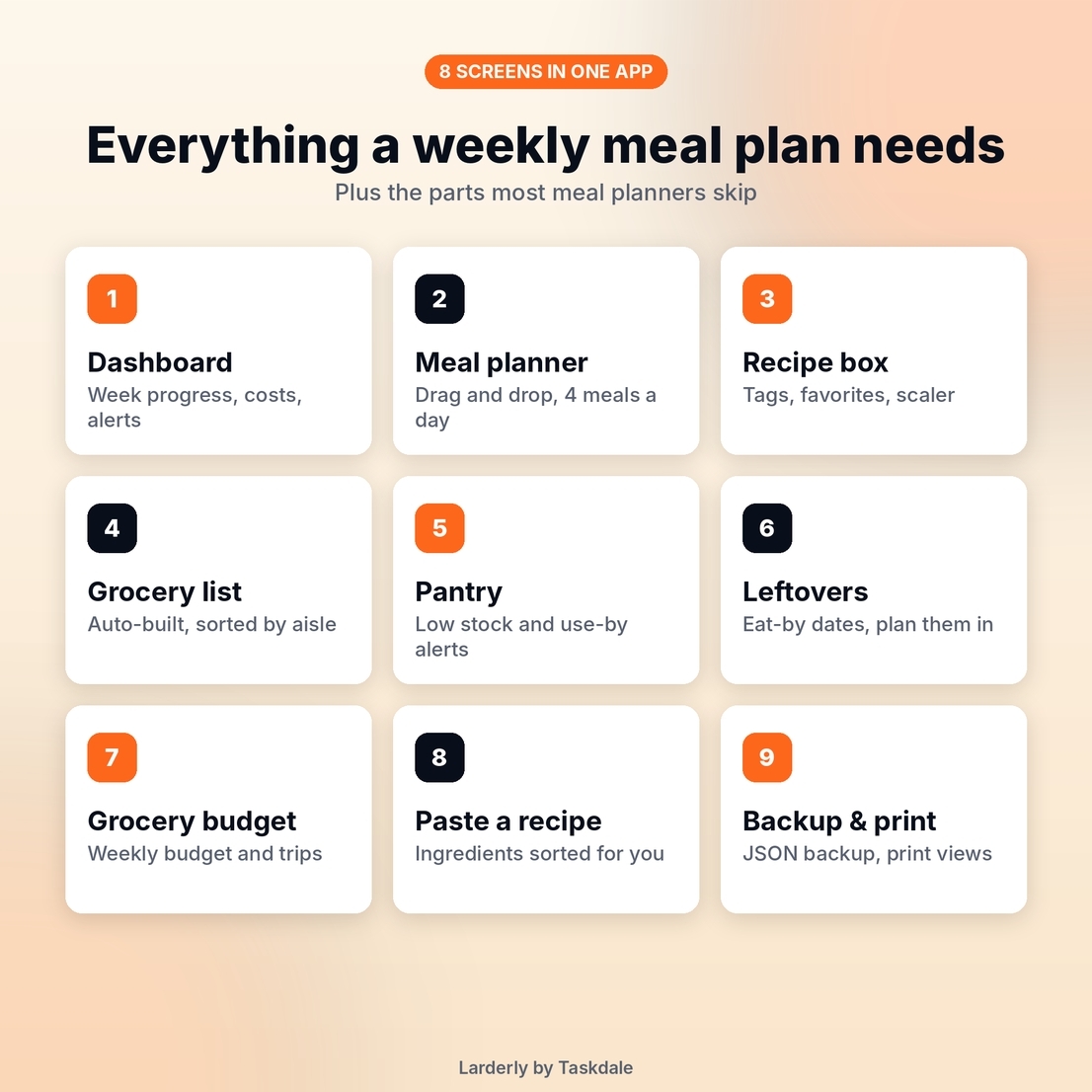
Drag and drop weekly meal planner
Each day has slots for breakfast, lunch, dinner and snacks. Drag a recipe from the tray onto a slot, drag a meal to another day to move it, or drop it on another meal to swap the two. On a phone, tap a slot and pick the recipe. You can plan leftovers or an eat-out night in any slot too, and every change has an undo.
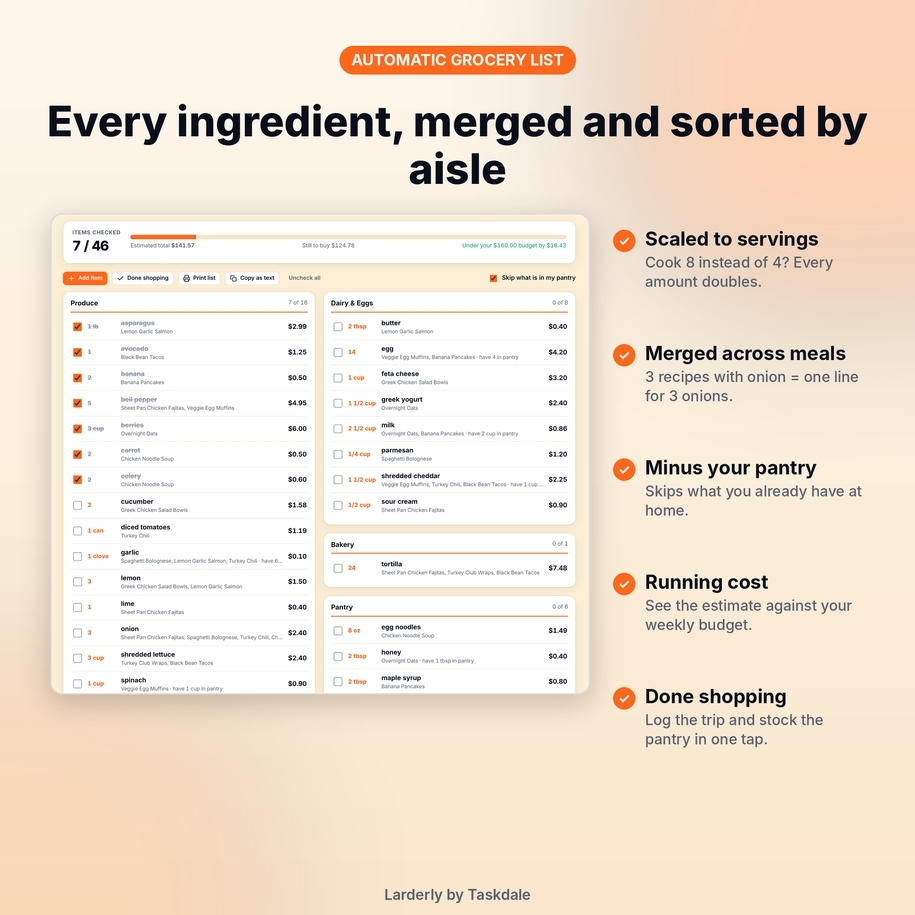
Automatic grocery list, sorted by aisle
Plan 8 servings of a 4-serving chili and every ingredient doubles. Three recipes that each use an onion become one line for 3 onions. The list groups items by Produce, Meat & Seafood, Dairy & Eggs, Bakery, Pantry and more, so you walk the store once. Each line shows which recipes need it and what it should cost. Tick items as they go in the cart, add extras like paper towels, print the list or copy it as text to your phone.
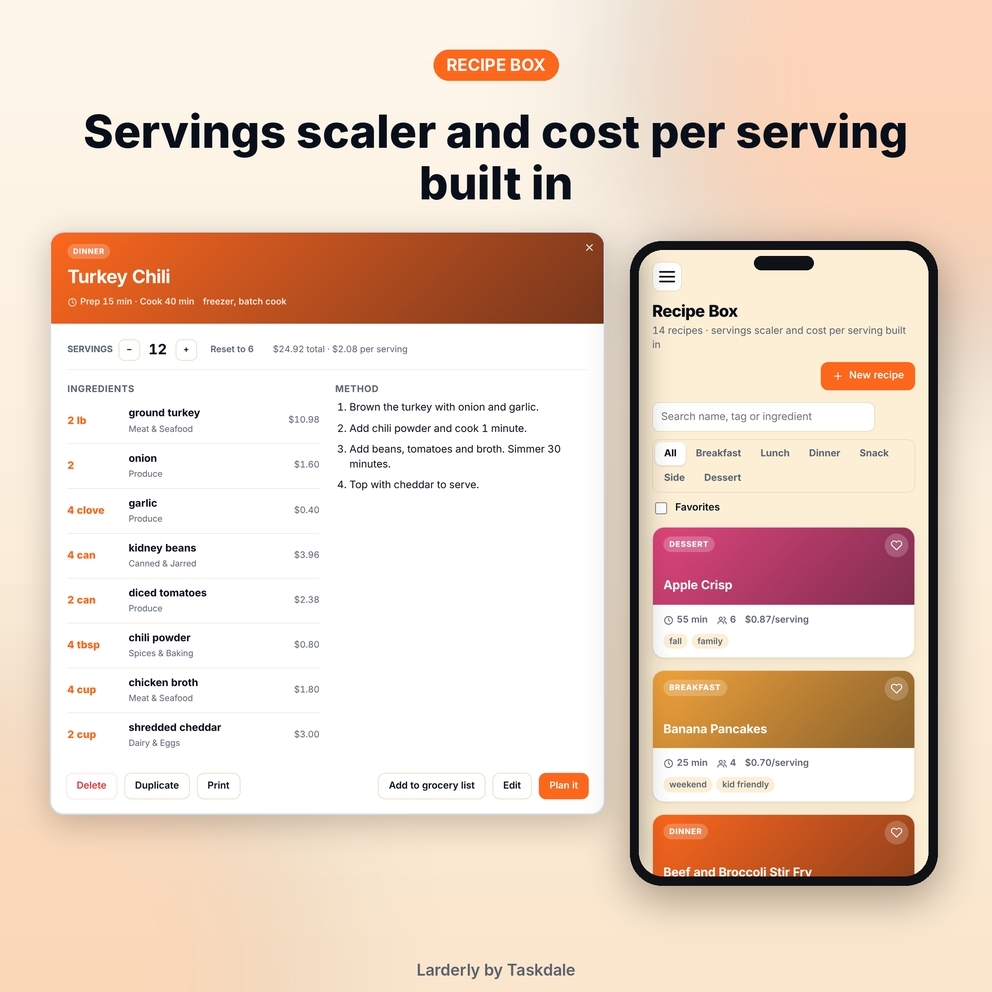
Recipe box with servings scaler and cost per serving
Store recipes with category, prep and cook time, tags, ingredients, method, notes and source. Open any recipe and press plus or minus to scale it. Quantities show as kitchen fractions such as 1 1/2 cup, and the cost per serving updates as you go. Paste an ingredient list like “2 cups rice” and Larderly fills in the quantity, unit and aisle for you.
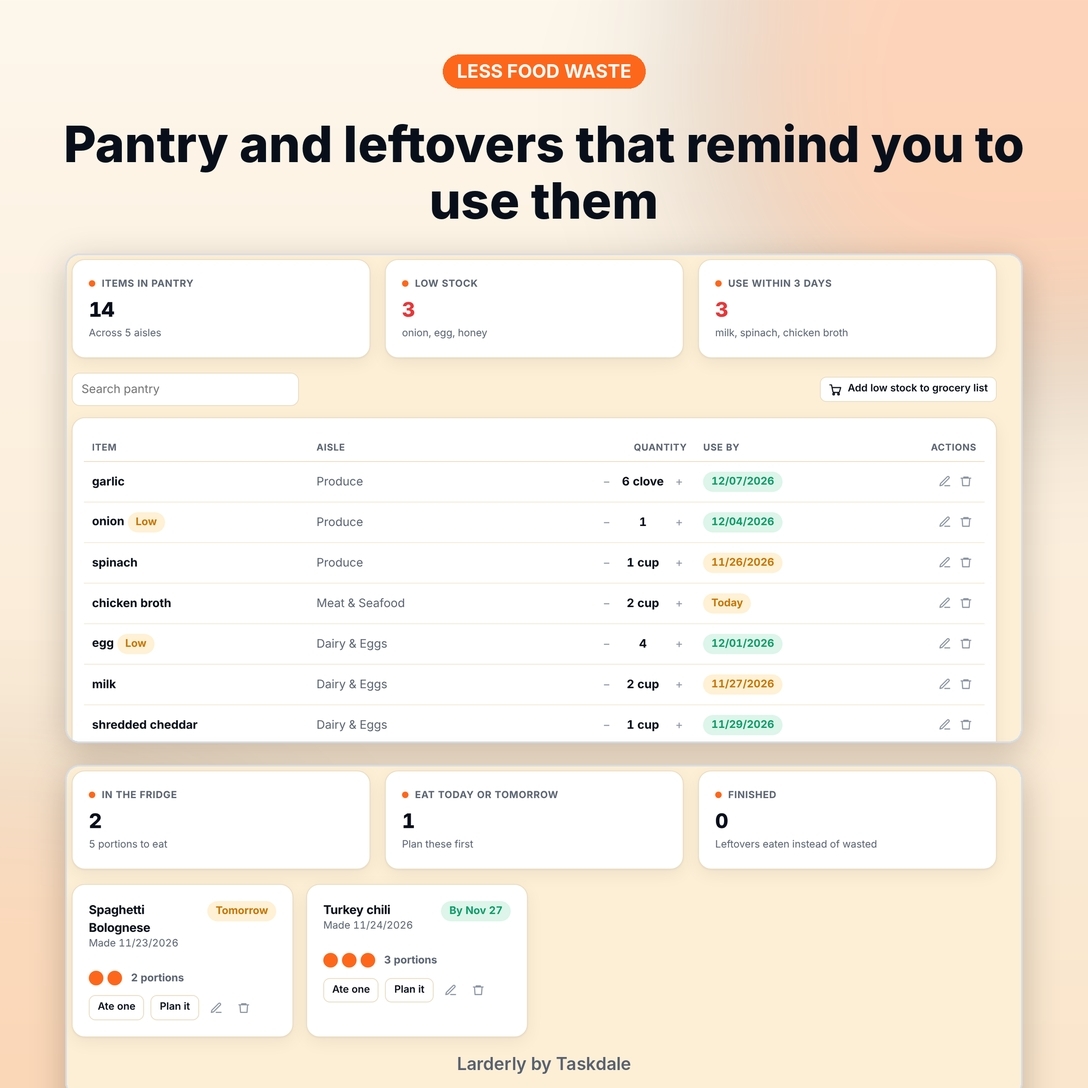
Pantry inventory with use-by alerts
Track what is at home with quantities, a low-stock level and an optional use-by date. Low items can go straight onto the grocery list. Items close to their date show on the dashboard with recipe ideas that use them. Press Done shopping after a trip and the items you bought move into the pantry automatically. Mark a meal cooked and its ingredients come out of the pantry.
Leftovers tracker
Log leftovers with portions and an eat-by date (3 days by default, and you can change it). Plan them into a lunch slot, tap Ate one as you go, and watch the dashboard warn you the day before they need eating.
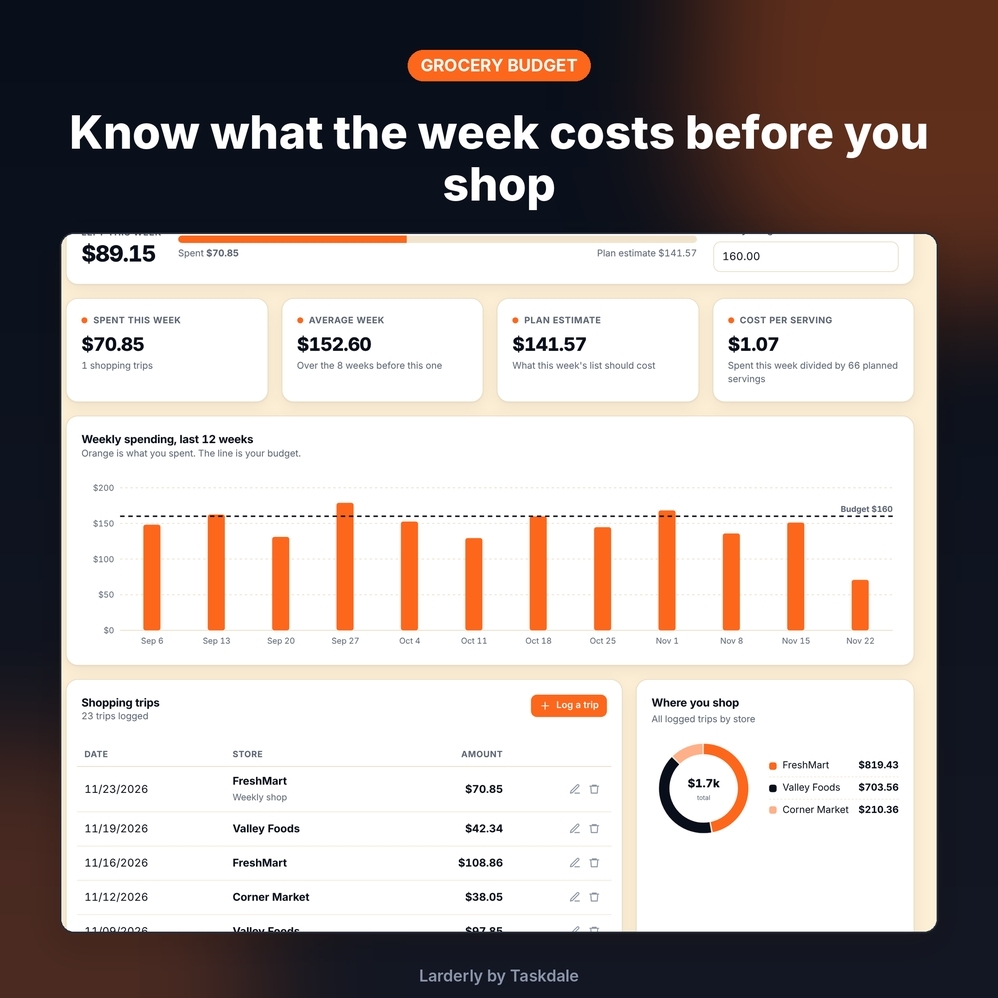
Weekly grocery budget
Set a weekly grocery budget, log each shopping trip by store and see what is left. A 12-week chart shows every week against a dashed budget line, and a donut shows where you shop most. The dashboard compares this week’s list estimate with your budget before you leave the house.
A dashboard that shows the whole week
The dashboard opens with a dark hero card: meals planned this week, a progress gauge, the grocery estimate, what you have spent and your budget. Below sit cards for items to buy, budget left, cost per serving and food to use soon, a 7-day strip of upcoming meals, the 8-week spending chart and your favorite recipes.
What is included
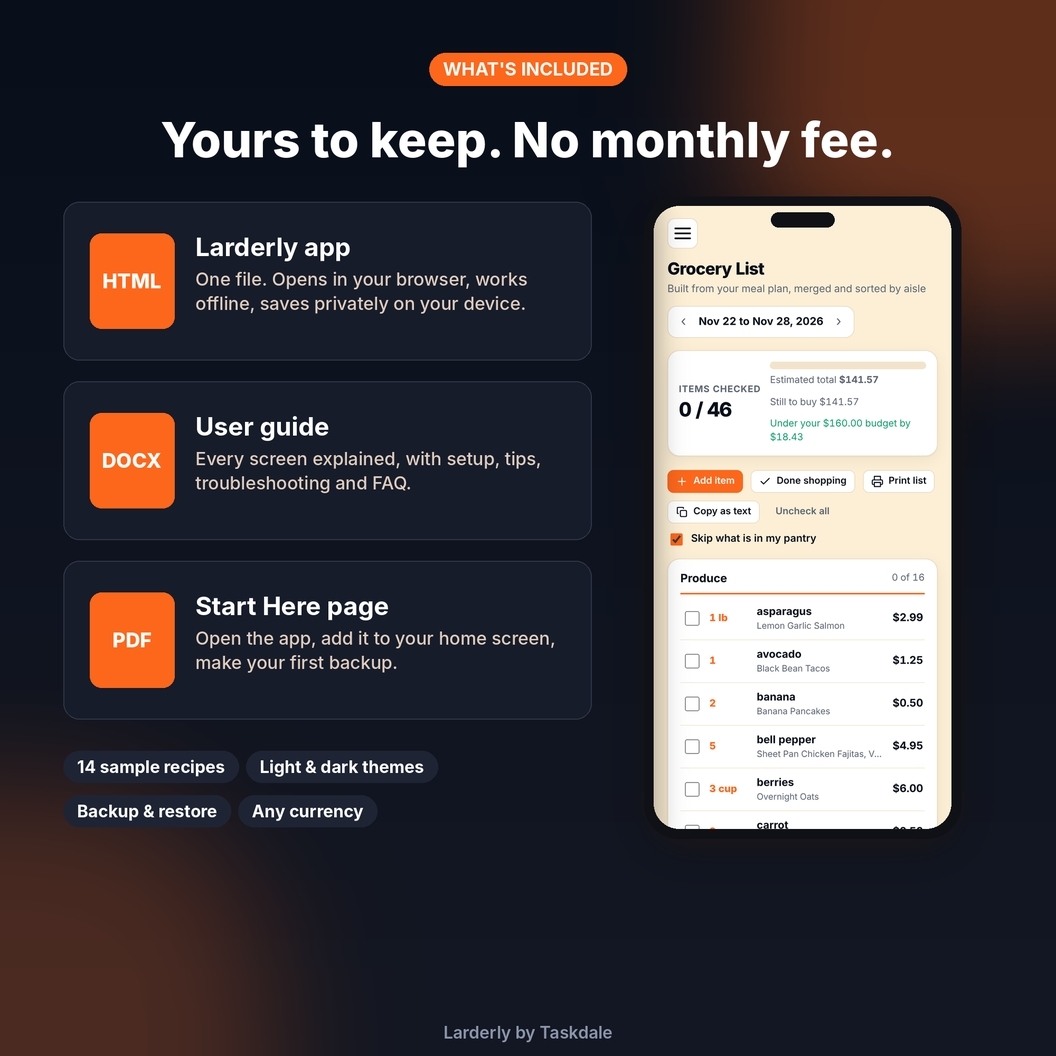
- Larderly-Meal-Planner.html: the app, one self-contained file (about 145 KB).
- Larderly-User-Guide.docx: a 17-page illustrated guide covering setup, every screen, tips, troubleshooting and FAQ. Also attached as its own download.
- Larderly-Start-Here.pdf: a one-page quick start, including how to add the app to your home screen.
- 14 sample recipes and a fully planned sample week to explore, plus 6 starter recipes you can keep.
How the meal planner and grocery list app works
- Download the ZIP, unzip it and double-click the HTML file.
- Enter your name, currency, the day your week starts and your weekly budget.
- Add recipes, or paste ingredient lists, then drag meals onto the week.
- Open the Grocery List. It is ready, sorted by aisle, minus your pantry.
- Shop, tick items off, then press Done shopping to log the trip and stock the pantry.
File format and software requirements
- Format: a single offline HTML web app. No installation, no internet needed after download.
- Tested in Google Chrome and Microsoft Edge on desktop, tablet and phone screen sizes. It uses standard web features, so other current browsers should run it too.
- Android: open the file in Chrome, then Add to Home screen.
- iPhone and iPad: the Files app preview cannot run web apps. Open the file in a browser or an HTML viewer app that opens local files. The guide walks you through it.
- Data is saved in your browser on that device. Export a backup (JSON) and import it to move to another device.
Customize it
Choose any currency symbol, shown before or after the amount. Turn breakfast, lunch, dinner or snack slots on and off, start the week on Sunday, Monday or Saturday, set your leftover keep time, switch between light and dark themes and pick which pantry stock counts against the list.
Digital download
This is a digital product. Nothing is shipped. You get instant access to the ZIP and the user guide after checkout, with unlimited downloads. Personal use license: for your own household only, no resale or sharing.
Ways people use this meal planning app
- A Sunday 20-minute plan for a family of four, with one trip to the store on Monday.
- Batch cooking a double pot of chili and planning the leftovers for two lunches.
- Keeping groceries under a set weekly budget on a tight month.
- Using up what is in the fridge before the next shop.
FAQ
Is this a meal planner app or a printable?
It is an interactive app that runs in your browser. You can also print the weekly plan, the grocery list and single recipes.
Do I need internet or an account?
No. It works offline with no sign-up, and your data never leaves your device.
Does the grocery list combine ingredients from different recipes?
Yes. Ingredients with the same name and unit merge into one line, scaled to the servings you plan.
Can it subtract what I already have?
Yes. Pantry items with the same name and unit come off the list. You can switch this off.
Does it work on iPhone?
Yes, when opened in a browser or an HTML viewer app. The Files preview alone cannot run it.
Can I use metric units?
Yes. Grams, kilograms, milliliters and liters sit alongside cups, spoons, ounces and pounds.
Is there a monthly fee?
No. You pay once and keep it.
Reviews
There are no reviews yet.