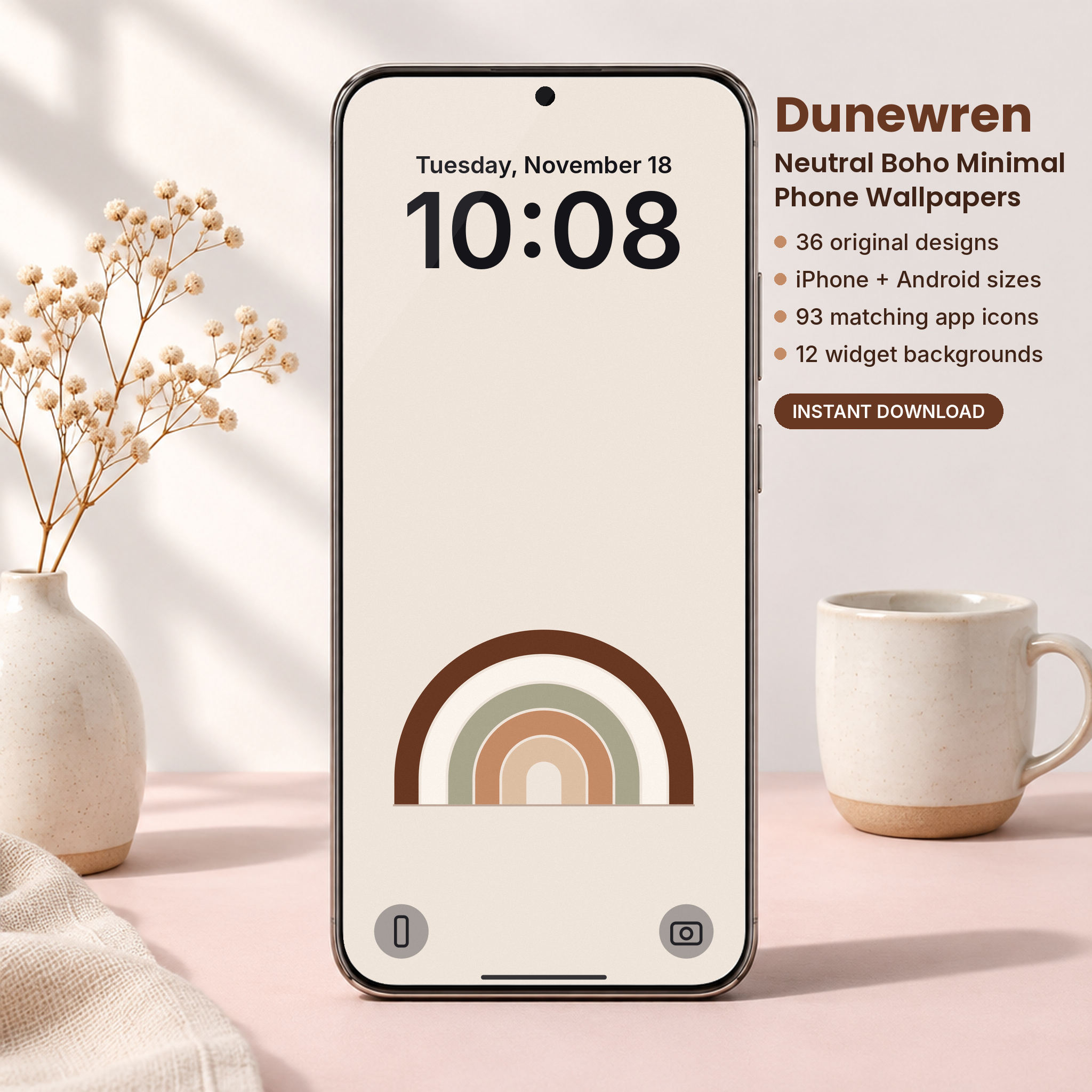
Looking for a free boho phone wallpaper that actually looks good behind your clock? Below you can download three neutral boho designs for iPhone and Android, sized to fit your screen with no cropping. Then keep reading for a simple plan to turn a cluttered phone into a calm, earthy home screen in about ten minutes.
Download your free boho phone wallpapers
The free set includes three designs from our Dunewren collection: Rainbow Arches, Bud Vase and Line Waves, all in the warm Sand colorway. Each one comes in two sizes, 1290 x 2796 px for iPhone and 1440 x 3200 px for Android. Enter your email and the ZIP file lands right away.

Free Boho Phone Wallpapers (3 Designs, iPhone + Android)
3 neutral boho wallpapers from the Dunewren pack (Rainbow Arches, Bud Vase and Line Waves in Sand), each in iPhone 1290 x 2796 and Android 1440 x 3200 PNG, plus a quick guide to the full 36-design pack.
Want everything unlocked?
The free file is a sample. The full version has every page, tab and feature, plus the user guide.
See the full versionWhy boho wallpapers work so well on a phone
You look at your lock screen dozens of times a day. A loud photo or a busy pattern wears you down faster than you think, and it hides the things you need: the time, your notifications, your app names.
Boho minimal design solves that in three ways:
- Low contrast colors. Sand, clay, sage and cocoa sit close together on the color wheel, so nothing shouts.
- Simple shapes. Arches, suns, stems and stones are easy to read at a glance, even at small sizes.
- Space to breathe. Good boho layouts leave a lot of plain background, which is exactly what your clock and dock need.
That last point matters more than the art itself. A beautiful wallpaper that puts its main shape right behind the time is a bad wallpaper.
The clock zone and the dock zone
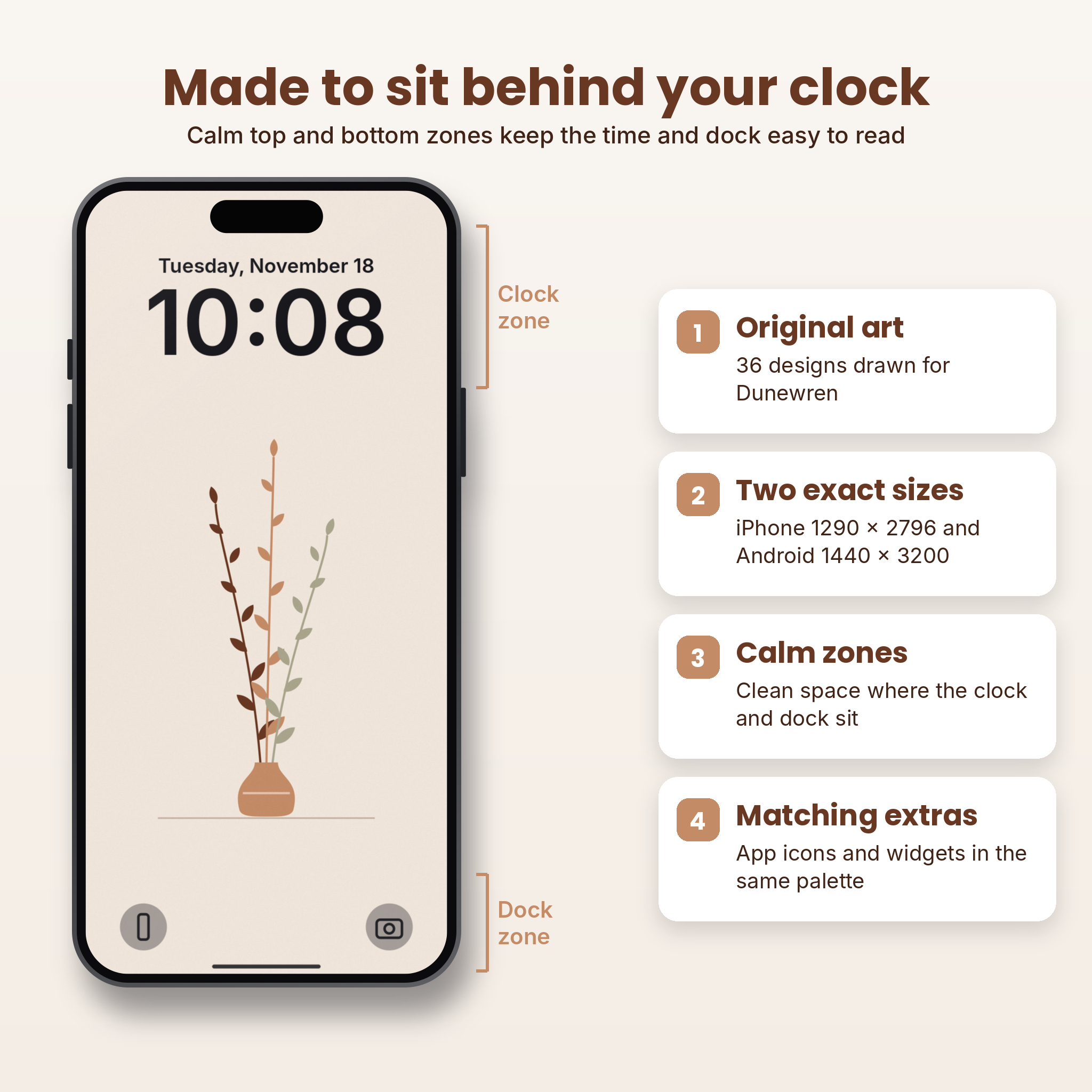
On an iPhone, the lock screen clock takes up roughly the top quarter of the screen. On both iPhone and Android, the dock sits in the bottom eighth. Every design in the free set keeps those two areas quiet and places the arch, vase or waves in the middle. You can see the idea in the image below.
The boho color palette, explained
If you want to mix our wallpapers with your own icons or widgets, it helps to know the palette. These are the core tones we used:
| Tone | Hex code | Where it works best |
|---|---|---|
| Soft Sand | #F0E5DB | Backgrounds, light icon tiles |
| Mocha Sand | #C48B67 | Sun shapes, accents, icon glyphs on light tiles |
| Coffee Brown | #693822 | Text, dark icon tiles, outlines |
| Sage | #8E957A | Plants, a cool contrast to the warm browns |
| Cream | #FAF4EC | Highlights, widget backgrounds |
Copy those hex codes into any widget app and your colors will match the wallpaper exactly.
How to set your free boho wallpaper
On iPhone
- Open the ZIP in the Files app and tap it once to unzip.
- Open the iPhone folder, tap a wallpaper, tap Share, then Save Image.
- Open Photos, tap the wallpaper, tap Share again and choose Use as Wallpaper.
- Tap Add, then Set as Wallpaper Pair, or Customize Home Screen if you want a different home screen.
On Android
- Extract the ZIP with your Files app.
- Open the image from the Android folder in Gallery or Photos.
- Tap the three-dot menu and choose Set as wallpaper.
- Pick Home screen, Lock screen or both.
Tip: if your phone zooms the image when you set it, pinch out once to fit. The files are already the right size, so nothing should need cropping.
Want the whole collection?
The free set is three designs. The full Dunewren pack has 36, across nine motifs and four colorways, plus matching app icons and widget backgrounds so the whole phone looks planned.
TASKDALE PICK
Dunewren: Neutral Boho Minimal Phone Wallpapers

Rainbow arches, sun dunes, terrazzo, wavy check, stacked stones and more. Every design keeps the clock and dock areas calm.
- 36 original boho wallpapers in Sand, Clay, Sage and Cocoa
- iPhone 1290 x 2796 and Android 1440 x 3200 versions of every design
- 93 matching app icons in 3 styles
- 12 widget backgrounds (6 square, 6 wide)
- DOCX guide with custom icon steps
One-time purchase, instant download
Free sample vs. full pack
| What you get | Free sample | Full pack |
|---|---|---|
| Wallpaper designs | 3 | 36 |
| iPhone + Android sizes | Yes | Yes |
| Colorways | 1 or 2 | 4 |
| Matching app icons | No | 93 |
| Widget backgrounds | No | 12 |
| Contact sheet + DOCX guide | Quick card only | Yes |
5 boho home screen setups to copy
Here are five combinations that look good together. Each uses designs from the full pack, but the first one works with the free set alone.
1. The quiet arch (free set)
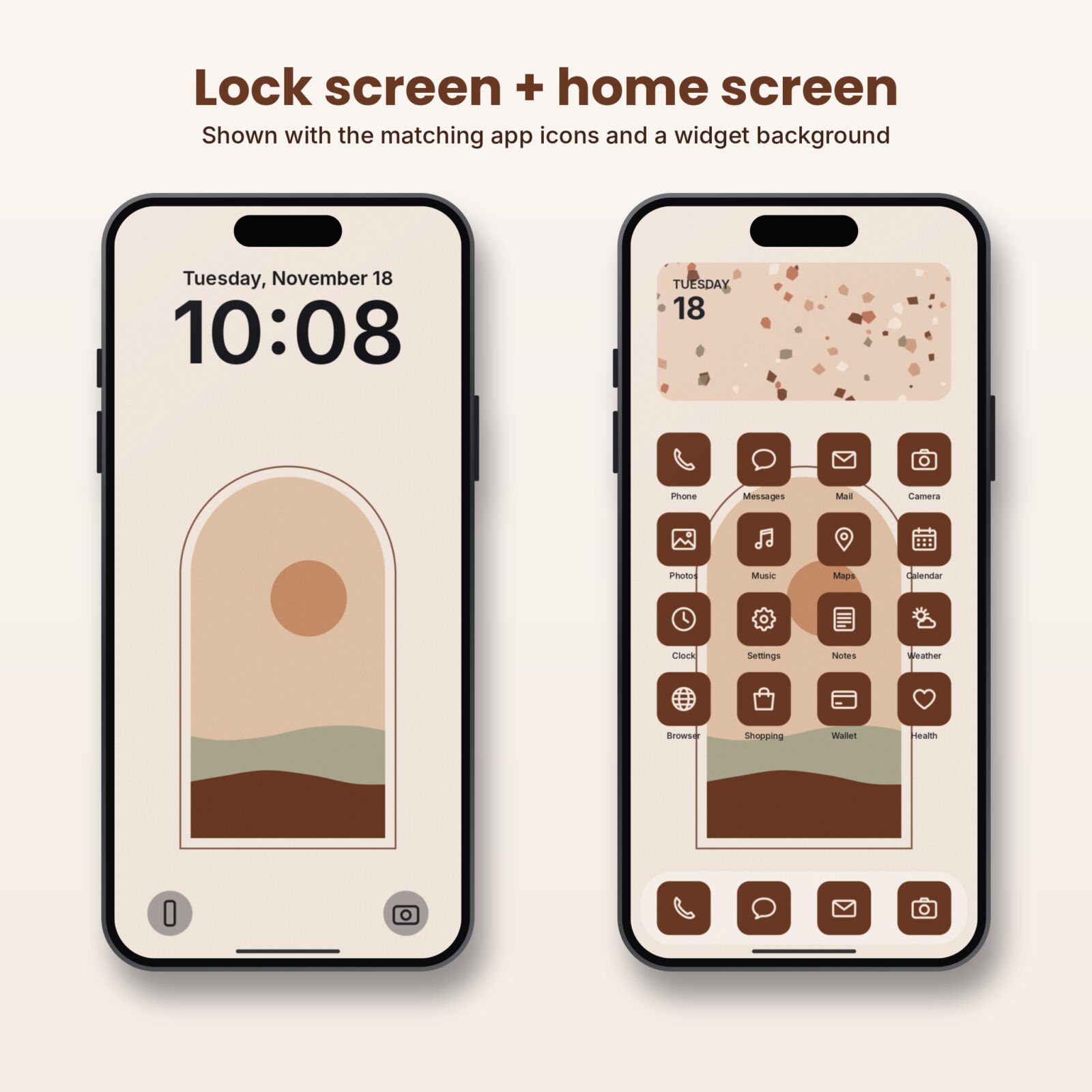
Lock screen: Rainbow Arches Sand. Home screen: Line Waves Sand. Keep only one page of apps and push the rest into the App Library or app drawer. The waves fill the middle while your icons float on plain sand above and below.
2. Sage and stone
Lock screen: Stacked Stones Sage. Home screen: Terrazzo Sage with the Sage icon set. Add a wide widget background from the same colorway at the top of the screen.
3. Warm clay afternoon
Lock screen: Sun Dunes Clay. Home screen: Wavy Check Clay. The Sand icon set in light tiles sits on top of the check without getting lost.
4. Cocoa night mode
Lock screen: Arch Window Cocoa. Home screen: Bud Vase Cocoa with the Cocoa icon set. Turn on dark mode and the whole phone feels like a candlelit room.
5. Mix and match
Because every colorway shares the same tones, you can pair a Sage lock screen with a Clay home screen. It still reads as one look.
How to add matching boho app icons
Custom icons are what make a phone look styled instead of just decorated. On iPhone the free Shortcuts app does the job:
- Open Shortcuts and tap + to make a new shortcut.
- Add the Open App action and choose the app.
- Tap the share or info button and choose Add to Home Screen.
- Tap the icon, choose Choose Photo, and pick your boho icon image.
- Name it and tap Add. Then remove the original app from your home screen (it stays installed).
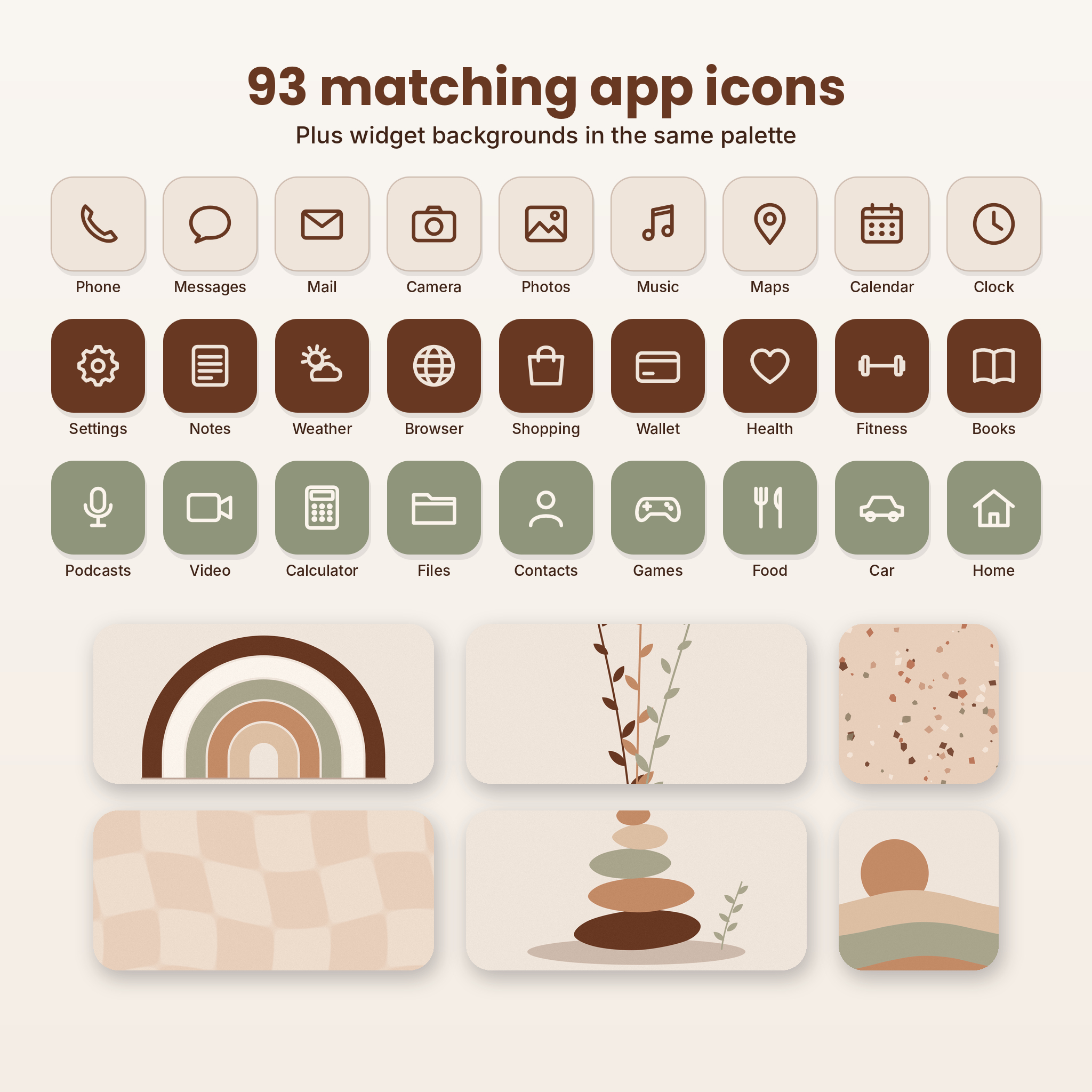
On Android, long-press an app and look for Edit. If your launcher doesn’t support custom icons, a launcher app that does will. The full pack includes 93 boho icons in three colors, so you don’t have to design your own.
Common mistakes with aesthetic wallpapers
- Using a photo that is too small. A 1080 px wide image on a 1290 px screen looks soft. Use files made for your phone size.
- Putting the focal point behind the clock. Your eyes go to the clock first, so the art should live elsewhere.
- Too many pages of apps. Three pages of icons cover any wallpaper. Keep one or two.
- Mixing too many palettes. Pick one colorway for the lock screen and one for the home screen, and stop there.
- Forgetting dark mode. Light wallpapers can look washed out in dark mode. Use a darker colorway like Cocoa at night.
Which file should I use on my phone?
The download has an iPhone folder and an Android folder. Both folders hold the same designs. The only difference is the shape of the file, so pick the one closest to your screen.
| Your phone | Folder to use | Why |
|---|---|---|
| iPhone 12 and newer, including Plus and Pro Max | iPhone | Made at 1290 x 2796 (Plus and Pro Max size), so it fits every recent iPhone |
| iPhone SE or older iPhone 8 style models | iPhone | The phone trims a little from the top and bottom; the art in the middle stays whole |
| Samsung Galaxy S and A series, Pixel, Motorola, OnePlus | Android | Made at 1440 x 3200, which matches most tall Android screens |
| Foldables (cover screen) | Android | Tall and narrow, so the Android file fits best |
| Tablets | Either | Works, but the sides will be cropped because the files are phone shaped |
If you are not sure, try the iPhone file first on an iPhone and the Android file first on anything else. You can always switch in a few seconds.
Make your lock screen look styled, not just decorated
The wallpaper does most of the work, but three small lock screen settings finish the look.
Change the clock font and color
On iPhone, press and hold the lock screen, tap Customize, then tap the clock. Pick the thinnest or the rounded font and choose a color from the wallpaper. Coffee brown on Sand and cream on Cocoa both look like they came with the design. Many Android phones have a similar Clock style option under Lock screen settings.
Keep lock screen widgets to one row
Widgets under the clock are useful, but four of them crowd a calm design. Pick one or two: the date and the weather are plenty.
Use the stacked notifications view
On iPhone you can show notifications as a count or a stack instead of a full list. That keeps the bottom of the wallpaper visible most of the day.
Widget ideas for a boho home screen
Widgets are where a home screen goes from nice to finished. A few ideas that suit the boho look:
- A photo widget with a widget background. Put one of the wide terrazzo or dune crops in a photo widget at the top of your first page. It looks like a little framed print.
- Calendar in neutral colors. If your widget app lets you pick colors, use the hex codes from the palette table above.
- One small square widget next to four icons. A square arch or vase crop next to a row of icons breaks up the grid in a pleasing way.
- Leave one row empty. On iPhone you can leave gaps on the home screen now. A blank row lets the wallpaper show through like negative space in a room.
More from Taskdale you might like
If you like neutral, tidy design on your phone, these pair well with it:
| Product | What it is | Link |
|---|---|---|
| Oatline Boho Neutral Digital Planner Stickers | 323 pre-cropped neutral PNG stickers for digital planners | View on Taskdale |
| Shelvery Digital Reading Journal | Hyperlinked GoodNotes book tracker with 132 stickers | View on Taskdale |
| Tessaloom Geometric Coloring Book | 60 tessellation and op-art patterns to color, printable PDF | View on Taskdale |
| Mellowmist Pastel Gradient Wallpapers | 24 calm pastel designs + 93 icons + 12 widgets | View on Taskdale |
| Inkglow AMOLED Dark Wallpapers | 40 true black designs + 93 glow icons + 12 widgets | View on Taskdale |
Get your free boho wallpapers
Grab the three free designs below. If you end up loving them, the full Dunewren pack gives you the other 33 plus icons and widgets.
FAQ
Are these boho wallpapers really free?
Yes. The three-design sample is free for personal use. You only need to enter your email to get the download link.
Will they fit my phone?
The iPhone files are 1290 x 2796 px and the Android files are 1440 x 3200 px. Both fit current phones and scale down cleanly on smaller models.
Can I use them on my iPad?
You can, but they are tall phone formats, so an iPad will crop the sides.
What is the difference between boho and minimalist wallpaper?
Minimalist design is about fewer elements. Boho adds warmth: earthy colors, organic shapes and natural motifs like suns, plants and stones. The Dunewren designs sit in between, so they feel calm but not cold.
Can I share the free wallpapers?
Please share the link to this page instead of the files. That way your friends get the latest version and the guide.
Do I need an app to use the wallpapers?
No. Your phone’s own settings set the wallpaper. Custom icons on iPhone use the free Shortcuts app that comes with iOS.
How often should I change my wallpaper?
Whenever you like. Many people switch with the seasons. With four colorways in the full pack, you can switch from Sand in spring to Cocoa in winter and keep the same style all year.