If you run a small trade business, a free contractor estimate template is one of the most useful files you can keep on your laptop. A good estimate does three jobs at once: it tells the client what the work costs, it protects your profit, and it gives you a number to measure the finished job against. This guide shows you how to build an estimate that covers every cost, how to add overhead and profit the right way, and how to track whether each job actually made money. You can follow along with our free spreadsheet, Bidwright Lite.
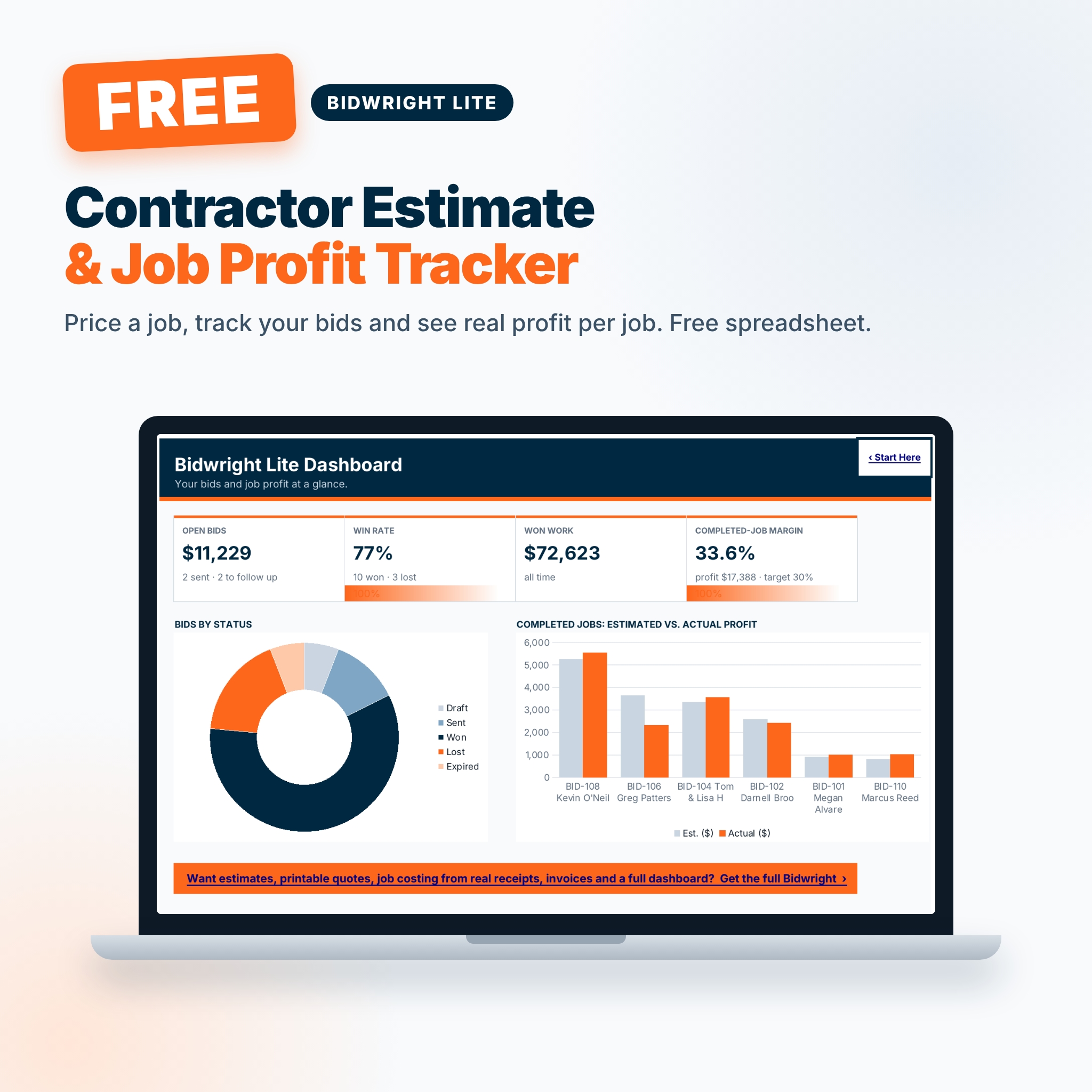
Download the free Bidwright Lite. It includes a Quick Estimate sheet, a bid tracker with follow-up alerts, a job profit tracker and a small dashboard. Downloading needs a free Taskdale account, and free downloads are limited to 3 per day.
What a contractor estimate needs to include
Most underpriced jobs are not caused by bad math. They are caused by missing lines. Before you think about markup, make sure your estimate has a place for each of these costs:
- Materials, priced by the unit you buy them in (sq ft, linear ft, gallon, box, sheet).
- Waste: cuts, breakage and leftovers. Flooring, tile, trim and drywall almost always need extra.
- Labor, priced as hours multiplied by what an hour of labor really costs you, including payroll taxes and insurance.
- Subcontractors such as a licensed electrician or plumber.
- Equipment and fees: dumpster rental, tool rental, permits, disposal and trip charges.
- Overhead: the cost of running the business that no single job pays for directly (insurance, vehicle, phone, software, advertising).
- Contingency: a cushion for the surprises you find once the old floor comes up.
- Profit, added as a markup or a margin.
- Sales tax, if your state requires it on materials or on the full price.
How to build an estimate, step by step
1. Measure and list every item
Walk the job with a tape and a notepad. Write each item as a line with a quantity and a unit: 420 sq ft of luxury vinyl plank, 150 linear ft of quarter round, 4 gallons of wall paint. Group lines by area or phase (demo, flooring, paint) so nothing gets skipped.
2. Add a waste factor to materials
Waste is a percentage added to the material quantity. The right number depends on your trade, the layout and the material, so use your own experience. Diagonal tile layouts and rooms with many corners need more than a simple rectangle. In a spreadsheet, the formula is simple: quantity x unit cost x (1 + waste %).
3. Price labor in hours, not guesses
Instead of guessing a labor dollar amount, estimate hours per unit. For example, if you know you can install a certain amount of plank flooring per hour, that becomes “hours per sq ft.” Multiply by the quantity and by your labor cost per hour. When the job is done, compare estimated hours with actual hours, and adjust your numbers for next time. This single habit makes estimates more accurate than anything else.
4. Add overhead and contingency
Add overhead as a percentage of direct cost. To find your own overhead percentage, divide a year of business expenses that are not tied to a job by a year of direct job costs. Contingency is a smaller cushion, raised for older homes and work with hidden conditions.
5. Add profit: markup vs. margin
This is where many contractors leave money on the table. Markup is a percentage of cost. Margin is a percentage of the selling price. They are not the same number:
- A 25% markup on a $1,000 cost gives a price of $1,250. Your profit is $250, which is a 20% margin.
- A 25% margin on the same $1,000 cost gives a price of $1,333.33. Your profit is $333.33.
If you think in margin but calculate with markup, every job comes in lower than you planned. Pick one method and use it consistently. The full Bidwright workbook lets you choose markup or margin for each estimate and shows the resulting gross margin next to your target.
6. Apply sales tax correctly
Sales tax rules for contractors differ from state to state. Some states tax materials, some tax the whole job, and some treat contractors as the end consumer of materials. Check your state’s rules, then set your template to match: no tax, tax on materials, or tax on the total.
7. Send it, then follow up
Write down the date you sent the estimate and set a follow-up date a few days later. A polite follow-up call is often what turns a maybe into a signed job. Track every bid as Sent, Won, Lost or Expired so you can see your win rate over time.
Using the free Bidwright Lite template
Bidwright Lite gives you a working version of this process in one spreadsheet:
- Quick Estimate: up to 15 lines with type, quantity, unit cost, waste % and labor hours per unit. It totals materials, labor, overhead, markup and sales tax on materials, and shows your gross margin.
- Bid Tracker: 40 bids with status colors, a follow-up alert and a margin check against your target.
- Job Profit: 20 jobs with estimated vs. actual profit and a health flag when a job goes over budget.
- Dashboard: open bids, win rate, won work and your margin on completed jobs, with two charts.
Formula cells are locked with no password, so you cannot break them by accident, and every money label follows one currency setting. It is an Excel-format .xlsx for Microsoft Excel, tested in LibreOffice Calc, and built with standard functions that also work when you open it in Google Sheets.
Get the free Bidwright Lite here (free Taskdale account required, up to 3 free downloads per day).
When you outgrow the free version
A one-sheet estimate works for a single job. Once you are sending several bids a week, you need your prices saved in one place, every estimate kept, and a client-ready quote you can print without retyping. That is what the full Bidwright Contractor Estimate & Job Costing Spreadsheet is built for.

- A Price List of up to 300 materials, labor items and subcontractor prices, each with waste % and labor hours per unit.
- An Estimate Builder with up to 1,500 lines across 250 estimates, plus overhead, contingency, markup or margin and sales tax for each one.
- A printable client quote with your business details, line items, deposit, balance, terms and a signature line.
- Job Costing fed by a labor log, expenses and mileage, with budget vs. actual and over-budget flags.
- A change order log that updates the contract and budget when a change is approved.
- Invoices and payments for deposit, progress and final payments, with overdue flags.
- A one-page Job Profit Report and a dashboard with 8 KPIs, 4 charts and a needs-attention list.
Free vs. Full at a glance
| Feature | Bidwright Lite (free) | Bidwright (full) |
|---|---|---|
| Estimate with waste, labor, overhead, markup and tax | 1 job, 15 lines | 250 estimates, 1,500 lines |
| Saved price list | No | 300 items |
| Markup or margin, contingency | Markup only | Yes |
| Printable client quote | No | Yes |
| Bid tracker with follow-up alerts | 40 bids | 250 bids, plus expired-quote alerts |
| Job profit tracking | Totals you type | Costs flow in from labor, expenses and mileage |
| Change orders and invoices | No | Yes |
| Dashboard | 4 KPIs, 2 charts | 8 KPIs, 4 charts, attention list |
Ready to price every job from your own numbers? See the full Bidwright spreadsheet.
Tips for more accurate estimates
- Update prices regularly. Material prices move. Note the date you last checked each price.
- Learn from every job. Compare estimated and actual hours and costs when the job closes, then adjust your hours per unit and waste factors.
- Write change orders before the work. Small extras add up, and an approved change order is much easier to collect than a surprise on the final invoice.
- Take a deposit. A deposit commits the client and covers early material purchases. Put the amount on the quote.
- Use client-friendly wording. Your internal line might say “LVP 7mm”; the quote can say “Waterproof luxury vinyl plank, supplied and installed.”
Frequently asked questions
Is the contractor estimate template really free?
Yes. Bidwright Lite is free to download with a free Taskdale account. Free downloads are limited to 3 per day.
Does it work in Google Sheets?
Yes. It is an Excel-format .xlsx built with standard functions, so you can upload it to Google Drive and open it with Google Sheets. It was tested in LibreOffice Calc.
Should I use markup or margin?
Either works if you are consistent. Markup is a percentage of cost; margin is a percentage of the price. A 25% markup equals a 20% margin, so know which one your target is based on.
How much waste should I add?
It depends on the material, the layout and your own install habits. Start with what your supplier or experience suggests, then compare leftover material on finished jobs and adjust.
What does the full version add?
The full Bidwright spreadsheet adds a saved price list, an estimate builder for all your bids, a printable quote, job costing from real receipts and hours, change orders, invoices with overdue flags, a Job Profit Report and a full dashboard.
Can I use my own currency?
Yes. Both versions have a single currency symbol setting, with $ as the default.