A free debt payoff calculator is the quickest way to turn a pile of statements into a month-by-month plan with a debt-free date. Below you can download Payfork Lite, a free calculator for up to four debts, and learn how the snowball method works, how it compares with the avalanche method, and how to avoid the mistakes that make a payoff plan fall apart.
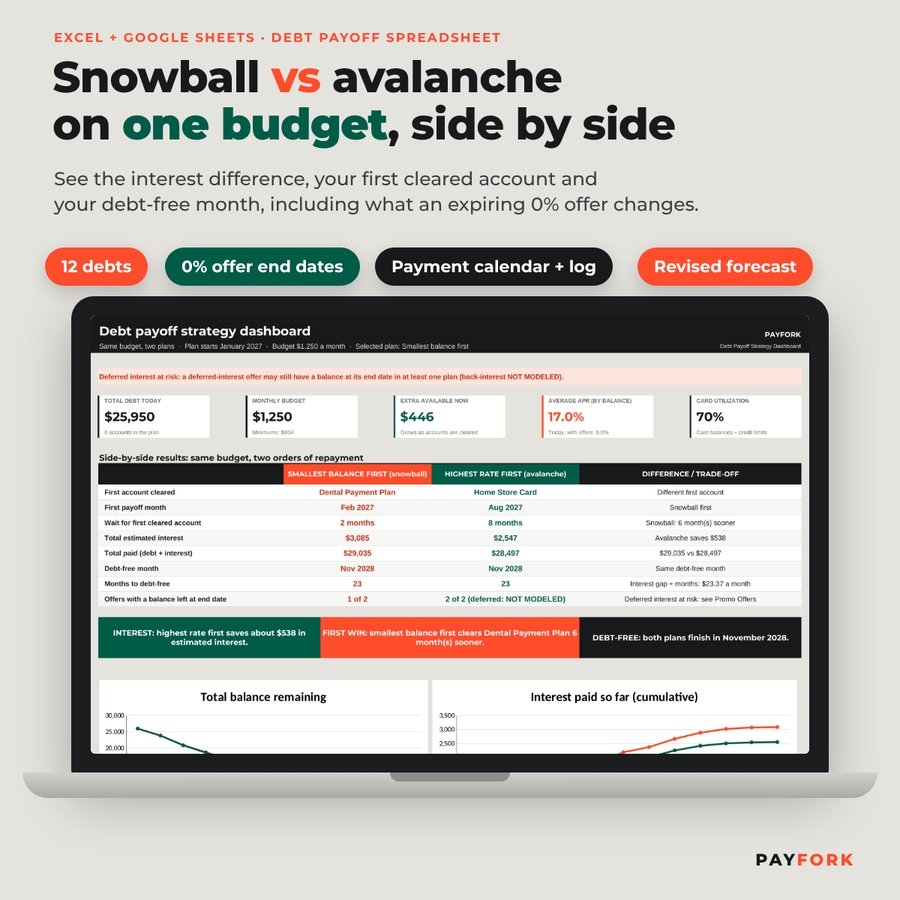
Free Debt Payoff Calculator (Excel & Google Sheets)
A free debt snowball calculator for up to 4 debts: budget check, month-by-month snowball schedule, debt-free month and total interest.
Want everything unlocked?
The free file is a sample. The full version has every page, tab and feature, plus the user guide.
See the full versionThe download is free. You enter your email address to get the file, and free downloads are limited to 3 per day.
What Is the Debt Snowball Method?
The debt snowball method is a simple repayment order. You pay the minimum on every debt, then put every extra dollar toward the smallest balance. When that balance reaches zero, its payment rolls into the next smallest balance, so the amount you throw at each debt grows like a snowball rolling downhill. Your total monthly payment stays the same; only the order changes.
The appeal is momentum. Clearing a small balance in the first month or two gives you a visible win, one fewer due date and one fewer statement. For many people that early progress is what keeps them going for the year or two a full payoff takes.
What Is Inside the Free Debt Payoff Calculator
Payfork Lite is a genuinely useful starter file, not a teaser. It works in Excel and Google Sheets and includes:
- Setup tab with a currency setting, your first plan month and your total monthly debt budget, plus a budget check that shows the extra available or a shortfall.
- Debts tab for up to four balances with entry checks for missing rates and minimums.
- Snowball Plan tab: a month-by-month schedule with minimums, extra payments, estimated interest, balance remaining and the account that gets the extra each month.
- Result box with your debt-free month, months to debt-free, total estimated interest and the first account cleared.
How to Use the Free Snowball Calculator
- Gather your latest statements. For each debt you need the balance, the APR, the minimum payment (or the fixed loan installment) and the due date.
- Set your monthly debt budget. Enter the total you can pay toward all debts each month, minimums included. Be realistic: a budget you can keep beats an ambitious one you abandon.
- Enter your debts. Type 24.99 for a 24.99% APR, and enter 0 for a 0% rate. A blank rate is flagged so you do not mistake a missing entry for a free loan.
- Read your plan. The Snowball Plan tab shows every month until the last balance is gone. The result box gives you the date to aim for.
Debt Snowball vs Debt Avalanche
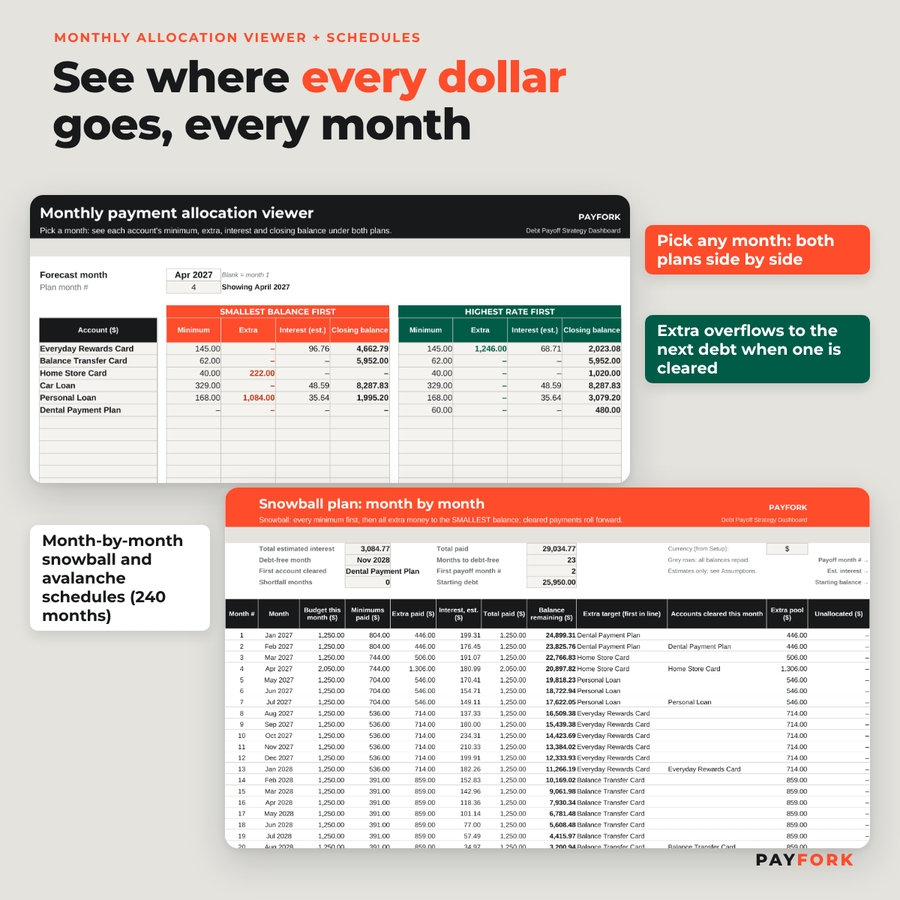
The avalanche method uses the same budget but sends the extra money to the highest interest rate first. Mathematically it usually costs less interest, because the most expensive balance shrinks first. The trade-off is time: if your highest-rate debt is also a large one, it can take many months to see the first account reach zero.
| Question | Snowball (smallest balance first) | Avalanche (highest rate first) |
|---|---|---|
| Where does the extra go? | Smallest balance | Highest current APR |
| Total interest | Usually a little higher | Usually lowest |
| First account cleared | Usually sooner | Often later |
| Best for | Motivation and fewer bills fast | Saving the most money |
The honest answer to “which is better?” depends on your numbers. In the worked example that comes with the Payfork Debt Payoff Strategy Dashboard, the avalanche plan saves about $538 in interest, while the snowball plan clears its first account six months sooner, and both finish in the same month. Seeing both results side by side makes the decision easy to own.

The 0% Offer Problem Most Calculators Miss
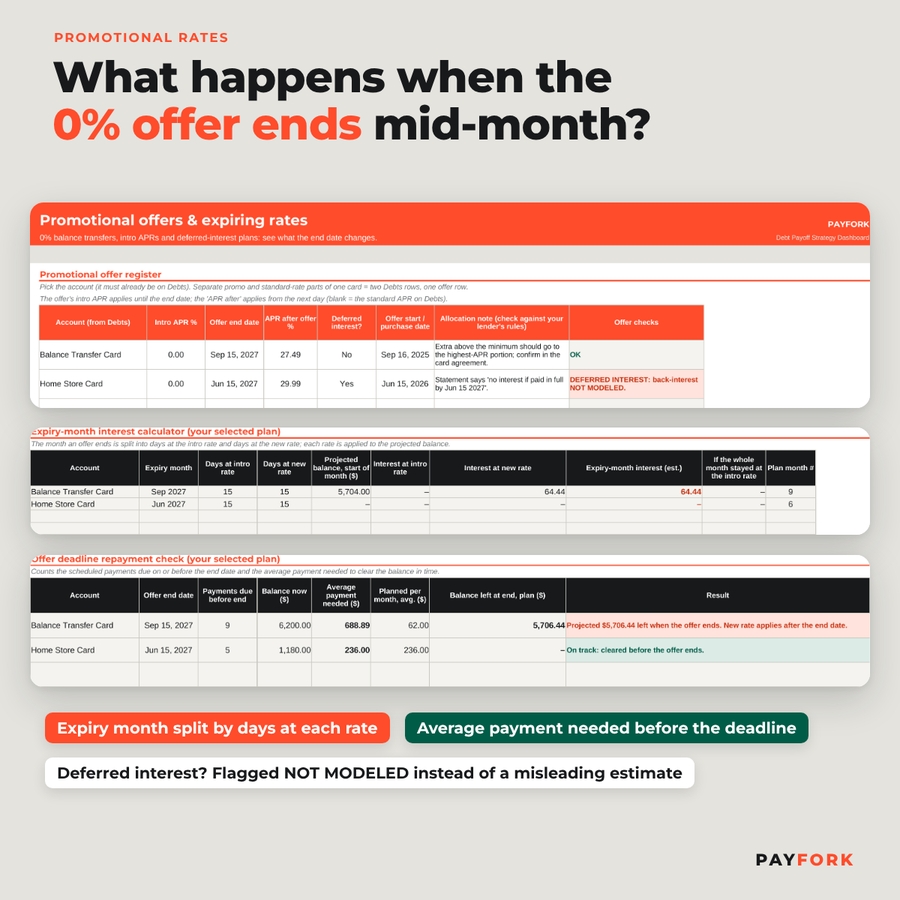
Balance transfers and store-card promotions change the math. While an offer runs at 0%, that balance costs nothing, so an avalanche plan rightly ignores it. The day the offer ends, the rate can jump to 25% or more, and the right order changes. A calculator that uses one fixed rate per debt will get both plans wrong.
There is a second trap: deferred interest. A true 0% intro APR charges interest only on the balance left after the end date. A “no interest if paid in full” plan can charge interest all the way back to the purchase date if even a small balance remains. The Consumer Financial Protection Bureau (consumerfinance.gov) explains this difference. If you have one of these plans, aim to clear it in full before the deadline, whatever method you use.
The full Payfork debt payoff spreadsheet handles both: it splits the expiry month by days at each rate, re-checks the avalanche order when a rate changes, counts the payments left before each deadline and flags deferred-interest offers as not modeled rather than showing a misleading estimate.
Five Mistakes That Derail a Debt Payoff Plan
- Counting only the extra. Your budget should be the total you pay toward debt, minimums included. Otherwise the plan quietly assumes money you do not have.
- Letting minimums drift down. Card minimums fall as balances fall. Keep paying the original amount and the difference speeds up your plan.
- Forgetting the promo end date. Write it down, and check how many payments are left before it.
- Adding new spending. A payoff plan cannot outrun new charges. Pause the cards you are paying down.
- Never checking actuals. Statements rarely match a forecast exactly. A monthly review keeps the plan honest and your target date realistic.
When You Are Ready for the Full Plan
The free file is a solid start for up to four debts. If you have more balances, a promotional rate, or you want to track the plan month by month, the full Payfork Debt Payoff Strategy Dashboard was built for that.
Upgrade to the full Payfork Debt Payoff Strategy Dashboard
- 12 debts and both plans side by side on one budget, with a difference column and charts
- 0% offers and intro APRs with expiry months split by days, plus a deadline repayment check
- Deferred-interest checklist and clear not-modeled flags
- Monthly allocation viewer, budget tester and rate-change comparison
- Payment calendar, 600-row payment log, payoff countdown and monthly revised forecast
- Worked example workbook and an illustrated user guide
$29.99 · Excel and Google Sheets · instant download
Tracking Your Progress Month by Month
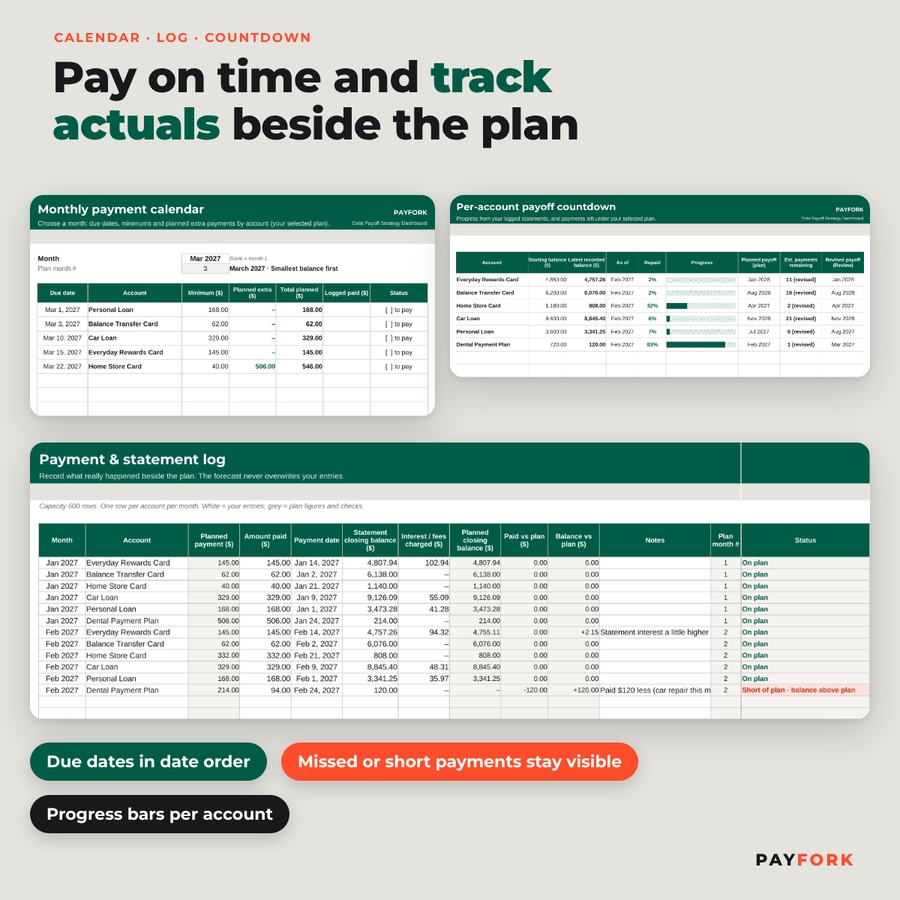
A plan is only useful if you follow it. Each month, pay from a list of due dates, then record what you paid and the closing balance from each statement. Compare the actual balance with the plan: small differences are normal because card issuers charge interest on the average daily balance, while most calculators use a monthly estimate. If you fall behind, re-forecast from your real balances instead of starting over.
The full debt snowball and avalanche workbook does this for you with a payment calendar, a payment and statement log, per-account progress bars and a review tab that keeps your original target date visible next to the revised one.
Frequently Asked Questions
Is this debt snowball spreadsheet really free?
Yes. Payfork Lite is free for personal use. Enter your email to download it.
Does it work in Google Sheets?
Yes. Upload the .xlsx file to Google Drive and save it as a Google Sheet, or open it in Excel 2016 or later.
Can I compare snowball and avalanche in the free version?
The free file runs the snowball method. The full version runs both on the same budget and shows the difference.
Is this financial advice?
No. It is a planning tool for education. Figures are estimates based on your entries; check them against your statements and lender agreements.
Ready to start? Download the free calculator below and build your plan today.